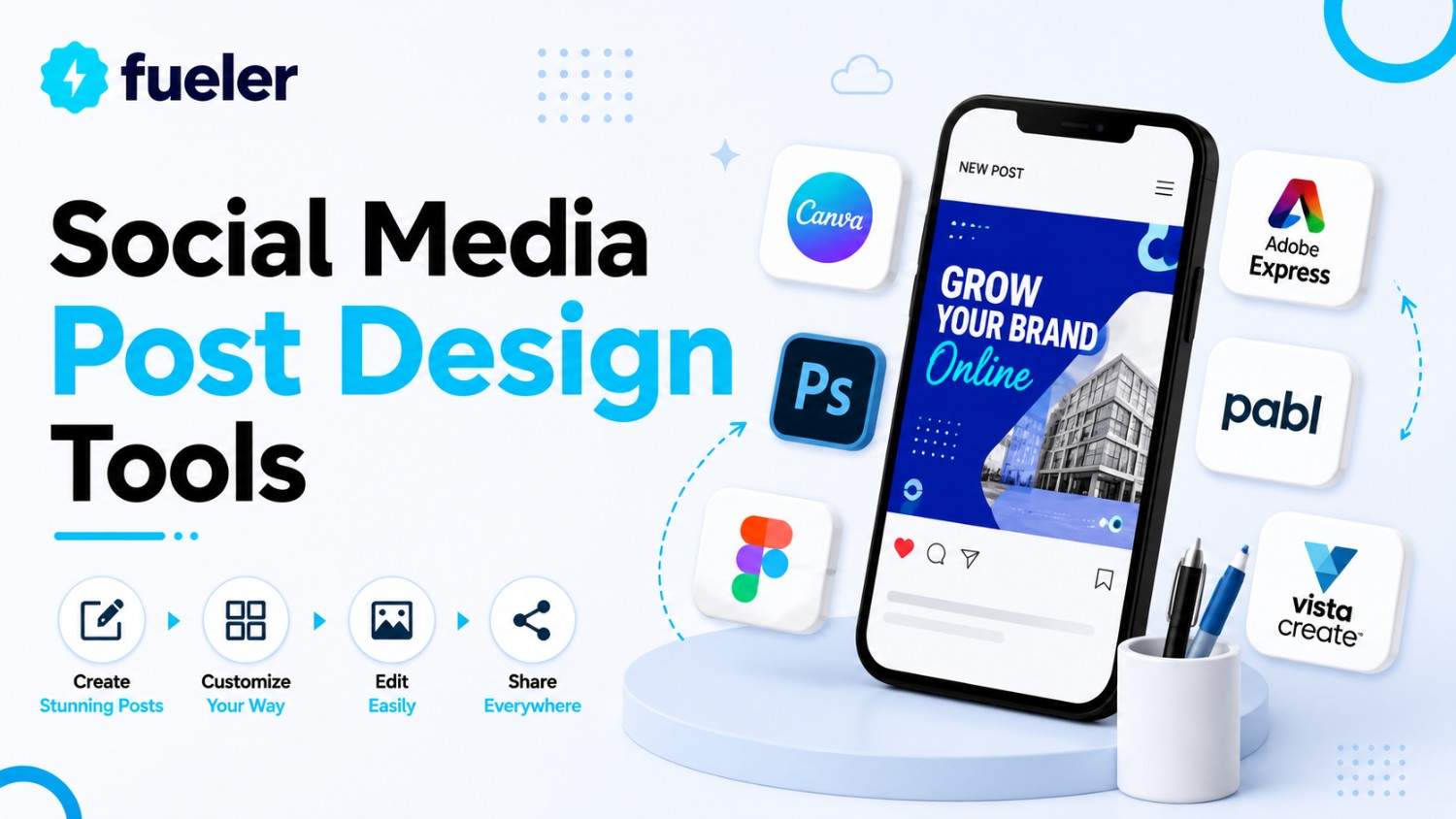
6 Best Social Media Post Design Tools for Small Businesses

Riten Debnath
07 Jun, 2026
Last updated: June 2026
Organic reach on social media is no longer governed by static algorithms. In 2026, platforms feed on immediate, hyper-contextual viewer retention driven by dynamic visual anchors. Small businesses can no longer afford to bottleneck their growth with complex, multi-day graphic design pipelines or rely on dated, generic templates that audiences scroll past instantly.
I’m Riten, founder of Fueler, a skills-first portfolio platform that connects talented individuals with companies through assignments, portfolios, and projects, not just resumes/CVs. Think Dribbble/Behance for work samples + AngelList for hiring infrastructure.
Modern social media asset production demands automated multi-format scaling, localized asset generation, and commercial-grade template flexibility. The industry has shifted toward single-click programmatic resizing and deep contextual brand-kit alignment to maintain operational efficiency across multiple channels simultaneously.
Here are the best social media post design tools in 2026.
At a glance: Comparing the Best Social Media Post Design Tools for Small Businesses
Canva
Best For: Fast-growing local brands, solo operators, and multi-channel marketing teams requiring a centralized, template-rich asset engine with instant collaboration.
Canva operates as the market baseline for accessible cloud-based graphic execution. By embedding advanced generative automation natively into an intuitive drag-and-drop layer canvas, the platform allows non-technical operators to build structured carousel posts, video stories, and display banners without prior design training. Its infrastructure eliminates manual composition delays by unifying asset generation, font styling, and direct platform publishing schedules in a single window.
- Programmatic Magic Switch: Automatically converts a single 1:1 Instagram grid post into a 9:16 vertical video frame or a horizontal banner without manual asset layout restructuring.
- Centralized Brand Management: Locks down corporate color palettes, custom brand typography, and vector logo assets across the workspace to preserve visual consistency across team tiers.
- Native Multi-Channel Scheduler: Allows users to queue finished creative assets for direct publishing across major networks like LinkedIn, Pinterest, and Meta feeds without leaving the app canvas.
- Extensive Media Integration: Houses hundreds of millions of premium stock photos, vector icons, pre-rendered video clips, and audio tracks to bypass third-party library procurement costs.
- Real-Time Team Workspaces: Enables concurrent collaborative design editing, manager approval workflows, and immediate contextual commenting to streamline fast-moving feedback loops.
Pricing:
- Free Tier: $0 (Basic templates, 5GB cloud storage, core tools, approximately 50 monthly AI generation credits).
- Pro Plan: $12.99/month or $120/year (Unlocks full asset libraries, unlimited Brand Kits, premium background removal, and 500 AI credits).
- Teams Tier: $10/user/month or $100/user/year (Minimum 3 users; adds administrative control permissions, centralized team billing, and formal approval pathways).
Why It Matters in 2026
When multi-channel digital real estate demands continuous content volume, creative friction kills distribution margins. Canva protects small business execution velocities by stripping technical barriers out of high-volume asset output, ensuring marketing assets land on consumer timelines before regional trend hooks lose their commercial relevance.
Adobe Express
Best For: Compliance-focused small businesses, corporate communication teams, and creative agencies requiring legally safe, commercial-grade AI outputs backed by advanced asset control.
Adobe Express brings the industrial creative strength of the Adobe ecosystem into an agile, browser-based deployment model designed for rapid social execution. Driven by the commercially secure Adobe Firefly generative engine, it protects enterprise-level small businesses from intellectual property claims by training its models purely on public domain assets and licensed stock. It bridges the gap between raw asset generation and precise vector layer manipulation.
- Commercially Insured Generative AI: Utilizes Firefly architecture to generate text-to-image variations and text style modifiers with zero risk of copyright or trademark infringement.
- Creative Cloud Asset Synchronization: Links directly with professional Photoshop (.psd) and Illustrator (.ai) files, letting teams update core source assets across platforms seamlessly.
- Precision Generative Fill: Allows designers to alter specific elements within an image layer by brushing over sections and inputting plain-text adjustment prompts.
- Advanced Typeface Controls: Connects directly with the comprehensive Adobe Fonts library to deploy complex typography hierarchy treatments that stand out on mobile viewports.
- Automated Video Background Eraser: Isolates human subjects or specific foreground products from raw video footage with a single click, simplifying short-form video creation.
Pricing:
- Free Tier: $0 (Core editing tools, standard templates, 5GB storage, 25 monthly generative credits with watermarked premium assets).
- Premium Plan: $9.99/month or $99.99/year (Access to 200M+ Adobe Stock assets, complete font suites, brand management kits, and 250 generative credits).
- Teams Plan: $4.99/user/month (Billed annually, minimum 2 seats; adds centralized Admin Console, shared asset structures, and 24/7 technical support channels).
Why It Matters in 2026
Brand security is an essential operational consideration as digital landscapes expand. Adobe Express provides growth-stage companies with the production speed of generative asset creation alongside ironclad asset protection, ensuring high-visibility campaigns scale across networks without introducing legal liabilities to the business model.
Visme
Best For: B2B companies, consulting firms, and data-driven organizations that need to convert complex research into scannable social graphics and infographics.
Visme specializes in converting dense business statistics, technical data points, and operational insights into engaging social media formats. The tool focuses on structural information presentation rather than general aesthetic decoration, providing comprehensive charting mechanisms, custom data widgets, and interactive diagram systems. This makes it an essential asset for teams that leverage research, whitepapers, or market data to win customers on networks like LinkedIn.
- Dynamic Data Visualizers: Converts raw spreadsheets, active Google Sheet data, or live JSON inputs into high-clarity social graphs and comparison frameworks.
- Built-In 3D Graphic Library: Integrates high-definition, interactive 3D objects and vector illustrations to add depth to technical social assets.
- Structured Infographic Builders: Outfits creators with specialized vertical templates optimized to break down multi-step processes or industry market shifts.
- Interactive Presentation Ports: Supports the creation of multi-page slide carousels featuring embedded audio, custom animation triggers, and clickable call-to-action points.
- Granular Asset Analytics: Tracks viewer engagement levels, click metrics, and interaction durations for shared social presentation links and digital brochures.
Pricing:
- Basic Plan: $0 (Limited asset access, standard template layouts, web-view only exports with system watermarks).
- Starter Tier: $12.25/user/month billed annually ($29/month monthly; unlocks unwatermarked JPG/PNG file downloads, full template suites, and 24/7 chat support).
- Pro Plan: $24.75/user/month billed annually ($59/month monthly; adds high-tier PDF/HTML5 exports, advanced data analytics, and full AI design tool integration).
Why It Matters in 2026
In professional spaces, sharing surface-level content yields diminishing returns. Visme allows specialized small firms to present technical data points cleanly, transforming standard text updates into visually compelling case studies that generate inbound leads and boost industry credibility.
Brandbird
Best For: Indie hackers, software developers, and product operators who need to transform dry software screenshots into clean, brand-aligned promotional graphics.
Brandbird handles a distinct but critical workflow within modern product marketing: turning raw desktop screenshots, mobile app mockups, and code snippets into polished social assets. Instead of forcing creators into a blank multi-layer editor, the app lets users drop a screenshot onto the canvas and automatically adds elegant padding, accurate device mockups, custom gradients, and 3D balance tilt effects.
- Instant App Device Mockups: Places raw product screenshots into clean, modern smartphone, desktop, or browser frames automatically with realistic glass reflection overlays.
- Dynamic 3D Camera Angles: Shifts canvas orientation to present software interfaces with advanced perspective tilts, shadows, and focal depth blurs.
- Automated Sensitive Data Masking: Features built-in privacy brushes to blur out sensitive client keys, internal metrics, or personal user profiles before rendering.
- Curated Studio Backdrop Engines: Overlays crisp, multi-color gradient backdrops or clean pattern meshes behind image frames to elevate minimal interface designs.
- Optimized Social Frame Presets: Matches input dimensions to current platform specification profiles instantly, eliminating edge clipping on user feeds.
Pricing:
- Free Account: $0 (Access to core studio backdrop adjustments, basic device framing options, watermarked file outputs).
- Pro Tier: $12/month billed annually ($15/month monthly; unlocks unlimited high-definition downloads, custom brand font uploads, and zero system watermarking).
- Team Scale Plan: $24/month billed annually ($30/month monthly; adds shared brand libraries, collaborative user seats, and centralized project folders).
Why It Matters in 2026
For software startups and technical founders, your product interfaces are your best marketing materials. Brandbird eliminates the tedious task of manually tweaking image padding and device shadows in heavy design software, allowing technical teams to drop product screenshots, apply their brand colors, and share updates on Twitter or LinkedIn in under a minute.
Figma
Best For: Product-led startups, SaaS companies, and UX-focused designers who need custom, pixel-perfect social design layouts built from advanced vector systems.
While traditionally leveraged for interface development, Figma has become a primary tool for advanced small business social media post creation. Many teams also pair it with a social media post scheduler to seamlessly design, organize, and publish content across multiple platforms. Its infinite canvas layout allows creators to map out entire multi-week carousel storyboards, product announcement variants, and dark-mode feature cards side by side. Figma eliminates template genericism by giving operators absolute control over spatial geometry, vector nodes, and precise auto-layout typography behavior.
- Dynamic Auto-Layout Engines: Creates responsive design containers that scale text box sizing, margins, and button configurations automatically as content strings alter.
- Infinite Visual Storyboarding: Houses multi-platform social asset architectures inside a single spatial workspace to preview cohesive brand campaign aesthetics holistically.
- Advanced Vector Control Networks: Provides detailed geometric point manipulation to design distinct custom brand shapes, unique arrows, and custom frame containers.
- Reusable Component Architectures: Standardizes a master social post shell where changes made to global styles instantly cascade across hundreds of active layout variations.
- Native FigJam Collaboration: Pairs the primary canvas with an open brainstorming canvas to map out content calendars and strategic copy hooks alongside active prototypes.
Pricing:
- Starter Plan: $0 (Free for up to 3 active design files, 3 FigJam brainstorming boards, and unlimited view-only team stakeholders).
- Professional Tier: $12/editor/month billed annually ($15/month monthly; unlocks unlimited design files, infinite version history, and shared team component libraries).
- Organization Plan: $45/editor/month (Billed annually; adds advanced systemic design controls, private plugin access, and centralized company-wide workspaces).
Why It Matters in 2026
Generic visual layouts fail to capture consumer attention in mature digital markets. Figma allows technical startups and precise product teams to ditch standard social templates and create custom, asset-dense graphics that accurately communicate product utility, positioning the brand as a premium authority.
PosterMyWall
Best For: Social media managers, creators, small businesses, and solo marketers who want to design, generate, and publish social content across every major platform without hiring a designer or developer.
PosterMyWall operates as an all-in-one AI content engine for small business marketing, folding design generation, video creation, and multi-platform publishing into a single browser-based workspace. Unlike single-purpose design tools, it removes the handoff between making a post and getting it live, letting non-technical teams generate a design, caption, and voiceover from one prompt, then push it directly to their audience without exporting files or switching software.
Few of the other highly useful features of PosterMyWall are as follows:
- AI Caption Writer: Generates on-brand captions instantly, removing the separate copywriting step most competitors still require.
- AI Images & AI Background Remover: Creates on-brand visuals and cleans up product photos in seconds, no external editing software needed.
- AI Subtitles & AI Voice: Adds auto-captioning and voiceover to video content directly inside the platform.
- Content Planner & Social Media Scheduling: Plans and auto-publishes posts across every connected channel from a single calendar.
- Free Public REST API: Gives developers programmatic access to design and publishing workflows at no extra cost, unlike most competitors that gate API access behind enterprise tiers.
Pricing:
- Free Plan: $0/month (core design tools, templates, and social publishing at standard limits)
- Premium: $13/month (Premium templates, full AI tools access, upload own fonts)
- Premium Plus: $30/month (expanded team and brand management capabilities for growing marketing teams)
Why It Matters In 2026
As small businesses lean harder on AI to keep pace with content demand, the tools that win aren't just the ones generating assets, they're the ones that also get that content published. PosterMyWall closes that loop at a price point most local marketing budgets can absorb, with a free API on top for teams who want to build their own workflows around it.
Why It Matters in 2026
Static social feeds are losing ground to high-energy vertical video ecosystems. CapCut gives retail brands and fast-moving small businesses the power to produce eye-catching video graphics and crisp motion assets without requiring expensive video production crews or complicated editing suites.
Which Tool Should You Choose?
- Beginners & Solopreneurs: Lean on Canva to build high volumes of multi-channel graphics quickly using clean, intuitive design templates.
- Product Teams & SaaS Startups: Choose Figma to design custom, pixel-perfect feature cards and user interface carousels from scratch.
- B2B & Consultancy Firms: Rely on Visme to transform dense market data, research statistics, and infographics into scannable lead magnets.
- Technical Founders & Indie Hackers: Use Brandbird to turn basic software screenshots into professional promotional graphics instantly.
- E-Commerce & Retail Stores: Deploy CapCut to handle high-energy short-form video assets, automated subtitle overlays, and dynamic product announcements.
- Compliance-Minded Organizations: Standardize on Adobe Express to guarantee commercially safe AI generation and smooth Creative Cloud integration.
Building a Strong Career or Portfolio With Visual Assets
In modern digital marketing, formal certifications mean very little without proof of execution. Brands and agencies no longer hire operators based on their resumes; they look for verifiable proof of work that shows you can build real distribution loops and maintain a clean brand identity. Masterfully operating these design platforms allows you to document your strategic frameworks, run multi-variant tests, and build polished, real-world case studies.
When you present your design choices alongside real-world campaign outcomes, you transform an abstract application into an undeniable professional asset. Using a platform like Fueler lets you showcase these visual projects, platform workflows, and digital assignments naturally, allowing prospective clients and brands to see the direct commercial value you can bring to their marketing engine.
Final Thoughts
Relying on a single, isolated graphic design tool is a bottleneck for growing businesses. Succeeding across modern social channels requires a strategic balance of design speed, data clarity, and platform safety. The design platforms detailed here are core pieces of marketing infrastructure built to save you time, optimize your post-production pipelines, and protect your brand equity across a crowded digital landscape. Evaluate your current content velocity requirements, identify your primary distribution channel, select the tool that matches your team's technical skill level, and begin building a highly scalable, conversion-focused social media engine.
FAQs
What is the overall best social media design tool for a beginner?
Canva remains the most accessible choice for beginners due to its massive template library and intuitive layout. Its automated resizing tools let solo business owners manage multiple channels without needing to learn complex design software.
Is Adobe Express better than Canva for business use?
If your team already uses professional programs like Photoshop or Illustrator, Adobe Express offers superior integration. It also provides peace of mind for corporate brands because its Firefly AI models are trained exclusively on commercially safe images.
Can Figma be used effectively for daily social media graphics?
Yes. Many tech startups prefer Figma because its infinite canvas lets you map out multi-post campaigns and product announcements side-by-side, maintaining complete control over layout rules and brand typography.
How do B2B companies benefit from specialized design tools like Visme?
Visme excels at turning complex business data, spreadsheets, and long research reports into clean, engaging infographics. This is perfect for B2B brands looking to build trust and authority on platforms like LinkedIn.
Do free design plans include commercial usage rights for small businesses?
Most free plans allow basic commercial posting, but they often restrict access to premium stock libraries or add platform watermarks. Upgrading to a paid tier like Canva Pro or Adobe Express Premium ensures your assets remain professional and fully compliant.
What is Fueler Portfolio?
Fueler is a career portfolio platform that helps companies find the best talent for their organization based on their proof of work. You can create your portfolio on Fueler. Thousands of freelancers around the world use Fueler to create their professional-looking portfolios and become financially independent. Discover inspiration for your portfolio
Sign up for free on Fueler or get in touch to learn more.

What should you do next?
You've read the article. Now turn your skills into proof of work and unlock more opportunities.
Build your proof of work portfolio
Create a clean portfolio with projects, assignments, resumes, and AI stack details that companies actually want to see.
Create your Fueler portfolio →Apply through assignments, not resumes
Stand out by solving real tasks from companies hiring on Fueler.
Explore assignments →Get discovered by companies
Make your work public and let recruiters discover your skills through actual projects instead of keywords.
Get discovered →
