8 Best Poster Maker Tools for Marketing and Event Promotion

Riten Debnath
08 Mar, 2026
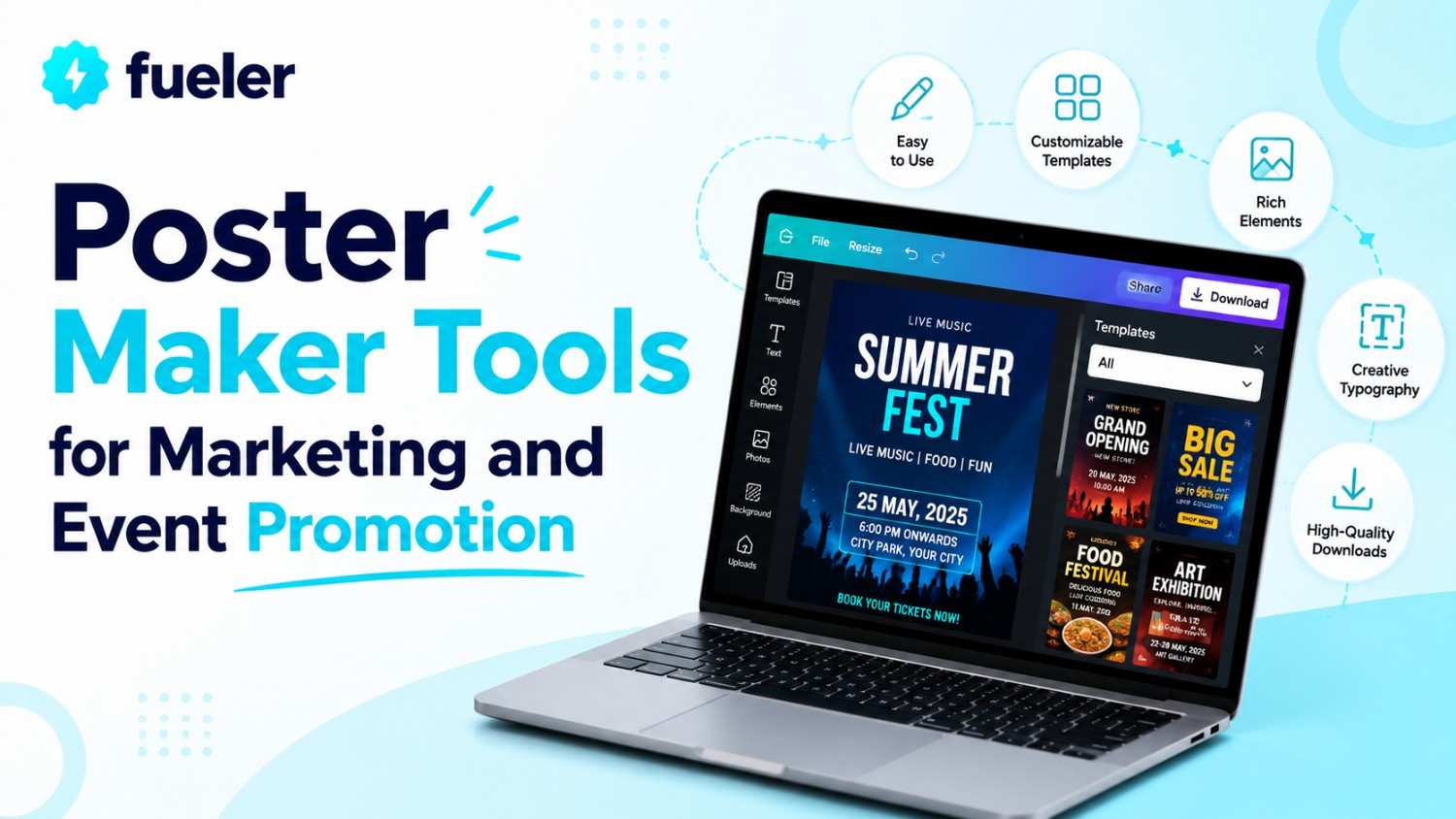
Let’s stop pretending that a slapped-together Word document with a blurry clip-art image qualifies as a professional "event poster." If you are trying to promote a launch, a concert, or a business milestone with a design that looks like it was born in 1998, you aren't just failing at marketing, you're actively repelling the very people you want to show up. A great poster is a visual hook; it is a high-impact piece of communication that makes someone stop mid-scroll or mid-stride and think, "I need to be there." You don't need a degree in graphic design or a $500 software subscription to stop embarrassing yourself. You just need the right tool. Here are the 8 best poster makers to help you stop the scroll and fill the seats.
I’m Riten, founder of Fueler, a skills-first portfolio platform that connects talented individuals with companies through assignments, portfolios, and projects, not just resumes/CVs. Think Dribbble/Behance for work samples + AngelList for hiring infrastructure.
1. Design.com Poster Maker
If brand consistency matters to your business, then Design.com’s poster maker is the one for you. Instead of forcing you to settle for generic or basic templates, the platform is built to help businesses generate relevant, on-brand posters quickly using AI-powered tools, a massive library of templates, and a huge selection of visual elements. Whether you have an organic skincare line, burger food track, or wedding photography studio, the platform makes it easy to keep every poster visually consistent with your branding.
- AI-Powered Brand-Aligned Poster Creation: Instead of starting from scratch, you can generate poster concepts instantly using your business name, keywords, or brand details. The AI then creates layouts that are aligned with your input, dramatically reducing the time spent trying to make designs look “right” or feel “you”, while still keeping visual appeal front and center throughout the entire process.
- Huge Selection of Fonts, Shapes, & Graphics: Design.com includes over 750 fonts alongside over 62,000 vector graphics and shapes that make it easier to build posters matching your existing brand style. Whether your business aesthetic is modern, playful, luxury-focused, corporate, or minimalist, the platform gives you enough flexibility to maintain a cohesive visual identity across every campaign.
- Massive Library of Customizable Templates: With over 1 million design templates and thousands of poster-specific layouts, businesses can quickly find designs tailored to promotions, events, retail campaigns, restaurants, social media, product launches, and more. Instead of rebuilding layouts every time, you can adapt professionally designed templates while keeping your own colors, typography, and brand elements consistent throughout your marketing materials.
- Built-In Branding Ecosystem: One of Design.com’s biggest advantages is that the Poster Maker connects directly with the platform’s broader suite of branding tools, including the AI Logo Generator, Business Card Maker, social media assets, email signatures, website builder, and more. This creates a unified branding ecosystem where your posters naturally stay aligned with the rest of your business identity instead of feeling disconnected from your other marketing materials.
- Professional Print & Digital Flexibility: Once your poster is finalized, you can either download it digitally in formats like PNG, JPG, PDF, SVG, and EPS or order professional printed posters directly through the platform. Print quantities range from 1 to 200 posters with multiple paper finish options available, including Semi-Gloss, Glossy, and Matte. This allows businesses to maintain the same brand consistency across both online marketing and physical promotional materials without needing separate design or print vendors.
Pricing: Design.com offers free customizable poster templates. Their premium templates require subscription before you can download them. The Premium Plan starts at approximately $3/month billed annually and includes access to over 50 design tools, poster templates, logo editing, business branding assets, and perpetual file storage. The Premium Design Pack + Website plan starts at approximately $6/month billed annually and adds website-building functionality alongside expanded features for businesses wanting a more complete visual identity solution.
2. Adobe Express
Adobe Express is like the cooler, more approachable younger sibling of Photoshop. It gives you access to the professional design pedigree of Adobe without requiring you to spend three months watching tutorial videos just to figure out how to add text to a background. It is sleek, powerful, and feels undeniably premium for those who demand professional standards.
- Professional Adobe-Grade Fonts: You gain instant access to a massive library of world-class, high-end Adobe fonts, which is honestly the easiest way to immediately elevate the look and feel of your event materials. Choosing the right typography immediately distinguishes your poster from a generic hobbyist project, giving it an air of authority, sophistication, and genuine professional quality that naturally commands respect from anyone who sees it.
- One-Click Quick Actions: Features like one-click background removal, automatic image resizing for various social media platforms, or converting files between formats turn previously tedious, repetitive, and time-consuming tasks into literal one-second jobs. This incredible efficiency keeps your marketing workflow moving at lightning speed, allowing you to focus on managing the event rather than sweating over the technical minutiae of creating graphics for your various channels.
- Creative Cloud Integration: If you are already utilizing Adobe Stock or other Creative Cloud assets for your business, you can seamlessly import them directly into your poster layouts. This creates a powerful, professional-grade bridge between your existing creative assets and your final poster, ensuring that your marketing materials always maintain a high level of consistency and visual quality across all your different projects and media.
- Advanced Generative AI: You can simply type a text prompt to generate entire templates, unique text effects, or completely new images from scratch. This is a perfect solution for when you have a creative block and need a fast, high-quality starting point to get the ball rolling, ensuring you never have to stare at a blank screen wondering how to begin your design process.
- Mobile & Desktop Synergy: You can start a design on your laptop at the office and finish it on your phone during your commute, as everything lives in the cloud and follows you perfectly. This level of flexibility ensures that your workflow is never interrupted, meaning you can act on a marketing idea immediately whenever inspiration strikes, whether you are at your desk or on the go.
Pricing: Adobe Express offers a free plan. The Premium plan costs $9.99/month, which unlocks millions of premium stock assets, unlimited generative AI credits, and advanced branding tools to keep your marketing professional.
3. PosterMyWall
If your marketing strategy relies on high-volume, event-specific content, PosterMyWall is your new best friend. It is built specifically for creators who need to pump out flyers, posters, and digital signage without getting bogged down by unnecessary, overly complex features. It is a workhorse for small businesses, restaurants, and retail spaces that need to stay current.
- Massive Event-Specific Library: They offer one of the most extensive libraries of event-specific templates in the design industry, ranging from high-energy sports and music festivals to professional retail sales. All of these templates are highly customizable for your specific brand identity, giving you a head start on your design process so you aren't trying to build something stunning from absolutely nothing every single week.
- Instant One-Click Resize: This feature is an absolute life-saver, allowing you to instantly adapt a single, master poster design for Instagram, Facebook, email marketing campaigns, or printed flyers without having to start from scratch. This drastically cuts down on your production time, ensuring your campaign is consistent across both digital and physical platforms while minimizing the effort required to reach your audience everywhere.
- Integrated Marketing Suite: It is not just a static design tool; it acts as a publishing platform. You can share your designs directly to your social media accounts or set up email campaigns from within the tool, effectively turning it into a mini-marketing suite. This makes it an ideal choice for busy small business owners who need to design, publish, and track their promotions in one location.
- Video & Animation Integration: Unlike many other design tools that focus exclusively on static imagery, PosterMyWall makes it incredibly easy to incorporate video backgrounds or animated elements into your digital posters. These moving graphics are scientifically proven to grab more attention on fast-moving social media feeds, helping your event announcement stand out against the static noise of your competitors' social posts.
- Unlimited Brand Kits: You can easily store your brand’s unique logo, specific color palettes, and signature fonts to ensure that every event poster you create maintains a consistent visual identity that your local customers will start to recognize over time. This consistency is the secret to building trust and authority, making your brand look like a serious, established player in your local market.
Pricing: A limited Free plan is available. The Premium plan is $9.95/month (or $99.95/year), and the Premium Plus plan is $29.95/month for advanced team collaboration, branding, and email tools.
4. Piktochart
Piktochart started as an infographic powerhouse, and they have carried that focus on structure, clarity, and visual hierarchy directly into their poster maker. It is the best tool if your posters need to communicate complex information like workshop details, conference schedules, or community program announcements in a way that remains readable and professional, even when the content is dense.
- Superior Data Visualization: If your event involves data, research, or complex statistics, Piktochart’s charting and mapping tools are significantly superior to standard drag-and-drop editors. They allow you to create clean, easy-to-read, professional visualizations that add instant credibility to your marketing materials, making it easier for potential attendees to quickly understand why your event is worth their time, money, and commitment.
- Intentional Visual Hierarchy: Their editor is specifically designed to guide you into creating balanced layouts, ensuring that your primary headline, call-to-action, and secondary details are organized in a way that doesn't overwhelm the viewer. By forcing a logical flow, it ensures your message is communicated clearly and effectively, which is essential for busy people who spend only seconds glancing at a poster.
- Auto-Applying Brand Assets: By simply uploading your primary logo, Piktochart can automatically extract your brand colors and suggest a palette that keeps your posters consistently on-brand. This saves you from the tedious and often frustrating trial-and-error of manual color matching, ensuring that every single asset you produce feels like it belongs in the same professional family, regardless of the individual project.
- Professional Team Collaboration: It includes excellent features for teams to share designs, leave specific comments, and maintain version control. This makes it perfect for corporate event planning where multiple internal stakeholdersfrom management to marketing staffneed to sign off on a design before it goes public, ensuring a clean, efficient, and error-free process for your entire organization's marketing team.
- High-Resolution Export Options: They provide clean, high-resolution downloads in all the industry-standard formats, including PNG, JPG, and PDF. This ensures your prints are crisp, clear, and professional-looking every single time you hit the printer, whether you are creating a small poster for a shop window or a large-format display for a major conference event, maintaining your brand's reputation for quality.
Pricing: There is a free plan with limited templates and 100MB of storage. The Pro plan starts at $24/user/month (billed annually), which includes advanced brand assets and high-definition exports.
5. Visme
Visme is essentially a Swiss Army knife for visual communication. It is perfect for solopreneurs and small business owners who need to create everything from presentations and social media graphics to large-format marketing posters, all in one place. It is a high-performance tool for those who want a blend of creative freedom and corporate-level structural integrity.
- Pixel-Perfect Granular Control: If you are a perfectionist who needs to adjust letter spacing, layer transparency, or individual alignment down to the pixel, Visme provides the kind of granular control that most other "simple" editors lack. This level of precision is fantastic for creating sophisticated designs that look high-end, allowing you to meticulously craft the look of your poster until it is absolutely perfect for your brand.
- Grown-Up Professional Assets: They offer a vast library of vector icons, shapes, and animated elements that look noticeably more "grown-up" and corporate-appropriate than the cartoonish stickers found in some entry-level design tools. This makes it a stellar choice for business events, B2B marketing, or any situation where your poster needs to project a sense of serious, high-quality, and professional reliability to a discerning audience.
- Interactive Dynamic Elements: You can add interactive elements to your digital posters, such as hover effects or clickable buttons, which is incredibly useful for digital marketing campaigns where you want to track user engagement. This turns a simple poster into a high-converting landing page, allowing you to measure exactly how many people are clicking through to your registration page or website.
- Highly Intuitive Interface: Despite its professional-grade, deep features, the drag-and-drop interface remains remarkably intuitive. You do not need an extensive design background to produce something that looks sophisticated and clean, meaning you get the best of both worlds: the power to create advanced designs with the ease of use that busy professionals require to get their work done quickly and effectively.
- Robust Organizational Tools: Their file management system is excellent for keeping track of multiple event campaigns simultaneously, allowing you to organize your creative assets into clearly labeled folders and easily repurpose elements from previous successful designs. This is invaluable for managing a full calendar of marketing events, as it helps you maintain consistency while saving you massive amounts of time on future projects.
Pricing: There is a limited Basic free plan. Paid plans start at $12.25/user/month (billed annually) for the Starter plan, while the Pro plan is $24.75/user/month (billed annually) for more storage and advanced collaboration.
6. Venngage
Venngage is heavily optimized for professionals who need to synthesize information into visual formats quickly and reliably. While it is often praised for infographics, its dedicated poster maker is a beast for event planners who need to quickly create professional-looking marketing assets that don't look like they were pulled from a generic, overused template bank found on every other site.
- AI-Powered Poster Generator: Their AI engine lets anyone create stunning posters simply by entering a text prompt, which is essentially a DIY poster design tool that requires absolutely zero artistic talent. The system interprets your needs and spits out a draft that is already visually optimized, making it a dream come true for professionals who have a clear event concept but lack the design skills to execute it.
- Data-Rich Visualization: Since Venngage excels at data, it is unparalleled for events where you need to showcase numbers like charity fundraising goals, company growth milestones, or workshop performance stats. It transforms potentially boring data into a visually compelling story, which is a major competitive advantage when you are trying to convince busy people to attend your event or support your cause.
- Built-in Collaboration: The platform is built for corporate teams, meaning you can share designs with your colleagues, get feedback, and make edits together without ever leaving the dashboard. This collaborative environment speeds up the approval process significantly, which is a critical feature for busy teams working on tight deadlines for event launches or major company announcements that require multiple levels of oversight.
- Templates for Every Platform: While they specialize in posters, their templates are also optimized for quick sharing on social media platforms like Instagram, Facebook, and LinkedIn. This instant export and resizing capability makes it incredibly easy to post your event assets across all your marketing channels in minutes, ensuring your brand presence is consistent, active, and highly engaging throughout your entire event promotion campaign.
- Professional Print Exporting: Unlike some free tools that struggle with high-quality prints, Venngage lets you download high-resolution, print-ready PDF and PNG files that are perfectly suitable for professional event printing. This ensures that your posters look sharp, polished, and high-quality when they are printed at large sizes for bulletin boards, kiosks, or front-desk displays, maintaining your professional image every time.
Pricing: A free plan is available for the first few designs. The Premium plan is $19/user/month and the Business plan is $49/user/month (billed annually), which includes brand kits and team-wide sharing.
BONUS
Canva
Canva is the undisputed heavyweight champion because it manages to be incredibly powerful while feeling like a game. It is the go-to for anyone who needs high-quality, professional results without the soul-crushing learning curve of professional-grade software. If you can click a mouse and type a few words, you have all the technical skill required to build a poster that looks like an agency built it.
- Massive Template Library: You get access to over 250,000 free templates and millions of premium stock photos, icons, and illustrations. This massive variety ensures that you can stop using the same tired, overused stock images that everyone else is using, giving your event promotion a fresh, unique aesthetic that actually catches the eye and keeps potential attendees engaged with your brand’s specific professional message.
- AI-Powered Magic Studio: With their new, incredibly robust AI-powered tools, you can generate entire layouts, remove backgrounds in a single click, or expand images with just a few simple prompts. This saves you literally hours of manual editing time that you would otherwise spend wrestling with layers and pixel alignment, allowing you to focus purely on the creative strategy behind your event’s visual storytelling.
- Real-Time Collaboration: You can invite your entire team to leave comments, make direct edits, or suggest changes in real-time, which finally eliminates the painful "version 2_final_final_real.pdf" email chain nightmare. This seamless collaboration is vital for corporate event planning, where multiple stakeholders need to sign off on a design, ensuring that everyone stays perfectly aligned on the branding and messaging before the posters go live.
- Print-Ready Export: Canva makes it remarkably seamless to download your final poster in the high-resolution PDF or PNG formats required by professional printing services. Whether you are printing A1 posters for a concert or small flyers for a local workshop, you can be absolutely confident that your final physical print will look sharp, professional, and high-quality, perfectly matching the design you carefully crafted on your screen.
- Consistent Branding: The "Brand Kit" feature is a complete lifesaver, allowing you to lock in your company’s specific hex colors, signature fonts, and logos. This ensures that every single poster you create, whether it is for a product launch, an internal office event, or a massive marketing campaign, maintains a unified, intentional visual identity that your customers will immediately start to recognize and associate with your business.
Pricing: Canva offers a generous Free plan. Canva Pro is $12.99/month or $119.99/year, which unlocks access to over 100 million premium stock assets, unlimited AI-powered tools, and a massive 1TB of cloud storage.
7. Stencil
Stencil is the tool for people who want something that feels like a "mini-Adobe" without the overwhelming complexity. It is designed for maximum speed and simplicity, making it a favorite among busy bloggers, PR professionals, and small business owners who need to churn out professional-looking graphics and posters every single day without the slightest hassle or technical frustration.
- Extreme User Intuition: The software is incredibly intuitive; there is absolutely no need to watch a dozen YouTube tutorials to learn how to use it. You can jump right in, find a template, swap your text, and have a finished poster ready to export in just a few minutes, making it a fantastic choice for those who view design as a task to be completed rather than a fun creative project.
- High-Quality Asset Selection: Stencil provides a massive library of stock images, icons, and shapes that are high-quality and easy to search. This saves you from the "analysis paralysis" that comes with other platforms that offer too many confusing choices, allowing you to quickly select a visual that fits your event's theme and get back to your real work within minutes.
- Flexible Custom Sizing: One of the most-loved features is how easy it is to select or create your own custom sizes as needed for unique projects. This flexibility is perfect for businesses that have specific printing requirements or social media channels that need non-standard dimensions, as you can define your canvas exactly to your needs without struggling with restrictive, pre-set constraints.
- Text Formatting Precision: The text tools are great, particularly the slider that makes increasing or decreasing font size incredibly fast, along with a wide selection of great-looking fonts. While it doesn't try to be Photoshop, the control it gives you over text is perfect for creating clean, legible, and professional-looking headlines that grab attention and clearly communicate your event details at a single glance.
- Reliable Work Saving: Every design you create is saved to your account, so you can easily go back later to edit a graphic to update event dates, venue changes, or content details. This is excellent for long-term marketing campaigns where you might need to release multiple versions of a poster over several weeks, ensuring you don't have to start from square one for every single update.
Pricing: There is a free plan available. The Pro plan is $15/month, and the Unlimited plan is $20/month, both providing access to all their templates and unlimited downloads for your marketing needs.
8. Fotor
Fotor is an all-in-one graphic design and photo editing platform that is particularly strong for those who want their event posters to feature high-quality photography. If your event marketing relies on people, faces, or high-definition product shots, Fotor gives you the tools to enhance those photos before they ever hit the poster layout, setting it apart from more graphics-only tools.
- Advanced AI Photo Editing: Unlike many other design tools, Fotor started as a photo editor, so its background removal, image enhancement, and face-swap features are top-tier. This means you can take a slightly dull photo from your last event and transform it into a vibrant, high-definition visual that anchors your new poster, making your marketing materials look professional even if you aren't a photographer.
- Infinite Template Variety: They offer a massive range of creative templates that are ideal for businesses seeking dynamic, modern marketing materials. Because they update their library frequently, the designs feel fresh and current, helping you avoid that "stale" look that often happens when you use templates that have been floating around the internet for years, ensuring your posters always reflect modern design trends.
- Desktop & Mobile Access: Fotor has a dedicated desktop app and a solid mobile app, allowing you to keep it in your desktop tray for incredibly easy access throughout your work day. This is perfect for the creator who needs to make multiple quick changes throughout the day, ensuring the software is always just one click away when you need to make a fast design tweak or create an urgent graphic.
- Logo Removal Tools: If you have photos that have distracting logos or watermarks that you need to get rid of, Fotor’s specialized removal tools can save you time and money. This helps you clean up your professional assets so you can focus on promoting your own event without having to worry about unwanted brand clutter in your high-quality event photos, keeping the focus entirely on your message.
- All-in-One Creative Hub: Fotor serves as an all-in-one platform where you can do everything from basic photo editing to complex design projects, making it a very efficient choice for those who are tired of jumping between five different programs just to finish one poster. It streamlines your entire creative process, allowing you to edit your photos, design your poster, and export it all in one cohesive environment.
Pricing: Fotor has a Basic free plan. The Fotor Pro plan costs $8.99/month, and the Fotor Pro+ plan costs $19.99/month, which includes more advanced AI tools and professional design resources.
Final Thoughts
Promoting your event is stressful enough without fighting with clunky software. By picking one of these tools, you are choosing to prioritize your time and your brand's reputation. Whether you need the data-heavy focus of Piktochart, the speed of Stencil, or the creative depth of Canva, there is a tool here that fits your needs perfectly.
Frequently Asked Questions
1. Which poster maker is actually best for beginners?
Canva and Stencil are widely considered the most intuitive for people with zero design background. They both offer massive libraries of templates and simple drag-and-drop editors that get you from "idea" to "download" in minutes, not hours.
2. Are the free versions of these tools worth using?
Absolutely. Many free plans (especially Canva and PosterMyWall) are incredibly generous. You can create professional-grade posters without paying a cent, as long as you are willing to use their library of free assets instead of the premium ones.
3. Do I really need to pay for a subscription?
Only if you need specific features like high-quality PDF exports for printing, brand kits to keep your team consistent, or advanced AI tools to speed up your workflow. Start with the free plan; you can always upgrade later once you see the value.
4. What is the biggest mistake people make on event posters?
Overcrowding. People try to cram every single detail, date, time, venue, a paragraph of description, a dozen logos onto one page. The best posters have one big headline, one clear image, and one bold call-to-action. If they want more info, send them to a website.
5. Can I use these for large-format printing?
Yes, but check your export settings. Always choose "PDF Print" or the highest-resolution PNG available to ensure the poster doesn't look blurry or pixelated when it is blown up to A1 or A0 size.
What is Fueler Portfolio?
Fueler is a career portfolio platform that helps companies find the best talent for their organization based on their proof of work. You can create your portfolio on Fueler. Thousands of freelancers around the world use Fueler to create their professional-looking portfolios and become financially independent. Discover inspiration for your portfolio
Sign up for free on Fueler or get in touch to learn more.

What should you do next?
You've read the article. Now turn your skills into proof of work and unlock more opportunities.
Build your proof of work portfolio
Create a clean portfolio with projects, assignments, resumes, and AI stack details that companies actually want to see.
Create your Fueler portfolio →Apply through assignments, not resumes
Stand out by solving real tasks from companies hiring on Fueler.
Explore assignments →Get discovered by companies
Make your work public and let recruiters discover your skills through actual projects instead of keywords.
Get discovered →
