Why Fueler Is the Next Step After a Notion Portfolio?

Riten Debnath
10 Jul, 2026
Last updated: July 2026
Clicking a private document link and seeing a spinning loading wheel is the ultimate vibe killer for a busy founder. In 2026, nobody has the patience to sift through internal text wikis just to see if you can write copy or ship code. It’s an administrative headache.
I’m Riten, founder of Fueler, a skills-first portfolio platform that connects talented individuals with companies through assignments, portfolios, and projects, not just resumes/CVs. Think Dribbble/Behance for work samples + AngelList for hiring infrastructure.
If you are stuck tweaking blocks instead of winning clients, it is time to upgrade your professional setup. Today, you will learn why treating your work like a document limits your income and how shifting to a dedicated network brings opportunities directly to your inbox.
1. The Real Reason Document Links Are Breaking Your Application Flow
Forcing an operator to navigate a messy text database creates instant cognitive friction that kills your conversion rate.
- Accidental Access Permission Roadblocks: Sharing a link only to find out the viewer needs to request manual email access destroys your momentum instantly and projects an unpolished, highly unprofessional image to busy talent teams who will immediately move on to the next candidate.
- Confusing Internal Folder Trees: Forcing an executive to click through multiple nested layers just to locate a single graphic file or copy deck causes immense cognitive fatigue and lowers your overall conversion rate significantly over time.
- Lack of Clear Branding: Generic corporate default interfaces fail to communicate your distinct identity as an independent professional operator, making your applications blend into a sea of identical-looking white text pages that lack any artistic authority.
- Distracting Project Workspace Elements: Public viewers frequently get sidetracked by empty placeholder pages, sidebar navigation menus, and unrelated administrative notes instead of focusing purely on your primary data evidence and project breakdowns.
- Broken Mobile Responsive Margins: Most document management links scale horribly on mobile viewports, leaving remote startup founders with microscopic text and misaligned images when checking your application on the move or between busy meetings.
2. Why True Proof of Work Demands Instant Page Loading Speeds
If your portfolio takes more than two seconds to render background database scripts, busy founders will bounce immediately.
- High Client Bounce Rates: Every extra second your page takes to load increases the mathematical probability that an impatient product manager will exit your application to view a competitor's faster platform before even seeing your name.
- Bloated Background Database Scripts: General-purpose organizational tools run extensive internal scripts that slow down public rendering speeds, making your portfolio feel sluggish and poorly optimized to modern tech teams who expect rapid speed.
- Unreliable Production Asset Rendering: Large image files and video embeds often fail to render correctly on slow connections when forced through non-optimized cloud servers, hiding your best visual evidence completely from the viewer's screen.
- Poor Performance on Slow Networks: Remote clients reviewing pitches while traveling on shaky mobile data networks will completely abandon heavy pages that freeze up their standard web browsers instead of waiting around for your graphics to load.
- Reduced Digital Trust Signals: A slow loading, glitchy landing page subtly signals to tech-savvy companies that you are careless with your digital infrastructure, reducing your overall professional credibility during the critical first evaluation phase.
3. The Structural Shift From Internal Wikis to Public Discovery Networks
A text document is an isolated dead end that completely blocks search crawlers and limits your organic inbound opportunities.
- Zero Organic Inbound Discovery: Private text documents cannot be found by platform discovery engines, forcing you to rely entirely on exhausting manual cold outreach to land every single new client contract or consulting gig.
- Search Engine Indexing Barriers: Major search engine crawlers frequently struggle to properly index deep, private workspace subpages, preventing your name from ranking cleanly when clients Google your specific professional skills or past projects.
- Missed Peer Network Visibility: Storing your case studies in a closed silo keeps your work hidden from fellow community members who could easily refer you to lucrative overflow assignments when their own schedules fill up.
- Inability to Trace Contributions: General document setups lack standardized attribution systems, making it difficult for recruiters to verify exactly what portion of a collaborative project was built by your hands versus your peers.
- Static Isolation from Ecosystems: Without a live platform feed pushing your latest shipped work to active buyers, your accomplishments quickly become stale historical entries rather than active lead generators that bring money.
4. Eliminating Design Fatigue to Prioritize Actual Project Outcomes
Total layout customization is a massive trap that causes endless procrastination instead of showcasing real business execution results.
- Standardized Presentation Frameworks: Pre-structured project blocks keep your layout uniform, preventing your profile from looking messy as you add different types of creative work over time without needing a developer.
- Instant Asset Upgrades: Dropping new media into an existing profile takes seconds, allowing you to update your public-facing page immediately after wrapping an intensive freelance assignment before the momentum fades away.
- Zero Breakable Layouts: Removing complex block dragging means your portfolio layout will never accidentally break when a premium client opens it on an unusual screen size or an old monitor style.
- Clean Typographic Hierarchy: Built-in font structures ensure that your case study copy is perfectly readable, eliminating the temptation to spend days debating subtle styling choices that don't matter to your bottom line.
- Consistent Brand Experience: A minimal design aesthetic keeps the focus entirely on your project images and case study results, rather than distracting interface decorations that take away from your visual authority.
5. How Automated Grid Organization Captures Executive Attention Faster
Founders skim profiles looking for patterns of impact; structured grids deliver those answers without forcing them to read long text walls.
- High Contrast Headlines: Using clear project titles that name the exact skill used helps viewers immediately identify your core areas of technical expertise during rapid screening processes where seconds count.
- Three Part Case Summaries: Breaking your descriptions into problem, action, and result sections makes your project narratives incredibly easy to follow and digest for busy executives who hate reading fluff.
- Direct Call to Action Placement: Keeping your contact details visible across your profile ensures that interested clients can reach out without hunting for an email address link or checking your social media accounts.
- Strategic Keyword Integration: Incorporating specific industry terms naturally into your project titles improves your visibility within internal talent acquisition search filter systems used by major tech agencies around the globe.
- Clean Media Separation: Keeping text blocks separate from images and code embeds ensures that your layout remains perfectly organized and visually comfortable to scan through during high-volume reviewing cycles.
6. Moving Beyond Fragmented External Links for True Credibility
Relying on external destination links leads to broken connections, unrendered images, and unverified career achievements when websites inevitably change.
- Protection Against Broken URLs: Storing your assets directly on an independent presentation network ensures your visual case studies stay functional and accessible even if the original live client website goes down completely.
- Centralized Proof Repositories: Keeping screenshots, design sheets, code modules, and performance metrics inside a single block keeps your career archive unified and easy for talent scouts to inspect.
- Tamper-Proof Project Logs: Building an independent archive creates a permanent timestamp of your historical contributions, preventing future corporate rebrands from erasing the visual proof of your hard work.
- Reduced Dependency on External Portals: Eliminating external redirection keeps prospective clients locked entirely onto your personal page, drastically increasing the duration of their session and attention.
- Continuous Brand Security Equity: Owning an independent asset gallery protects your operational authority from disappearing when third-party software tools update their subscription tiers or access rules.
7. Building an Unfair Inbound Pipeline That Works While You Sleep
A public profile inside a talent ecosystem brings high-paying offers directly to you based entirely on your execution patterns.
- Clear Skill Alignment Matrix: Highlighting your exact role in every project block helps browsing founders immediately match your explicit expertise with the current technical or operational problems their startup is facing.
- Continuous Proof Feed Streams: Logging your work consistently demonstrates to the open marketplace that you are actively shipping products, building systems, and sharpening your execution skills in real time.
- High Trust Workflow Radiators: Sharing transparent structural breakdowns of your day-to-day execution systems completely removes client skepticism, proving you can reliably hit project milestones without hand-holding.
- Effortless Distribution Mechanics: Having a single, lightning-fast link allows you to drop your proof of work into pitches, emails, and social bios without worrying about database passwords or permissions.
- Scalable Inbound Revenue Multipliers: A searchable, fully indexed project gallery continuously acts as an automated sales engine, capturing premium inbound inquiries while you focus entirely on your current client work.
8. Step-by-Step Guide to Launching Your High-Converting Portfolio
Setting up a rapid-loading, high-conversion profile takes less than five minutes when using a layout engine optimized purely for output.
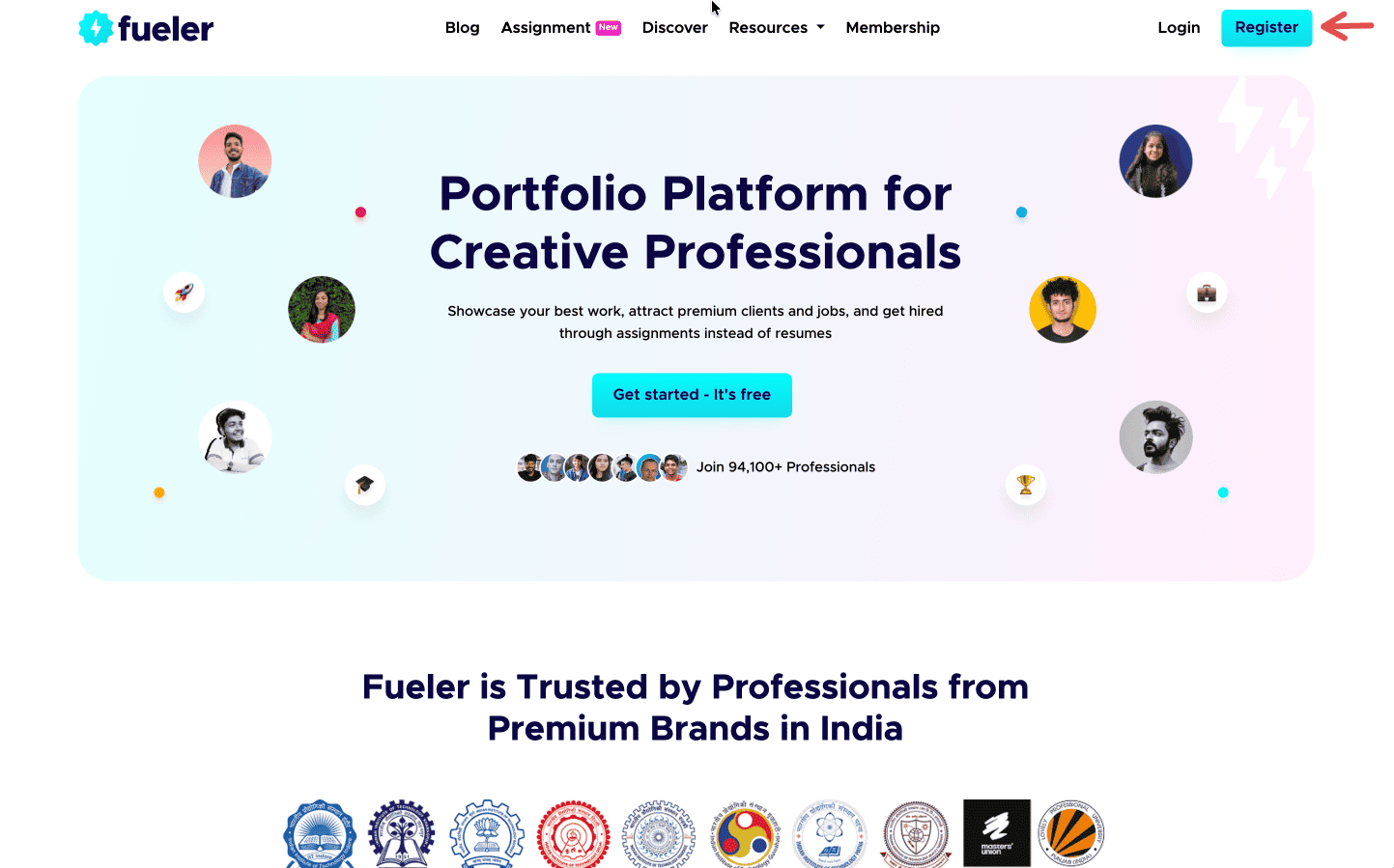
Step 1: Sign up on Fueler.
Head to Fueler.io and create your free account.
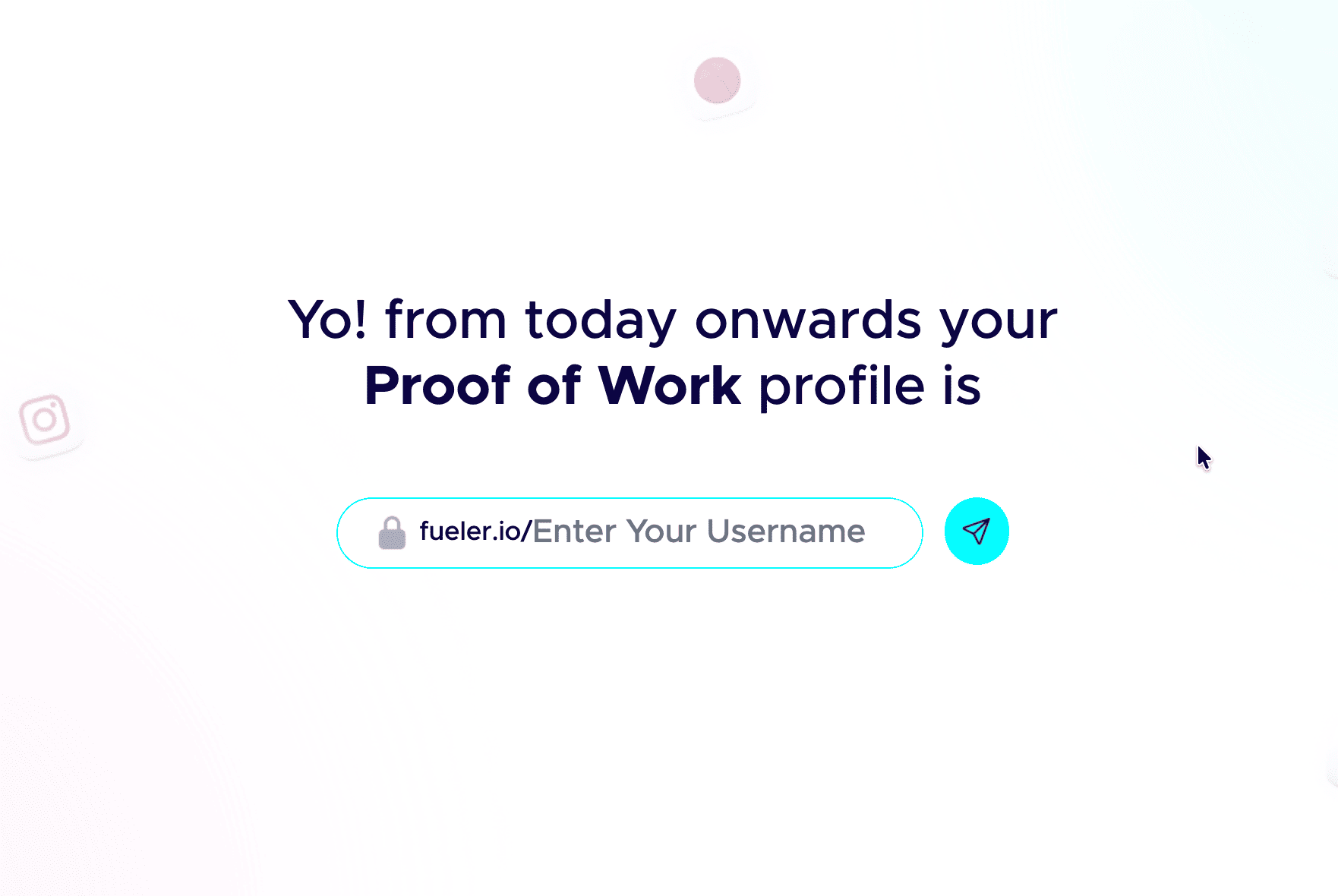
Step 2: Pick a professional handle.
Your handle shows up in your public link, so keep it clean and grown-up. Don’t add nicknames and random numbers. Your name or a simple version of it works best.
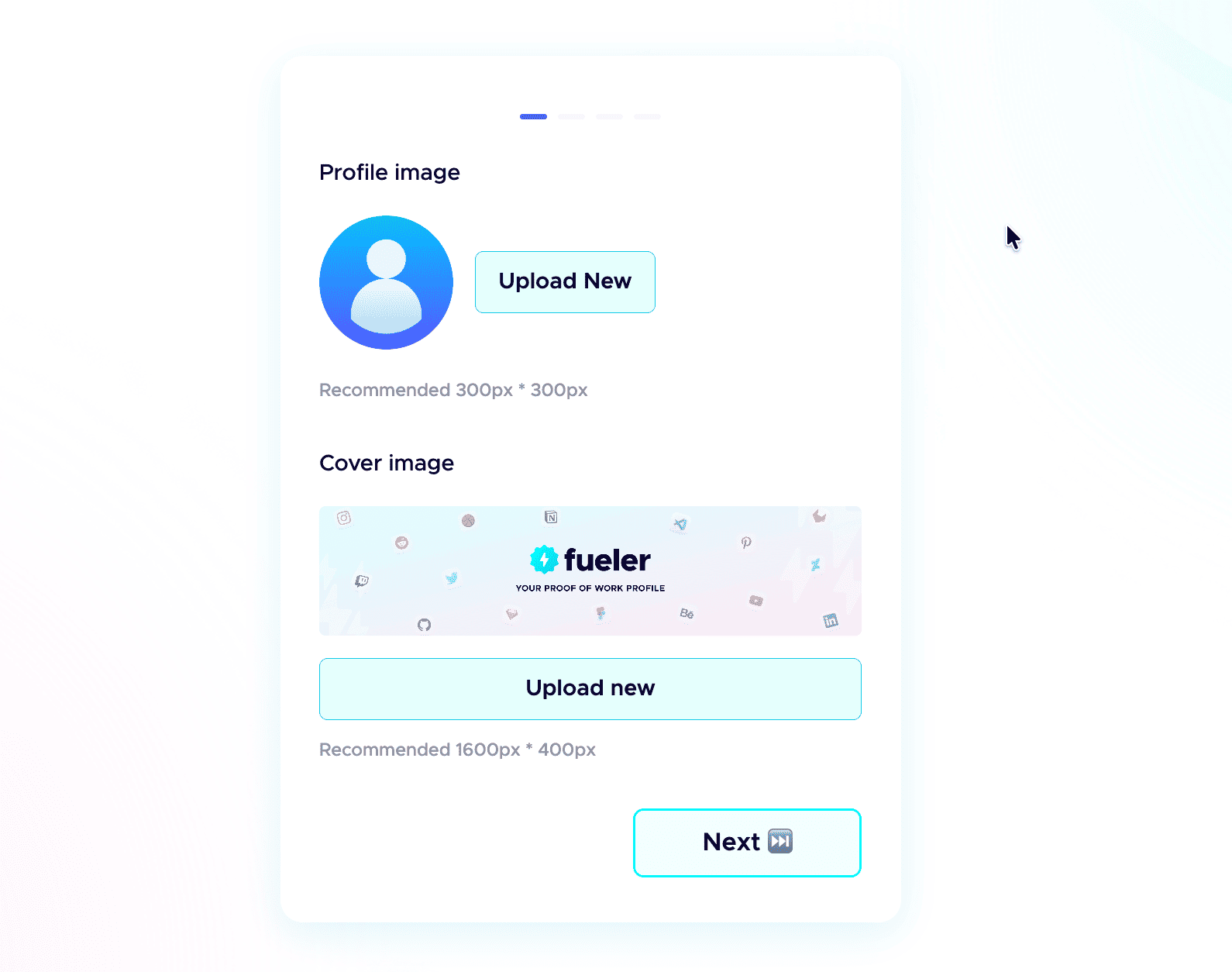
 Step 3: Add a professional profile picture.
Use the same kind of professional photo you would put on LinkedIn. Clear face, good lighting, and a simple background. People trust a real face more than an empty avatar.
Step 4: Write a strong header.
The header is the first thing anyone sees. In one or two short lines, say who you are, what you do, and the kind of work you have done. Make it specific, not vague.
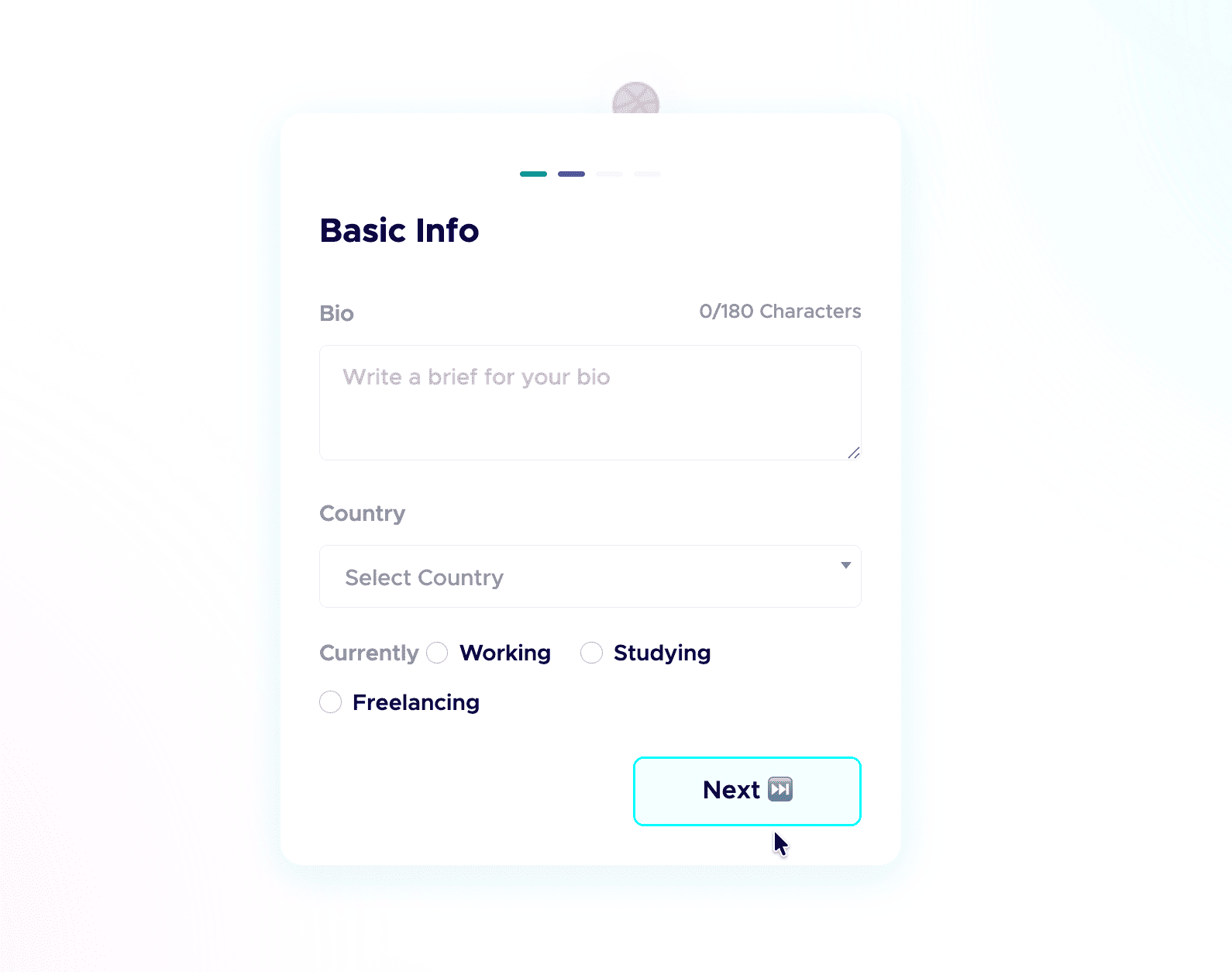
Step 5: Add a short bio.
Tell people who you are and what you do in a few plain sentences. No buzzwords, just enough for a recruiter to get you in five seconds.
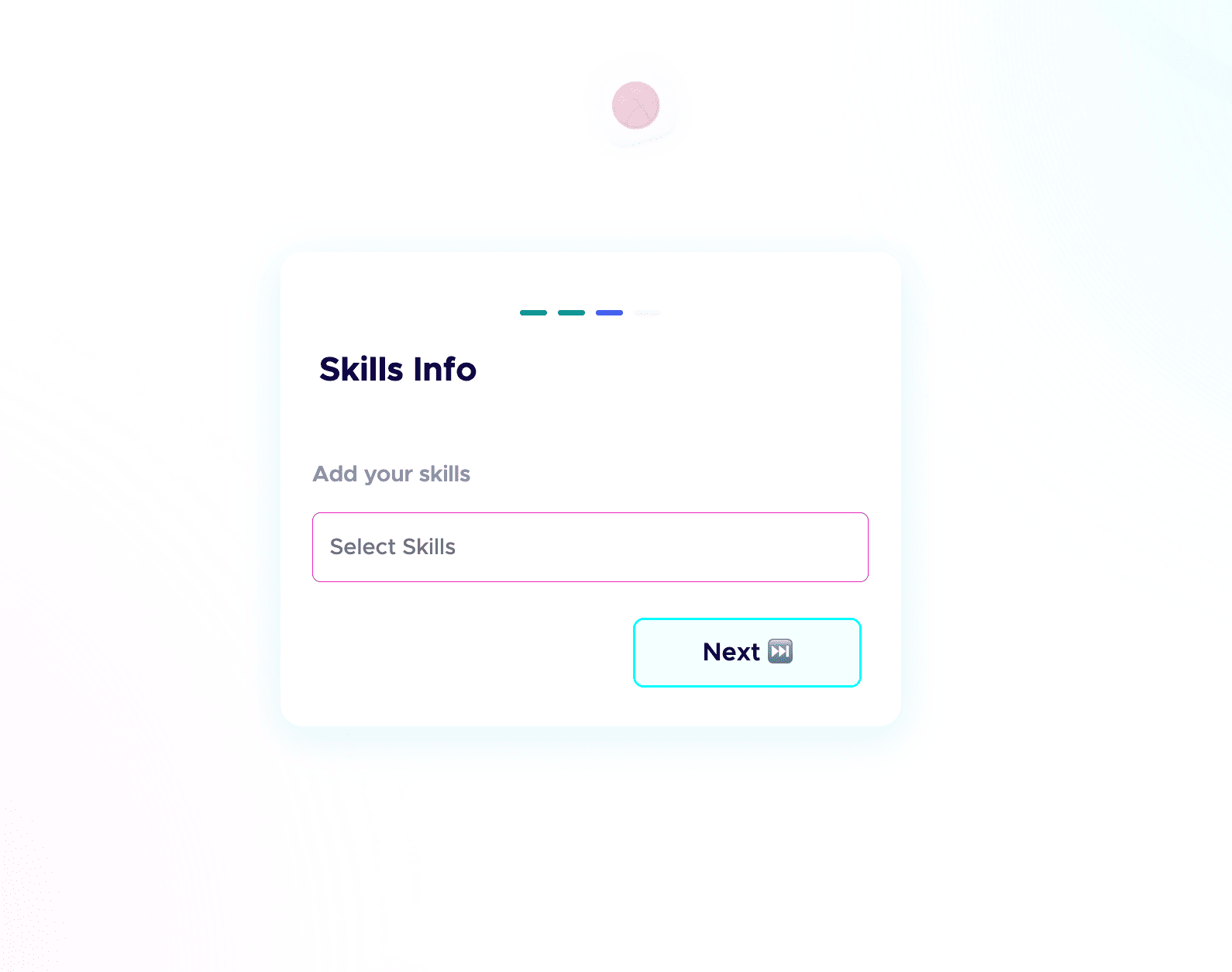
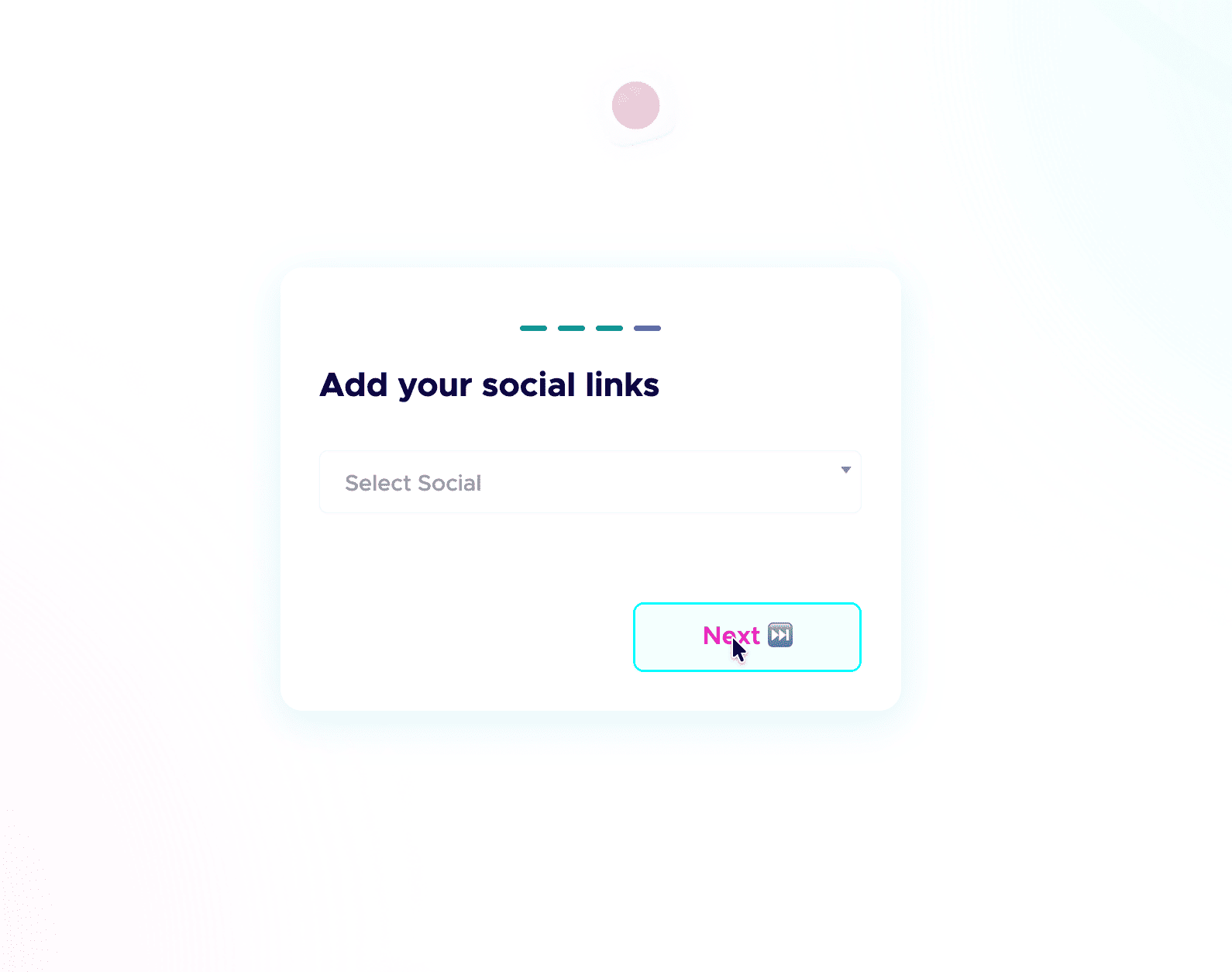
 Step 6: Add your skills and social links.
List the skills you are good at and actually want to be hired for, and connect your socials. People do check your profiles, and active socials build credibility before the first call. Students starting from scratch can follow my student guide to their first portfolio.
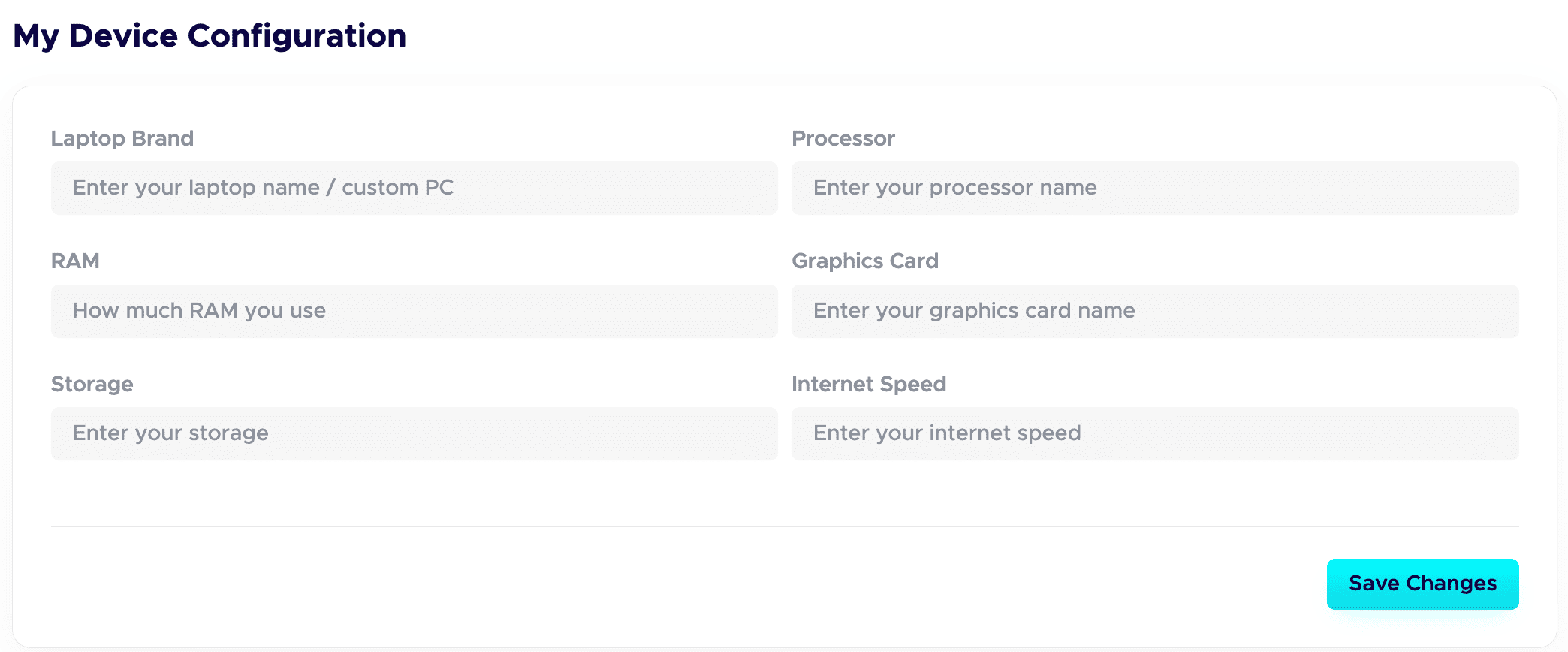
 Step 7: Fill in your Device Configuration.
In your dashboard, set up the Device Configuration section. Add the details about the device you are using. Remote-first companies want to know you have a solid setup to work from. A good setup quietly adds leverage and signals you are ready to deliver.
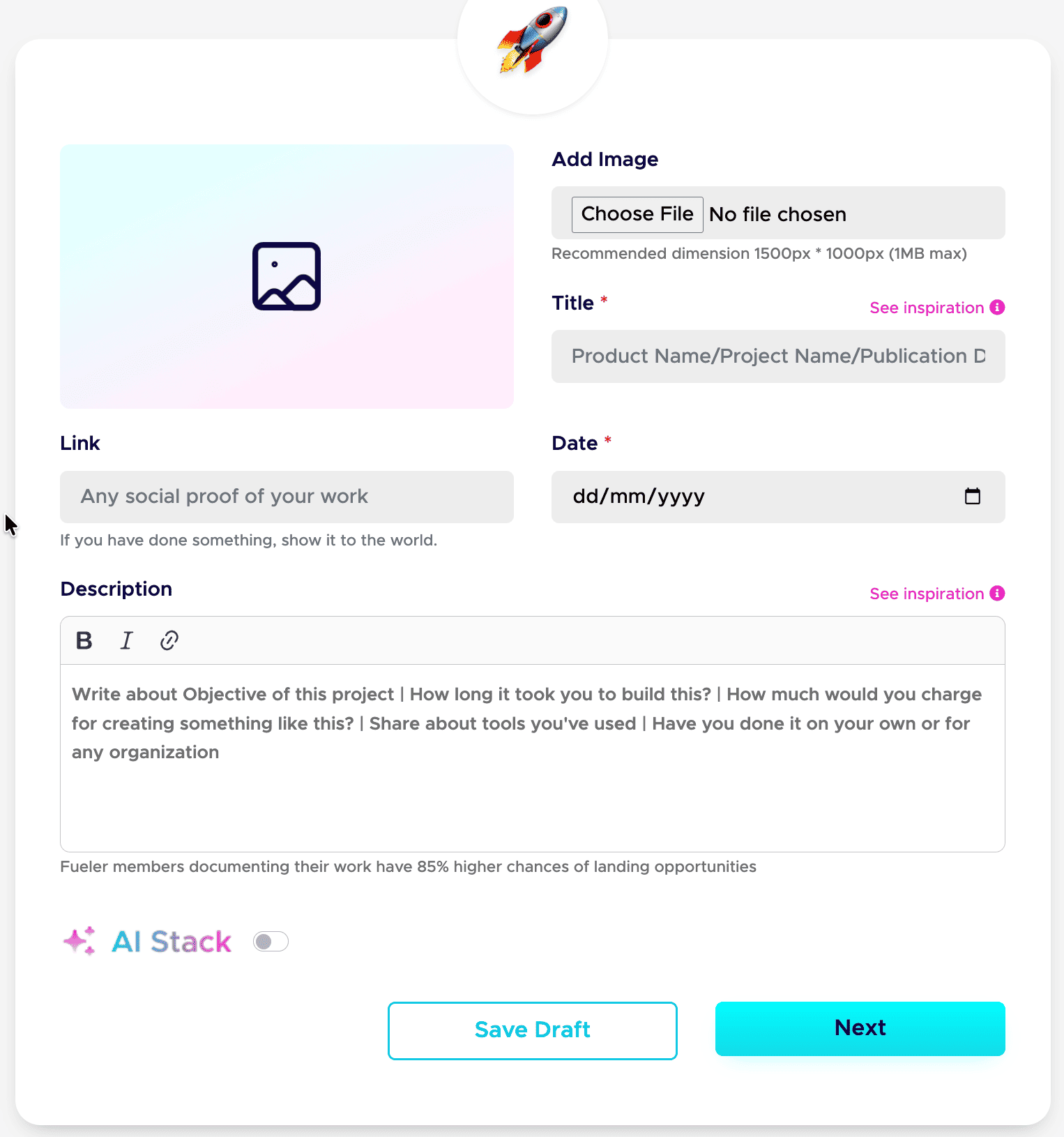
Step 8: Publish your projects with all the details.
This is a game-changer. Give each project a clear title and a detailed description. Walk through your process: your thinking, the tools you used, the choices you made, and the result. Companies care about how you work, not just the final image.
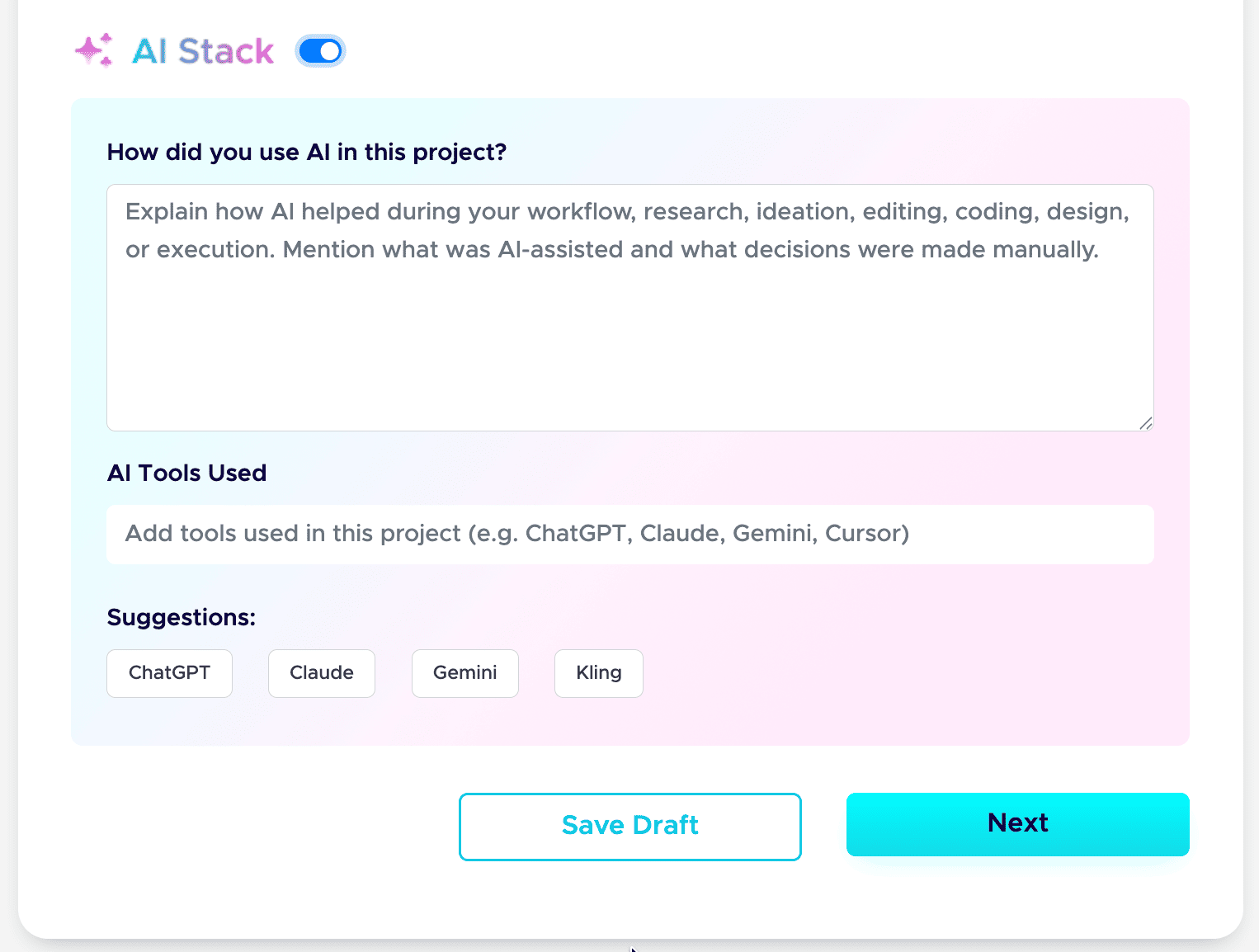
Step 9: Add your AI Stack to each project.
AI is part of real work now, so show it honestly. Use the AI Stack feature to explain how you used AI, which tools you used, and what you did manually. This builds trust instead of raising doubt. Here is the full guide: how to add AI Stack on Fueler.
That is the whole setup. Do these nine steps well, and your profile stops being a static page and starts working as a hiring asset. If you want a tighter version to follow next time, save my 6-step formula for a Fueler portfolio and my breakdown of a career portfolio that actually gets jobs.
Do this once, and you have a link you can drop into your resume, your email signature, and every job application.
How Does This Connect to Building a Strong Career or Portfolio?
Modern hiring has completely moved past unverified text descriptions; today's best opportunities go to operators who make their execution visible. Storing your projects on Fueler builds an undeniable track record of capability that protects your career from automated resume filters and establishes real digital equity through accessible proof of work.
Final Thoughts
Your choice of portfolio tool directly tells clients how you value your own professional output. Sticking with messy, text-heavy internal documentation links to showcase your skills creates unnecessary roadblocks for operators who want to buy your expertise. In 2026, career leverage belongs entirely to individuals who make their execution simple to find, scan, and verify. Drop the clunky document wikis, standardize your project assets, and give decision-makers the clean proof they are actively looking for.
FAQ
Why is a document link bad for a portfolio?
Document workspace links create major loading delays and force viewers through confusing, nested directories. Busy hiring managers prefer dedicated, flat layouts that display your visual media and project metrics instantly without requiring complex navigation or folder clicks.
How does Fueler help me land inbound clients?
Fueler acts as an open, indexable discovery network where your proof of work is visible to browsing founders. It strips away formatting bloat and organizes your case studies into scannable grids designed specifically for fast professional evaluation.
Do I need design skills to build my portfolio?
No, the platform utilizes a standardized layout system that automatically organizes your text, links, and media assets beautifully. This framework completely eliminates layout design fatigue, allowing you to focus entirely on documenting your project results.
Can I track team projects on my profile?
Yes, you can upload collaborative work and explicitly tag your individual role within the project block. This creates clear transparency, proving exactly what parts of the project you built versus what your teammates managed.
Is my portfolio indexable by search engines?
Yes, profiles are highly optimized for search engines and AI discovery systems. When potential clients search your name or specific industry keywords online, your proof of work will rank cleanly to show off your capabilities.
Why 100,000+ professionals use Fueler
Fueler helps professionals showcase proof of work through projects, assignments, case studies, and achievements.
- Thousands of professionals use Fueler to create their digital portfolio
- Thousands of projects are published on Fueler. Check here
- Startups and Companies hire through proof of work on Fueler
- Used by freelancers, creators, marketers, video editors, writers, designers, and product managers
Our mission is to help the next 100 million professionals build a verified professional identity through proof of work

What should you do next?
You've read the article. Now turn your skills into proof of work and unlock more opportunities.
Build your proof of work portfolio
Create a clean portfolio with projects, assignments, resumes, and AI stack details that companies actually want to see.
Create your Fueler portfolio →Apply through assignments, not resumes
Stand out by solving real tasks from companies hiring on Fueler.
Explore assignments →Get discovered by companies
Make your work public and let recruiters discover your skills through actual projects instead of keywords.
Get discovered →
