Wix Portfolio vs Fueler: Which Platform Is Better?

Riten Debnath
12 Jul, 2026
Last updated: July 2026
Let's address the elephant in the digital room. You spent three weeks picking a pixel-perfect template, tweaking typography, and choosing custom color hex codes. Your website looks like a sleek modern art museum. You publish it, drop the link into applications, and wait.
Nothing happens. Absolute radio silence.
The problem isn't your talent. The problem is that modern hiring managers are drowning in applications. They do not have the time to navigate abstract multi-page menus or read your lyrical 500-word "About Me" story. When recruiters open a link, they are actively looking for one specific thing: explicit evidence that you can solve their exact problem today.
Traditional website builders were built to help small businesses sell products or display static text. They were not built to help a freelance copywriter, a front-end developer, or a UX designer close an immediate deal. While you are busy configuring CSS mobile responsiveness, your client is looking at someone else's work samples.
I’m Riten, founder of Fueler, a skills-first portfolio platform that connects talented individuals with companies through assignments, portfolios, and projects, not just resumes/CVs. Think Dribbble/Behance for work samples + AngelList for hiring infrastructure.
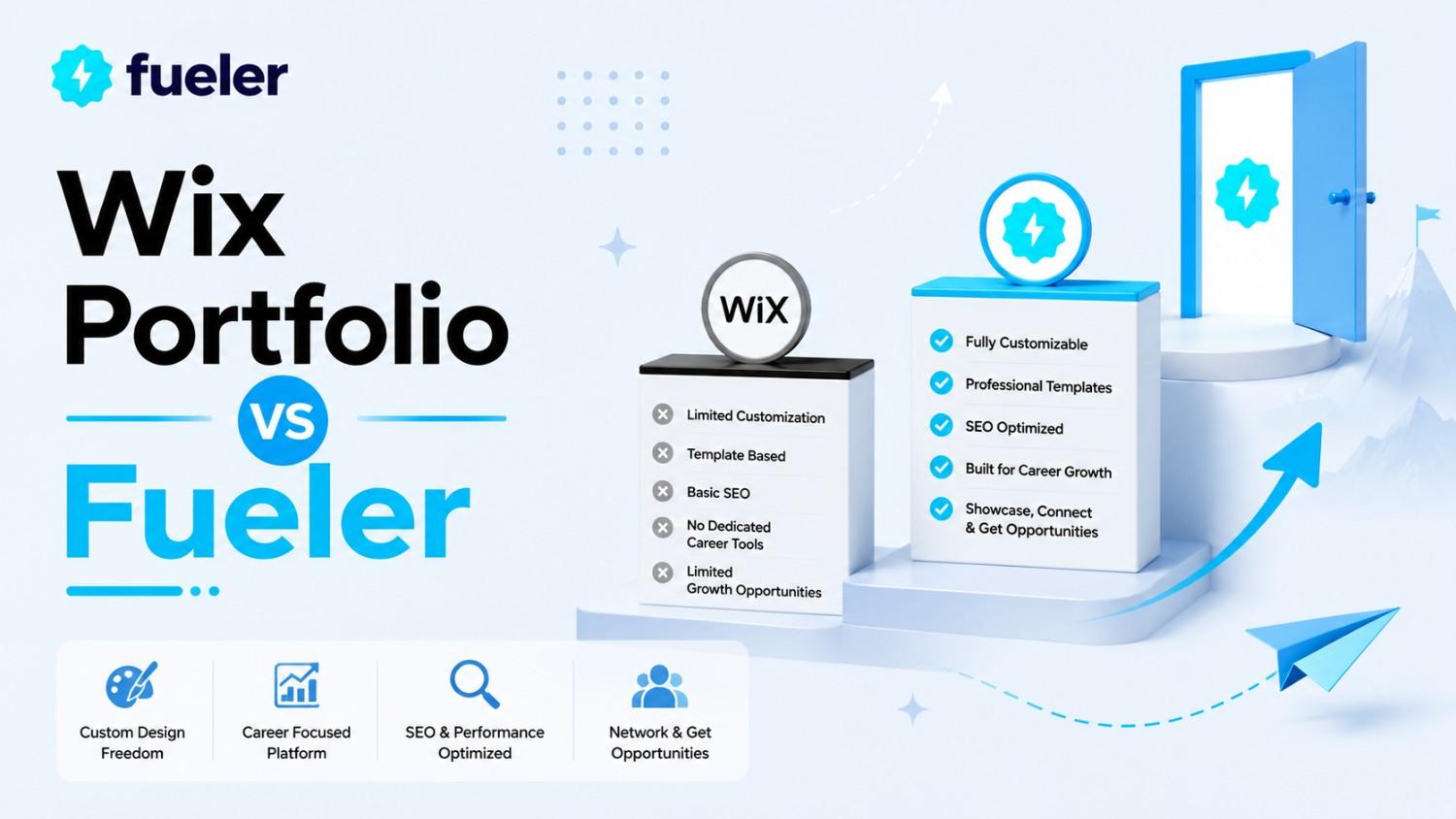
If your goal is to build a complex multi-page website with a built-in e-commerce store, a custom booking plugin, and absolute creative layout freedom, Wix is an exceptional tool. It excels at what it was originally designed for: general-purpose web publishing. But if your goal is getting discovered by recruiters, validating skills, and landing high-paying opportunities without maintaining a heavy website builder, the game has fundamentally changed.
1. Real Talk: Where Wix Excels (And Where It Breaks for Careers)
To make a smart platform choice, we have to look honestly at what Wix was built to do. It is a drag-and-drop monster. If you want a website where a menu item slides in from the left at a 45-degree angle while background music plays, Wix can make that happen.
[Wix Strategy] -> Custom Layout Design -> Heavy Maintenance -> Pitching a URL
[Fueler Strategy] -> Asset Documentation -> Zero Maintenance -> Inbound Discovery
The Heavy Lift of Absolute Freedom
Having absolute design freedom sounds amazing until you realize you are now a full-time web developer, QA tester, and systems administrator.
- High Design Debt: When you can move any element anywhere, you have to manually adjust layouts for mobile, tablet, and desktop screens. One wrong spacer asset breaks your entire layout on a recruiter’s iPhone.
- The Speed Tax: Heavy animations, dense script wrappers, and unoptimized page elements drag down loading speeds. A recruiter waiting more than three seconds for your landing page to load will hit the back button.
- Maintenance Burnout: Updating a traditional site requires launching a heavy web editor, adjusting layouts, and checking broken links. This friction ensures your portfolio remains outdated for months at a time.
- Isolate Ecosystems: Your site lives on an isolated island in the corner of the internet. You must actively drive 100% of the traffic yourself via cold outreach or complex search engine optimization.
2. The Fueler Shift: Proof of Work Over Layout Customization
Fueler approaches the career puzzle from the opposite direction. It completely discards the concept of treating a portfolio like a standalone website design project. Instead, it treats your career profile as a clean, structured ledger of execution.
[Traditional CV/Resume] -> "Trust me, I have 3 years of experience in content strategy."
[Fueler Proof of Work] -> "Here is the exact live URL showing the 40% organic growth campaign."
Instead of focusing on how a page looks, Fueler focuses entirely on what the work represents. It assumes the layout should be clean, professional, and blazingly fast by default, leaving you with exactly one task: uploading your real work samples.
The Power of Verified Assets
When a client evaluates an applicant, their biggest hidden fear is risk. They are worried you are exaggerating your skills or taking sole credit for a group project.
- Structured Case Studies: Fueler framework forces you to document the exact problem, your exact individual contribution, and the measurable outcome. This turns raw links into high-context business assets.
- Vouches and Validation: Clients, teammates, and project owners can directly vouch for specific individual pieces of work on your profile. This instantly turns cold portfolios into credible, crowd-verified history.
- Granular Asset Analytics: Instead of generic website hits, you see exactly which project pieces a specific lead clicked on. This gives you clear data on what work is converting interest.
- Multi-Format Storage: Host your live Figma links, GitHub repositories, Notion templates, and YouTube clips under one uniform profile layout without dealing with third-party embed block codes.
3. Feature-by-Feature Breakdown
Let’s look at the operational differences between managing these two architectures side-by-side.
Purpose and Core Paradigm
- Wix Portfolio: Built as a comprehensive website builder for small businesses, local services, and content creators. It approaches portfolios as a standard page layout task.
- Fueler: Built specifically as a career infrastructure platform for knowledge workers. It approaches portfolios as a living, discoverable container for public proof of work.
Discovery and Lead Engines
- Wix Portfolio: Operates under a strict inbound pull model. If you do not actively share your custom domain link, no human recruiter will ever organically find your site.
- Fueler: Contains an active, built-in recruiter directory and indexing system. Companies browse the platform specifically to find talent based on verified project tags and live assignments.
The Learning Curve and Upkeep
- Wix Portfolio: Requires a medium-to-high time investment to master grid lines, mobile breakpoints, and app integrations. Updates require careful manual alignment.
- Fueler: Features a strict no-code, form-based profile structure. You paste your project link, add a description, and your portfolio updates instantly across all formats.
Work Verification Infrastructure
- Wix Portfolio: Completely self-declared information. There is no built-in mechanism for previous employers or collaborators to verify that you actually built the showcased elements.
- Fueler: Built around collaborative validation tools. Teammates can be co-authored on projects, and clients can leave direct, contextual vouches on individual work items.
4. Wix Portfolio vs Fueler: The Buying Matrix
5. How to Build an Irresistible Fueler Portfolio in Minutes
You don't need a design degree to look incredibly professional. Here is exactly how to set up a profile that does the selling for you.
How to Create Your Portfolio on Fueler Step by Step
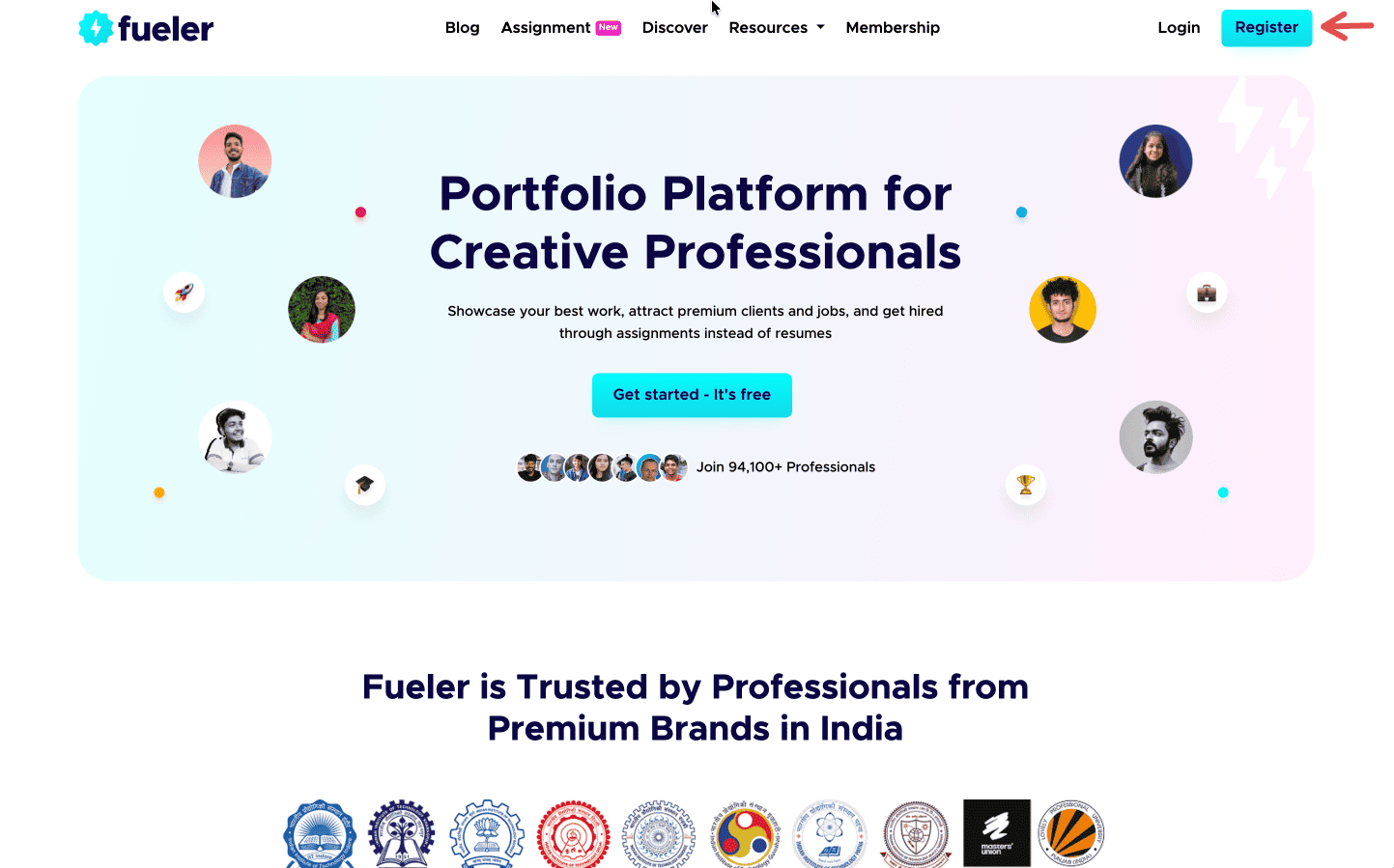
Step 1: Sign up on Fueler.
Head to Fueler.io and create your free account.
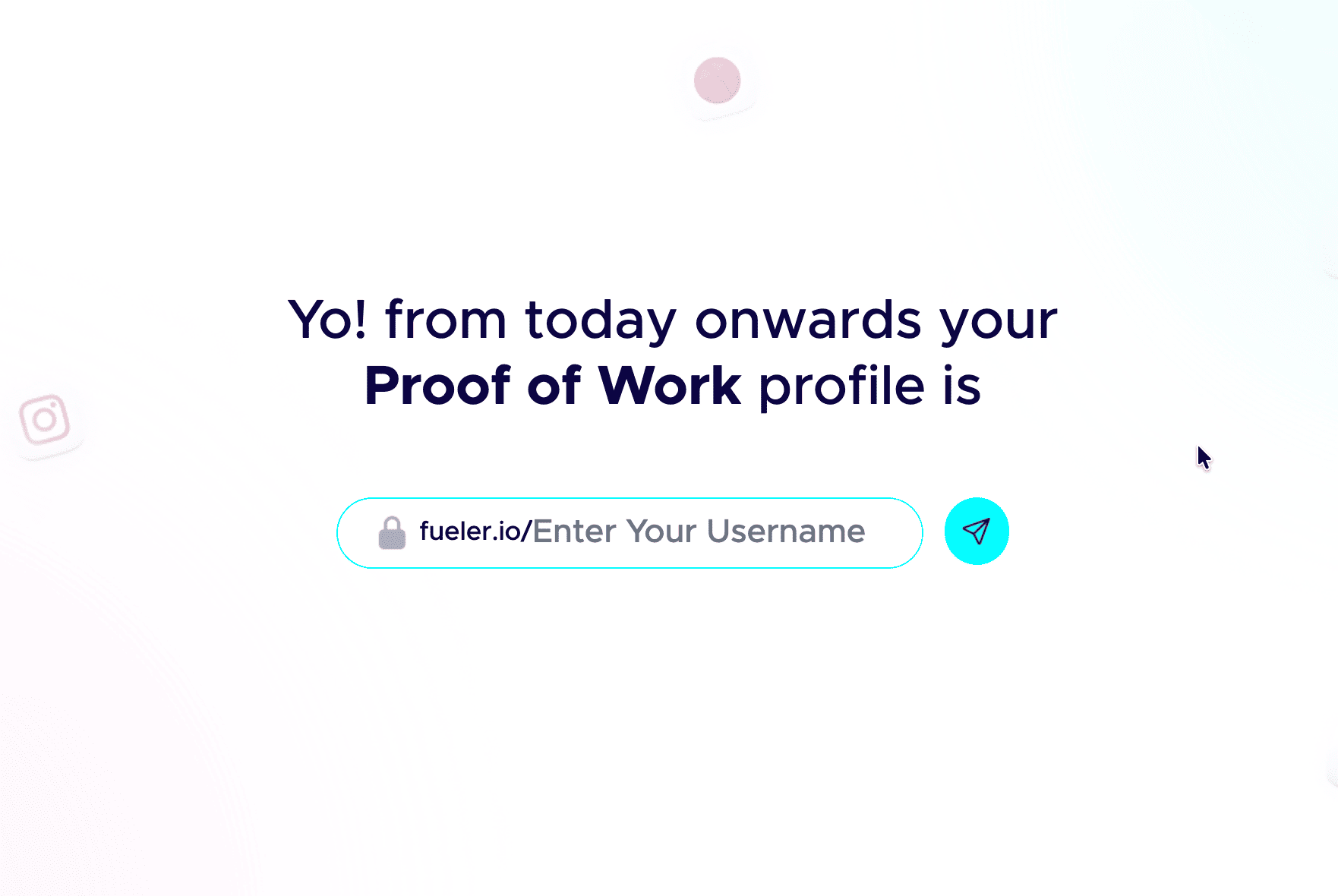
Step 2: Pick a professional handle.
Your handle shows up in your public link, so keep it clean and grown-up. Don’t add nicknames and random numbers. Your name or a simple version of it works best.
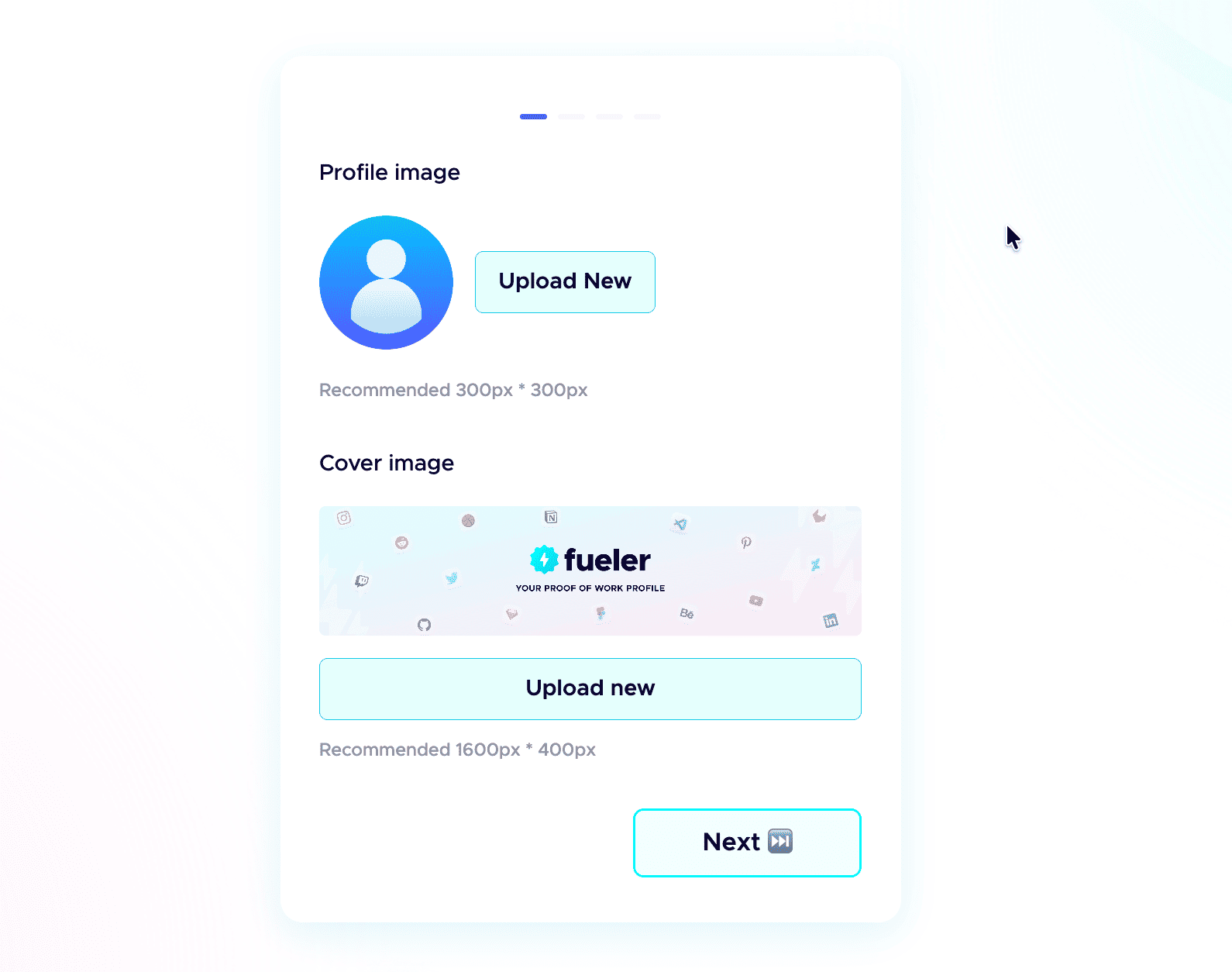
 Step 3: Add a professional profile picture.
Use the same kind of professional photo you would put on LinkedIn. Clear face, good lighting, and a simple background. People trust a real face more than an empty avatar.
Step 4: Write a strong header.
The header is the first thing anyone sees. In one or two short lines, say who you are, what you do, and the kind of work you have done. Make it specific, not vague.
Step 5: Add a short bio.
Tell people who you are and what you do in a few plain sentences. No buzzwords, just enough for a recruiter to get you in five seconds.
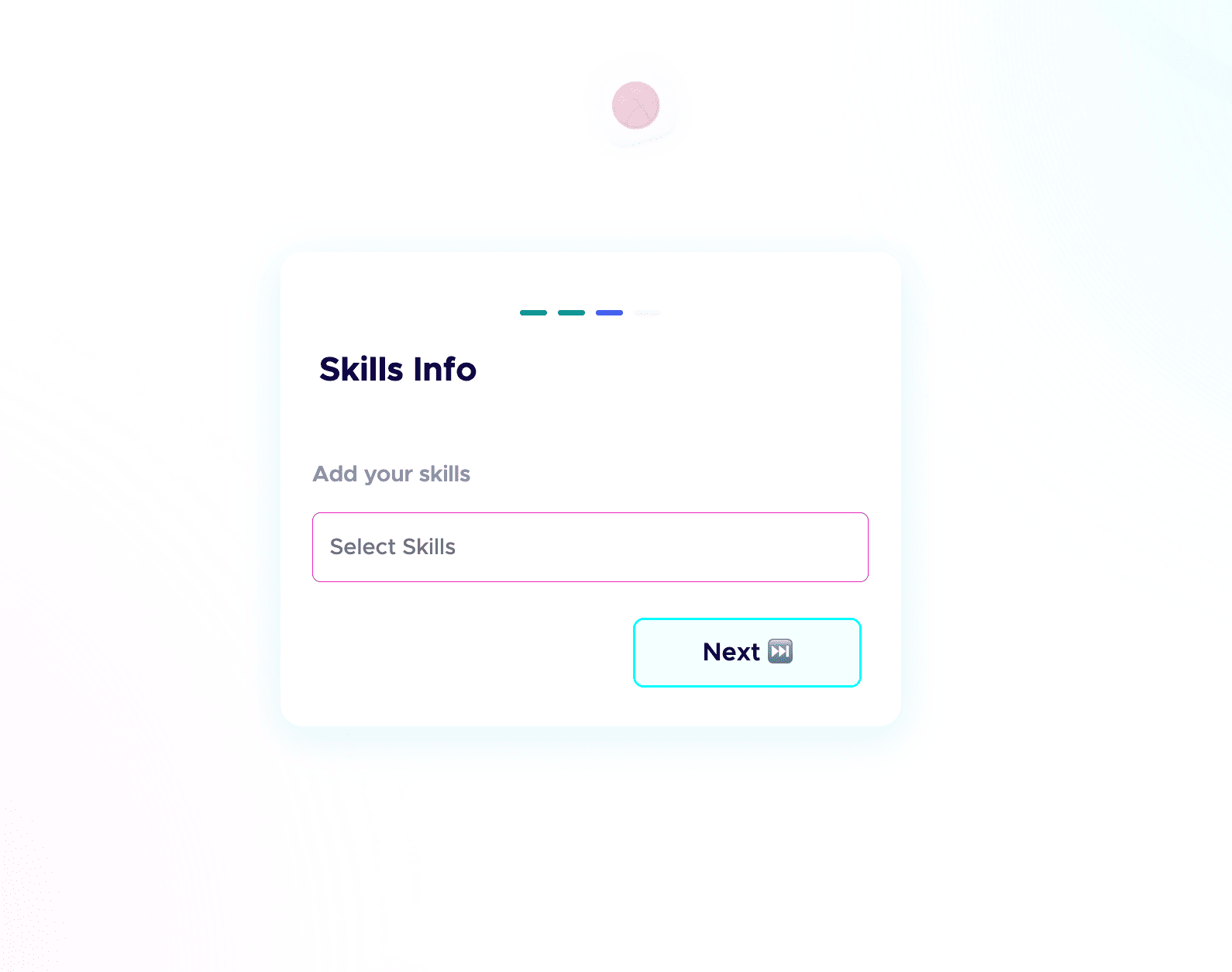
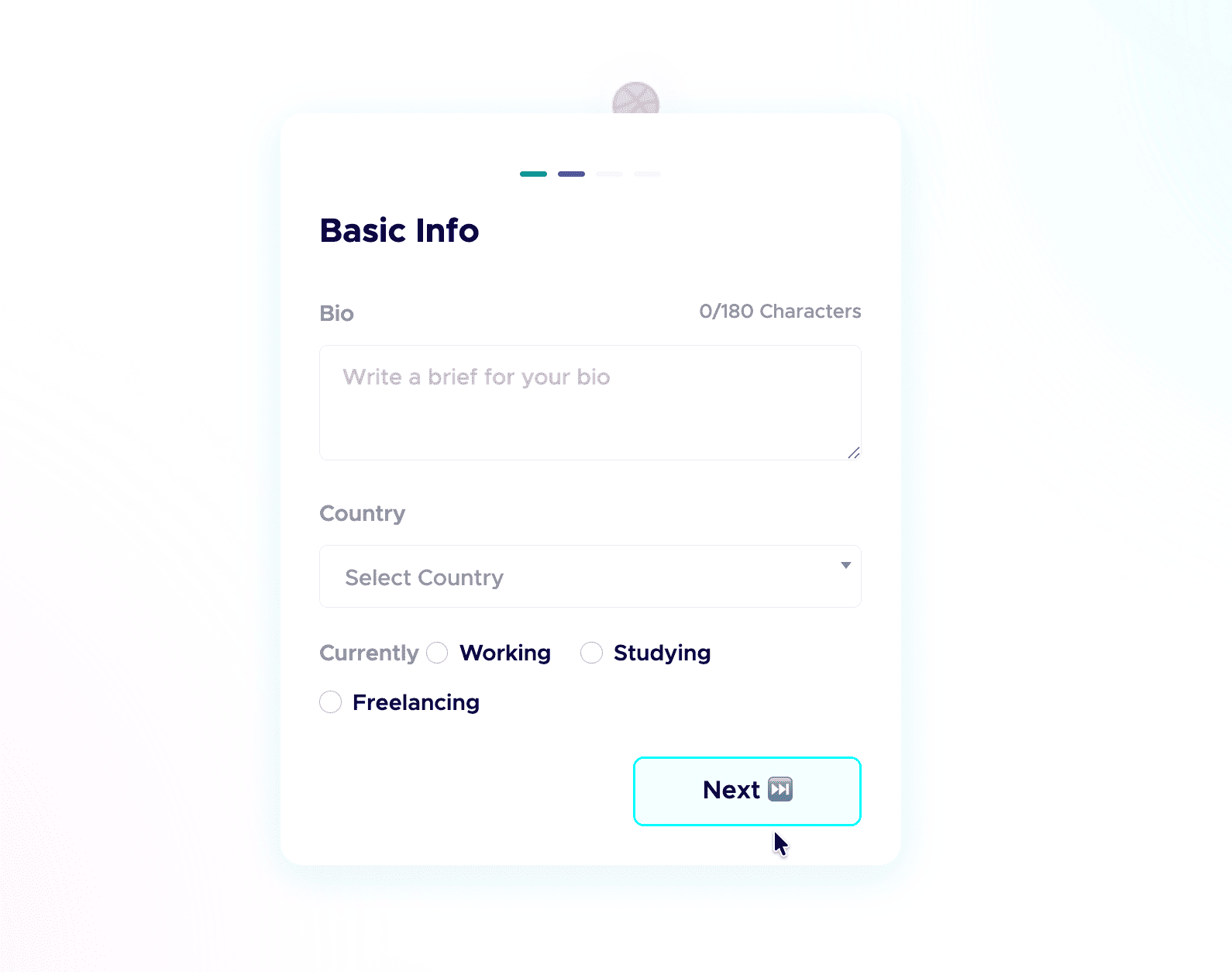 Step 6: Add your skills and social links.
List the skills you are good at and actually want to be hired for, and connect your socials. People do check your profiles, and active socials build credibility before the first call. Students starting from scratch can follow my student guide to their first portfolio.
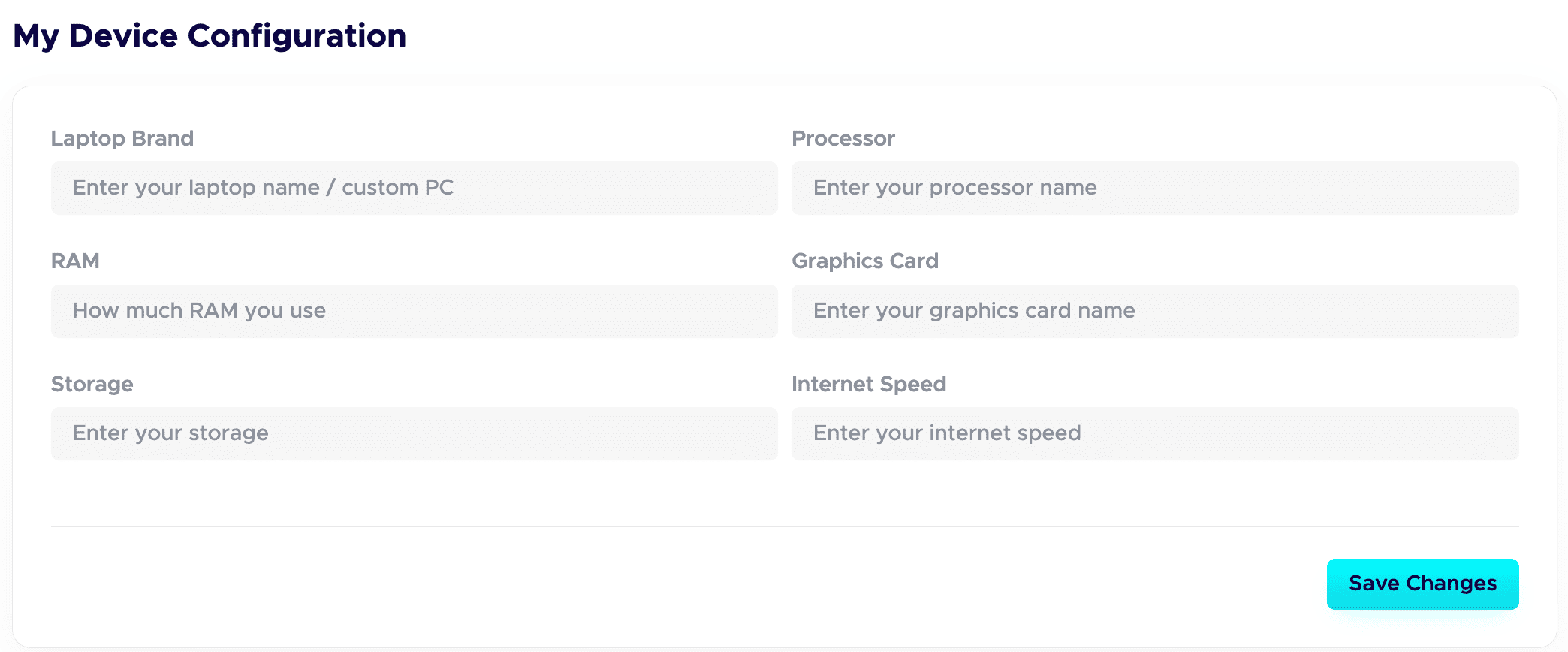
 Step 7: Fill in your Device Configuration.
In your dashboard, set up the Device Configuration section. Add the details about the device you are using. Remote-first companies want to know you have a solid setup to work from. A good setup quietly adds leverage and signals you are ready to deliver.
Step 8: Publish your projects with all the details.
This is a game-changer. Give each project a clear title and a detailed description. Walk through your process: your thinking, the tools you used, the choices you made, and the result. Companies care about how you work, not just the final image.
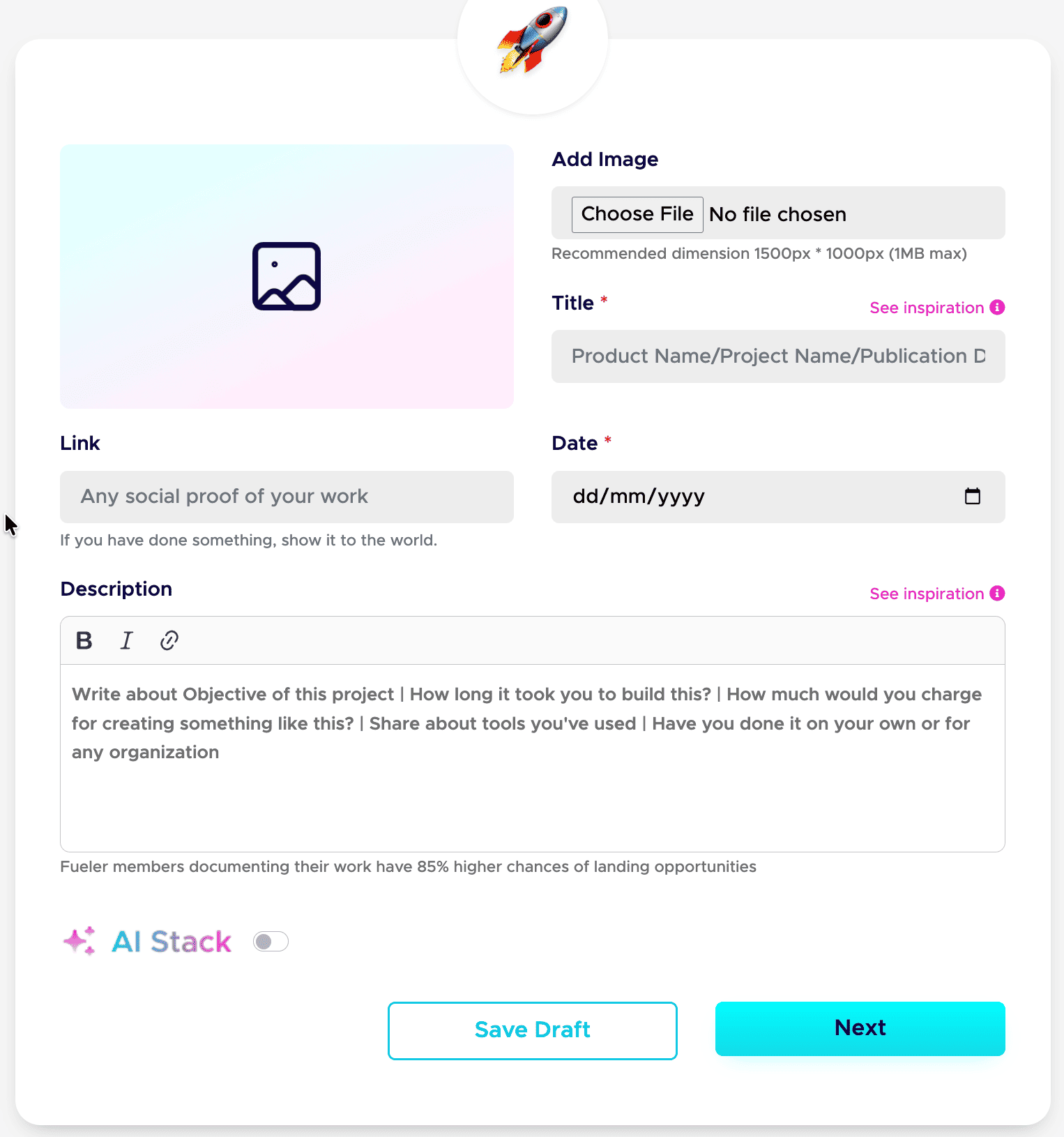
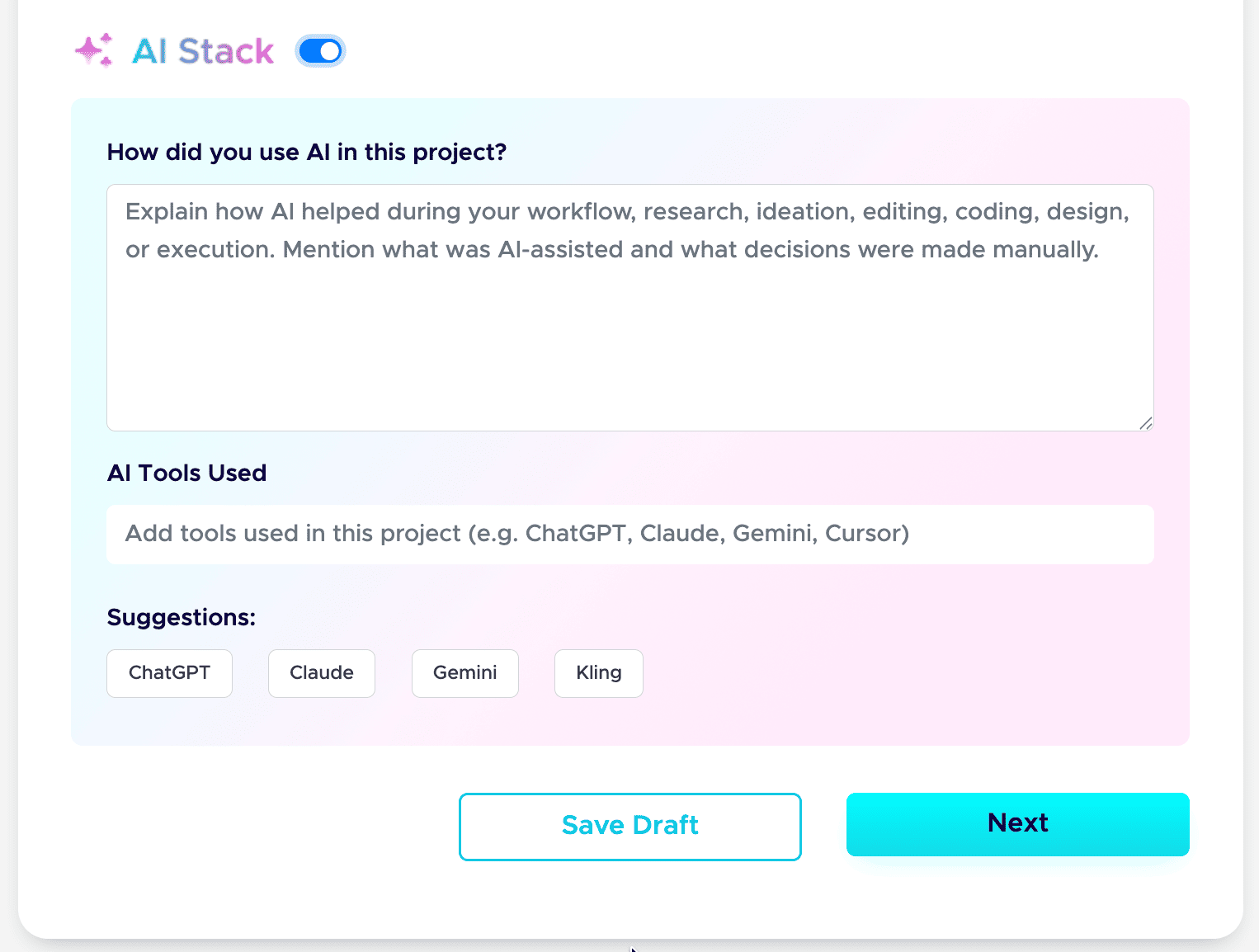
Step 9: Add your AI Stack to each project.
AI is part of real work now, so show it honestly. Use the AI Stack feature to explain how you used AI, which tools you used, and what you did manually. This builds trust instead of raising doubt. Here is the full guide: how to add AI Stack on Fueler.
That is the whole setup. Do these nine steps well, and your profile stops being a static page and starts working as a hiring asset. If you want a tighter version to follow next time, save my 6-step formula for a Fueler portfolio and my breakdown of a career portfolio that actually gets jobs.
Do this once, and you have a link you can drop into your resume, your email signature, and every job application.
6. Real-World Personas: Who Wins on Which Platform?
Choosing a tool depends entirely on your specific daily operational workflow and professional output style.
The Graphic Designer & Digital Artist
- The Wix Path: Perfect if your work requires highly customized, immersive visual storytelling where the website layout itself is part of your artistic expression.
- The Fueler Path: Ideal if you want to ship high-volume visual assets directly to prospective clients without messing around with web layout grids every single week.
The Freelance Copywriter & Content Strategist
- The Wix Path: Useful if you are running a comprehensive inbound content marketing play that requires a deep multi-layered blog setup and complex email capture forms.
- The Fueler Path: Ideal because writers should be writing, not adjusting website padding. Drop your live article links or documents into a clean profile format that recruiters can skim in five seconds flat.
The Software Developer & Technical Product Manager
- The Wix Path: Often creates unnecessary design friction for engineering profiles, as standard templates rarely display live code references or documentation frameworks cleanly.
- The Fueler Path: Built to showcase functional proof. Seamlessly link live GitHub repositories, project code structures, and product deployment specs without maintaining a bulky visual frontend site.
7. The Skill-First Economy: Where Hiring is Going
The era of the heavy, self-congratulatory corporate resume is officially coming to a close. High-growth startups and premium global brands are moving away from traditional pedigree markers like university degrees or past corporate brand names. Instead, they are embracing automated, skills-first evaluation models.
When a company hires today, they want to bypass the interview theatre. They look at your public track record of execution. A profile built entirely on real projects, public code repositories, and documented assignments tells an undeniable story. It shows you don't just talk about your job you actively ship work.
Your career portfolio shouldn't be a personal design monument that sits quietly in a forgotten corner of the web. It needs to be an active utility engine that reduces friction for the person trying to hire you. By choosing a framework designed for speed, discovery, and verified evidence, you position yourself exactly where modern recruiting is moving.
Key Takeaways
- Wix is a Website Builder: It gives you total visual control over a multi-page web layout but demands significant design time and manual mobile updates.
- Fueler is Career Infrastructure: It focuses entirely on uploading project assets quickly, cutting out web maintenance so you can focus purely on opportunities.
- Recruiters Value Clarity: Modern hiring teams prefer clean, standardized profiles where proof of work can be verified in a single click over heavy custom animations.
- Zero Layout Stress: Fueler handles the entire visual presentation automatically, meaning your portfolio never breaks on mobile devices or different browsers.
Frequently Asked Questions
Do I need a custom domain name to look professional on Fueler?
No. Fueler gives you a clean, professional link by default that looks great in email signatures, social media bios, and job application forms without buying extra hosting plans.
Can I hide specific sensitive client projects on my profile?
Yes. Fueler features a built-in private mode for individual work blocks. You can host private case studies securely and choose exactly who gets to view them using direct links.
How does Fueler help me find direct freelance client work?
Fueler includes an active ecosystem centered around assignment-based hiring and recruiter discovery, allowing companies to search for talent based on real work samples instead of flat text resumes.
Is it difficult to move my existing portfolio links over to Fueler?
Not at all. Since Fueler uses a link-driven asset structure, you can copy your live project URLs, drop them into the profile form, and migrate your presence in minutes.
Can I showcase group projects where I wasn't the sole creator?
Yes. You can tag your co-creators directly on the project card and write a brief summary highlighting your exact individual contribution to ensure total transparency.
Why 100,000+ professionals use Fueler
Fueler helps professionals showcase proof of work through projects, assignments, case studies, and achievements.
- Thousands of professionals use Fueler to create their digital portfolio
- Thousands of projects are published on Fueler. Check here
- Startups and Companies hire through proof of work on Fueler
- Used by freelancers, creators, marketers, video editors, writers, designers, and product managers
Our mission is to help the next 100 million professionals build a verified professional identity through proof of work

What should you do next?
You've read the article. Now turn your skills into proof of work and unlock more opportunities.
Build your proof of work portfolio
Create a clean portfolio with projects, assignments, resumes, and AI stack details that companies actually want to see.
Create your Fueler portfolio →Apply through assignments, not resumes
Stand out by solving real tasks from companies hiring on Fueler.
Explore assignments →Get discovered by companies
Make your work public and let recruiters discover your skills through actual projects instead of keywords.
Get discovered →
