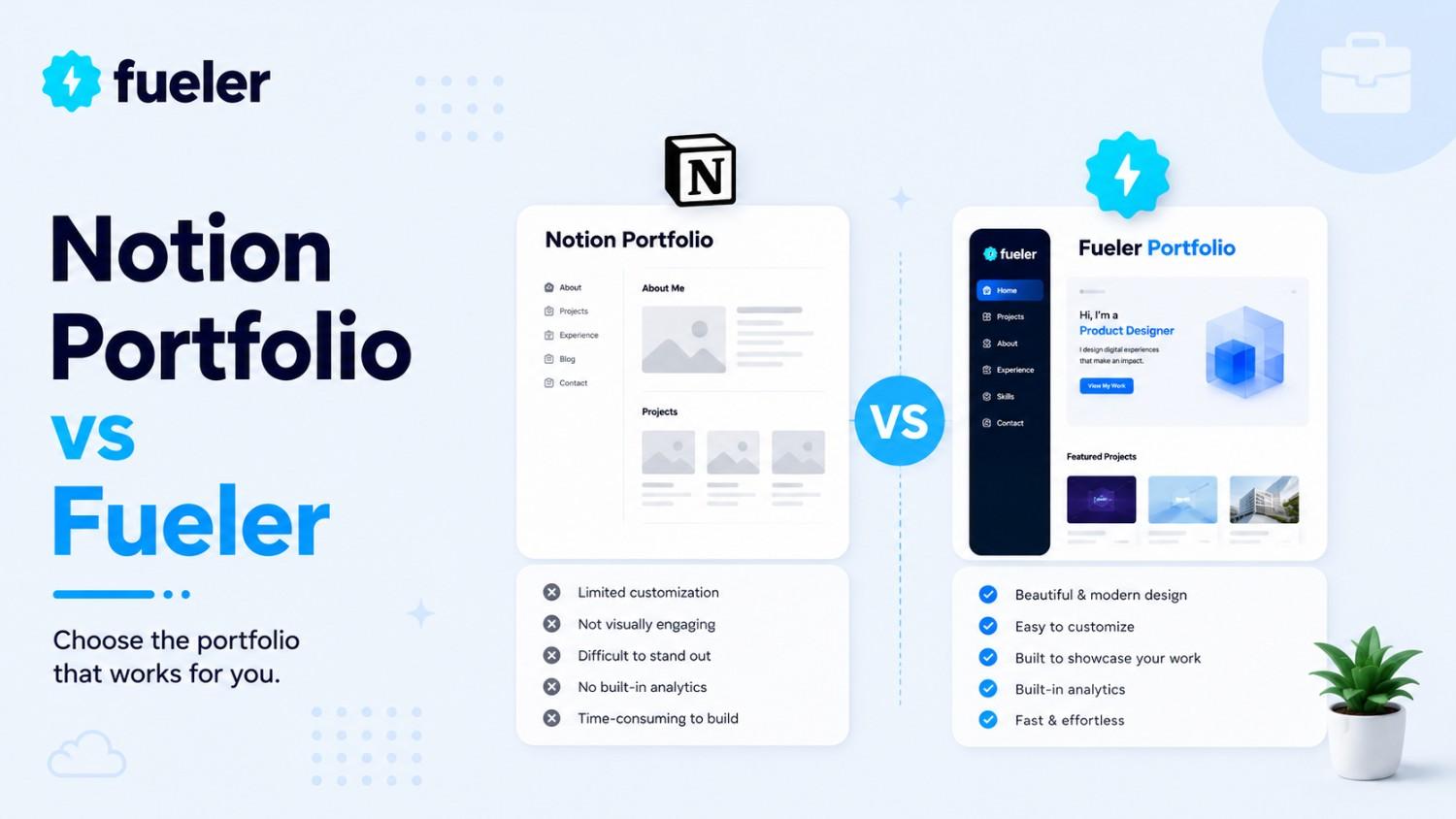
Notion Portfolio vs Fueler: Which Platform Is Better?

Riten Debnath
09 Jul, 2026
Last updated: July 2026
Spend a few hours on business social media, and you will see the same recurring narrative: “Stop sending old-school PDFs. Package your entire professional identity into a minimalist, multi-column workspace page, turn on public access, and watch the inbound opportunities roll in.”
It sounds deeply liberating. The promise of an open block editor is incredibly seductive to knowledge workers who have spent their lives constrained by rigid job application text boxes. You get to map out your projects, drop in a gallery view of your media, hide long case studies behind sleek toggle drops, and feel like you’ve engineered a custom digital house.
Then you hit the marketplace. You submit that public link into high-volume applicant pipelines, or attach it to a cold introductory message. The result? Total silence.
The cold truth is that traditional application documents are breaking under the weight of AI-generated candidate spam, and generic public web documents are breaking under the weight of recruiter attention spans. When a hiring manager has to click through an unstructured, unstandardized maze of relational databases and infinite sub-pages just to see what you actually shipped last quarter, they don't appreciate your aesthetic layout choices. They simply close the tab.
I’m Riten, founder of Fueler, a skills-first portfolio platform that connects talented individuals with companies through assignments, portfolios, and projects, not just resumes/CVs. Think Dribbble/Behance for work samples + AngelList for hiring infrastructure.
We are a specialized, skills-first portfolio platform designed to bridge the gap between human execution and company discovery through curated assignments, interactive profiles, and tangible projects, completely bypassing the limitations of traditional, text-heavy resumes or unpredictable document links.
If you are standing at the crossroads trying to decide where to invest your energy, this analysis breaks down the systemic architectural differences between hosting your career on a generic documentation workspace versus a dedicated, opportunity-centric showcase engine.
Where the Document Engine Truly Shines
To evaluate these systems fairly, we must look honestly at why millions of people use the block-based workspace model. It was never built to be an online job hub, but it is one of the most remarkable organizational environments ever constructed.
If your primary objective is to maintain total creative sovereignty over how your notes, ideas, and data tie together, its core features are difficult to match:
- Infinite Relational Power: You can connect a database of your favorite quotes directly to a tracking list of your freelance clients, which then feeds into a calendar layout of your weekly task sprint.
- The Living Sandbox: A public document feels deeply intimate. It reads less like an aggressive sales presentation and more like an authentic, unfiltered window into how a professional reads, thinks, and plans their days.
- Radical Text Freedom: If a project requires ten thousand words of technical documentation, code snippets, and embedded system diagrams, the workspace handles it without flinching.
It is a world-class environment for producing and organizing your thinking. The friction only occurs when you attempt to transform that production hub into an outbound conversion tool for people who do not know you.
The Hidden Architectural Breaking Points of Generic Web Pages
When you treat a general-purpose writing environment as your professional storefront, you inherit a series of structural vulnerabilities that actively work against your discoverability in a modern job market.
1. The Mobile Collapse
Multi-column layouts built on a desktop look immaculate while you are editing them. But when a stressed recruiter opens that exact link on their phone while running between meetings, those columns collapse sequentially. Your carefully placed call-to-action blocks, primary portfolio screenshots, and contact forms get pushed into a mile-long vertical scroll. If your presentation breaks on mobile, you are effectively invisible to a huge percentage of modern decision-makers.
2. The Total Isolation Vacuum
A public document is an island without a map. There is no collective network directory. No internal talent acquisition specialist is browsing the core application looking for software engineers or copywriters. Your page only receives traffic if you manually drag someone there by pasting the link into an email or a social media profile. The moment you stop actively pushing the link, your career visibility drops to zero.
3. The Self-Declaration Crisis
In an era dominated by superficial positioning, text fields hold very little inherent trust. Anyone can spin up a document block and claim they scaled an organic channel by 300% or built a high-performance backend architecture from scratch. Without an integrated system of third-party verification or contextual social proof tied explicitly to that singular asset, your claims carry no more weight than the lines on a standard paper resume.
The Core Features: Feature-by-Feature Trade-offs
Purpose & Architecture
- Notion: Built entirely for multi-tiered information modeling, workspace collaboration, internal data tracking, and flexible long-form text organization.
- Fueler: Purpose-built exclusively as a public career showroom, skill validation asset, and direct recruiter acquisition engine.
Discovery Model
- Notion: Passive. The user must explicitly handle distribution, tracking, and outbound traffic generation to get eyes on their material.
- Fueler: Active. Profiles are natively mapped into a collective, searchable directory where corporate sourcers search for verified capabilities.
Layout Stability
- Notion: High layout variance. Drag-and-drop systems can break across different monitor resolutions and scale poorly on mobile viewports.
- Fueler: Locked responsive blocks. Every case study and proof of work asset is automatically adjusted to look pristine across mobile, tablet, and desktop viewports with zero user design intervention.
Project Trust Indicators
- Notion: Standard text entries. Lacks automated mechanics to verify authorship, team roles, or external client sign-offs.
- Fueler: Integrated project "Vouches." Allows managers and clients to attach cryptographically linked, visible endorsements directly to specific individual case studies.
Hiring Mechanics
- Notion: Static document presentation. Requires manual integration with third-party form builders or email links to receive inquiries.
- Fueler: Native hiring ecosystem featuring structured assignment-based hiring, direct company discovery dashboards, and outbound pitch features.
The Complete Platform Decision Matrix
Step-by-Step Guide: Building a High-Impact Portfolio on Fueler
You do not need to spend an entire weekend configuring database filters, writing custom layout rules, or troubleshooting responsive web grids. This guide walks you through launching a discoverable storefront from scratch.
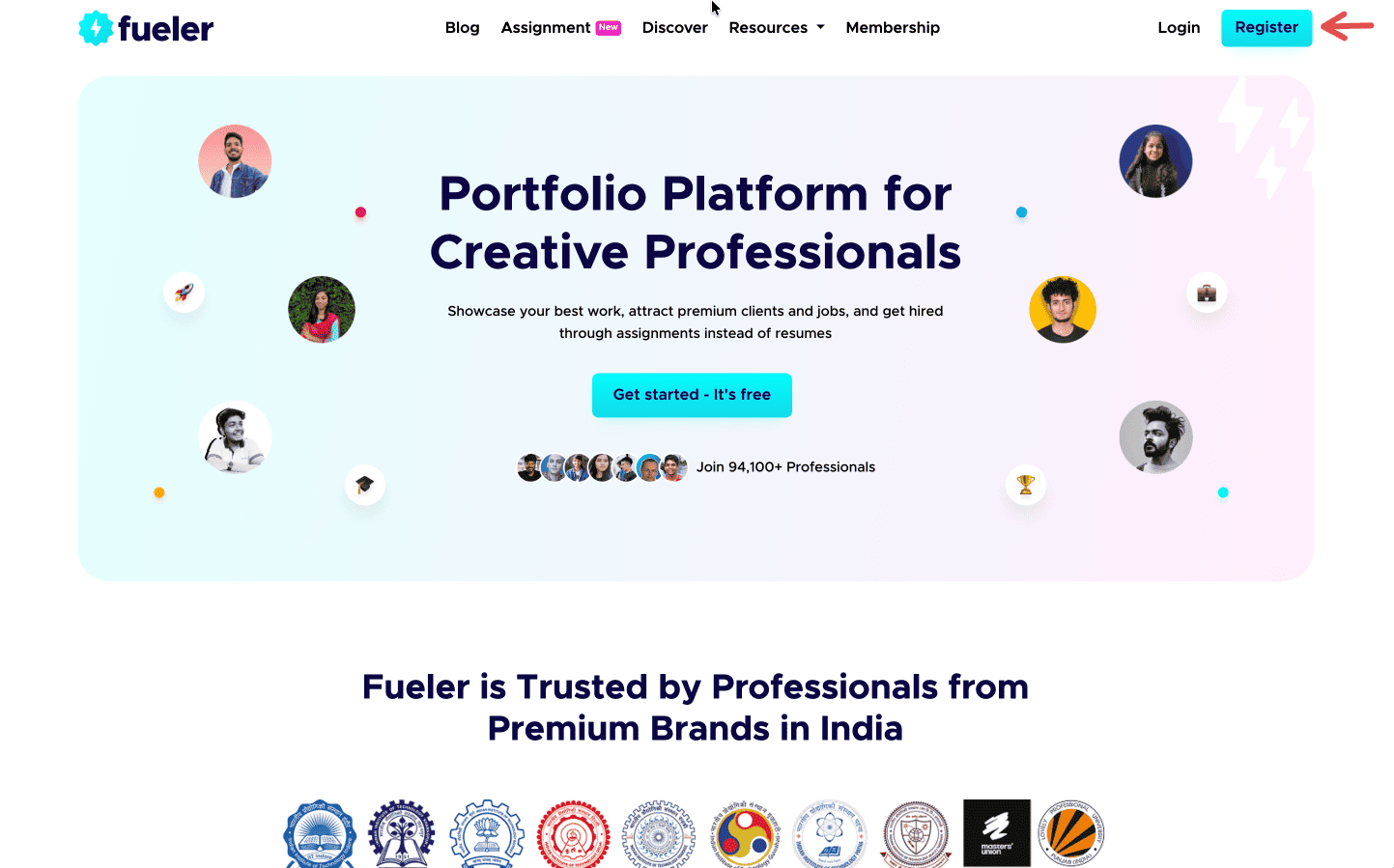
Step 1: Sign up on Fueler.
Head to Fueler.io and create your free account.
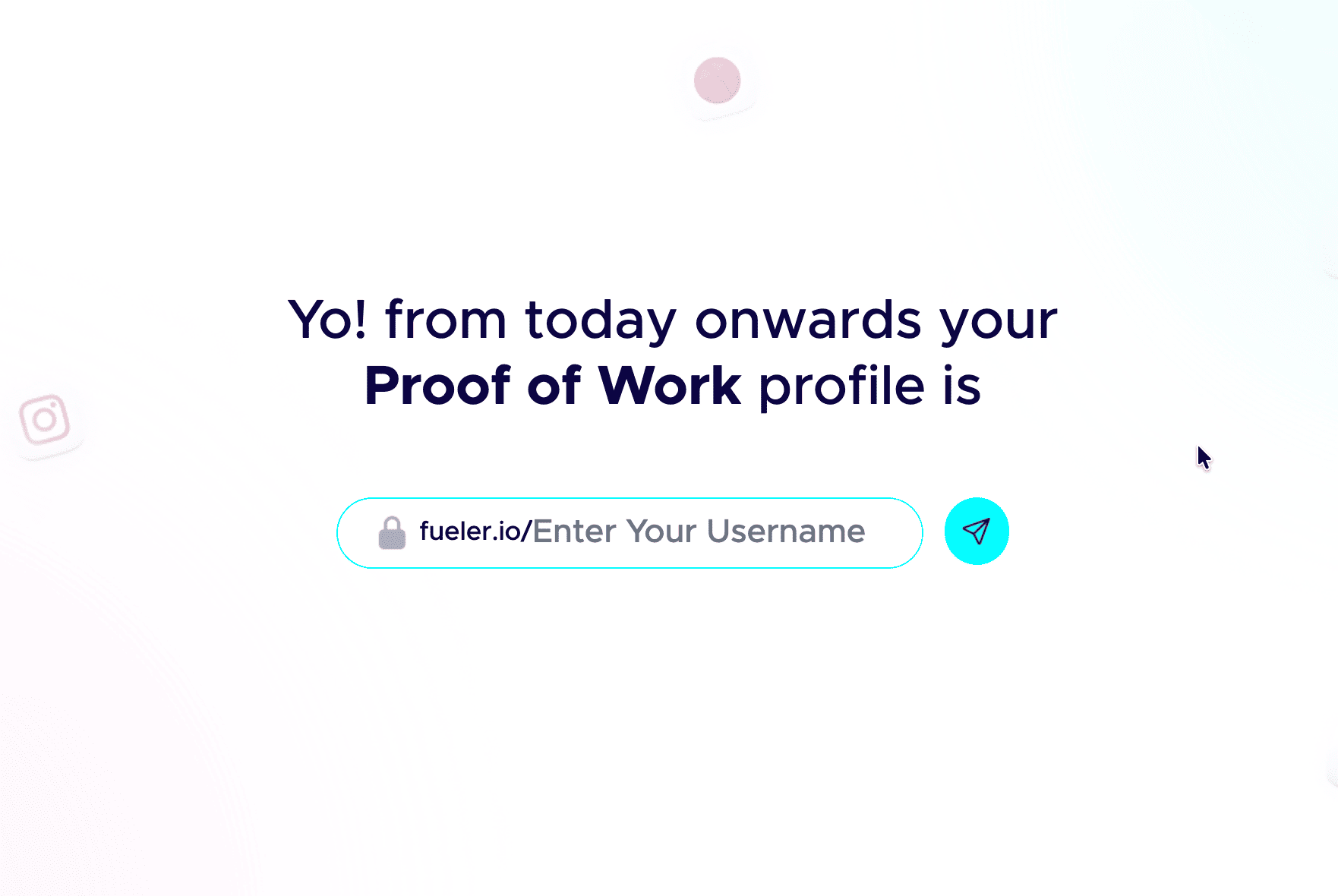
Step 2: Pick a professional handle.
Your handle shows up in your public link, so keep it clean and grown-up. Don’t add nicknames and random numbers. Your name or a simple version of it works best.
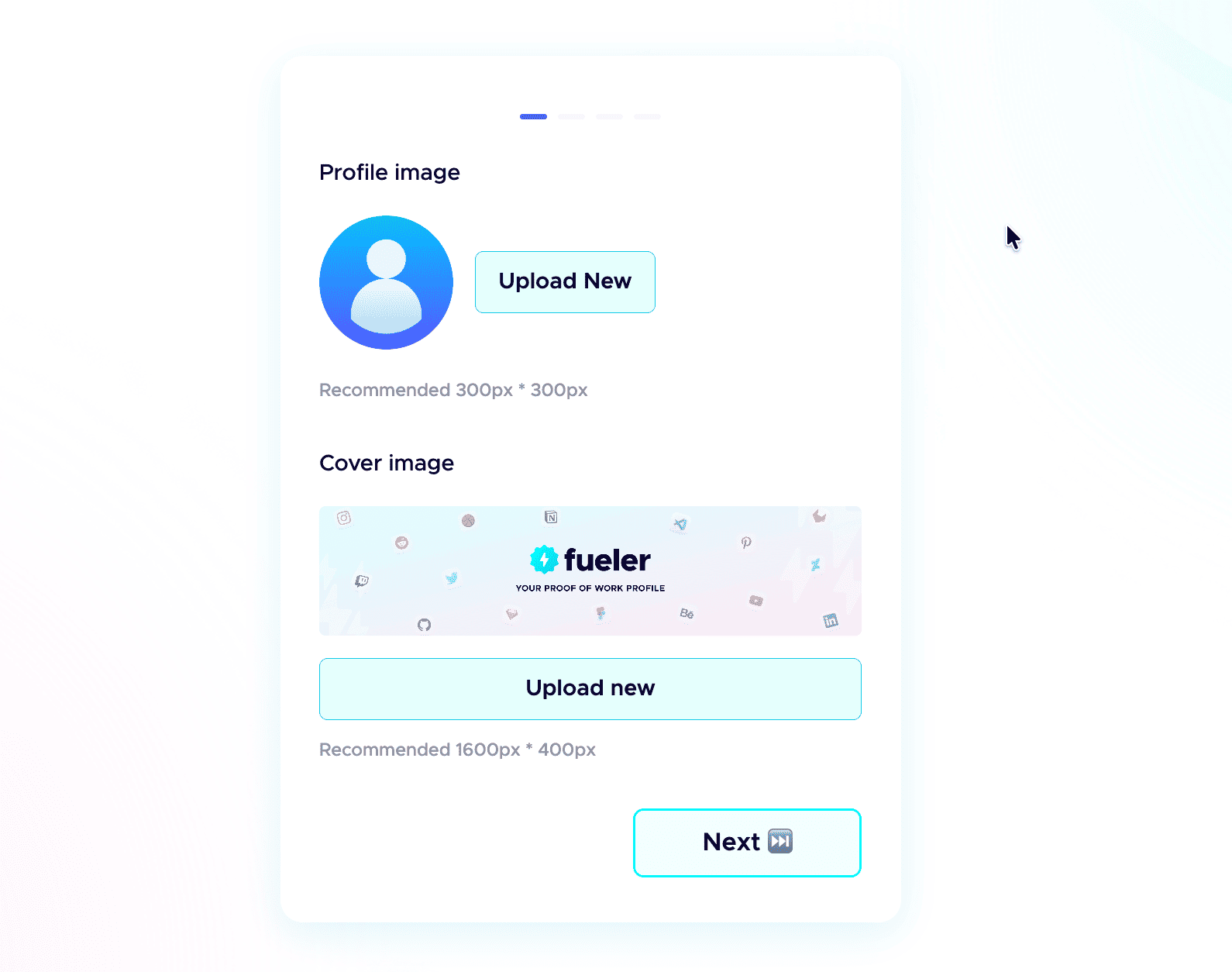
 Step 3: Add a professional profile picture.
Use the same kind of professional photo you would put on LinkedIn. Clear face, good lighting, and a simple background. People trust a real face more than an empty avatar.
Step 4: Write a strong header.
The header is the first thing anyone sees. In one or two short lines, say who you are, what you do, and the kind of work you have done. Make it specific, not vague.
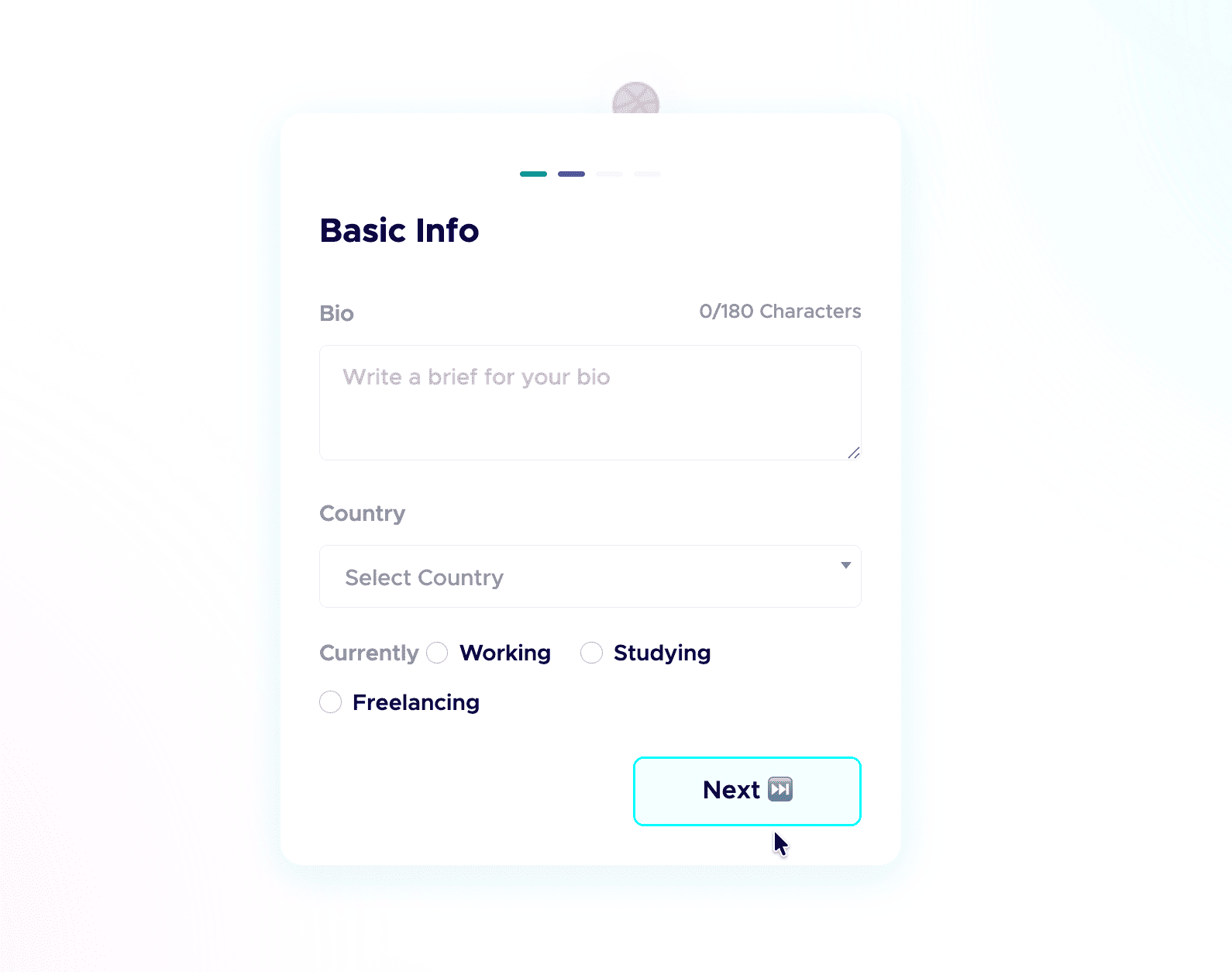
Step 5: Add a short bio.
Tell people who you are and what you do in a few plain sentences. No buzzwords, just enough for a recruiter to get you in five seconds.
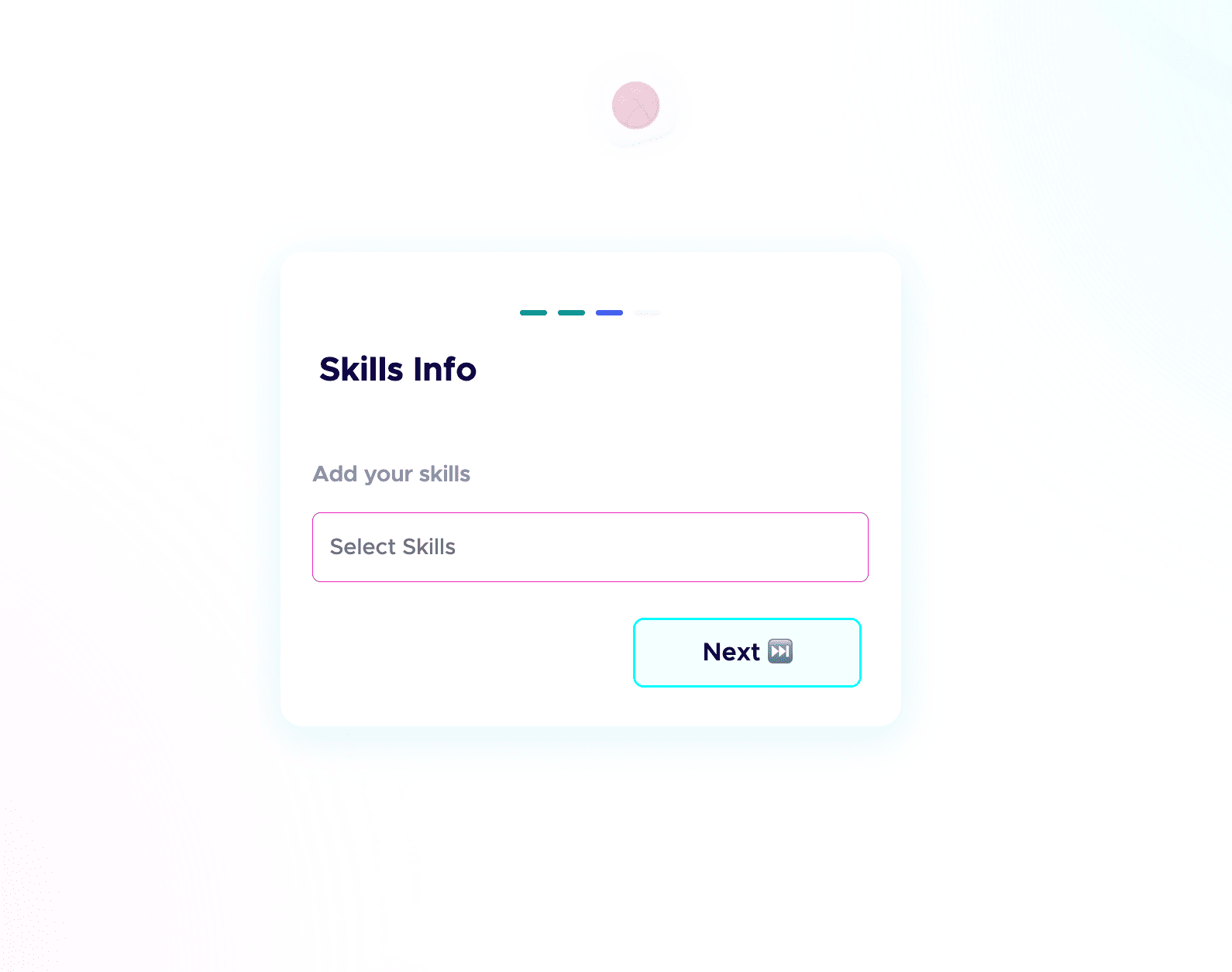
 Step 6: Add your skills and social links.
List the skills you are good at and actually want to be hired for, and connect your socials. People do check your profiles, and active socials build credibility before the first call. Students starting from scratch can follow my student guide to their first portfolio.
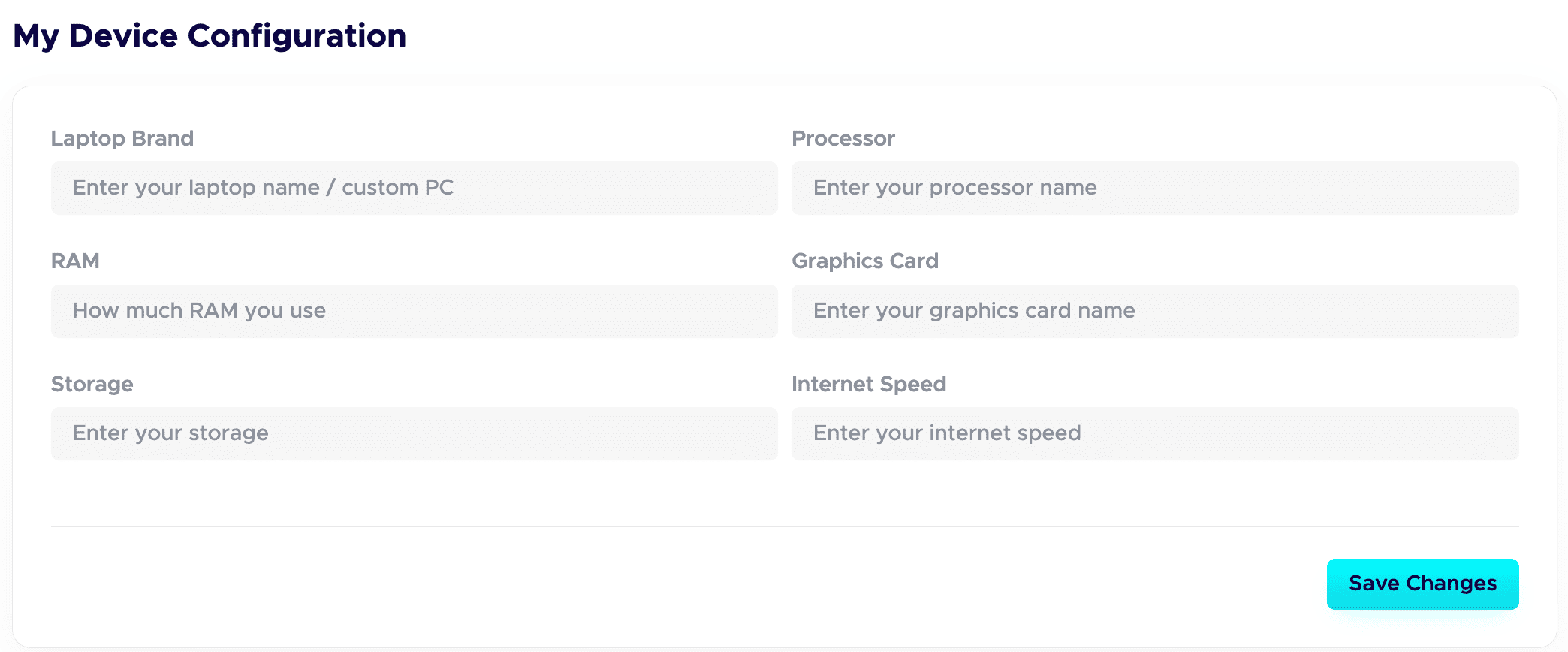
 Step 7: Fill in your Device Configuration.
In your dashboard, set up the Device Configuration section. Add the details about the device you are using. Remote-first companies want to know you have a solid setup to work from. A good setup quietly adds leverage and signals you are ready to deliver.
Step 8: Publish your projects with all the details.
This is a game-changer. Give each project a clear title and a detailed description. Walk through your process: your thinking, the tools you used, the choices you made, and the result. Companies care about how you work, not just the final image.
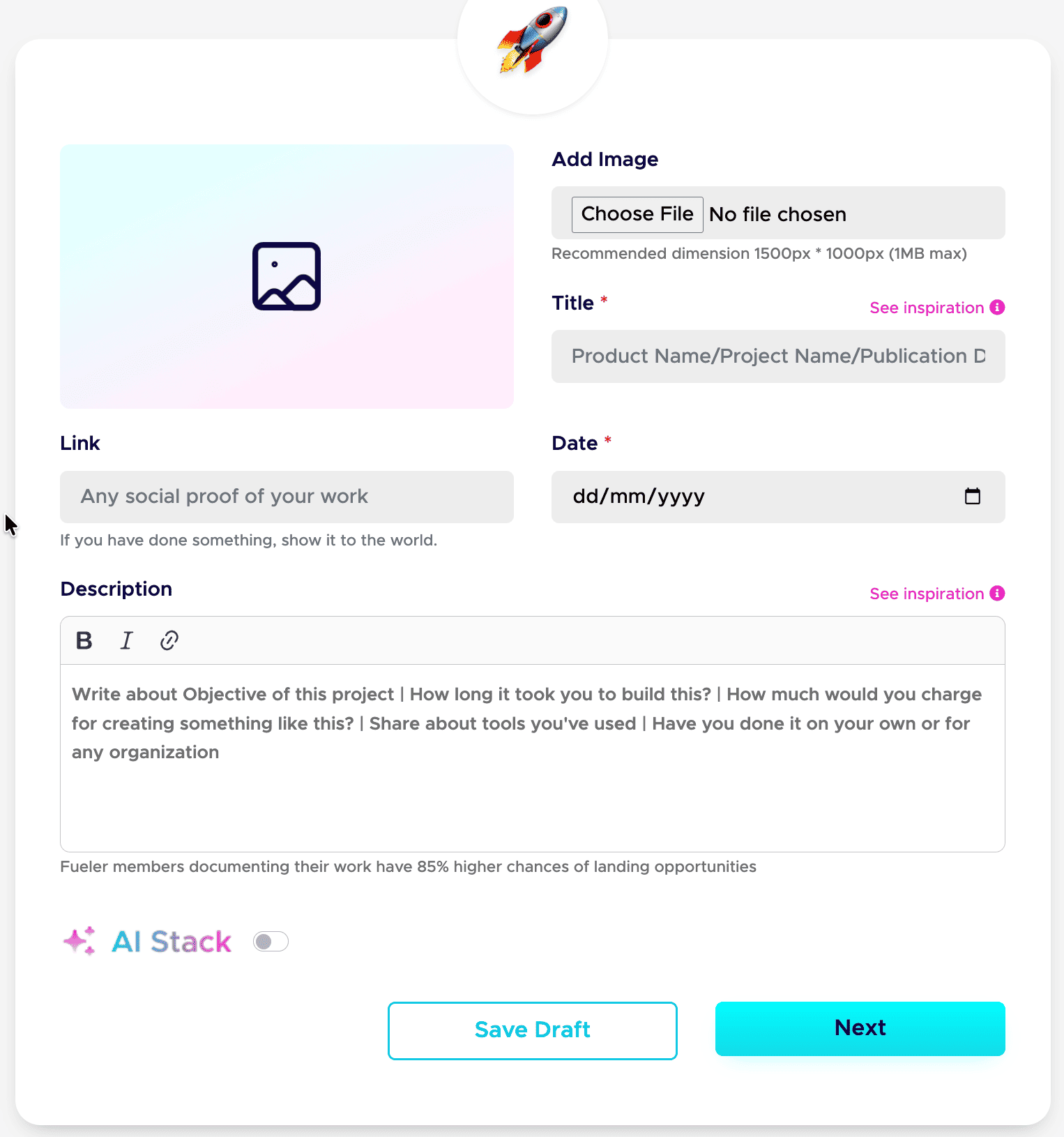
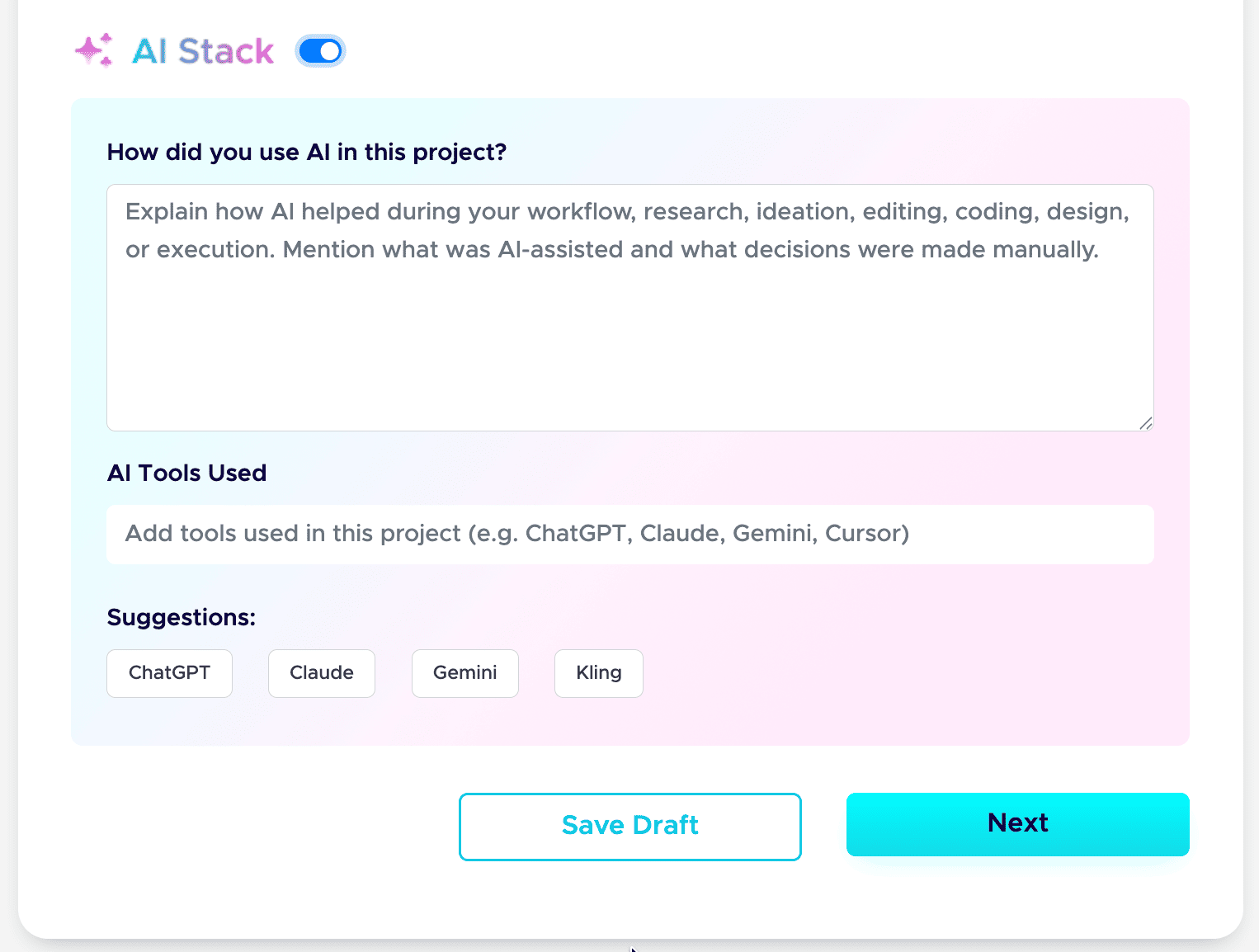
Step 9: Add your AI Stack to each project.
AI is part of real work now, so show it honestly. Use the AI Stack feature to explain how you used AI, which tools you used, and what you did manually. This builds trust instead of raising doubt. Here is the full guide: how to add AI Stack on Fueler.
That is the whole setup. Do these nine steps well, and your profile stops being a static page and starts working as a hiring asset. If you want a tighter version to follow next time, save my 6-step formula for a Fueler portfolio and my breakdown of a career portfolio that actually gets jobs.
Do this once, and you have a link you can drop into your resume, your email signature, and every job application.
Real-World Scenarios: Who Wins the Matchup?
Scenario A: The Tech Lead Mapping Internal Systems
If you are working as a systems architect or technical program manager who needs to build an intricate, cross-linked repository of internal software engineering practices, project sprint trackers, and private team roadmaps, the document engine is your perfect home. You need deep data relations and private, flexible writing spaces more than you need outbound visibility or public career marketing tools.
Scenario B: The Growing Freelancer and Independent Contractor
If you are a freelance consultant, developer, or creative professional navigating a hyper-competitive market, your survival relies entirely on reducing the distance between a prospect seeing your profile and trusting your execution. You need a setup that clearly communicates your capabilities without design clutter. Shifting your work to an active showcase engine allows you to leverage features like project vouches to stand out instantly from the sea of generic, unverified applications.
Scenario C: The Multi-Disciplinary Content Strategist
For professionals who produce diverse digital outputs ranging from rich case studies on content writing workflows to technical video editing breakdowns, relying on unstandardized document paths can ruin your presentation. You need an environment that treats a deep textual analysis, a live link, and a visual project frame with equal elegance, allowing potential partners to evaluate your multi-faceted skill sets within a unified profile structure.
The Landscape Shift Toward Skill-First Verification
The macroeconomic trends governing the global job market are signaling a massive behavioral shift away from corporate pedigree toward transparent verification. As recruitment systems become increasingly automated and application volumes scale exponentially due to generative text tools, traditional screening processes are breaking down.
Human talent acquisition teams are rapidly losing faith in polished text summaries and self-reported skills lists. The market is moving towards practical execution evaluations, live work trials, and verified output histories.
Your portfolio should not be an administrative chore that demands ongoing layout maintenance, font adjustments, or system configuration. It should serve as a high-performance career asset- an automated showcase that organizes your professional narrative, establishes baseline trust via social proof, and keeps your skills permanently discoverable within a global network of opportunities while you focus entirely on your craft.
Frequently Asked Questions
Is it necessary to delete my existing workspace documents if I switch to Fueler?
Not at all. The two ecosystems can complement each other perfectly. Many professionals retain their existing document setups as an internal scratchpad, research dump, and personal knowledge base where they draft raw ideas. Once a project is fully realized, shipped, and ready for public review, they package the clean narrative and publish it on Fueler to optimize it for market visibility and recruiter discovery.
How does the search visibility of a dedicated showcase compare to standard web links?
Standard web document links are often nested within deeply complex private folder structures, making them incredibly difficult for public search engines to crawl, index, or parse accurately. Fueler profiles are engineered with highly optimized, clean semantic metadata architectures from day one. This ensures your verified work samples are indexed cleanly by Google and are easily readable by modern generative answer engines.
What is the mechanical difference between a standard recommendation and a project Vouch?
A traditional recommendation is typically a generic text block pinned to the bottom of a profile that says you are a pleasant person to work with. A Fueler Vouch is structurally anchored to a specific piece of work. It proves that a verified third party approves of your execution on that particular case study, giving prospective clients an immediate connection between your claims and actual corporate validation.
Can I effectively showcase non-visual work like code, data analysis, or strategy docs?
Yes. This is precisely why the system was built. Traditional creative portfolios work well for pure visual designers, but they fail knowledge workers who specialize in technical execution. The architecture treats code repositories, data spreadsheets, long-form copy, marketing campaign metrics, and complex system strategies as primary proof-of-work assets, organizing them into highly scannable case studies that recruiters can digest in seconds.
How long does it take to maintain a profile once it is launched?
The maintenance overhead is practically zero. Because there are no layout options to configure, columns to align, or database blocks to manage, you never have to spend time fixing your site design. When you finish a new assignment or launch a new project, you simply input the text, tag your skills, add your media link, and press publish. The engine handles formatting instantly across all viewports.
Why 100,000+ professionals use Fueler
Fueler helps professionals showcase proof of work through projects, assignments, case studies, and achievements.
- Thousands of professionals use Fueler to create their digital portfolio
- Thousands of projects are published on Fueler. Check here
- Startups and Companies hire through proof of work on Fueler
- Used by freelancers, creators, marketers, video editors, writers, designers, and product managers
Our mission is to help the next 100 million professionals build a verified professional identity through proof of work

What should you do next?
You've read the article. Now turn your skills into proof of work and unlock more opportunities.
Build your proof of work portfolio
Create a clean portfolio with projects, assignments, resumes, and AI stack details that companies actually want to see.
Create your Fueler portfolio →Apply through assignments, not resumes
Stand out by solving real tasks from companies hiring on Fueler.
Explore assignments →Get discovered by companies
Make your work public and let recruiters discover your skills through actual projects instead of keywords.
Get discovered →
