Looking for a Notion Portfolio Alternative? Try Fueler

Riten Debnath
09 Jul, 2026
Last updated: July 2026
Let’s be completely honest: we all had our honeymoon phase with Notion. You discover you can nest a page inside a page, change the cover image to an aesthetic anime gif, and suddenly you feel like a Silicon Valley architect. You spend a whole weekend mapping out a master portfolio database with custom tags, relational properties for "Client Type," and custom formulas just to show a progress bar of your skills.
Then you send the link to a hiring manager, and reality hits.
They open it on their phone while standing in line for coffee. Your gorgeous multi-column layout collapses into a mile-long vertical scroll. They click a toggle block that contains your best case study; it lags. They try to find your email, but it's buried under three layers of sub-pages because you wanted to keep the homepage "minimalist."
I’m Riten, founder of Fueler, a skills-first portfolio platform that connects talented individuals with companies through assignments, portfolios, and projects, not just resumes/CVs. Think Dribbble/Behance for work samples + AngelList for hiring infrastructure.
When you use a general-purpose note-taking app as your professional storefront, you are essentially asking recruiters to do manual data entry just to understand what you're good at. Here is a look at why the "blank canvas" approach is starting to show its seams, where it still shines, and how to transition to something built for the modern job market.
Where Notion Excels (And What It Was Actually Designed For)
To understand why it’s time to migrate your portfolio, we have to respect what Notion actually is. It is one of the finest productivity tools ever engineered. If you need to map out a content calendar, track your freelance invoices, draft long-form essays, or build an internal wiki for a remote team, it is practically flawless.
Its core strengths are undeniable:
- Absolute Layout Control: If you want a database that filters your writing samples by industry while simultaneously linking to a gallery view of your graphic designs, you can build it.
- Live Sandbox Feel: It feels personal. A Notion portfolio reads less like a cold corporate website and more like a peek inside a professional's actual digital brain.
- No Code, Real Power: You don't need to know HTML or CSS to create complex layouts; you just need to understand blocks.
But there is a massive difference between organizing your thoughts and selling your capabilities to a distracted stranger who has 45 seconds to review your life's work.
The Hidden Friction of Document-Based Portfolios
When you share a public link from a document app, you are placing a heavy cognitive tax on the recruiter. Here is what happens behind the scenes when a hiring manager clicks your link:
1. The Labyrinth Effect
Because there is no standard layout, the recruiter has to spend the first 15 seconds learning your specific navigation system. Did they put their best work under 'Projects' or 'Archive'? Is this database clickable or just a list? If they can't figure it out instantly, they bounce.
2. The Zero-Discovery Vacuum
A public page is an island in the middle of an empty ocean. Nobody is browsing the platform looking for talent. The only way anyone ever sees your work is if you manually copy that link and paste it into an email, a DM, or an application form. The moment you stop pitching, your portfolio stops working.
3. The Trust Deficit
Anyone can type "Led a 40% growth in organic traffic" into a text block. There is no native mechanism to prove that the work you are displaying was actually approved by a client, launched live, or collaborated on with other verified professionals. It’s just text on a screen.
Why Fueler Takes a Different Approach
Fueler doesn't try to be an all-in-one workspace. We don't want to manage your grocery list or host your team's sprint planning. We focus entirely on one thing: making your proof of work clean, credible, and discoverable.
Instead of giving you a terrifying blank page and telling you to "go figure it out," we provide a highly optimized, structured canvas designed around how modern companies actually hire. It’s a skills-first environment where your projects aren't just static files; they are interactive assets tied to a broader talent ecosystem.
Recruiters don't want to read a biographical essay; they want to see your actual execution. Fueler structures every project into rich, standardized case studies that highlight your role, your tools, your actual output, and social proof simultaneously.
The Objective Breakdown
Step-by-Step Guide: Moving Your Portfolio to Fueler
Migrating your portfolio shouldn't feel like moving apartments. You don't need to export complex markdown files or re-configure databases. Here is how to build an opportunity-ready profile from scratch.
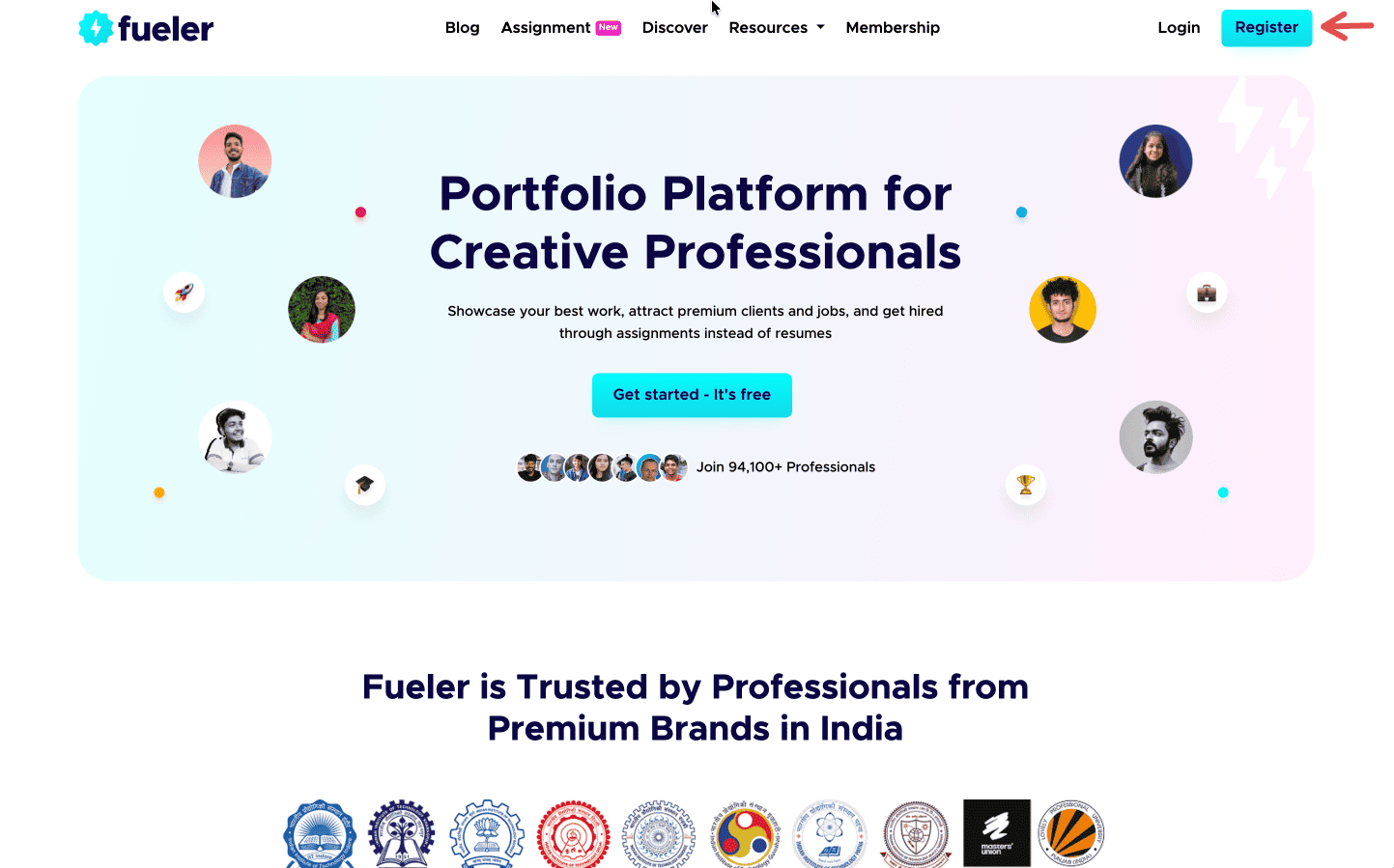
Step 1: Sign up on Fueler.
Head to Fueler.io and create your free account.
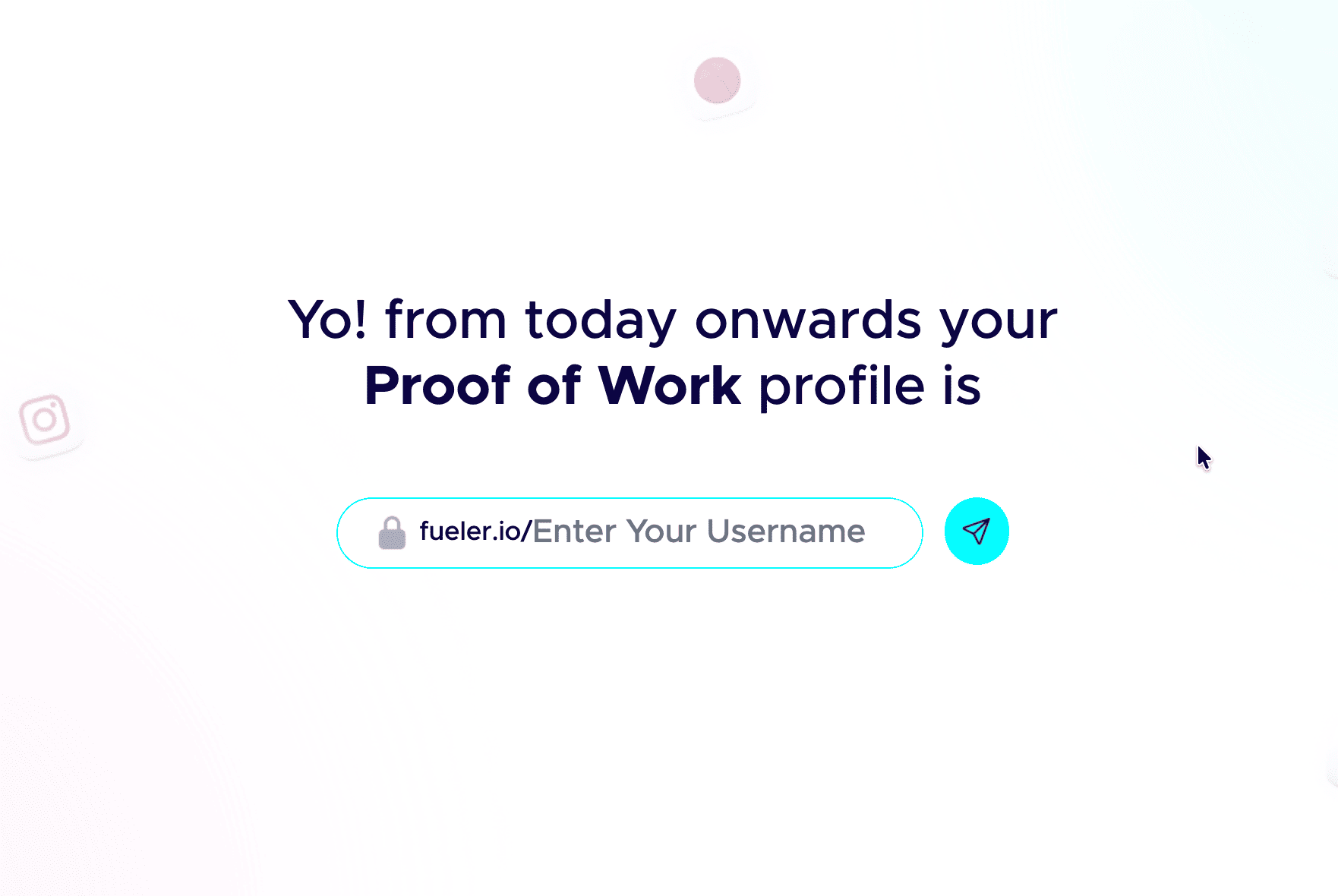
Step 2: Pick a professional handle.
Your handle shows up in your public link, so keep it clean and grown-up. Don’t add nicknames and random numbers. Your name or a simple version of it works best.
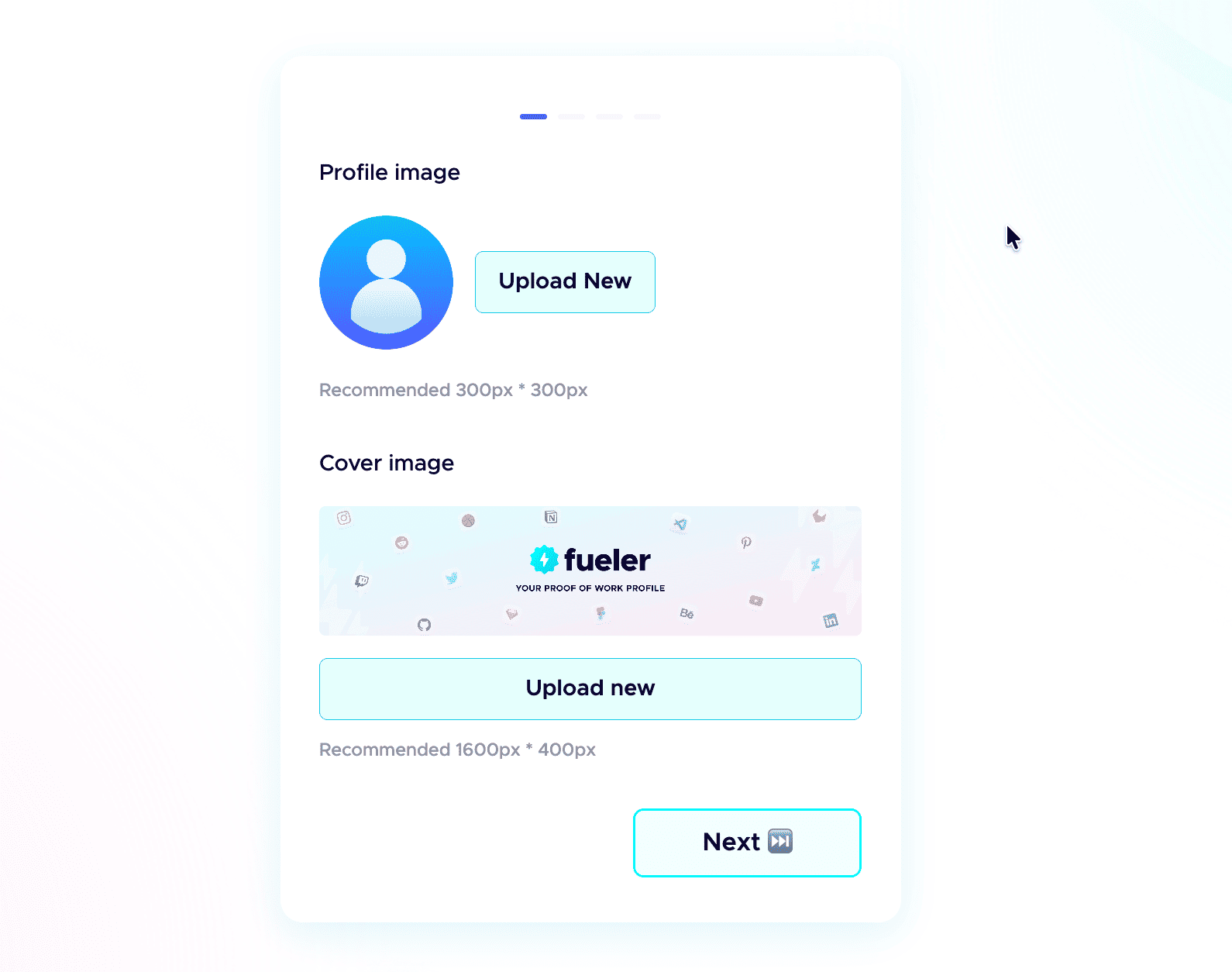
 Step 3: Add a professional profile picture.
Use the same kind of professional photo you would put on LinkedIn. Clear face, good lighting, and a simple background. People trust a real face more than an empty avatar.
Step 4: Write a strong header.
The header is the first thing anyone sees. In one or two short lines, say who you are, what you do, and the kind of work you have done. Make it specific, not vague.
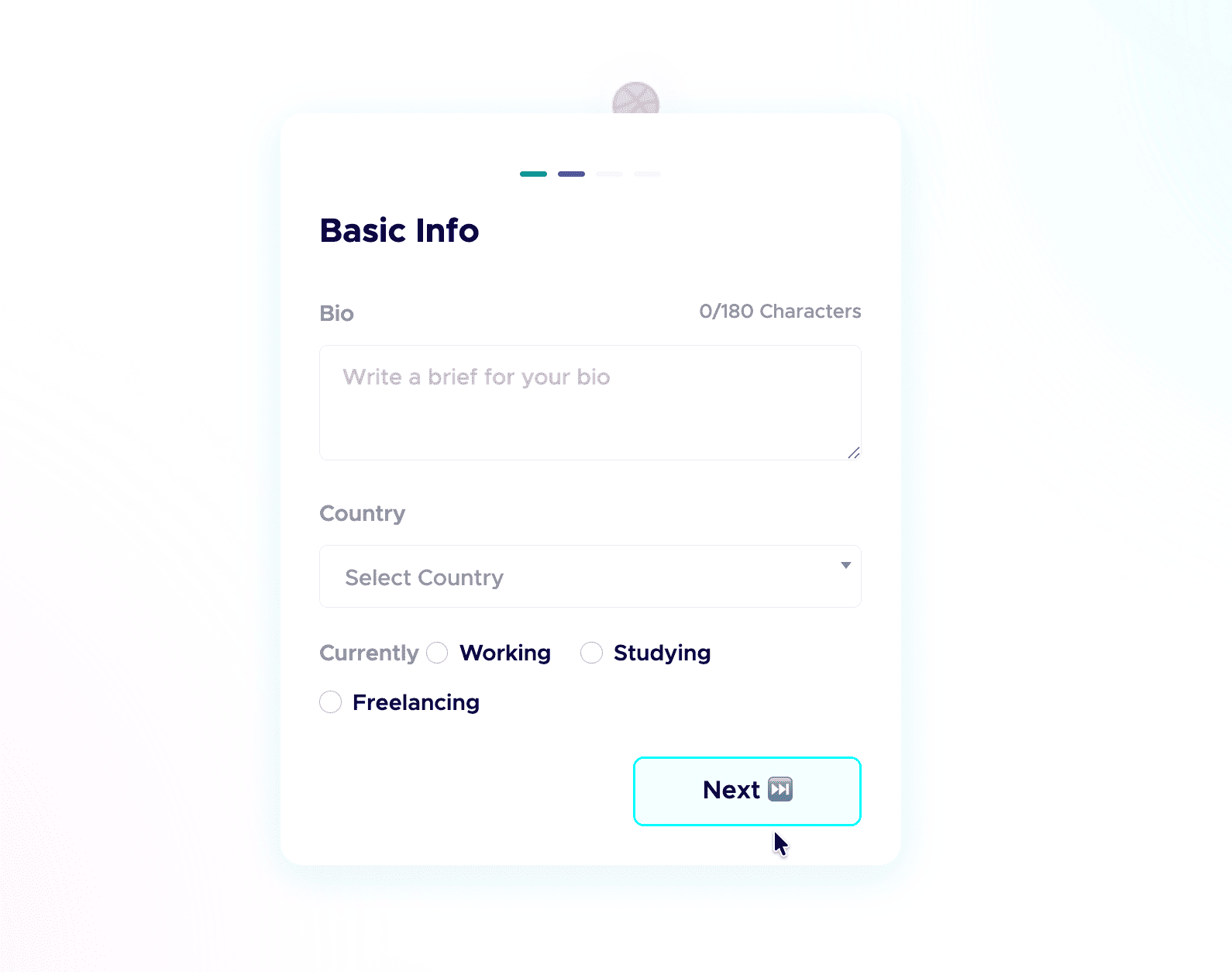
Step 5: Add a short bio.
Tell people who you are and what you do in a few plain sentences. No buzzwords, just enough for a recruiter to get you in five seconds.
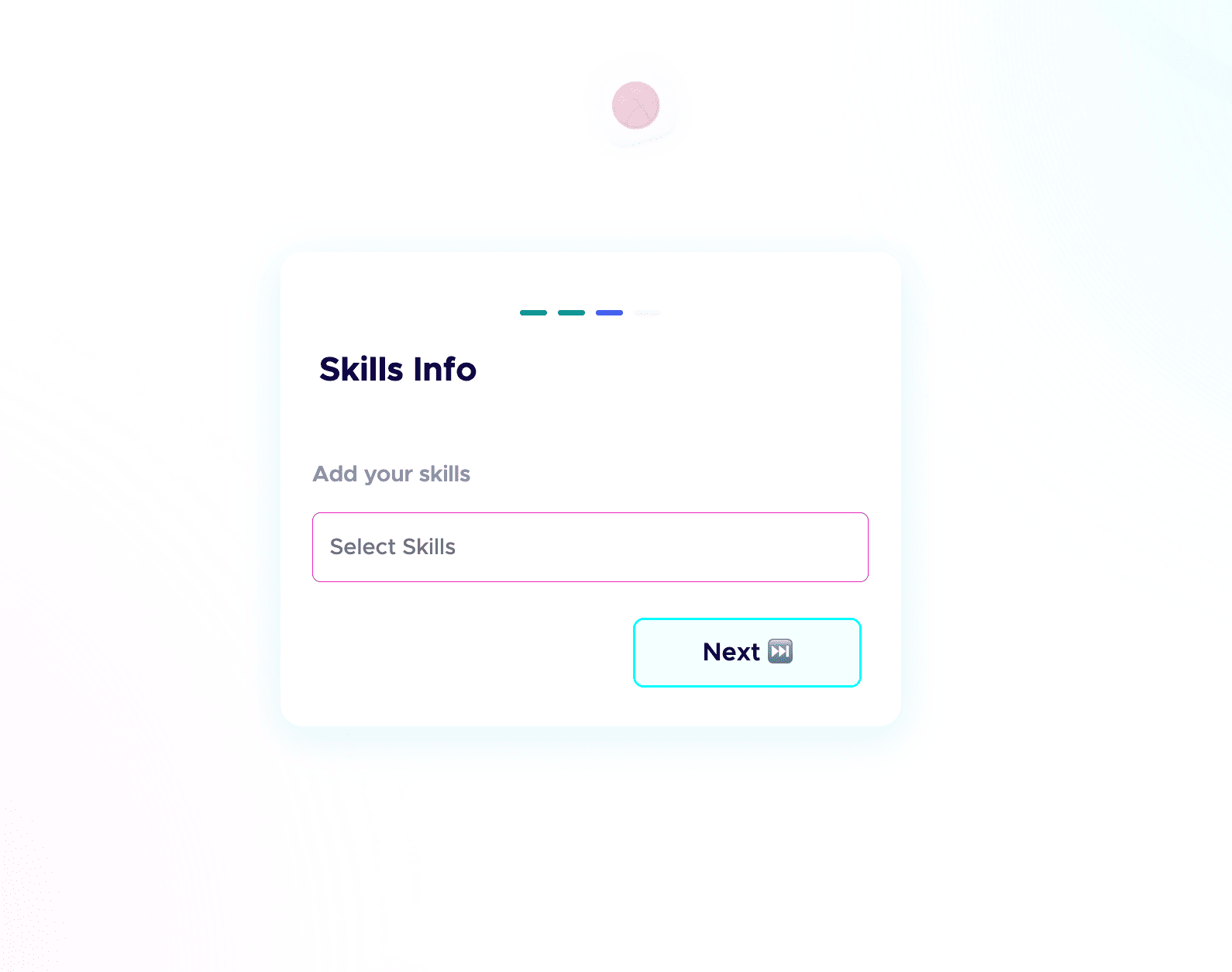
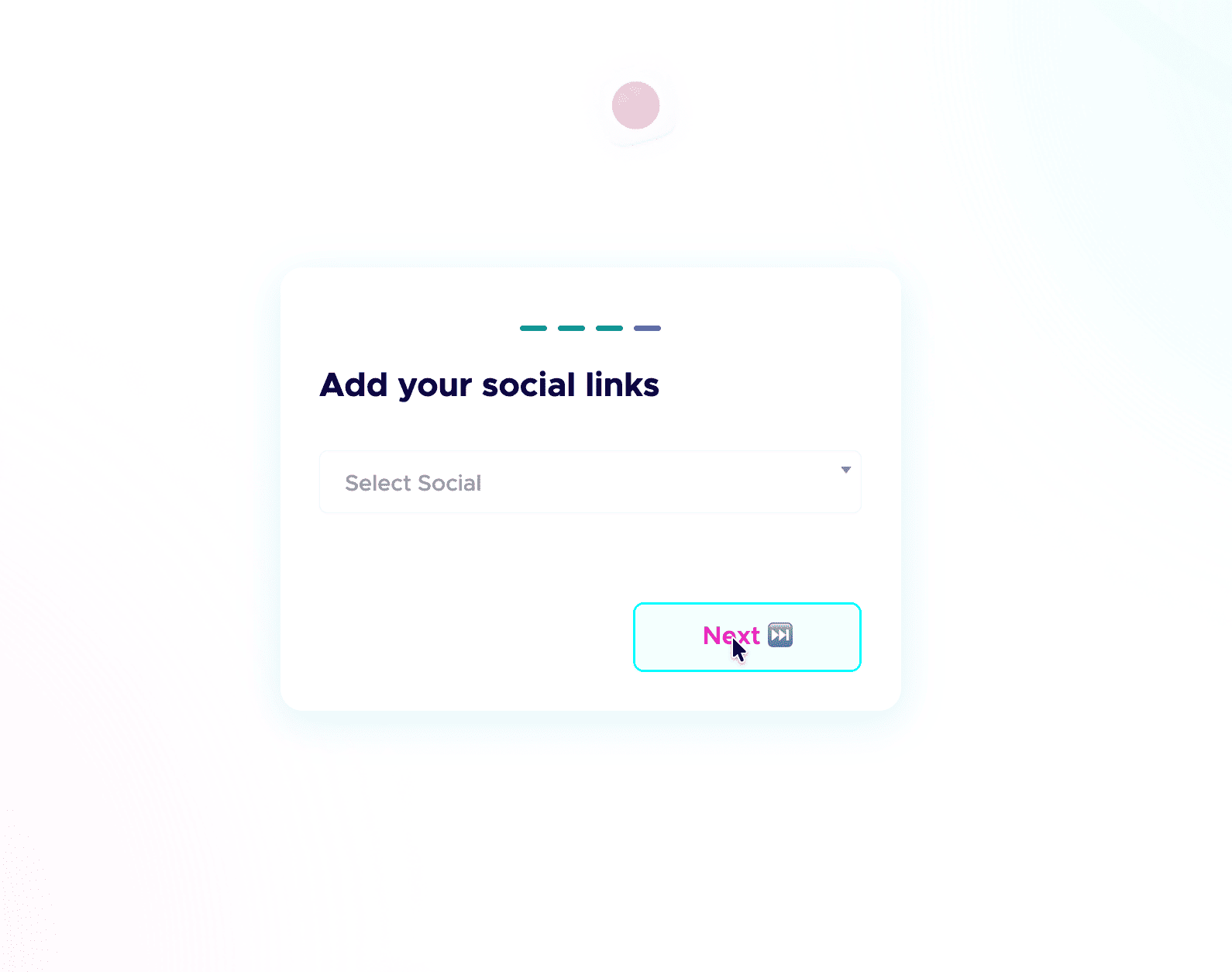
 Step 6: Add your skills and social links.
List the skills you are good at and actually want to be hired for, and connect your socials. People do check your profiles, and active socials build credibility before the first call. Students starting from scratch can follow my student guide to their first portfolio.
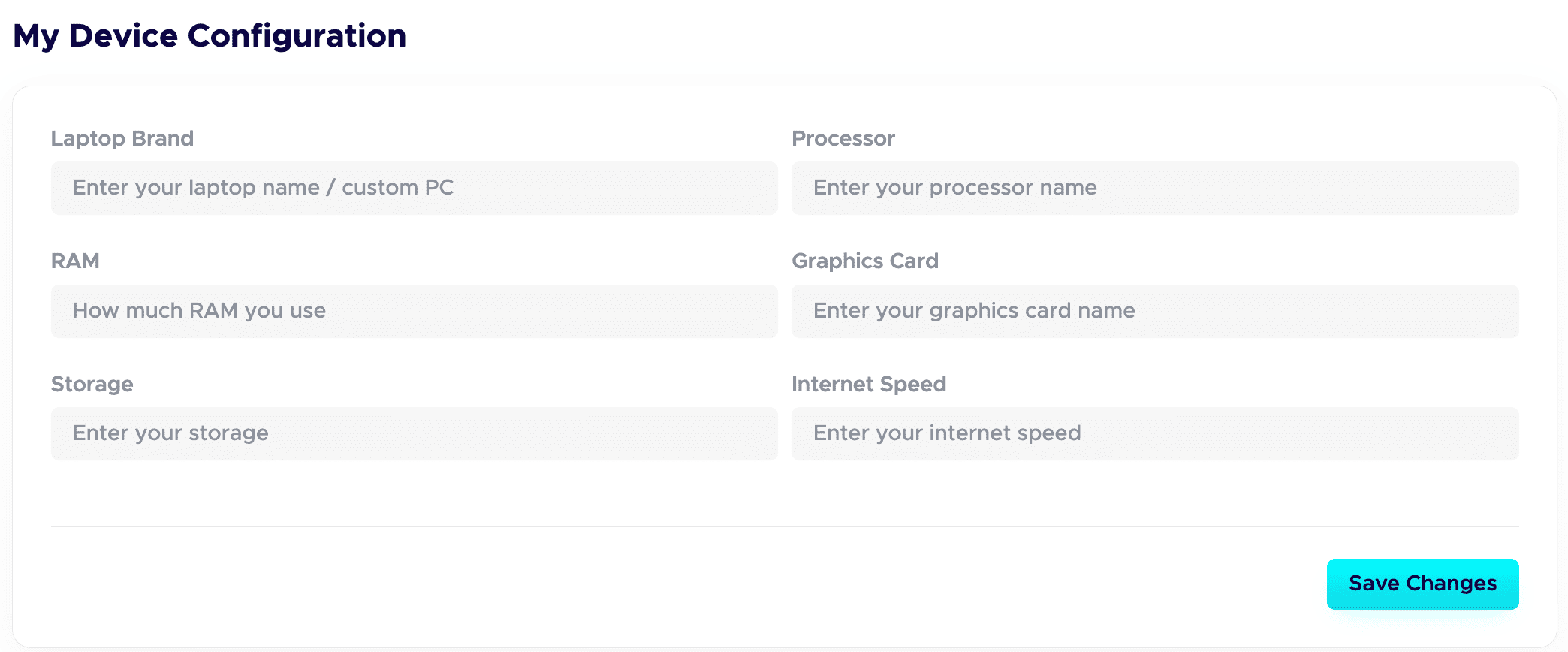
 Step 7: Fill in your Device Configuration.
In your dashboard, set up the Device Configuration section. Add the details about the device you are using. Remote-first companies want to know you have a solid setup to work from. A good setup quietly adds leverage and signals you are ready to deliver.
Step 8: Publish your projects with all the details.
This is a game-changer. Give each project a clear title and a detailed description. Walk through your process: your thinking, the tools you used, the choices you made, and the result. Companies care about how you work, not just the final image.
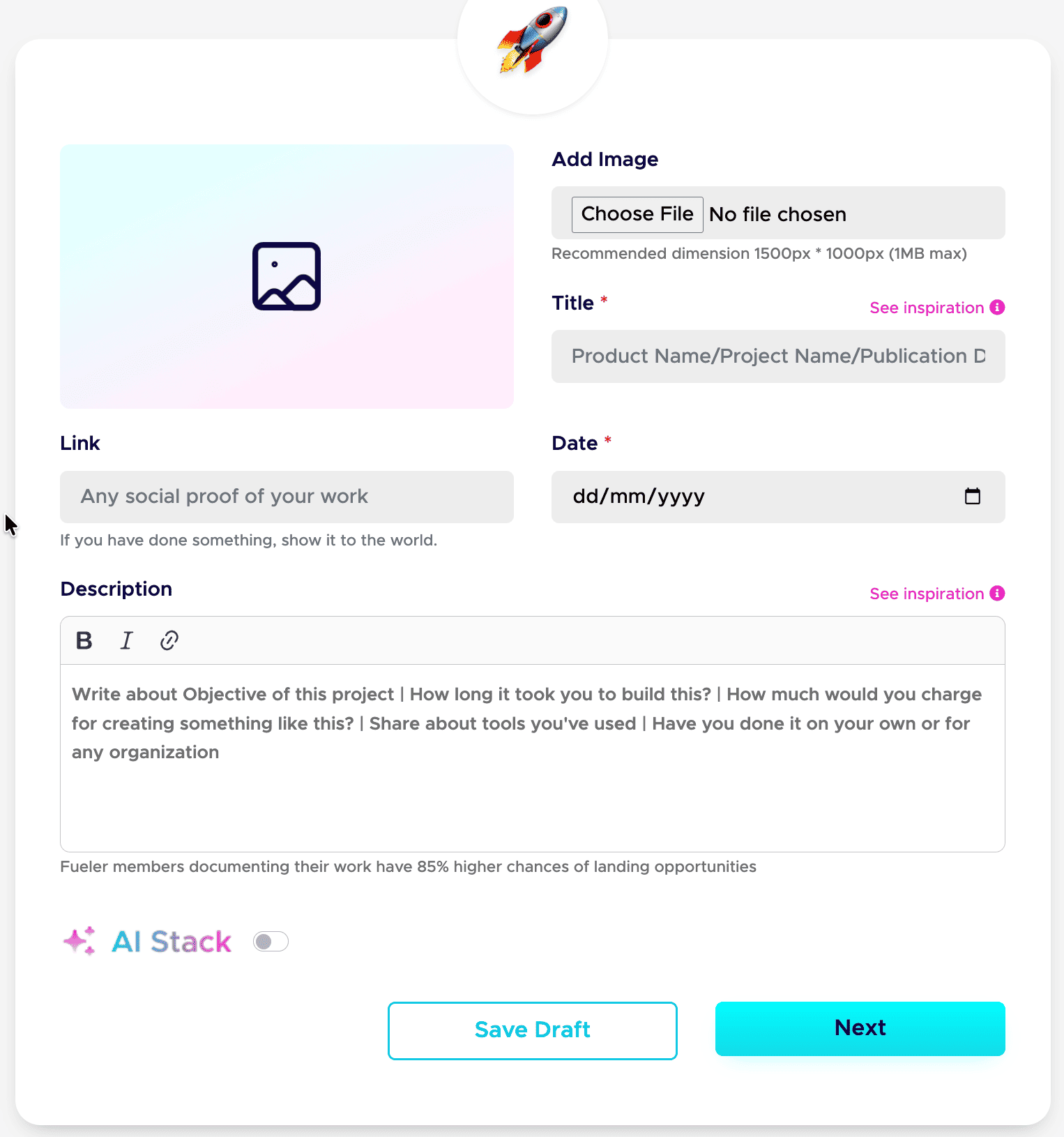
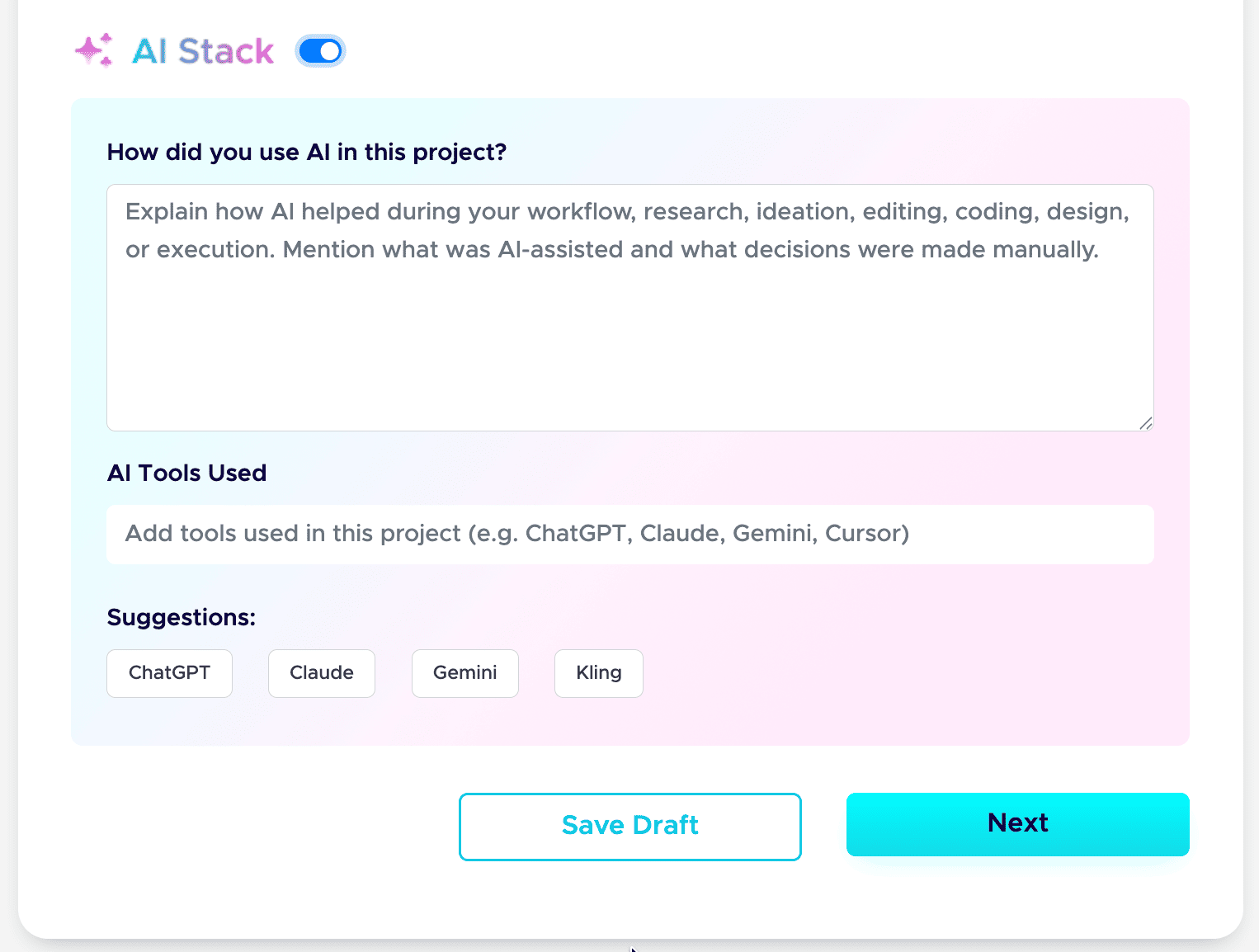
Step 9: Add your AI Stack to each project.
AI is part of real work now, so show it honestly. Use the AI Stack feature to explain how you used AI, which tools you used, and what you did manually. This builds trust instead of raising doubt. Here is the full guide: how to add AI Stack on Fueler.
That is the whole setup. Do these nine steps well, and your profile stops being a static page and starts working as a hiring asset. If you want a tighter version to follow next time, save my 6-step formula for a Fueler portfolio and my breakdown of a career portfolio that actually gets jobs.
Do this once, and you have a link you can drop into your resume, your email signature, and every job application.
Who Should Stick with What?
Stay with Your Current System If:
- You are using your portfolio purely as a personal digital journal or private archive.
- You have a highly idiosyncratic, multi-layered database workflow that you use for daily task management and want your public face to match it exactly.
- You do not currently need external client discovery, inbound job offers, or active networking features.
Move to Fueler If:
- Your current portfolio takes hours of design maintenance every time you want to add a single project image.
- You want recruiters to find your work organically without you having to pitch them via cold emails every single day.
- You want a professional, bulletproof layout that looks impeccably clean on a smartphone, laptop, or tablet without you ever moving a single layout block.
- You believe your career should be judged on the actual quality of your output rather than the text optimization of a traditional CV.
The Future of Getting Noticed
The era of broadcasting a static, self-written text document and hoping for a callback is drawing to a close. Companies are fatigued by over-optimized resumes that don't match real-world capabilities. The future belongs to professionals who can show a clean, verified history of execution.
Your portfolio shouldn't feel like a second job. It shouldn't require constant maintenance, layout troubleshooting, or database administration. It should be a streamlined machine that showcases your skills, validates your experience through social proof, and quietly opens professional doors for you while you sleep.
Frequently Asked Questions
Can I keep using my current setup alongside Fueler?
Absolutely. Many creators use their existing document hubs as an internal workspace for drafting, brain-dumping, and organizing rough ideas. Once a project is fully realized and ready for public eyes, they package the final narrative and publish it cleanly on Fueler to catch the attention of hiring managers.
Do I need to know how to code to design my profile?
Not even a little bit. The platform is entirely no-code. The layout architecture is pre-optimized for readability, mobile responsiveness, and recruiter patterns. You simply focus on uploading your text, media, and links; the system handles the visual presentation flawlessly.
How do recruiters find me on this platform?
The system utilizes a skills-first discovery engine. When talent acquisition teams search for specific capabilities, tools, or assignment histories, profiles with corresponding verified proof of work are surfaced automatically. Your visibility is driven entirely by the tangible projects you display.
What exactly counts as a 'Proof of Work'?
Anything that demonstrates your real-world application of a skill. It could be a published marketing deep-dive, a live repository link, a user research case study, a video editing reel, or a completed design assignment. If you built it, analyzed it, wrote it, or shipped it, it belongs on your profile.
Is there a limit to how many projects I can showcase?
You can build a comprehensive repository of your entire professional journey. The platform encourages showing your growth over time, allowing you to categorize, organize, and highlight your most impactful work while maintaining a clean archive of your past successes.
Why 100,000+ professionals use Fueler
Fueler helps professionals showcase proof of work through projects, assignments, case studies, and achievements.
- Thousands of professionals use Fueler to create their digital portfolio
- Thousands of projects are published on Fueler. Check here
- Startups and Companies hire through proof of work on Fueler
- Used by freelancers, creators, marketers, video editors, writers, designers, and product managers
Our mission is to help the next 100 million professionals build a verified professional identity through proof of work

What should you do next?
You've read the article. Now turn your skills into proof of work and unlock more opportunities.
Build your proof of work portfolio
Create a clean portfolio with projects, assignments, resumes, and AI stack details that companies actually want to see.
Create your Fueler portfolio →Apply through assignments, not resumes
Stand out by solving real tasks from companies hiring on Fueler.
Explore assignments →Get discovered by companies
Make your work public and let recruiters discover your skills through actual projects instead of keywords.
Get discovered →
