Google Sites Portfolio vs Fueler: Which Platform Is Better?

Riten Debnath
13 Jul, 2026
Last updated: July 2026
The modern hiring market is completely flooded with hyper-optimized, AI-generated resumes. Because templates are so easy to copy, text claims on a PDF no longer hold weight with high-growth companies. Hiring managers are overwhelmed by applications listing identical sets of unproven skills. They do not have the time to read through paragraphs of self-praise. They want to see immediate, undeniable proof of what you have actually built, written, engineered, or shipped.
The internet has plenty of generalist tools that let you build a basic webpage. You can spin up a blank site, arrange text boxes, and drop in media links. But a standalone webpage is not a career strategy. It sits in complete isolation unless you spend significant time and effort manually driving traffic to it.
I’m Riten, founder of Fueler, a skills-first portfolio platform that connects talented individuals with companies through assignments, portfolios, and projects, not just resumes/CVs. Think Dribbble/Behance for work samples + AngelList for hiring infrastructure.
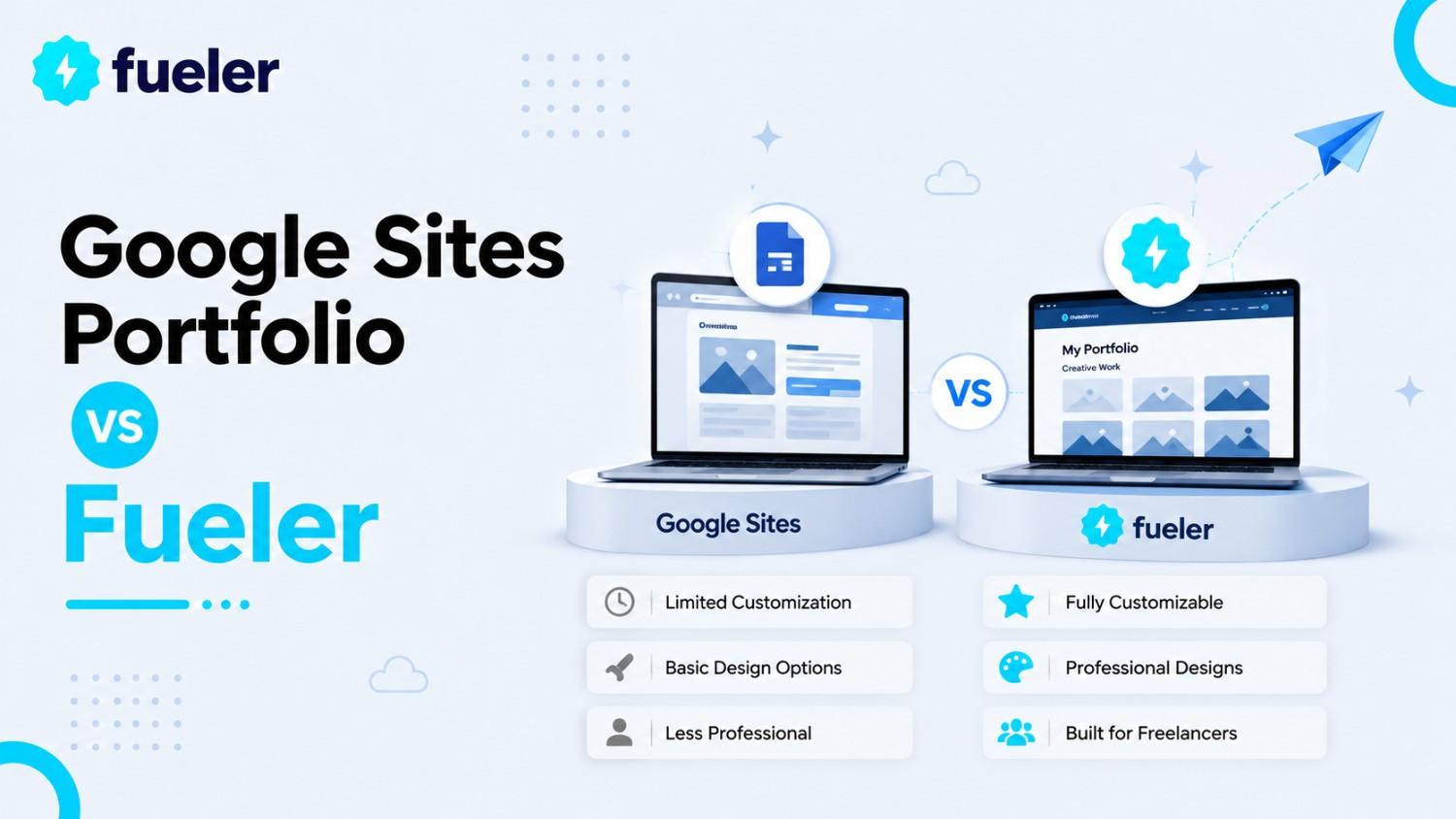
This leaves independent professionals with a critical choice when building an online profile. Google Sites offers a completely free, unstructured drag-and-drop workspace deeply tied into the Google Drive ecosystem. Fueler provides a structured, live network built to track verified projects, generate professional trust, and open direct lines to modern brands. Let's look past surface-level marketing jargon and break down how these two philosophies impact your career path.
Where Google Sites Wins: The Flexible Document Vault
Google Sites is an accessible utility for basic content presentation. It was designed to help users aggregate assorted files into a neat web interface without touching code.
Flawless Google Ecosystem Integration
The biggest technical advantage of Google Sites is its native connection to Google Workspace. If your work lives inside Google Drive, this platform allows you to embed Docs, Sheets, Slides, and Forms directly onto your canvas. The embedded files sync automatically in real-time whenever you update the master file.
Completely Free Domain Mapping
Unlike most website builders that lock custom domain connectivity behind premium subscription paywalls, Google Sites allows you to point a custom domain to your site for free. You only pay for the domain registration itself, making it an incredibly cost-effective tool for hosting basic static web content.
Total Visual Page Control
The user interface offers an open, drag-and-drop design. You can create multiple subpages, arrange text blocks next to image carousels, insert custom HTML code embeds, and slide dividers anywhere on the page grid. It gives you the structural freedom to lay out an informational page exactly how you see fit.
Zero Learning Curve
Because the editing interface mirrors the familiar, simple controls found across Google Docs and Slides, the platform features virtually no learning curve. Anyone who has put together a digital slide presentation can master the entire system within ten to fifteen minutes.
The True Design Intention of Google Sites
Google Sites excels at organizing information. It is built for classroom projects, simple event information landing pages, internal company team portals, or archiving academic research papers. It treats your work as static files to display rather than living assets to actively market.
The Limitations of Using Google Sites for Career Growth
While Google Sites is an efficient file aggregator, using it as a professional portfolio platform introduces major bottlenecks when trying to attract modern companies.
Complete Isolation from Recruiters
Your site exists in a digital vacuum. There is no central directory, discoverability marketplace, or active network of companies browsing Google Sites profiles to hire talent. If you do not manually send your link to a recruiter, nobody will ever find your work.
Heavy and Friction-Filled Layouts
Embedding Google Docs or presentations often forces hiring managers to scroll through clunky framing boxes. These embedded widgets often load slowly on mobile devices and break the reader's scanning flow. Recruiters typically spend less than ten seconds reviewing a profile; if it takes five seconds just to render an embedded document, they will bounce.
Zero Proof Validation Mechanics
Anyone can upload any file to a custom site and claim they built it single-handedly. Google Sites lacks any built-in features to verify collaborations, receive professional vouches, or validate work history. Without validation, your portfolio remains a collection of unverified claims.
High Maintenance Over Time
Every single layout update, new link addition, mobile responsive adjustment, and subpage creation must be formatted manually from scratch. As your body of work grows, keeping a custom-built site clean, organized, and structurally aligned becomes a tedious chore.
Why Fueler's Approach is Different: A Living Proof of Work Ledger
Fueler turns your professional history into an interactive asset. Instead of a detached personal website, it creates a profile designed from the ground up to shorten the distance between your work and a hiring decision.
Verified Project Documentation
Every work sample you upload is treated as an independent proof point. Instead of just pasting a link, Fueler prompts you to highlight the specific role you played, the problem you solved, the tools you used, and the direct outcomes achieved. This structure makes your contribution instantly readable.
Collaborative Vouches
You can tag co-creators, managers, or clients directly on specific project cards. Once they confirm your collaboration, their verified endorsement is permanently pinned to that piece of work. This transforms anonymous text claims into reliable social proof that builds immediate trust.
Inbound Discovery Marketplace
Fueler profiles do not sit in isolation. They are automatically indexed within an active talent directory where companies search specifically for individuals with proven skills. Recruiters can filter by specialized roles, tool expertise, and specific project types to find matched talent instantly.
Assignment-First Framework
The platform connects your live profile directly to active assignments and project-based challenges posted by companies. Instead of filling out massive application forms and uploading generic cover letters, you apply by attaching your relevant proof cards directly to the challenge.
Side-by-Side Evaluation
How to Create a High-Impact Portfolio on Fueler
Setting up your profile on Fueler takes only a few minutes and instantly formats your work into a professional, high-converting career ledger.
How to Create Your Portfolio on Fueler Step by Step
Step 1: Sign up on Fueler.
Head to Fueler.io and create your free account.

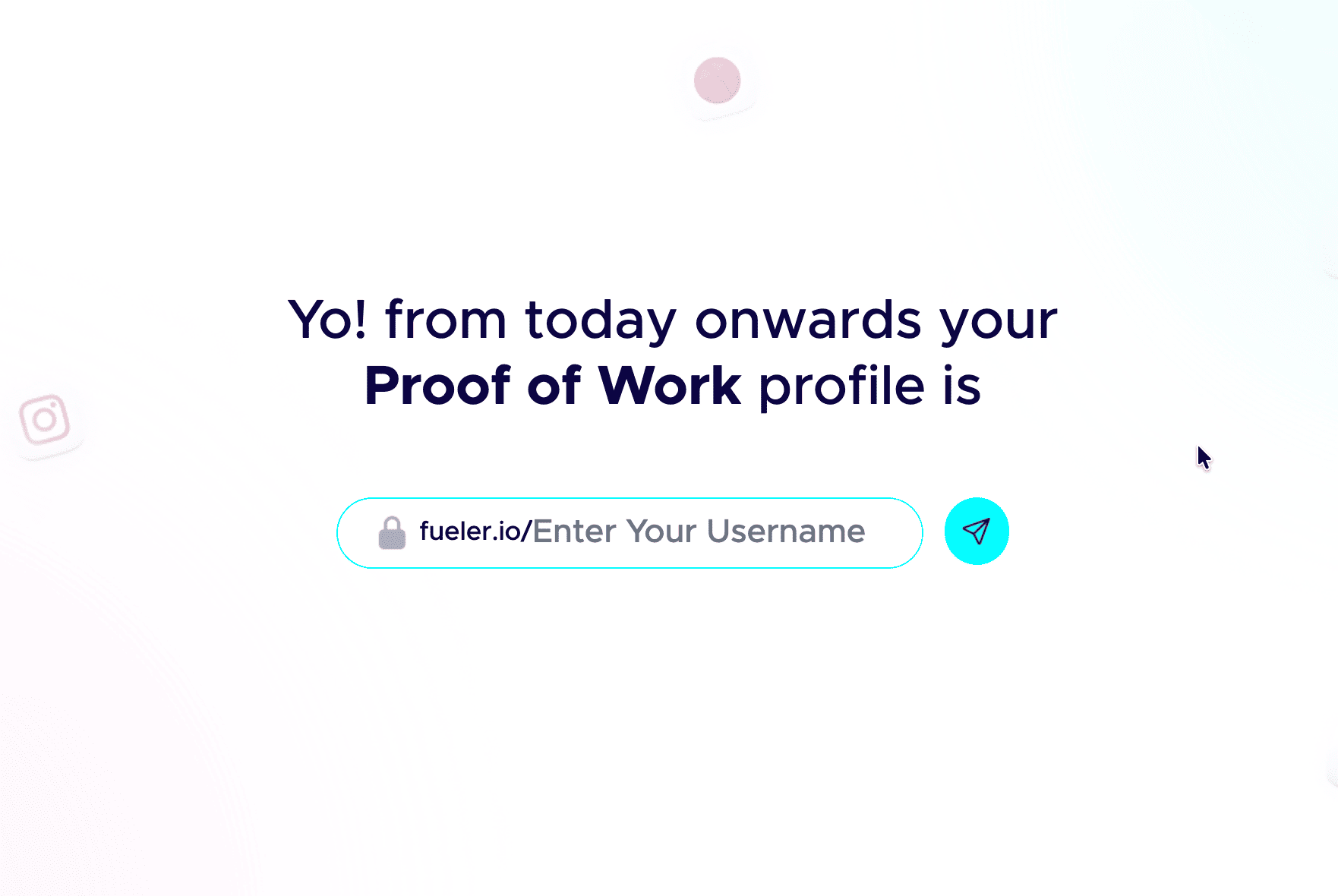
Step 2: Pick a professional handle.
Your handle shows up in your public link, so keep it clean and grown-up. Don’t add nicknames and random numbers. Your name or a simple version of it works best.
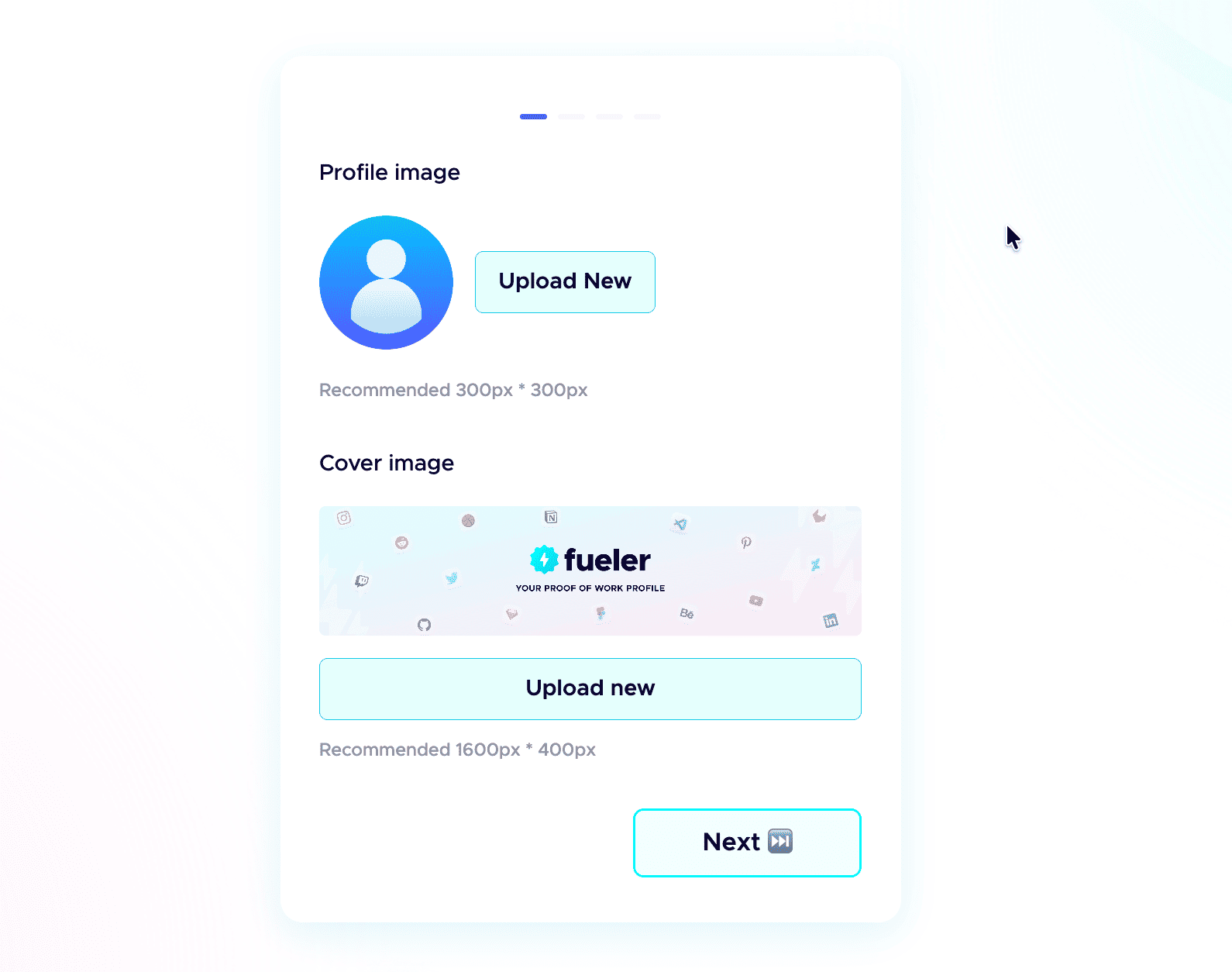
 Step 3: Add a professional profile picture.
Use the same kind of professional photo you would put on LinkedIn. Clear face, good lighting, and a simple background. People trust a real face more than an empty avatar.
Step 4: Write a strong header.
The header is the first thing anyone sees. In one or two short lines, say who you are, what you do, and the kind of work you have done. Make it specific, not vague.
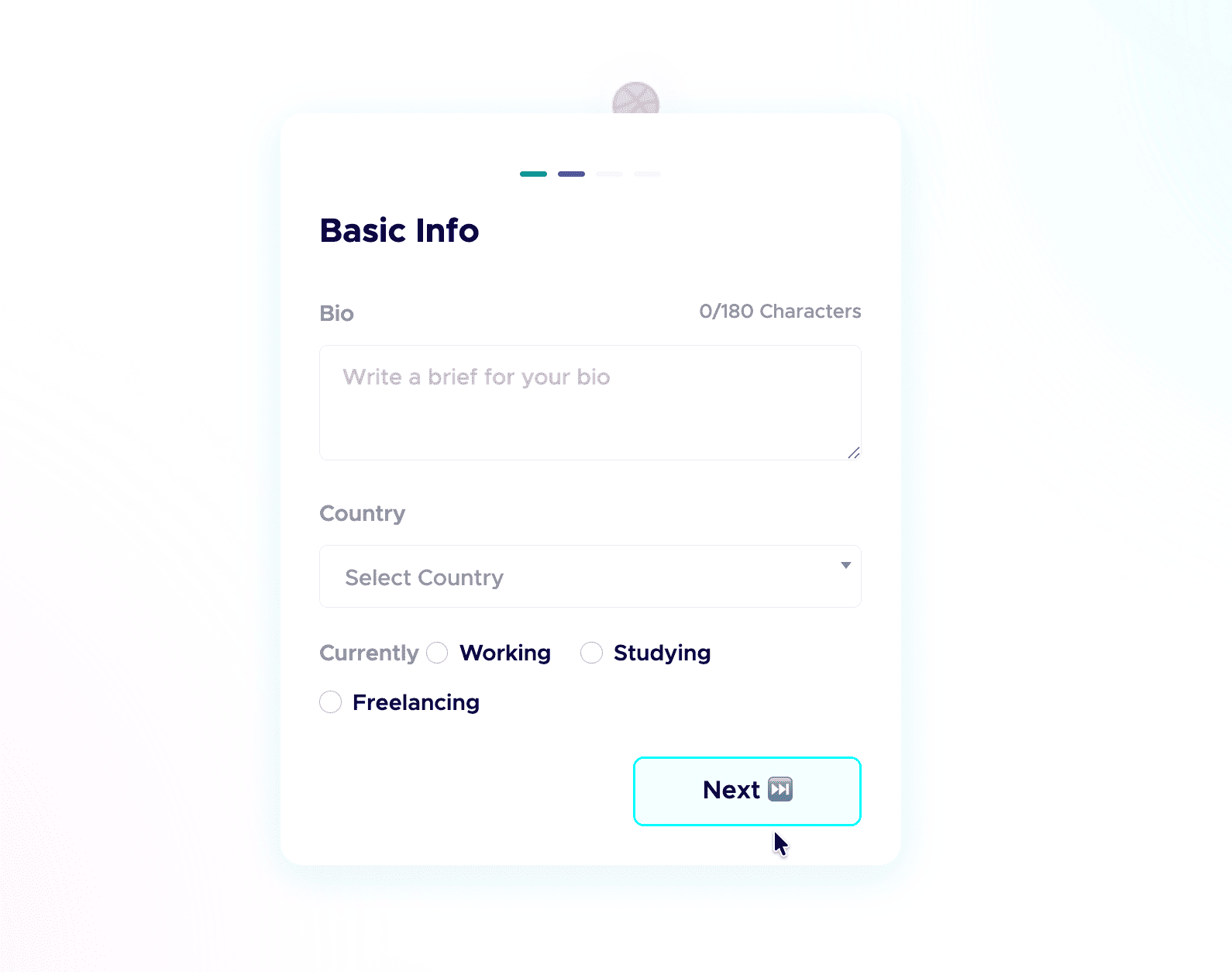
Step 5: Add a short bio.
Tell people who you are and what you do in a few plain sentences. No buzzwords, just enough for a recruiter to get you in five seconds.
 Step 6: Add your skills and social links.
List the skills you are good at and actually want to be hired for, and connect your socials. People do check your profiles, and active socials build credibility before the first call. Students starting from scratch can follow my student guide to their first portfolio.

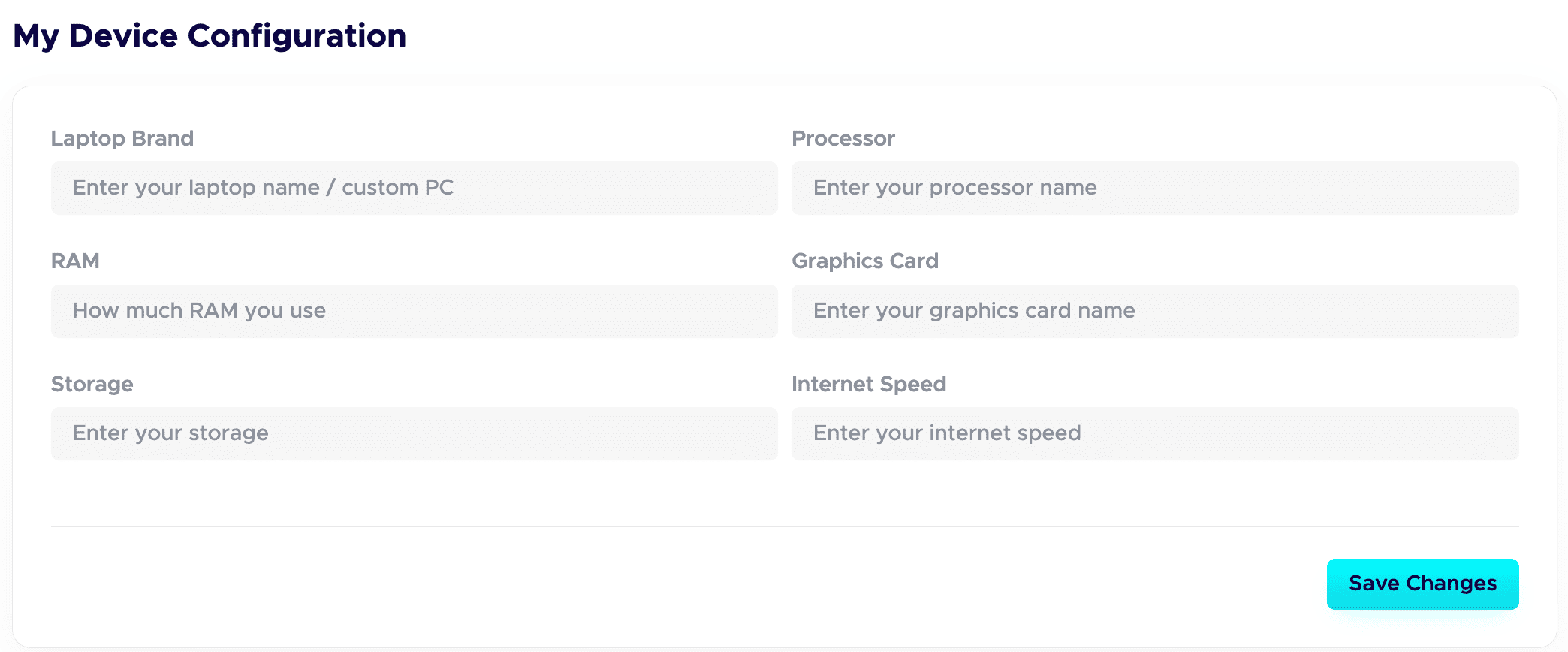
 Step 7: Fill in your Device Configuration.
In your dashboard, set up the Device Configuration section. Add the details about the device you are using. Remote-first companies want to know you have a solid setup to work from. A good setup quietly adds leverage and signals you are ready to deliver.
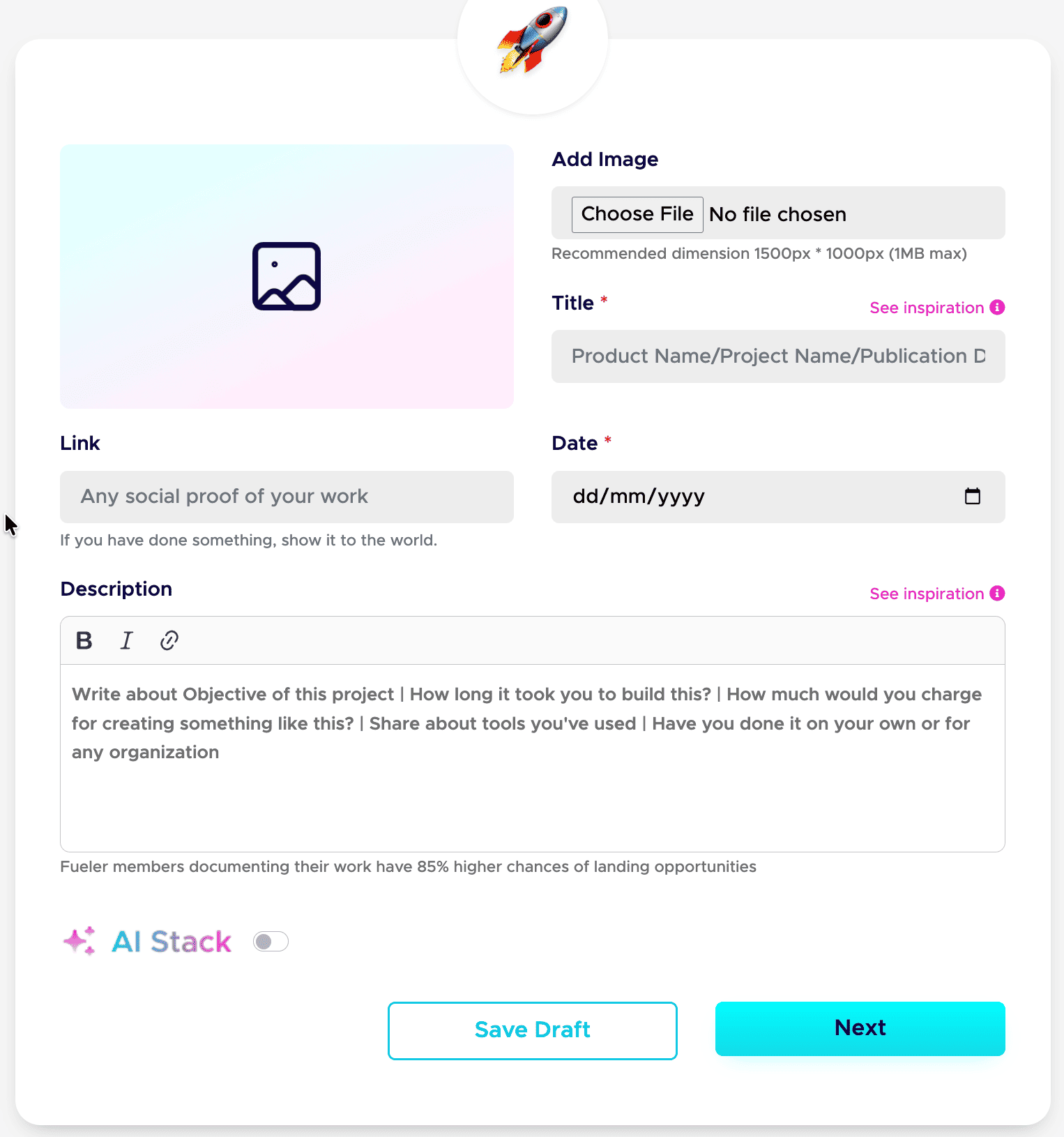
Step 8: Publish your projects with all the details.
This is a game-changer. Give each project a clear title and a detailed description. Walk through your process: your thinking, the tools you used, the choices you made, and the result. Companies care about how you work, not just the final image.
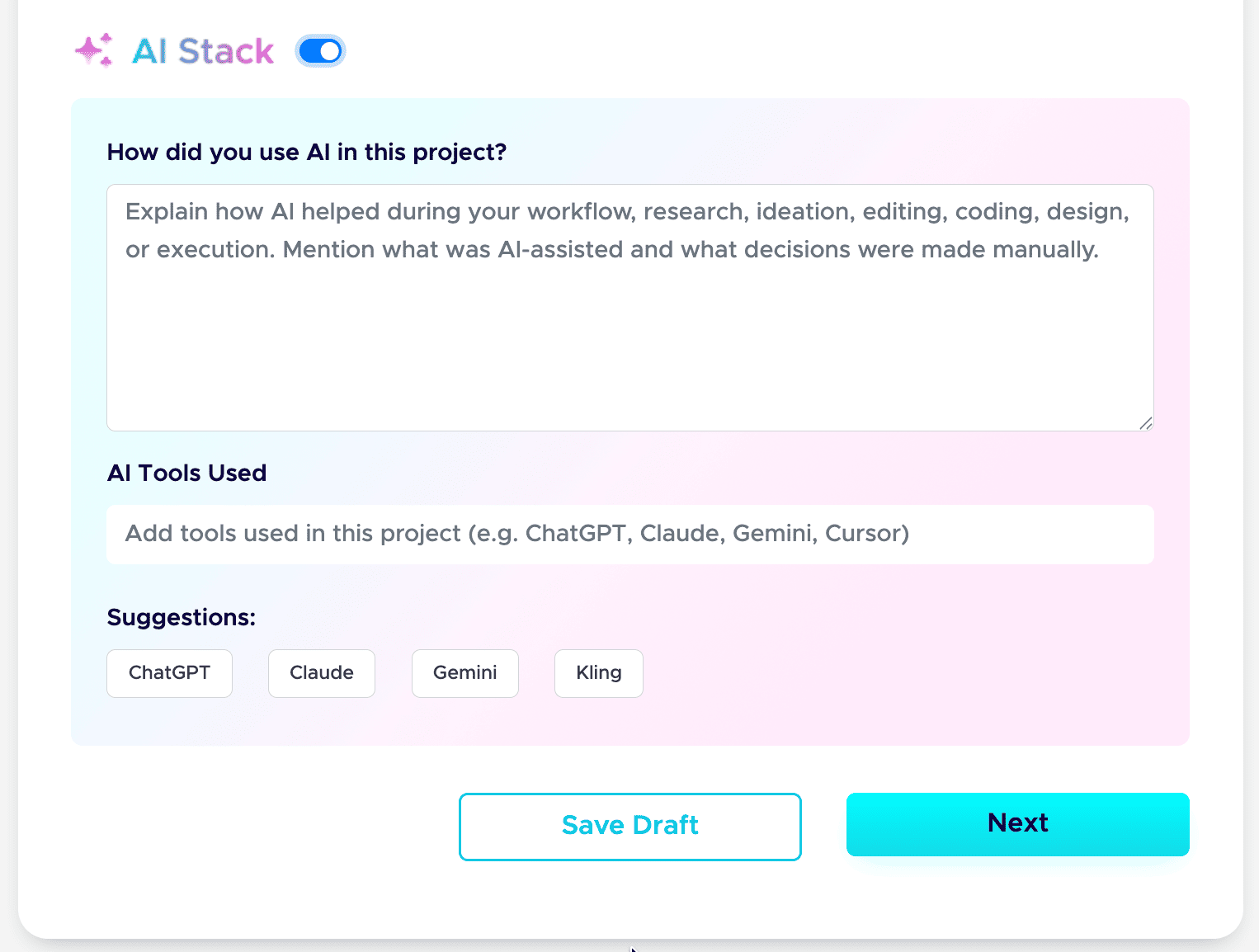
Step 9: Add your AI Stack to each project.
AI is part of real work now, so show it honestly. Use the AI Stack feature to explain how you used AI, which tools you used, and what you did manually. This builds trust instead of raising doubt. Here is the full guide: how to add AI Stack on Fueler.
That is the whole setup. Do these nine steps well, and your profile stops being a static page and starts working as a hiring asset. If you want a tighter version to follow next time, save my 6-step formula for a Fueler portfolio and my breakdown of a career portfolio that actually gets jobs.
Do this once, and you have a link you can drop into your resume, your email signature, and every job application.
Deep Dive: Core Structural Areas Compared
Core Area 1: Discoverability & Networking
On Google Sites, your search engine footprint depends entirely on manual SEO optimization. Because it is a standalone site, you have to build authority from scratch. Fueler runs a high-authority domain infrastructure where profiles are grouped by skill categories. This centralized structure means your profile benefits from platform-wide search engine authority, helping your proof cards show up when companies search for specific skill solutions.
Core Area 2: The Upload & Maintenance Workflow
Adding a new piece of work to Google Sites requires you to open the editor, create a new section, upload the asset, format the text block, test the mobile alignment, and publish the update. On Fueler, publishing a project card mirrors the simplicity of posting a status update on social media. You drop in the link, fill out the guided text fields, hit save, and your profile auto-formats beautifully across all screen sizes.
Core Area 3: Proof Validation vs. File Presentation
Google Sites treats all uploads equally; it is simply displaying a file asset. It cannot tell the difference between a real client project and a practice drill. Fueler uses specialized data structures for projects. By allowing peer validation, links to live code, or active URLs, it shifts the focus from simply looking pretty to proving that your work solves practical problems in production environments.
Real-World Scenarios: Choosing Your Path
Scenario A: The Content Writer & Marketer
- Google Sites Approach: Drops five different links to external blog posts onto a text block. The client has to click out repeatedly, opening multiple browser tabs to read the samples.
- Fueler Approach: Publishes clear proof cards detailing the specific target keyword, traffic growth percentages, and research methodologies used, backed by client vouches directly on the project card.
Scenario B: The Product Specialist or Designer
- Google Sites Approach: Uploads a massive embedded slide deck detailing a case study. The document takes several seconds to load on mobile devices, breaking the recruiter's browsing flow.
- Fueler Approach: Displays clean, structured case study cards that instantly highlight problem statements, visual assets, final metrics, and co-creator tags for instant scannability.
Who Should Choose Which Platform?
Opt for Google Sites If:
You require a free, flexible web page layout to organize heavy internal files, academic notes, or non-commercial assets tightly tied to your existing Google Drive account.
Opt for Fueler If:
You want to get hired, scale a freelance business, build an industry reputation, or systematically log your real-world projects on a platform built to get your work discovered by fast-growing companies.
Conclusion
A generalist website builder tells the world you own a web link. A proof-of-work platform tells the world you can execute. While Google Sites remains a highly reliable canvas for organizing folders and documents, it lacks the talent infrastructure, validation loops, and discovery systems needed to compete in a skills-first job market. Fueler treats your past projects not as static archives, but as active opportunities to unlock your next career move.
Key Takeaways
- Modern hiring teams prioritize verified outcomes over unproven resume text lines.
- Google Sites serves well as a structural document organizer but functions in isolation.
- Fueler provides a centralized directory making your projects discoverable to brands.
- Peer vouches and collaborative tags turn anonymous work samples into high-trust assets.
- Active assignment pathways allow you to skip application queues by submitting real proof.
Frequently Asked Questions
Can I track traffic data on my Fueler profile?
Yes. Fueler includes native analytics designed to monitor project performance. You see views and interactions on specific proof cards, showing you exactly which pieces of work grab the most attention from visiting brands and recruiters.
Is Fueler suitable for non-technical fields like writing or marketing?
Absolutely. Proof of work applies to any role where you produce output. Writers use it for live articles, copywriters showcase email campaigns, and marketers highlight specific growth metrics, strategy briefs, or lead generation frameworks.
Do I need to pay for hosting or domain configurations on Fueler?
No. Fueler provides a clean, fast, mobile-optimized professional handle completely out of the box. You do not have to worry about configuring hosting servers, fixing broken responsive blocks, or managing layout code.
Can I connect my existing external links to my Fueler profile?
Yes. You can link out to GitHub repositories, Figma files, live websites, published articles, Notion dashboards, or YouTube videos. Fueler wraps these diverse external resources into clean, unified proof cards.
How do collaborative vouches function on the platform?
When you add a project, you can input your co-creator's username or email. Once they confirm the collaboration, their verified validation is pinned to that specific piece of work, acting as instant social proof.
Why 100,000+ professionals use Fueler
Fueler helps professionals showcase proof of work through projects, assignments, case studies, and achievements.
- Thousands of professionals use Fueler to create their digital portfolio
- Thousands of projects are published on Fueler. Check here
- Startups and Companies hire through proof of work on Fueler
- Used by freelancers, creators, marketers, video editors, writers, designers, and product managers
Our mission is to help the next 100 million professionals build a verified professional identity through proof of work

What should you do next?
You've read the article. Now turn your skills into proof of work and unlock more opportunities.
Build your proof of work portfolio
Create a clean portfolio with projects, assignments, resumes, and AI stack details that companies actually want to see.
Create your Fueler portfolio →Apply through assignments, not resumes
Stand out by solving real tasks from companies hiring on Fueler.
Explore assignments →Get discovered by companies
Make your work public and let recruiters discover your skills through actual projects instead of keywords.
Get discovered →
