Fueler vs Notion Portfolio: Which One Helps You Get Hired?

Riten Debnath
10 Jul, 2026
Last updated: July 2026
Let’s be honest for a second. If you are currently applying for jobs by blasting out a generic link to a pretty document, you are likely screaming into a digital void.
Recruiters don't hate your work. They just don't have the time to go on a treasure hunt through your unorganized files to figure out if you actually know your stuff.
When you drop a link into an application, you have about ten seconds to prove you can do the job. The platform you choose to host that link changes everything. Let's look at how a custom workspace stack stacks up against a purpose-built discovery platform when your actual income is on the line.
I’m Riten, founder of Fueler, a skills-first portfolio platform that connects talented individuals with companies through assignments, portfolios, and projects, not just resumes/CVs. Think Dribbble/Behance for work samples + AngelList for hiring infrastructure.
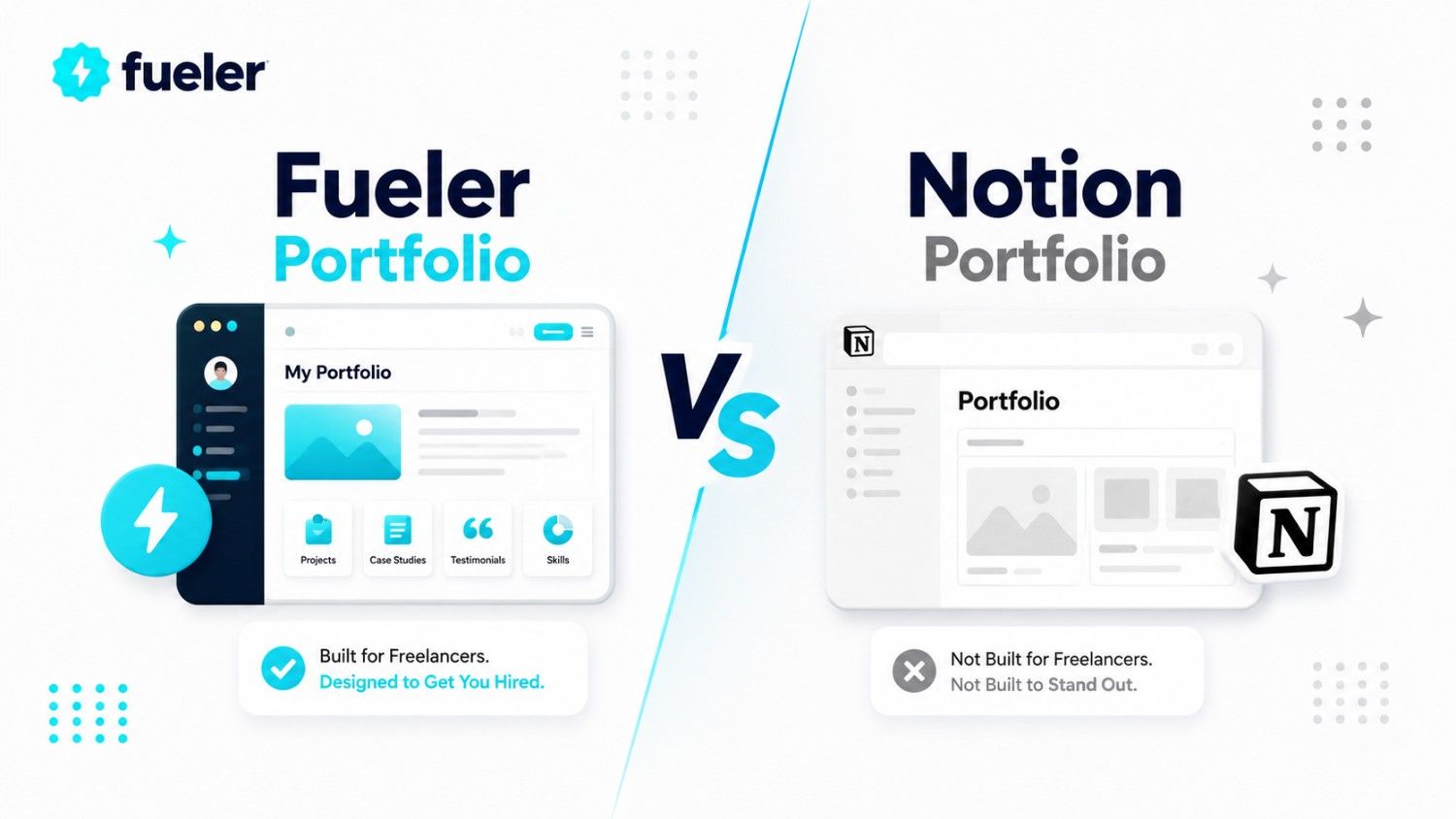
Quick Summary: Notion is an incredible, open-canvas document workspace built for organizing internal data and custom notes. It relies entirely on you to manually distribute your link to the world. Fueler is an active, inbound discovery engine built explicitly for skills-first hiring, proof of work validation, and direct recruiter access. Choose Notion if you want a beautiful personal wiki; choose Fueler if you want a portfolio that actively surfaces job opportunities.
1. The Real Reason Your Slick Page Layout Isn't Landing Interviews
We’ve all been there. You spend an entire weekend dragging layout blocks around, setting up inline databases, nesting sub-pages, and picking the perfect minimalist cover photo. It looks gorgeous. It feels like art.
Then you send it to twenty hiring managers and get absolute silence. Why?
Because hiring managers don't open your portfolio to admire your ability to format a document, they open it to find immediate, unshakeable proof that you can solve their specific business problems.
When a recruiter opens a generalized document link, they face a wall of text. They have to click through multiple nested layers just to find a sample of your work. Most won't bother. If your work isn't front, center, and verified within three seconds, they close the tab.
A generalized workspace gives you infinite design freedom, but that freedom is a double-edged sword. It forces you to act as your own product designer, user experience engineer, and conversion specialist. If your layout isn't perfectly optimized for a busy human eye, your talent gets buried under your own design choices.
2. Where the Flexible Workspace Actually Wins the Day
Let’s be completely fair: an open-canvas workspace is an absolute masterpiece of engineering. There is a reason millions of people keep it open in a browser tab all day long. It was designed to be the ultimate digital notebook.
If you need a space to dump your raw thoughts, track your daily tasks, outline long-form guides, or build a private knowledge hub, nothing beats it. It excels at:
- Absolute structural freedom to build whatever you want
- Deep database relationships for complex internal tracking
- A clean, distraction-free writing environment for internal documentation
But there is a massive difference between a tool built for organizing your life and a tool built for marketing your skills.
A generalized workspace is inherently isolated from the job market. It has no idea who you are, it doesn't have an active feed of companies looking to hire, and it can't tell a recruiter if your projects are real or fabricated. It is a passive storage locker. If you don't manually drive traffic to it, it sits in total darkness.
3. Why Fueler Focuses Entirely on Proof of Work
When we built Fueler, we didn't want to create another empty digital canvas. We wanted to build an active opportunity engine.
The modern hiring market is facing a massive trust crisis. Anyone can write a resume packed with buzzwords, and anyone can generate a flashy case study using AI. Recruiters are exhausted by the noise. They don't want to read what you say you can do; they want to see your actual evidence of execution.
Proof of Work (PoW): A verified record of a completed project, asset, or assignment that conclusively proves your professional capability without relying on traditional credentials or resumes.
Fueler places your real projects right at the center of attention. Every single profile is structured around discrete, standalone blocks of work. When a recruiter lands on your profile, they don't see a complex web of text. They see clear, scannable proof of what you have built, written, designed, or coded.
More importantly, it is built with hiring infrastructure directly inside the platform. Companies don't just look at your work here; they post real-world assignments, discover verified talent, and hire professionals based entirely on their demonstrated skills. It turns your portfolio from a static link into an active participant in your career growth.
4. The Exact Steps to Build an Opportunity-Ready Portfolio on Fueler
You don't need to spend days tweaking layouts or writing custom code to get noticed. Let's look at how to get your professional profile up, running, and optimized to attract inbound opportunities in under ten minutes.
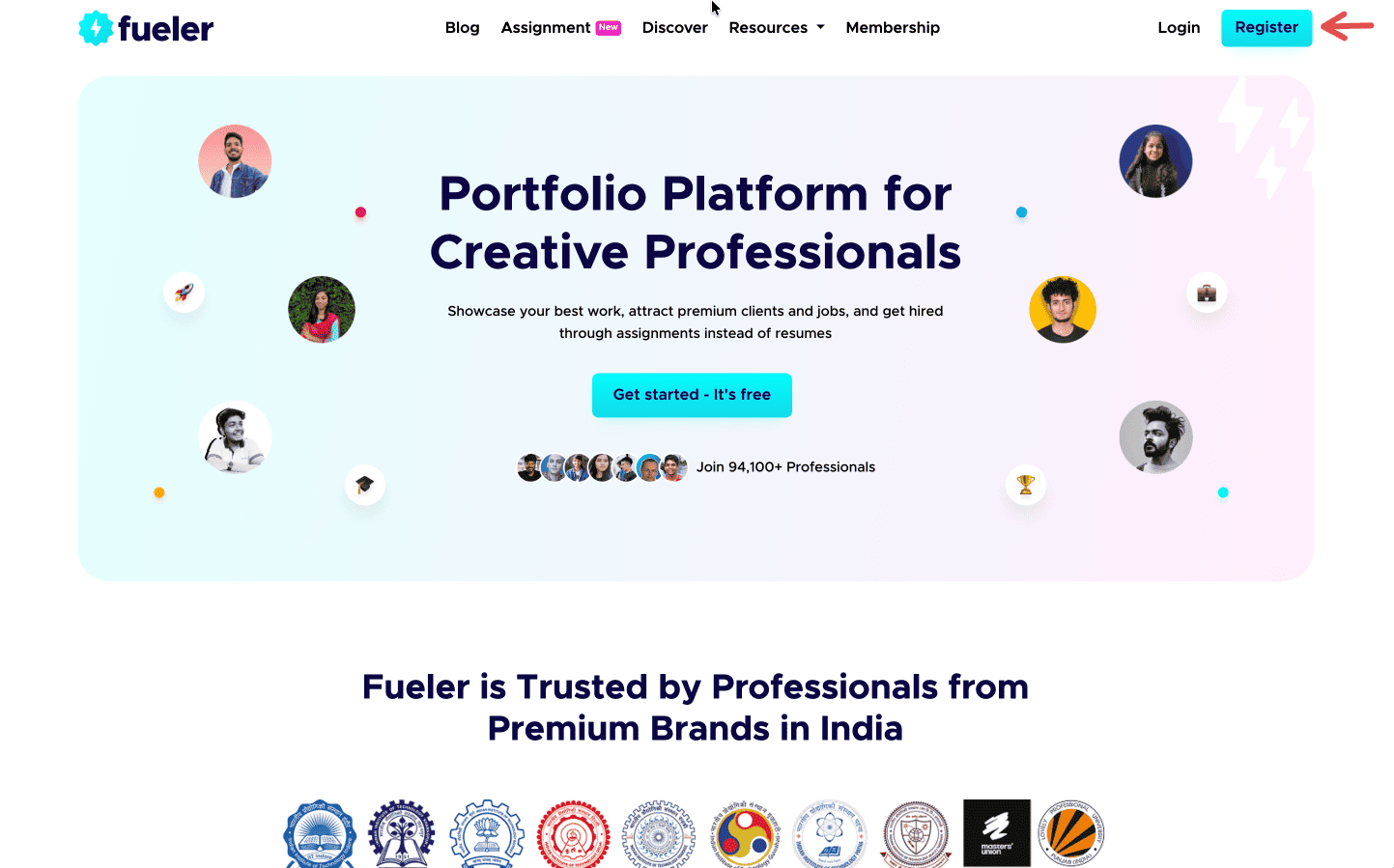
Step 1: Sign up on Fueler.
Head to Fueler.io and create your free account.
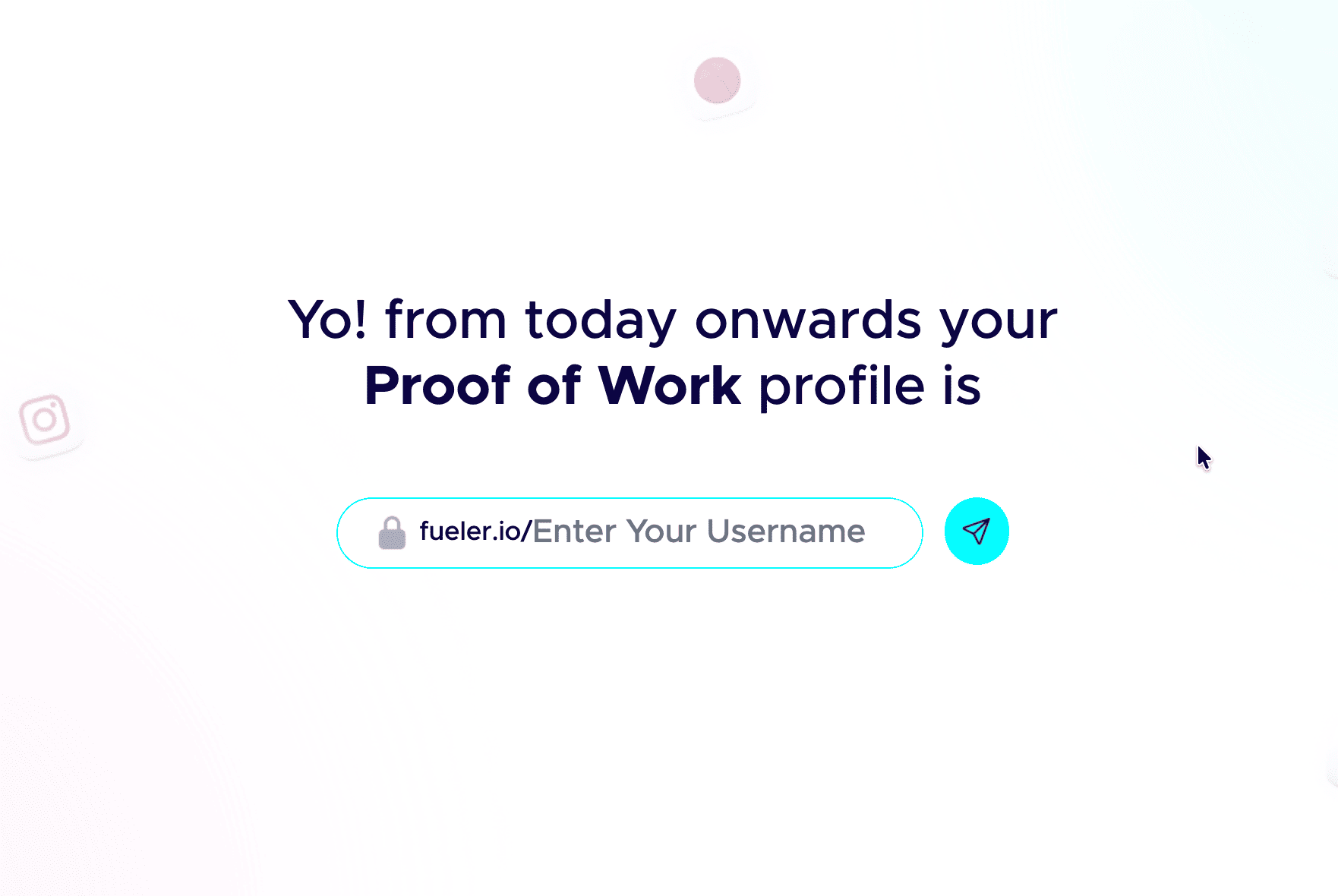
Step 2: Pick a professional handle.
Your handle shows up in your public link, so keep it clean and grown-up. Don’t add nicknames and random numbers. Your name or a simple version of it works best.
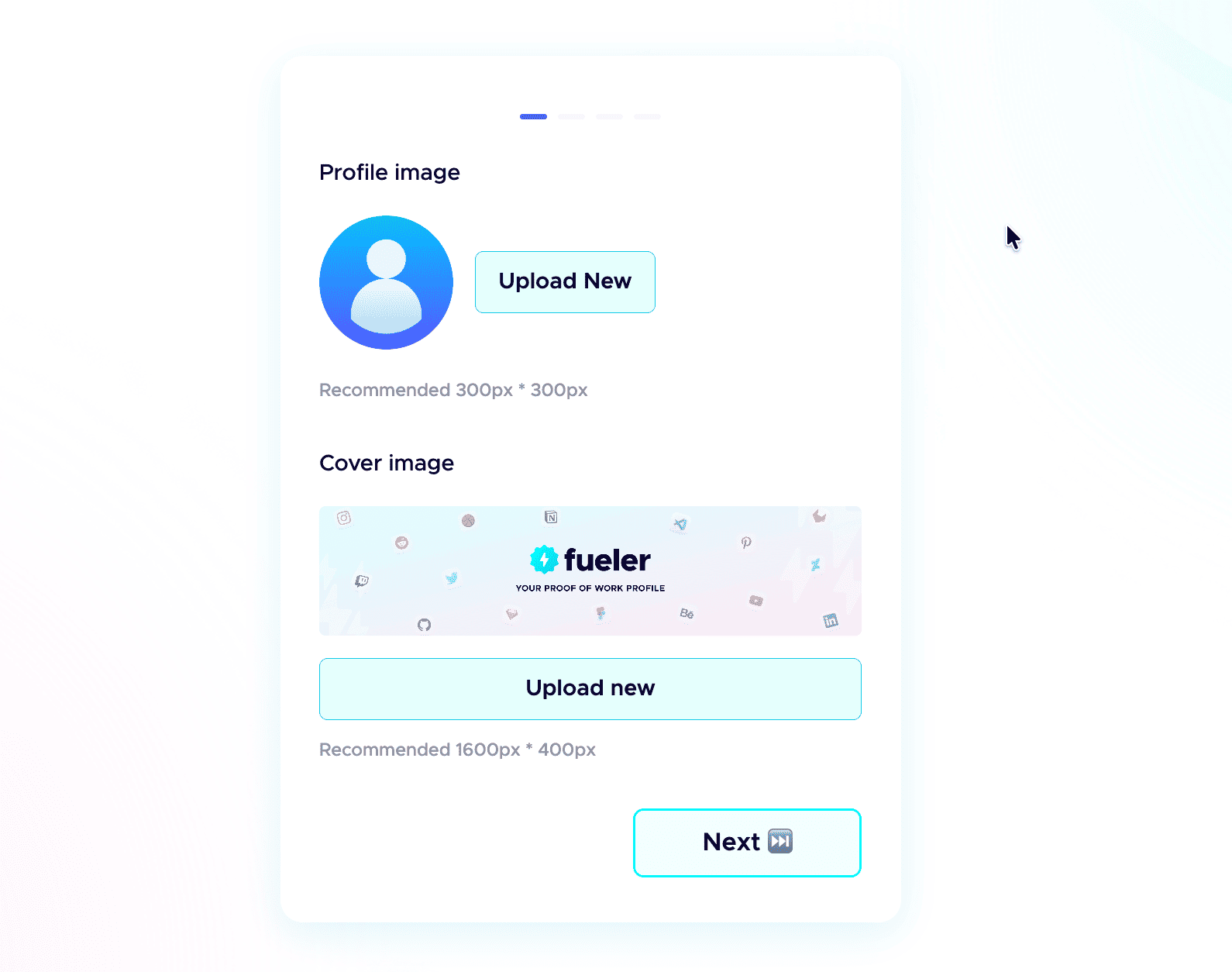
 Step 3: Add a professional profile picture.
Use the same kind of professional photo you would put on LinkedIn. Clear face, good lighting, and a simple background. People trust a real face more than an empty avatar.
Step 4: Write a strong header.
The header is the first thing anyone sees. In one or two short lines, say who you are, what you do, and the kind of work you have done. Make it specific, not vague.
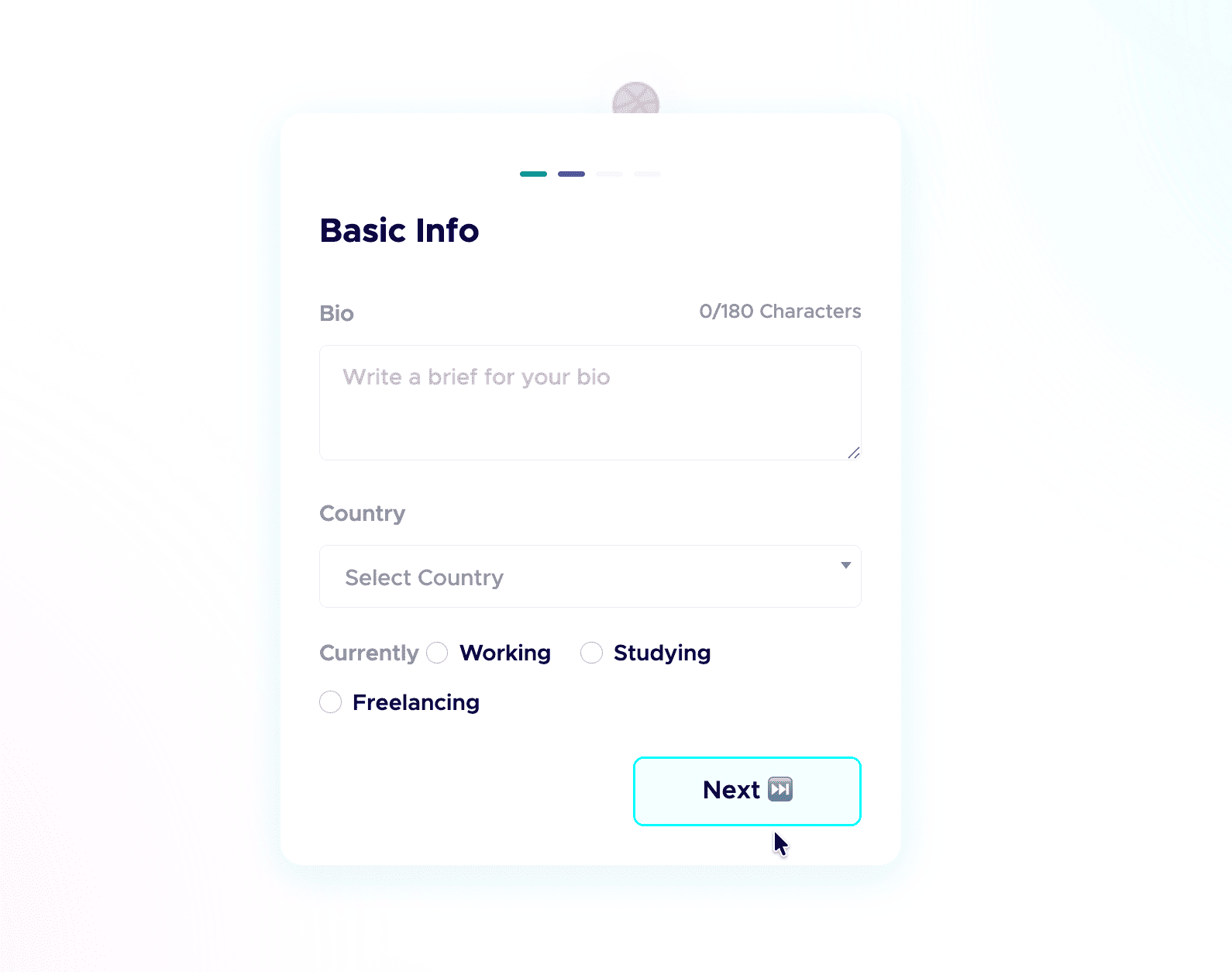
Step 5: Add a short bio.
Tell people who you are and what you do in a few plain sentences. No buzzwords, just enough for a recruiter to get you in five seconds.
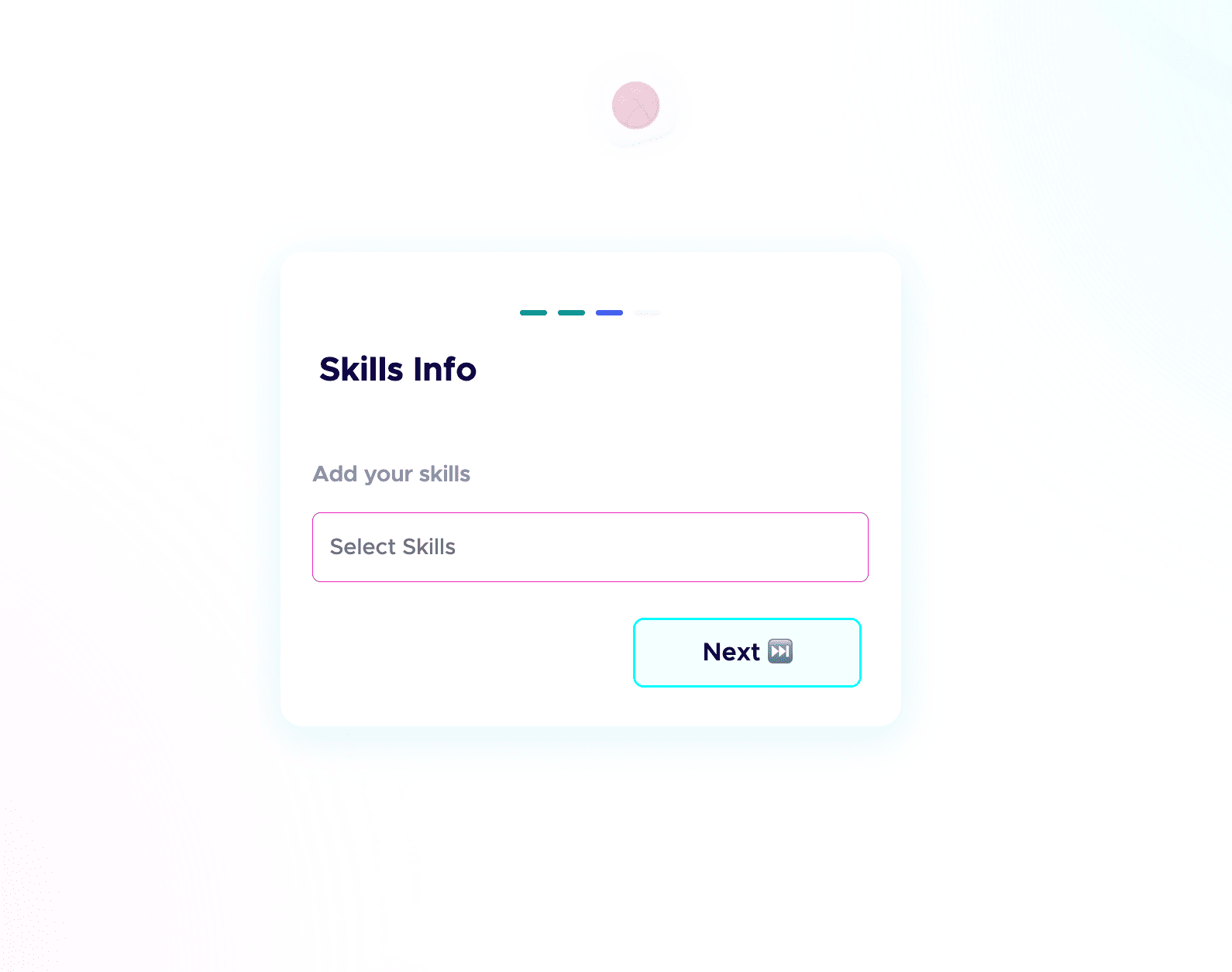
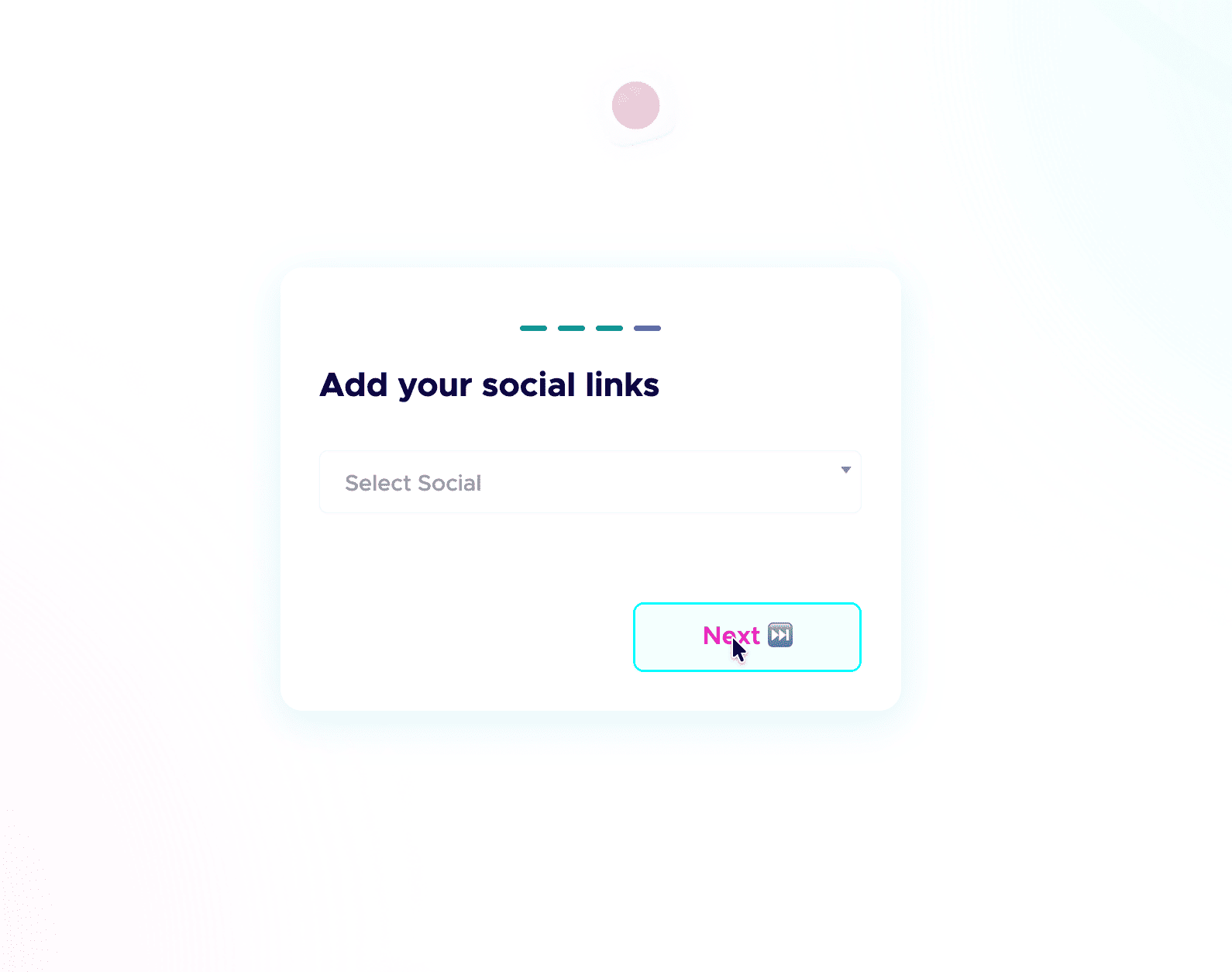
 Step 6: Add your skills and social links.
List the skills you are good at and actually want to be hired for, and connect your socials. People do check your profiles, and active socials build credibility before the first call. Students starting from scratch can follow my student guide to their first portfolio.
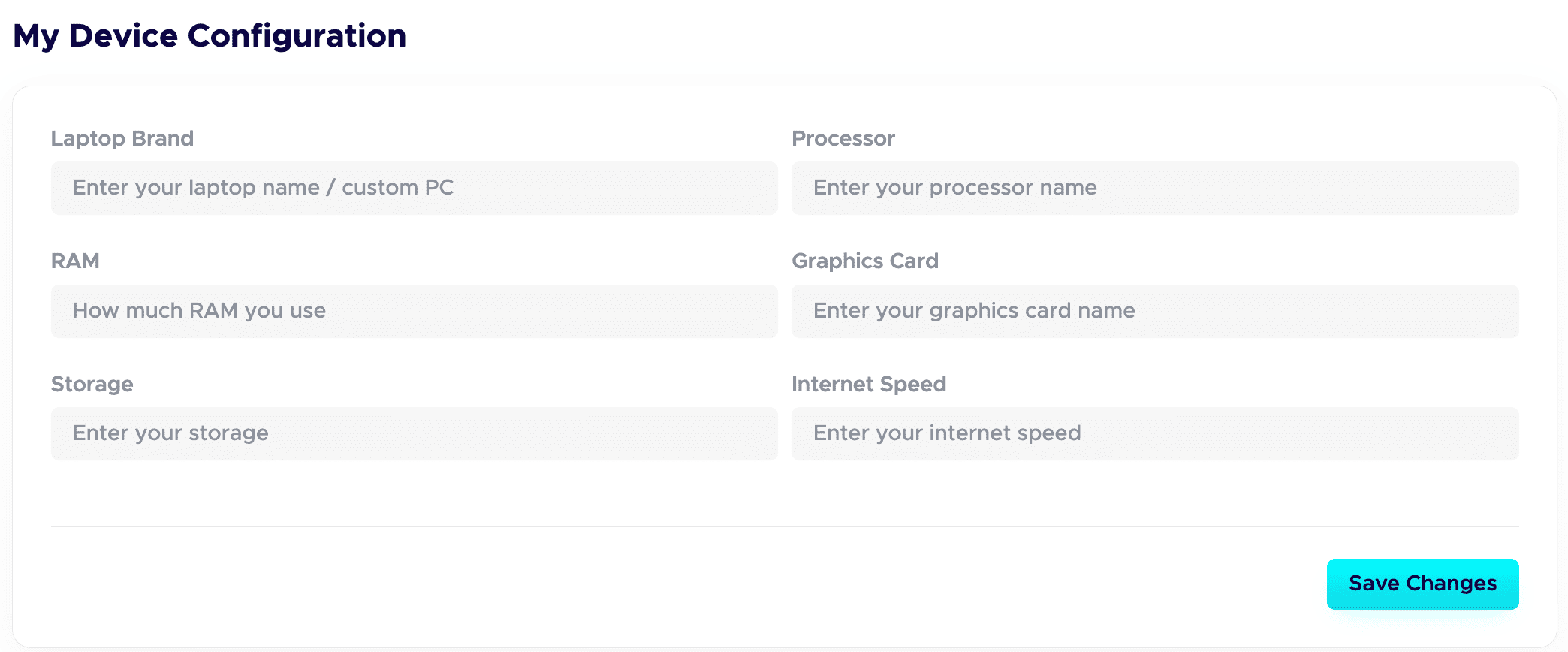
 Step 7: Fill in your Device Configuration.
In your dashboard, set up the Device Configuration section. Add the details about the device you are using. Remote-first companies want to know you have a solid setup to work from. A good setup quietly adds leverage and signals you are ready to deliver.
Step 8: Publish your projects with all the details.
This is a game-changer. Give each project a clear title and a detailed description. Walk through your process: your thinking, the tools you used, the choices you made, and the result. Companies care about how you work, not just the final image.
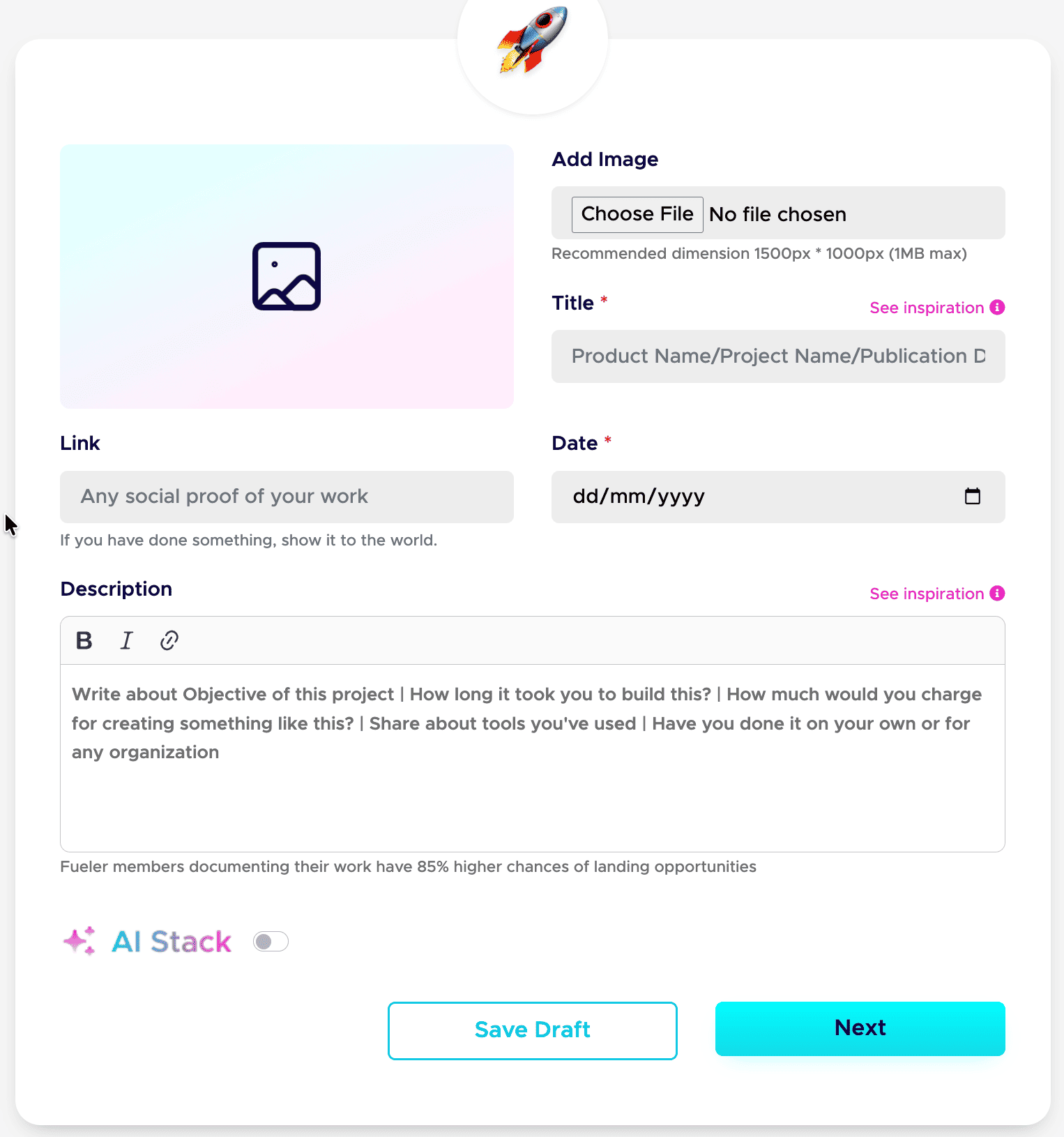
Step 9: Add your AI Stack to each project.
AI is part of real work now, so show it honestly. Use the AI Stack feature to explain how you used AI, which tools you used, and what you did manually. This builds trust instead of raising doubt. Here is the full guide: how to add AI Stack on Fueler.
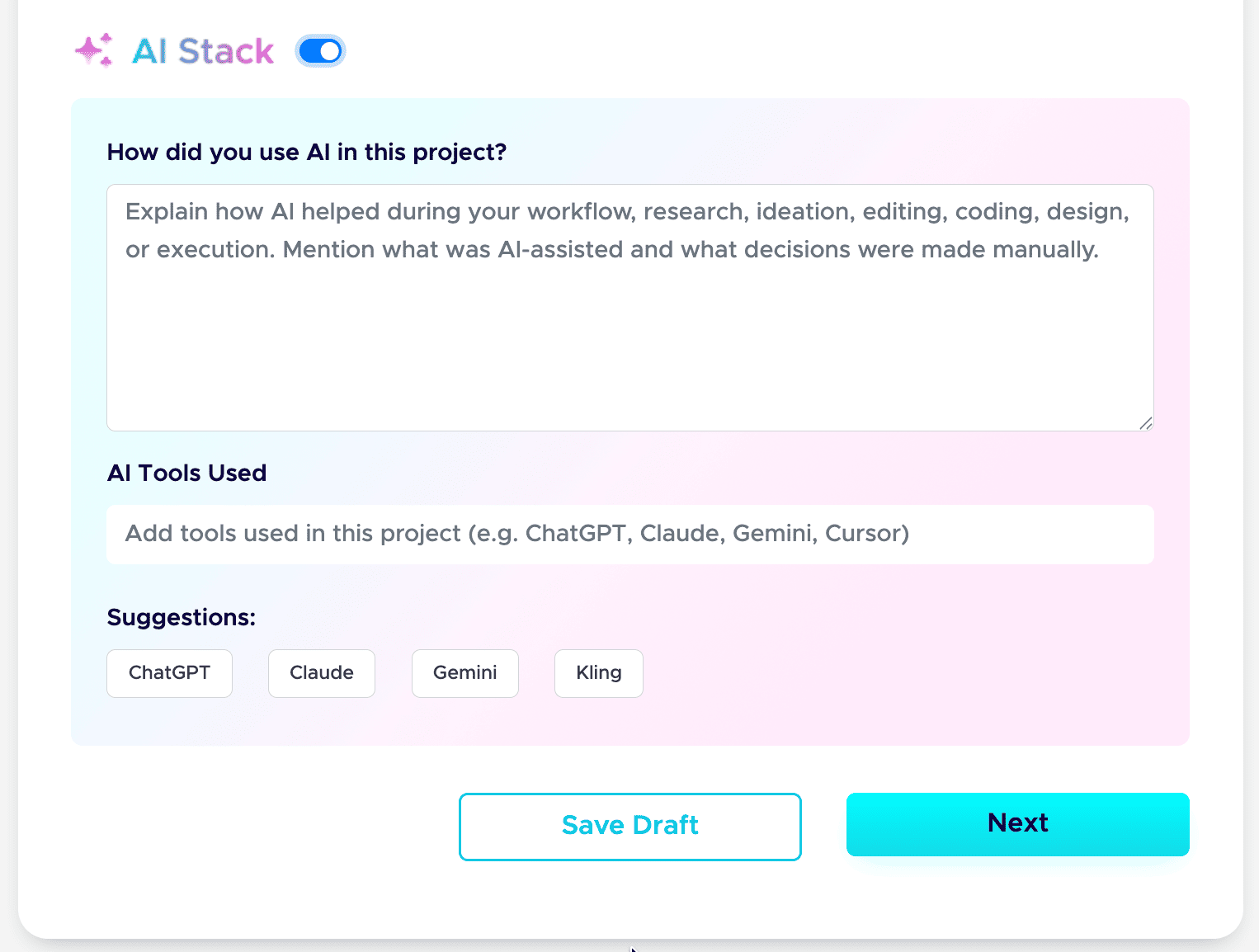
That is the whole setup. Do these nine steps well, and your profile stops being a static page and starts working as a hiring asset. If you want a tighter version to follow next time, save my 6-step formula for a Fueler portfolio and my breakdown of a career portfolio that actually gets jobs.
Do this once, and you have a link you can drop into your resume, your email signature, and every job application.
5. Side-by-Side: The Core Feature Breakdown
To help you decide which tool fits your current career phase, let’s look at exactly how they handle the mechanics of getting you noticed and hired.
6. Real-World Scenarios: Who Should Choose What?
Let's look at how this plays out for different roles in the real world. The best tool depends entirely on your day-to-day output and your immediate professional goals.
The UI/UX Designer
- The Workspace Path: You spend hours setting up custom galleries. A recruiter opens it on a mobile device, the columns collapse into a chaotic layout, the heavy images fail to load quickly, and they move on to the next applicant.
- The Fueler Path: You upload your design screens as clean, standalone entries. A product lead scrolls your profile, clicks your high-fidelity Figma links, sees a verified vouch from your previous project manager, and invites you to an interview.
The Content or Technical Writer
- The Workspace Path: You paste your articles into nested sub-pages. It looks like a massive wall of black-and-white text. The reader gets tired of clicking through your organizational system after twenty seconds.
- The Fueler Path: Your best articles are presented as distinct visual cards. You link out to live publications, display clear metrics on how your writing performed, and use targeted tags so companies looking for writers can find you instantly.
The Software Developer
- The Workspace Path: You write long text descriptions explaining your technical stack, but the recruiter has to manually jump over to your GitHub to see if your code actually compiles or functions.
- The Fueler Path: You publish your projects with embedded repository links, live deployment previews, and structured notes on how you solved specific architectural bottlenecks, keeping all technical validation on a single page.
7. Strategic Growth: How to Use Both Tools to Maximize Your Income
Here is a little secret that elite freelancers and senior professionals use: you do not actually have to choose between these two platforms. You just have to use them for their proper hidden strengths.
The most efficient workflow is to treat your open-canvas workspace as your private, internal construction site. Use it behind the scenes to draft your initial thoughts, map out your project timelines, take messy notes during client onboarding calls, and track your pending invoices. This keeps your administrative life clean and organized.
Then, treat Fueler as your public-facing storefront. When a project is completely finished, polished, and ready for public view, extract the core assets and move them over to your public profile. This ensures that your public brand remains incredibly fast, clean, scannable, and directly connected to active career opportunities.
8. Key Takeaways for Your Next Career Move
- Stop Over-Engineering Layouts: Spending weeks tweaking custom document styles is usually just a form of creative procrastination. Recruiters care about your actual work quality, not your database layout skills.
- Prioritize Speed and Scannability: A hiring manager should be able to look at your link and know exactly what you can build within five seconds of opening the page.
- Social Proof Closes Deals: A gorgeous design case study is great, but a case study backed by a real, verified vouch from a paying client is what actually lands the contract.
- Build for Inbound Opportunities: Don't rely entirely on cold emailing out your links. Put your work on a platform that has a native ecosystem of companies looking to hire skilled talent.
Final Thoughts
At the end of the day, your portfolio has one single job: to reduce the friction between your skills and a hiring manager's decision to hand you a contract.
Every extra click, slow page load, confusing nested folder, or unverified claim on your page is a point of friction that costs you money. Stop treating your public portfolio like a complex filing cabinet. Keep your internal notes private, put your absolute best proof of work out in the open, and use a platform that is actively working to get you discovered by your next dream company.
Frequently Asked Questions
Can I track who looks at my profile and projects?
On a standard document workspace, you are generally flying completely blind unless you pay for premium third-party analytics add-ons. Fueler gives you built-in, detailed analytics directly on your dashboard. You can see exactly how many people are viewing your profile, which specific projects are getting the most attention, and how your visibility is growing over time.
Is it difficult to move my existing work over to Fueler?
Not at all. Because Fueler uses a streamlined, asset-focused layout, you don't have to rebuild any complex databases or structural designs. You simply copy your live project links, upload your primary case study images, paste your project descriptions, and your work is instantly formatted into a beautiful, responsive profile.
Do recruiters actually prefer skills-first profiles over traditional PDFs?
Absolutely. Modern hiring leads are completely overwhelmed by the volume of automated text resumes and long, rambling case studies. They consistently prefer structured, highly visual profiles that allow them to verify your actual proof of work, check your external references, and assess your execution capabilities in seconds without downloading clunky files.
Can I host private or NDA-protected projects on Fueler?
Yes, this is an essential feature for senior professionals. Fueler allows you to easily toggle specific projects into private mode. This means you can keep your profile looking clean and public for general discovery, while safely storing sensitive or proprietary client work that you only share with specific prospects during late-stage interview rounds.
Do I need to know how to code to make my portfolio look good?
None at all. Fueler is completely no-code. We deliberately removed the complex formatting blocks and design grids so that you can focus entirely on your work. The platform automatically handles all the heavy lifting of responsive design, font hierarchies, mobile optimization, and image rendering so your profile looks elite on every screen.
Why 100,000+ professionals use Fueler
Fueler helps professionals showcase proof of work through projects, assignments, case studies, and achievements.
- Thousands of professionals use Fueler to create their digital portfolio
- Thousands of projects are published on Fueler. Check here
- Startups and Companies hire through proof of work on Fueler
- Used by freelancers, creators, marketers, video editors, writers, designers, and product managers
Our mission is to help the next 100 million professionals build a verified professional identity through proof of work

What should you do next?
You've read the article. Now turn your skills into proof of work and unlock more opportunities.
Build your proof of work portfolio
Create a clean portfolio with projects, assignments, resumes, and AI stack details that companies actually want to see.
Create your Fueler portfolio →Apply through assignments, not resumes
Stand out by solving real tasks from companies hiring on Fueler.
Explore assignments →Get discovered by companies
Make your work public and let recruiters discover your skills through actual projects instead of keywords.
Get discovered →
