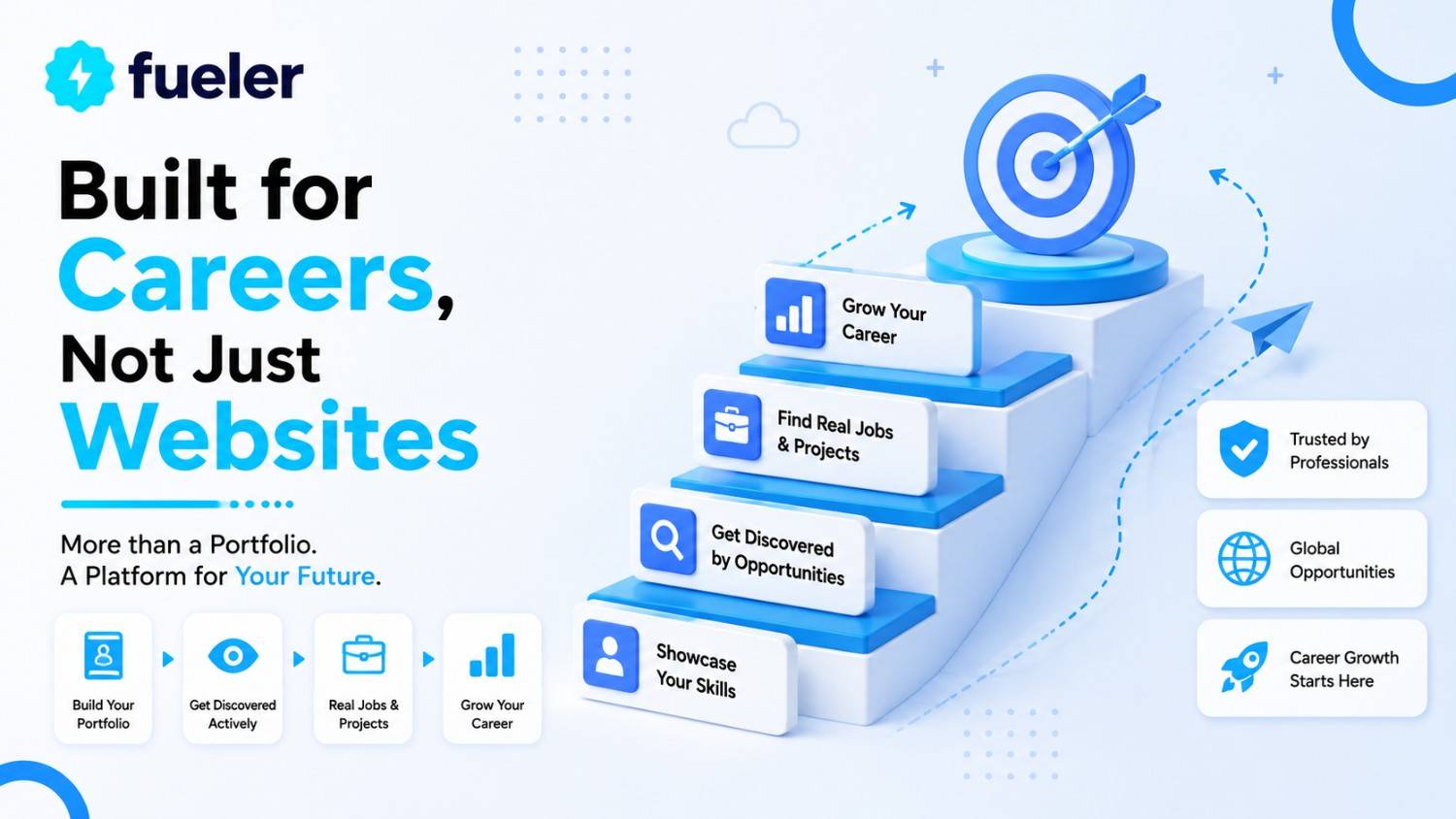
Fueler vs Adobe Portfolio: Built for Careers, Not Just Websites

Riten Debnath
12 Jul, 2026
Last updated: July 2026
Every day, exceptional builders lose life-changing career opportunities. It doesn’t happen because they lack talent; it happens because traditional portfolio websites have become passive digital tombstones.
Traditional layouts treat your professional journey like a museum exhibit- static, quiet, and isolated. But the market has shifted entirely. Hiring managers no longer have the patience to click through beautiful, context-free image grids while guessing who actually did the heavy lifting.
I’m Riten, founder of Fueler, a skills-first portfolio platform that connects talented individuals with companies through assignments, portfolios, and projects, not just resumes/CVs. Think Dribbble/Behance for work samples + AngelList for hiring infrastructure.
If your career depends on a stunning 800 X 600 pixel visual thumbnail, Adobe Portfolio is an excellent choice. But if your true professional value lies in things that cannot be captured by a pretty picture- like complex codebases, high-converting copy, deep UX user flows, or core growth metrics forcing your work into a traditional design grid is like bringing a knife to a laser fight.
Architectural Philosophy: Personal Website vs. Proof-of-Work Engine
To make an informed decision, you must understand exactly what these two platforms were engineered to do. They operate on entirely different definitions of what a portfolio should accomplish.
Adobe Portfolio: The Static Gallery Canvas
Adobe Portfolio is built to convert creative visual assets into a hosted web address. It functions as a direct extension of the Adobe Creative Cloud ecosystem.
- Visual-First Framework: It is designed strictly for photographers, illustrators, and graphic designers who need a clean, grid-based aesthetic.
- Creative Cloud Integration: It pulls assets seamlessly from Adobe Lightroom and Behance to populate its templates without manual uploading.
- Aesthetic Customization: The platform focuses on font choices, spacing adjustments, and landing page themes rather than data documentation.
Fueler: The Active Proof-of-Work Ledger
Fueler is a career portfolio engine designed to document, verify, and monetize multi-disciplinary skills. It assumes a portfolio's primary job is to get you hired.
- Contextual Documentation: It prioritizes the process, tools, and real-world outcomes behind a project over raw visual presentation.
- Hiring Infrastructure: The platform acts as a bridge to discovery, embedding assignments, company connections, and recruiter-facing tools natively.
- Multi-Disciplinary Design: It handles text, live code repositories, data spreadsheets, and product frameworks under a single profile layout.
The Core Operational Breakdown
When evaluating these tools, look past the visual templates and look at how they manage your data, handle discovery, and validate your real skills.
1. Case Study Documentation
Adobe Portfolio treats your work like an art gallery. If you upload a complex marketing framework, a coding sprint, or an enterprise content strategy, it forces you to drop text into basic, flat boxes or save it as static images. This layout hides your operational strategy and strips away the depth that technical recruiters look for.
Fueler turns every project into a highly structured proof of work case study. It guides you to explicitly define the problem, detail your execution workflow, list your exact technical tools, and document final performance metrics. This ensures hiring managers see the strategic thinking behind your execution.
2. Trust Validation vs. Self-Reporting
On an Adobe Portfolio site, credibility is completely self-asserted. Anyone can upload a polished layout or text sample and claim full authorship. This lacks defensive validation, leaving modern recruiters inherently skeptical of your true skill level during screening.
Fueler fixes this vulnerability with a native peer-to-peer verification protocol called Vouches. When you publish a project, you tag your clients, managers, or co-creators directly. Once they digitally validate the entry, your portfolio updates into a verified ledger, establishing high trust with prospects.
3. Native AI Stack Tracking
Adobe Portfolio has no specialized infrastructure for documenting software architecture or technical execution layers. It relies entirely on general text mentions buried within your paragraph descriptions.
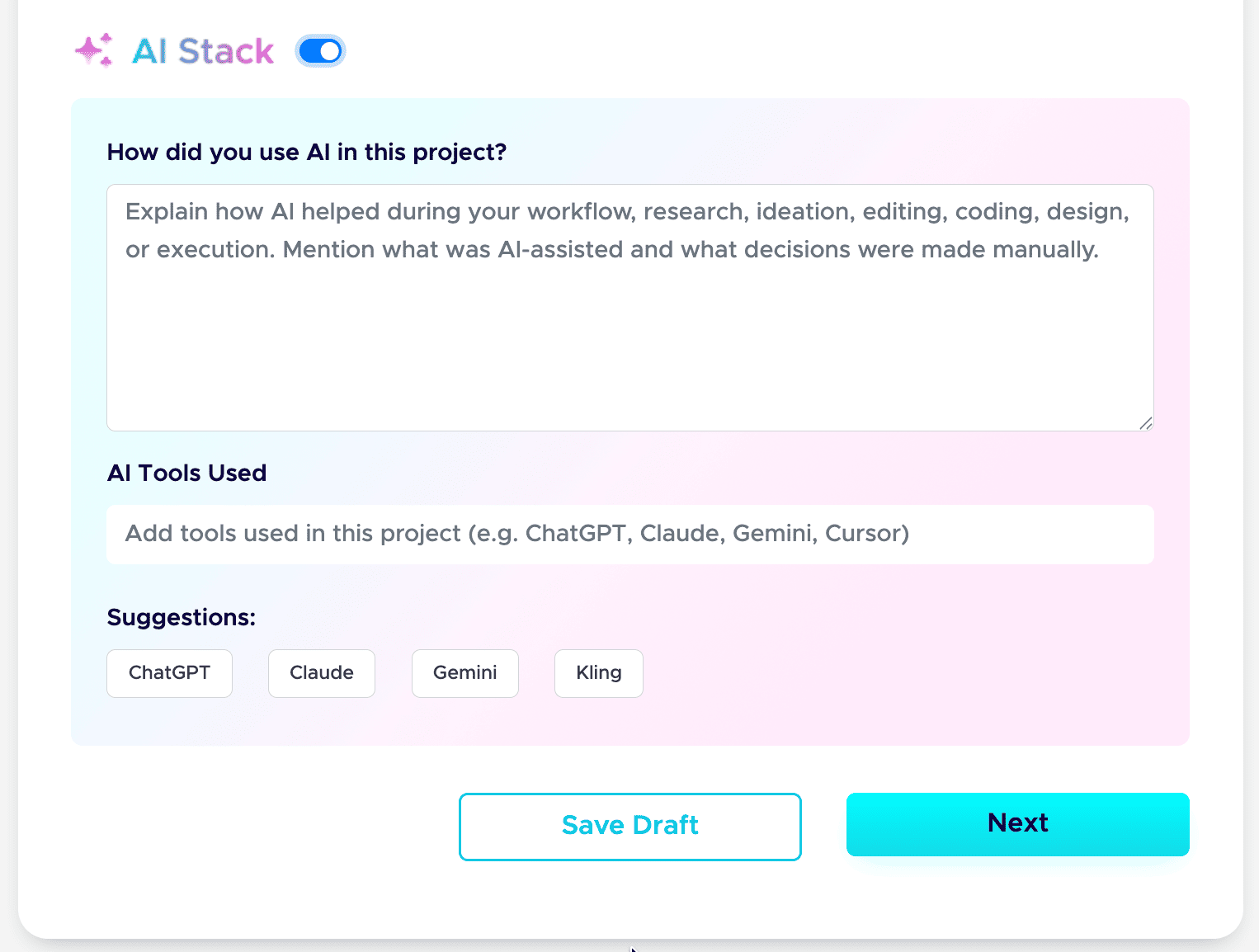
Fueler includes a dedicated AI Stack feature built for the modern workforce. It lets you transparently document how you used automated models, which specific tools you deployed, and what you executed manually. This turns modern AI tooling into a visible professional advantage.
The Step-by-Step Guide: Building a Fueler Portfolio That Lands Opportunities
Setting up a high-impact profile on Fueler requires no coding or complex web configuration. Follow these clear steps to build your digital ledger:
How to Create Your Portfolio on Fueler Step by Step
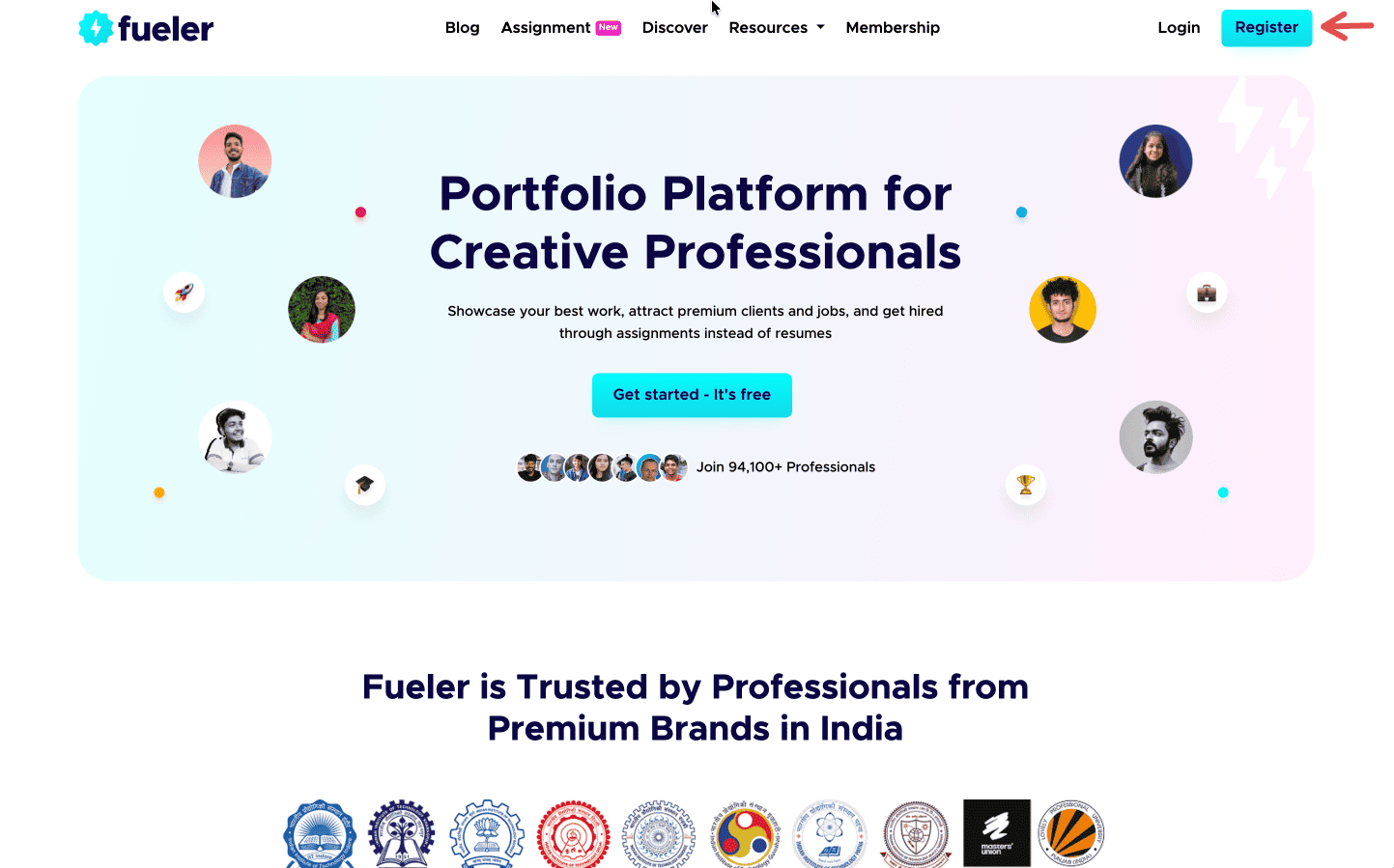
Step 1: Sign up on Fueler.
Head to Fueler.io and create your free account.
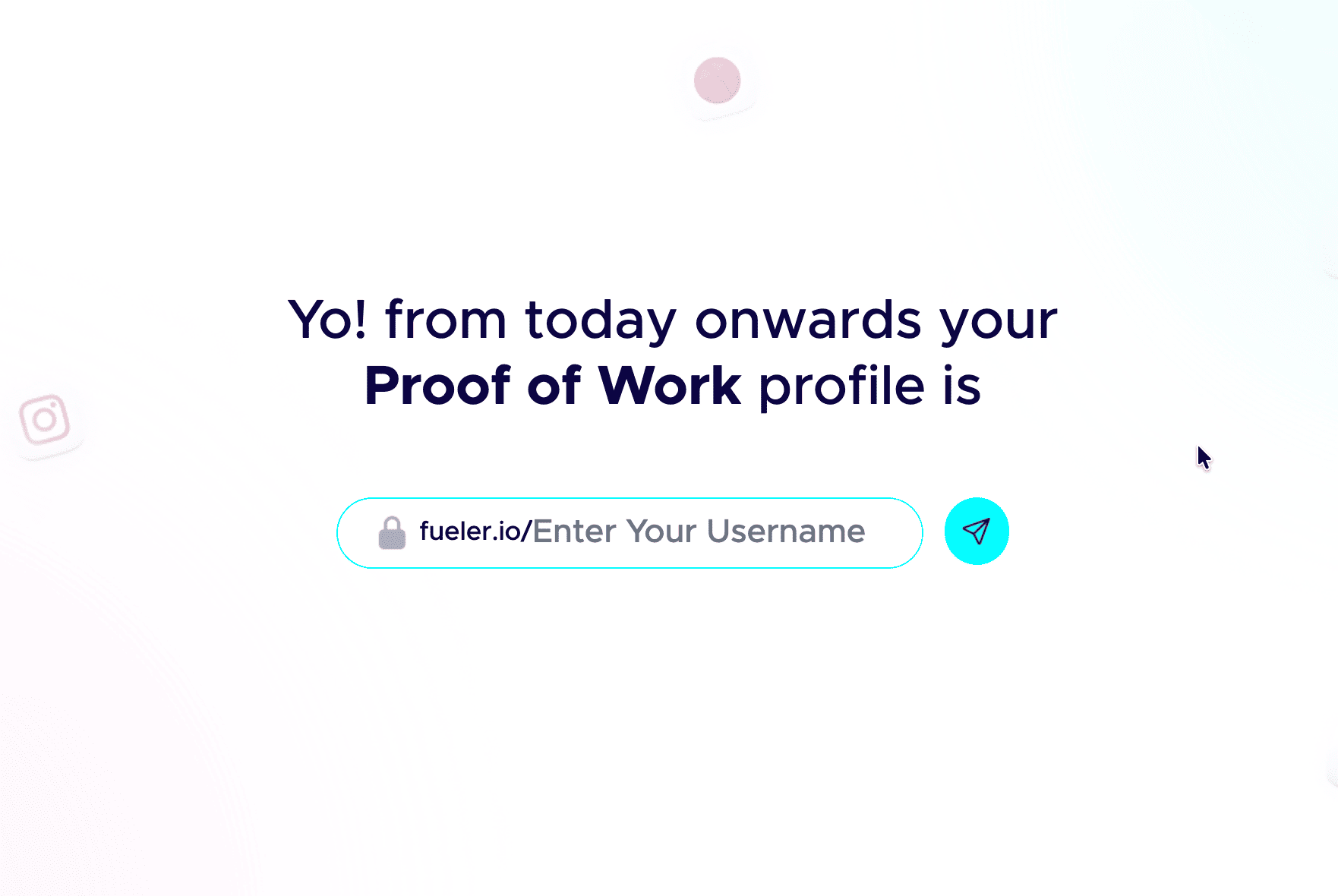
Step 2: Pick a professional handle.
Your handle shows up in your public link, so keep it clean and grown-up. Don’t add nicknames and random numbers. Your name or a simple version of it works best.
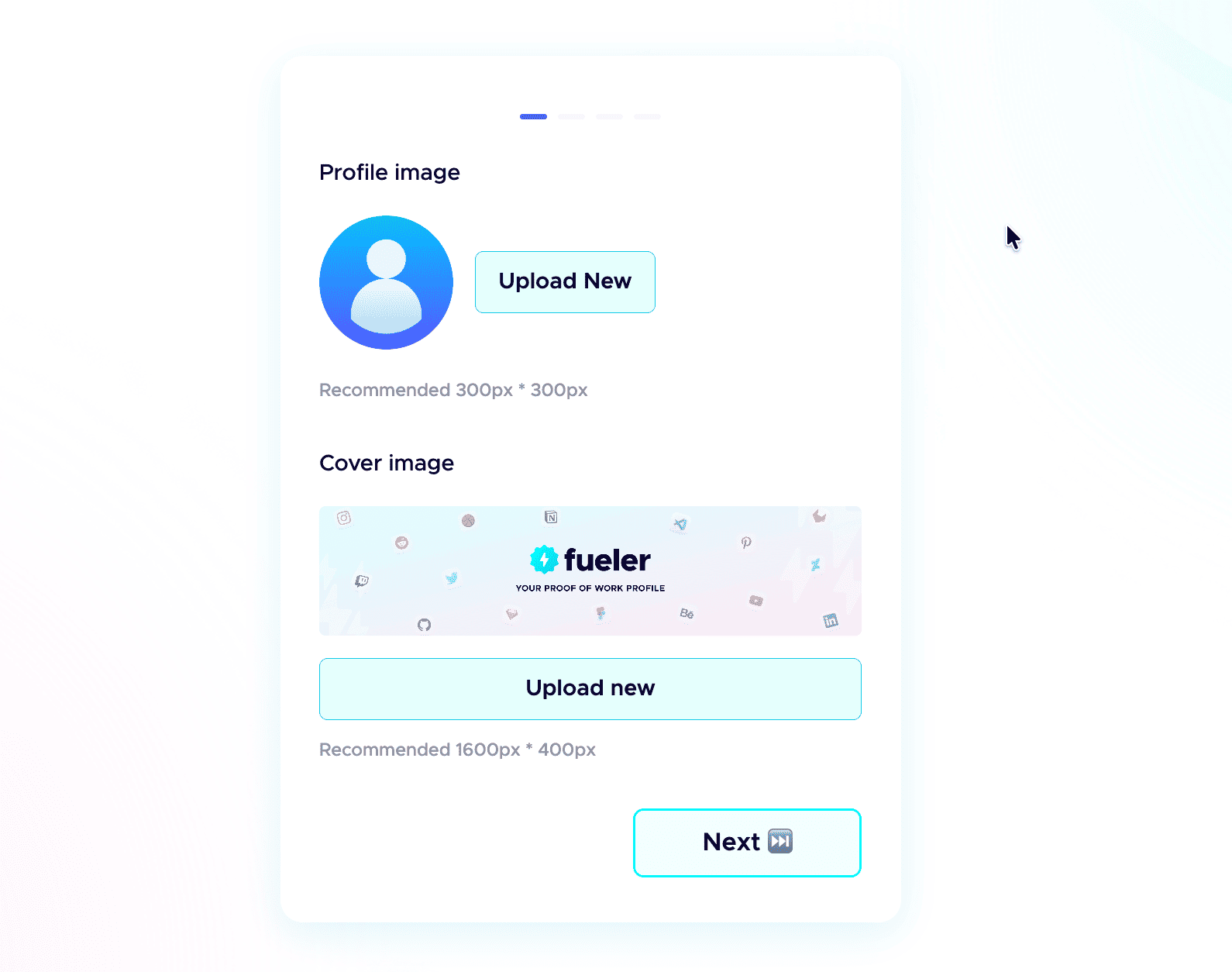
 Step 3: Add a professional profile picture.
Use the same kind of professional photo you would put on LinkedIn. Clear face, good lighting, and a simple background. People trust a real face more than an empty avatar.
Step 4: Write a strong header.
The header is the first thing anyone sees. In one or two short lines, say who you are, what you do, and the kind of work you have done. Make it specific, not vague.
Step 5: Add a short bio.
Tell people who you are and what you do in a few plain sentences. No buzzwords, just enough for a recruiter to get you in five seconds.
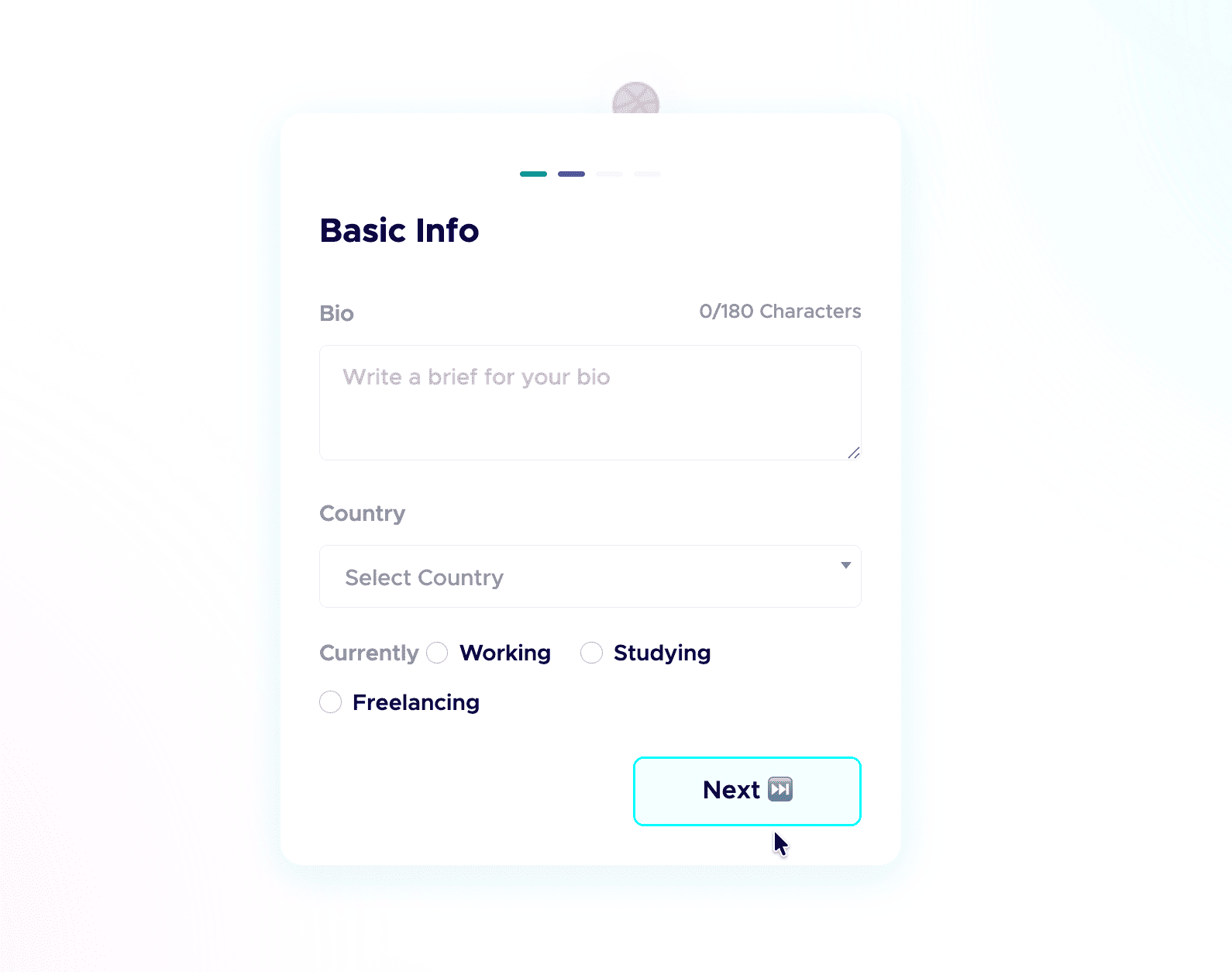 Step 6: Add your skills and social links.
List the skills you are good at and actually want to be hired for, and connect your socials. People do check your profiles, and active socials build credibility before the first call. Students starting from scratch can follow my student guide to their first portfolio.
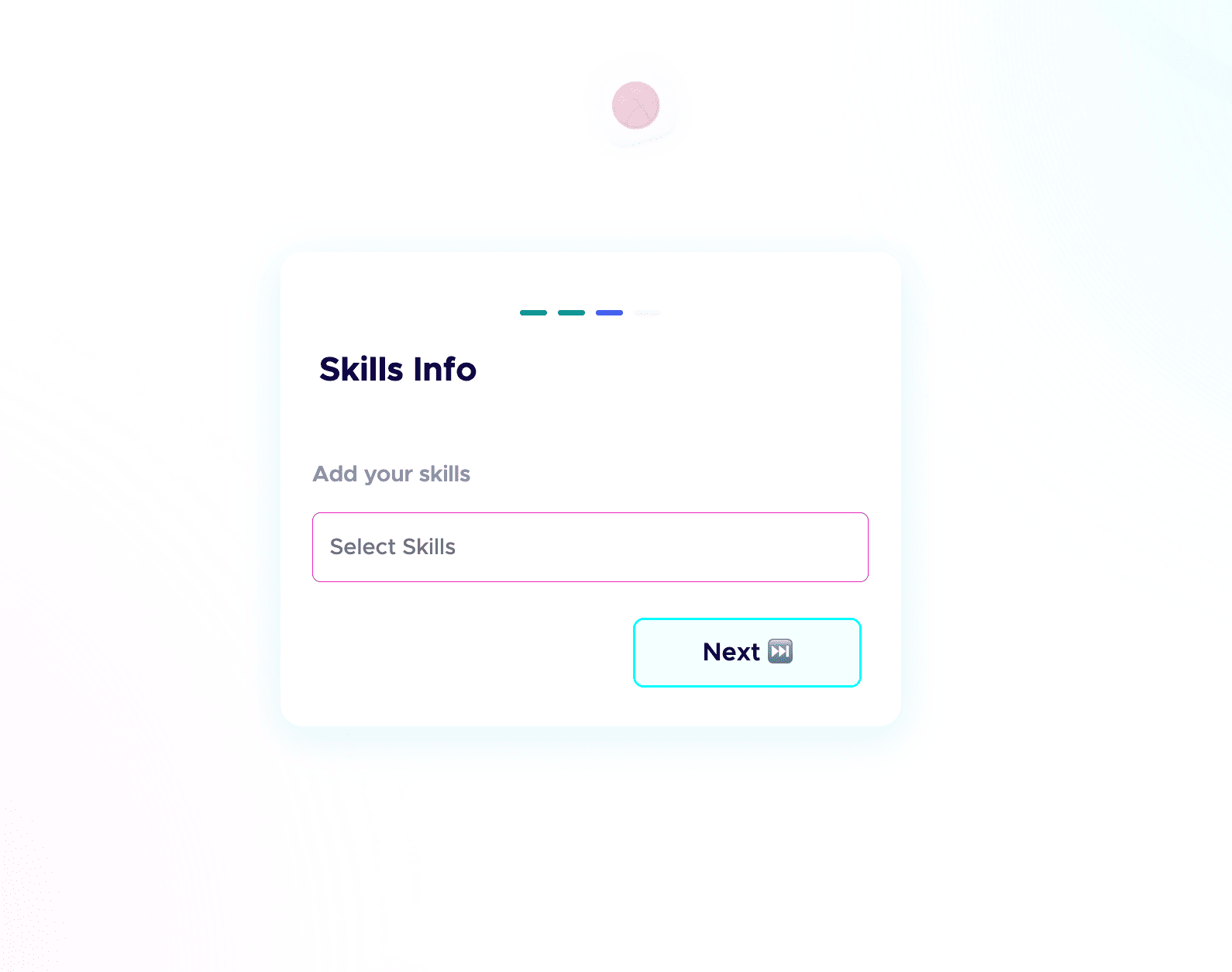
 Step 7: Fill in your Device Configuration.
In your dashboard, set up the Device Configuration section. Add the details about the device you are using. Remote-first companies want to know you have a solid setup to work from. A good setup quietly adds leverage and signals you are ready to deliver.
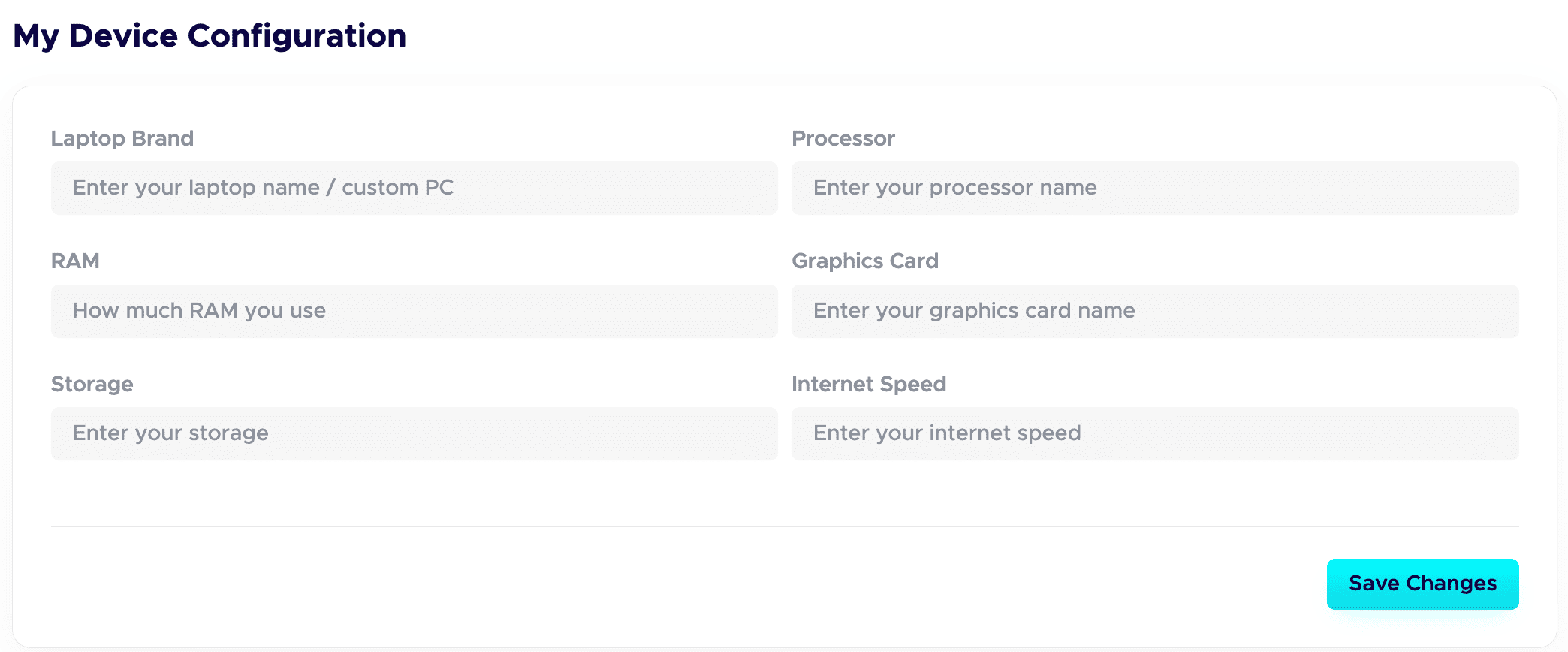
Step 8: Publish your projects with all the details.
This is a game-changer. Give each project a clear title and a detailed description. Walk through your process: your thinking, the tools you used, the choices you made, and the result. Companies care about how you work, not just the final image.
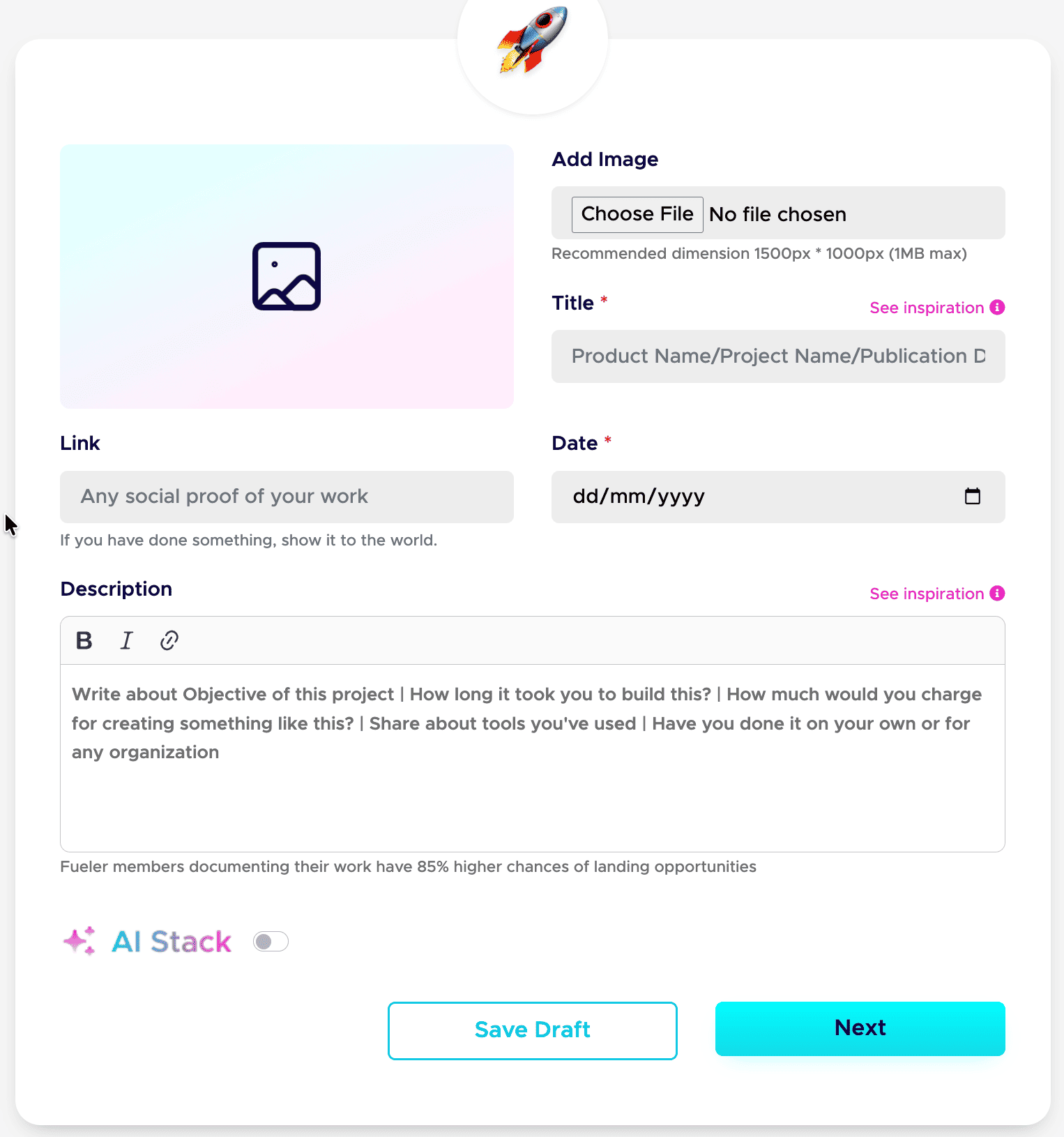
Step 9: Add your AI Stack to each project.
AI is part of real work now, so show it honestly. Use the AI Stack feature to explain how you used AI, which tools you used, and what you did manually. This builds trust instead of raising doubt. Here is the full guide: how to add AI Stack on Fueler.
That is the whole setup. Do these nine steps well, and your profile stops being a static page and starts working as a hiring asset. If you want a tighter version to follow next time, save my 6-step formula for a Fueler portfolio and my breakdown of a career portfolio that actually gets jobs.
Do this once, and you have a link you can drop into your resume, your email signature, and every job application.
Deep Dive: The Hidden Distribution Problem
A portfolio is useless if nobody sees it. Understanding the difference in traffic models between these two platforms changes your entire outreach strategy.
The Outbound Pull Model (Adobe Portfolio)
Adobe Portfolio operates on a classic isolated domain model. Your portfolio sits on its own web address, completely disconnected from any active hiring stream.
- The Outreach Tax: You must manually distribute your link through email pitches, job forms, or social media updates to get eyes on it.
- Low Domain Power: Individual personal sites struggle to rank organically on Google for highly competitive, industry-specific professional keywords.
- Zero Native Recruiting: Corporate talent acquisition teams do not browse individual Adobe Portfolio subdomains looking for technical talent.
The Inbound Ecosystem Model (Fueler)
Fueler runs an active, centralized talent marketplace built directly on top of your proof of work registry.
- Programmatic Discoverability: All project data uses structured metadata, allowing search engines to index your explicit technical competencies.
- Built-in Inbound Pipelines: Corporate decision-makers use Fueler's inner directory to source candidates using specific skill tags and completed work samples.
- Assignment Landing Pads: Instead of tracking down jobs, your verified profile connects directly to live company assignments, acting as an application passport.
Objective Comparison Matrix
Strategic Use Cases: Personas in Action
To contextualize how this architectural split impacts your daily workflow, let's examine two distinct professional tracks.
Scenario A: The Growth-Focused Marketer or SEO Specialist
If an SEO strategist uses Adobe Portfolio, they run into an immediate layout wall. They are forced to screenshot analytics dashboards or compile spreadsheets into image files to match the grid templates. Recruiters cannot click live links, inspect backlink graphs, or review technical schema configurations easily.
When this professional switches to Fueler, they document each campaign as an independent piece of work. They can map out keyword architectures, document technical crawl fixes, and link out directly to live, ranking URLs. By pairing these case studies with verified client vouches, they prove real ROI.
Scenario B: The Traditional Visual Brand Identity Designer
For a designer focusing exclusively on vector asset creation, typography styling sheets, and color palettes, Adobe Portfolio works exceptionally well. The tool gives them complete structural control over margins, full-bleed images, and visual themes.
The core asset is the picture. They don't need deep text case studies or workflow verification layers because creative directors evaluate their output purely on baseline aesthetic taste.
Choosing Your Engine: Who Should Choose What?
Choose Adobe Portfolio If:
- You are a photographer, fine artist, or illustrator whose work relies entirely on full-bleed visual grids.
- You already pay for an active Adobe Creative Cloud subscription and want a basic, template-driven gallery system.
- Your current client pipeline depends on sending highly stylized pitch presentations where you must adjust every layout pixel.
Choose Fueler If:
- You want an active career portfolio built to attract clients, full-time remote roles, and high-tier freelance projects.
- Your work is multi-disciplinary, requiring you to display text, live code repositories, product frameworks, and performance data.
- You want to stop wasting time designing website layouts and start building a verified public record of your execution.
Key Takeaways
- Websites vs. Careers: Adobe Portfolio builds personal gallery sites; Fueler builds discoverable career infrastructure.
- The Skills Shift: Modern hiring loops bypass long resume summaries and look directly for process-driven proof of work.
- Trust Extends Reach: Verified profiles using collaborator vouchers remove recruiter friction and speed up hiring decisions.
Frequently Asked Questions
Can I use Fueler if my work is entirely non-visual?
Yes. Fueler is engineered precisely for multi-disciplinary professionals. Technical writers, developers, growth marketers, and data analysts use it to display structural outcomes, embed live links, and share comprehensive text case studies without requiring design files.
Is Fueler completely free to start?
Yes. You can create your profile, publish your work samples, list your core skill sets, and share your unique public link without paying anything. It provides a clean, professional profile layout right out of the box.
Does Fueler replace my personal website or GitHub?
It complements them. While GitHub hosts your raw code repository, Fueler translates those technical assets into business outcomes, explaining the project's context, your specific responsibilities, and its final real-world impact for non-technical hiring managers.
How does the assignment-based hiring model work on Fueler?
Companies post real-world project challenges and open roles directly on the platform. Instead of submitting a generic cover letter, you apply by submitting your tailored proof of work or completed assignment, letting your actual output prove your capabilities.
Why 100,000+ professionals use Fueler
Fueler helps professionals showcase proof of work through projects, assignments, case studies, and achievements.
- Thousands of professionals use Fueler to create their digital portfolio
- Thousands of projects are published on Fueler. Check here
- Startups and Companies hire through proof of work on Fueler
- Used by freelancers, creators, marketers, video editors, writers, designers, and product managers
Our mission is to help the next 100 million professionals build a verified professional identity through proof of work

What should you do next?
You've read the article. Now turn your skills into proof of work and unlock more opportunities.
Build your proof of work portfolio
Create a clean portfolio with projects, assignments, resumes, and AI stack details that companies actually want to see.
Create your Fueler portfolio →Apply through assignments, not resumes
Stand out by solving real tasks from companies hiring on Fueler.
Explore assignments →Get discovered by companies
Make your work public and let recruiters discover your skills through actual projects instead of keywords.
Get discovered →
