Framer Portfolio vs Fueler: Which Platform Is Better?

Riten Debnath
11 Jul, 2026
Last updated: July 2026
The modern job market is broken. If you have spent hours applying to jobs online only to be met with dead silence, you already know this.
Recruiters are completely overwhelmed. Thanks to generic AI resume builders, a single job posting can get hit with thousands of applications within minutes. Because of this, nobody is reading your perfectly formatted bullet points anymore. They want proof that you can actually do the job.
But here is where most people shoot themselves in the foot: they spend three weeks trying to design a custom, over-engineered personal portfolio website. They wrestle with responsive layout breaks, complex animation keyframes, and hosting setups, only for a prospective client or busy hiring manager to glance at it for exactly four seconds before closing the tab.
I’m Riten, founder of Fueler, a skills-first portfolio platform that connects talented individuals with companies through assignments, portfolios, and projects, not just resumes/CVs. Think Dribbble/Behance for work samples + AngelList for hiring infrastructure.
When we built Fueler, we wanted to eliminate the visual overhead that keeps talented people broke. You shouldn't have to be a master front-end developer or an advanced web designer just to show the world that you write incredible copy, run profitable ad campaigns, manage stable code repositories, or coordinate complex product launches.
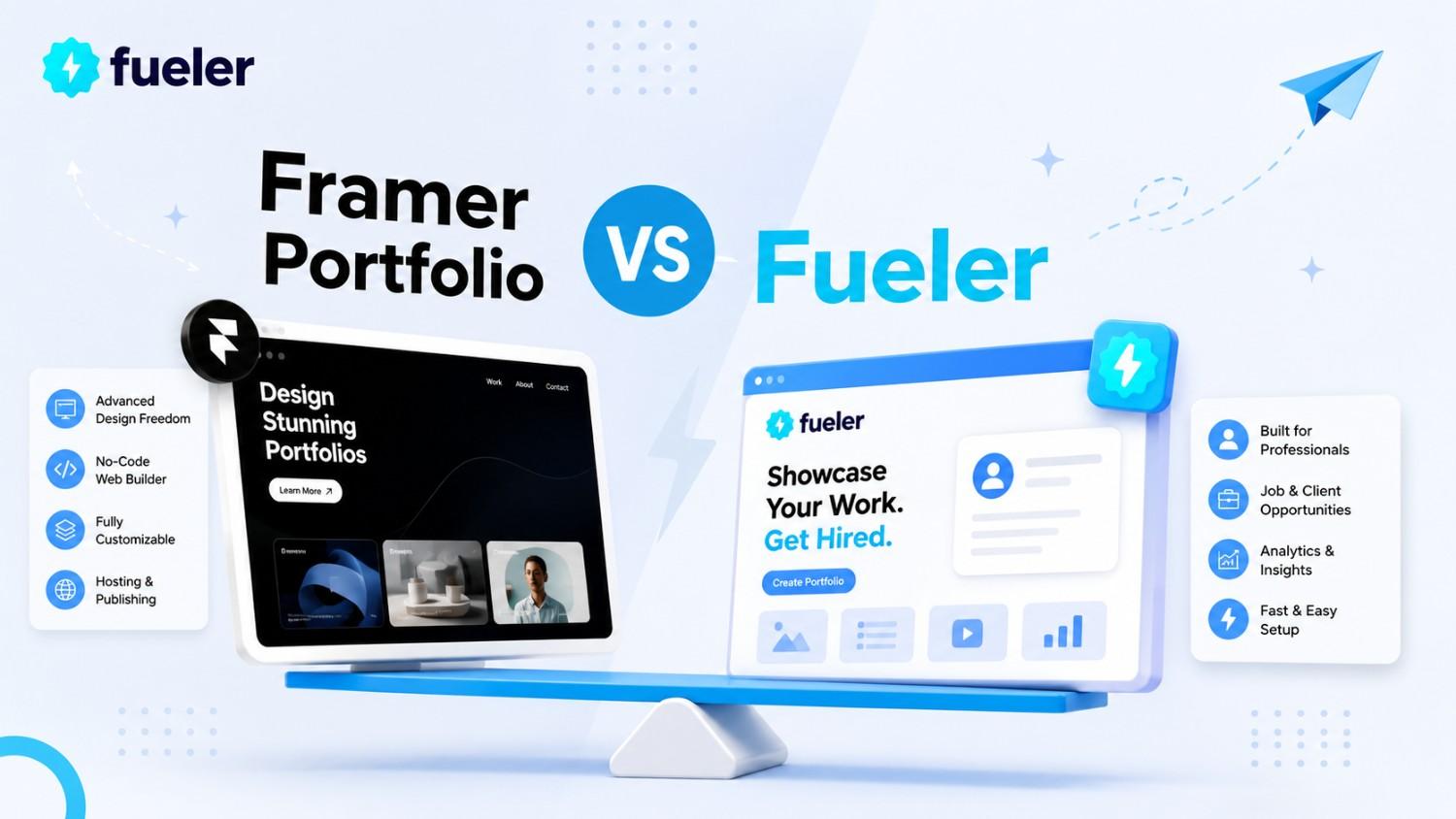
If you are caught between building a custom website on Framer or setting up a sleek profile on Fueler, this guide breaks down exactly what both platforms do best. No corporate talk, no marketing fluff- just the honest facts.
Framer Portfolio: The Designer's Infinite Playground
Let’s give credit where it’s due. Framer is an absolute engineering marvel. If you have ever used Figma, stepping into Framer feels completely natural. It treats the web browser like an absolute canvas.
Where Framer Excels
- Total Layout Freedom: Want a text block to move diagonally across the screen while the background shifts colors as the user scrolls? Framer can do that easily. You aren't restricted by rows, boxes, or pre-built grid systems.
- Production-Ready Animations: Framer's animation engine is world-class. It makes complex transitions and responsive interactions incredibly smooth without requiring you to write a single line of custom JavaScript.
- Component Ecosystem: You can design reusable visual elements with distinct hover states, active states, and custom dark mode variants all in one unified control panel.
The Realistic Trade-offs of Framer
Framer was explicitly engineered to build beautiful visual experiences. However, that high level of freedom brings a specific set of challenges if your primary goal is simply setting up a fast professional profile:
- The Blank Canvas Anxiety: When you start a brand-new project in Framer, you are met with a completely blank screen. If you don't possess a strong background in visual design theory, spatial layouts, and typography hierarchy, it is remarkably easy to create something that looks messy.
- Maintenance Overhead: When you design a custom site, you are fully responsible for ensuring it looks pristine on a massive 4K monitor, a standard laptop, an old tablet, and a tiny smartphone screen. Tweak a single element on desktop, and you might accidentally break the entire layout on mobile.
- The Content Isolation Problem: A Framer website is a beautiful, isolated digital island. Once you publish it, your work sits entirely on your own domain. The platform itself doesn't feature a centralized professional discovery network or an active recruiter marketplace looking to hire you. You have to handle 100% of your own traffic generation, search engine optimization setup, and client outreach from scratch.
Fueler: The Fast Track for Proof of Work
Fueler abandons the web canvas model entirely. We don't care about custom scroll animations, and we don't make you align pixels. Instead, Fueler focuses completely on a single, high-stakes metric: how fast can a decision-maker see your real work and trust that you did it?
Where Fueler Excels
- Zero-Friction Grid Architecture: Your previous projects, writing samples, repository links, or marketing campaigns are instantly arranged into a highly organized, responsive grid. There are no nested folder hierarchies or complicated sub-pages for a recruiter to get lost in.
- Verified Collaboration Loops: If you worked on a project with a developer, a designer, and a copywriter, you can tag them directly on the project card. Once they approve it, the project updates across everyone's profiles simultaneously. This builds an immutable web of professional trust and stops people from falsely taking credit for your hard work.
- Built-in Discovery Inbound: Fueler isn't just a static hosting tool. It is a live platform connecting talented individuals with companies through assignments, portfolios, and actual projects. Recruiters use our discovery dashboards to search specifically for verified execution, bypassing traditional resume filters entirely.
- Granular Profile Analytics: You get clear, transparent insights into exactly how many people are viewing your work cards, helping you understand what pieces are drawing the most professional attention.
The Realistic Trade-offs of Fueler
Because Fueler is explicitly built for speed, utility, and career discoverability, it is not the right fit for every single use case:
- Fixed Visual Framework: You cannot change the fundamental layout of a Fueler profile. You can customize your bio, banner, social links, and project presentation, but you cannot move text boxes anywhere you want or introduce experimental page layouts.
- No Free-Form Web Experiments: If your primary goal is to showcase your ability to write highly irregular CSS animations or custom web components, Fueler's clean grid layout won't give you the platform to show off those specific design quirks.
Step-by-Step Guide: How to Build Your Portfolio on Fueler
Setting up your profile on Fueler takes minutes, not days. Here is the exact process to build a clean profile that translates directly into professional opportunities.
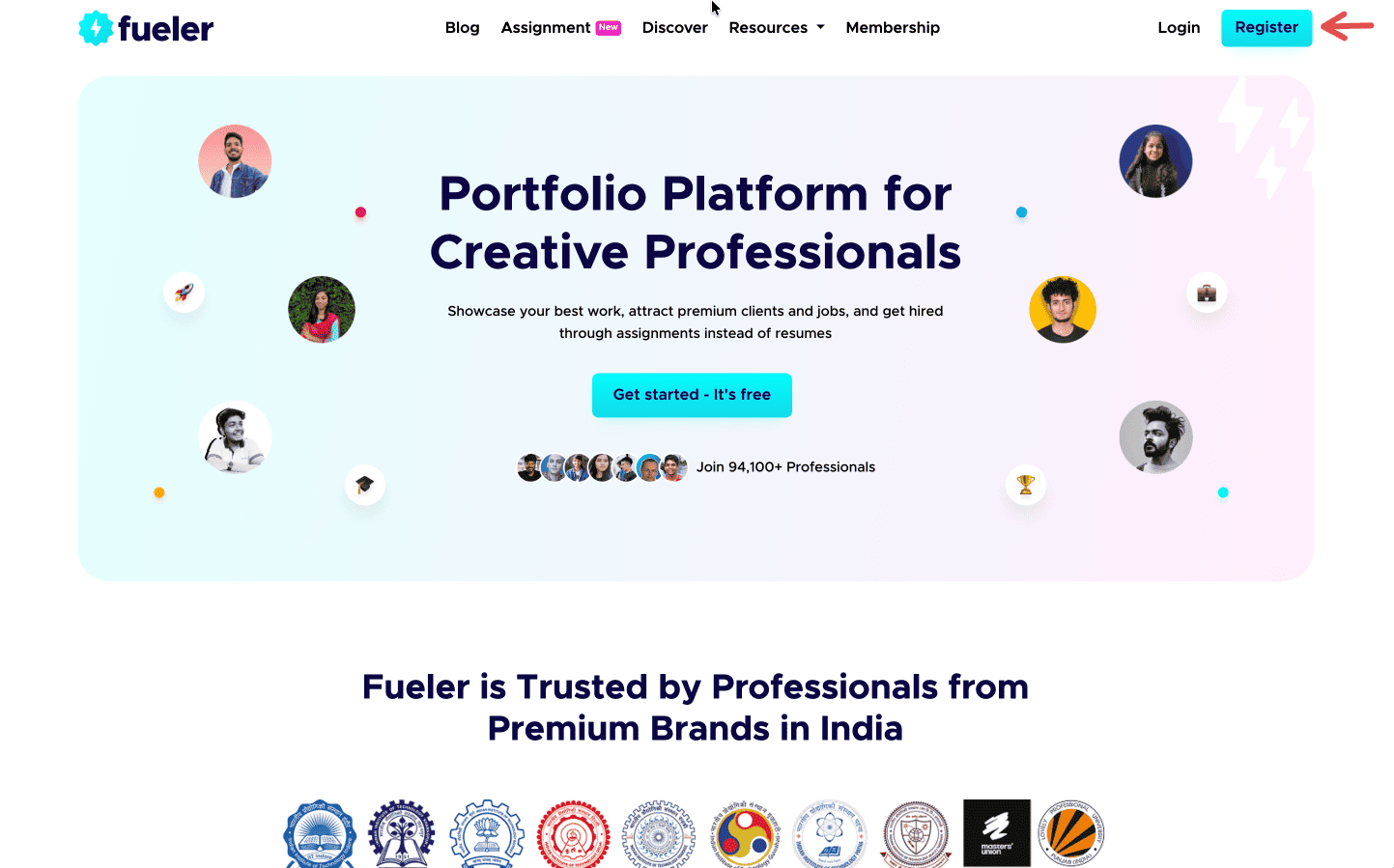
Step 1: Sign up on Fueler.
Head to Fueler.io and create your free account.
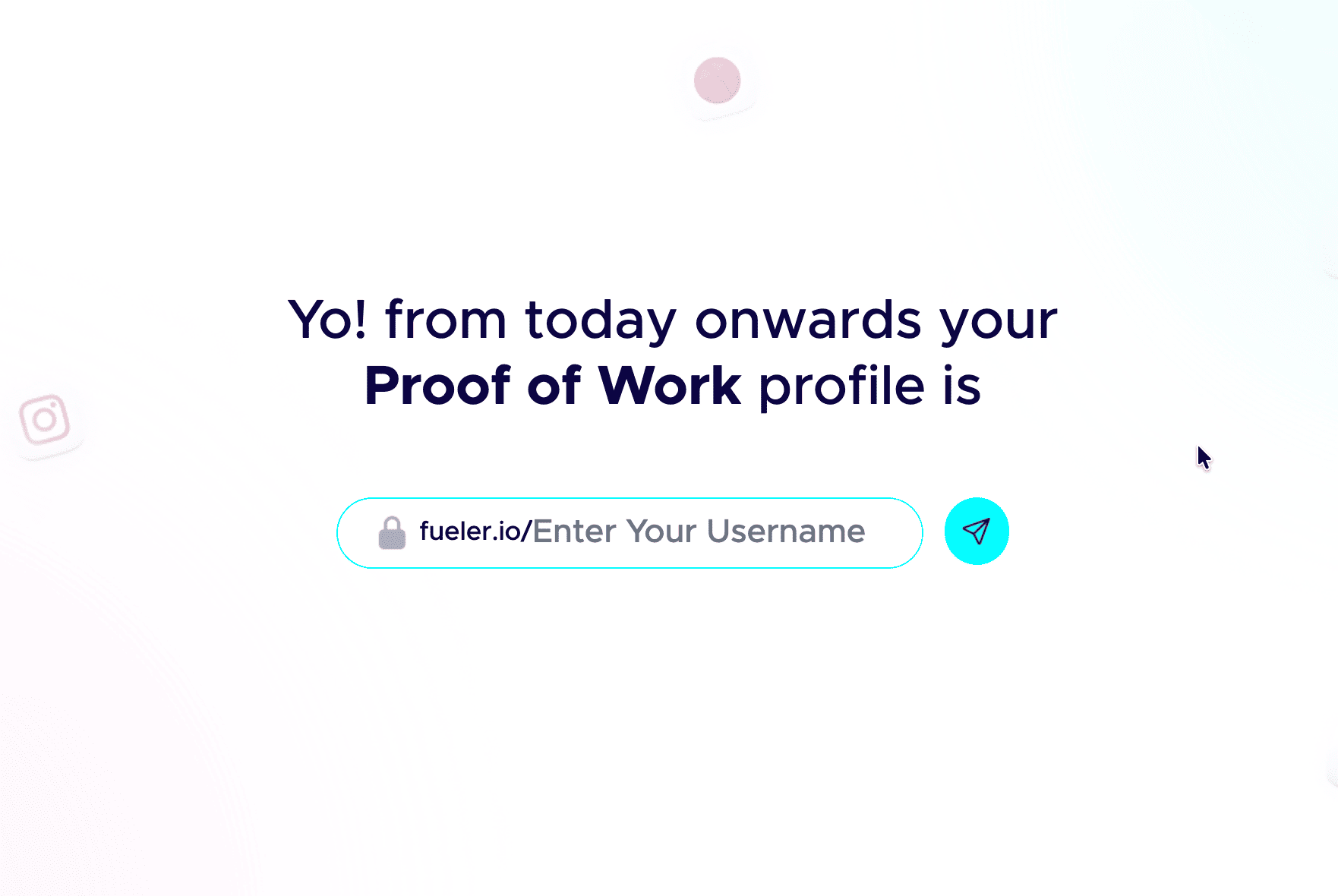
Step 2: Pick a professional handle.
Your handle shows up in your public link, so keep it clean and grown-up. Don’t add nicknames and random numbers. Your name or a simple version of it works best.
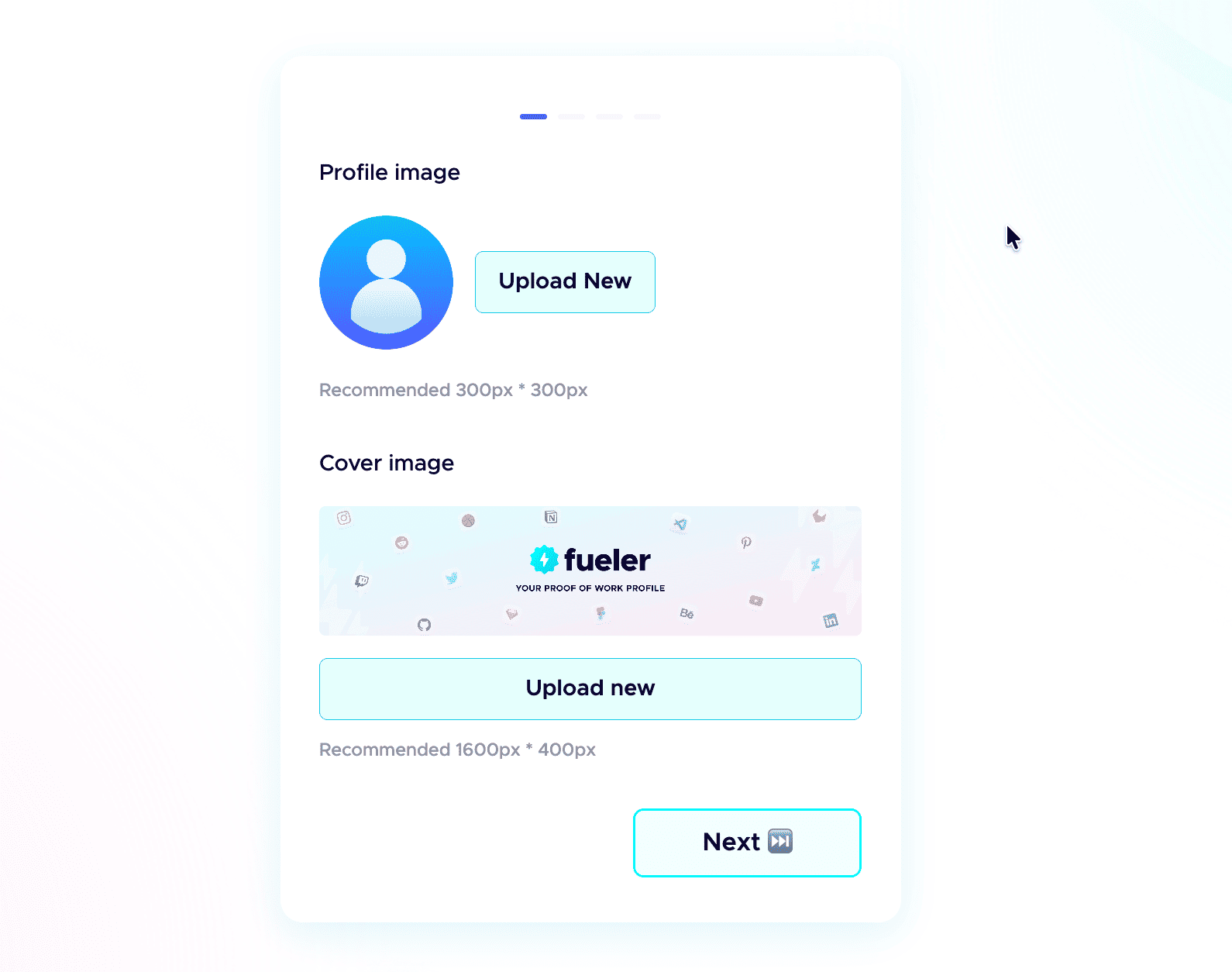
 Step 3: Add a professional profile picture.
Use the same kind of professional photo you would put on LinkedIn. Clear face, good lighting, and a simple background. People trust a real face more than an empty avatar.
Step 4: Write a strong header.
The header is the first thing anyone sees. In one or two short lines, say who you are, what you do, and the kind of work you have done. Make it specific, not vague.
Step 5: Add a short bio.
Tell people who you are and what you do in a few plain sentences. No buzzwords, just enough for a recruiter to get you in five seconds.
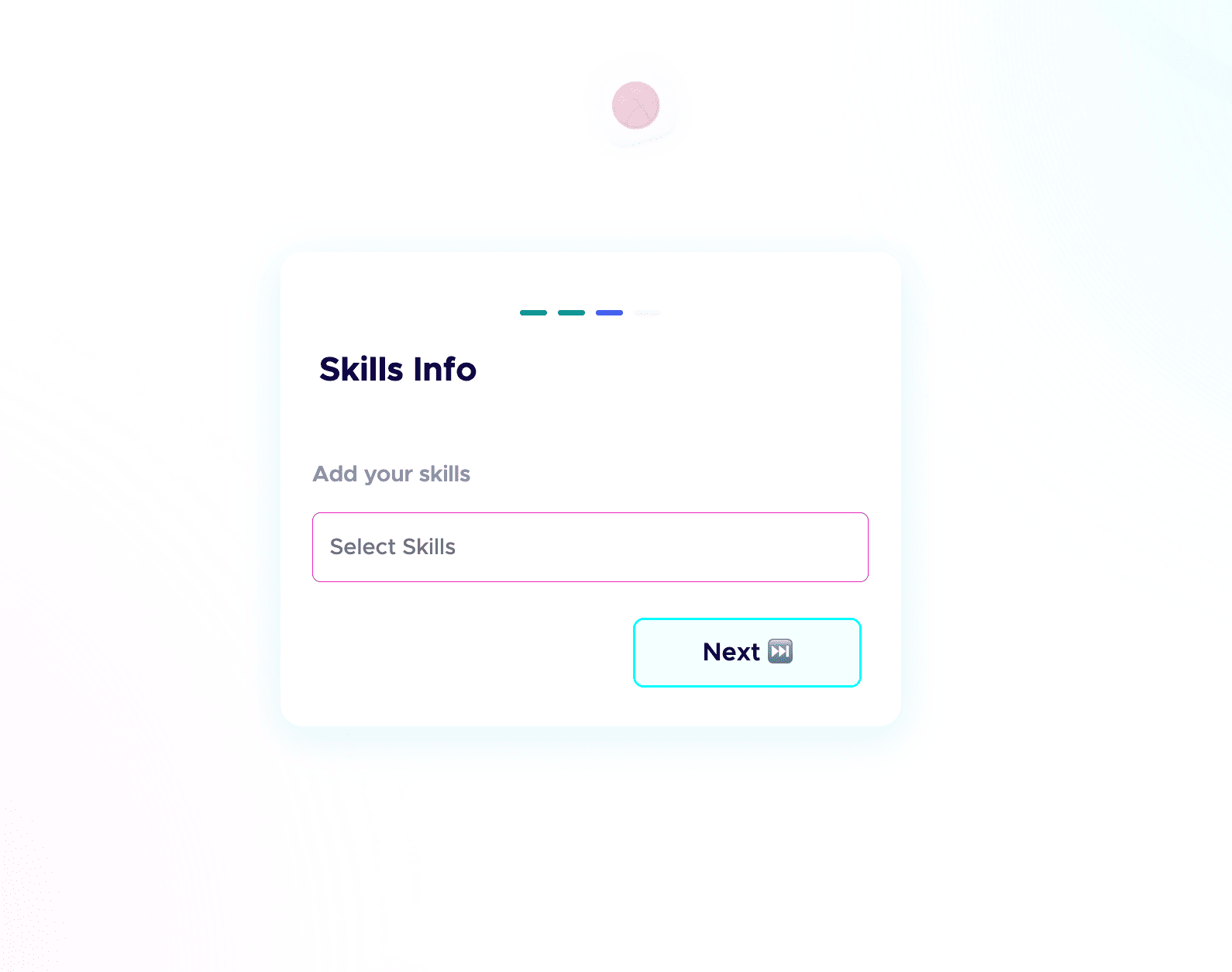
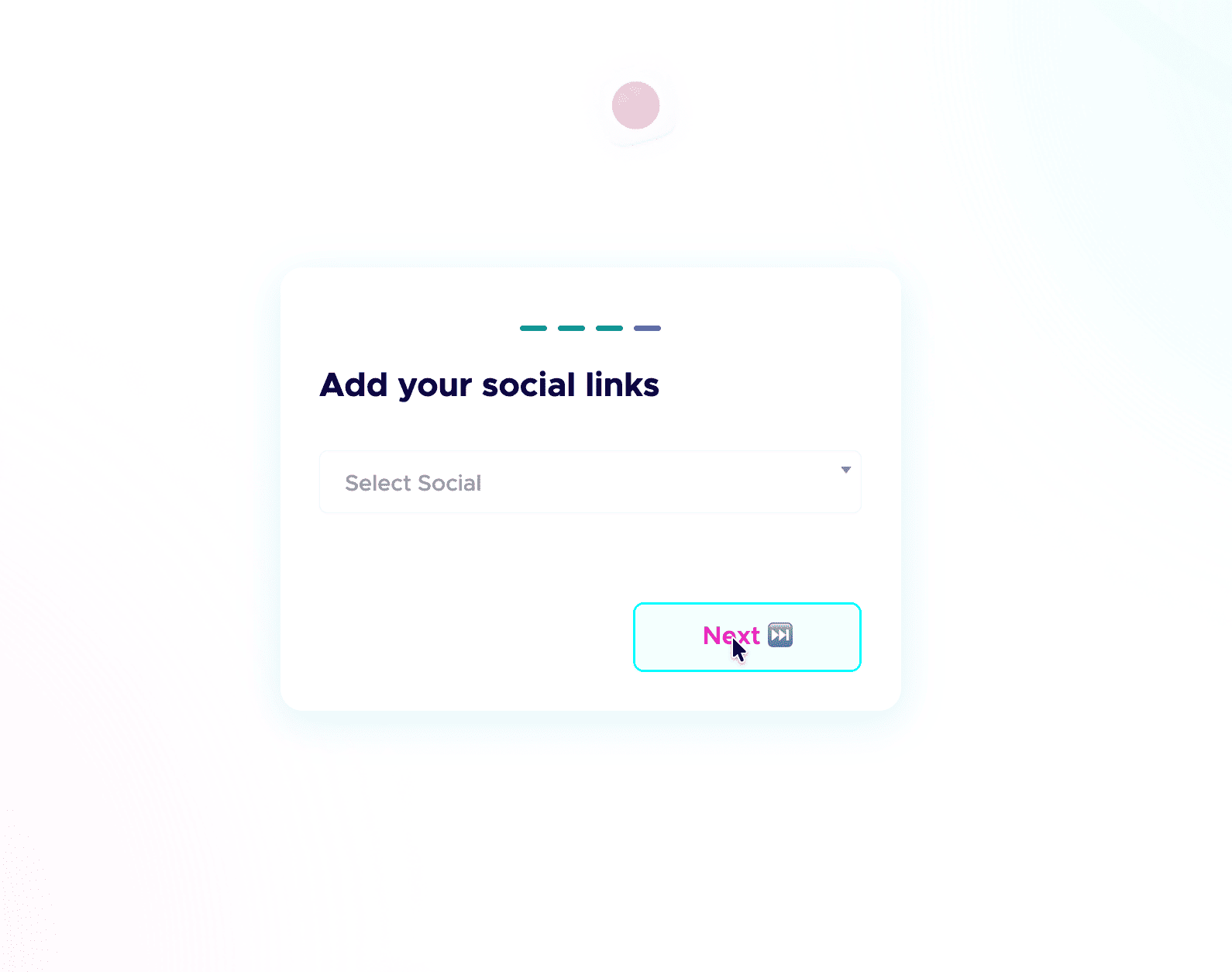
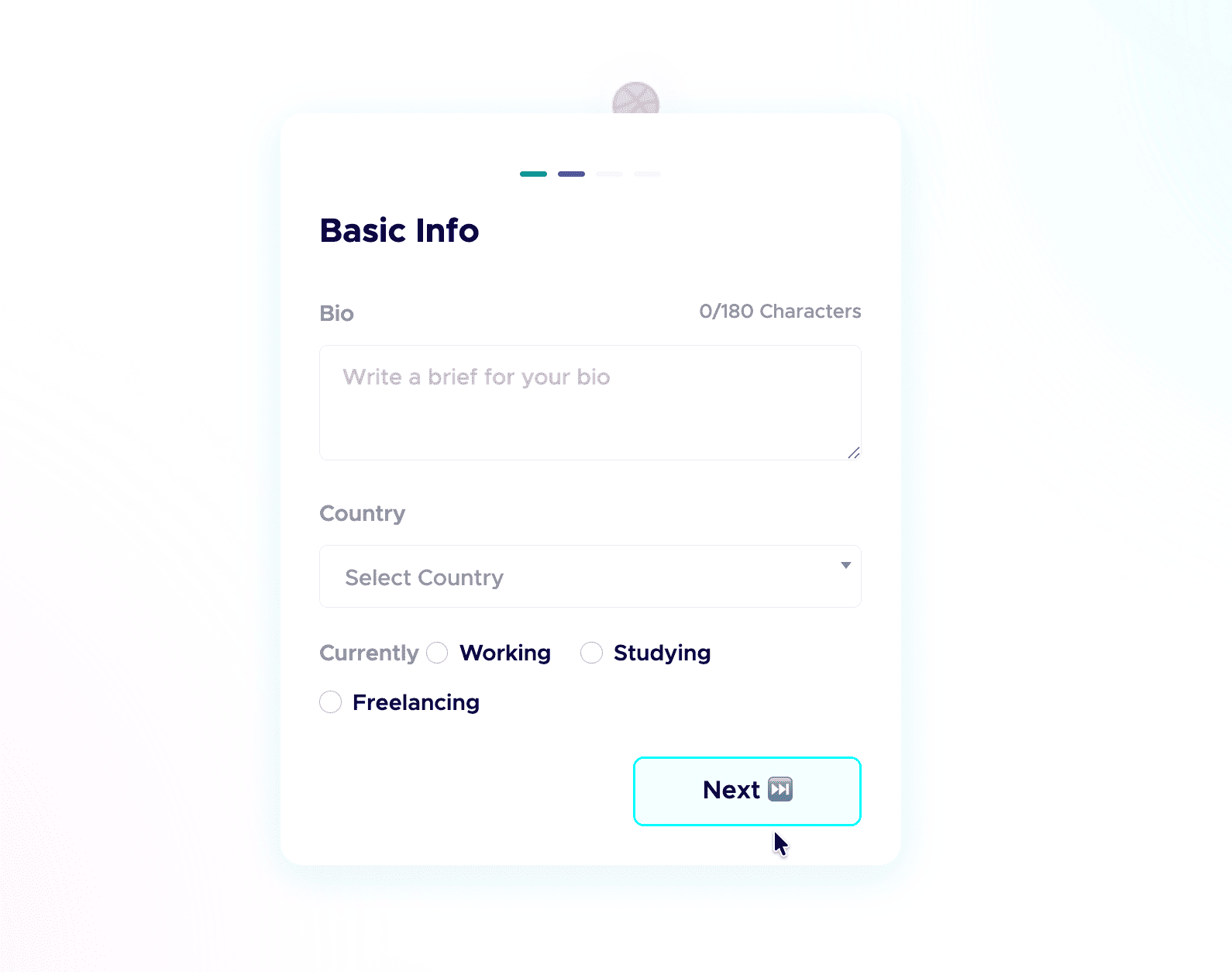 Step 6: Add your skills and social links.
List the skills you are good at and actually want to be hired for, and connect your socials. People do check your profiles, and active socials build credibility before the first call. Students starting from scratch can follow my student guide to their first portfolio.
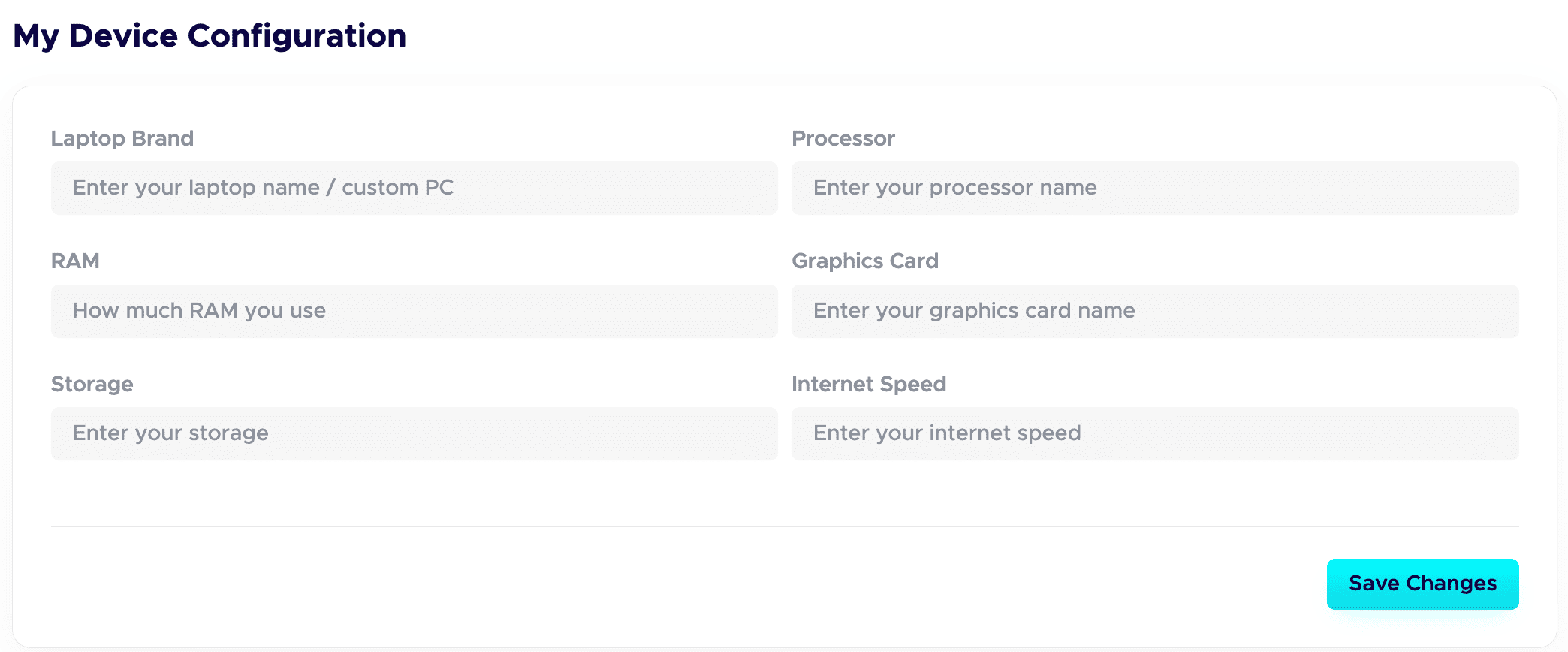
 Step 7: Fill in your Device Configuration.
In your dashboard, set up the Device Configuration section. Add the details about the device you are using. Remote-first companies want to know you have a solid setup to work from. A good setup quietly adds leverage and signals you are ready to deliver.
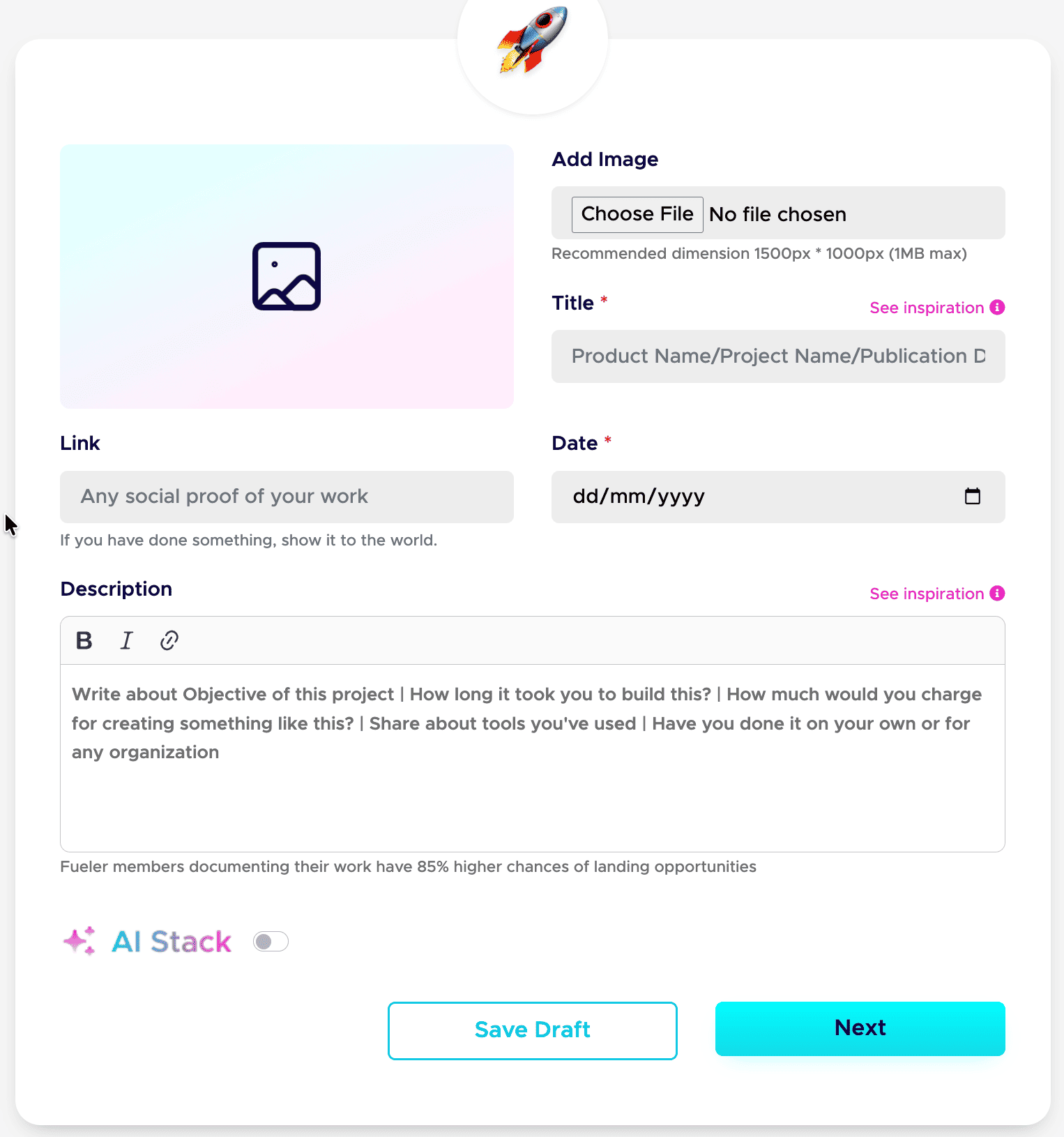
Step 8: Publish your projects with all the details.
This is a game-changer. Give each project a clear title and a detailed description. Walk through your process: your thinking, the tools you used, the choices you made, and the result. Companies care about how you work, not just the final image.
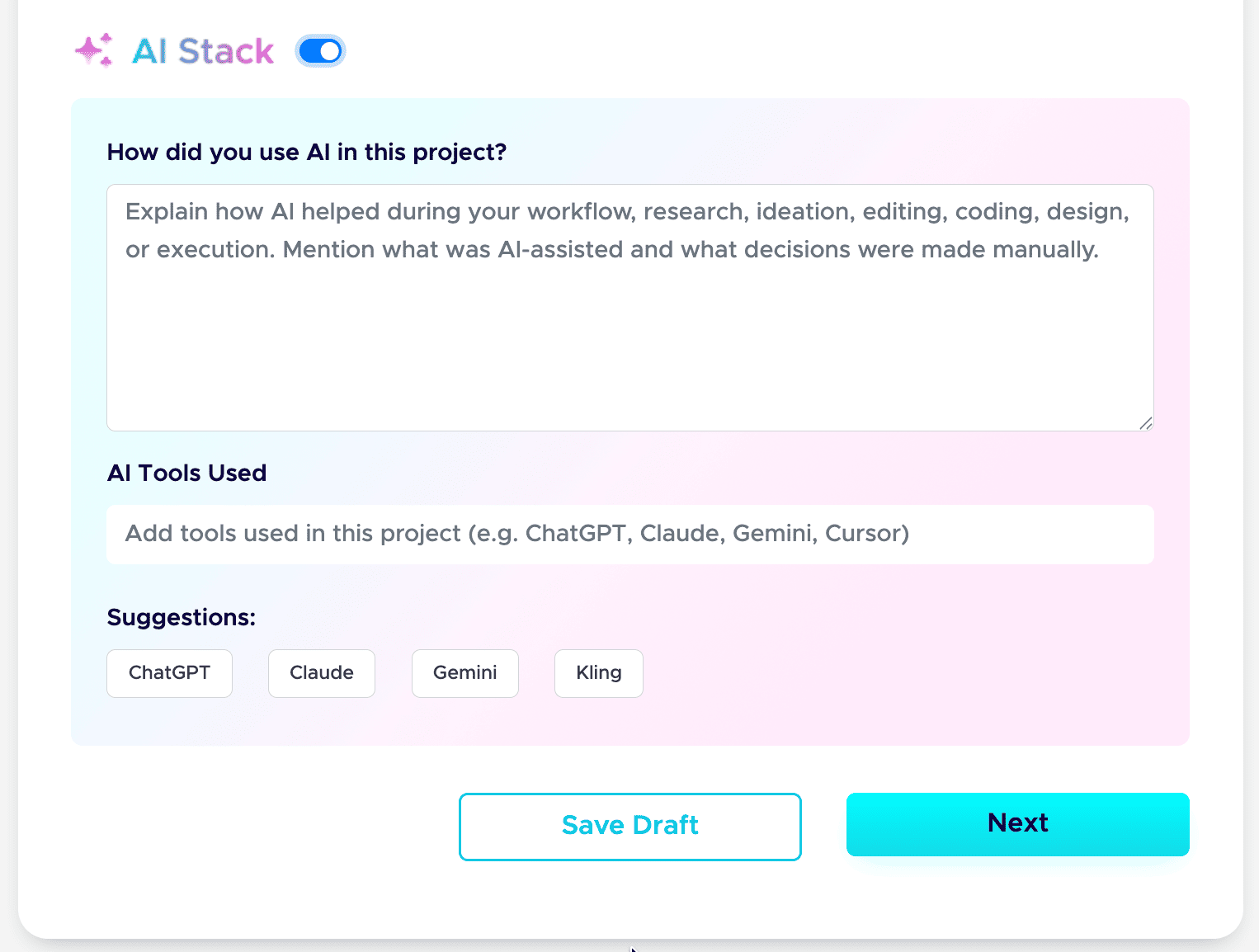
Step 9: Add your AI Stack to each project.
AI is part of real work now, so show it honestly. Use the AI Stack feature to explain how you used AI, which tools you used, and what you did manually. This builds trust instead of raising doubt. Here is the full guide: how to add AI Stack on Fueler.
That is the whole setup. Do these nine steps well, and your profile stops being a static page and starts working as a hiring asset. If you want a tighter version to follow next time, save my 6-step formula for a Fueler portfolio and my breakdown of a career portfolio that actually gets jobs.
Do this once, and you have a link you can drop into your resume, your email signature, and every job application.
Head-to-Head Comparison Table
To help you easily visualize the structural differences, here is an objective feature breakdown:
Real-World Scenarios: Who Should Choose What?
Let’s look at how this plays out in real life across different career paths.
Scenario A: The UI Designer or Creative Director
If you are a high-end interaction designer or a visual artist, how your site moves is a direct statement of your capabilities. If a client is hiring you to design an incredibly futuristic web interface, they want to see your design chops the second your page loads.
- The Verdict: Choose Framer. The tool gives you the exact canvas you need to build a highly immersive, jaw-dropping visual experience.
Scenario B: The Copywriter, Content Strategist, or Marketer
If you write, copy, or manage growth campaigns, a complex web design with moving parts doesn't prove you are a great writer; it just proves you know how to use web tools. A business owner looking to hire a writer wants to read your copy immediately. They don't want to dig through complex menus or wait for heavy design assets to load on their mobile phone.
- The Verdict: Choose Fueler. You can set up a perfectly clean grid layout, paste your best published articles or campaign write-ups, and give prospective clients a fast, distraction-free reading experience.
Scenario C: The Software Engineer or Full-Stack Developer
If you are a developer, your primary proof of work lives inside production environments, technical documentation, and GitHub repositories. Spending days styling custom web boxes from a design tool often takes time away from what you actually love doing: writing clean, scalable code.
- The Verdict: Choose Fueler. It allows you to quickly link your repositories, highlight open-source contributions, outline the core logic of your side projects, and get discovered by tech companies without having to design a website from scratch.
Final Thoughts: Focus on the Metric That Matters
At the end of the day, your portfolio is a business tool, not a personal art project. Its sole function is to reduce the friction between your skills and the people who want to pay you for them.
If your work is inherently experimental, deeply visual, and requires complex interaction design to be properly understood, taking the time to master Framer is a fantastic investment in your personal brand.
But if you want to bypass the endless cycle of designing, updating, and maintaining a personal website and you simply want a fast, trusted, and highly organized way to put your verified projects right in front of active clients and recruiters, setting up your profile on Fueler will save you weeks of unnecessary frustration. Collect your work, document your outcomes, and let your actual execution do the talking.
Frequently Asked Questions (FAQ)
Can I track who visits my portfolio on these platforms?
Yes, but the approach is different. On Framer, you will need to manually set up and integrate third-party tracking scripts like Google Analytics or Plausible into your site settings. Fueler includes clear profile insights natively within your dashboard out of the box, allowing you to easily see how your work cards are performing without managing any tracking codes.
Do I need to know how to code to use Framer?
No. Framer is entirely visual and operates much like Figma. However, while you do not need to write code, you do need a solid understanding of modern web layout principles, positioning properties, and responsive design breakpoints to make sure your site looks polished on all devices.
Is Fueler only meant for technical developers?
Not at all. Fueler is built for a wide variety of modern knowledge workers. It is widely used by copywriters, content marketers, UI/UX designers, social media managers, video editors, product managers, and freelancers across almost every digital discipline to showcase their real-world proof of work.
Can I use my own custom domain on both platforms?
Yes. Both systems allow you to link a personal custom domain so your portfolio matches your professional brand cleanly when sharing your unique links with prospective clients or employers.
Why 100,000+ professionals use Fueler
Fueler helps professionals showcase proof of work through projects, assignments, case studies, and achievements.
- Thousands of professionals use Fueler to create their digital portfolio
- Thousands of projects are published on Fueler. Check here
- Startups and Companies hire through proof of work on Fueler
- Used by freelancers, creators, marketers, video editors, writers, designers, and product managers
Our mission is to help the next 100 million professionals build a verified professional identity through proof of work

What should you do next?
You've read the article. Now turn your skills into proof of work and unlock more opportunities.
Build your proof of work portfolio
Create a clean portfolio with projects, assignments, resumes, and AI stack details that companies actually want to see.
Create your Fueler portfolio →Apply through assignments, not resumes
Stand out by solving real tasks from companies hiring on Fueler.
Explore assignments →Get discovered by companies
Make your work public and let recruiters discover your skills through actual projects instead of keywords.
Get discovered →
