Top 10 Video Editing Tools for Beginners in Europe (2026)

Riten Debnath
21 Jan, 2026
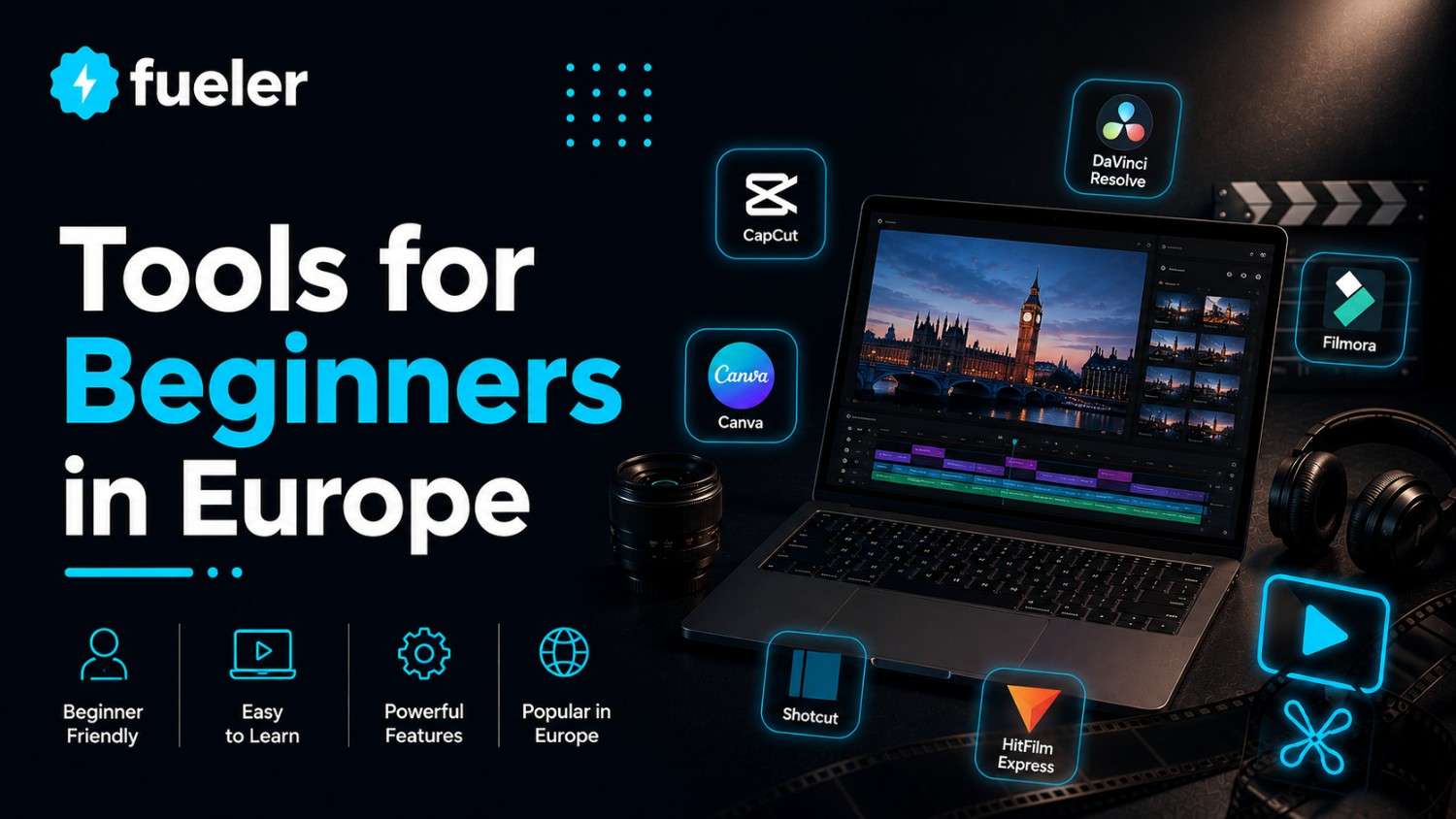
The European creator economy has reached a fever pitch in 2026, with Brussels recently passing new "Digital Creator Rights" that have standardized how AI-generated content is labeled and monetized across the continent. For a beginner stepping into this world, the barrier to entry has never been lower, yet the choice of tools has never been more overwhelming. Whether you are a student in Berlin filming TikToks, a small business owner in Milan launching a YouTube channel, or a digital nomad in Lisbon documenting your travels, the software you choose today will define your workflow for years to come. In 2026, the best tools are those that blend powerful automation with an interface so intuitive it feels like an extension of your own creativity.
I’m Riten, founder of Fueler, a skills-first portfolio platform that connects talented individuals with companies through assignments, portfolios, and projects, not just resumes/CVs. Think Dribbble/Behance for work samples + AngelList for hiring infrastructure
1. CapCut Desktop (The Social Media Powerhouse)
CapCut has moved far beyond its mobile roots to become the dominant desktop editor for European social media creators in 2026. Owned by ByteDance, it is natively optimized for the latest European trending formats, offering one-click exports to TikTok, Instagram Reels, and YouTube Shorts. For a beginner, the beauty of CapCut lies in its massive, cloud-synced library of trending music and stickers that are already cleared for use in most European jurisdictions. It effectively bridges the gap between professional precision and "viral" speed, making it the top choice for those who need to produce high-volume content without a steep learning curve.
- Advanced AI-Powered Auto-Captions: In 2026, CapCut’s speech-to-text engine supports over 30 European languages and dialects with nearly 99% accuracy, allowing you to generate and style subtitles in seconds for a multilingual audience.
- One-Click Background Removal: The "Smart Cutout" feature uses localized AI processing to instantly remove backgrounds from human subjects without the need for a green screen, which is perfect for creators working in small European apartments or home offices.
- Pro-Level Color Grading for Beginners: The platform now includes "Smart Filters" that automatically analyze your footage and apply cinematic color palettes inspired by European film aesthetics, giving your smartphone footage a high-end look instantly.
- Keyframe Animation Simplicity: CapCut has redesigned the keyframing process to be entirely visual; you can animate text, stickers, and zooms with simple drag-and-drop motions rather than complex mathematical coordinate systems found in older software.
- Cloud-Based Collaboration Sync: With the 2026 Pro version, you can start an edit on your iPhone while on a train in Paris and finish it on your MacBook in Amsterdam, with all assets and timeline progress synced perfectly in real-time.
Pricing:
- Free Version: Watermark-free exports up to 1080p with basic assets.
- CapCut Pro (Monthly): ~€11.00 - €12.00 (varies slightly by country like Germany vs. Poland).
- CapCut Pro (Annual): ~€95.00 (one upfront payment, saving approximately €35.00 compared to monthly).
2. DaVinci Resolve 19 (The Free Professional Choice)
DaVinci Resolve has become the "secret weapon" for European beginners who want Hollywood-grade results without a Hollywood budget. While it is used to color-grade major blockbusters, the "Cut Page" introduced in recent versions is specifically designed for beginners who need to assemble videos quickly. In 2026, it is particularly popular in Europe’s film schools and technical hubs because it offers a completely free version that is more powerful than most paid competitors. It is the best tool for those who are serious about learning the "craft" of editing and want software that they will never outgrow as their skills evolve.
- The Industry-Standard Color Page: Even in the free version, you get access to the world’s most powerful color correction tools, allowing you to fix lighting issues and create professional "looks" that make your videos stand out in a crowded feed.
- Fairlight Audio Integration: Most beginner editors struggle with sound, but DaVinci’s integrated Fairlight page provides AI-based voice isolation and hum removal, which is essential for cleaning up audio recorded in noisy urban European environments.
- Neural Engine AI Magic Mask: This 2026 feature allows you to draw a rough stroke around an object or person, and the AI will automatically track and mask them throughout the clip, making complex effects accessible to total novices.
- Optimized for European Hardware: DaVinci Resolve 19 is heavily optimized for both Apple Silicon and the latest European-manufactured specialized GPUs, ensuring smooth 4K playback even on relatively modest laptop setups.
- Professional Delivery Presets: The platform includes pre-configured export settings for every major global and regional platform, ensuring your video meets the exact technical requirements of Netflix, YouTube, or European broadcast standards.
Pricing:
- DaVinci Resolve (Standard): 100% Free (no watermarks, includes almost all core features).
- DaVinci Resolve Studio: ~€325.00 (one-time lifetime license fee, including all future updates and advanced AI tools).
3. Canva Video Suite (The Drag-and-Drop King)
Canva has completely disrupted the video editing space for European entrepreneurs and marketing teams who don’t consider themselves "editors." In 2026, the Canva Video Suite feels more like a presentation tool than a complex timeline-based editor, allowing you to build videos by simply arranging elements on a canvas. It is the go-to resource for anyone who needs to create "Brand-First" content, such as promotional ads for a boutique in Madrid or a real estate walkthrough in Prague. Its strength lies in its tight integration with Canva’s existing ecosystem of millions of stock photos, videos, and fonts.
- Magic Switch for Multi-Platform Ads: With a single click, Canva can take your horizontal YouTube video and perfectly reformat it into a vertical TikTok and a square LinkedIn post, automatically adjusting the text and elements to fit the new dimensions.
- Massive European Font and Asset Library: Canva’s 2026 library includes thousands of localized design elements specifically curated for European markets, from regional holiday stickers to typography that supports all European character sets.
- Integrated Brand Kits: You can save your company’s specific colors, logos, and fonts into a "Brand Kit," which the video editor then automatically applies to every new project to ensure your content always looks professional and consistent.
- AI Video Background Remover: Similar to its photo tool, Canva’s video background remover is now instantaneous and remarkably clean, allowing you even as a beginner to place yourself in any virtual environment without technical expertise.
- Collaborative Live Editing: Multiple team members across Europe can jump into the same video project simultaneously, leaving comments and making real-time changes, which is ideal for remote-first startups and marketing agencies.
Pricing:
- Canva Free: Access to basic templates and thousands of free assets (with watermarks on premium stock).
- Canva Pro (Individual): ~€110.00 per year (full access to premium stock, AI tools, and Brand Kits).
- Canva for Teams: ~€240.00 per year for the first 5 users (best for small European businesses).
4. Wondershare Filmora 14 (The Perfect Middle Ground)
Filmora has built a massive following in Europe by being the most "fun" video editor to use. It strikes a deliberate balance between the simplicity of CapCut and the professional depth of DaVinci Resolve. In 2026, Filmora stands out because of its "Instant Mode," which can take a folder of raw footage and use AI to automatically edit a highlight reel to the beat of a song. It is highly recommended for hobbyists and family vloggers who want to create high-quality memories without spending hours learning the nuances of a traditional timeline.
- AI Smart Cutout and Tracking: Filmora’s latest version features an intuitive "brush" tool that allows you to select any object in a video; the AI then tracks that object perfectly, allowing you to add text or effects that follow it through the frame.
- Built-in Filmstock Integration: Directly within the editor, you have access to "Filmstock," a massive library of European-themed transitions, overlays, and sound effects that are updated monthly to reflect current design trends.
- Automatic Silence Detection: This 2026 feature is a lifesaver for vloggers; it automatically identifies and cuts out dead air and "ums" from your raw footage, reducing your editing time by up to 50% for talking-head videos.
- Speed Ramping Made Simple: Creating those cinematic, slow-to-fast motion transitions used in travel videos is handled through a visual graph, making it easy for beginners to master the "GoPro" or "iPhone Travel" aesthetic.
- Smart Template Hub: Filmora offers hundreds of "Complete Project" templates where you just swap the footage and text, allowing you to produce a professional-looking intro or outro in less than five minutes.
Pricing:
- Annual Plan: ~€49.99 per year (includes all updates and 1GB of cloud storage).
- Cross-Platform Plan: ~€69.99 per year (use on Windows, Mac, Android, and iOS).
- Perpetual Plan: ~€79.99 (one-time payment for the current version, very popular for budget-conscious beginners).
5. Adobe Premiere Elements 2026 (The Guided Learner)
For those who eventually want to master the "industry standard" Adobe Premiere Pro, Premiere Elements 2026 is the perfect training ground. It takes the core engine of the professional version but wraps it in a "Guided Edit" mode that teaches you how to edit as you go. In Europe, it remains a staple for home users and educators because it is one of the few high-quality editors that still offers a one-time purchase option. It is best suited for beginners who want a structured learning path and value the stability and support of the Adobe ecosystem without the high monthly subscription costs.
- Three Tiered Workspace Modes: You can switch between "Quick" for simple edits, "Guided" for step-by-step tutorials on specific techniques, and "Advanced" once you feel confident enough to handle a full multi-track timeline.
- AI-Powered "Sensei" Automation: The 2026 version uses Adobe’s Sensei AI to automatically reframe your videos for different aspect ratios, ensuring that the main subject of your video is always in the center of the frame for social media.
- Automated Smart Tags for Organization: If you have hundreds of clips, Premiere Elements uses facial and object recognition to automatically tag your footage, making it easy to find "that one clip with the Eiffel Tower" in seconds.
- Smart Trim and Scenify: The software can analyze your footage to find the best moments based on lighting, focus, and action, automatically suggesting the best places to cut to keep your story moving at a brisk pace.
- Generative AI for Audio: New for 2026, the "Remix" tool can take any music track and automatically stretch or shrink it to fit the exact length of your video, maintaining the beat and the ending perfectly every time.
Pricing:
- Full Version: ~€99.00 (one-time purchase, no subscription required).
- Upgrade Price: ~€80.00 (if you own a previous version of Elements).
- Photoshop & Premiere Elements Bundle: ~€150.00 (excellent value for creators who also need to edit photos).
6. Microsoft Clipchamp (The Windows Native)
Clipchamp has undergone a massive transformation since being acquired by Microsoft, and in 2026, it is the most accessible editor for the millions of Europeans using Windows 11 and 12. Because it is built directly into the operating system, there is no software to "install," and it integrates seamlessly with your OneDrive storage. It is the ideal "first editor" for students and office workers who need to create polished tutorials, presentations, or quick internal communications without leaving the Windows ecosystem.
- Seamless OneDrive and Xbox Integration: You can pull footage directly from your cloud storage or your latest gaming highlights from your Xbox account without having to manually download or move large video files.
- AI Text-to-Speech with Realistic Voices: Clipchamp features over 170 high-quality AI voices in 70+ languages, including almost every European regional accent, allowing you to create professional narrations without a microphone.
- Auto-Compose AI Storytelling: You can upload a batch of photos and videos, and the "Auto-Compose" engine will analyze the content and create a fully edited video with transitions and music tailored to the "mood" of your footage.
- Speaker Coach for Narrators: If you record your voiceover directly in the app, the "Speaker Coach" gives you real-time feedback on your pacing, use of filler words, and tone, helping you become a better presenter over time.
- High-Definition 4K Exports: In 2026, Microsoft has unlocked 4K exports for all users, making it one of the few "built-in" tools that don’t compromise on the final visual quality of your project for YouTube or big-screen viewing.
Pricing:
- Free Plan: Includes unlimited 1080p exports and basic stock assets.
- Premium Plan: ~€11.50 per month (includes 4K exports, brand kits, and premium stock).
- Microsoft 365 Integration: The Premium features are often included for free with many European Microsoft 365 Personal and Family subscriptions.
7. InVideo AI (The Prompt-to-Video Pioneer)
InVideo AI represents the "new wave" of editing in 2026, where the primary skill is not clicking a timeline, but writing a high-quality prompt. It is a browser-based tool that uses generative AI to build an entire video from scratch, complete with script, voiceover, stock footage, and background music based on a single sentence. For European entrepreneurs who are "time-poor" but "idea-rich," InVideo AI is a revolutionary way to produce high-quality marketing content and educational videos in a fraction of the time it would take in a traditional editor.
- Prompt-Based Video Generation: You can type "Create a 60-second video about the history of the Parthenon for a travel audience," and the AI will research, script, and assemble the entire video for you in under two minutes.
- Iterative AI Editing: Once the video is generated, you can "chat" with the editor to make changes, such as "Make the music more upbeat" or "Change the voiceover to a female British accent," and the AI will update the project instantly.
- Access to Massive Stock Databases: InVideo is integrated with iStock and Storyblocks, meaning every generated video uses high-quality, legally licensed footage that is safe for commercial use across the European Union.
- Multilingual Script Translation: You can generate a video in English and, with one click, have the AI translate the script and re-record the voiceover in German, French, or Spanish, allowing you to reach a pan-European audience effortlessly.
- Direct Social Media Scheduling: In 2026, InVideo includes a "Content Calendar" that allows you to schedule your generated videos directly to your social platforms, turning a video editor into a full-scale marketing department.
Pricing:
- Free Plan: Allows you to generate 10 minutes of AI video per week (with watermarks).
- Plus Plan: ~€25.00 per month (billed annually, includes 50 mins of AI generation and unlimited exports).
- Max Plan: ~€45.00 per month (includes 200 mins of AI generation and higher-tier stock access).
8. Movavi Video Editor 2026 (The Efficiency Expert)
Movavi has carved out a niche in the European market by being incredibly lightweight and fast. While other editors might lag on an older laptop, Movavi is optimized to run smoothly on almost any hardware found in a typical European household or small office. In 2026, it is favored by teachers and corporate trainers who need to produce clear, concise instructional videos with professional-looking callouts and annotations. It doesn't try to be a "Hollywood" tool; instead, it focuses on being the most reliable and efficient way to get a video from raw footage to a finished file.
- Hardware Acceleration Excellence: Movavi is known for its "SuperSpeed" conversion, which allows you to export videos up to 10 times faster than many other beginner editors, saving you hours of waiting at the end of a project.
- Intuitive Montage Wizard: If you are in a rush, the Montage Wizard can take your clips, apply a theme (like "Family" or "Action"), and sync them to a music track automatically, creating a finished video in just three steps.
- AI Noise Removal and Audio Polish: The 2026 version features advanced audio cleanup tools that can remove the sound of wind or background traffic, which is a major benefit for creators filming outdoors in busy European cities.
- Professional Effects Packs: Movavi offers "themed" effects sets specifically designed for common niches like gaming, travel, and education, ensuring that your transitions and titles always look modern and relevant to your audience.
- Simple Chroma Key (Green Screen): The software’s green screen tool is one of the easiest to use on the market, requiring just one click to select the background color and replace it with any image or video of your choice.
Pricing:
- Video Editor (1 Year): ~€40.00 (standard subscription).
- Video Editor (Lifetime): ~€65.00 (one-time purchase for the current version).
- Video Suite (Lifetime): ~€85.00 (includes screen recording and file conversion tools).
9. CyberLink PowerDirector 365 (The Feature-Packed All-Rounder)
PowerDirector 365 is often cited as the fastest video editor for Windows, and in 2026, it became a favorite for European hobbyists who want a massive variety of effects and templates. It offers a "middle path" for beginners: it has a very simple "Storybook" mode for total novices and a full timeline for those who want to experiment with more advanced techniques. Its unique selling point is the sheer volume of assets included in the subscription; you get access to millions of Getty Images photos and videos, which would cost thousands of Euros if purchased separately.
- Unlimited Access to Getty Images: As a 365 subscriber, you can search and download high-end stock footage directly from Getty Images within the app, providing a level of production value that is usually reserved for major agencies.
- AI-Powered Motion Tracking: You can easily attach a "speech bubble" or a blurred box to a moving object in your video, and PowerDirector’s AI will track it with pinpoint accuracy, even if the object temporarily leaves the frame.
- True360 Editing Support: If you are a traveler using a 360-degree camera like an Insta360, PowerDirector 2026 offers the best beginner-friendly tools for "re-framing" that footage into a standard flat video for social media.
- Advanced Audio Ducking: The software automatically lowers the volume of your background music whenever it detects someone speaking, ensuring that your voiceover is always clear and professional without manual adjustment.
- New AI "Talking Avatar" Tool: For 2026, PowerDirector has added a feature where you can upload a photo and a script, and the AI will generate a realistic talking avatar, which is perfect for creators who are "camera-shy" but have great ideas.
Pricing:
- PowerDirector 365 (Monthly): ~€19.99 per month.
- PowerDirector 365 (Annual): ~€54.99 per year (frequently on sale for closer to €45.00 in the EU).
- Director Suite 365: ~€99.00 per year (includes photo, audio, and color grading software).
10. Kdenlive (The Open-Source Powerhouse)
For the European beginner who is passionate about digital sovereignty and open-source software, Kdenlive is the premier choice. In 2026, it has become incredibly stable and feature-rich, rivaling many of the paid tools on this list. It is completely free, community-driven, and respects your privacy, which aligns with the growing "Tech Ethics" movement across Europe. While it has a slightly more "technical" feel than CapCut or Canva, it offers a level of customization and freedom that no commercial product can match, making it a favorite for Linux users and privacy-conscious creators.
- Completely Free and Privacy-Focused: Kdenlive will never track your data or require an internet connection to function, making it the safest choice for creators who handle sensitive footage or value their digital privacy.
- Multi-Track Timeline with No Limits: Unlike many "free" versions of paid software, Kdenlive places no limits on the number of video or audio tracks you can use, giving you total creative freedom to build complex projects.
- Automatic Subtitle Generation with Whisper: In 2026, Kdenlive has integrated the "Whisper" AI model, allowing you to generate highly accurate subtitles locally on your machine without sending your audio to a third-party server.
- Proxy Editing for Low-Spec Machines: If you are editing high-resolution 4K footage on an older laptop, Kdenlive can automatically create low-resolution "proxies" for a smooth editing experience, only using the high-quality files during the final render.
- Extensive Community Template Store: You can download thousands of user-created transitions, effects, and title templates from the integrated "KDE Store," allowing you to benefit from the creativity of the global open-source community.
Pricing:
- Kdenlive: 100% Free (Open Source).
- Support: Donations to the KDE project are encouraged but entirely optional.
Showcase Your Creations with Fueler
Choosing the right tool is just the beginning of your journey as a creator. In 2026, simply "knowing" how to edit isn't enough; you need to show people what you’ve built. This is where Fueler comes in. As you master these tools, use Fueler to build a professional "Proof of Work" portfolio. Instead of letting your best edits sit on a hard drive or get buried in a social media feed, you can organize them on your Fueler profile to show potential clients or employers exactly what you’re capable of. It’s the ultimate way to turn your editing hobby into a professional career.
Final Thoughts
The landscape of video editing in Europe for 2026 is defined by the democratization of high-end tools. Whether you choose the AI-driven speed of InVideo, the social-first features of CapCut, or the professional depth of DaVinci Resolve, the most important step is to simply start. Don't let the technical details overwhelm you. Most of these tools offer "Guided" or "AI" modes specifically designed to help you get your first video finished in minutes. As you grow, you can dive deeper into the advanced features, but for now, pick the tool that matches your current goal and start telling your story.
FAQs
Which of these tools is best for someone with zero editing experience?
Canva Video Suite and InVideo AI are the easiest for total beginners. Canva uses a familiar drag-and-drop interface similar to making a presentation, while InVideo AI allows you to generate videos using simple text prompts, removing the need to learn a complex timeline entirely.
Is it worth paying for a subscription when DaVinci Resolve is free?
It depends on your goals. While DaVinci Resolve is professional-grade and free, it has a steeper learning curve. Paid tools like Filmora or CapCut Pro are often worth the price because they offer time-saving AI features, trending templates, and simplified workflows that can save you hours of work every week.
Can I use these tools for professional work in Europe?
Absolutely. In 2026, tools like CapCut and PowerDirector will be widely used by European social media agencies and small businesses. If you are looking to work in traditional film or television, DaVinci Resolve or Adobe Premiere Elements (as a stepping stone to Pro) are the industry-standard paths to follow.
Do I need a powerful computer to edit 4K video in 2026?
Not necessarily. Tools like Kdenlive and Movavi are specifically optimized for "low-spec" hardware. Additionally, browser-based tools like Canva and InVideo handle the heavy processing on their own servers, meaning you can edit high-quality video even on a basic Chromebook or older laptop.
How do I get hired as a video editor in Europe once I've learned these tools?
The most effective way is to build a "proof of work" portfolio on a platform like Fueler. European clients today care less about degrees and more about what you have actually built. By showcasing your best projects in a clean, professional portfolio, you can provide tangible evidence of your skills to potential employers.
What is Fueler Portfolio?
Fueler is a career portfolio platform that helps companies find the best talent for their organization based on their proof of work. You can create your portfolio on Fueler. Thousands of freelancers around the world use Fueler to create their professional-looking portfolios and become financially independent. Discover inspiration for your portfolio
Sign up for free on Fueler or get in touch to learn more.

What should you do next?
You've read the article. Now turn your skills into proof of work and unlock more opportunities.
Build your proof of work portfolio
Create a clean portfolio with projects, assignments, resumes, and AI stack details that companies actually want to see.
Create your Fueler portfolio →Apply through assignments, not resumes
Stand out by solving real tasks from companies hiring on Fueler.
Explore assignments →Get discovered by companies
Make your work public and let recruiters discover your skills through actual projects instead of keywords.
Get discovered →
