Top 12 Technology Tools Popular in the USA in 2026

Riten Debnath
15 Jan, 2026
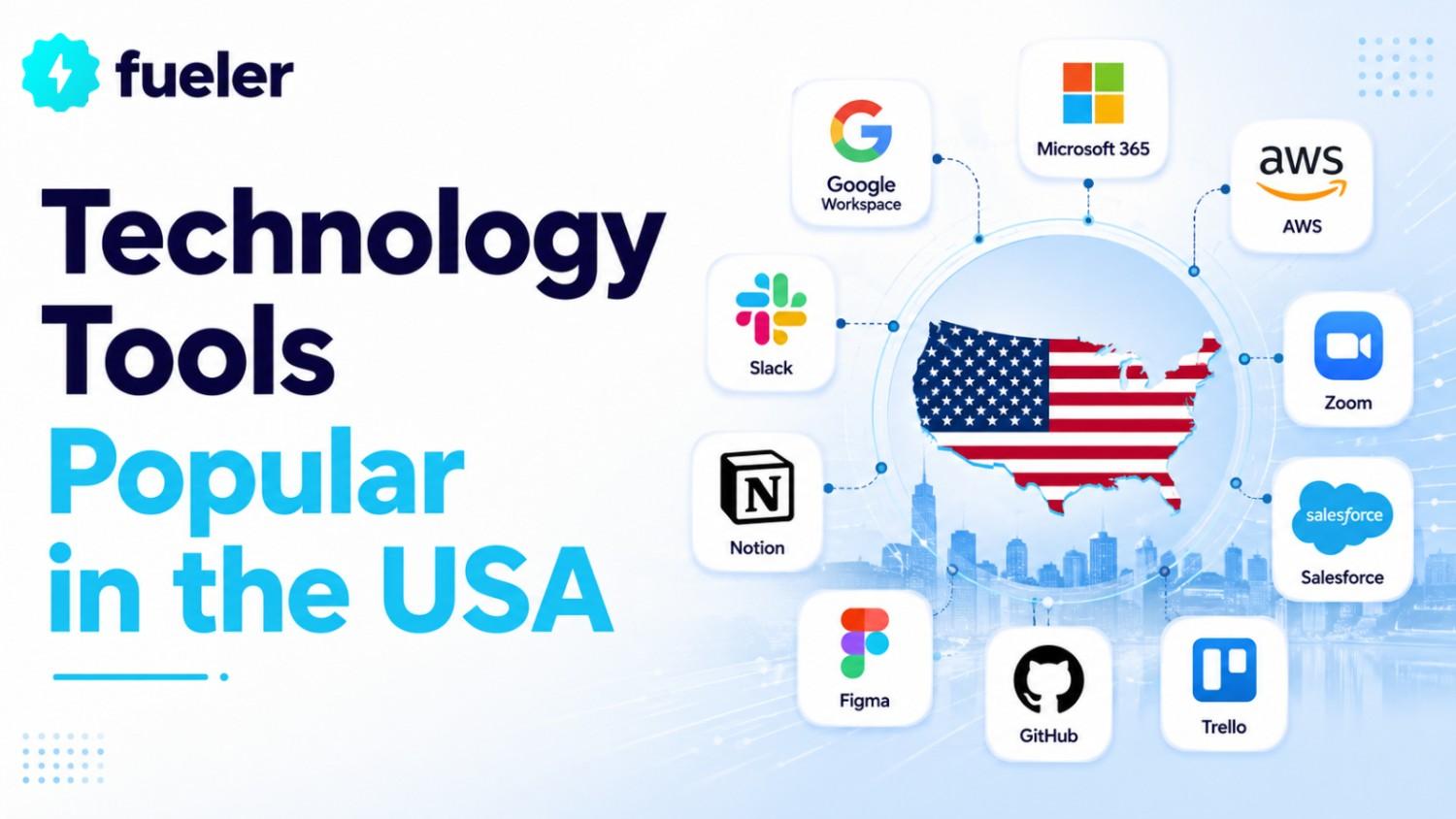
The American workforce in 2026 is defined by its ability to master specialized "Power Tools" that enhance individual creativity and team efficiency. Beyond the massive enterprise platforms, there is a secondary layer of tools that have become culturally and operationally essential for professionals across the United States. These tools solve specific problems from how we store our knowledge to how we design our products with a level of elegance and intelligence that has made them household names in the tech industry. Whether you are a solo consultant or part of a massive creative agency, these are the 12 most popular tools currently shaping the way work is done in the USA.
I’m Riten, the founder of Fueler - a skills-first portfolio platform that connects talented individuals with companies through assignments, portfolios, and projects, not just resumes/CVs. Think Dribbble/Behance for work samples + AngelList for hiring infrastructure.
1. Notion (The All-in-One Knowledge Workspace)
Notion has achieved legendary status in the US as the primary tool for building "Internal Wikis" and managing company knowledge. In 2026, it will transition into an AI-first platform where "Notion AI" can search through every document you’ve ever written to find an answer, such as "What is our company’s policy on remote work in California?" It replaces a dozen other tools by combining notes, databases, and project boards into a single, beautiful interface. For US startups and creative teams, Notion is the "Source of Truth" where every idea is born and documented.
- Notion AI Search & Chat: This feature allows you to treat your entire workspace like a personal search engine, using advanced reasoning models to summarize long documents or find specific information buried in old meeting notes.
- Flexible Database Power: Unlike a static spreadsheet, Notion databases can be viewed as boards, galleries, or timelines, making it easy to track a product roadmap or a content calendar with the same set of data.
- Generous Guest Access: Notion is highly popular for collaborative work because its Business tier allows for up to 250 external guests to collaborate on specific pages for free, making it perfect for agencies working with US clients.
- Custom Template Ecosystem: The US community has built thousands of pre-made templates for everything from "Venture Capital CRM" to "Personal Growth Trackers," allowing new users to get started with professional setups in seconds.
- Integrated Project Management: With the recent addition of "Projects," Notion now offers task dependencies and automated status updates, allowing it to compete directly with specialized project management software.
Pricing:
- Plus Plan: $8.00 to $10.00 per seat/month (billed annually).
- Business Plan: $15.00 per seat/month (billed annually), adding SSO and private teamspaces.
- Notion AI Add-on: Available for an additional $8.00 to $10.00 per member/month.
2. Figma (The Professional Design Standard)
Figma has effectively won the "Design Wars" in the United States, becoming the non-negotiable standard for UI/UX design and digital prototyping. In 2026, its collaborative features allow designers in New York and developers in San Francisco to work on the exact same canvas simultaneously, eliminating the friction of "handoffs." With the introduction of "Dev Mode," engineers can now inspect designs and extract code snippets directly, ensuring that the final product matches the designer's vision perfectly. It is the tool behind almost every major American app and website you use today.
- Multiplayer Prototyping: Multiple designers can edit a single file at once, with live cursors showing exactly who is working on which element, fostering a level of creative collaboration that was previously impossible.
- Advanced Dev Mode: This dedicated space for developers provides high-fidelity CSS, Swift, and Kotlin code snippets, along with a "plugin" ecosystem that connects designs directly to GitHub or Jira.
- FigJam Whiteboarding: Integrated directly into the platform, FigJam is used by US product teams for brainstorming, user flow mapping, and agile ceremonies like sprint retrospectives.
- Variable-Driven Design Systems: Figma allows teams to create "Variables" for colors, spacing, and text, making it easy to switch an entire application from Light Mode to Dark Mode with a single click.
- Extensive Community Library: US designers rely on the massive library of community-generated UI kits, icon sets, and plugins, which significantly speeds up the initial phases of any design project.
Pricing:
- Professional: $12.00 to $15.00 per editor/month (billed annually).
- Organization: $45.00 per editor/month (annual only), which includes centralized file management and design system analytics.
- Enterprise: $75.00 to $90.00 per editor/month for massive scale and advanced security.
3. ClickUp (The "Everything" Project App)
ClickUp has gained massive popularity in the US by marketing itself as "one app to replace them all," combining tasks, docs, goals, and even whiteboards. In 2026, its highly customizable "Hierarchy" allows teams to organize work in a way that fits their specific brain, whether they prefer lists, Gantt charts, or Mind Maps. It is particularly popular among US marketing agencies and operations teams that need to manage hundreds of moving parts across multiple clients. Its aggressive feature release cycle ensures it remains at the cutting edge of project management technology.
- ClickUp Brain (AI): The integrated AI assistant can write standup reports, summarize long task descriptions, and even predict project risks based on historical team performance and velocity.
- Custom Task Statuses: Unlike simpler tools, ClickUp allows you to build unique workflows for every project, such as a "Legal Review" stage for a contract or a "QA Testing" phase for a software bug.
- Native Time Tracking: US service-based businesses use ClickUp’s built-in timer to track billable hours directly on tasks, which can then be exported into professional invoices or reports.
- Everything View: For managers, the "Everything View" provides a bird's-eye perspective of every task across the entire company, filtered by due date, assignee, or priority level.
- Dashboard Reporting: You can build custom real-time dashboards with widgets that track team capacity, budget spend, and progress toward quarterly goals (OKRs) without leaving the app.
Pricing:
- Unlimited: $7.00 per user/month (billed annually), ideal for small US teams needing unlimited storage.
- Business: $12.00 per user/month (billed annually), which adds advanced automation and Google SSO.
- ClickUp AI: An optional add-on for $7.00 per user/month on any paid plan.
4. Zapier (The Automation Glue)
Zapier is the invisible backbone of the American tech stack, connecting over 6,000 different applications to automate repetitive manual tasks. In 2026, "Zapier Central" has introduced AI agents that can "watch" your apps and make decisions on your behalf, such as researching a new lead in LinkedIn and then drafting a personalized email in Gmail. For US businesses, Zapier is the solution to the "Silo Problem," ensuring that data flows seamlessly from a marketing form to a CRM to a Slack notification without a single human click.
- Multi-Step Zaps: You can create complex chains of logic, such as "If a new customer buys on Shopify, then add them to Mailchimp, notify the Sales team in Slack, and create a row in a tracking spreadsheet."
- Zapier Tables & Interfaces: In 2026, Zapier has evolved to offer its own data storage and no-code app builder, allowing US teams to create custom internal tools powered by their automated workflows.
- Pathing and Logic: Built-in "If/Then" logic allows your automations to branch out; for example, routing "High Value" leads to a senior executive and "Low Value" leads to an automated nurture sequence.
- Formatting and Utilities: Zapier can automatically clean up data, such as capitalizing names, converting dates to the US standard format, or calculating tax amounts before sending data to an accounting app.
- AI Chatbots: US companies now use Zapier to build custom AI chatbots that are trained on their specific company data and can be embedded directly on their websites or internal portals.
Pricing:
- Professional: Starts at $19.99 to $29.99 per month (billed annually) for 750 tasks, including multi-step logic.
- Team: Roughly $69.00 to $103.50 per month (billed annually) for 2,000 tasks and unlimited users.
- Enterprise: Custom pricing for high-volume needs with advanced administrative and security controls.
5. Airtable (The Intelligent Relational Database)
Airtable has transformed from a "pretty spreadsheet" into a sophisticated app-building platform used by massive US media companies like Netflix and Time. In 2026, its "Interface Designer" allows non-technical employees to build professional-grade dashboards and portals that sit on top of their data. For US operations managers, Airtable is the tool of choice for managing complex inventories, production schedules, or content pipelines that require more structure than a standard spreadsheet can provide.
- Relational Data Linking: Unlike Excel, Airtable allows you to link records across different tables, ensuring that a "Customer" is always tied to their specific "Orders" and "Support Tickets" across your entire base.
- Interface Designer: You can build custom "Views" for different team members, such as a simplified data entry screen for field workers and a high-level summary dashboard for the executive team.
- Airtable AI: The platform can now automatically categorize data, translate text fields, and even generate summaries of complex records to help teams digest large amounts of information quickly.
- Native Automations: Similar to Zapier but built in, Airtable can send emails, post to social media, or update other records based on specific triggers within your database.
- Extension Marketplace: US power users leverage extensions to create custom charts, de-duplicate data, or integrate with Page Designer to turn database rows into beautifully formatted PDFs.
Pricing:
- Team: $20.00 per seat/month (billed annually), which includes 50,000 records per base.
- Business: $45.00 per seat/month (billed annually), adding SAML SSO and increased automation limits.
- Enterprise Scale: Custom pricing for organizations needing up to 500,000 records and advanced governance.
6. Canva (The Democratic Design Suite)
Canva has become the most popular design tool for non-designers across the United States, used by everyone from social media managers to school teachers. In 2026, its "Magic Studio" is the centerpiece, using AI to turn a simple text prompt into a full presentation, a social media video, or a polished document. It has effectively lowered the barrier to entry for professional-looking graphics, allowing US small businesses to maintain a high-quality brand presence without a dedicated design department.
- Magic Design for AI Creation: You can upload an image or type a prompt, and Canva will generate a variety of fully designed templates tailored to your specific brand colors and style.
- Brand Kit Management: US companies use this feature to lock in their logos, fonts, and colors, ensuring that every employee, no matter their design skillstays perfectly on-brand.
- Video Suite and Animation: Canva has expanded into a powerful browser-based video editor, allowing users to create high-quality Reels, TikToks, and YouTube intros using simple drag-and-drop tools.
- Collaborative Whiteboards: Similar to Miro, Canva's whiteboards allow teams to brainstorm visually and then instantly convert those ideas into a formal presentation or document.
- Direct Social Scheduling: Once a design is finished, US marketers can schedule it to post directly to Instagram, LinkedIn, or Pinterest without ever leaving the Canva interface.
Pricing:
- Canva Pro: $120.00 per year (roughly $10.00 to $15.00 monthly) for one individual.
- Canva for Teams: $100.00 per person/year (minimum 3 people), which is the standard for US small businesses.
7. Grammarly Pro (The AI Communication Assistant)
Grammarly has evolved from a simple spell-checker into a "Communications Intelligence" platform used by millions of US professionals to ensure their writing is effective and professional. In 2026, "Grammarly Pro" doesn't just fix typos; it can rewrite an entire email to sound more confident, more empathetic, or more concise, depending on the goal. For US companies, it acts as a silent coach that ensures internal and external communications are clear, brand-aligned, and free of embarrassing errors.
- Generative AI Prompts: You can ask Grammarly to draft a reply to a difficult email, brainstorm ideas for a blog post, or summarize a long document into a few key bullet points.
- Custom Tone and Style Guides: US enterprises use the "Brand Voice" feature to ensure that every employee writes in a way that matches the company’s specific personality and vocabulary.
- Plagiarism Detection: A critical tool for US content creators and academic institutions, Grammarly checks writing against billions of web pages to ensure originality and proper citation.
- Comprehensive Browser Extension: Grammarly follows you everywhere you write from Gmail and Slack to LinkedIn and Salesforce, providing real-time suggestions as you type.
- Knowledge Snippets: This feature allows teams to create "Reusable Text" for common questions, which employees can insert into their writing with a simple shortcut, ensuring accuracy and speed.
Pricing:
- Individual Pro: $12.00 per month (billed annually) or $30.00 month-to-month.
- Enterprise: Approximately $15.00 to $25.00 per user/month, offering team-wide analytics and advanced security.
8. Asana (The Goal-Oriented Project Manager)
Asana remains one of the most popular project management tools in the US, particularly for larger organizations that need to align daily tasks with high-level company goals. In 2026, its "Smart Status" reports use AI to automatically pull data from across projects and write a summary for executives, highlighting what’s on track and what’s at risk. It is the preferred tool for US "Project Management Offices" (PMOs) that require strict structure and clear accountability across cross-functional teams.
- Workload Management: Managers can see exactly how much work is assigned to every team member in real-time, allowing them to redistribute tasks to prevent burnout and ensure deadlines are met.
- Goals and Portfolios: This feature connects "the work to the purpose," showing how the completion of individual tasks contributes to the company's broader quarterly or yearly objectives.
- Workflow Builder: You can create automated processes for task intake, such as a "Creative Request Form" that automatically routes the request to the right designer and sets a due date based on the project type.
- Timeline and Gantt Views: Asana provides a visual way to plan project schedules, allowing you to see task dependencies and how a delay in one area will impact the rest of the project.
- Multi-Homing Tasks: A unique Asana feature where a single task can live in multiple projects, ensuring that different departments can collaborate on the same item without duplicating work.
Pricing:
- Starter: $10.99 per user/month (billed annually).
- Advanced: $24.99 per user/month (billed annually), which is the standard for US mid-market firms needing Portfolios and Workload.
9. Miro (The Virtual Whiteboarding Space)
Miro has become the digital "conference room" for hybrid and remote US teams, providing a limitless canvas for visual collaboration. In 2026, "Miro Assist" can take a messy cluster of digital sticky notes and automatically cluster them by theme, generate a summary, or even turn them into a structured project plan. It is essential for US product managers, designers, and strategists who need to "draw out" complex ideas that are too difficult to explain in a simple document.
- Infinite Canvas and Templates: Miro provides thousands of pre-built frameworks for everything from "Customer Journey Mapping" to "Lean Canvas" and "Product Roadmap" planning.
- Interactive Presentation Mode: Instead of static slides, you can take stakeholders on a "tour" through your Miro board, zooming in on specific details and allowing for real-time feedback and interaction.
- Jira and Azure DevOps Sync: US software teams use Miro to plan their sprints visually; sticky notes on the board can be converted directly into Jira issues that stay in sync between both platforms.
- Talktrack and Video Recording: You can record a video walkthrough of your board, allowing team members in different US time zones to get a full explanation of the ideas without needing a live meeting.
- Security and Governance: For large US corporations, Miro offers "Enterprise Grade" security, including data residency controls and advanced user permissions to protect sensitive intellectual property.
Pricing:
- Starter: $8.00 per member/month (billed annually).
- Business: $16.00 per member/month (billed annually), adding SSO and external guest access.
10. Calendly (The Scheduling Standard)
Calendly has effectively eliminated the "back-and-forth" email chain for scheduling meetings in the United States. In 2026, its "Routing Forms" have become a critical sales tool, automatically qualifying leads based on their answers to a few questions and then immediately showing them the calendar of the correct account executive. For US professionals, a Calendly link is now a standard part of a professional signature, signifying that you value both your own time and the time of your colleagues.
- Automated Workflows: Calendly can automatically send text reminders before a meeting, follow-up emails after the call, and even request meeting feedback without any manual effort.
- Round Robin Scheduling: For US sales and support teams, this feature automatically distributes incoming meetings among team members based on their availability or a specific priority order.
- Collective and Group Events: You can create links that only show times when multiple team members are free, or schedule "one-to-many" events like webinars or training sessions.
- Meeting Polls: Instead of sending a single link, you can offer a few specific times and let the invitees vote on which one works best for the group.
- Native CRM Integrations: Calendly automatically creates a new contact in Salesforce or HubSpot as soon as someone books a meeting, ensuring that your sales pipeline is always up to date.
Pricing:
- Standard: $10.00 per seat/month (billed annually), allowing for unlimited event types.
- Teams: $16.00 per seat/month (billed annually), which includes Salesforce integration and round-robin features.
11. Loom (The Asynchronous Video Tool)
Loom has revolutionized communication in the US by allowing professionals to send "video messages" instead of hosting meetings or writing long emails. In 2026, its "AI Edit" feature can automatically remove "ums" and "ahs," generate a transcript, and even suggest a title for your video. For US software developers and creative teams, Loom is the primary way to "demo" work, explain complex bugs, or provide feedback in a way that feels personal and clear without requiring everyone to be online at the same time.
- Simultaneous Screen and Cam Recording: Loom records your screen and your face in a small bubble, providing a human connection that makes technical explanations much easier to follow.
- Engagement Insights: You can see exactly who has watched your video, how much of it they watched, and even where they dropped off, allowing you to follow up more effectively.
- In-Video Call to Action: US sales reps use Loom to send personalized demos, including a "Book a Meeting" button directly inside the video player to drive conversions.
- Transcription and Filler Word Removal: The AI-powered editor saves time by automatically cleaning up your audio and providing a searchable text version of everything you said.
- Instant Sharing and Embedding: As soon as you stop recording, the video is hosted online and the link is copied to your clipboard, making it faster to send a Loom than it is to write a detailed email.
Pricing:
- Business: $8.00 per user/month (billed annually) for unlimited videos and advanced AI features.
- Enterprise: Custom pricing for large US firms requiring SSO and centralized content management.
12. Trello (The Simple Visual Manager)
Trello remains one of the most widely used tools in the US due to its iconic "Kanban" board interface that anyone can understand in seconds. In 2026, "Butler AI" is more powerful than ever, acting as a built-in assistant that can automate almost any action, such as "Every Friday, move all 'Completed' cards to the Archive and notify the manager." It is the "gateway" project management tool for US teams who find more complex systems like Jira or Asana too overwhelming for their daily needs.
- The Power of the Kanban Board: Trello’s "To Do, Doing, Done" layout provides a clear visual indicator of project progress that is perfect for content pipelines, hiring workflows, and simple task tracking.
- Power-Up Marketplace: You can customize your boards by adding "Power-Ups" for Google Drive, Slack, or even custom countdown timers, essentially building your own bespoke tool on top of Trello.
- Butler Automation: This no-code automation engine allows you to create buttons on cards that perform multiple actions at once, such as "Assign to me, set the due date for tomorrow, and move to the 'Active' list."
- Card Covers and Attachments: Trello boards can become highly visual by using images as card covers, making it a favorite for US creative directors and social media managers who need to see their assets at a glance.
- Advanced Checklists: You can assign individual team members and due dates to specific items within a checklist on a card, providing a secondary layer of accountability for complex tasks.
Pricing:
- Standard: $5.00 per user/month (billed annually), which adds unlimited boards and custom fields.
- Premium: $10.00 per user/month (billed annually), adding the Timeline, Calendar, and Dashboard views.
- Enterprise: $17.50 per user/month for large organizations needing organization-wide permissions.
Final Thoughts
The common thread among these 12 tools is Asynchronous Connectivity. In 2026, the best US companies have realized that the most valuable asset their employees have is Focus Time. These tools, whether it's Loom replacing a meeting, Zapier replacing manual data entry, or Notion replacing an endless search for information, are all designed to give that time back.
If you are a professional in the USA, your value is no longer determined by your ability to use "Office" or "Email." It is determined by your ability to architect these tools into a cohesive system that works for you. The "Master of the Stack" is the most sought-after title in the American job market today.
Frequently Asked Questions (FAQs)
1. Is it better to have one "Everything" tool (like ClickUp) or a "Best of Breed" stack?
This is the classic US tech debate. "Everything" tools like ClickUp or Notion reduce costs and "context switching." However, "Best of Breed" stacks (e.g., Figma for design + Asana for tasks + Slack for chat) often provide much deeper, more professional features in their specific niche. Most mid-sized US companies choose a hybrid approach: one "Core" project tool and 3–4 highly specialized "Power" tools.
2. How much should a US startup expect to spend on these tools per employee?
On average, a modern US professional's "Tool overhead" is between $80.00 and $150.00 per month. While this may seem high, it is significantly cheaper than the cost of a human "assistant" or the lost productivity caused by manual work. Most US startups prioritize these subscriptions as "non-negotiable" operating expenses.
3. Are these tools accessible for small businesses outside of the tech industry?
Absolutely. In 2026, we see Canva being used by local bakeries, Calendly being used by neighborhood barbershops, and Trello being used by home renovation contractors. The "consumerization" of enterprise tech has made these tools so intuitive that you no longer need an IT department to set them up.
4. What is the biggest mistake companies make when adopting these tools?
The biggest mistake is "Tool Overlap." This happens when a team uses Slack for some documents, Notion for others, and Google Drive for the rest. Without a clear "Source of Truth" policy, information gets lost, and teams become frustrated. US companies solve this by creating a "Tech Manifesto" that clearly defines which tool is used for what purpose.
5. How does AI change the pricing of these tools in 2026?
We are seeing a shift from "Per Seat" pricing to "Value-Based" or "Credit-Based" pricing. Many tools, like Airtable and Zapier, now charge based on the number of "AI Tasks" or "Credits" you use. This means you only pay more as the AI provides more tangible value to your business, rather than just paying for every person who has a login.
What is Fueler Portfolio?
Fueler is a career portfolio platform that helps companies find the best talent for their organization based on their proof of work. You can create your portfolio on Fueler. Thousands of freelancers around the world use Fueler to create their professional-looking portfolios and become financially independent. Discover inspiration for your portfolio
Sign up for free on Fueler or get in touch to learn more.

What should you do next?
You've read the article. Now turn your skills into proof of work and unlock more opportunities.
Build your proof of work portfolio
Create a clean portfolio with projects, assignments, resumes, and AI stack details that companies actually want to see.
Create your Fueler portfolio →Apply through assignments, not resumes
Stand out by solving real tasks from companies hiring on Fueler.
Explore assignments →Get discovered by companies
Make your work public and let recruiters discover your skills through actual projects instead of keywords.
Get discovered →
