Top 12 Technology Platforms Supporting US Remote Work in 2026

Riten Debnath
18 Jan, 2026
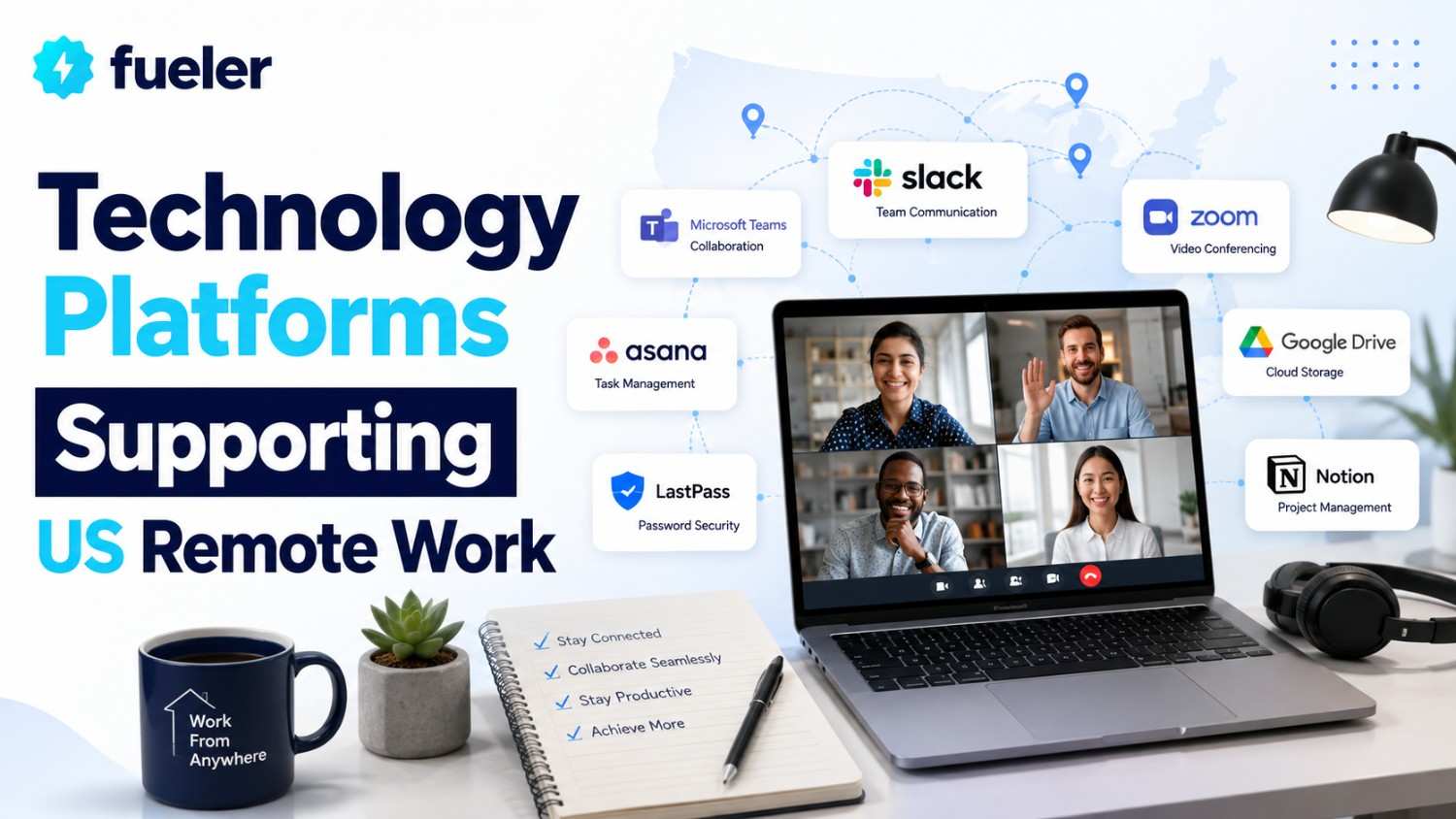
Remote work in 2026 is no longer about "getting by" outside the office; it is about creating a high-performance ecosystem that spans time zones and continents. For US-based companies, the challenge has shifted from basic connectivity to deep integration and AI-driven automation. To succeed in a remote-first world, professionals and teams must leverage a sophisticated stack of tools that prioritize asynchronous communication, secure data handling, and radical transparency.
I’m Riten, founder of Fueler, a skills-first portfolio platform that connects talented individuals with companies through assignments, portfolios, and projects, not just resumes/CVs. Think Dribbble/Behance for work samples + AngelList for hiring infrastructure.
1. Fueler: The Global Standard for Remote Proof of Work
In the remote landscape, trust is the primary currency. Fueler has emerged as the essential platform for US remote workers to document their contributions and build a verified professional identity. It moves beyond the limitations of a LinkedIn profile by allowing you to showcase the actual files, links, and project outcomes that define your career. For remote teams, it serves as a central hub to discover the specialized skills of their distributed workforce.
- Dynamic Digital Work Ledger: Fueler allows you to aggregate your best work from across the web, whether it’s a codebase on GitHub, a design in Figma, or a strategy doc in Notion, into one cohesive and visually professional "Proof of Work" portfolio.
- Verified Skill Endorsements: Every project you upload can be tagged with specific technical and soft skills, creating a data-backed map of your expertise that provides instant credibility to remote hiring managers and global clients who haven't met you in person.
- Collaborative Proof-of-Work Tagging: Remote work is rarely a solo effort; Fueler’s collaboration features allow you to tag teammates on specific projects, creating a web of mutual verification that proves you can successfully navigate and contribute to distributed team environments.
- Custom Personal Brand Landing Pages: The platform provides high-end, minimalist design templates for your profile, giving you a polished personal website without the need for coding, which is critical for remote freelancers and consultants looking to command premium rates.
- Asynchronous Networking Tools: By sharing your Fueler link in Slack bios or email signatures, you provide a deep, self-serve look into your professional history, allowing potential collaborators to vet your skills without needing a scheduled introductory meeting.
Pricing:
- Free: $0 (Create a comprehensive profile, upload unlimited projects, and share your Proof of Work globally).
- Fueler Premium: Custom Pricing (Unlock advanced analytics to see who is viewing your work, custom domains, and featured placement in the Fueler talent discovery network).
Why it matters:
Remote work requires a "show, don't tell" approach. Fueler is the bridge between your hidden hard work and the recognition you deserve. It ensures that even if you are working from a home office in a small town, your professional impact is visible to the biggest companies in the world.
2. Slack (Salesforce): The Digital Headquarters for Real-Time Flow
Slack remains the undisputed "digital office" for US remote teams, but in 2026, it has transformed into an AI-powered hub that manages the chaos of distributed conversations. It is where culture happens in a remote environment, providing the "water cooler" spaces alongside high-stakes project channels. With its deep integrations, Slack acts as the top layer for almost every other tool in a remote worker's stack.
- AI-Powered Thread Summarization: The new Slack AI can instantly summarize long conversations or missed threads, allowing you to catch up on hours of discussion in seconds and ensuring you never miss a critical decision made while you were offline or in deep-work mode.
- Automated Workflow Builder: Even non-technical users can create "if-this-then-that" automations to handle routine tasks like status updates, approval requests, or onboarding steps, which drastically reduces the administrative burden on remote managers.
- Slack Huddles with Visual Canvas: Huddles have evolved into collaborative spaces where you can share screens, draw on a shared digital canvas, and take live notes, making spontaneous "desk-side" chats more productive than most formal Zoom meetings.
- Enterprise-Grade Connect Channels: Slack Connect allows remote teams to bring clients, vendors, and partners into shared channels with the same security and speed as internal chats, eliminating the slow and formal barriers of traditional email communication.
- Centralized App Integration Hub: With thousands of native integrations, Slack brings notifications from Jira, GitHub, and HubSpot directly into your workflow, allowing you to respond to alerts and manage tasks without ever leaving the primary chat interface.
Pricing:
- Free: $0 (90-day message history and limited integrations).
- Pro: $7.25 per user/month (Billed annually; unlimited history and group huddles).
- Business+: $15 per user/month (Billed annually; includes 99.99% uptime SLA and advanced AI summarization features).
Why it matters:
In a remote setting, Slack is the pulse of the company. It provides the necessary structure for both formal work and informal social bonding, which is essential for maintaining team morale and operational speed when everyone is working from different locations.
3. Zoom Workplace: The High-Definition Collaboration Suite
Zoom has expanded far beyond video calls to become a full "Workplace" platform that supports the entire lifecycle of a remote meeting. In 2026, it focuses heavily on "meeting equity," ensuring that remote participants have the same presence and impact as those who might be in a physical hub. Its AI Companion has become a standard requirement for US professionals who need to document every decision made during a call.
- AI Companion for Automated Documentation: Zoom’s built-in AI automatically generates meeting summaries, identifies action items, and creates "smart chapters" in cloud recordings, so team members can find specific information without re-watching the entire video.
- Continuous Team Chat Integration: The chat function now persists before, during, and after meetings, allowing for a continuous thread of context that prevents important ideas from being lost the moment the "End Meeting" button is clicked.
- Interactive Collaborative Whiteboarding: Remote teams can use persistent digital whiteboards to brainstorm in real-time or asynchronously, with the ability to export these designs directly into project management tools for immediate execution.
- Advanced Virtual Presence Features: Features like "Director View" and AI-driven lighting and audio enhancements ensure that remote workers always look and sound professional, regardless of their home office environment or hardware setup.
- Comprehensive App Marketplace: Zoom allows you to run apps like Asana or Miro directly inside the meeting window, so you can update tasks or collaborate on designs without the friction of switching windows during a presentation.
Pricing:
- Basic: $0 (40-minute limit on group meetings with basic AI features).
- Pro: $13.33 per user/month (Billed annually; increased meeting limits and 5GB of cloud storage).
- Business: $18.33 per user/month (Billed annually; includes unlimited AI Companion access and up to 300 participants).
Why it matters:
Video is the closest thing remote workers have to face-to-face interaction. Zoom Workplace ensures those interactions are not just visual, but deeply productive, by turning every conversation into a searchable, actionable asset for the entire organization.
4. Asana: The Command Center for Distributed Projects
Asana is the primary choice for US remote teams that need to manage complex, multi-departmental projects with total clarity. It excels at breaking down massive goals into small, assignable tasks, ensuring that everyone knows exactly what they are responsible for and when it is due. In 2026, its "Asana AI" helps remote leads predict project bottlenecks before they happen, providing a level of foresight that was previously impossible.
- Multi-View Project Architectures: Users can toggle between List, Board, Timeline (Gantt), and Calendar views, allowing different team members to visualize the same project data in the way that best suits their individual working style or role.
- Strategic Goal Tracking (OKRs): Asana connects daily tasks directly to high-level company objectives, giving remote workers a clear sense of purpose by showing exactly how their individual contributions move the needle for the entire organization.
- AI-Driven Smart Summaries: The platform can generate instant status reports and project health checks using AI, saving managers hours of manual data entry and providing stakeholders with real-time updates on project progress.
- Advanced Workflow Automations: You can build "Rules" that automatically reassign tasks, update deadlines, or notify specific teammates when certain conditions are met, ensuring that projects keep moving forward even when the manager is offline.
- Universal Reporting Dashboards: Executives can view customized dashboards that pull data from across dozens of projects, providing a high-level view of team capacity, resource allocation, and overall organizational efficiency.
Pricing:
- Personal: $0 (Basic task management for individuals or small teams).
- Starter: $10.99 per user/month (Billed annually; adds Timeline view, Workflow Builder, and unlimited guests).
- Advanced: $24.99 per user/month (Billed annually; includes Workload management, advanced reporting, and full AI capabilities).
Why it matters:
Without a physical office to check in on progress, "who is doing what by when" is the most important question in remote work. Asana provides the definitive answer to that question, creating a transparent culture of accountability that is vital for distributed success.
5. Miro: The Visual Soul of Remote Brainstorming
Miro has become the "infinite canvas" where US remote teams go to think, plan, and create together. It bridges the gap between structured spreadsheets and messy whiteboards, providing a space for free-form visual collaboration. Whether it's mapping out a user journey, architecting a new software system, or running a remote "Design Sprint," Miro is the tool that makes abstract ideas tangible.
- Infinite Multi-User Canvas: Hundreds of people can move, draw, and add content to a single board simultaneously, with "Follow" features that allow a facilitator to guide everyone through a specific part of the board during a workshop.
- Massive Library of Framework Templates: Miro offers thousands of pre-built templates for everything from Agile retrospectives to Mind Maps, allowing teams to jump into productive collaboration sessions in seconds rather than minutes.
- Smart Diagramming and Auto-Layout: The tool uses AI to help you clean up messy drawings into professional diagrams and flowcharts, making it easy to turn a rough brainstorming session into a polished document for executive review.
- Interactive Presentation Mode: You can turn parts of your Miro board into a slide-like presentation, allowing you to walk stakeholders through a visual narrative without ever leaving the canvas where the work was actually created.
- Deep Ecosystem Integrations: Miro boards can be embedded directly into Jira, Confluence, or Microsoft Teams, ensuring that your visual plans are always accessible right where the technical work is being documented.
Pricing:
- Free: $0 (3 editable boards and basic templates).
- Starter: $8 per user/month (Billed annually; unlimited boards and high-resolution exports).
- Business: $16 per user/month (Billed annually; adds advanced security, private boards, and Miro Smart Meetings).
Why it matters:
Text-based communication often fails when trying to explain complex, interconnected ideas. Miro provides a visual language for remote teams, ensuring that everyone "sees" the same big picture and can contribute to it with the same creative freedom they would have at a physical whiteboard.
6. ClickUp: The "Everything App" for Personal and Team Productivity
ClickUp has gained massive popularity in the US by promising to replace the "fragmented" remote stack with a single, highly customizable platform. It combines tasks, docs, chat, goals, and even "Whiteboards" into one interface. For remote workers who feel overwhelmed by having too many browser tabs open, ClickUp provides a "Single Source of Truth" that keeps every aspect of their professional life organized.
- Custom Task Statuses and Types: Unlike more rigid tools, ClickUp allows you to define exactly how a task moves through your specific pipeline, whether you're managing a sales lead, a software bug, or a content production schedule.
- ClickUp Brain (Integrated AI): This built-in AI assistant can answer questions about any document or task in your workspace, draft content, and summarize long comment threads, acting as a personal researcher who knows everything about your work.
- Built-in Document Editor (ClickUp Docs): You can create beautiful, collaborative documents that are directly linked to your tasks, ensuring that your project requirements and your project execution are never separated.
- Personalized "Home" View: The platform provides a custom daily dashboard for every user that highlights their most urgent tasks, upcoming meetings, and recent mentions, helping remote workers stay focused on their most impactful work.
- Native Time Tracking and Estimates: ClickUp includes built-in time tracking that allows remote freelancers and agencies to accurately log hours and compare them against original estimates, ensuring project profitability and transparency.
Pricing:
- Free Forever: $0 (Best for personal use with 100MB of storage).
- Unlimited: $7 per user/month (Billed annually; unlimited storage and integrations).
- Business: $12 per user/month (Billed annually; includes advanced time tracking, custom exporting, and Google SSO).
Why it matters:
Context switching/moving between five different apps is the biggest drain on remote productivity. ClickUp eliminates this by housing everything in one place, allowing for a "flow state" that is often interrupted in more fragmented work environments.
7. Loom: The King of Asynchronous Video Feedback
Loom is the secret weapon for US remote workers who want to reduce their meeting load while maintaining a personal touch. By allowing you to record a quick video of your screen and yourself, Loom enables you to "present" an idea or give feedback that others can watch at their convenience. It is the perfect tool for bridging the gap between a cold email and a time-consuming Zoom call.
- Instant Screen and Cam Recording: With one click, you can start recording your entire screen or a specific window with your face in a small "bubble," providing a human connection that is impossible to achieve through text alone.
- AI-Generated Titles and Chapters: Loom automatically transcribes your video and uses AI to create a title, summary, and time-stamped chapters, making it incredibly easy for your team to scan the video for the most important parts.
- Engagement Alerts and Analytics: You receive a notification the moment someone watches your video, along with data on how much of it they watched, which is vital for remote sales and management follow-ups.
- In-Video Calls to Action (CTA): You can add a button at the end of your video that links to a project brief, a calendar link, or a website, turning a simple video update into a functional part of your professional funnel.
- Video-to-Text Automation: Loom can automatically turn your video updates into written Jira issues or Slack messages, ensuring that your verbal feedback is documented in the team's primary project management systems.
Pricing:
- Starter: $0 (Up to 25 videos with a 5-minute recording limit).
- Business: $12.50 per user/month (Billed annually; unlimited videos and recording length).
- Business + AI: $24 per user/month (Includes automatic video enhancement and meeting recap features).
Why it matters:
Remote work across different time zones makes synchronous meetings difficult. Loom allows for high-context communication that respects everyone's schedule, making it the primary tool for "async-first" companies that value deep work over constant interruptions.
8. 1Password: The Security Foundation for Distributed Teams
Security is the biggest concern for US companies employing remote workers, and 1Password has become the gold standard for managing that risk. It allows teams to securely share logins, credit cards, and sensitive documents without ever sending them over insecure channels like Slack or email. In 2026, its "Watchtower" feature proactively protects remote workers from the increasing threat of credential-based cyberattacks.
- Secure Team Vaults: Managers can create shared "Vaults" for specific departments or projects, ensuring that only the right people have access to the tools they need while maintaining a clear audit trail of who accessed what.
- Browser Extension Autofill: The 1Password extension works across all major browsers, allowing remote workers to log into their dozens of professional tools with a single click, which significantly improves daily efficiency and security.
- Watchtower Security Audits: This feature alerts you to weak, reused, or compromised passwords and monitors the dark web for any data breaches that might affect your professional or personal accounts.
- Secure Document and Key Storage: Beyond just passwords, you can store software licenses, server SSH keys, and sensitive legal documents in an encrypted environment that is accessible from any device.
- Single Sign-On (SSO) Integration: 1Password integrates with major identity providers like Okta, allowing large remote organizations to manage user access at scale while giving employees a simple, secure login experience.
Pricing:
- Personal: $2.99 per month (Billed annually for individuals).
- Teams Starter Pack: $19.95 per month (Flat fee for up to 10 users; perfect for small remote startups).
- Business: $7.99 per user/month (Billed annually; includes advanced reporting and free family accounts for all employees).
Why it matters:
A single security breach can be catastrophic for a remote-first company. 1Password provides the necessary infrastructure to keep a distributed team secure without creating frustrating barriers to productivity, ensuring that "working from anywhere" doesn't mean "working dangerously."
9. HubSpot: The Remote Sales and Marketing Engine
HubSpot has evolved into the "Smart CRM" that powers remote-first sales and marketing teams across the US. It centralizes all customer interactions from the first website visit to the final contract signature into a single database that is accessible to every department. In 2026, its "Breeze" AI agents help remote sales reps automate prospecting and follow-ups, allowing small teams to compete with much larger organizations.
- Unified Customer Timeline: Every email, call, and meeting is automatically logged in the CRM, providing a complete history of the customer relationship that any remote team member can access to provide personalized service.
- AI-Powered Sales Prospecting: The Breeze AI agents can research leads, draft personalized outreach emails, and identify the "intent signals" that tell a remote salesperson exactly when to reach out to a high-value prospect.
- Comprehensive Marketing Automation: Remote teams can build complex email sequences, landing pages, and social media campaigns within one tool, with detailed analytics that show exactly which efforts are driving the most revenue.
- Integrated Meeting Scheduling: HubSpot includes a built-in scheduling tool that syncs with your calendar, allowing prospects to book time directly with you without the back-and-forth of "When are you free?" emails.
- Real-Time Revenue Reporting: Executives can view custom dashboards that show the entire sales funnel in real-time, providing the visibility needed to manage a remote sales force and forecast future growth accurately.
Pricing:
- Free Tools: $0 (Includes basic CRM, email marketing, and landing pages).
- Starter Customer Platform: $15 per seat/month (Billed annually; removes HubSpot branding and adds basic automation).
- Professional: $450+ per month (For growing teams needing advanced AI, SEO tools, and custom reporting).
Why it matters:
Remote sales teams can't rely on office "patter" or overheard conversations to stay aligned. HubSpot provides a transparent, data-driven environment where everyone knows the status of every deal, ensuring that no lead falls through the cracks due to geographic distance.
10. Calendly: The Frictionless Gateway to Remote Meetings
Calendly has solved the "scheduling nightmare" that often plagues remote professionals working across different time zones. By acting as an automated gatekeeper for your calendar, it allows others to book time with you based on your pre-set availability. In 2026, it has expanded into "Routing Forms" that ensure a prospect is matched with the right person on your team before a meeting is even scheduled.
- Multi-Calendar Syncing: Calendly checks for conflicts across all your personal and professional calendars (Google, Outlook, iCloud), ensuring you are never double-booked regardless of which part of your life is busy.
- Automated Time Zone Detection: The platform automatically shows your availability in the invitee’s local time zone, eliminating the confusing math and "EST vs. PST" errors that frequently cause missed remote meetings.
- Customizable Meeting Workflows: You can set up automated email or SMS reminders to go out before a meeting and follow-up surveys to go out after, which significantly reduces "no-show" rates for remote consultations.
- Collective and Round-Robin Scheduling: Remote teams can use "Collective" links to find times when three different busy people are all free, or "Round-Robin" links to distribute new leads fairly among a global sales team.
- Integrated Payment Processing: Freelancers and consultants can require payment via Stripe or PayPal at the moment of booking, ensuring they are paid for their time before the remote meeting even begins.
Pricing:
- Free: $0 (1 calendar connection and 1 active event type).
- Standard: $10 per seat/month (Billed annually; unlimited event types and group meetings).
- Teams: $16 per seat/month (Billed annually; adds Salesforce integration and round-robin scheduling).
Why it matters:
Time is the most limited resource in a remote career. Calendly removes the administrative friction of scheduling, allowing you to focus on the actual work while your calendar manages itself in the background.
11. Deel: The Global Infrastructure for Remote Hiring
Deel has revolutionized how US companies hire and pay remote workers by handling the complex legal, tax, and compliance issues of 150+ countries. It allows a startup in San Francisco to hire a developer in Berlin or a designer in Mumbai with the same ease as hiring someone across the street. In 2026, Deel also manages hardware logistics, ensuring every remote hire has the laptop and equipment they need on day one.
- Compliant Local Contracting: Deel provides localized contracts that are reviewed by legal experts in every country, protecting remote workers and companies from labor law violations and misclassification risks.
- One-Click Global Payroll: Companies can pay their entire international team with a single click, while remote workers can choose to withdraw their earnings in multiple currencies or even cryptocurrency.
- Employer of Record (EOR) Services: For companies that want to hire full-time employees in countries where they don't have a legal entity, Deel acts as the legal employer, managing benefits, taxes, and local compliance.
- Automated Tax Document Collection: The platform automatically collects W-8 and W-9 forms for US workers and the equivalent documents for international contractors, making tax season a non-event for remote-first HR teams.
- IT Logistics and Device Management: Deel allows companies to rent or buy laptops for their remote employees, handling the shipping, setup, and retrieval of hardware across international borders.
Pricing:
- Deal HR: $0 (Free for any size team to manage their internal HR data).
- Contractors: Starting at $49 per month (To manage and pay international contractors).
- EOR (Full Employment): Starting at $599 per month (To hire full-time employees without a local legal entity).
Why it matters:
The "Remote Revolution" is only possible if people can actually get paid and stay legal. Deel removes the geographic boundaries of the labor market, allowing the best talent to work for the best companies regardless of where they choose to live.
12. Linear: The High-Velocity Tool for Remote Product Teams
Linear has become the darling of US-based remote engineering and product teams who find tools like Jira too slow and cluttered. It is built for speed, with a minimalist interface and a focus on keyboard shortcuts that allow developers to manage their tasks without slowing down their "build" momentum. In 2026, it is the standard for remote teams that value "opinionated" software that enforces high-quality project management habits.
- Ultra-Fast Synced Interface: Linear is famous for its "zero-latency" feel; every change you make is instantly synced to every other teammate, providing the real-time feedback loop that remote developers need.
- Built-in Cycle and Sprint Management: The platform automatically manages "Cycles" (sprints), helping remote teams maintain a steady shipping cadence and providing clear visibility into what is being built in the current two-week window.
- Robust Automated Issue Tracking: Linear integrates deeply with GitHub and GitLab, allowing issues to be automatically closed or moved when a developer pushes code, keeping the project board accurate without manual updates.
- High-Context Roadmapping: Product leads can build visual roadmaps that connect high-level "Projects" to individual "Issues," giving everyone on the remote team a clear view of the long-term product strategy.
- Powerful Command Menu: Similar to Spotlight on Mac, the "Cmd+K" menu allows you to perform almost any action in the app using just your keyboard, which is a major productivity boost for technical remote workers.
Pricing:
- Free: $0 (Up to 250 active issues and basic features).
- Standard: $8 per user/month (Billed annually; unlimited issues and advanced integrations).
- Plus: $14 per user/month (Billed annually; includes private teams, SLA, and advanced security features).
Why it matters:
Remote technical teams live and die by the quality of their issue tracking. Linear provides a "streamlined" experience that gets out of the way of the work, allowing remote engineers to spend more time writing code and less time updating status boards.
Final Thoughts
The transition to remote work is a journey, not a destination. As a remote professional in 2026, your "stack" is your toolkit for success. By combining the organizational power of Asana, the communication clarity of Slack, and the social proof of Fueler, you create a professional presence that is undeniable. Remember, the best tools are the ones that disappear into the background, allowing your talent and your results to take center stage.
Frequently Asked Questions
What are the best technology platforms for US-based remote workers in 2026?
The top platforms currently include Fueler for showcasing work, Slack for real-time team communication, and Notion for all-in-one documentation. These tools are popular because they offer deep AI integration and support a "skills-first" approach, which is vital in the competitive US job market where proof of performance is often more valuable than a traditional resume.
How do I show proof of work when working remotely for US companies?
Using a platform like Fueler is the most effective way to show proof of work. You can aggregate your actual project samples, such as code from GitHub, designs from Figma, or strategy docs from Notion, into a verified portfolio. This allows US hiring managers to see the tangible results of your labor without needing a physical interview or an outdated CV.
Are there free tech tools for remote project management and collaboration?
Yes, most top-tier platforms like ClickUp, Asana, and Trello offer robust "Free Forever" plans. These versions usually include essential features like task creation, basic automations, and a limited number of collaborative boards, making them perfect for freelancers or small teams just starting out in the remote space.
Which remote work tools help with time zone management for global teams?
Calendly is the leader for managing schedules across different time zones, as it automatically detects the invitee’s location and shows your availability in their local time. Additionally, tools like Loom promote asynchronous communication, allowing team members to share video updates that others can watch whenever their workday begins, regardless of the hour.
Is it safe to share passwords and sensitive data while working remotely?
Sharing sensitive data should never be done over open chat or email; instead, use a dedicated security tool like 1Password. These platforms use end-to-end encryption and secure "Vaults" to ensure that only authorized team members can access company logins, protecting the organization from data breaches and cyberattacks.
What should you do next?
You've read the article. Now turn your skills into proof of work and unlock more opportunities.
Build your proof of work portfolio
Create a clean portfolio with projects, assignments, resumes, and AI stack details that companies actually want to see.
Create your Fueler portfolio →Apply through assignments, not resumes
Stand out by solving real tasks from companies hiring on Fueler.
Explore assignments →Get discovered by companies
Make your work public and let recruiters discover your skills through actual projects instead of keywords.
Get discovered →
