Top 15 Tech Tools Used by US Remote Teams in 2026

Riten Debnath
21 Jan, 2026
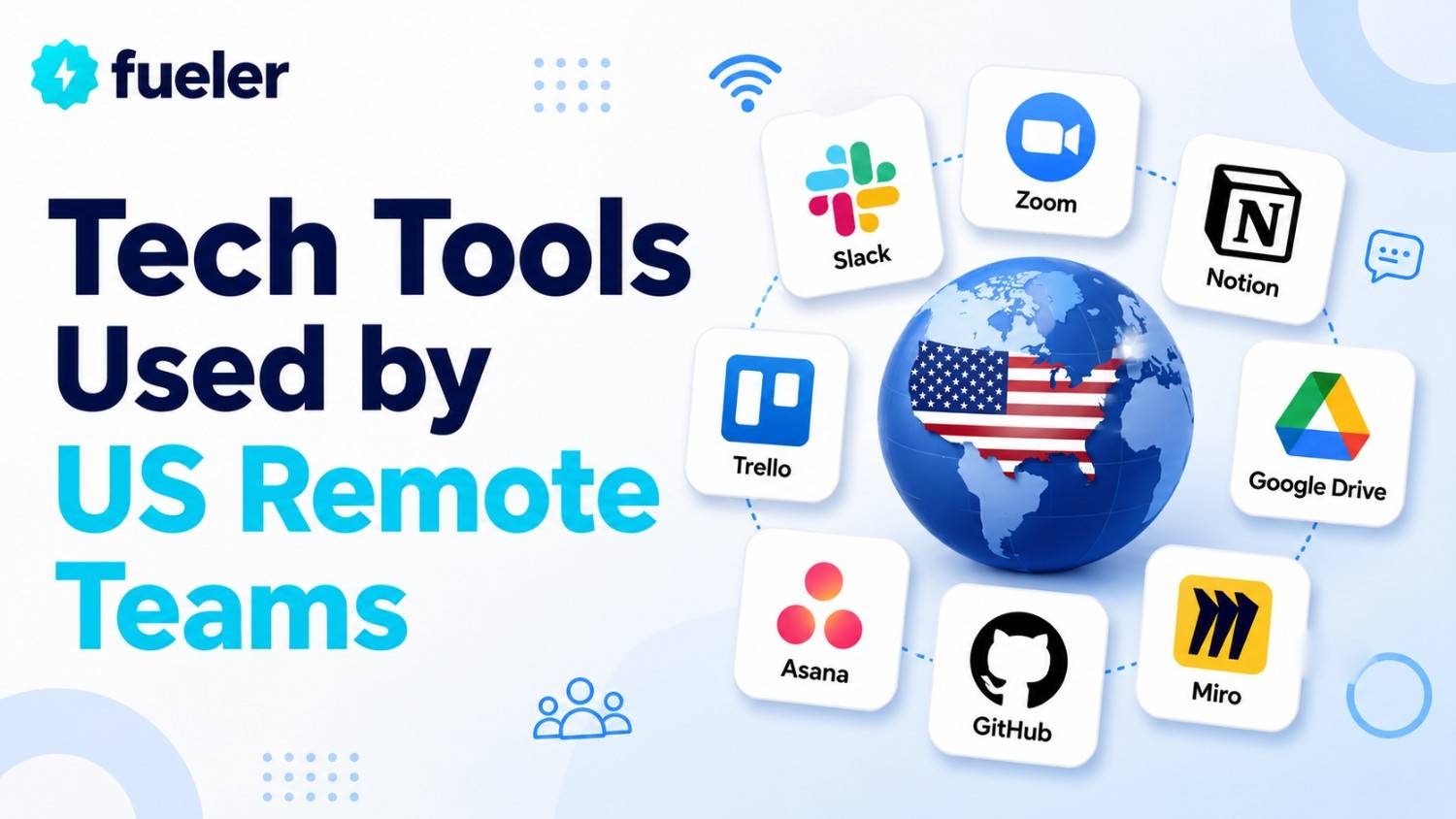
Running a remote team in 2026 feels entirely different from how it did just a few years ago. The "digital office" is no longer just a collection of chat apps and video calls; it is a highly integrated ecosystem where location matters less than the quality of the work produced. For US-based companies, the challenge is no longer just "staying connected," but rather fighting digital burnout, managing asynchronous workflows, and maintaining a strong company culture across time zones. To thrive in this environment, remote teams are turning to a new generation of tech tools that prioritize deep focus, automated coordination, and seamless collaboration.
I’m Riten, founder of Fueler, a skills-first portfolio platform that connects talented individuals with companies through assignments, portfolios, and projects, not just resumes/CVs. Think Dribbble/Behance for work samples + AngelList for hiring infrastructure
1. Slack (The AI-Powered Digital HQ)
Slack has maintained its position as the central nervous system for remote teams by evolving into a fully integrated AI workspace. In 2026, it is no longer just a place for "pinging" your coworkers; it is a platform where AI "agents" summarize long channel discussions and catch you up on missed messages instantly. The integration of Slack Sales Elevate and refined workflow builders means that remote teams can manage their entire sales funnel and internal approvals without ever leaving the chat interface. It acts as the primary bridge between social connection and hardcore productivity for teams spread across the US.
- Thread Summaries and Recaps: Slack’s built-in AI can now scan hundreds of messages in a project channel and provide you with a bulleted summary of key decisions made while you were offline, saving you hours of scrolling.
- No-Code Workflow Automation: Remote managers can create complex automated workflows, such as "new hire onboarding" or "expense approvals," using a simple drag-and-drop interface that connects to external apps like Jira or Workday.
- Slack Huddles 2.0: These spontaneous audio and video sessions now include live AI transcription and collaborative whiteboarding, making a quick "sync" feel as productive as a formal in-person brainstorming meeting.
- Canvas for Knowledge Management: Every channel now has a dedicated "Canvas" where teams can store essential documents, links, and project briefs in a persistent, easy-to-find location alongside their live conversations.
- Advanced Global Search: The search function has been upgraded to understand natural language questions, allowing you to ask, "What did Sarah say about the budget last Tuesday?" and get the exact message and context immediately.
Pricing: * Pro: $7.25 per user/month for small teams.
- Business+: $12.50 per user/month for larger teams needing SSO.
- Enterprise Grid: Custom pricing for large organizations.
Why it matters: Effective communication is the biggest hurdle for remote teams. Slack’s 2026 updates reduce "notification fatigue" by using AI to filter what is actually important, ensuring that US teams stay aligned regardless of their individual work schedules.
2. Notion (The All-In-One Workspace)
Notion has become the "Gold Standard" for documentation and project management within US remote teams because of its extreme flexibility. It combines notes, databases, wikis, and project trackers into a single, beautiful interface. In 2026, Notion AI is deeply embedded, helping teams write better documentation, brainstorm project ideas, and even build custom internal applications without writing a single line of code. For a remote team, Notion serves as the "Single Source of Truth," ensuring that everyone knows where to find the latest company policies and project statuses.
- Integrated AI Writing Partner: Notion AI can take a rough set of meeting notes and transform them into a polished project proposal or a technical specification document with a consistent brand voice.
- Connected Databases: You can link your project tasks directly to your company wiki, meaning that if a deadline changes in a project view, it automatically updates across every other page in the workspace.
- Dynamic Team Wikis: Teams can build beautiful, navigable internal websites that host everything from the employee handbook to technical documentation, making it easy for new remote hires to find information.
- Automated Project Tracking: With new automation features, moving a task from "In Progress" to "Done" can automatically trigger an email to a client or a notification to the finance department to send an invoice.
- Customizable Templates: Notion offers a massive library of pre-built templates for everything from content calendars to engineering sprints, allowing remote teams to set up new workflows in a matter of minutes.
Pricing:
- Free: Great for individuals and small trials.
- Plus: $8 per user/month (billed annually) for small teams.
- Business: $15 per user/month for teams needing private spaces and advanced analytics.
Why it matters: Remote work fails when information is scattered across different apps. Notion centralizes everything, reducing the time spent on "work about work" and ensuring that every team member has the context they need to execute their tasks effectively.
3. Zoom Workplace
Zoom has transitioned from being a mere video calling app to a comprehensive "Workplace" suite that handles everything from scheduling to post-meeting follow-ups. In 2026, Zoom uses advanced AI to improve video quality in low-bandwidth areas (perfect for digital nomads) and offers real-time translation for global teams. The "AI Companion" is now a standard feature, providing meeting notes, action items, and even feedback on how to improve your presentation skills during a live call.
- AI Meeting Companion: This tool automatically generates a summary of every call, identifies who said what, and creates a checklist of tasks that are then pushed to your project management software.
- Smart Gallery View: For teams where some people are in an office, and others are remote, Zoom’s AI crops and frames each individual person to ensure everyone has an equal presence on the screen.
- Continuous Collaboration: You can start a chat before a meeting, collaborate on a document during the call, and continue the conversation afterward within a single, persistent meeting thread.
- Virtual Backgrounds and Noise Suppression: Enhanced AI filters out background noise like barking dogs or traffic and creates professional, realistic virtual environments that keep the focus on the speaker.
- Integrated Scheduling: Zoom now includes a "Calendly-style" scheduling tool that allows external clients to book meetings based on your real-time availability across all your synced calendars.
Pricing:
- Basic: Free for 40-minute meetings.
- Pro: $159.90 per year per user for longer meetings and cloud storage.
- Business: $219.90 per year per user for larger meetings and white-labeling features.
Why it matters: Video conferencing is the primary way remote teams build rapport. Zoom’s 2026 suite makes these interactions feel more human and less exhausting, while the AI features ensure that the "output" of the meeting is captured without anyone needing to take manual notes.
4. Linear (High-Performance Issue Tracking)
For remote engineering and product teams, Linear is the preferred choice over older, slower project management tools. It is designed for "high-performance teams" who value speed, keyboard shortcuts, and a clean interface. Linear makes it incredibly easy to track software bugs, plan product roadmaps, and manage engineering "sprints." In 2026, its AI features help predict project delays and suggest which developer is best suited for a specific task based on their past work history.
- Extreme Performance Speed: Linear is built for speed, with near-instant loading times and a "keyboard-first" design that allows power users to navigate the entire app without touching their mouse.
- AI-Powered Project Insights: The platform analyzes your team’s historical "velocity" and provides realistic predictions on when a project will actually be finished, helping managers set better expectations.
- Automated Cycle Planning: Linear can automatically move unfinished tasks to the next sprint and generate "Cycle Reports" that show exactly where the team’s time was spent.
- Deep GitHub/GitLab Integration: Developers can link their code commits directly to Linear issues, so when code is merged, the corresponding task is automatically marked as complete.
- Clean, Minimalist UI: Unlike cluttered tools, Linear’s interface is designed to reduce cognitive load, allowing remote developers to stay focused on solving problems rather than managing the tool itself.
Pricing:
- Free: For up to 250 active issues.
- Standard: $8 per user/month for unlimited issues and basic features.
- Plus: $14 per user/month for advanced security and project insights.
Why it matters: Remote developers need tools that get out of the way. Linear’s streamlined approach reduces "process friction," allowing US tech teams to ship code faster and maintain a high level of technical quality without the need for constant status meetings.
5. Loom (Async Video Communication)
Loom has revolutionized the way remote teams communicate by replacing long, confusing emails with short, expressive video messages. Instead of trying to schedule a meeting to explain a bug or a design tweak, you can record your screen and camera simultaneously and send the link. In 2026, Loom’s AI automatically edits out "ums" and "ahs," generates a transcript, and even summarizes the video into a short blurb for the recipient to read before they watch.
- Instant Screen and Cam Recording: Record your entire desktop or just a specific tab with a circular "bubble" of your face, adding a personal touch to technical explanations.
- AI-Powered "Clean Up": The tool automatically removes filler words and long silences from your recording, making you sound more professional and concise without any manual editing.
- Engagement Insights: See exactly who watched your video and how much of it they viewed, which is perfect for ensuring your team has seen an important project update.
- Interactive Calls to Action: You can add buttons inside the video, such as "Click here to see the design" or "Schedule a follow-up," making the video an active part of your workflow.
- Auto-Generated Summaries: Recipients get an AI-generated text summary alongside the video, allowing them to grasp the main points instantly if they don't have time to watch the full recording.
Pricing:
- Free: Up to 25 videos (5 mins each).
- Business: $12.50 per user/month (billed annually) for unlimited videos and advanced AI features.
Why it matters: Asynchronous work is the "superpower" of remote teams. Loom allows for the nuance of a face-to-face conversation without the scheduling headache of a live meeting, making it essential for teams working across different US time zones.
6. Miro (The Virtual Whiteboard)
Miro is the digital equivalent of a physical conference room whiteboard, and it has become indispensable for remote design, strategy, and brainstorming sessions. In 2026, Miro is much more than a canvas; it features "AI Intelligent Widgets" that can cluster sticky notes by theme, generate mind maps from a single prompt, and turn rough sketches into professional diagrams. It allows remote teams to "see" the same big picture and collaborate in real-time as if they were standing in the same room.
- AI Clustering for Brainstorming: After a big "sticky note" session, the AI can automatically group related ideas together, identifying common themes and saving the facilitator hours of manual sorting.
- Mind Map Generation: Type a single core idea, and the AI will expand it into a full mind map with sub-topics and related questions to jumpstart your team’s creative process.
- Live Cursor Tracking: See exactly where your teammates are looking and working on the board in real-time, which creates a sense of "co-presence" during collaborative sessions.
- Enterprise-Grade Templates: Access thousands of frameworks for Agile ceremonies, user journey mapping, and strategic planning, ensuring your team always has a professional starting point.
- App Ecosystem Integration: Miro connects with Jira, Slack, and Google Drive, allowing you to pull live data onto the board and push your brainstorming results back into your project management tools.
Pricing:
- Free: 3 editable boards and basic features.
- Starter: $8 per user/month for unlimited boards.
- Business: $16 per user/month for advanced security and collaborative tools.
Why it matters: Creative work often suffers in remote settings. Miro provides a visual playground that restores the "energy" of a live workshop, helping US remote teams solve complex problems through visual thinking and real-time collaboration.
7. 1Password (The Security Anchor)
Security is a massive concern for US remote teams, and 1Password has become the industry standard for managing credentials safely. It allows teams to share passwords for social media accounts, server logins, and software subscriptions without ever sending them over insecure channels like Slack or email. In 2026, it features "Passwordless" passkey support and AI-driven security audits that notify the team if any of their accounts have been compromised in a third-party data breach.
- Secure Vault Sharing: Create shared "Vaults" for specific departments (like Marketing or Engineering) so team members can access the tools they need without needing to ask the manager for a password.
- Passkey and MFA Support: 1Password now manages "Passkeys" and Multi-Factor Authentication (MFA) codes, eliminating the need for weak passwords and physical security keys.
- Watchtower Security Audits: The AI-powered Watchtower feature constantly scans your vault for weak or reused passwords and alerts you to any potential vulnerabilities in your team’s digital footprint.
- Fine-Grained Access Control: Admins can grant or revoke access to specific passwords instantly, which is crucial for maintaining security when a remote employee or contractor leaves the company.
- Developer Tools and CLI: For engineering teams, 1Password offers specialized tools to manage "secrets" and API keys securely within their code and deployment pipelines.
Pricing:
- Teams Starter Pack: $19.95 per month for up to 10 users.
- Business: $7.99 per user/month for larger teams with advanced reporting.
Why it matters: A single security breach can destroy a small business. 1Password ensures that remote teams maintain "Zero Trust" security standards without making the login process frustrating for employees.
8. Gusto (The Remote Payroll Specialist)
For US-based remote teams, managing payroll, benefits, and state-by-state tax compliance is a logistical nightmare. Gusto simplifies this by providing an all-in-one HR platform that handles everything automatically. In 2026, Gusto’s AI helps business owners navigate the complex labor laws of different US states, ensuring that you are always compliant whether your employee lives in California or Florida. It also offers integrated health insurance, 401(k) plans, and automated onboarding for new remote hires.
- Automated Multi-State Tax Filing: Gusto automatically calculates and files local, state, and federal taxes based on exactly where each of your remote employees is working.
- Self-Service Employee Portal: Employees can access their own pay stubs, tax forms (like W-2s), and benefit details without needing to contact the HR department, saving everyone time.
- Integrated Benefits Management: Easily offer medical, dental, and vision insurance, as well as retirement savings plans, that are automatically deducted from the payroll cycle.
- AI Compliance Alerts: The system monitors changing labor laws in different jurisdictions and alerts you if you need to update your employment contracts or adjust your pay scales.
- Seamless Onboarding Flows: Send offer letters, collect signatures, and set up payroll for new hires in one digital flow, making their first day at your remote company feel professional and organized.
Pricing:
- Simple: $40 base fee + $6 per person/month.
- Plus: $80 base fee + $12 per person/month for more advanced HR tools.
Why it matters: Handling payroll manually for a distributed team is a recipe for legal trouble. Gusto removes the administrative burden, allowing founders to focus on growth while ensuring their remote team is paid accurately and on time.
9. Grain (The Video Intelligence Tool)
Grain is a specialized tool that sits on top of your video calls (Zoom, Google Meet, Slack) and helps you record and "clip" the most important moments. For remote teams in 2026, Grain is the primary way to share "Voice of the Customer" feedback or internal training snippets. Instead of sharing a whole hour-long recording, you can send a 30-second "highlight" that contains the exact information your team needs. It uses AI to translate spoken words into text and categorize clips by topic automatically.
- Native Highlight Clipping: While you are in a meeting, you can "tag" a specific moment, and Grain will instantly create a shareable video clip of that exact segment for your team.
- AI Meeting Insights: The tool automatically identifies the "sentiment" of the call and summarizes the main takeaways into a digestible report that can be pushed to Slack or Notion.
- Centralized Video Library: Create a searchable library of all your team’s meetings, allowing you to find that "one thing a client said" by simply searching for a keyword across months of calls.
- Automated Transcription in 20+ Languages: Grain provides highly accurate transcripts that make your video content accessible and searchable, even for global team members.
- Integration with CRM: You can sync Grain highlights directly to your CRM (like HubSpot or Salesforce), so your sales team can see and hear the actual customer's pain points.
Pricing:
- Free: 20 meetings per month and basic AI summaries.
- Starter: $15 per user/month for unlimited recordings and advanced clipping.
- Business: $29 per user/month for team-wide sharing and CRM integrations.
Why it matters: Information often gets lost in the "void" of long video calls. Grain ensures that the most valuable insights are captured and shared, improving the collective knowledge of the entire remote team.
10. Monday.com (The Visual Project Hub)
Monday.com is a "Work OS" that allows remote teams to build their own custom applications for project management, CRM, and software development. In 2026, it stands out because of its highly visual "boards" that make it easy to see exactly who is doing what at a glance. It features "AI Work Assistants" that can suggest the best person to assign a task to or automatically generate a project timeline based on your goals. It is the perfect tool for US teams that need a balance between powerful automation and a user-friendly interface.
- Customizable Workflow Boards: Use hundreds of "drag-and-drop" columns to track everything from lead status to inventory levels, making the tool adaptable to almost any business department.
- AI-Powered Automation Recipes: Set up rules like "When status changes to 'Approved', move to the 'Finance' board and notify the manager," without needing any coding skills.
- High-Level Dashboard Views: Create executive dashboards that pull data from multiple boards, giving you a "bird’s eye view" of your entire remote company’s performance in real-time.
- Workload Management Tools: See exactly how much work is on each team member’s plate, helping you prevent burnout and redistribute tasks to ensure a fair and efficient workflow.
- Guest Access for Clients: Invite external collaborators to specific boards so they can track the progress of their projects without gaining access to your entire internal workspace.
Pricing:
- Basic: $9 per seat/month (billed annually).
- Standard: $12 per seat/month for automations and integrations.
- Pro: $19 per seat/month for private boards and advanced time tracking.
Why it matters: Transparency is key to remote work success. Monday.com provides a visual "map" of the company’s work, reducing the need for "status update" meetings and keeping everyone focused on their specific goals.
11. Krisp.ai (The Noise-Canceling Assistant)
For remote workers, the environment is often unpredictable. Krisp is an AI-powered software layer that sits between your microphone/speakers and your calling apps (like Zoom or Slack). In 2026, Krisp is more powerful than ever, using "Voice Clarity" technology to remove background noises like barking dogs, crying babies, or keyboard typing from both your end and the person you are talking to. It ensures that every remote team member sounds like they are sitting in a professional, soundproofed studio, regardless of where they actually are.
- Bi-Directional Noise Removal: Krisp removes noise from your microphone and also filters the noise coming from other participants on the call, ensuring you hear everyone clearly.
- AI Voice Health Monitoring: The tool provides feedback on your "talk-to-listen" ratio and your speaking pace, helping you become a more effective and engaging remote communicator.
- Background Voice Cancellation: It can distinguish between your voice and other people talking in the background (like in a coffee shop) and only lets your voice pass through to the meeting.
- Low-Latency Performance: Krisp runs locally on your computer, meaning your audio isn't sent to the cloud, which ensures both privacy and zero lag during your important business calls.
- Virtual Backgrounds for Video: It also includes lightweight video features to blur your background or replace it, keeping your workspace private during spontaneous video calls.
Pricing:
- Free: 60 minutes per day of noise removal.
- Pro: $8 per month (billed annually) for unlimited noise removal and voice health features.
Why it matters: Professionalism in remote work is often judged by audio quality. Krisp levels the playing field for team members who don't have a dedicated home office, ensuring that noisy environments never get in the way of a great meeting.
12. Deel (Global EOR and Compliance)
If your US remote team is looking to hire internationally, Deel is the platform that makes it possible in minutes. Deel acts as an "Employer of Record" (EOR), meaning they handle all the legal contracts, taxes, and local benefits for your employees in over 150 countries. In 2026, Deel also offers "Deel IT," where they can ship pre-configured laptops to your remote hires anywhere in the world and manage their equipment remotely. It is the ultimate "global hiring" tool for teams that want to tap into talent outside the US.
- Global Payroll and Taxes: Pay your entire international team with one click, and Deel handles the distribution in local currencies and ensures all local tax laws are followed perfectly.
- Automated Compliance Contracts: Deel provides legally vetted employment contracts tailored to each specific country, protecting your company from expensive legal risks.
- Equipment Management (Deel IT): Order, ship, and manage laptops and other hardware for your remote team members directly through the Deel dashboard.
- Employee Visa and Immigration Support: If you want to move a remote hire to the US or another country, Deel provides the legal support and sponsorship infrastructure to make it happen.
- Flexible Payment Options: Contractors can choose to get paid in over 120 currencies, including crypto, and can even access their earnings early with the "Deel Card."
Pricing:
- Deel HR: Free for teams up to 200 people.
- Contractors: Starts at $49 per month per person.
- EOR (Full-time employees): Starts at $599 per month per person.
Why it matters: The biggest barrier to a global remote team is legal complexity. Deel removes that barrier, allowing US companies to hire the best talent in the world without needing to set up foreign legal entities.
13. Reclaim.ai (The Smart Time Blocker)
Reclaim is an AI-powered scheduling tool that works inside Google Calendar to ensure you have enough time for your tasks, habits, and "decompression" after meetings. For remote workers who struggle with "calendar creep," Reclaim acts as a defensive barrier. It automatically finds the best time for your to-do list items and "locks" them on your calendar so coworkers can't book over them. In 2026, it will use AI to learn your work patterns and can even suggest when you should take a lunch break based on your daily energy levels.
- Automated Task Integration: Sync your tasks from Linear, Todoist, or Google Tasks, and Reclaim will automatically find open slots in your calendar to get them done.
- Smart Habit Tracking: Set habits like "Focus Time" or "Gym," and the AI will dynamically move them around your meetings to ensure they actually happen every week.
- Meeting Buffer Times: Automatically add 10-minute "buffer" periods between back-to-back meetings to give you time to stretch, grab water, or write down notes.
- Calendar Syncing for Privacy: Sync your personal and work calendars so your coworkers see you as "Busy" when you have a personal appointment, without seeing the private details.
- Team Analytics and Burnout Protection: Managers can see "Time Intelligence" reports that show how much time the team is spending in meetings versus doing deep work, helping to prevent collective burnout.
Pricing:
- Free: Good for one person with basic habits.
- Starter: $8 per month for more habits and task integrations.
- Business: $18 per month for team-wide scheduling and advanced analytics.
Why it matters: Remote work often leads to "always-on" culture. Reclaim helps individuals and teams reclaim their boundaries, ensuring that "working from home" doesn't turn into "living at work."
14. Rewatch (The Video Wiki)
Rewatch is a "Video Knowledge Management" platform that transforms your recorded meetings into a searchable, organized library. Think of it as a private YouTube for your company. In 2026, Rewatch uses AI to "chapterize" your videos, making it easy to skip to the specific part of a 60-minute meeting where the roadmap was discussed. For remote teams, it solves the problem of "missing the meeting" by making it easy for anyone to catch up on their own time without asking for a summary.
- Automatic Video Chaptering: The AI analyzes the transcript of your meeting and automatically creates "chapters" based on the topics discussed, allowing for much faster navigation.
- Centralized Team Portals: Organize videos by department (e.g., Sales, Engineering) or project, so team members always know where to find relevant past recordings.
- Full-Text Search Across All Videos: You can search for a phrase like "API documentation," and Rewatch will show you every video where that phrase was mentioned, along with a timestamped link.
- Native Slack and Notion Integrations: Automatically post new meeting recordings to specific Slack channels or embed them directly into Notion pages for seamless documentation.
- Advanced Permissions and Privacy: Control exactly who can see which videos, ensuring that sensitive management meetings or HR sessions remain confidential.
Pricing:
- Free: Up to 15 videos and basic search.
- Team: $10 per user/month for unlimited videos and AI chaptering.
- Business: Custom pricing for enterprise-level security and analytics.
Why it matters: In a remote setting, "spoken knowledge" often disappears. Rewatch turns those conversations into a permanent, searchable asset that helps with onboarding and long-term project clarity.
15. Kustomer (The Remote CX Platform)
For US remote teams in 2026, customer support needs to be omnichannel and highly automated. Kustomer is an AI-first CRM and support platform that gives agents a "360-degree view" of the customer. Instead of looking at individual "tickets," agents see a timeline of every interaction a customer has had with the brand. Kustomer’s AI can handle basic inquiries automatically and provide "Suggested Responses" to human agents, making remote support teams significantly faster and more accurate.
- Unified Customer Timeline: See every email, chat, and social media message from a customer in a single, chronological view, eliminating the need to jump between different apps.
- AI Agent Productivity Tools: The platform suggests the best response for agents based on historical data and can automatically summarize a customer’s entire history for a quick handoff.
- No-Code Automation Builder: Create complex support workflows, such as "If a VIP customer emails after hours, send an automated apology and prioritize their ticket for the morning."
- Proactive Customer Engagement: The AI identifies customers who might be having trouble (e.g., spending too much time on the checkout page) and prompts an agent to reach out and help.
- Real-Time Remote Analytics: Managers can monitor support team performance and customer satisfaction scores in real-time from anywhere in the world, with AI-driven insights on how to improve.
Pricing:
- Professional: $89 per user/month for core omnichannel features.
- Enterprise: $139 per user/month for advanced AI and automation tools.
Why it matters: Great customer service is a competitive advantage. Kustomer allows a small, remote support team to provide a high-touch, personalized experience that usually requires a much larger department.
Build a Portfolio of Your Technical Skills with Fueler
As you become an expert in using these advanced tech tools, you aren't just "working," you are building a highly specialized skill set that is in high demand. Whether you’ve mastered complex Notion workflows or built sophisticated automation in Monday.com, these are achievements that deserve to be showcased. Fueler is the perfect platform for remote professionals to document these skills. Instead of just saying "I'm good at remote work," you can upload your Notion templates, Loom tutorials, or project boards as work samples in your Fueler portfolio. It’s the modern way to prove your expertise and stand out in the 2026 remote job market by showing exactly what you are capable of delivering.
Final Thoughts
The "perfect" remote tech stack in 2026 isn't about having the most tools, but about having the right tools that talk to each other. For US remote teams, the goal is to eliminate manual work, protect employee time, and create a culture of transparency. By integrating AI-powered tools like Slack, Notion, and Reclaim, you can build a company that is not only more productive but also more human. Start by identifying the biggest friction point in your current remote setupbe it communication, scheduling, or securityand use this guide to find the solution that will propel your team forward.
FAQs
1. What are the best affordable tech tools for small US remote teams in 2026?
Small teams should look for tools with robust free tiers or "starter" plans. Slack, Notion, and Loom all offer excellent free versions that are perfect for teams of under 10 people. For payroll, Gusto’s entry-level plan is specifically designed for small businesses to keep costs low while ensuring legal compliance.
2. How can I protect my remote team from "digital burnout"?
The best way to prevent burnout is to use tools that manage time and notifications. Reclaim.ai is excellent for blocking out personal time and focus hours, while Slack’s AI summaries help reduce the need to stay "constantly connected" to every conversation. Managers should also use Monday.com’s workload view to ensure no single employee is overwhelmed with tasks.
3. Which tool is best for hiring and paying international remote workers?
Deel is currently the industry leader for US companies hiring abroad. It manages the legal complexity of being an "Employer of Record," meaning they handle the local contracts and taxes so you don't have to. It is much safer and faster than trying to manage international payroll and labor laws on your own.
4. Do these tech tools work together, or will I have "app fatigue"?
Most of the tools in this list, such as Monday.com, Slack, and Notion, have deep integrations with one another. This means you can see a Monday task inside Slack or embed a Loom video directly into a Notion doc. Using a central "hub" like Notion or Slack helps mitigate app fatigue by bringing all your data into one or two primary interfaces.
5. Is AI really necessary for a remote team in 2026?
While not strictly "necessary," AI has become a massive competitive advantage. Teams using Zoom’s AI Companion or Grain save hours every week on meeting notes, while teams using Jasper produce marketing content ten times faster. In 2026, avoiding AI often means your remote team will be working much harder than your competitors to achieve the same results.
What is Fueler Portfolio?
Fueler is a career portfolio platform that helps companies find the best talent for their organization based on their proof of work. You can create your portfolio on Fueler. Thousands of freelancers around the world use Fueler to create their professional-looking portfolios and become financially independent. Discover inspiration for your portfolio
Sign up for free on Fueler or get in touch to learn more.

What should you do next?
You've read the article. Now turn your skills into proof of work and unlock more opportunities.
Build your proof of work portfolio
Create a clean portfolio with projects, assignments, resumes, and AI stack details that companies actually want to see.
Create your Fueler portfolio →Apply through assignments, not resumes
Stand out by solving real tasks from companies hiring on Fueler.
Explore assignments →Get discovered by companies
Make your work public and let recruiters discover your skills through actual projects instead of keywords.
Get discovered →
