Top 12 Tech Tools Helping US Teams Work Smarter in 2026

Riten Debnath
18 Jan, 2026
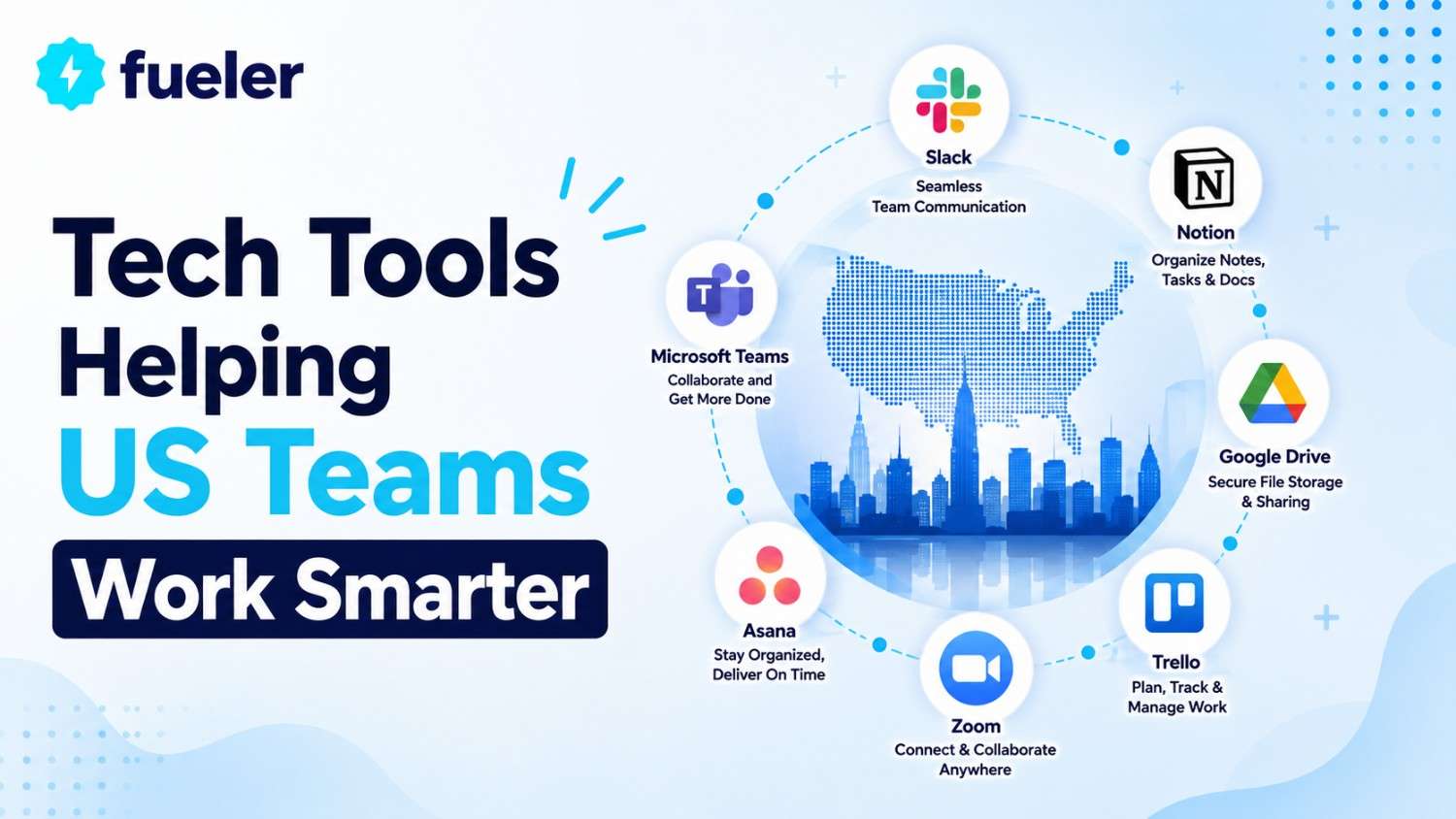
In the fast-paced US corporate landscape, "working hard" has been replaced by "working smart" as the primary driver of career longevity and company success. As we navigate 2026, the complexity of hybrid work, cross-functional projects, and the sheer volume of digital data requires a specialized toolkit that acts as an extension of the team itself. These platforms are no longer just software; they are collaborative ecosystems that bridge the gap between human creativity and operational efficiency. By integrating these tools, US teams can eliminate the "work about work", the endless meetings, status updates, and email threads, allowing them to focus on high-impact initiatives that drive measurable growth.
I’m Riten, founder of Fueler, a skills-first portfolio platform that connects talented individuals with companies through assignments, portfolios, and projects, not just resumes/CVs. Think Dribbble/Behance for work samples + AngelList for hiring infrastructure.
1. Slack: The Central Nervous System for Team Communication
Slack remains the undisputed leader in US team communication by transforming fragmented conversations into organized, searchable channels. In 2026, it has evolved beyond simple messaging to include AI-driven summaries and "Huddles" that provide a low-friction way for hybrid teams to brainstorm without the formality of a scheduled video call. By centralizing communication, Slack ensures that every team member, regardless of their time zone or location, has access to the context they need to make informed decisions quickly.
- Channel-Based Topic Architecture: Slack allows teams to create dedicated spaces for every project, department, or office location, ensuring that relevant information is never lost in a cluttered inbox and that new members can quickly catch up on past decisions.
- AI-Powered Huddle Transcripts: The platform’s real-time audio and video Huddles now automatically generate searchable transcripts and action items, allowing teams to move from a casual conversation to an organized task list in seconds.
- Seamless Workflow Builder: Users can create no-code automations that trigger based on simple actions, such as automatically posting a welcome message to a new hire or pulling daily performance metrics from a CRM directly into a leadership channel.
- Slack Connect for External Partnerships: This feature enables secure, cross-company collaboration, allowing US teams to work alongside vendors, agencies, and clients in shared channels as if they were part of the same organization.
- Advanced "Catch-Up" Summarization: Slack’s AI now scans thousands of messages across various channels to provide personalized daily summaries, highlighting the most important mentions and updates so professionals can start their day fully informed.
Pricing:
- Free Plan: Ideal for small teams, providing access to 90 days of message history and up to 10 app integrations.
- Pro Plan: $7.25 per user/month (billed annually), offering unlimited message history, unlimited integrations, and full Huddle functionality.
- Business+ Plan: $12.50 per user/month (billed annually), adding SAML-based SSO, data exports for all messages, and 99.99% uptime guarantees.
- Enterprise Grid: Custom pricing for large-scale organizations needing centralized administration and specialized compliance features like HIPAA or FINRA.
2. Microsoft Teams: The Unified Portal for Enterprise Collaboration
For teams deeply embedded in the Microsoft 365 ecosystem, Microsoft Teams serves as the ultimate "all-in-one" workplace that merges chat, video, and document collaboration. In 2026, its deep integration with AI through "Copilot" allows teams to manage their entire lifecycle from initial ideation in Word to final data analysis in Excel within a single, secure interface. It is particularly valued by large US enterprises for its robust security protocols and its ability to handle massive, multi-departmental projects with ease.
- Deep 365 Integration: Teams allows multiple users to co-author documents in Word, Excel, and PowerPoint directly within the chat interface, eliminating the need to download files or deal with confusing version control issues.
- Copilot AI Meeting Assistant: During live video calls, Copilot can answer specific questions like "What was the client’s main concern?" or "What are our next steps?" providing real-time intelligence without interrupting the flow of the meeting.
- Enterprise-Grade Security and Compliance: Built on the Microsoft 365 cloud, Teams offers end-to-end encryption, multi-factor authentication, and specialized compliance tools that meet the rigorous standards of the healthcare, finance, and legal sectors.
- Customizable Team Tabs: You can pin essential apps, websites, or specific files as tabs at the top of any channel, ensuring that your team’s most-used resources are always one click away, regardless of where they are located.
- Unified Communication Infrastructure: Teams integrates a full-featured business phone system and webinar platform, allowing companies to replace multiple disconnected vendors with one single bill and one single interface for all external communication.
Pricing:
- Team Essentials: $4 per user/month (billed annually), focusing on professional meetings and basic file sharing for small businesses.
- Microsoft 365 Business Basic: $6 per user/month (billed annually), which includes the mobile/web versions of Office apps and 1TB of cloud storage.
- Microsoft 365 Business Standard: $12.50 per user/month (billed annually), adding the desktop versions of apps and advanced webinar and attendee management tools.
- Microsoft 365 Business Premium: $22 per user/month (billed annually), providing the highest level of cybersecurity and device management for complex IT environments.
3. Asana: The Goal-Oriented Project Management Leader
Asana excels at connecting individual tasks to high-level company goals, making it the preferred project management tool for US marketing and operations teams. Its visual interface allows managers to track progress through various "lenses" such as Gantt charts, Kanban boards, or list views, ensuring that every stakeholder has the right level of visibility. By providing a clear "Map of Work," Asana reduces the psychological burden of managing complex dependencies and keeps teams focused on their most important priorities.
- Multi-Dimensional Project Views: Teams can visualize their progress using Timelines for long-term planning, Boards for agile sprints, or Workload views to ensure that no single team member is being over-allocated or heading toward burnout.
- Advanced Automation Builder: Asana’s "Rules" feature allows you to automate repetitive actions, such as automatically assigning a task to a designer once a creative brief is moved to the "In Progress" column.
- Smart Goal Tracking: This feature allows leadership to set annual objectives and link them directly to the underlying projects, providing a real-time "progress bar" for the entire organization’s strategic health.
- Asana AI Work Assistant: The platform’s AI can now identify potential bottlenecks before they happen, suggesting adjustments to deadlines based on historical team performance and resource availability.
- Comprehensive Portfolio Management: For senior leaders, Portfolios provide a high-level summary of multiple related projects, making it easy to see which initiatives are on track and which require immediate intervention or additional resources.
Pricing:
- Personal Plan: Free for individuals or small teams just getting started with project management and basic task tracking.
- Starter Plan: $10.99 per user/month (billed annually), which unlocks the Timeline view, automated rules builder, and unlimited dashboards.
- Advanced Plan: $24.99 per user/month (billed annually), adding workload management, advanced reporting, and time tracking for more complex team needs.
- Enterprise Plan: Custom pricing for organizations that require advanced security, custom branding, and specialized data governance tools.
4. ClickUp: The "Everything App" for High-Growth Teams
ClickUp has gained massive popularity among US startups by promising to replace separate tools for tasks, docs, goals, and chat with one unified platform. It is highly customizable, allowing every departmentfrom engineering to HRto build a workspace that perfectly fits their specific workflow. In 2026, ClickUp’s strength lies in its ability to centralize a team's entire "knowledge and execution" stack, which significantly reduces the cost and mental friction associated with context switching.
- Unified Doc and Task Relationship: ClickUp allows you to embed live tasks directly within documents, meaning your "SOP" (Standard Operating Procedure) can also act as the actual engine that runs the process.
- Custom Field Flexibility: You can add any type of data to a task such as budget, priority, or drop-down menusenabling teams to turn their project management tool into a lightweight CRM or inventory tracker.
- ClickUp Brain (AI Integration): This built-in AI can "chat" with your entire workspace, answering questions about past projects, drafting project updates, and automatically creating sub-tasks from a meeting transcript.
- Mind Maps and Whiteboards: These visual tools allow teams to brainstorm high-level strategies or map out user journeys and then instantly convert those visual ideas into actionable project tasks with one click.
- Native Time Tracking and Estimates: ClickUp includes a robust time-tracking engine that allows teams to see exactly how long specific phases of a project take, which is crucial for service agencies and project budgeting.
Pricing:
- Free Forever Plan: Includes unlimited tasks and 100MB of storage, making it the best free option on the market for small teams.
- Unlimited Plan: $7 per user/month (billed annually), offering unlimited storage, integrations, and advanced dashboard views for growing professionals.
- Business Plan: $12 per user/month (billed annually), which adds Google SSO, custom exporting, and more advanced resource management features.
- Enterprise Plan: Custom pricing for large organizations that need white-labeling, increased security features, and dedicated success managers.
5. Monday.com: The Visual Work Operating System
Monday.com is famous for its colorful, intuitive, and highly adaptable interface that makes project management feel less like a chore and more like a visual dashboard. It is a "Low-Code/No-Code" platform that empowers non-technical US professionals to build their own custom business applications to track anything from sales leads to video production schedules. By making data visual and interactive, Monday.com increases team engagement and ensures that everyone is moving in the same direction at all times.
- Highly Visual Color-Coded Boards: The platform uses a clear, status-based system that allows anyone to see the health of a project at a single glance, reducing the need for lengthy status update meetings.
- 200+ Customizable Templates: Whether you are managing a real estate team or a software development sprint, Monday.com provides pre-built workflows that can be installed and modified in minutes.
- Advanced Automation Recipes: You can set up complex "If This, Then That" logic to handle cross-departmental handoffs, such as notifying the finance team automatically once a contract is marked as "Signed" by Sales.
- Centralized Data Dashboards: Monday.com allows you to pull data from multiple boards into one "Master Dashboard," providing leadership with real-time insights into KPIs, budgets, and team capacity.
- Guest Access for Client Transparency: You can invite external clients or freelancers to specific boards with limited permissions, allowing them to see progress and provide feedback without giving them access to your entire internal workspace.
Pricing:
- Free Plan: Available for up to 2 users, making it ideal for individual contractors or small partnerships just starting out.
- Basic Plan: $9 per seat/month (billed annually), offering unlimited boards and 5GB of file storage for basic project tracking.
- Standard Plan: $12 per seat/month (billed annually), which adds Timeline and Gantt views, guest access, and 250 automation actions per month.
- Pro Plan: $19 per seat/month (billed annually), providing private boards, time tracking, and up to 25,000 automation actions for high-velocity teams.
6. Miro: The Digital Infinite Canvas for Innovation
As hybrid work becomes the norm for US tech teams, Miro has emerged as the essential digital whiteboard for brainstorming, strategy mapping, and workshop facilitation. It provides an infinite canvas where team members can collaborate in real-time, using sticky notes, flowcharts, and diagrams to solve complex problems visually. Miro bridges the gap between the creative energy of an in-person workshop and the necessity of a digital archive, ensuring that great ideas are never forgotten.
- Real-Time Multiplayer Collaboration: Hundreds of people can join a single board simultaneously, represented by their own cursors, making it perfect for "all-hands" brainstorming sessions or massive product planning workshops.
- Miro Assist (AI Features): The platform’s AI can automatically cluster sticky notes by theme, generate mind maps from a single prompt, and even create rough wireframe designs based on a text description.
- Extensive Framework Library: Miro offers thousands of pre-built templates for everything from "User Journey Mapping" to "Retrospectives" and "Service Blueprints," helping teams follow best-in-class industry methodologies.
- Interactive Presentation Mode: Instead of a static slide deck, you can guide an audience through different frames of your board, allowing for a dynamic and interactive story-telling experience that encourages participation.
- Integration with Project Management: You can turn any sticky note or element on your Miro board into a task in Jira, Asana, or Monday.com, ensuring that your brainstorming sessions directly feed into your execution pipeline.
Pricing:
- Free Plan: Provides three editable boards and access to the core template library, perfect for small teams or initial ideation.
- Starter Plan: $8 per member/month (billed annually), unlocking unlimited boards, high-quality board exports, and private boards for sensitive projects.
- Business Plan: $16 per member/month (billed annually), which includes advanced security (SSO), unlimited guests, and the full suite of Miro Assist AI tools.
- Enterprise Plan: Custom pricing for large organizations requiring data residency controls, centralized governance, and dedicated account management.
7. Google Workspace: The Industry Standard for Cloud Collaboration
Google Workspace (formerly G Suite) remains the foundational layer for thousands of US businesses because of its unmatched simplicity and real-time co-editing capabilities. Docs, Sheets, and Slides are the "lingua franca" of professional collaboration, allowing teams to move from a blank page to a finished proposal without ever worrying about email attachments or incompatible file formats. In 2026, the addition of "Gemini AI" across the entire suite has turned every document into a living assistant that helps with research and drafting.
- Real-Time Co-Editing Excellence: Multiple users can edit a document, spreadsheet, or presentation simultaneously with zero lag, providing a "multiplayer" experience that is still the benchmark for the entire software industry.
- Gemini AI Integration: Google’s AI is baked directly into the suite, allowing you to "Help me write" an email in Gmail or "Help me organize" a project plan in Sheets with a simple text command.
- Seamless Shared Drives: Google Drive provides a structured, searchable storage system that ensures all company assets are owned by the organization rather than individuals, preventing "data loss" when a team member leaves.
- Integrated Meet and Calendar: The tight coupling between scheduling and video conferencing ensures that every meeting has a link, every attendee is notified, and every recording is automatically saved to the relevant project folder.
- Powerful Add-on Ecosystem: The Google Workspace Marketplace offers thousands of third-party integrations, allowing teams to connect their core documents to their CRM, accounting software, or project management tools effortlessly.
Pricing:
- Business Starter: $6 per user/month (billed annually), offering custom business email and 30GB of secure cloud storage per user.
- Business Standard: $12 per user/month (billed annually), which increases storage to 2TB per user and adds noise cancellation and meeting recordings for Google Meet.
- Business Plus: $18 per user/month (billed annually), providing 5TB of storage, advanced security and management controls, and e-discovery for legal compliance.
- Enterprise: Custom pricing for large companies needing unlimited storage, S/MIME encryption, and advanced data loss prevention (DLP) features.
8. Zoom Workplace: The Hybrid Meeting Powerhouse
While many platforms offer video calling, Zoom Workplace has spent the last several years expanding into a comprehensive "Hybrid Work" solution that includes AI-powered meeting notes, team chat, and digital whiteboarding. For US teams that rely on high-stakes client meetings or large-scale internal webinars, Zoom remains the most reliable and user-friendly option. Its 2026 focus on "AI Companion" has made it a favorite for busy professionals who need to stay productive even when they can't attend every meeting.
- AI Companion Summaries: Zoom’s built-in AI generates highly accurate meeting summaries, identifies action items, and even allows you to "Ask questions" of the meeting recording if you missed the live session.
- High-Capacity Webinars and Events: Zoom can host thousands of participants with interactive features like live polling, Q&A panels, and branding options, making it the industry standard for external-facing digital events.
- Integrated Team Chat: The platform now features a robust chat interface that lives alongside your video meetings, allowing for continuous collaboration before, during, and after a call without switching apps.
- Zoom Rooms for Hybrid Offices: Specialized hardware and software solutions that allow in-person and remote participants to feel equal in the same meeting, featuring intelligent camera switching and shared digital canvases.
- Advanced Virtual Backgrounds and Studio Effects: Zoom provides professional tools to help you look your best in any environment, including low-light adjustment, noise suppression, and high-fidelity audio settings for music or creative teams.
Pricing:
- Basic (Free): Includes 40-minute meetings for up to 100 participants and basic AI Companion features for personal use.
- Pro (Workplace Pro): $13.33 per user/month (billed annually), which removes time limits and includes the full AI Companion suite and 5GB of cloud storage.
- Business: $18.33 per user/month (billed annually), adding support for 300 participants, managed domains, and single sign-on (SSO) for growing organizations.
- Enterprise: Custom pricing for large organizations requiring up to 1,000 participants per meeting, unlimited cloud storage, and dedicated customer success managers.
9. Notion: The Flexible Wiki and Knowledge Hub
Notion has disrupted the US tech world by providing a "blank slate" that teams can turn into almost anything: a company wiki, a product roadmap, or a comprehensive project tracker. Its power lies in its "databases," which allow you to view the same set of information as a gallery, a list, or a calendar, depending on your current needs. For teams that value clarity and "Self-Serve" information, Notion serves as the perfect home for all long-term documentation and operational knowledge.
- Unified Workspace Philosophy: Notion replaces disconnected docs and separate project management apps with a single platform where your "How-To" guides live right next to your active task lists.
- Advanced Relational Databases: You can link different sets of data together, such as connecting your "Content Calendar" to your "Asset Library," ensuring that every team member has the context they need without searching.
- Notion AI for Knowledge Discovery: You can ask the AI questions like "What is our policy on remote work?" and it will search through every page in your workspace to provide a clear, summarized answer with citations.
- Synced Blocks for Consistency: This feature allows you to update a piece of information in one place and have it automatically update everywhere else it appears across your entire workspace, preventing "documentation rot."
- Public Pages for Hiring or Portfolios: Notion allows you to turn any page into a clean, public-facing website with one click, which many US startups use for job boards, product help centers, or public roadmaps.
Pricing:
- Free Plan: Offers unlimited blocks for individuals and basic collaboration features for teams just starting to build their knowledge base.
- Plus Plan: $10 per user/month (billed annually), providing unlimited blocks for teams, a 30-day page history, and unlimited file uploads.
- Business Plan: $15 per user/month (billed annually), which includes private teamspaces, SAML-based SSO, and advanced page-level permissions for larger teams.
- Enterprise Plan: Custom pricing for organizations needing specialized security audits, a dedicated success manager, and workspace-level analytics.
10. Figma: The Multi-User Design Powerhouse
Figma has completely transformed the way US product and design teams work by moving the entire creative process into the browser. It allows designers, developers, and product managers to work on the same canvas in real-time, eliminating the "handoff" friction that used to slow down innovation. In 2026, Figma is more than just a design tool; it is a collaborative platform for every stage of the product lifecycle from initial wireframing to final high-fidelity prototyping.
- Real-Time Multiplayer Design: Multiple cursors on the same screen allow for truly collaborative design sessions where stakeholders can leave comments, make suggestions, and see changes happen live.
- Advanced Prototyping Capabilities: You can link different design frames together with transitions and animations to create a clickable, high-fidelity mockup that looks and feels like a finished app for user testing.
- Dev Mode for Faster Handoff: This dedicated space for engineers provides the exact CSS, Swift, or Android code they need to build the design, along with information on spacing, colors, and assets.
- FigJam for Strategic Ideation: A built-in digital whiteboarding tool that allows teams to brainstorm, use sticky notes, and build flowcharts before moving into the high-fidelity design phase within the same file.
- Centralized Design Systems: Teams can build "Libraries" of reusable components (like buttons or icons) that stay synced across every file, ensuring that the product remains visually consistent as it scales.
Pricing:
- Starter (Free): Includes 3 Figma files and 3 FigJam files with unlimited collaborators, making it the perfect entry point for small teams and freelancers.
- Professional: $12 per editor/month (billed annually), unlocking unlimited Figma files, private sharing permissions, and version history.
- Organization: $45 per editor/month (billed annually), adding centralized file management, private plugins, and advanced design system analytics.
- Enterprise: $75 per editor/month (billed annually), designed for massive companies needing dedicated workspaces, advanced security, and dedicated support.
11. Airtable: The "Legos" of Data Management
Airtable is used by US teams that need to manage complex datalike video production schedules, marketing budgets, or inventory, but find Excel too rigid. It is a "Spreadsheet-Database Hybrid" that allows you to store information and then transform it into different views like calendars, galleries, or Kanban boards. Its strength lies in its ability to be customized into a specialized tool for almost any business process without requiring a single line of code.
- Linked Records for Data Integrity: You can link information across different tables (e.g., connecting a "Projects" table to a "Clients" table), ensuring that your data is organized and never duplicated.
- Interface Designer for Custom Apps: You can build custom, visual dashboards for your team that show only the most important data, allowing them to interact with the database without getting lost in the grid.
- Native Automation Engine: Airtable allows you to set up "Triggers" that send Slack messages, update fields, or create tasks in other apps automatically whenever a specific change happens in your data.
- Rich Field Types for Multimedia: Unlike standard spreadsheets, Airtable cells can hold high-res images, barcodes, long-form notes, and checkboxes, making it a powerful tool for visual and logistics teams.
- Multiple View Options for Different Users: One team can view a project as a Gantt chart to track deadlines, while another team views the same data as a Gallery to review creative assets.
Pricing:
- Free Plan: Unlimited bases with up to 1,000 records per base and basic automation features, perfect for individuals and small teams.
- Team Plan: $20 per seat/month (billed annually), offering 50,000 records per base and 25,000 automation runs per month for growing departments.
- Business Plan: $45 per seat/month (billed annually), adding SAML SSO, verified data views, and advanced administrative controls for larger organizations.
- Enterprise Scale: Custom pricing for large-scale operations requiring maximum record limits, dedicated success services, and enterprise-level security protocols.
12. Zapier: The Glue That Connects the Stack
Zapier is the invisible engine behind the most productive US teams by allowing them to automate workflows between over 6,000 different apps. It acts as the "glue" that connects your separate tools, like sending a Tally form response into a Notion database and then alerting the team in Slack. By automating the repetitive "Copy-Paste" work that eats up your day, Zapier allows your team to stay focused on high-level strategy and creative problem-solving.
- Multi-Step Automation (Zaps): You can build complex chains of events where one trigger kicks off multiple actions across different platforms, creating a truly automated "business pipeline."
- Zapier Central (AI Agents): This new feature allows you to build custom AI bots that can interact with your apps and data, performing complex tasks for you using simple natural language commands.
- Conditional Logic and Paths: You can create "smart" automations that only run if certain conditions are met, allowing you to build specialized workflows that adapt to your specific business rules.
- No-Code Formatting Tools: Zapier can automatically clean up text, change date formats, or perform calculations as data moves between your apps, ensuring that your records are always perfect.
- Thousands of Pre-Built "App Connections": With support for almost every major professional tool on the market, you can be certain that your current tech stack can be connected and automated through the platform.
Pricing:
- Free Plan: Perfect for beginners, allowing for 100 tasks per month and single-step Zaps to automate basic, repetitive tasks.
- Starter Plan: $20 per month (billed annually), which unlocks multi-step Zaps and provides 750 tasks per month for growing professionals.
- Professional Plan: $50 per month (billed annually), adding conditional logic, faster update cycles, and unlimited Zaps for power users.
- Team Plan: $70 per month (billed annually), designed for collaboration with shared workspaces, unlimited users, and centralized administration for departments.
Showcase Your Team’s Success with Fueler
Using these twelve tools makes your team smarter, but documenting that success is what makes your career grow. In the competitive US job market, saying you are "proficient in Slack and Asana" is no longer enough. This is where Fueler becomes your most valuable professional asset.
Fueler allows you to turn your daily tool-usage into a powerful "Proof of Work" portfolio. Whether you’ve built a complex automation in Zapier, a beautiful design system in Figma, or a high-performance workspace in Notion, you can showcase those specific projects on Fueler. By providing a visual record of your technical competence and your ability to work smart, Fueler helps you stand out to high-growth companies that value execution over traditional resumes.
Final Thoughts
The tools helping US teams work smarter in 2026 are those that prioritize clarity, collaboration, and automation. By adopting a "smart-first" tech stack, you position your team to handle the increasing complexity of the modern digital landscape without sacrificing quality or sanity. Technology is moving faster than ever, but for those who master these twelve platforms, that speed becomes an advantage rather than a burden. Start building your skills today, and remember to showcase every win on Fueler to let the world see the real impact of your work.
FAQs
How do I choose the right project management tool for my specific team?
The choice depends on your team's size and the nature of your work. Asana is excellent for marketing and goal-oriented teams, while ClickUp is better for startups that want to consolidate multiple apps. Monday.com is the best choice for teams that value a highly visual and intuitive dashboard.
Are these tools secure enough for sensitive US company data?
Yes, every tool on this list is a market leader and adheres to strict US security standards like SOC 2, and many offer additional compliance for HIPAA or GDPR. For larger companies, most platforms offer Enterprise plans with advanced security features like SAML-based SSO and data residency controls.
Do I need to be a technical person to use automation tools like Zapier or Airtable?
No, these are "No-Code" platforms designed for non-technical professionals. They use visual drag-and-drop interfaces that allow you to build complex systems by just following simple steps, making high-level automation accessible to anyone in the organization.
How much does it cost to build a full "Work Smarter" tech stack for a small team?
Most of these tools offer excellent free tiers to get you started. For a small team of 5-10 people, you can build a powerful stack with the basic paid versions of Slack, Notion, and Canva for roughly $30-$50 per person per month, which is a small investment for the massive productivity gains.
Why is "Proof of Work" more effective than a traditional resume?
A resume tells an employer what you might be able to do, but "Proof of Work" shows them what you have actually done. By hosting your project samples on Fueler, you provide factual evidence of your skills, which builds immediate trust and makes the hiring process much faster for both you and the employer.
What is Fueler Portfolio?
Fueler is a career portfolio platform that helps companies find the best talent for their organization based on their proof of work. You can create your portfolio on Fueler. Thousands of freelancers around the world use Fueler to create their professional-looking portfolios and become financially independent. Discover inspiration for your portfolio
Sign up for free on Fueler or get in touch to learn more.

What should you do next?
You've read the article. Now turn your skills into proof of work and unlock more opportunities.
Build your proof of work portfolio
Create a clean portfolio with projects, assignments, resumes, and AI stack details that companies actually want to see.
Create your Fueler portfolio →Apply through assignments, not resumes
Stand out by solving real tasks from companies hiring on Fueler.
Explore assignments →Get discovered by companies
Make your work public and let recruiters discover your skills through actual projects instead of keywords.
Get discovered →
