Last updated: November 2026
In the 2027 US freelance economy, your portfolio is your most powerful asset. Clients no longer want to see a list of bullet points on a resume; they want to see "Proof of Work." These platforms provide the infrastructure to showcase your results, build trust through high-quality visuals, and convert casual browsers into high-paying long-term clients.
I’m Riten, founder of Fueler, a skills-first portfolio platform building the career infrastructure for 100 million creative professionals. Fueler connects talented individuals with companies through assignments, portfolios, and projects, not just resumes or CVs. Think of it as Dribbble/Behance for work samples combined with AngelList for hiring infrastructure.
At a glance: Comparing the Top Portfolio Websites Used by US Freelancers
Tool | Best For | Core AI Strength | Top Features | Pricing (USD) |
|---|---|---|---|---|
Fueler | Freelancers, writers, marketers and developers | AI Stack: Documents AI tools, human contributions and AI-assisted workflows in portfolio projects. Fueler | Proof of Work, project attribution, talent discovery, private portfolios | Free; Premium: $15/month or $100/year (regular annual price: $180) |
Behance | Graphic designers, illustrators and photographers | AI Hiring Assistant: Matches clients with recommended creative freelancers using AI. Behance Help Center | Detailed case studies, Adobe integration, talent discovery, job marketplace | Free; Pro: $9.99/month (annual commitment) |
Dribbble | UI/UX designers and product designers | AI discovery: No verified native AI portfolio-generation feature; its strength is visual design discovery and inspiration. | Design shots, hire directory, Playbooks, direct messaging | Free; Pro Lite: $4/month; Standard: $8/month; Plus: $99/month (annual billing) |
Adobe Portfolio | Photographers, graphic designers and Adobe users | Adobe Firefly ecosystem: Generative image creation, editing and creative assistance through compatible Adobe Creative Cloud apps, not native Portfolio features. | Behance integration, custom domains, unlimited pages, private galleries | Included with eligible Creative Cloud subscriptions |
Wix | Freelancers, consultants and creative businesses | AI Website Builder: Generates websites, content, layouts and images from prompts, with AI-assisted editing and marketing. | Drag-and-drop editor, SEO tools, booking, invoicing | Free; Light: $17/month; Core: $29/month; Business: $39/month; Business Elite: $159/month |
Carbonmade | Illustrators, art directors and motion designers | No dedicated native AI feature verified: Focuses on flexible layouts, visual presentation, and media management. Features | Video support, creative templates, talent discovery, project descriptions | Beginner: $9.99/month; Professional: $14.99/month; Unlimited: $24.99/month |
Journo Portfolio | Freelance writers, journalists and bloggers | Intelligent Content Extraction: Automatically extracts article titles, images, descriptions, and publication details from URLs. Journo Portfolio | Article imports, automatic backups, analytics, subscriber emails | Free; Plus: $7/month; Pro: $10/month; Unlimited: $14/month (annual billing) |
Cargo | Artists, photographers and architects | No dedicated native AI feature verified: Focuses on creative freedom, customizable layouts, and website design. | Editorial templates, CSS control, multiple sites, built-in commerce | $14/month (annual); $19/month (monthly) |
Portfoliobox | Photographers, visual artists and independent creatives | AI Support Assistant: Provides automated answers to common customer queries around the clock. Portfoliobox | Custom galleries, Lightroom integration, invoicing, custom domains | Free; Personal: $8.90/month; Professional: $15.90/month |
Squarespace | Freelancers, designers and creative businesses | Blueprint AI: Generates personalized websites, layouts, text and images based on user prompts. | Premium templates, e-commerce, scheduling, email marketing | Basic: $19/month; Core: $29/month; Plus: $49/month; Advanced: $99/month (annual billing). Monthly: $25, $39, $65, and $139, respectively |
1. Fueler.io (The Modern "Proof of Work" Hub)
Best For: Freelancers, writers, marketers, developers, and professionals who want to showcase projects, assignments, case studies, and measurable work results.
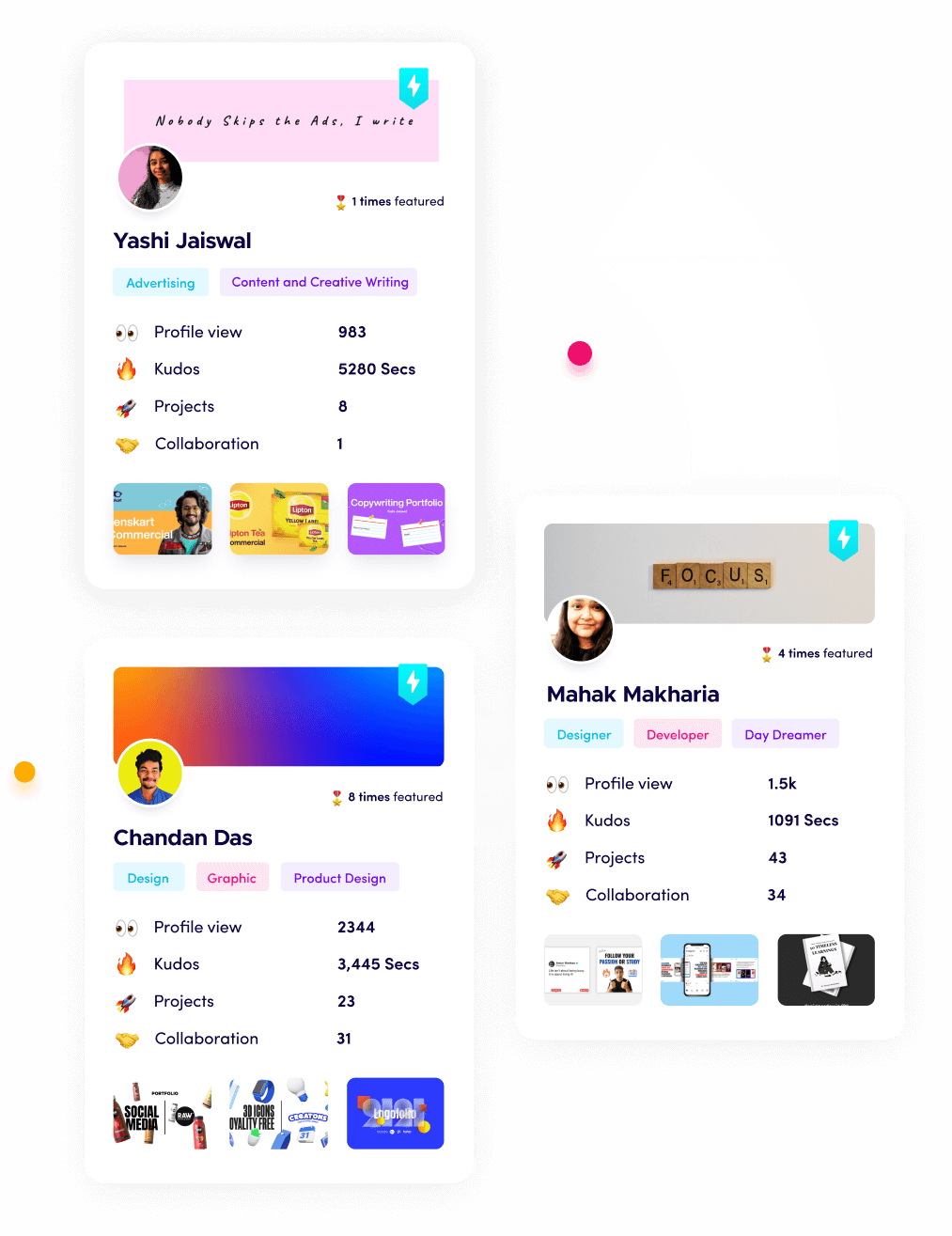
Fueler has redefined the traditional portfolio by focusing on tangible evidence rather than just aesthetics. It allows US freelancers across all niches, from writers to engineers, to document their contributions to specific projects as "Proof of Work." This transparent approach is highly valued by American recruiters who are increasingly wary of AI-generated claims and want to see real-world impact.
Granular Project Attribution: Unlike generic site builders, Fueler lets you link specific outcomes to your role, such as "Increased conversion by 15% through this specific React component," which provides the precise data US decision-makers look for during the vetting process.
Collaborator Networking and Tagging: You can tag other professionals you worked with on a project, creating a "web of trust" that proves you can work effectively within a larger US-based corporate team or remote agency environment.
Optimized Search and Discovery: The platform is built with a powerful internal search engine that allows US headhunters to find talent based on specific project types (e.g., "B2B SaaS Case Studies"), turning your portfolio into an active lead-generation tool.
Professional Sub-domain Branding: Fueler provides you with a clean, professional URL that acts as a centralized "work-hub," making it easy to send one link to a potential client that contains your entire career's worth of documented wins.
Private and Client-Specific Portfolios: You can curate custom collections of your work for specific pitches in seconds, ensuring that a US prospect only sees the "Proof of Work" that is directly relevant to their unique business challenge.
Pricing: Free Forever plan available. Premium costs $15/month or $100/year under the currently advertised annual offer (regular annual price: $180).
Why it Matters: Fueler is built for the "Proof of Work" era. It moves the conversation from "what you can do" to "what you have done," which is the fastest way to build trust with high-budget US clients.
2. Behance (The Creative Industry Standard)
Best For: Graphic designers, illustrators, photographers, and visual creatives who want to showcase detailed projects and connect with potential clients.
Owned by Adobe, Behance is the "social network for creatives." For US designers, illustrators, and photographers, a high-performing Behance profile is often more important than a LinkedIn page, serving as a globally recognized gallery of creative excellence.
In-Depth Case Study Format: Behance encourages you to show the "behind-the-scenes" process, sketches, mood boards, and iterative drafts, which helps US creative directors understand your strategic thinking and problem-solving abilities.
Adobe Creative Cloud Ecosystem: You can publish your work directly from tools like Photoshop or Illustrator with a single click, ensuring your portfolio stays updated without the friction of manual file exports and uploads.
Massive Talent Discovery: Top-tier US agencies and brands browse the "Featured" section of Behance daily to source new talent, meaning a single high-quality project can lead to massive inbound inquiries.
Social Proof and Interaction: The "Appreciation" and comment system acts as an external validation layer, showing potential US clients that your work is respected and recognized by your peers in the global design community.
Job Board and Freelance Services: Behance includes a dedicated marketplace where you can list your specific freelance services and apply for roles directly with the portfolio you’ve already built.
Pricing: Free plan available. Behance Pro starts at $9.99/month with an annual commitment.
Why it Matters: It is the "Home of Creativity." If you are in a visual field, not having a presence on Behance is like not having a store on Main Street; you are missing out on the primary traffic source for US creative scouts.
3. Dribbble (The UI/UX and Product Design Hub)
Best For: UI/UX designers, product designers, web designers, and icon designers looking to showcase their work, attract freelance clients, and connect with hiring companies.
If Behance is for broad creativity, Dribbble is for "Product Design." It is the primary place where US tech companies go to find UI/UX designers, mobile app specialists, and icon designers, focusing on high-impact, bite-sized "shots" of work.
Visual "Shot" Discovery: The platform's grid-style feed allows US recruiters to quickly scan your aesthetic style through "shots", small snapshots of projects that act as visual hooks to your full portfolio.
Pro Business Directory: For a small fee, you can join the "Available for Hire" directory, which uses advanced filters to help US tech startups find you based on your specific location, rate, and design specialty.
Themed Playbooks and Collections: You can organize your work into "Playbooks" that target specific industries (e.g., "Fintech UI" or "E-commerce Icons"), making it easy for a niche US client to see your relevant expertise.
Direct Hiring and Messaging: Many US founders skip the job board entirely and message designers directly based on their shots, leading to fast-moving contract offers for high-stakes digital products.
Design Community and Meetups: Dribbble fosters real-world networking through its global meetups, allowing US-based freelancers to build the face-to-face relationships that often lead to the biggest long-term contracts.
Pricing: Free plan available. Pro Lite costs $4/month, Pro Standard costs $8/month, and Pro Plus costs $99/month, all billed annually.
Why it Matters: Dribbble is where the "Tech Giants" shop. If you want to work for a US unicorn startup or a Silicon Valley firm, your Dribbble profile is your ticket to being noticed by their design leads.
4. Adobe Portfolio (The Seamless Personal Site)
Best For: Photographers, graphic designers, and Adobe Creative Cloud users who want to build personalized portfolio websites with customizable layouts and Behance integration.
Included with any Creative Cloud subscription, Adobe Portfolio allows you to build a fully customized, multi-page personal website that syncs automatically with your Behance projects. It is the perfect middle ground for US freelancers who want a standalone site without the complexity of coding.
Automatic Behance Integration: Any project you upload to Behance can be instantly imported into your personal website, ensuring your "standalone" presence never falls behind your social portfolio.
Custom Domain Support: You can link a professional domain (e.g., YourName.com) at no extra cost, giving your freelance business a high-level authority that free "sub-domain" sites simply cannot match.
Unlimited Hosting and Pages: Unlike other site builders that charge based on the number of pages or projects, Adobe Portfolio offers unlimited hosting, allowing you to build a massive archive of your US freelance wins.
Password-Protected Private Pages: You can create "Hidden" galleries for sensitive client work, allowing you to show your best NDA-protected projects to specific US prospects via a secure link.
Responsive, High-End Templates: The platform offers a range of templates designed by world-class designers that automatically optimize for mobile, which is critical since many US executives browse talent on their phones.
Pricing: Included with eligible Adobe Creative Cloud subscriptions at no additional cost. Adobe Portfolio does not have a standalone subscription.
Why it Matters: It is the most "cost-effective" professional site. If you already use Adobe tools, you essentially get a high-end, custom-branded US portfolio website for free, saving you hundreds of dollars in hosting fees.
5. Wix (The All-In-One Business Portfolio)
Best For: Freelancers, consultants, and creative businesses that want customizable portfolio websites with built-in SEO, appointment booking, client management, and payment features.
Wix is the powerhouse for US freelancers who want their portfolio to function as a full-scale business hub. With its drag-and-drop editor and massive app market, you can build a site that handles everything from project showcases to client bookings and payments.
Total Design Freedom: Wix’s "Editor X" and standard editor allow you to move every pixel exactly where you want it, ensuring your portfolio perfectly reflects your unique personal brand without any technical limitations.
Integrated Booking and Scheduling: You can add a "Book a Consultation" feature directly to your site, allowing US prospects to schedule a discovery call without the back-and-forth of email.
Advanced SEO Tools: Wix provides a built-in "SEO Wiz" that helps you optimize your portfolio for Google, making it easier for US companies to find you when searching for local or niche experts.
Client Management and Invoicing: Through the Wix dashboard, you can manage leads, send professional quotes, and accept payments from US clients via credit card or PayPal, keeping your entire workflow in one place.
AI-Driven Site Creation: If you’re in a rush, Wix’s ADI (Artificial Design Intelligence) can generate a fully functional, professional-looking portfolio for you in minutes based on a few simple questions about your business.
Pricing: Free plan available. Wix Light starts at $17/month, Core at $29/month, Business at $39/month, and Business Elite at $159/month with annual billing. Prices vary by region.
Why it Matters: Wix is for the "Freelance Agency." It is for the professional who doesn't just want a gallery but a fully automated sales machine that converts US traffic into paying, long-term contracts.
6. Carbonmade (The Personality-First Builder)
Best For: Illustrators, art directors, motion designers, and creative professionals who want visually distinctive portfolios without coding or complex website development.
Carbonmade is famous for its quirky, fun interface and its focus on helping freelancers show off their personality. It is highly popular among US creative copywriters, art directors, and social media managers who want to break away from "boring" corporate layouts.
Simple, Fun Interface: The platform is designed to be "dead simple," allowing you to build a stunning, personality-driven site in about 15 minutes without ever touching a line of code or a complex menu.
Video and Motion Support: Carbonmade handles high-resolution video and GIF backgrounds natively, making it a top choice for US motion designers and video editors who need their work to "pop" instantly.
Global Talent Pool Discovery: The site features an internal directory where US agencies can browse talent by specialty and location, providing you with a secondary source of inbound leads.
Interactive Blocks and Layouts: You can drag and drop pre-made "blocks"such as client lists, testimonials, and service grids to build a professional case study that reads like a modern digital magazine.
Project Copywriting Support: The platform provides helpful prompts to help you write better project descriptions, ensuring your "Proof of Work" isn't just a collection of images but a compelling narrative of your success.
Pricing: Beginner costs $9.99/month, Professional costs $14.99/month, and Unlimited costs $24.99/month. A free unlimited trial is available before publishing.
Why it Matters: Carbonmade is for the "Creative Maverick." If your brand is built on being unique and approachable, this platform provides the perfect aesthetic to attract high-paying US clients who value original thinking.
7. Journo Portfolio (The Writer’s Essential)
Best For: Freelance writers, journalists, bloggers, copywriters, and content strategists who want to organize published articles, showcase writing samples, and track portfolio performance.
For freelance journalists, copywriters, and content strategists, Journo Portfolio is the gold standard. It specializes in converting "links" into a beautiful, visual library, ensuring your writing looks as impressive as a design portfolio.
Automatic Article Import: You can simply paste a URL of your published work, and the platform will automatically pull the title, publication name, date, and featured image, saving you hours of manual entry.
Automated Article Backups: In the volatile US media landscape, sites go down. Journo Portfolio automatically takes a PDF and a screenshot of your work the moment you add it, ensuring your "Proof of Work" is preserved forever.
Weekly Subscriber Emails: You can build an email list directly through your portfolio, and the platform can automatically send a "Weekly Digest" of your new work to your US clients and fans.
Detailed Analytics Dashboard: See exactly where your traffic is coming from and which of your articles are getting the most clicks from potential US employers, allowing you to double down on your most successful niches.
Multi-Language Support: For freelancers working with international US firms, you can easily translate your entire site into multiple languages, broadening your appeal to a global client base.
Pricing: Free plan is available for building and editing unpublished portfolios. Plus costs $7/month, Pro costs $10/month, and Unlimited costs $14/month with annual billing.
Why it Matters: It turns "Text" into "Value." For a writer, your work can often feel invisible; Journo Portfolio gives your writing a visual weight that commands the same respect (and rates) as high-end design.
8. Cargo (The Artsy, Minimalist Choice)
Best For: Artists, photographers, architects, and experimental designers who want highly customized portfolio websites with distinctive layouts and creative freedom.
Cargo (often called Cargo Collective) is the darling of the "high-art" and boutique design world. It is used by US fashion photographers, architects, and experimental artists who want a portfolio that feels like a curated gallery exhibition.
Unique, Editorial Templates: Cargo templates are unlike anything on Squarespace or Wix; they are intentionally "edgy" and experimental, designed to make a strong visual statement to US creative directors.
Single Account, Multiple Sites: You can manage several different sites (e.g., a portfolio, a shop, and a project board) under one account, making it ideal for the multi-disciplinary US freelancer.
Advanced Typography and CSS Control: For those with a bit of design knowledge, Cargo offers unparalleled control over fonts and layout, allowing you to build a site that is truly one-of-a-kind.
Built-in Commerce Support: You can sell prints, digital assets, or services directly through your Cargo site without needing a complex third-party integration like Shopify.
Community-Focused Discovery: Cargo is a closed-loop ecosystem where high-level creatives discover each other, often leading to collaborations on high-profile US cultural projects.
Pricing: $14/month with annual billing or $19/month with monthly billing. Free access is available to eligible students and educators.
Why it Matters: Cargo is a "vibe." If you are pitching to boutique US agencies or luxury brands, having a Cargo site signals that you belong to the elite, artsy crowd that they typically hire.
9. Portfoliobox (The Creative All-Rounder)
Best For: Photographers, visual artists, and independent creatives who want customizable galleries, portfolio pages, and online selling features.
Portfoliobox is a specialized builder designed specifically for the needs of photographers and visual artists. It offers a unique "mix-and-match" approach where you can use different templates for different pages within the same website.
Template Mixing: Unlike other builders that lock you into one theme, Portfoliobox lets you use a "Gallery" template for your work, a "Blog" template for your updates, and a "Store" template for your products on a single site.
In-Person Payment and Invoicing: The platform includes mobile-friendly invoice management and QR code payments, making it perfect for US freelancers who also do physical events or on-site consulting.
Adobe Lightroom Plugin: Photographers can sync their entire Lightroom library directly to their portfolio, ensuring that their latest high-res edits are always live for US prospects to see.
No "Powered By" Branding: Even on lower tiers, Portfoliobox allows you to remove their branding, giving your site a clean, "owned" look that feels more professional to high-end US clients.
Free Custom Domain and Email: Most professional plans include a free domain and a professional email address (you@yourname.com), providing the full "Business-in-a-box" setup for a low monthly cost.
Pricing: Free plan available. Personal costs $8.90/month, while Professional costs $15.90/month. VAT is charged separately where applicable.
Why it Matters: It is the "Flexible" choice. For freelancers who don't want to be constrained by a single template's logic, Portfoliobox offers the modular freedom to build a truly custom US business presence.
10. Squarespace (The Visual Powerhouse)
Best For: Freelancers, designers, photographers, and creative businesses looking for professionally designed websites with integrated marketing, scheduling, and e-commerce features.
Squarespace is the most recognizable name in the US portfolio space for a reason. Its templates are world-class, and its platform is incredibly robust, making it the "safe and sexy" choice for the majority of professional US freelancers.
Best-in-Class Visual Design: Squarespace templates are curated to ensure that no matter what you do, your portfolio looks like it was designed by a $20,000 agency, providing instant credibility with US clients.
Powerful E-commerce and Scheduling: You can easily sell digital downloads or set up a professional calendar for US clients to book and pay for your time directly on your site.
Robust Marketing Suite: The platform includes built-in email marketing and social media tools, allowing you to promote your "Proof of Work" to your US audience without leaving your website dashboard.
Exceptional Mobile Performance: Squarespace is famous for its "Responsive Design," ensuring that your high-res images and videos look stunning on every device your US prospects might be using.
24/7 Award-Winning Support: For US freelancers who aren't "techy," Squarespace provides world-class live support, ensuring you never lose a potential lead due to a technical glitch on your site.
Pricing: Basic costs $19/month, Core costs $29/month, Plus costs $49/month, and Advanced costs $99/month with annual billing. Monthly billing costs $25, $39, $65, and $139 respectively.
Why it Matters: It is the "Standard." When a US client sees a Squarespace site, they see a freelancer who is serious about their business and has the professional budget to invest in a high-quality online presence.
Final Thoughts
Your portfolio is not just a collection of work; it is a "trust-building machine." In the 2025 US market, the winner is the freelancer who makes it easiest for the client to say "yes." Whether you choose the evidence-based approach of Fueler or the visual elegance of Squarespace, your goal is the same: show the results, prove your impact, and make it simple for the client to hire you.
FAQs
1. Should I have a social portfolio (like Behance) or a personal website?
In 2025, you need both. A social portfolio like Behance or Fueler is where the traffic and recruiters are. A personal website (like Adobe Portfolio or Squarespace) is where you control the branding and the final sale. Use the social platform to get discovered and the personal site to close the deal.
2. How many projects should I include in my portfolio?
Quality over quantity always wins with US clients. Aim for 5 to 8 high-impact case studies that show a range of skills. Including 50 mediocre projects actually hurts your chances because it hides your best work and signals that you can't curate your own professional output.
3. Is it worth paying for a custom domain?
Yes, 100%. A custom domain (YourName.com) tells a US client that you are a legitimate business owner. Using a free subdomain (yourname.fueler.io or https://www.google.com/search?q=yourname.wixsite.com) can make you look like a hobbyist, which makes it harder to command high-tier hourly rates.
4. Can I use AI to write my project descriptions?
You can use AI for the "first draft," but you must inject your own voice and specific results. US recruiters are becoming very good at spotting generic AI-generated "fluff." Be specific about your contributions, use numbers, mention challenges you overcame, and describe the "Proof of Work" in your own words.
5. How often should I update my portfolio?
Treat your portfolio like a living document. You should add a new "Proof of Work" at least once every quarter. A portfolio that hasn't been updated in a year signals to US clients that you might not be active or that your skills are falling behind the current 2027 trends.
Why 150,000+ professionals use Fueler
Fueler helps professionals showcase proof of work through projects, assignments, case studies, and achievements.
Thousands of professionals use Fueler to create their digital portfolio
Thousands of projects are published on Fueler. Check here
Startups and Companies hire through proof of work on Fueler
Used by freelancers, creators, marketers, video editors, writers, designers, and product managers
Our mission is to help the next 100 million professionals build a verified professional identity through proof of work