Top 10 Portfolio Websites Used by US Creators in 2026

Riten Debnath
21 Jan, 2026
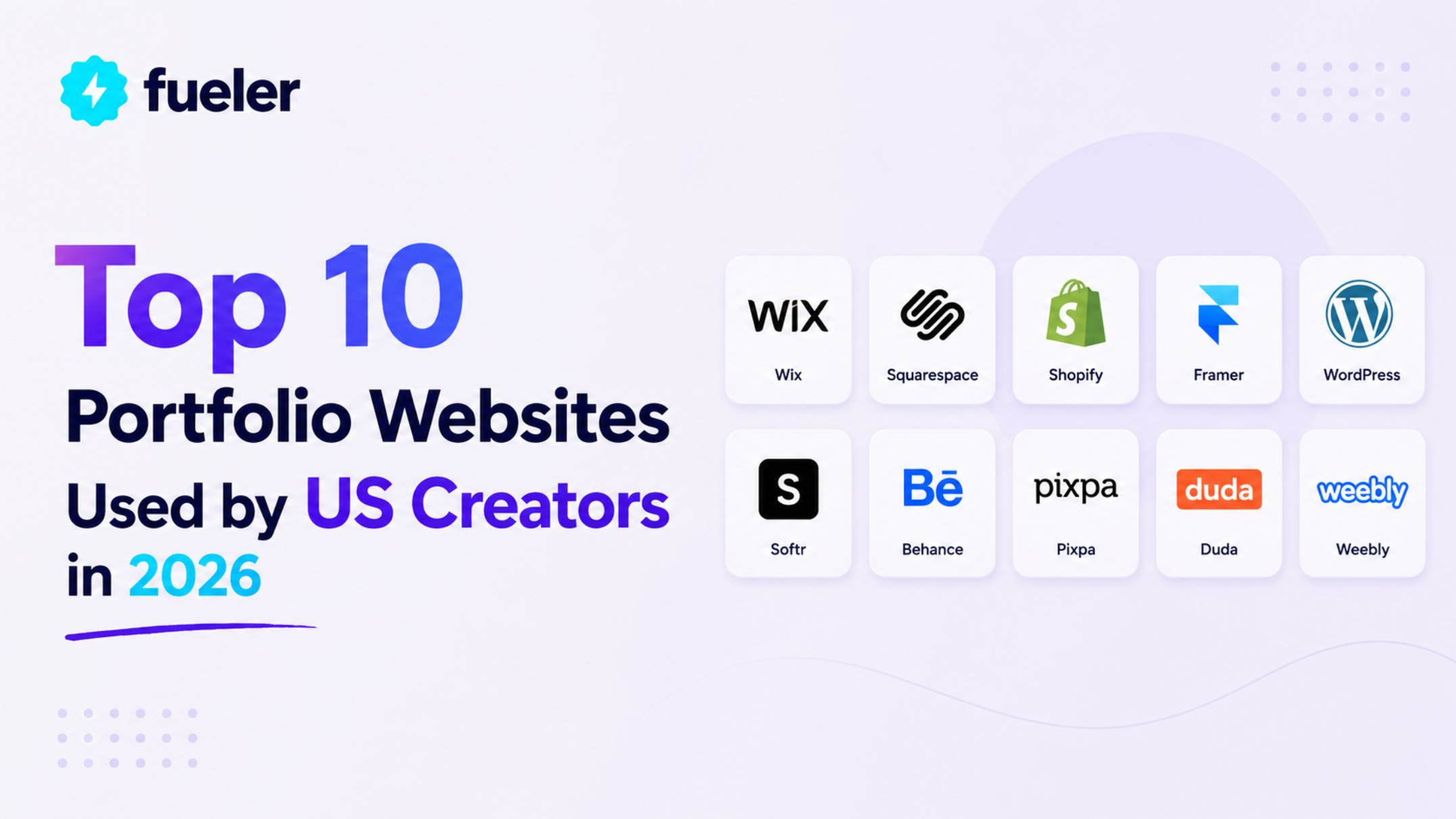
In the hyper-visual landscape of 2026, a static resume is a relic of the past. For US creators ranging from AI prompt engineers and 3D motion designers to digital strategists, their portfolio is the primary vehicle for trust and professional identity. As companies move toward "skills-first" hiring, the platform you choose to host your work dictates not just how your projects look, but how they are discovered by the algorithms and human recruiters that drive the modern economy. These ten platforms represent the most influential tools currently used by American professionals to bridge the gap between creative output and high-ticket career opportunities.
I’m Riten, founder of Fueler, a skills-first portfolio platform that connects talented individuals with companies through assignments, portfolios, and projects, not just resumes/CVs. Think Dribbble/Behance for work samples + AngelList for hiring infrastructure
1. Fueler: The Proof-of-Work Powerhouse
Fueler emerged in 2026 as the essential "evidence locker" for the multi-hyphenate creator. Unlike traditional builders that focus solely on aesthetics, Fueler prioritizes the "Proof-of-Work" philosophy, allowing you to cluster different media like Figma files, live code, and long-form writing into thematic "stacks." This makes it the top choice for US freelancers who need to prove their multidisciplinary skills to high-paying clients who are tired of looking at generic PDF portfolios.
- Dynamic Thematic Stacks: You can organize your work into specialized "stacks" that tell a specific story, such as a "Branding Portfolio" separate from your "UI/UX Case Studies," allowing you to send targeted links to different types of clients without overwhelming them with irrelevant projects.
- Recruiter-Verified Proof: Fueler integrates with major platforms to pull in verified data and testimonials, acting as a third-party validator for your skills, which is a critical advantage in a 2026 market where AI-generated fake work has become a significant concern for hiring managers.
- Seamless Service Integration: You can embed custom pricing tables and Calendly booking links directly into your portfolio blocks, effectively turning your work showcase into a high-converting sales page where clients can go from viewing your work to booking a discovery call in under sixty seconds.
- Advanced Geo-Analytics: The platform provides deep insights into who is viewing your work and from where, allowing you to see if a specific agency in New York or a startup in San Francisco is repeatedly viewing your profile, so you can follow up with perfect timing.
- JSON and PDF Data Portability: Recognizing the importance of data ownership, Fueler allows you to export your entire portfolio and all associated proof-of-work as a clean JSON or PDF file, ensuring that you never lose access to your professional history even if you change platforms.
Pricing:
- Silver Plan (Free): Unlimited blocks and basic analytics for life; the most generous entry point for juniors building their first professional presence.
- Gold Plan: $88 per year) for unlimited custom portfolios, advanced visitor tracking, and weekly personalized job matches pushed to your inbox.
2. Squarespace: The Aesthetic Industry Standard
Squarespace remains the dominant choice for US-based photographers, fashion designers, and architects who require a "premium" feel with zero technical friction. In 2026, their "Blueprint AI" system revolutionized the setup process, allowing creators to generate a fully branded, professional-grade website in minutes. It is the "Apple" of website builderspolished, secure, and incredibly intuitive making it the go-to for those whose work demands a high-fashion, editorial presentation.
- Blueprint AI Guided Setup: This 2026 flagship feature uses a five-step conversational interface to help you select layouts, font pairings, and color palettes based on your specific industry, eliminating the "blank page syndrome" and ensuring your site looks professionally designed from day one.
- Fluid Engine Grid System: The drag-and-drop editor allows for immense creative freedom while maintaining a structured underlying grid, giving you the ability to overlap elements and create complex, layered layouts that look custom-coded without ever touching a line of CSS.
- Integrated Client Tools: Beyond simple image galleries, Squarespace includes robust appointment scheduling and invoicing tools, making it a complete business suite for freelancers who need to manage their entire client workflow from initial lead to final payment within one dashboard.
- High-Resolution Video Hosting: For motion designers and videographers, the platform offers built-in HD video hosting that doesn't rely on third-party players like YouTube, ensuring your work plays back smoothly with a clean, unbranded interface that keeps the focus on your creativity.
- Automated SEO and Marketing: Every site includes a comprehensive SEO checklist and built-in email marketing tools that allow you to turn your portfolio updates into professional newsletters, helping you stay top-of-mind with past clients and potential collaborators.
Pricing:
- Personal Plan: $16 per month (billed annually); includes a free custom domain for the first year and unlimited bandwidth for your creative content.
- Core Plan: $23 per month (billed annually); adds the ability to sell services, accept payments, and access advanced website analytics.
3. Adobe Portfolio: The Pro-Creative Ecosystem
For the millions of US creators already subscribed to the Adobe Creative Cloud, Adobe Portfolio is the logical, "free" choice that integrates seamlessly with their existing tools. In 2026, its deepest value lies in its synchronization with Behance and Lightroom, allowing a photographer or illustrator to update their website automatically just by finishing a project in an Adobe app. It is the most efficient way to maintain a professional web presence for those who live and breathe in Photoshop or Premiere Pro.
- Lightroom and Behance Sync: This is the platform's "killer feature," as it allows you to automatically pull galleries from your Lightroom collections or projects from Behance, ensuring your website is always updated with your latest work without any manual uploading.
- Mobile-First Responsive Layouts: Every template is designed with a "mobile-first" philosophy, which is vital in 2026 as over 80% of creative recruiters now screen portfolios on their smartphones before ever opening them on a desktop computer.
- Custom Domain Support: Unlike many "included" tools, Adobe Portfolio allows you to connect a professional custom domain for free, ensuring that your URL looks professional (e.g., yourname.com) rather than sounding like a secondary social media profile.
- Password-Protected Galleries: You can create "hidden" or password-protected pages for sensitive client work or projects that are still under NDA, allowing you to share high-level work with specific recruiters without making it public to the world.
- Included with Creative Cloud: Since it is bundled with most Adobe subscriptions (including the Photography plan), it effectively costs $0 for the majority of professional designers, making it the most cost-effective high-end portfolio solution on the market.
Pricing:
- Free: Included with most Adobe Creative Cloud plans (the $9.99/mo Photography plan is the cheapest way to access it).
- Stand-Alone: Not available; it is strictly an ecosystem benefit for Adobe subscribers.
4. Webflow: The Designer’s Freedom Engine
Webflow has become the gold standard in 2026 for high-end UI/UX designers and creative agencies who refuse to be constrained by templates. It offers a "no-code" interface that is essentially a visual version of HTML and CSS, giving creators absolute pixel-perfect control over every animation and interaction. For the US creator who wants their portfolio to be a masterpiece of web design in itself, Webflow is the only tool that offers this level of technical depth.
- Pixel-Perfect Visual Design: Webflow doesn't use rigid templates; instead, it provides a blank canvas where you can build anything you can imagine, from complex 3D transforms to intricate scroll-based animations that make your portfolio feel alive and interactive.
- CMS-Driven Project Management: The powerful Content Management System allows you to manage your projects as dynamic data, making it incredibly easy to add new case studies or filter your work by "type" or "year" without manually rebuilding your pages every time.
- Interactions and Animations: Webflow’s built-in interaction engine allows you to create high-end animations like parallax effects, hover states, and reveal triggers that would traditionally require a front-end developer and thousands of lines of custom JavaScript.
- Enterprise-Grade Hosting: Your portfolio is hosted on a global CDN (Content Delivery Network), ensuring that your high-resolution images and videos load lightning-fast for a recruiter in New York or a client in Tokyo, which is a major factor in user experience.
- Clean Code Export: For developers or technical designers, Webflow generates clean, semantic code that can be exported and hosted on your own servers, providing total control and flexibility for creators who want to own their digital assets entirely.
Pricing:
- Starter Plan: Free for life; allows you to learn the tool and build your site on a webflow.io subdomain before you're ready to launch.
- General Site Plan: $14 per month (billed annually); allows for a custom domain and supports up to 250,000 monthly visits.
5. Behance: The Social Discovery Network
While not a traditional website builder, Behance is an essential pillar of the US creative landscape in 2026. Owned by Adobe, it functions as a social network where your work is discovered by millions of other creatives and thousands of recruiters searching for specific talent. For a US creator, a presence on Behance is often the primary source of inbound "organic" leads, as the platform’s algorithm promotes high-quality work to a massive global audience every day.
- Project-Based Storytelling: Behance allows for deep, long-form project pages where you can combine sketches, process videos, and final renders to tell a complete story, which is exactly what hiring managers at top design firms like IDEO or Frog look for.
- "Appreciation" and Social Proof: The platform’s "Appreciate" (like) and "Follow" system provides instant social proof; a project that is featured in a Behance "Curated Gallery" can instantly result in dozens of job inquiries from high-profile companies.
- Integrated Job Board: Behance features one of the most active job boards in the creative industry, and your profile acts as your application, allowing you to apply for roles at companies like Nike, Google, and Apple with a single click of a button.
- Asset Selling via Subscriptions: In 2026, Behance has expanded its "Subscriptions" feature, allowing creators to lock premium content like design assets, tutorials, or behind-the-scenes footage behind a monthly fee, creating a passive income stream directly from their portfolio.
- Live Streaming Integration: You can host "Creative Cloud Live" sessions directly on your profile, allowing potential clients to watch your process in real-time, which builds immense trust and establishes you as an authority in your specific creative niche.
Pricing:
- Basic Version: Free for everyone; unlimited project uploads and social features are accessible to all creators worldwide.
- Behance Pro: $9.99 per month; provides advanced analytics, the ability to hide your profile from search engines, and advanced portfolio customization options.
6. Framer: The Future of Rapid Web Production
In 2026, Framer has overtaken Figma as the favorite tool for designers who want to ship their portfolios "from canvas to live" instantly. It combines the ease of a design tool with the power of a website builder, allowing you to literally copy-paste elements from a design file and have them appear as a live, responsive website. It is the top choice for US product designers who want a site that feels modern, fluid, and technologically advanced without the steep learning curve of Webflow.
- Figma-to-Web Workflow: The seamless integration allows you to design your entire portfolio in Figma and then paste it directly into Framer, where it instantly becomes a live website with all layers, colors, and typography settings perfectly preserved.
- AI-Generated Site Components: Framer’s "AI Site Assistant" can generate entire sections of your portfoliolike a hero section or a contact form just from a text prompt, which you can then customize to fit your unique visual style in seconds.
- High-Performance Motion Engine: Framer is famous for its "Spring" and "Tween" animations, which make the navigation of your portfolio feel buttery smooth, mimicking the high-end feel of a native mobile app rather than a traditional static website.
- Responsive Breakpoints by Default: You can design your desktop, tablet, and mobile views on a single canvas, ensuring that your work looks perfect across all devices without the tedious "stacking" issues found in simpler drag-and-drop builders.
- Built-in SEO and Page Speed: Every Framer site is automatically optimized for speed and SEO, ensuring that your portfolio ranks well in Google searches and loads in under a second, which is critical for maintaining the attention of busy hiring managers.
Pricing:
- Free Plan: Unlimited projects on a framer.ai subdomain; perfect for students and beginners looking to experiment with high-end web design.
- Mini Plan: $5 per month (billed annually); a unique "budget" option for simple portfolios that need a custom domain but don't require hundreds of pages.
7. Wix Studio: The All-In-One Creative Powerhouse
Wix Studio is the 2026 professional-grade evolution of the classic Wix builder, designed specifically for freelancers and agencies. It offers a "Smart Layout" system that uses AI to handle responsiveness, meaning you can design a layout once and the AI will automatically adjust it for every screen size. It is the most feature-rich platform on this list, offering everything from advanced SEO tools to full-stack dev capabilities for those who want a truly "limitless" portfolio.
- Smart Layout AI: This groundbreaking feature analyzes your design and automatically applies responsive rules, like flexboxes and CSS gridsensuring your portfolio looks intentional on every device without you having to manually adjust every single element.
- Full-Stack Velo Integration: For the technical creator, Wix's "Velo" platform allows you to add custom database collections and JavaScript to your site, making it possible to build things like custom client portals or interactive data visualizations.
- Centralized Client Management: Wix Studio includes a "Workspace" where you can manage multiple client projects, track invoices, and even collaborate with other freelancers in real-time, making it more of a business operating system than just a website builder.
- Massive App Marketplace: With over 900+ integrated apps, you can easily add features like live chat, e-commerce stores, or complex booking systems to your portfolio with a few clicks, ensuring your site can grow alongside your freelance business.
- Advanced Content Design: The "Section Patterns" and "Global Styles" tools allow you to maintain perfect brand consistency across your entire site, making it easy to change your entire portfolio’s color scheme or font choice in one central place.
Pricing:
- Light Plan: $17 per month (billed annually); removes all Wix branding, provides a custom domain, and includes 2GB of storage for your creative assets.
- Core Plan: $29 per month (billed annually); increases storage to 50GB and provides access to advanced site analytics and basic e-commerce tools.
8. Notion: The Minimalist’s Case Study Hub
Notion has become a "secret weapon" for US-based UX researchers and product managers in 2026. While it isn't a traditional website builder, its clean, document-based interface is perfect for showing the process behind the design. Hiring managers increasingly prefer the "Notion Portfolio" for its clarity and honesty, as it allows creators to share deep, text-driven case studies that prove their problem-solving logic without the distraction of flashy animations.
- Logic-First Presentation: Notion’s simple layout forces the creator to focus on the "why" behind their work, making it the best platform for researchers and strategists who need to show their research methodologies and data analysis in a readable format.
- Instant, Frictionless Updates: Updating a Notion portfolio is as easy as typing a note on your phone; there is no "Publish" button or complicated backend, meaning you can add a new project in seconds after a client call ends.
- Database and Gallery Views: You can organize your projects into a database and display them as a "Gallery," allowing visitors to filter your work by "industry," "skill used," or "project date," providing a highly organized browsing experience.
- Easy File Embedding: You can embed live Figma prototypes, Google Drive documents, or even Loom video walkthroughs directly into your Notion pages, giving your portfolio a "multimodal" feel that shows you can use modern collaboration tools.
- Public Link Sharing: With one click, your private workspace becomes a public website; combined with third-party tools like "Super.so," you can even add a custom domain and professional CSS to make your Notion page look like a high-end website.
Pricing:
- Free Plan: Unlimited blocks for individuals; more than enough to build a professional-grade portfolio with dozens of detailed case studies.
- Plus Plan: $8 per month (billed annually); allows for larger file uploads (vital for high-res images) and 30-day version history for your work.
9. Carbonmade: The "Fun" and Fast Portfolio
Carbonmade has maintained its cult following in 2026 by being the most "personality-driven" portfolio builder for US illustrators and character designers. It is designed to be set up in under 15 minutes, using a "block-based" system that feels more like playing a game than building a website. For creators who want a site that feels whimsical, colorful, and unique without the corporate "dryness" of Squarespace, Carbonmade is the clear choice.
- Effortless "Drag-and-Drop": The interface is completely visual and requires zero technical knowledge; you simply drag your images and videos onto the page, and the platform automatically handles the layout and responsiveness with a fun, vibrant aesthetic.
- Talent Pool Discovery: Carbonmade maintains its own "Talent Pool" where recruiters from companies like Disney and Pixar actively search for new talent, giving you built-in exposure to the world’s most prestigious creative organizations.
- Uncapped 4K Media Support: Unlike many builders that compress your work, Carbonmade allows for unlimited uploads of high-resolution 4K images and videos, ensuring your renders and illustrations look crisp on the latest high-end monitors.
- Global Navigation Options: You can choose from dozens of unique navigation stylesfrom sidebar menus to hidden "hamburger" iconsallowing you to create a site architecture that fits your specific body of work and personal brand.
- Portfolio Statistics: The platform includes a simple, easy-to-read analytics dashboard that shows you exactly how many people have viewed each project, helping you understand which parts of your work are attracting the most attention.
Pricing:
- Beginner Plan: $9 per month (billed monthly); supports up to 8 projects and basic styling perfect for students or those with a smaller body of work.
- Professional Plan: $12 per month (billed annually); allows for unlimited projects, a custom domain, and full access to the Carbonmade talent pool.
10. Contra: The "Work-for-Hire" Portfolio
Contra has revolutionized the freelance portfolio in 2026 by combining a work showcase with a full-scale payments platform. It is the top choice for the "solopreneur" who wants to display their work and get paid in the same place. Your Contra profile acts as a "link-in-bio" that is specifically optimized for converting social media followers into high-paying freelance clients, complete with commission-free payments.
- Services and Offerings: Instead of just showing past work, Contra allows you to list specific "Services" (e.g., "$500 Logo Design" or "$2k Brand Audit"), making it incredibly easy for clients to hire you for a specific package directly from your portfolio.
- Commission-Free Payments: Contra’s biggest draw is that it takes 0% commission on your earnings; when a client pays you through your portfolio, you keep 100% of the money, which is a massive advantage over platforms like Upwork or Fiverr.
- Collaborator Tagging: You can "tag" other creators on projects you worked on together, which creates a network of professional endorsements and helps your work be discovered by the networks of your peers and collaborators.
- Verified Project Badges: When you complete a job through Contra, the project is marked as "Verified," which acts as a gold star of credibility for future clients who are looking for a reliable, professional freelancer with a proven track record.
- Custom "Pro" Profiles: The Pro version allows you to use your own custom domain and provides advanced "Insights" into how your services are performing, helping you tweak your pricing and offerings based on real-world data.
Pricing:
- Free Plan: 0% commission on payments and unlimited project uploads; the most lucrative starting point for any serious US freelancer in 2026.
- Contra Pro: $29 per month; includes custom domain support, advanced profile analytics, and priority placement in Contra’s "Discover" feed for hiring managers.
Final Thoughts
The "Portfolio Wars" of 2026 are no longer about who has the flashiest template, but about who can provide the most credible "Proof-of-Work." Whether you choose the technical freedom of Webflow, the aesthetic polish of Squarespace, or the evidence-based stacking of Fueler, the goal remains the same: to turn your creativity into a professional asset. In a world of infinite digital noise, a well-curated portfolio is the only way to ensure your human talent is seen, valued, and appropriately compensated.
FAQs
Should I have a standalone website or just a Behance profile?
In 2026, the answer is usually both. Think of Behance as your "billboard" where new clients discover you, and your standalone website (built on Squarespace, Webflow, or Fueler) as your "office" where you close the deal. Having a custom domain website shows a level of professional investment that a social profile alone cannot convey, especially for high-ticket contracts.
How many projects should I include in my 2026 portfolio?
The "Quality over Quantity" rule is stricter than ever. Most US recruiters recommend including 3 to 6 deep case studies rather than 20 superficial projects. In 2026, hiring managers want to see your process, the sketches, the failures, and the data rather than just the final pretty picture. One deep, well-documented project is worth ten simple images.
Is AI going to make my portfolio irrelevant?
Actually, AI makes a high-quality portfolio more important. As the internet becomes flooded with AI-generated content, your "Proof-of-Work" (your sketches, your recorded Loom walkthroughs, and your client testimonials) serves as your "Human Identity." A portfolio that shows your thinking process is the only way to prove you aren't just a "prompt operator," but a true creative problem solver.
Can I build a professional portfolio for free?
Yes. Platforms like Fueler, Notion, and Contra offer incredibly powerful free plans that are sufficient for landing your first few five-figure contracts. You only need to upgrade to paid plans when you require a custom domain (e.g., yourname.com) or advanced business tools like integrated scheduling and high-end analytics.
How often should I update my portfolio?
Ideally, you should add a "mini-update" once a month. In 2026, a "stale" portfolio is a red flag to recruiters who are looking for active, current talent. Even if you haven't finished a giant project, you can use platforms like Fueler to add "Micro-Proof," a quick insight from a project you're working on or a testimonial from a recent client to show that you are consistently active in the market.
What is Fueler Portfolio?
Fueler is a career portfolio platform that helps companies find the best talent for their organization based on their proof of work. You can create your portfolio on Fueler. Thousands of freelancers around the world use Fueler to create their professional-looking portfolios and become financially independent. Discover inspiration for your portfolio
Sign up for free on Fueler or get in touch to learn more.

What should you do next?
You've read the article. Now turn your skills into proof of work and unlock more opportunities.
Build your proof of work portfolio
Create a clean portfolio with projects, assignments, resumes, and AI stack details that companies actually want to see.
Create your Fueler portfolio →Apply through assignments, not resumes
Stand out by solving real tasks from companies hiring on Fueler.
Explore assignments →Get discovered by companies
Make your work public and let recruiters discover your skills through actual projects instead of keywords.
Get discovered →
