Top 15 Education Technology Tools Popular in the USA in 2026

Riten Debnath
17 Jan, 2026
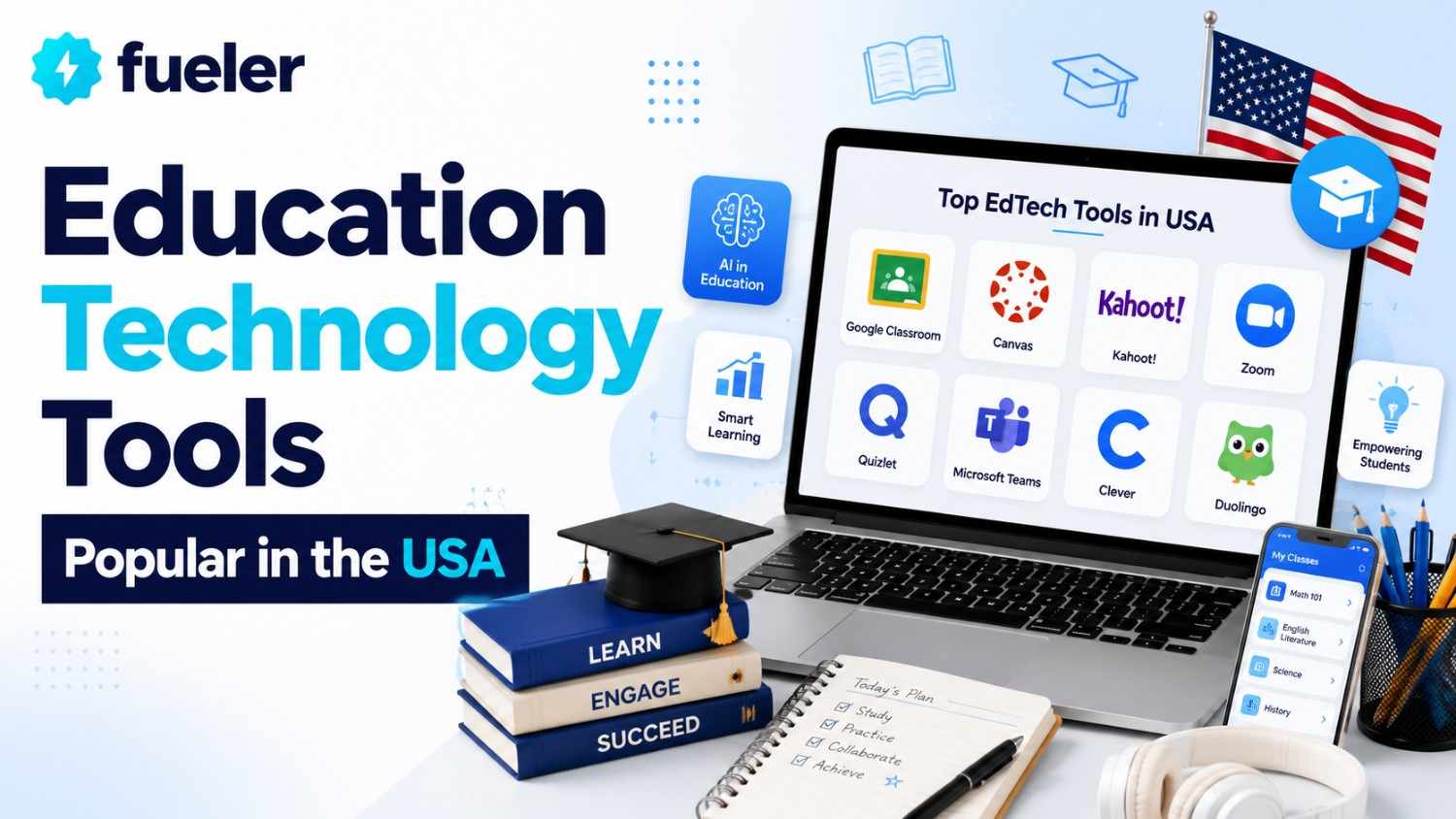
The classroom of 2026 is no longer a static room with four walls; it is a fluid, high-tech environment where the boundary between physical and digital learning has all but disappeared. For educators and students in the USA, staying "popular" isn't about chasing the latest fad; it's about adopting tools that solve the real-world problems of engagement, burnout, and accessibility. From AI-driven assistants that grade essays in seconds to immersive platforms that take students on virtual field trips across the solar system, these tools are defining the new standard of American excellence.
I’m Riten, founder of Fueler, a skills-first portfolio platform that connects talented individuals with companies through assignments, portfolio, and projects, not just resumes/CVs. Think Dribbble/Behance for work samples + AngelList for hiring infrastructure.
1. MagicSchool.ai (Lesson Planning & Productivity)
MagicSchool.ai has rapidly ascended to become one of the most beloved AI companions for teachers across the United States, specifically designed to combat the administrative heavy lifting of modern schooling. By offering a suite of over 50 specialized AI generators, it allows educators to create everything from standards-aligned lesson plans to complex Individualized Education Program (IEP) drafts in a matter of seconds. Its popularity stems from its "human-in-the-loop" approach, which ensures that while the AI does the initial drafting, the teacher remains the final editor and authority in the classroom.
- Standards-Aligned Generation: Teachers can instantly generate complete lesson plans that are precisely aligned to state or Common Core standards, ensuring that every minute of classroom time is academically productive.
- IEP & 504 Assistance: The platform provides specialized tools to help special education teachers draft compliant and thoughtful documentation, which is notoriously one of the most time-consuming parts of the American teaching profession.
- Differentiated Materials: With a single click, a teacher can take a complex reading passage and rewrite it for five different reading levels, making it possible to support diverse learners within the same physical classroom space.
- Automated Feedback Tools: The platform can generate draft feedback for student writing based on specific rubrics, helping teachers provide the personalized guidance students need without spending hours on individual grading.
- Communication Generators: It simplifies the process of drafting professional emails to parents, newsletters, and even recommendation letters, allowing teachers to maintain high levels of community engagement with minimal effort.
Pricing Information:
- Free Version: Offers a generous set of basic AI tools for individual teachers.
- MagicSchool Plus: Approximately $12.99 per month for unlimited access to advanced generators and priority support.
2. Khanmigo by Khan Academy (Personalized AI Tutoring)
Khanmigo is the pioneering AI-powered tutor developed by the non-profit giant Khan Academy, designed to act as a 24/7 personal guide for every student and a co-pilot for every teacher. Unlike traditional chatbots that simply provide answers, Khanmigo is programmed to be Socratic, asking guiding questions that help students arrive at the correct solution on their own. This tool is a cornerstone of the US movement toward personalized learning, providing a safe, monitored environment where students can explore complex topics at their own pace.
- Socratic Tutoring: The AI never gives the answer away; instead, it breaks down complex math or science problems into smaller, digestible steps, encouraging students to build their own problem-solving skills and confidence.
- Teacher Co-Pilot Features: For educators, Khanmigo can help draft lesson plans, summarize student progress reports, and even suggest creative hooks for lectures, functioning like a highly efficient department head.
- Interactive Storytelling: Students can engage in "conversations" with historical figures or literary characters, allowing them to interview a virtual George Washington or debate the themes of The Great Gatsby in real-time.
- Writing Assistance: The tool provides real-time coaching for student essays, offering suggestions on structure, tone, and evidence without writing the paper for the student, thus upholding strict academic integrity.
- Admin Dashboard: School leaders can access high-level data on how the AI is being used across the district, ensuring that the tool is being implemented effectively and safely in accordance with privacy regulations.
Pricing Information:
- For Teachers: Often free through school or district-wide partnerships.
- For Parents/Individuals: Typically costs around $4 per month (or $44 annually) to support the non-profit mission of Khan Academy.
3. Quizlet (AI-Enhanced Study Sets)
Quizlet remains the go-to study companion for millions of American students, but in 2026, it has evolved far beyond simple digital flashcards through the integration of advanced machine learning. Its new "Q-Chat" feature uses AI to simulate a personal tutor that can quiz students on their specific study sets, identify their weak points, and adapt the difficulty level in real-time. This combination of classic spaced repetition and modern generative AI makes it an essential tool for high-stakes test preparation, from middle school vocab to medical board exams.
- Adaptive Learning Paths: The "Learn" mode uses a sophisticated algorithm to track which concepts a student struggles with, prioritizing those cards in future study sessions to maximize memory retention and study efficiency.
- Q-Chat AI Tutor: This conversational interface allows students to "chat" with their study material, asking the AI to explain a concept in simpler terms or to quiz them on a specific chapter using different question formats.
- Expert Solutions: Quizlet provides a massive library of verified, step-by-step solutions for thousands of popular US textbooks, giving students the guided help they need to tackle difficult homework assignments independently.
- Study Guides & Practice Tests: The platform can instantly convert a set of flashcards into a full-length practice exam or a structured study guide, allowing students to simulate a real testing environment before the big day.
- Collaborative Classrooms: Teachers can create "Classes" where they share verified study sets with their students, ensuring that everyone is working from the same accurate information and tracking collective progress through leaderboards.
Pricing Information:
- Free Version: Ad-supported access to basic flashcards and study modes.
- Quizlet Plus: Approximately $35.99 per year for ad-free studying, offline access, and advanced AI features like Q-Chat and Expert Solutions.
4. Nearpod (Interactive Presentation & VR)
Nearpod has redefined what it means to give a "presentation" in the American classroom by turning static slides into a 360-degree, interactive experience. During a Nearpod session, every student's device is synced to the teacher’s, allowing for real-time polls, drawing activities, and even virtual reality field trips to the Great Wall of China or the inside of a plant cell. It is particularly popular in US schools for its ability to provide instant formative assessment data, showing the teacher exactly who is following and who needs extra help.
- Embedded Interactive Features: Teachers can "drop" quizzes, open-ended questions, and collaborative boards directly into their slides, forcing students to actively participate in the lesson rather than just passively listening.
- Virtual Reality Field Trips: Using just a smartphone or tablet, students can explore thousands of VR landscapes, making it possible for a rural school in Iowa to "visit" the Smithsonian or the Pyramids of Giza without leaving their desks.
- Simulations by PhET: The platform integrates high-quality science and math simulations, allowing students to manipulate variables in a virtual lab and see the scientific results of their experiments in real-time.
- Real-Time Data Reports: As students complete activities, the teacher receives an instant report of the results, enabling them to pivot their instruction immediately if they see that a majority of the class is confused.
- Extensive Content Library: Nearpod offers thousands of ready-to-run lessons created in partnership with experts like National Geographic and Flocabulary, saving teachers hours of content creation time every single week.
Pricing Information:
- Silver (Basic): Free with limited storage and a 40-student cap per session.
- Gold (Individual Teacher): Approximately $120 per year for more storage and advanced features.
- District: Custom pricing based on the number of schools and students.
5. Brisk Teaching (Browser Extension for Teachers)
Brisk Teaching is a powerful "invisible" tool that lives as a Chrome extension, allowing teachers to bring AI capabilities directly into the websites and documents they are already using. Whether a teacher is browsing a news article or grading a Google Doc, Brisk can instantly summarize the text, generate a quiz based on the content, or provide feedback on a student's writing. It has become a favorite in US schools because it doesn't require a new platform to learn; it simply makes the current workflow much faster and more intelligent.
- Targeted Feedback Generation: Within a student's Google Doc, Brisk can analyze the writing against a specific rubric and generate thoughtful, actionable feedback that the teacher can review and then "insert" with a single click.
- Content Leveling: Teachers can take any website or online article and use Brisk to rewrite it at a different grade level, ensuring that the material is accessible to every student in a heterogeneous classroom.
- Automated Lesson Creation: From any YouTube video or webpage, Brisk can generate a complete lesson plan, a set of comprehension questions, or a vocabulary list, turning the entire internet into a curated curriculum.
- Parent Communication: The extension can help draft professional emails or progress updates based on the student data currently visible on the screen, maintaining high-quality communication with families without the usual time drain.
- Plagiarism & AI Detection: Brisk includes tools to help teachers identify if a student's work may have been generated by AI or copied from another source, protecting the integrity of the classroom's academic standards.
Pricing Information:
- Free Version: Robust features for individual educators.
- Brisk School/District: Custom pricing that includes advanced administrative controls, professional development, and enterprise-level security features.
6. Padlet (Visual Collaboration Boards)
Padlet acts as the "digital bulletin board" for the modern classroom, providing a clean, visual space where students and teachers can post notes, images, videos, and links. In the USA, it is frequently used for brainstorming sessions, virtual gallery walks, and as a centralized hub for project-based learning materials. Its popularity is driven by its extreme versatility and its "no-login-required" option for students, which makes it incredibly easy to start a collaborative activity in the middle of a live lesson.
- Flexible Layouts: Users can choose from various board styles, including "Wall," "Canvas," or "Timeline," allowing them to organize their information in the way that best suits the specific project or subject matter.
- Multimedia Support: Posts on a Padlet board can include everything from hand-drawn sketches and voice recordings to YouTube videos and Spotify tracks, making it a rich environment for multi-modal learning.
- Real-Time Collaboration: Multiple students can post to the same board simultaneously, and their updates appear instantly, fostering a sense of community and shared purpose during both in-person and remote sessions.
- Moderation Controls: Teachers have full control over the board, including the ability to approve posts before they appear publicly and to turn on "comments" or "reactions" to encourage peer-to-peer feedback.
- Security & Privacy: Padlet offers password-protected boards and "secret" links, ensuring that student work remains private and that the collaborative space is safe from outside interruptions or unwanted visitors.
Pricing Information:
- Free (Neon): Allows for up to 3 active boards.
- Pro (Platinum): Approximately $12 per month (or $96 annually) for unlimited boards and larger file upload limits.
7. Canva for Education (Visual Design & Creativity)
Canva for Education has taken the American school system by storm by providing professional-grade design tools for free to K-12 teachers and students. It empowers students to move beyond standard text-based reports and create stunning infographics, video presentations, and interactive posters that showcase their learning in a visually compelling way. With its massive library of education-specific templates and AI-powered "Magic Studio," Canva is bridging the gap between academic work and the digital communication skills required in the modern workforce.
- Magic Studio AI: Students can use AI to generate images from text descriptions, remove backgrounds from photos with a single click, and even transform a boring document into a beautiful presentation automatically.
- Collaborative Design: Entire classes can work together on a single design project in real-time, allowing for complex group projects like digital yearbooks, classroom magazines, or community awareness campaigns.
- LMS Integration: Canva integrates seamlessly with Google Classroom, Canvas, and Schoology, making it easy for teachers to assign design projects and for students to submit their finished work for grading.
- Video Suite: The platform includes an easy-to-use video editor with a library of stock footage and music, enabling students to create professional-looking documentaries, news reports, and social media content for their assignments.
- Brand Kits for Schools: Schools can set up "Brand Kits" with their official colors and logos, ensuring that all school-wide communications, from newsletters to sports posters, have a consistent and professional look.
Pricing Information:
- Canva for Education: 100% free for verified K-12 teachers and students in the USA.
8. Duolingo for Schools (Gamified Language Learning)
Duolingo for Schools takes the world’s most popular language-learning app and provides a specialized dashboard for teachers to track their students' progress. In US schools, it is often used as a daily warm-up or a supplementary tool to reinforce vocabulary and grammar in Spanish, French, German, and many other languages. By using "streaks," leaderboards, and character-driven stories, Duolingo makes the often-repetitive process of language acquisition feel like a game that students are eager to play every day.
- Teacher Dashboard: Educators can see exactly how many minutes each student has practiced, which skills they have mastered, and where they are struggling, allowing for targeted intervention during class time.
- Custom Assignments: Teachers can set specific goals for their students, such as completing a certain number of experience points (XP) or finishing a specific unit by the end of the week, with automated grading.
- Gamified Motivation: The app uses psychological triggers like "lingots" (virtual currency) and daily streaks to encourage consistent practice, which is the most critical factor in successful language learning.
- Immersive Stories: Students can listen to and participate in short, humorous stories that use high-frequency vocabulary in context, helping to build the listening and comprehension skills needed for real-world fluency.
- Placement Tests: The platform includes a diagnostic test that places students at the correct level, ensuring that those with prior knowledge aren't bored and that beginners aren't overwhelmed by the material.
Pricing Information:
- Duolingo for Schools: 100% free for teachers and students, with no ads or hidden costs for educational accounts.
9. Edpuzzle (Interactive Video Learning)
Edpuzzle solves the "passive video" problem in US education by allowing teachers to turn any video from YouTube, Khan Academy, or National Geographic into an interactive lesson. By embedding questions, voice notes, and audio comments at specific timestamps, teachers can ensure that students are actually processing the information as they watch. It is an indispensable tool for the "flipped classroom" model, as it provides clear data on which students watched the video and which concepts they struggled to understand before class began.
- Video Cropping & Customization: Teachers can take a long educational video and crop it down to the most important parts, ensuring that instructional time is used efficiently and that students stay focused on the core objectives.
- Prevent Skipping: One of the most popular features is the "Prevent Skipping" toggle, which forces students to watch the entire video and answer every question before they can move forward or finish the assignment.
- Auto-Grading: Multiple-choice questions embedded in the video are graded automatically, and the results are synced directly to the teacher's gradebook, providing instant insight into student comprehension across the class.
- Voice-Over & Notes: Teachers can record their own voice over a video to explain a difficult concept in a way that is familiar to their students, making external content feel more personal and relevant to the specific curriculum.
- Screen Recording: Edpuzzle includes a built-in screen recording tool, allowing teachers to easily create their own instructional videos and instantly add interactive elements for their students to engage with.
Pricing Information:
- Basic Version: Free for teachers with a storage limit of 20 videos.
- Pro Teacher: Approximately $13.50 per month for unlimited video storage and advanced features.
- School/District: Custom enterprise pricing for unlimited storage across the entire organization.
10. Schoology (Comprehensive K-12 LMS)
Schoology, now part of the PowerSchool family, is a leading Learning Management System (LMS) that is specifically tailored for the K-12 environment in the USA. It combines a clean, social-media-style interface with powerful academic tools like grading, assessment, and parent communication. Schoology is particularly popular in large school districts because it unifies all of a student’s digital resources into a single location, reducing the "login fatigue" that can often frustrate students and their families.
- Social Learning Interface: The platform looks and feels like a modern social network, which makes it highly intuitive for students to use for discussions, group projects, and checking their daily assignments.
- Mastery Tracking: Teachers can tag assignments with specific state standards, and the platform will automatically track each student's mastery of those standards over time, providing a data-driven view of academic growth.
- Unified Gradebook: Schoology provides a powerful gradebook that can sync directly with a school’s Student Information System (SIS), ensuring that grades are always accurate and accessible to both students and parents.
- Collaborative Groups: Beyond individual classes, students and teachers can join "Groups" for clubs, sports teams, or professional learning communities, fostering a sense of connection across the entire school building.
- Enterprise Security: As a major US-based platform, Schoology meets the highest standards of data privacy and security, ensuring that sensitive student information is protected and that the district remains compliant with FERPA regulations.
Pricing Information:
- Basic: Free for individual teachers (with limited features).
- Enterprise: Custom district-wide pricing, typically estimated between $15 and $25 per student annually.
11. Blooket (Next-Gen Gamified Assessment)
Blooket has emerged as a fierce competitor to Kahoot! in US classrooms by offering a much deeper level of gamification that keeps students engaged for longer periods. Instead of just answering questions for points, students use their correct answers to earn "Blooks" and play various mini-games like "Tower Defense" or "Cafe Manager." This added layer of strategy and reward makes Blooket a favorite for "Friday Fun" or as a high-stakes review tool that students actually beg to use during their free time.
- Strategy-Based Mini-Games: Students aren't just racing to answer; they have to manage resources, build defenses, or compete in "hacking" battles, which makes the learning process feel much more like a modern video game.
- Student-Paced Modes: While it can be played as a live class competition, Booklet also offers "Homework" modes where students can play through the games at their own pace outside of school hours to reinforce their knowledge.
- Seasonal Events & Blooks: The platform regularly releases limited-edition "Blooks" (character icons) during holidays or special events, creating a collectible element that encourages students to keep playing and learning.
- Vast Question Library: Teachers can choose from millions of pre-made question sets created by other educators or easily import their own sets from Quizlet or a CSV file, making setup incredibly fast and simple.
- In-Depth Analytics: After a game, the teacher receives a detailed report showing which questions the class struggled with the most, allowing them to turn a fun game into a serious opportunity for reteaching and clarification.
Pricing Information:
- Free: Access to all core game modes and the ability to host games for up to 60 students.
- Blooket Plus: Approximately $4.99 per month for advanced hosting features, larger student caps, and exclusive "Plus" looks.
12. Newsela (Literacy & Current Events)
Newsela is a powerhouse in the American literacy landscape, taking authentic, real-world news articles from sources like the Associated Press and The New York Times and making them accessible for K-12 students. Every article on the platform is available at five different reading levels, allowing a 3rd grader and an 8th grader to read the exact same story but with language and complexity suited to their specific abilities. This makes it an essential tool for social studies, science, and English teachers who want to bring current events into the classroom in an inclusive way.
- Adaptive Reading Levels: With a simple toggle, a teacher can change the "Lexile" level of an article for the entire class or for individual students, ensuring that the content is challenging but never frustrating.
- Standards-Aligned Quizzes: Every article comes with a built-in comprehension quiz and writing prompt that is aligned to state literacy standards, providing teachers with immediate data on student reading growth.
- Subject-Specific Collections: Newsela offers curated collections for Social Studies, Science, and ELA, including sets of primary source documents and articles that are specifically chosen to match the US curriculum.
- Student Choice & Engagement: Students can browse the platform and choose articles that interest them, from space exploration to sports and pop culture, which is one of the best ways to foster a genuine love of reading.
- Integration with Google & Canvas: The platform makes it easy to assign articles and track progress directly through the most popular Learning Management Systems used in US school districts today.
Pricing Information:
- Newsela Lite: Limited access to certain articles and basic features for free.
- Newsela PRO: Custom pricing for schools and districts, generally starting around $2,000 to $6,000 per school building annually.
13. Grammarly for Education (AI Writing Assistant)
Grammarly for Education has become a staple for American high school and college students, acting as an AI-powered writing coach that goes far beyond simple spell-check. In 2026, it uses advanced generative AI to help students refine their tone, improve their sentence structure, and ensure that their arguments are clearly and persuasively presented. It is particularly valued by US educators for its robust plagiarism detection tool, which helps students learn the importance of proper citation and academic honesty early in their writing careers.
- Real-Time Tone Detection: The tool analyzes the "vibe" of a student's writing and lets them know if they sound professional, confident, or overly informal, which is a critical skill for college and career readiness.
- Plagiarism & Citation Support: Grammarly scans billions of web pages to ensure that student work is original and provides instant citation suggestions in MLA, APA, and Chicago styles to prevent accidental academic misconduct.
- GrammarlyGO (Generative AI): This feature helps students overcome "writer's block" by suggesting ways to expand on an idea, rewrite a confusing paragraph, or brainstorm an outline based on a specific writing prompt.
- School-Wide Analytics: Administrators can see anonymized data on the common writing mistakes being made across the school, helping them to focus their professional development and curriculum on the areas of greatest need.
- Seamless Browser Integration: Because it works as a browser extension, Grammarly supports students wherever they write, whether it’s in Google Docs, an LMS discussion board, or a professional email to a teacher.
Pricing Information:
- Free Version: Basic grammar, spelling, and punctuation checks.
- Grammarly for Education (Institutional): Custom pricing for schools; individual "Premium" plans for students usually cost around $12 per month.
14. Pear Deck (Interactive Google Slides)
Pear Deck is a high-growth EdTech tool that "superpowers" Google Slides and Microsoft PowerPoint, turning traditional lectures into a two-way conversation between the teacher and every student in the room. By adding interactive "slides" where students can draw, drag icons, or type their responses, Pear Deck ensures that every student has a voice, not just the ones who always raise their hands. In US schools, it is particularly praised for its "Anonymous Mode," which allows students to share their thoughts without the fear of being judged by their peers.
- Interactive Slide Types: Teachers can add drawing slides for math problems, draggable icons for map activities, and text-response slides for quick "exit tickets" or checks for understanding.
- Real-Time Student Feedback: As students respond, their answers appear on the teacher’s screen (either privately or anonymously on the projector), allowing for immediate feedback and clarification of misconceptions.
- Flashcard Factory: This collaborative game allows students to work in teams to create their own digital flashcards with definitions and hand-drawn illustrations, which they can then export to Quizlet for studying.
- Integration with Google Classroom: Pear Deck is a "Google for Education" partner, meaning it works flawlessly with the tools most US teachers already use, allowing for easy assignment and data tracking.
- Session Takeaways: At the end of a lesson, teachers can send a "Takeaway" (a personalized Google Doc) to each student, which includes the slides from the lesson and the student’s own interactive responses for review.
Pricing Information:
- Basic: Free with limited slide types and features.
- Individual Premium: Approximately $149 per year for unlimited interactive features and "Takeaways."
- School/District: Custom enterprise pricing for large-scale implementation.
15. Microsoft Teams for Education (Collaborative Hub)
Microsoft Teams for Education has solidified its position as a powerhouse "all-in-one" platform for schools that rely on the Microsoft 365 ecosystem. In 2026, it is far more than just a video conferencing tool; it is a complete digital classroom where students can access their assignments, collaborate on Word and PowerPoint files in real-time, and chat with their teachers. Its deep integration with "Reading Progress" and "Search Coach" makes it an essential tool for US schools focused on building core literacy and research skills.
- Class Teams & Channels: Teachers can create a separate "Team" for each class and use "Channels" to organize different units of study, keeping all conversations and files neatly categorized and easy to find.
- Reading Progress: This built-in AI tool allows students to record themselves reading a passage; the AI then analyzes their fluency, accuracy, and pronunciation, providing teachers with detailed data on reading growth.
- Search Coach: A specialized tool that teaches students how to form effective search queries and identify reliable sources online, which is a critical skill in an era of digital misinformation and "fake news."
- Integrated Assignments & Grading: Teams provides a streamlined workflow for assigning work, providing feedback through rubrics, and returning grades, all within a single interface that students already know.
- Immersive Reader: This world-class accessibility tool can read text aloud, change font sizes, and even translate content into over 100 languages, ensuring that every student can access the material regardless of their ability.
Pricing Information:
- A1 (Basic): Free for students and teachers with an institutional email.
- A3/A5 (Advanced): Paid tiers (approximately $2.50 to $6 per user/month) that include more storage, advanced security, and desktop versions of Office apps.
Final Thoughts
The top 15 EdTech tools in the USA for 2026 represent a fundamental shift in how we approach learning, moving away from a one-size-fits-all model toward a future that is personalized, interactive, and deeply efficient. These tools aren't just about the "wow" factor of AI and VR; they are about giving teachers back the time they need to be mentors and giving students the agency they need to be lifelong learners. As these technologies continue to evolve, the most successful students will be the ones who not only use these tools but also use platforms like Fueler to document and showcase the incredible work they produce along the way.
FAQs
What are the best free AI EdTech tools for US teachers in 2026?
Currently, MagicSchool.ai and Canva for Education are the leading free options for K-12 educators in the USA. MagicSchool offers a robust free tier that helps with lesson planning and IEP drafting, while Canva for Education is 100% free for verified teachers and students, providing high-end design and AI generation tools.
Which EdTech platforms are most popular for remote learning in the USA?
Microsoft Teams for Education and Google Classroom remain the most popular hubs for remote and hybrid learning. They provide a centralized location for assignments, video conferencing, and real-time collaboration, making them the standard choice for most American school districts that require a reliable digital home base.
How does AI help with personalized learning in American classrooms?
AI tools like Khanmigo and Quizlet use adaptive algorithms to identify a student's specific "knowledge gaps" and adjust the curriculum in real-time. Instead of a one-size-fits-all lesson, these tools provide custom hints, varied question difficulty, and Socratic tutoring, ensuring that every student learns at their own optimal pace.
Are these EdTech tools safe and HIPAA/FERPA compliant for students?
Yes, all major tools popular in the USA, such as Schoology, Nearpod, and Edpuzzle, are designed to meet strict federal privacy laws like FERPA and COPPA. These platforms ensure that student data is encrypted and that no personally identifiable information is shared with third parties without district consent.
How can students showcase their digital projects to colleges or employers?
While many EdTech tools store work internally, students are increasingly using Fueler to build a professional, external portfolio. By exporting their best work from platforms like Canva or Padlet to Fueler, students can create a "proof of work" page that clearly demonstrates their skills to college recruiters and future hiring managers.
What is Fueler Portfolio?
Fueler is a career portfolio platform that helps companies find the best talent for their organization based on their proof of work. You can create your portfolio on Fueler. Thousands of freelancers around the world use Fueler to create their professional-looking portfolios and become financially independent. Discover inspiration for your portfolio
Sign up for free on Fueler or get in touch to learn more.

What should you do next?
You've read the article. Now turn your skills into proof of work and unlock more opportunities.
Build your proof of work portfolio
Create a clean portfolio with projects, assignments, resumes, and AI stack details that companies actually want to see.
Create your Fueler portfolio →Apply through assignments, not resumes
Stand out by solving real tasks from companies hiring on Fueler.
Explore assignments →Get discovered by companies
Make your work public and let recruiters discover your skills through actual projects instead of keywords.
Get discovered →
