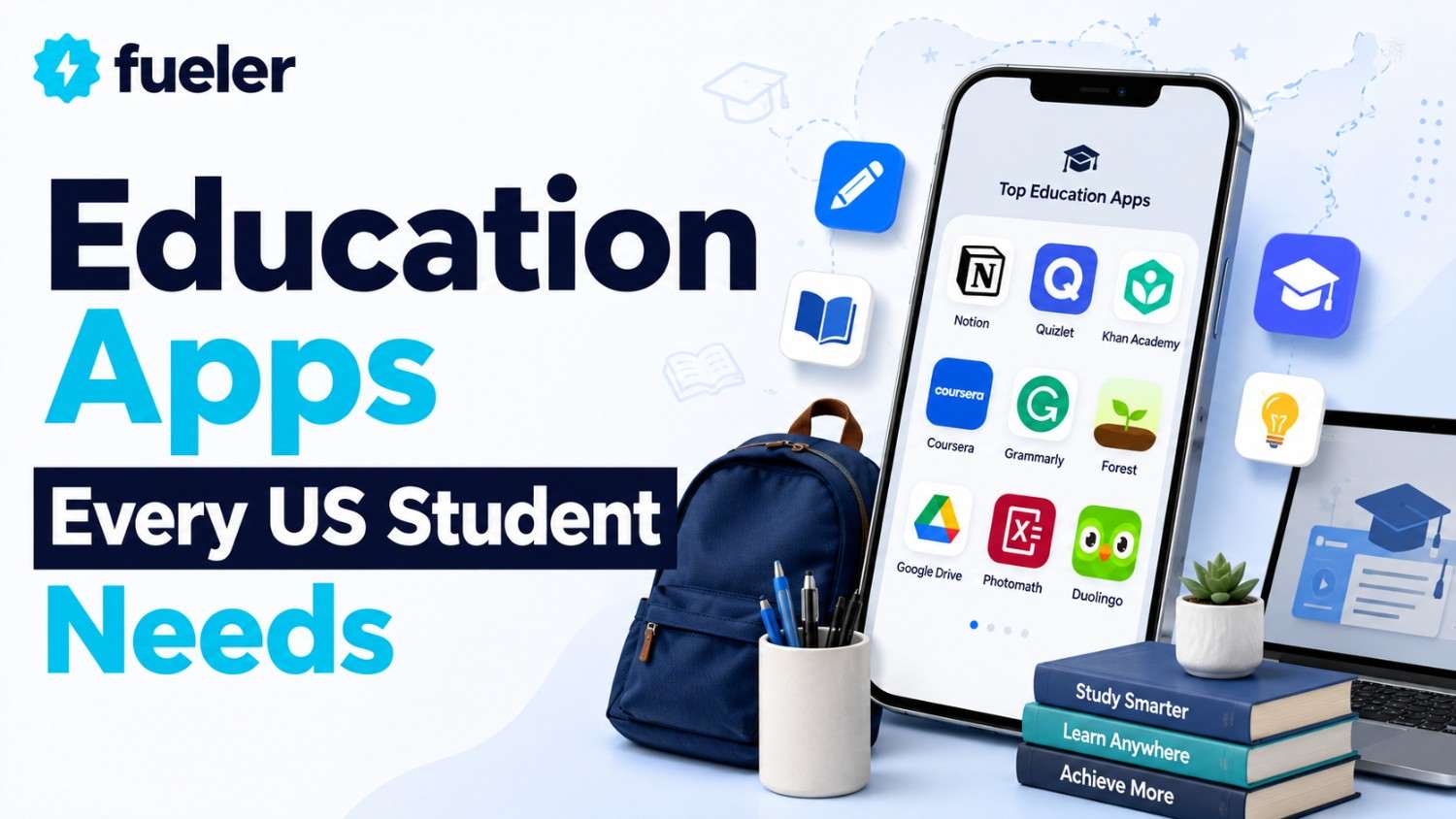
Top 12 Education Apps Every US Student Needs in 2026

Riten Debnath
17 Jan, 2026
Last Updated: Aug 2026
The era of heavy backpacks and physical planners is officially behind us. In 2026, the average US student's most powerful academic weapon is their smartphone or tablet. But with the App Store and Google Play flooded with thousands of "learning" tools, the real challenge is finding the ones that actually move the needle on your GPA without wasting your time. These twelve apps have become the gold standard in American classrooms and dorm rooms, offering a mix of AI-driven tutoring, collaborative organization, and high-octane focus.
I’m Riten, founder of Fueler, a skills-first portfolio platform that connects talented individuals with companies through assignments, portfolio, and projects, not just resumes/CVs. Think Dribbble/Behance for work samples + AngelList for hiring infrastructure.
1. Notion (The All-in-One Workspace)
Notion has evolved from a simple note-taking app into the "operating system" for the modern student's life. In 2026, it is the primary tool US students use to build complex databases for their class notes, track assignment deadlines, and even manage their personal budgets. Its "Notion AI" feature can now summarize long lecture transcripts or brainstorm essay outlines in seconds, making it an indispensable partner for academic success.
- Education Plus Plan for Free: Verified students and teachers at accredited institutions can upgrade from the basic version to the Plus Plan for free, which removes the file upload limit and allows for much larger, media-rich workspaces.
- Customizable Database Templates: Students can build specific "course hubs" that link their class schedules, reading lists, and project notes together, ensuring that they never have to dig through messy folders to find a single piece of information.
- Seamless Real-Time Collaboration: When working on group projects, students can invite classmates to a shared page to co-edit documents, assign tasks with due dates, and leave comments, making it the ultimate hub for team-based academic work.
- Integrated Notion AI Assistant: The built-in AI can instantly translate notes into different languages, fix grammar in rough drafts, and extract key action items from meeting notes, effectively acting as a digital research assistant that lives inside your notebook.
- Cross-Platform Synchronization: Whether you are taking notes on a laptop in a lecture hall or checking your to-do list on your phone while walking to the library, Notion keeps all your data perfectly synced across every device you own.
Pricing: * Personal Use: Free.
- Education Plus: Free for students/educators with a valid .edu email (Standard price is $10/month).
2. Goodnotes 6 (The Digital Paper King)
For students who prefer the cognitive benefits of handwriting but want the convenience of digital storage, Goodnotes 6 is the undisputed champion. In 2026, it introduced groundbreaking AI handwriting recognition that can spell-check your handwritten notes in your own personal script. It’s widely used on iPads across US universities for annotating complex PDF textbooks and creating beautiful, color-coded study guides that are searchable by keyword.
- AI-Powered Handwriting Support: The app can learn your unique handwriting style to provide spell-check suggestions and even help you complete sentences, ensuring your digital notes are as polished as a typed document while retaining the feel of pen on paper.
- Interactive Exam Practice: Goodnotes now offers built-in practice materials for major US exams like the SAT and DSE math, featuring AI math assistance that can identify errors in your handwritten equations and provide step-by-step corrections in real-time.
- Scribble-to-Erase Gesture: Using the latest Apple Pencil or stylus technology, students can simply "scratch out" a word or drawing to delete it, removing the need to manually switch between the pen and eraser tools during fast-paced lectures.
- In-App Digital Marketplace: Students have access to a massive library of student-designed planners, stickers, and specialized paper templates, allowing them to customize their digital notebooks to fit their aesthetic and organizational needs perfectly.
- Lasso Tool with Conversion: The lasso tool allows you to select any handwritten text or math formula and instantly convert it into typed text or clean LaTeX code, making it easy to share your notes in a professional format for group study.
Pricing: * Free Version: Up to 3 notebooks.
- Annual Subscription: $9.99 per year.
- One-Time Purchase: $29.99 for lifetime access.
3. Photomath (Your Pocket Math Tutor)
Photomath remains the most downloaded math-help app in the US, acting as a critical bridge for students struggling with everything from basic arithmetic to advanced calculus. In 2026, it is more than just a "solver"it is a teaching tool that uses "Animated Tutorials" to show the logic behind every step of a problem. For students who get stuck on homework late at night when a teacher isn't available, Photomath provides the immediate clarity needed to keep moving forward.
- Scan-to-Solve Technology: By simply pointing a phone camera at a printed or handwritten math problem, students receive an instant solution accompanied by a detailed, step-by-step explanation of the mathematical rules used.
- Animated Step-by-Step Tutorials: The "Plus" version offers high-quality animations that visually demonstrate how to move from one step of a problem to the next, helping visual learners understand the "how" and "why" of the solution.
- Deep Textbook Solutions: Photomath has indexed thousands of official US textbooks, providing expert-verified solutions for specific problems that match the exact curriculum being taught in the student's classroom.
- Multiple Solving Methods: For many problems, the app provides several different ways to reach the answer, such as using the quadratic formula versus factoring, allowing students to choose the method that best aligns with their teacher’s instructions.
- Advanced Scientific Calculator: Even without using the camera, students have access to a full-featured scientific calculator that supports complex functions, graphing, and word problem instructions, making it a complete replacement for expensive physical calculators.
Pricing: * Basic Version: Free (unlimited standard solutions).
- Photomath Plus: $9.99 per month or $69.99 per year.
4. Duolingo (Gamified Language Mastery)
Language learning is a requirement for most US high school and college degrees, and Duolingo is how students actually survive those courses in 2026. By turning language practice into a game with "streaks," "leagues," and "XP," it makes the repetitive task of vocabulary building addictive. The 2026 version features "Duolingo Max," which uses advanced AI to conduct roleplay conversations, giving students the confidence to speak their new language in real-world scenarios.
- Bite-Sized Daily Lessons: Courses are broken down into 5-10 minute sessions that fit perfectly into a student's commute or lunch break, making it easy to maintain progress without feeling overwhelmed by a massive workload.
- AI-Powered Roleplay: Through the "Max" tier, students can practice speaking with AI characters in simulated environments like a cafe or an airport, receiving real-time feedback on their pronunciation and grammar in a low-pressure setting.
- Spaced Repetition System: The app’s algorithm tracks which words a student struggles with and reintroduces them at strategically timed intervals, ensuring that vocabulary moves from short-term memory to long-term fluency.
- Competitive Leaderboards: Students can join weekly leagues and compete against friends or strangers to earn the most XP, leveraging social competition to stay motivated and consistent with their daily language goals.
- Duolingo for Schools: Many US teachers now integrate Duolingo directly into their curriculum, using the "Schools" dashboard to track student progress and assign specific units as homework that students actually enjoy completing.
Pricing: * Basic: Free (ad-supported).
- Super Duolingo: $12.99/month or $84.00/year (ad-free, unlimited hearts).
- Duolingo Max: Approximately $30/month (includes all AI features).
5. Forest (Gamified Focus Timer)
In an age of constant social media notifications, "Forest" has become a cult favorite among US students for staying focused during deep work sessions. The premise is simple: you plant a digital tree when you start studying, and if you leave the app to check TikTok or Instagram, your tree dies. Over time, students can grow entire forests that represent their hard work, and the company even partners with real-world organizations to plant actual trees on Earth based on student focus time.
- Stay-on-Task Incentive: The visual threat of killing a cute digital tree provides just enough psychological friction to keep students from reflexively checking their phones, helping them build the habit of sustained concentration.
- Real-World Reforestation: By spending "virtual coins" earned through study sessions, students can contribute to the planting of real trees in countries like Kenya and Senegal, giving their academic efforts a tangible environmental impact.
- Categorized Focus Tracking: Students can tag their sessions (e.g., "Biology," "Essay Writing," "Reading") to see a detailed breakdown of how they are allocating their time throughout the week, helping them identify which subjects need more attention.
- Collaborative "Plant Together" Mode: Study groups can use a shared timer where everyone’s trees are linked; if one person in the group gets distracted and closes the app, everyone’s tree dies, creating a high level of peer accountability.
- Personalized Allow-Lists: The "Pro" version allows students to create a "whitelist" of essential apps (like a calculator or a dictionary) that they can use during their focus session without killing their tree, ensuring the tool is practical for real work.
Pricing: * Mobile App: Free to download with ads.
- Pro Version: Approximately $3.99 (one-time purchase) to unlock real tree planting and ad-free use.
6. Grammarly (AI Writing Assistant)
Writing remains the cornerstone of US education, and Grammarly has become the essential "safety net" for every student’s essays and emails. In 2026, it goes far beyond simple spell-check, offering "tone detection" to ensure a cover letter sounds professional and "citation assistance" to help students navigate the complexities of MLA and APA formatting. It integrates directly into Google Docs, Word, and even social media, providing real-time improvements as you type.
- Tone and Clarity Adjustments: The AI analyzes the sentiment of your writing and suggests changes to make your work sound more confident, formal, or friendly, which is crucial for students learning the nuances of academic and professional communication.
- Instant Plagiarism Checker: The premium version scans your text against billions of web pages and academic journals, alerting you to any unintentional matches and helping you properly attribute your sources to maintain academic integrity.
- Automated Citation Generator: Grammarly can automatically detect when you are quoting a source and generate a perfectly formatted citation in your chosen style, saving students hours of tedious manual formatting at the end of a big project.
- Concise and Word Choice: The tool identifies "fluff" and repetitive language, suggesting stronger synonyms and more direct sentence structures to help students meet word counts without sacrificing the quality or impact of their arguments.
- Personalized Writing Goals: Students can set specific goals for each document, such as "Academic," "Expert," or "Analytical," and the AI will tailor its suggestions to help the writer hit those specific benchmarks for their intended audience.
Pricing: * Free Version: Basic grammar and spelling.
- Premium: $12.00 per month (when billed annually).
- Grammarly for Institutions: Custom quotes for university-wide access.
7. Headway (Bite-Sized Nonfiction Summaries)
For the busy US student in 2026, keeping up with supplemental reading can be impossible. Headway provides 15-minute "summaries" of the world’s best nonfiction books, allowing students to absorb the core ideas of a 300-page book during a quick workout or commute. It is used by many student leaders and entrepreneurs to stay ahead of the curve on topics like leadership, psychology, and productivity without needing to spend dozens of hours in a library.
- 15-Minute Insight Summaries: Every book is distilled into its most actionable insights and key takeaways, providing a high-level overview that is perfect for students who need to understand a broad range of topics quickly.
- Professional Audio Narrations: All summaries are available as high-quality audio files, allowing students to "read" while they are walking, driving, or doing chores, turning idle time into productive learning moments.
- Visual Infographic Summaries: For visual learners, Headway provides beautifully designed infographics that map out a book’s main concepts and their relationships, making complex theories much easier to visualize and remember.
- Spaced-Repetition Recall: The app includes a "Flashcards" feature that takes the most important quotes and facts from the books you’ve read and quizzes you on them later, ensuring that you actually retain the knowledge you’ve consumed.
- Personalized Growth Plans: Based on a student’s career goals or interests, the app curates specific "challenges" and reading lists, such as "Modern Leadership" or "Financial Literacy," to provide a structured path toward self-improvement.
Pricing: * Free Access: One random book summary per day.
- Premium Subscription: Approximately $14.99 per month or $89.99 per year (often on sale for much less).
8. Quizlet (The Master of Active Recall)
Quizlet is the most popular study tool in the US for a reason: it works. In 2026, it has fully integrated AI to create "Magic Notes" that turn your lecture slides into instant flashcards. By focusing on "active recall" and "spaced repetition," Quizlet helps students move information from their short-term memory into their long-term knowledge base, making it the go-to app for medical, law, and high school students preparing for exams.
- AI-Generated Flashcards: Students can upload a PDF of their notes or a picture of a textbook page, and Quizlet’s AI will automatically identify key terms and definitions to create a custom study set in seconds.
- Expert Textbook Solutions: Similar to Photomath, Quizlet provides step-by-step solutions for thousands of verified textbooks, helping students understand the logic behind their homework assignments in science, math, and business.
- Gamified Study Modes: The "Match" and "Gravity" games turn memorization into a competitive experience, encouraging students to beat their previous high scores while they drill vocabulary and historical dates.
- Quizlet Live for Classrooms: Teachers can launch a live, team-based game where students must work together to match terms and definitions on their own devices, fostering a high-energy and collaborative learning environment.
- Massive Shared Library: Students have access to over 500 million pre-made study sets created by other students and teachers, making it likely that a comprehensive study guide already exists for almost any subject.
Pricing: * Free: Basic study modes (ad-supported).
- Quizlet Plus: $35.99 per year (removes ads, unlocks AI features and offline access).
9. Canva (The Visual Communication Tool)
In 2026, a standard PowerPoint is no longer enough to get an "A." US students use Canva to create stunning presentations, social media graphics, and digital portfolios that look like they were designed by a professional. With its massive library of templates and "Magic Design" AI features, Canva allows even the least artistic students to produce high-end visual content for their class projects and personal branding.
- Magic Design AI Generator: Students can simply describe what they want to create (e.g., "A presentation about renewable energy in a modern, clean style"), and Canva will generate several full templates with relevant images and text.
- Collaborative Real-Time Editing: Just like Google Docs, multiple students can work on a single design at the same time, making it the perfect tool for group posters, yearbooks, or marketing presentations.
- Free Pro for Education: Teachers and students at eligible K-12 schools in the US can get access to "Canva for Education," which unlocks all premium templates, images, and tools for free to use in the classroom.
- Direct Presentation Mode: Canva allows students to present their slides directly from the browser or mobile app, featuring interactive elements like live polls and Q&A to keep their classmates engaged during a talk.
- Integrated Video Editor: Beyond static images, Canva includes a surprisingly powerful video editor that students use to create TikTok-style educational content or polished video reports for their film and media classes.
Pricing: * Free Version: Extensive library of templates and 5GB of cloud storage.
- Canva for Education: Free for eligible K-12 students and teachers.
- Canva Pro: $119.99 per year for individual university students.
10. Speechify (The Accessibility Powerhouse)
For students with dyslexia or those who simply learn better by listening, Speechify is a life-changing tool. It uses high-quality AI voices, including celebrities like Snoop Dogg and Gwyneth Paltro,w to read aloud any text, from a PDF textbook to a physical page scanned with a phone camera. In 2026, US college students will use it to "read" their assignments while driving, exercising, or resting their eyes after a long day of screen time.
- Natural-Sounding AI Voices: The app features incredibly realistic voices that sound like actual humans rather than robots, making it much more pleasant to listen to a 50-page academic paper or a complex novel.
- Listen at High Speeds: Students can increase their reading speed up to 4.5x, allowing them to breeze through standard materials while still retaining the core information, which is a major time-saver for heavy reading loads.
- Scan Physical Books: Using the mobile app, students can take a photo of a page in a physical library book and have it instantly converted into audio, making traditional textbooks more accessible than ever before.
- Cross-Device Syncing: A student can start listening to a chapter on their laptop at home and seamlessly pick up exactly where they left off on their phone while walking to class.
- Chrome Extension Integration: The Speechify extension can read almost anything on the web, including emails, news articles, and online course modules, ensuring that no digital content is off-limits for auditory learners.
Pricing: * Free Version: Limited voices and standard speeds.
- Speechify Premium: $139 per year (includes all voices, scanning, and high speeds).
11. MyStudyLife (The Digital Planner)
Gone are the days of the physical academic diary. MyStudyLife is a specialized digital planner designed specifically for the unique "rotating" schedules of US high schools and universities. In 2026, it is the favorite tool for organized students who need to keep track of their classes, exams, and assignments in one place. Unlike a standard calendar, it understands things like "Day A/Day B" schedules and will send you reminders when an assignment is due for a specific class.
- Rotating Schedule Support: The app easily handles complex academic timetables that don't follow a standard Monday-Friday pattern, ensuring that students always know exactly where they need to be and when.
- Task and Exam Tracking: Students can link their assignments to specific classes and set "reminders" for upcoming exams, preventing the common student nightmare of forgetting a deadline until the last minute.
- Offline Functionality: The app works perfectly without an internet connection, allowing students to check their schedules in basements or old university buildings where Wi-Fi might be spotty.
- Automatic Cloud Syncing: Data is automatically backed up and synced across the web, iOS, and Android platforms, so students can access their planners from any device at any time.
- Dashboard Overview: Upon opening the app, students are greeted with a "Today" view that highlights their upcoming classes and any tasks that are due today or tomorrow, helping them prioritize their immediate workload.
Pricing: * Standard App: Free (ad-supported).
12. Khan Academy (The World-Class Classroom)
No list of education apps is complete without Khan Academy. In 2026, it remains the gold standard for free, high-quality instruction in almost every subject imaginable. For US students, it is most famous for its official partnership with the College Board, providing the most accurate and effective SAT prep available anywhere. Whether you are a 5th grader learning fractions or a college freshman struggling with organic chemistry, Khan Academy has a video and a practice set for you.
- Official SAT/ACT Practice: As the official partner for US standardized testing, Khan Academy provides thousands of real practice questions and full-length exams that are perfectly aligned with the latest digital testing formats.
- Mastery-Based Learning Path: The app uses a "mastery" system where students must prove they understand a concept through practice exercises before they can move on to more complex topics, ensuring there are no gaps in their knowledge.
- High-Quality Video Lessons: Every topic is explained by an expert instructor using a digital blackboard, providing a clear and engaging visual explanation that can be paused and rewound as many times as needed.
- Completely Free Forever: Unlike many other apps on this list, Khan Academy is a non-profit and provides its entire library of thousands of courses, articles, and videos for free to anyone, anywhere.
- Teacher/Parent Dashboards: Adults can create accounts to "coach" their students, seeing exactly which videos they have watched and where they are struggling, allowing for targeted help and encouragement.
Pricing: * Everything: Free.
Turn Your Digital Learning Into a Career with Fueler
You’re using these 12 apps to work harder, learn faster, and create more. But where does all that effort go after the semester ends? At Fueler, we believe your digital work is your real resume. Did you create an amazing 3D lab in Labster? Host the report on Fueler. Did you build a massive language streak or a complex Notion database? Showcase that discipline and organization on your Fueler profile. In 2026, the best way to get hired is to show your "proof of work," and we provide the professional home for everything you’ve built using these incredible tools.
Final Thoughts
The "Top 12" apps for 2026 are more than just software they are the building blocks of a personalized, efficient, and modern education. By combining the organizational power of Notion, the creative freedom of Goodnotes, and the free academic resources of Khan Academy, US students can take total control of their learning. The key to success is not just having the apps on your phone, but integrating them into a daily routine that values focus, consistency, and the creation of high-quality work.
Frequently Asked Questions
Which of these apps is best for a student on a $0 budget?
Khan Academy and Notion are the winners here. Khan Academy is entirely free for all subjects and SAT prep, while Notion provides its premium "Plus" features for free to anyone with a student email address. Between these two, you have a world-class tutor and a professional organizational system at no cost.
Is it worth paying for GoodNotes 6 if I already have a free note-taking app?
If you are an iPad user who takes a lot of handwritten notes, yes. The AI handwriting search and the ability to convert handwriting into LaTeX math code make it significantly more powerful than basic apps. The one-time purchase option also makes it a very affordable long-term investment for a four-year degree.
How do I use these apps to actually get hired after graduation?
The secret is "Output." Don't just use the apps to consume information; use them to create. Use Canva to design a marketing plan, or Notion to build a public resource for your major. Then, take those links and files and put them on a Fueler portfolio. When you apply for a job, you can say "Here is what I actually built," which is 10x more effective than a traditional resume.
Can I use Forest on my laptop as well as my phone?
Yes, Forest has a Chrome extension that allows you to block distracting websites on your computer while your digital tree grows. This creates a "full-environment" focus mode where both your phone and your browser are locked down until your study session is over.
Is Grammarly's plagiarism checker reliable for university-level research?
Yes, Grammarly’s premium plagiarism tool is highly sophisticated and is used by thousands of US students to cross-reference their work against billions of academic journals and web pages. It is an excellent way to ensure your citations are correct and your work is original before you submit it to a platform like Turnitin.
What is Fueler Portfolio?
Fueler is a career portfolio platform that helps companies find the best talent for their organization based on their proof of work. You can create your portfolio on Fueler. Thousands of freelancers around the world use Fueler to create their professional-looking portfolios and become financially independent. Discover inspiration for your portfolio
Sign up for free on Fueler or get in touch to learn more.

What should you do next?
You've read the article. Now turn your skills into proof of work and unlock more opportunities.
Build your proof of work portfolio
Create a clean portfolio with projects, assignments, resumes, and AI stack details that companies actually want to see.
Create your Fueler portfolio →Apply through assignments, not resumes
Stand out by solving real tasks from companies hiring on Fueler.
Explore assignments →Get discovered by companies
Make your work public and let recruiters discover your skills through actual projects instead of keywords.
Get discovered →
