Top 15 Career Growth Tools Used in the USA for 2026

Riten Debnath
22 Jan, 2026
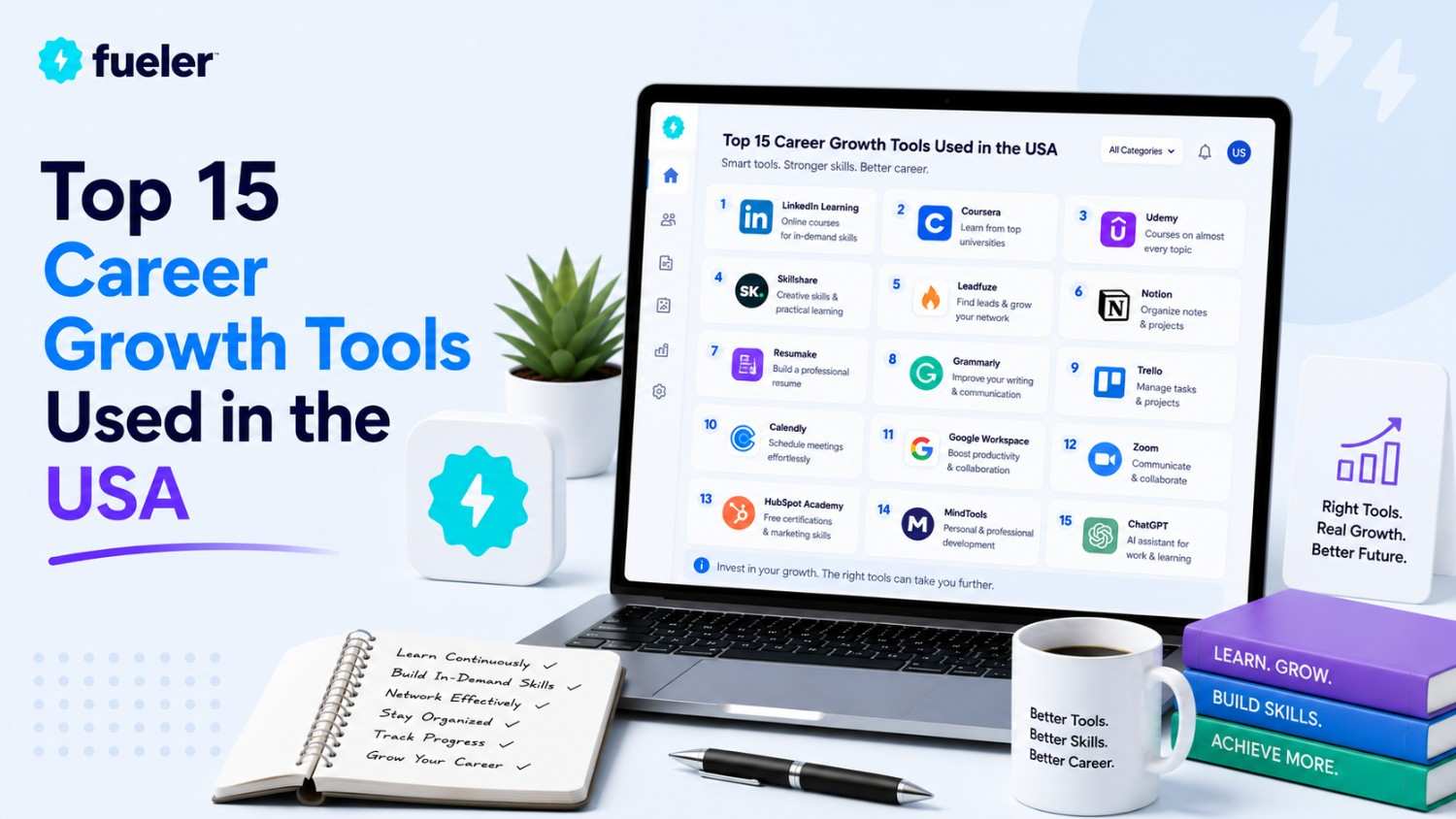
The American workforce is no longer operating on the "climb the ladder" model. Instead, we have moved into the era of the "Career Portfolio," where professionals treat their skills, networks, and personal brands as a diversified investment fund. With the rapid integration of AI into every sector, from law to logistics, the most successful US professionals are the ones who use technology to stay "ahead of the curve" rather than just keeping pace.
I’m Riten, founder of Fueler, a skills-first portfolio platform that connects talented individuals with companies through assignments, portfolios, and projects, not just resumes/CVs. Think Dribbble/Behance for work samples + AngelList for hiring infrastructure.
1. LinkedIn Premium (Career & Business)
LinkedIn remains the undisputed "Town Square" for the US professional class. In 2026, the Premium tier has evolved into a full-scale AI career coach. It doesn't just show you who viewed your profile; it analyzes your skills against the top 10% of applicants for any job in the country and tells you exactly which "skill gaps" you need to close to be the primary candidate.
- AI-Powered Application Intelligence: The platform now provides a "Competitive Insight" score for every job listing, showing you how your experience, education, and current skills rank compared to other applicants, allowing you to focus your energy only on roles where you have a genuine edge.
- Featured Applicant Status: Premium members are automatically moved to the top of the recruiter’s list for jobs where they are a "top match," significantly increasing the chances that your profile is actually seen by a human hiring manager in a sea of thousands of digital applications.
- Unlimited "Open Profile" Messaging: This feature allows anyone on the platform to message you for free, even if they aren't in your network, which is critical for senior-level professionals who want to remain accessible for high-value consulting offers or "stealth" executive headhunting.
- Deep Business & Hiring Insights: You get access to exclusive data on company growth trends, department-level hiring shifts, and employee turnover rates, giving you the "inside track" on which companies are actually stable and growing before you even agree to an initial interview.
- Enhanced InMail Outreach: With 5 to 15 InMails per month (depending on the plan), you can bypass the "connection request" bottleneck and reach out directly to decision-makers or mentors, which is the fastest way to secure informational interviews and high-level referrals.
Pricing:
- Premium Career: $29.99 per month (Best for active job seekers).
- Premium Business: $59.99 per month (Best for networkers and lead generation).
2. Teal: The AI-Powered Career Companion
Teal has become the "OS" for the modern job search in the US. It moves beyond a simple resume builder to become a full-scale career CRM. In 2026, Teal’s primary value lies in its "Job Tracker" and "Resume Matcher," which use AI to instantly customize your professional documents for every single job description you find on the web, ensuring you pass the initial "ATS" (Applicant Tracking System) filters every time.
- Real-Time Keyword Matching: When you save a job from LinkedIn or Indeed, Teal automatically highlights the specific keywords and technical skills the company is looking for, allowing you to update your resume bullets in seconds to reflect exactly what the hiring manager wants to see.
- Unified Job Search CRM: Instead of using a messy spreadsheet, Teal provides a centralized dashboard where you can track every application, interview date, and follow-up task, ensuring that you never miss a beat or forget to send a "thank you" note to a critical contact.
- Automated Resume Versioning: You can maintain dozens of different versions of your resume tailored to different roles (e.g., "Product Manager" vs. "Operations Lead"), and Teal keeps them all organized so you always send the right version to the right company at the right time.
- AI-Assisted Bullet Point Generator: The tool analyzes your past work experience and uses AI to rewrite your accomplishments into "impact-focused" statements that quantify your results, making your resume look like it was written by a professional $500-an-hour career coach.
- LinkedIn Profile Optimizer: Teal provides a step-by-step checklist to improve your LinkedIn profile’s "discoverability," ensuring that you aren't just applying for jobs, but that recruiters are actively finding you through the platform's internal search algorithms.
Pricing:
- Free Tier: $0 (Includes unlimited job tracking and basic resume building).
- Teal+: $9 per week or $29 per month (Unlocks AI resume matching and unlimited templates).
3. Coursera Plus: The Credentialing Powerhouse
In a world where skills go obsolete every 24 months, Coursera Plus has become the "mandatory library" for American professionals. It provides unlimited access to professional certificates from global leaders like Google, Meta, and IBM. In 2026, these "Professional Certificates" are often carrying as much weight as a traditional Master’s degree in the eyes of US tech and business recruiters.
- Unlimited Access to 7,000+ Courses: With a single subscription, you can jump between learning Python for data science, mastering digital marketing, or getting certified in project management, allowing you to build a truly multi-disciplinary "skill stack" without paying for individual courses.
- Industry-Recognized Professional Certificates: Earning a certificate from a name-brand company like Google or IBM provides an instant level of credibility and "third-party validation" that is highly respected by US hiring managers who value practical, up-to-date knowledge over theoretical degrees.
- University-Backed Credit Pathways: Many of the courses on Coursera Plus now count as "credit-eligible" for full Master’s degrees at top US universities, allowing you to "stack" your learning and eventually graduate with a degree at a fraction of the traditional on-campus cost.
- Hands-On "Guided Projects": Instead of just watching videos, you work in a "virtual cloud environment" to complete real-world tasks (like building a dashboard or coding an app), which provides the "Proof of Work" you need to show employers that you can actually do the job.
- Career Academy for Job Placement: Coursera Plus members get exclusive access to "Career Academy," which includes resume reviews, interview preparation tools, and a direct job board that connects certificate holders with employers who are actively looking for those specific skills.
Pricing:
- Monthly: $59 per month (Best for intensive, short-term upskilling).
- Annual: $399 per year (Saves over $300 and is the "standard" for long-term learners).
4. Perplexity AI: The Professional Research Engine
Perplexity has replaced traditional search engines for high-level US professionals who need "cited answers" fast. Unlike a standard chatbot that might "hallucinate," Perplexity provides real-time information with footnotes to original sources (news, research papers, and corporate filings). In 2026, it is the tool of choice for "instant intelligence" before a big meeting or a strategic planning session.
- Cited Truth in Real-Time: Every answer provided by Perplexity comes with direct links to the sources, allowing you to verify the data and "click through" to the original reports, which is essential for maintaining professional integrity and accuracy in high-stakes environments.
- "Pro" Reasoning for Deep Analysis: The Pro version allows you to toggle between different high-end models (like Claude 3 or GPT-4o), enabling you to perform complex technical research, code debugging, or competitive market analysis with a level of depth that a standard Google search cannot provide.
- File Upload and Synthesis: You can upload massive PDFssuch as annual reports or 50-page legal contracts and ask Perplexity to "summarize the key risks" or "identify the three major growth drivers," saving you hours of manual reading and note-taking.
- Personalized "Discover" Feed: The tool learns your professional interests and curates a daily feed of news and research relevant to your industry, acting as a personal "intelligence officer" that ensures you are always the most informed person in the room.
- Seamless Mobile and Desktop Integration: Whether you're on a train or at your desk, the Perplexity app allows you to conduct deep research via voice or text, making it the perfect companion for the "on-the-go" executive or consultant who needs answers in seconds.
Pricing:
- Free Tier: $0 (Includes unlimited basic searches).
- Pro Plan: $20 per month (Unlocks advanced models, file uploads, and $5/month in API credits).
5. Readwise (Reader): The Information Curation Hub
The biggest challenge for a 2026 professional isn't a lack of information; it's the "firehose" of content. Readwise is the tool that helps you "capture" everything you read across the web, Kindle, and podcasts, and then resurfaces it to you via "Spaced Repetition." Its new "Reader" app is the best way to manage long-form newsletters, research papers, and PDFs without them getting lost in your browser tabs.
- Unified "Read-it-Later" App: Reader acts as a central inbox for all your professional reading newsletters, blog posts, and RSS feedsallowing you to highlight and annotate content in a distraction-free environment that is optimized for deep focus and learning.
- Automated Highlight Syncing: Every time you highlight a passage in a Kindle book or an online article, Readwise automatically syncs it to your "digital brain" in Notion or Obsidian, ensuring that your best ideas are never forgotten and are always searchable.
- Spaced Repetition Daily Review: The platform sends you a daily "digest" of your past highlights, using cognitive science to help you actually retain the knowledge you've read over the years, turning "passive reading" into "active career growth."
- Podcast and Video Transcription: You can save YouTube videos or podcast episodes to Reader, and it will automatically generate a transcript that you can highlight just like an article, allowing you to "read" audio content and extract the key insights at 3x the speed.
- AI-Powered "Ghostreader": The built-in AI can summarize long articles for you, define complex technical terms on the fly, or even "simplify" a difficult research paper, making it the ultimate tool for staying current in a fast-moving technical field.
Pricing:
- Readwise Full: $9.99 per month (billed annually) or $12.99 monthly.
- Student/Academic Discount: 50% off for anyone in the education sector.
6. Yoodli: The AI Communication Coach
Communication is the "meta-skill" of 2026. Yoodli provides a private, AI-powered platform to practice your public speaking, interview answers, and meeting contributions. It records your voice (and video) and gives you instant feedback on your pacing, "filler words" (like "um" and "uh"), and even your "confidence score," helping you sound more authoritative in high-pressure situations.
- Zero-Pressure Interview Simulation: You can practice answering common or industry-specific interview questions in a private environment, and the AI will tell you exactly where your answers were strong and where you sounded hesitant or disorganized.
- Real-Time Meeting Analytics: Yoodli can "listen in" on your Zoom or Google Meet calls (privately) and give you a report afterward on how much you spoke, your eye contact, and whether you were using inclusive language, helping you become a more effective leader.
- Pacing and Filler Word Tracking: The tool provides a visual dashboard showing your "words per minute" and highlighting every time you use a filler word, allowing you to consciously improve your speaking rhythm and sound more professional over time.
- AI-Generated "Rephrasing" Suggestions: If you have a great idea but struggle to express it clearly, Yoodli can take your transcript and suggest three different ways to say it more concisely or more persuasively, acting as a personal speechwriter.
- Roleplay with AI Personas: You can "roleplay" difficult conversations like asking for a raise or handling a difficult client with an AI that reacts to your tone and body language, giving you the "reps" you need to handle the real thing with total calm.
Pricing:
- Starter: $0 (Up to 5 roleplays and basic recording).
- Pro: $8 per month (billed annually) (Includes 10 roleplays per week and deeper analytics).
- Advanced: $20 per month (billed annually) (Unlimited roleplays and data privacy for teams).
7. ADPList: The Global Mentorship Network
Networking has moved from "who you know" to "who you can learn from." ADPList (Amazing Design People List) has expanded beyond design to become the premier platform for finding free, high-level mentors in tech, product, and leadership. In 2026, it is the primary way US professionals bypass the "gatekeepers" and get direct advice from directors at companies like Apple, Netflix, and Google.
- Direct Access to Top-Tier Mentors: You can browse a global database of thousands of mentors and book 30-minute 1-on-1 sessions for free, allowing you to get "unfiltered" career advice from people who are already where you want to be in your career.
- Specialized Career Tracks: The platform organizes mentors by specific goals such as "Career Transition," "Portfolio Review," or "Leadership Growth"ensuring that you find a mentor who has the exact experience needed to help you solve your current professional roadblock.
- Group Mentorship & Masterclasses: Beyond 1-on-1s, you can join live group sessions where industry leaders discuss emerging trends (like AI ethics or remote management), allowing you to learn in a social environment and connect with peers at your same level.
- Structured Learning "Paths": ADPList offers curated paths that combine mentorship sessions with specific resources, helping you systematically build a new skill set (like moving from Senior Dev to Engineering Manager) with a clear roadmap.
- Professional Credibility & Networking: By engaging with mentors and the community, you build a "reputation" on the platform that can often lead to "hidden" job opportunities, as many mentors use the platform to scout for talent for their own teams.
Pricing:
- Standard Platform: $0 (Booking 1-on-1 sessions with volunteer mentors is completely free).
- ADPList Advance: Custom pricing (Paid, intensive courses and multi-session "bootcamps" for deeper learning).
8. Hunter.io: The Direct Outreach Specialist
If you want to move fast in your career, you have to be able to reach anyone. Hunter.io is the standard for finding professional email addresses. In 2026, it is used by US professionals for "direct-to-hiring-manager" outreach, allowing them to bypass the "black hole" of online application portals and get their resume into the inbox of the person actually making the decision.
- Domain Search for Hidden Contacts: Simply type in any company’s website (e.g., "apple.com"), and Hunter will show you a list of every verified email address associated with that company, categorized by department, so you know exactly who to contact.
- Email Verifier for Zero Bounce: Before you hit send, Hunter verifies that the email address is actually "live" and active, ensuring that your outreach doesn't end up in a spam folder and that your "sender reputation" remains high with email providers.
- Lead Enrichment & Social Links: The tool doesn't just give you an email; it provides the person's LinkedIn profile, job title, and social media links, giving you the context you need to write a highly personalized and effective "cold" outreach message.
- Automated Cold Email Campaigns: You can set up "sequences" that automatically follow up with a recruiter if they haven't replied to your first email after three days, drastically increasing your response rates without you having to manually track every message.
- Bulk Tasks for Massive Outreach: If you are reaching out to 50 different startups for a consulting gig, Hunter allows you to find and verify all their contact info in seconds, turning what used to be a full day of "detective work" into a 5-minute task.
Pricing:
- Free Plan: 25 searches and 50 verifications per month.
- Starter Plan: $34 per month (billed annually) (Includes 500 searches and 1,000 verifications).
9. Otter.ai: The Meeting Memory Engine
In 2026, "taking notes" in a meeting is considered a waste of human potential. Otter.ai joins your Zoom, Teams, or in-person meetings and provides a perfect, searchable transcript in real-time. For career growth, Otter is essential for capturing the "small details"project requirements, feedback from your boss, or networking insights that would otherwise be forgotten the next day.
- Real-Time Automated Transcription: Otter records and transcribes your meetings as they happen, allowing you to stay "fully present" in the conversation rather than frantically typing notes, which makes you a more engaged and effective communicator.
- AI-Generated Action Items: After the meeting, Otter automatically summarizes the discussion and highlights the "Next Steps" and "Action Items" for each participant, ensuring that everyone is aligned and that projects actually move forward.
- Searchable "Global" Meeting Archive: You can search through months of meetings for a specific keyword (like "Budget" or "Project X"), allowing you to instantly recall exactly what was said and by whom, which is a superpower during performance reviews.
- Otter AI Chat (In-Meeting): You can "chat" with the transcript during the live meeting asking things like "What was the last deadline mentioned?"allowing you to stay on track even if you joined the call a few minutes late or got distracted.
- Collaboration and Tagging: You can share meeting notes with colleagues and tag them in specific sections, making it the perfect tool for ensuring that your team stays synchronized, even in a "distributed-first" work environment.
Pricing:
- Basic: $0 (300 minutes per month; 30 minutes per conversation).
- Pro: $10 per month (billed annually) (1,200 minutes per month; 90 minutes per conversation).
10. ChatGPT (Plus / Team): The "Chief of Staff"
While we mentioned ChatGPT for side hustles, its role in Career Growth is even more profound. In 2026, it acts as a "Strategic Partner" for everything from navigating office politics to preparing for a performance review. The "Team" version is increasingly being adopted by US departments to create a shared "knowledge base" where the AI knows all the company's past projects and voice.
- Difficult Conversation Simulation: You can tell the AI, "Act as my manager who is skeptical about giving me a raise," and then practice your negotiation strategy. The AI will give you "tough" feedback, helping you refine your arguments before the high-stakes meeting.
- Complex Data Interpretation: You can upload your quarterly spreadsheets or project data and ask the AI to "Find the three most impactful wins I had this quarter," giving you the data-backed evidence you need to secure a promotion or bonus.
- Executive Summary Generator: Instead of spending an hour writing a status report, you can feed the AI your rough notes and have it generate a professional, "executive-level" summary that is ready to be sent to your VPs or clients.
- Personalized Learning Plans: If you need to learn a new concept (like "Agile Methodology" or "Neural Networks") fast, you can ask the AI to create a 4-week "crash course" for you based on your current knowledge level and the specific job you are targeting.
- Code and Technical Assistance: For non-technical managers, ChatGPT acts as a "translator," explaining complex technical debt or code bugs in plain English so you can make informed decisions without needing a computer science degree.
Pricing:
- Plus: $20 per month (Individual use with access to all the newest models).
- Team: $25 per user/month (Adds a workspace for collaboration and higher usage limits).
11. Grammarly (Enterprise / AI): The Professional Voice
In 2026, your "writing" is your "brand." Grammarly has moved far beyond spellcheck to become an "Executive Communication" tool. It doesn't just fix your grammar; it analyzes your "tone" (e.g., "Too aggressive" or "Not confident enough") and suggests ways to rewrite your emails and reports to ensure they land with the desired impact.
- Tone Detection and Adjustment: Grammarly tells you how your message "sounds" before you send it, helping you strike the perfect balance between "professional" and "personable," which is critical for building rapport with senior leadership and clients.
- One-Click Rephrasing for Clarity: If you’ve written a long, rambling paragraph, Grammarly’s AI can rewrite it into two crisp, clear sentences that get straight to the point, respecting the time of your busy colleagues and managers.
- Enterprise "Style Guides": For those in large US firms, Grammarly can ensure that your writing matches the company's "Brand Voice," automatically correcting terminology or formatting to ensure everything you produce looks like it came from a unified team.
- Plagiarism and Integrity Checks: The tool scans your work against billions of web pages to ensure that your reports and articles are original, which is essential for maintaining your professional reputation in a world of "copy-paste" content.
- Generative AI for Drafts: You can ask Grammarly to "write a follow-up email to a recruiter" or "draft a project proposal," and it will generate a high-quality starting point that is already formatted and grammatically perfect.
Pricing:
- Free: $0 (Basic grammar and spelling).
- Premium: $12 per month (billed annually) (Includes tone adjustment and full AI rewriting).
12. 15Five: The Performance Feedback Loop
For those looking to grow into leadership, 15Five is the tool that facilitates the "manager-employee" relationship. It is used by thousands of US companies to manage weekly "check-ins" and quarterly goals (OKRs). Using 15Five effectively allows you to document your wins in real-time, making it impossible for your manager to overlook your contributions when promotion season arrives.
- Weekly "Check-in" Documentation: The platform prompts you to answer a few questions every week about your wins, challenges, and morale, creating a "paper trail" of your constant progress that you can reference during your annual review.
- OKR (Objectives and Key Results) Tracking: You can set high-level goals for your career and track your progress toward them visually, ensuring that you stay focused on "Big Picture" growth rather than just getting bogged down in daily tasks.
- "High Five" Peer Recognition: You can publicly recognize your colleagues for their help, which builds social capital within the organization and encourages others to "return the favor" by highlighting your good work to the rest of the company.
- Structured 1-on-1 Agendas: 15Five provides a shared space for you and your manager to build an agenda for your meetings, ensuring that your 1-on-1 time is spent on "career growth" rather than just "status updates."
- Manager Training & Insights: The platform includes "coaching" modules for new managers, helping you learn how to give better feedback and lead more effectively, which is the fastest way to move from "individual contributor" to "team lead."
Pricing:
- Engage: $4 per user/month (Basic engagement tools).
- Perform: $10 per user/month (Full performance and OKR suite).
13. Glassdoor (Fishbowl): The Anonymous Intel Network
Glassdoor has integrated Fishbowl to create a live, anonymous social network for professionals in 2026. This is where the "real" career growth conversations happen where people share their actual salaries, talk about which departments are toxic, and reveal exactly what the interview process is like at specific US firms. It is the "Intelligence Agency" for your career.
- Verified Salary Transparency: Glassdoor provides the most accurate data on what people in your specific role and city are actually making, giving you the "anchor point" you need to negotiate your next salary with total confidence.
- Industry-Specific "Bowls": You can join private communities (e.g., "The Tech Bowl" or "The Consulting Bowl") where verified professionals discuss industry trends and company news without the fear of being "watched" by their current employer.
- Real Interview Questions: Candidates post the exact questions they were asked at companies like Amazon or Goldman Sachs, allowing you to prepare for the specific "curveball" questions that aren't found in any textbook.
- Company Culture "Red Flags": Reviewers in 2026 are more detailed than ever, revealing things like "forced return to office" policies or "lack of internal mobility," helping you avoid companies that will stifle your career growth.
- Direct Q&A with Current Employees: You can post anonymous questions in the Fishbowl app and get answers from people who actually work at your target company, giving you the "inside scoop" that you can't get from a recruiter.
Pricing:
- Individual: $0 (Accessing data and participating in bowls is free; the "cost" is contributing your own verified reviews).
14. Tableau (Public / Learning): The Data Literacy Tool
In 2026, "Data Literacy" is no longer optional for US business leaders. Tableau is the industry standard for turning raw data into visual stories. Even if you aren't a "data scientist," being able to build a Tableau dashboard is a "top-tier" skill that can increase your salary by 20-30% in roles like marketing, finance, or operations.
- Visual Storytelling for Executives: Tableau allows you to take a messy Excel sheet and turn it into a beautiful, interactive dashboard that makes the "right decision" obvious to your boss, making you look like a strategic visionary.
- Tableau Public for Portfolio Building: You can create and host your own data visualizations for free on "Tableau Public," providing the "Proof of Work" that proves to employers you have high-level analytical skills.
- Automated Data Connections: The tool can connect directly to your company’s Salesforce or Google Analytics account, allowing you to create "live" reports that update automatically, saving you hours of manual data entry every week.
- AI-Powered "Explain Data": With one click, Tableau’s AI will analyze a chart and tell you why a certain trend is happening, helping you find insights that you might have missed by just looking at the numbers.
- Free "Learning" Ecosystem: Between Tableau’s own training and a massive community of "Data Fam" users, there is an endless supply of free resources to help you go from "total beginner" to "data expert" in a matter of months.
Pricing:
- Tableau Public: $0 (Free for everyone; all work is public).
- Tableau Creator: $75 per month (For professional, private enterprise use).
15. Fueler: The Proof of Work Portfolio
The resume is dying; the Portfolio is the future. Fueler is where the most ambitious US professionals in 2026 document their "Proof of Work." Instead of just listing a job title, you use Fueler to show the actual projects you’ve completed, the code you’ve written, the campaigns you’ve managed, and the dashboards you’ve built. It is the ultimate "Career Growth" tool because it turns your invisible work into visible assets.
- Project-Based Career Tracking: You can upload specific "Proof of Work" for every significant project you complete, including links to live sites, PDFs of reports, and screenshots of your results, creating a "live resume" that never goes out of date.
- Skill-Specific Buckets: You can organize your work into specialized categories (e.g., "AI Strategy," "Growth Marketing," "UI Design"), allowing different types of employers or clients to see exactly the skills they are looking for in seconds.
- Verified Social Proof: You can invite collaborators and managers to "verify" your work on specific projects, providing a level of trust and credibility that a standard LinkedIn recommendation simply cannot match.
- Seamless Integration with Other Tools: You can easily embed your Figma designs, your GitHub repositories, or your Tableau dashboards directly into your Fueler profile, making it a "One-Stop-Shop" for your entire professional identity.
- "Public-First" Career Discovery: Your Fueler profile acts as a lighthouse, attracting recruiters and potential partners who are looking for people with your specific, proven track record, often leading to opportunities that you didn't even have to apply for.
Pricing:
- Individual: $0 (Completely free to build your portfolio and document your work).
Final Thoughts
Career growth in 2026 is about building a "moat" around your professional value. By mastering this stack using LinkedIn for networking, Teal for organization, Coursera for skills, and Fueler for proof you aren't just an "employee" anymore; you are a "business of one." The goal is to move from "searching for a job" to "becoming a magnet for opportunities." Start by picking the three tools that address your current biggest bottleneck (whether it's skills, networking, or visibility) and master them over the next 90 days.
FAQs
Which career tool is most important for someone changing industries in 2026?
If you are changing industries, Teal and Coursera Plus are your best friends. Use Coursera to gain the "industry-recognized" credentials for your new field, and then use Teal's "Resume Matcher" to translate your "transferable skills" from your old job into the language that recruiters in your new industry are looking for.
Is LinkedIn Premium really worth $30 a month if I'm not actively job hunting?
In 2026, many professionals will keep Premium even when they are "stable" because of Business Insights and InMail. It allows you to keep an eye on "stealth" hiring trends and maintain a high-level network of mentors. However, if your company doesn't reimburse it, you can achieve 80% of the same results by being hyperactive on the free version and building a strong Fueler portfolio.
How do I balance using all these tools without getting overwhelmed?
You shouldn't use all 15 at once. Think of them as a "menu." When you are in "Learning Mode," focus on Coursera and Readwise. When you are in "Networking Mode," focus on ADPList and Hunter. When you are in "Promotion Mode," focus on 15Five and Tableau. Always keep Fueler running in the background to document your wins as they happen.
Do these AI tools (like Yoodli or Descript) replace the need for a human coach?
They don't replace a coach, but they make the coaching process 10x more effective. You can use Yoodli to do the "boring" practice of removing filler words, so that when you finally pay for a session with a human mentor on ADPList, you can spend that time on "high-level" strategy and nuance rather than the basics of speaking clearly.
How does Fueler differ from a standard LinkedIn profile?
LinkedIn is where you "tell" people what you did; Fueler is where you "show" them. A LinkedIn profile is a summary of your history, but a Fueler profile is a curated gallery of your impact. In a world full of AI-generated resumes, "Proof of Work" on Fueler is the only way to prove you are the person who actually did the work.
What is Fueler Portfolio?
Fueler is a career portfolio platform that helps companies find the best talent for their organization based on their proof of work. You can create your portfolio on Fueler. Thousands of freelancers around the world use Fueler to create their professional-looking portfolios and become financially independent. Discover inspiration for your portfolio
Sign up for free on Fueler or get in touch to learn more.

What should you do next?
You've read the article. Now turn your skills into proof of work and unlock more opportunities.
Build your proof of work portfolio
Create a clean portfolio with projects, assignments, resumes, and AI stack details that companies actually want to see.
Create your Fueler portfolio →Apply through assignments, not resumes
Stand out by solving real tasks from companies hiring on Fueler.
Explore assignments →Get discovered by companies
Make your work public and let recruiters discover your skills through actual projects instead of keywords.
Get discovered →
