Top 25 AI Tools Freelancers Use in 2026 (Updated List)

Riten Debnath
30 Dec, 2025
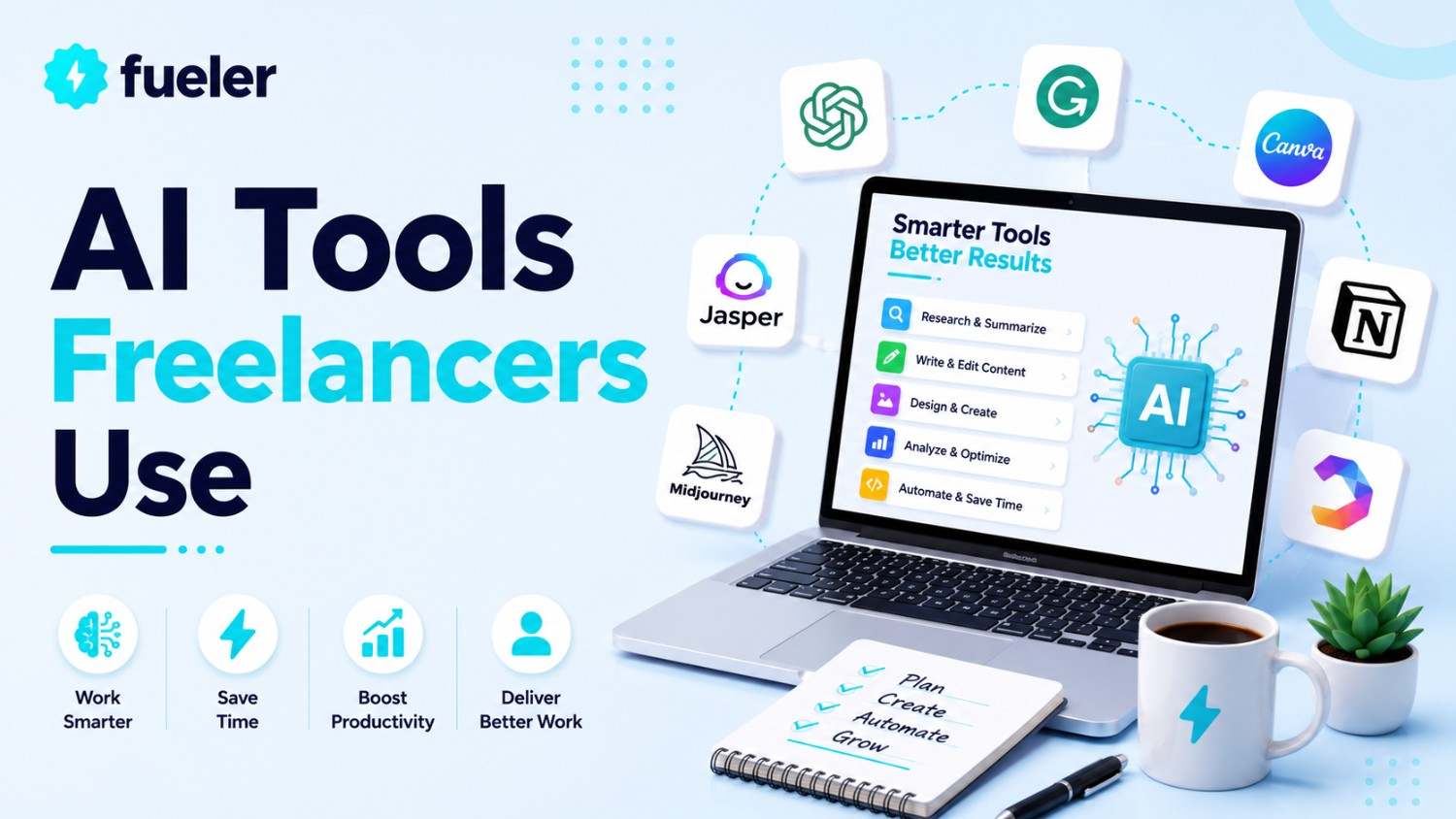
The landscape for independent professionals in 2026 is defined by "AI-augmentation," where freelancers are no longer just service providers but orchestrators of powerful artificial intelligence suites. These tools have evolved from simple chatbots into specialized agents capable of handling everything from complex video synthesis to predictive SEO and automated financial management. To stay competitive, freelancers are moving beyond general-purpose models to niche platforms that offer deep integration into their specific workflows.
I’m Riten, founder of Fueler - a skills-first portfolio platform that connects talented individuals with companies through assignments, portfolios, and projects, not just resumes/CVs. Think Dribbble/Behance for work samples + AngelList for hiring infrastructure.
Here Are Top 25 AI Tools Freelancers Use
1. Jasper AI (The Marketing Specialist)
Jasper has transformed into a comprehensive "Marketing Agent" rather than just a writing assistant, now offering a "Canvas" platform for end-to-end campaign orchestration. Freelancers use it to maintain strict brand voices for multiple clients simultaneously, leveraging its new No-Code App Builder to create custom content workflows. It includes integrated plagiarism detection via Copyscape and SEO optimization through a native Surfer SEO partnership. The Pro plan is currently priced at $69/month per seat when billed annually, providing access to 3 distinct brand voices and advanced marketing apps.
2. Copy.ai (The Workflow Automator)
Copy.ai has shifted its focus heavily toward "Workflows," allowing freelancers to automate repetitive tasks like turning a single podcast transcript into 20+ social media posts or email sequences. It now grants access to multiple top-tier models, including GPT-4, Claude 3.5, and Gemini, all within a single interface to ensure the best output for different styles of writing. The platform features a "Content Agent Studio" where users can train AI agents on specific client data for hyper-personalized results. The Starter plan begins at $49/month, offering unlimited words in chat and 1,000 workflow credits.
3. ChatGPT Plus (The Swiss Army Knife)
OpenAI’s flagship remains the most versatile tool in a freelancer’s kit, now featuring "o1 Pro Mode" for deep reasoning and complex problem-solving that mimics human expert logic. In 2026, the "GPT Store" is a mature ecosystem where freelancers find or build custom agents for specialized tasks like tax advice, legal contract review, or specific coding frameworks. It integrates DALL-E 3 for image generation and Advanced Data Analysis for processing massive client spreadsheets in seconds. The Plus subscription is priced at $20/month (approximately ₹1,999 in India), while the new high-reasoning "Pro" tier costs $200/month.
4. Claude AI (The Human-Centric Writer)
Claude 3.5 and its successors are favored by high-end ghostwriters and researchers for their superior "human-like" nuance and massive 200k context window. It excels at technical writing and complex coding tasks, offering a more creative and less "robotic" tone than its competitors, which is vital for creative freelancers. The "Artifacts" feature allows users to view, edit, and iterate on code or documents side-by-side with the chat. The Pro plan costs $20/month, offering 5x more usage than the free tier and priority access during high-traffic periods.
5. Midjourney (The High-End Visualizer)
Midjourney v7 continues to dominate the creative industry for concept art, architectural visualization, and high-fidelity product photography for freelancers. It now features a dedicated web editor that allows for precise in-painting and "Stealth Mode" to keep client concepts private from the public gallery. Its ability to maintain "Character Consistency" and "Style Reference" makes it a professional-grade tool for storyboard artists and brand designers. The Basic plan starts at $10/month, but most professionals opt for the Pro plan at $60/month for unlimited "Relax" generation and private mode.
6. Canva Magic Studio (The Design Democratizer)
Canva has bundled its entire AI suite including Magic Design, Magic Media, and Magic Expand into a seamless experience that allows non-designers to produce agency-quality visuals. Freelancers use the "Brand Hub" to lock in client logos and colors, which the AI then uses to automatically generate on-brand social media templates from a single prompt. The new "Magic Switch" feature can instantly transform a presentation into a blog post or an Instagram carousel. Canva Pro for freelancers is priced at $15/month or $120/year, which includes 100GB of cloud storage and premium elements.
7. Notion AI (The Freelance OS)
Notion has evolved from a note-taking app into an AI-powered "Freelance Operating System" that can write meeting notes, summarize long project docs, and even generate task lists from scratch. The new "Notion Agents" can autonomously search through your entire workspace to answer questions like "What are the remaining deliverables for Client X?" It effectively replaces separate tools for project management, document editing, and database tracking. Notion AI is an add-on that costs $10/month per member (or $8 if billed annually) on top of their standard paid or free plans.
8. Perplexity AI (The Research Assistant)
Perplexity has replaced traditional search engines for freelancers who need cited, verified information for whitepapers, articles, or market research. It provides real-time answers with clear footnotes to original sources, ensuring that the AI isn't "hallucinating" facts, which is critical for credibility. The "Pro" version allows users to choose between models like Claude 3 or GPT-4o and offers unlimited file uploads for data analysis. The Pro subscription is priced at $20/month, including $5 in monthly credits for their API and advanced image generation.
9. Descript (The Video/Audio Architect)
Descript is the industry standard for podcasters and video editors who prefer an "edit by text" workflow where deleting a word in the transcript also deletes it in the video. Its "Underlord" AI assistant handles tedious tasks like removing filler words, enhancing studio sound, and even fixing "eye contact" so it looks like you’re staring at the camera. The platform now supports high-fidelity "AI Avatars" for quick video messages and social clips. The Creator plan is $30/month (or $24 billed annually), offering 30 hours of transcription and 4K watermark-free exports.
10. ElevenLabs (The Voice Synthesis Leader)
ElevenLabs provides the most realistic AI voiceovers in the world, used by video freelancers to add professional narration in 29+ languages without hiring voice actors. Its "Speech-to-Speech" feature allows users to direct the emotion and pacing of an AI voice by using their own voice as a template. The new "Professional Voice Cloning" allows freelancers to create a high-fidelity digital twin of their own voice for content production. The Starter plan is $5/month, while the Creator plan at $22/month offers 100,000 characters and commercial licensing.
11. Surfer SEO (The Search Engine Strategist)
Surfer is the go-to tool for content writers who need to guarantee that their work will rank on Google by following AI-driven "Content Scores" and keyword density maps. It analyzes top-ranking competitors in real-time and provides a detailed outline and "NLP" (Natural Language Processing) terms to include in the draft. The new "AI Article Outline" generator can create a structure based on 50+ data points from the SERP. The Essential plan for solo freelancers starts at $99/month, covering 15 articles and 2 team members.
12. Fireflies.ai (The Meeting Secretary)
Fireflies is an AI meeting assistant that joins your Zoom, Meet, or Teams calls to record, transcribe, and summarize the discussion with near-perfect accuracy. Freelancers use its "Topic Tracker" to instantly find every time a client mentions "budget" or "deadline" across months of recorded calls. It integrates with CRMs like HubSpot and Salesforce to automatically log meeting notes without manual data entry. The Pro plan costs $18/month (or $10 billed annually), offering unlimited transcription and 8,000 minutes of storage.
13. Motion (The AI Scheduler)
Motion uses a sophisticated AI algorithm to automatically build your daily schedule, prioritizing tasks based on deadlines and "merging" your calendar with your to-do list. If a meeting runs late, the AI instantly reshuffles your remaining tasks for the day to ensure nothing is missed, acting as a personal assistant for busy freelancers. It features an "intelligent booking" link that only offers times that don't interfere with your deep-work tasks. For individuals, Motion is priced at $34/month (or $19 billed annually), which users justify by the 2+ hours saved on planning each week.
14. Grammarly Pro (The Communications Expert)
Grammarly has moved far beyond spell-check into a "Strategic Writing" tool that can adjust the tone of a professional email or rewrite entire paragraphs to be more persuasive. In 2026, it features an "AI Voice" builder that learns your specific writing style and suggests improvements to keep your communication consistent across all platforms. It now includes 2,000 generative AI prompts per month to help draft replies or brainstorm content ideas. The Pro plan (formerly Premium) costs $30/month, but drops significantly to $12/month when billed annually.
15. Synthesia (The Video Avatar Generator)
Synthesia allows freelancers to create professional-looking training or marketing videos by simply typing text, which is then spoken by a lifelike AI avatar. This is widely used for creating "faceless" YouTube channels or corporate explainers where the client doesn't want to appear on camera. It features over 150 diverse avatars and support for 120+ languages with perfect lip-syncing. The Starter plan is priced at $29/month (billed annually), which includes 10 minutes of video per month and access to all standard avatars.
16. Otter.ai (The Real-Time Transcriber)
Otter is a favorite for journalists and researchers because it provides live, real-time transcription that allows you to highlight and comment on text as it’s being spoken. Its "OtterPilot" can automatically join meetings you can't attend and send a summary with action items to your email immediately afterward. It excels at speaker identification, even in noisy environments or crowded cafes. The Pro plan for individuals is $16.99/month (or $8.33 billed annually), offering 1,200 monthly minutes and the ability to import 10 files.
17. Frase.io (The SEO Content Architect)
Frase is a powerful alternative to Surfer, focusing on the research phase by scraping the top 20 Google results to build comprehensive "Content Briefs" in seconds. It uses AI to identify content gaps topics your competitors missed that you can use to rank higher and includes an AI writer trained specifically on search data. The tool is highly efficient for freelancers who need to produce high volumes of SEO-optimized drafts quickly. The Solo plan is $15/month (or $12.75 billed annually), while the Basic plan for more volume is $45/month.
18. Lovo.ai (The Emotional Voice Artist)
Lovo (specifically Genny) is a direct competitor to ElevenLabs, often preferred by creative freelancers for its "Pro V2" voices that offer more emotional range for storytelling and gaming content. It includes a built-in video editor, allowing you to sync your voiceovers directly with stock footage and subtitles within one workspace. The platform also offers an "AI Art Generator" to create visuals that match the tone of your audio scripts. The Basic plan starts at $29/month, while the Pro plan, used by most content creators, is $48/month.
19. QuillBot (The Paraphrasing Specialist)
QuillBot is an essential tool for freelancers who need to "refresh" existing content or academic-style writing into different tones like "Formal," "Creative," or "Simple." It features a powerful "Co-Writer" that assists in drafting by suggesting the next sentence or finding relevant research papers to cite. It also includes a robust plagiarism checker and a translator that supports over 45 languages. The Premium version costs $19.95/month, but is as low as $8.33/month on an annual plan, offering unlimited words in the paraphraser.
20. DeepL Pro (The Precision Translator)
DeepL remains the gold standard for freelance translators and international business consultants because its neural networks consistently outperform Google Translate in nuance and tone. The Pro version offers "Unlimited Text Translation" and the ability to translate whole documents while maintaining the original formatting of PDFs or Word files. It includes a "Glossary" feature where you can specify how certain technical terms should always be translated for specific clients. DeepL Pro Starter is priced at $10.49/month, billed annually, for individual professionals.
21. Superhuman AI (The Email Productivity King)
Superhuman is the world's fastest email client, now supercharged with AI that can draft entire replies based on just a few bulleted notes from you. It "triages" your inbox, surfacing the most important client messages while auto-summarizing long threads so you can get the gist in seconds. For freelancers managing dozens of active leads, it provides "remind me" and "snippets" features that ensure no follow-up ever falls through the cracks. The subscription is a premium $30/month, which is often marketed as "buying back" four hours of your week.
22. Beautiful.ai (The Presentation Designer)
Beautiful.ai uses "Smart Slides" that automatically apply the rules of good design, meaning as you add text, the AI resizes and realigns everything to stay professional. Freelancers use it for pitch decks and client reports, utilizing the "DesignerBot" to generate a 10-slide draft from a single sentence description. It includes a massive library of icons, high-res photos, and data visualization tools that look better than anything in PowerPoint. The Pro plan for individuals is $12/month (billed annually at $144), offering unlimited slides and PowerPoint export.
23. Decktopus AI (The Lead Gen Presenter)
Decktopus is a niche presentation tool that freelancers love because it includes "Lead Generation" forms directly inside the slides. It’s designed for speed; you provide the topic and the target audience, and it generates a structured presentation with images and icons in under a minute. It also offers "Voice Recording" so you can send a self-presenting link to a client instead of scheduling a meeting. The Pro plan costs $14.99/month, while the Business plan with advanced analytics is $48/month.
24. Tome (The Storytelling AI)
Tome is a generative storytelling platform that creates "Narratives" rather than just slides, using a mix of text and AI-generated imagery from DALL-E to tell a compelling story. It is popular among creative directors and consultants for creating "microsites" or mood boards that are fully responsive on mobile devices. The platform allows for "dynamic embedding," meaning you can include live Figma designs or Airtable sheets directly in the presentation. Tome Pro for individuals is $20/month (or $16 billed annually), providing unlimited "Tome" creation.
25. InVideo AI (The Social Video Factory)
InVideo AI allows freelancers to turn a simple idea into a fully-produced video with a script, voiceover, media, and text overlays in minutes. It acts as an "AI Video Editor" where you can give commands like "Change the voiceover to a British accent" or "Make the music more upbeat" via a chat interface. It is the most efficient way for social media managers to produce high volumes of TikToks, Reels, and Shorts for clients. The Plus plan is $25/month (or $20 billed annually), offering 50 minutes of AI video generation and unlimited exports.
Final Thoughts
As we move through 2026, the distinction between a "freelancer" and an "AI Orchestrator" has almost entirely disappeared. The tools listed above are no longer just optional luxuries; they are the baseline infrastructure required to compete in a global market that demands speed, precision, and high-volume output. However, the most successful freelancers are not those who let AI do 100% of the work, but those who use it to handle the 80% of repetitive labor, allowing them to focus their human energy on the 20% that actually moves the needle: strategy, deep creativity, and complex client relationships.
The real winners in this economy are building "Proof of Work" by showing how they lead these AI tools to achieve specific business results. In a world where anyone can generate a generic blog post or logo, your value lies in your ability to curate, refine, and verify. By mastering this tech stack and documenting your process on platforms like Fueler, you aren't just a service provider, you are a high-value consultant who knows how to leverage the future.
Frequently Asked Questions (FAQs)
1. Will using these AI tools make my work look "generic" to high-paying clients?
Only if you use them without a human filter. In 2026, "AI-supported experts" are in higher demand than "AI-replacement seekers." High-paying clients value the human touch tone, nuance, and strategic alignment that AI cannot replicate. Use these tools for drafts and data, but always perform a "human pass" to inject personality and brand-specific soul into the final deliverable.
2. Are the subscription costs of multiple AI tools worth it for a solo freelancer?
Think of these costs not as expenses, but as "digital employees." If a $20/month tool like ChatGPT Plus or a $30/month tool like Motion saves you 5–10 hours of manual work per week, it pays for itself in a single billable hour. Most successful freelancers bundle 3–4 core tools (Writing, Design, Admin) to keep their overhead manageable while tripling their output capacity.
3. Do I need to tell my clients that I am using AI to complete their projects?
Transparency is the best policy in 2026. Most forward-thinking companies expect you to use AI to improve efficiency. Instead of hiding it, frame it as a benefit: "I use a custom AI-augmented workflow to ensure faster turnaround times and data-backed accuracy." Focus on the quality of the result rather than the tools used to get there.
4. How do I prevent AI from "hallucinating" or providing wrong data in my client work?
Verification is a core skill in the current market. Use research-heavy tools like Perplexity AI which provide direct citations, and always cross-reference critical facts or code snippets. Never ship AI-generated work without a thorough manual audit; your reputation as a freelancer depends on being the "final gatekeeper" of accuracy.
5. Which AI tool should I start with if I have a limited budget?
If you can only afford one, ChatGPT Plus (or the o1-Pro tier) remains the most versatile "Swiss Army Knife" for writing, basic coding, and data analysis. If you are in a visual field, Canva Pro offers the best all-in-one value for design. Start with one core tool, master its prompt engineering, and only add specialized tools once your increased revenue can cover the additional subscription.
What should you do next?
You've read the article. Now turn your skills into proof of work and unlock more opportunities.
Build your proof of work portfolio
Create a clean portfolio with projects, assignments, resumes, and AI stack details that companies actually want to see.
Create your Fueler portfolio →Apply through assignments, not resumes
Stand out by solving real tasks from companies hiring on Fueler.
Explore assignments →Get discovered by companies
Make your work public and let recruiters discover your skills through actual projects instead of keywords.
Get discovered →
