Top 11 AI Animation Generator Tools in the USA (2026)

Riten Debnath
20 Jan, 2026
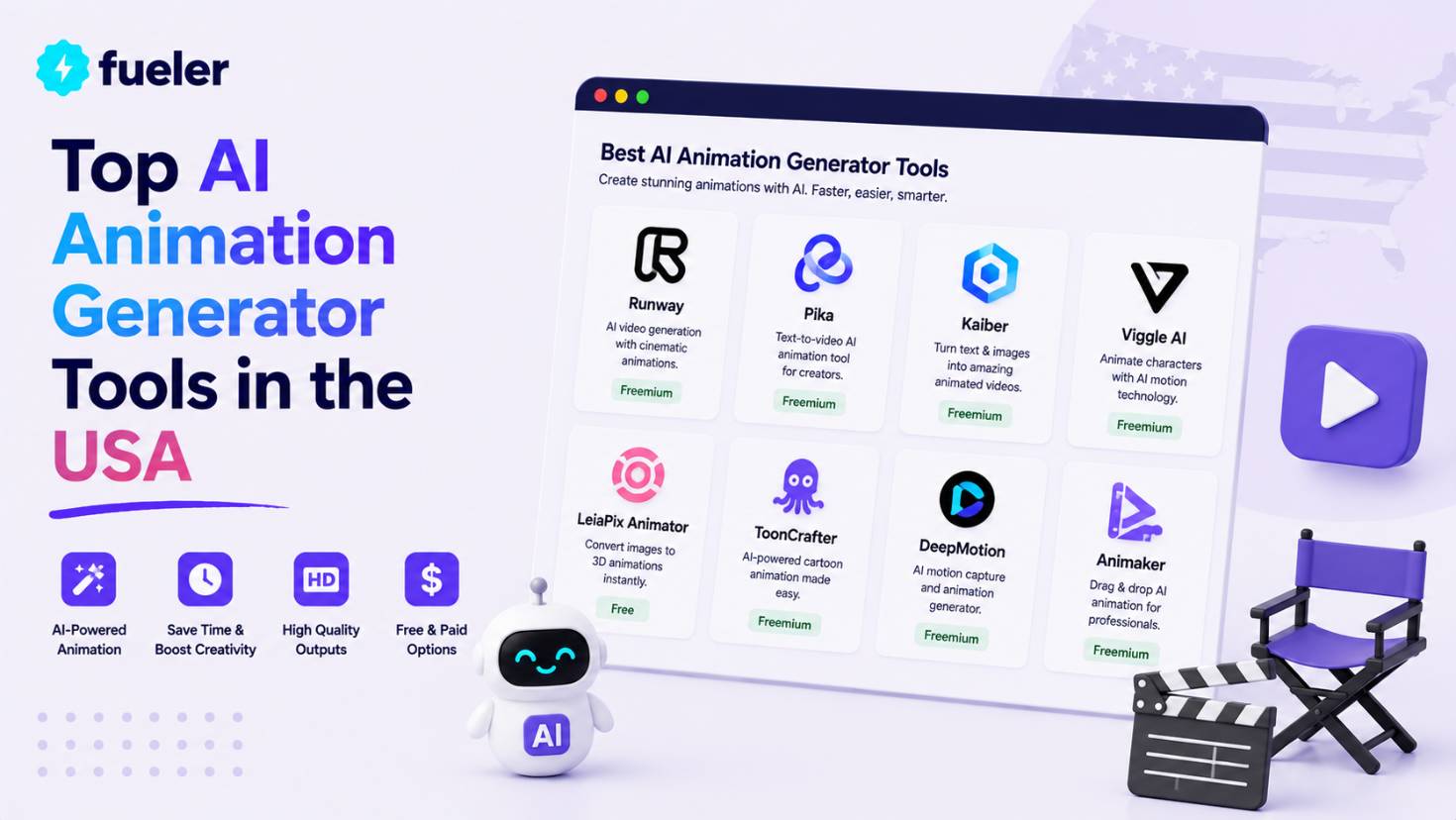
The landscape of digital storytelling has been completely rewritten by the arrival of industrial-grade AI animation tools that allow anyone to create cinematic motion with a simple text prompt. In 2026, the barrier between a "great idea" and a "finished masterpiece" has practically disappeared for creators across the United States. Whether you are an indie filmmaker in Austin or a marketing lead in New York City, these tools provide the power to animate complex characters and environments without the traditional months of manual labor. This guide explores the most advanced, reliable, and high-impact AI animation platforms that are currently defining the creative industry in 2026.
I’m Riten, founder of Fueler, a skills-first portfolio platform that connects talented individuals with companies through assignments, portfolios, and projects, not just resumes/CVs. Think Dribbble/Behance for work samples + AngelList for hiring infrastructure.
1. Runway Gen-3 Alpha
Runway remains the undisputed heavyweight champion of the AI animation world in 2026, offering a suite of tools that feel more like a professional film studio than a web application. Their Gen-3 Alpha model has set a new benchmark for "temporal consistency," meaning that characters and objects don't flicker or change shape as they move through a scene. It is the preferred choice for high-end US production houses because it offers granular control over every frame, allowing for a level of artistic intent that basic generators simply cannot match.
- Advanced Director Mode Control: This feature allows you to act as a virtual cinematographer by manually controlling camera movements like dollying, trucking, and panning with professional-grade precision within a 3D-simulated environment.
- Industry-Leading Temporal Consistency: Runway’s specialized training allows for long-duration shots where the lighting, clothing textures, and facial features of characters remain perfectly stable throughout the entire animation sequence.
- Multi-Motion Brush 2.0: You can assign different motion paths to multiple objects in a single frame, such as making clouds move slowly while a character runs fast, giving you layer-based control over the action.
- Generative Audio Syncing: In 2026, the platform automatically generates localized sound effects and atmospheric scores that perfectly match the visual motion, creating a fully immersive and professional cinematic experience.
- High-Fidelity 4K Upscaling: The built-in upscaler ensures that even your draft-quality generations can be boosted to 4K resolution with enhanced detail, making them ready for professional broadcast or large-screen theater projection.
Pricing:
- Free: $0/month (Includes 125 one-time credits to test the latest models).
- Standard: $12/month (625 credits monthly with watermark-free 4K exports).
- Unlimited: $76/month (Unlimited generations in "Relaxed Mode" for power users).
Why it matters:
For professional animators in the USA, Runway Gen-3 Alpha is the primary tool for reducing production timelines from months to days. It allows for the creation of "studio-quality" visuals at a fraction of the cost, making it essential for any creator looking to compete at the highest level of the industry.
2. Luma Dream Machine (Ray3)
Luma Labs has captured the American market by focusing on speed and "naturalistic" movement that feels incredibly life-like. Their Dream Machine, powered by the Ray3 engine, is optimized for creating high-energy animations that excel at human-object interactions. It is the go-to tool for creators who need to turn static images or basic prompts into high-quality 10-second clips for social media or digital advertising. The engine is designed to understand real-world physics, ensuring that hair, fabric, and liquids move exactly how you would expect them to in real life.
- Rapid Rendering Pipeline: Luma is built for the "on-demand" creator, delivering high-definition 10-second animation clips in under 120 seconds, which is significantly faster than most competing professional-grade models.
- Complex Physics Simulation: The engine specializes in simulating the weight and resistance of real-world materials, making it the best choice for animations involving water splashes, flowing cloth, or heavy machinery.
- Natural Character Dynamics: Luma avoids the "robotic" look of early AI by using advanced motion capture datasets to inform its generations, resulting in human movements that feel fluid, weighty, and authentic.
- Image-to-Video Transformation: You can upload a high-quality character design or landscape and the AI will "breathe life" into it, maintaining the exact artistic style of the original image while adding complex motion.
- HDR and 4K Support: The 2026 update includes full support for High Dynamic Range (HDR) and 4K up-res, ensuring that your animations have the professional color depth and clarity required for modern displays.
Pricing:
- Free: $0/month (30 monthly generations with watermarks for personal use).
- Lite: $7.99/month (3,200 credits for 50 draft-quality videos per month).
- Plus: $23.99/month (10,000 credits, commercial rights, and no watermarks).
Why it matters:
Luma Dream Machine is the ultimate productivity booster for US-based content creators who need high-volume, high-quality video. Its ability to handle complex physics makes it a vital tool for creating realistic product ads and social media content that looks like it was filmed on a high-end camera.
3. Kling AI (Pro Edition)
Kling AI has disrupted the US animation scene by offering the longest continuous AI video generations in the market, capable of producing up to two minutes of coherent footage. This makes it a specialized tool for storytellers who want to create short films or educational content without the jumpy transitions caused by stitching together 5-second clips. In 2026, the Pro Edition gained massive popularity for its "3D Reconstruction" technology, which ensures that characters look anatomically correct from every possible angle during a long scene.
- Extended Narrative Duration: Kling is unique in its ability to generate seamless, continuous video segments up to 120 seconds long, allowing for more complex storytelling and slower, more deliberate pacing.
- Advanced 3D Mapping: The AI builds a hidden 3D model of the scene as it generates, ensuring that characters maintain their volume and proportions even during extreme camera rotations or fast-paced action sequences.
- Interactive Storyboarding: You can link multiple scenes together within the interface to maintain environment consistency, ensuring that your "World-Building" remains intact across a longer animation project or series.
- Daily Credit System: For free users, Kling provides a daily "check-in" credit refresh in 2026, allowing hobbyists and students to consistently experiment with high-end animation tools without a recurring financial commitment.
- High-Resolution Multi-Format Export: The platform supports exports in various aspect ratios and resolutions up to 4K, making it incredibly versatile for everything from vertical TikToks to horizontal cinematic trailers.
Pricing:
- Free: $0/month (66 daily credits for casual exploration and testing).
- Standard: $6.99/month (660 credits, 1080p resolution, and watermark removal).
- Pro: $25.99/month (3,000 credits and up to 60-second video lengths).
Why it matters:
Kling AI is the best tool for the "Long-Form" creator. For American YouTubers and filmmakers, the ability to generate a full scene in a single pass is a game-changer that significantly reduces the complexity of the post-production and editing workflow.
4. Pika 1.5 (Pikaffects)
Pika 1.5 has carved out a niche as the "creative playground" for American designers who want to create surreal and eye-catching visuals. Their famous "Pikaffects" allow users to apply physics-defying transformations to objects, such as making a person turn into liquid or a car bounce like a rubber ball. In 2026, Pika has become an essential tool for social media managers who need "scroll-stopping" content that uses humor and surrealism to capture the audience's attention in a crowded feed.
- Surreal Physics Effects: The platform features one-click buttons to "Melt," "Inflate," "Crush," or "Dissolve" any object in your video, creating unique visual hooks that are perfect for viral marketing.
- Precision Lip-Syncing: Pika includes a built-in audio-to-video tool that can animate the mouths of any character (human, animal, or object) to perfectly match an uploaded audio file with realistic expressions.
- Virtual Joystick Camera: This intuitive control system allows you to "fly" a virtual camera through your generated scene in real-time, helping you find the most dramatic and impactful angle for your animation.
- AI Sound FX Library: As the video generates, the AI analyzes the action and automatically creates a library of synchronized sound effects that you can toggle on or off to enhance the final product.
- Flexible Aspect Ratios: Whether you need a 9:16 vertical for Instagram Reels or a 21:9 ultra-wide for a cinematic look, Pika allows you to set your dimensions before the generation begins.
Pricing:
- Free: $0/month (300 initial credits with a 30-credit daily refresh).
- Standard: $10/month (1,050 credits and watermark-free downloads).
- Pro: $28/month (Unlimited generations and full commercial usage rights).
Why it matters:
Pika 1.5 is the tool of choice for "Creative Direction." In the competitive US market, being unique is often more important than being realistic, and Pika gives you the specific tools needed to create animations that are impossible to ignore.
5. Adobe Firefly Video
Adobe has fully integrated its Firefly Video model into the Creative Cloud ecosystem, making it a powerful ally for professional animators using Premiere Pro and After Effects. In 2026, it is widely used for "Generative Extend," a feature that allows you to add extra frames to the beginning or end of a real video clip to make the transition smoother. Because it is trained on Adobe Stock's massive library, the outputs are commercially safe and lack the "copyright anxiety" associated with some other AI platforms.
- Adobe Stock Integration: Every generation is backed by Adobe's "Commercially Safe" guarantee, ensuring that US businesses can use the generated animations in major ad campaigns without legal risk.
- Seamless Premiere Pro Workflow: You can generate and edit AI clips directly inside your Premiere Pro timeline, allowing you to use professional color grading and audio tools on your AI content immediately.
- Generative Video Extension: This allows editors to take a clip that is "too short" and have the AI imagine and draw the next few seconds of action, effectively saving many ruined shots in the editing room.
- Text-to-Video Presets: Adobe offers a curated list of "Cinematic Presets" (like Noir, Cyberpunk, or Watercolor) that ensure your AI animation matches the specific visual style of your overall project, which is ideal when creating consistent product animation assets across campaigns.
- Enterprise-Level Security: For large US corporations, Adobe provides a secure environment where your input data and prompts are protected and never used to train public AI models.
Pricing:
- Free: $0/month (Includes 25 generative credits for basic exploration).
- Premium: $4.99/month (100 credits and no watermarks for individual use).
- Creative Cloud All Apps: $59.99/month (Full professional suite with 1,000+ credits).
Why it matters:
Adobe Firefly Video is the safest and most professional option for corporate America. It provides a "legally clean" way to integrate AI into existing professional workflows, ensuring that high-stakes projects remain compliant with US copyright standards.
6. Kaiber AI (Superstudio)
Kaiber AI has become a staple in the American music industry, known for its "Audioreactive" technology that creates animations that pulse and change in time with music. In 2026, their "Superstudio" interface allows artists to create complex, multi-scene music videos that feel like a psychedelic journey. It is specifically designed for the "Aesthetic" side of the internet, making it the top choice for musicians, VJs, and digital artists who want to create high-concept visualizers that enhance their audio.
- Audioreactive Engine: The AI analyzes the frequency and rhythm of an uploaded song to drive the motion of the animation, making the visuals literally "dance" to the beat of the music.
- Modular "Flow" System: You can build your animation using modular blocks, allowing you to combine different artistic styles and motion types into a single, cohesive visual narrative.
- Infinite Canvas Workspace: The 2026 update includes an expansive digital canvas where you can map out your entire video storyboard and generate scenes directly within the planning area.
- Custom Character Engine: You can upload your own sketches or photos and "train" the AI to recognize your specific character, ensuring they look the same across various animation sequences.
- Motion-to-Video Transfer: This allows you to take the motion from one video (like a person dancing) and apply it to a completely different AI-generated character or environment.
Pricing:
- Free: $0/month (50 credits for a one-time trial of the core tools).
- Creator: $15/month (1,000 credits, unlimited canvases, and commercial rights).
- Pro: $149/month (7,500 credits for agencies and power users).
Why it matters:
Kaiber AI is the premier tool for the US "Music and Arts" scene. It allows independent artists to create high-budget visualizers that would normally cost thousands of dollars, enabling them to build a stronger visual brand on platforms like Spotify and YouTube.
7. Wondershare Filmora (AI Suite 2026)
Filmora has successfully transitioned from a beginner video editor to a powerful AI-driven animation hub. In 2026, it is the best tool for "Hybrid Creation," allowing users to mix real-life footage with AI-generated animated overlays. It is incredibly popular among US-based small business owners and educators because it provides a familiar "timeline" interface while hiding incredibly complex AI processes behind simple, one-click buttons.
- AI Smart Cutout & Animate: You can instantly isolate a subject from a video and turn them into an animated character or move them into a completely different AI-generated 3D background.
- Prompt-to-Animation Generator: Built directly into the editor, this allows you to type a description and have the AI generate a 5-10 second animated clip that drops directly onto your editing timeline.
- AI Copilot Assistant: A smart assistant monitors your editing process and suggests specific transitions, stickers, or animations that would best fit the "mood" of your current project.
- Automatic Silent Detection: The AI scans your voiceover or dialogue and automatically cuts out pauses and "ums," creating a tight, professional-sounding animation script in seconds.
- Custom AI Stickers: You can generate your own animated stickers and emojis from text prompts, giving your social media videos a unique and personalized look that can't be found in stock libraries.
Pricing:
- Free Trial: $0 (Full feature access with a prominent watermark on exports).
- Annual Plan: $49.99/year (Includes all AI tools and watermark-free exports).
- Perpetual Plan: $79.99 (One-time payment for the current version of the software).
Why it matters:
Filmora is the best "all-in-one" solution for the American educator or marketer. It provides a safety net of traditional editing tools while giving you the speed of modern AI, making it the most reliable tool for producing professional-grade content daily.
8. HeyGen (Avatar IV)
HeyGen is the undisputed leader in "Avatar-Based Animation" in 2026, focusing on the human element of storytelling. For US businesses, HeyGen provides the ability to create "Digital Twins" that can deliver presentations, training videos, and personalized sales messages in over 175 languages. The 2026 update features "Emotional Intelligence," allowing the AI avatars to shift their tone and facial expressions based on the sentiment of the text they are reading.
- Photo-to-Avatar Magic: You can take a single headshot of a person (or a fictional character) and turn it into a high-quality, talking 3D avatar with realistic eye movements and facial expressions.
- Global Voice Cloning: The platform clones your specific voice and allows your avatar to speak in any language while maintaining your unique accent, pitch, and emotional cadence.
- Interactive Video Embedding: In 2026, you can add "Call-to-Action" buttons directly inside your AI animation, allowing viewers to book a meeting or buy a product without leaving the video.
- High-Definition Lip-Syncing: The AI uses deep learning to ensure that the mouth movements of the avatar are perfectly synced to the audio, even when speaking fast or using technical jargon.
- Teams Collaboration Suite: For US agencies, HeyGen offers a shared workspace where multiple users can collaborate on avatar scripts and video layouts in real-time.
Pricing:
- Free: $0/month (1 free credit to create a single high-quality test video).
- Creator: $24/month (15 monthly credits and access to premium avatars).
- Team: $120/month (30 credits and advanced collaboration features).
Why it matters:
HeyGen is the key to scaling "Human Connection" in the USA. It allows brands to produce personalized video content at a scale that was previously impossible, making it a vital tool for modern sales, marketing, and customer support.
9. Autodesk Flow Studio (Wonder Studio)
Formerly known as Wonder Studio, this tool is the ultimate "VFX-in-a-box" for the US film industry. It uses AI to automatically replace a real person in a video with a fully animated 3D CG character. In 2026, it is used by indie filmmakers to create big-budget sci-fi and fantasy effects without a dedicated VFX team. The AI handles the motion capture, lighting, and "clean-plating" (removing the original person) automatically, delivering a finished scene that is ready for the big screen.
- Automated Character Replacement: You can upload a video of a person and a 3D character model, and the AI will automatically map the person's movements onto the character with perfect precision.
- AI Motion Capture (No Suits): There is no need for expensive mocap suits; the AI analyzes the video footage to extract full-body, hand, and facial motion data for use in any 3D software.
- Automatic Clean Plate Generation: The tool intelligently "erases" the original actor from the scene and fills in the background, saving hundreds of hours of manual rotoscoping and painting.
- Seamless Lighting Integration: Flow Studio analyzes the lighting of your real-world footage and applies the same lighting and shadows to your 3D character for a realistic look.
- Pro-Grade 3D Exports: You can export the final scene as a Maya, Blender, or Unreal Engine file, giving professional artists total control over the final polish and rendering.
Pricing:
- Free: $0/month (300 credits and 720p resolution for small personal tests).
- Standard: $29/month (2,100 credits and 1080p resolution for indie creators).
- Pro: $80/month (6,000 credits and 4K resolution for production teams).
Why it matters:
Flow Studio is a "Democratizer" for the US film industry. It allows a single creator to achieve visual effects that used to require a team of fifty people, making it the most important tool for the next generation of independent cinematic storytellers.
10. Leonardo AI (Motion Suite)
Leonardo AI has expanded from a static image generator into a powerful "Motion Suite" that is incredibly popular among the American "Creative Prosumer" market. In 2026, its "Motion" tool allows you to take any AI-generated image and add a "Motion Strength" slider to decide exactly how much movement you want in the scene. It is the most accessible tool for people who are already familiar with AI art and want to take their first steps into the world of animation.
- Variable Motion Strength: A simple slider allows you to control the intensity of the animation, from a subtle "breathing" effect to a high-energy action sequence.
- Advanced Style Reference: You can upload a "Style Image" to tell the AI exactly what colors and lighting it should use for the animation, ensuring it matches your brand perfectly.
- Real-Time Canvas Animation: In 2026, you can draw on a digital canvas and see the AI animate your strokes in real-time, giving you a highly interactive and creative design experience.
- Token-Based Economy: Leonardo uses a daily "Fast Token" system for free users, ensuring that you can always generate a few animations every day without needing a credit card.
- Community Model Access: You get access to thousands of custom AI models trained by the community, allowing you to create animations in very specific niche styles (like 90s Anime or Claymation).
Pricing:
- Free: $0/month (150 Fast Tokens daily for consistent exploration).
- Apprentice: $10/month (8,500 monthly tokens and faster generation speeds).
- Artisan: $24/month (25,000 monthly tokens and private generations).
Why it matters:
Leonardo AI is the most "User-Friendly" entry point for US creators. Its simple interface and generous daily free tokens make it the perfect platform for experimenting with AI animation before committing to more expensive professional software.
11. Jitter
Jitter is a browser-based animation tool designed to make motion design simple and accessible, especially for teams already using Figma. Its intuitive, Figma-like interface allows designers and marketers to create polished animations without the steep learning curve of traditional motion software. Because it runs entirely online, teams can collaborate in real time and export assets quickly for ads, websites, and social media. Jitter is particularly popular with startups, SaaS companies, and digital marketing teams that need fast, high-quality motion content.
- Figma-like interface with an easy learning curve
- Browser-based (no heavy software downloads required)
- Real-time collaboration and easy sharing
- Ready-made templates for marketing and social media
- Advanced timeline and easing controls for refined motion
- Optimized exports for web, UI, and paid ads
Pricing:
- Free plan available with basic features and limited exports
- Paid plans unlock advanced exports, premium templates, and collaboration features (tiered pricing)
Why it matters:
Motion content drives higher engagement across social media, landing pages, and paid campaigns. Jitter removes the barrier of complex animation software, allowing teams to create high-impact visuals quickly. For growing companies and marketing teams, this means faster production cycles and more dynamic content without needing a dedicated motion designer. It helps bridge the gap between static design and professional-grade animation.
Showcase Your Animation Skills on Fueler
Once you’ve mastered these advanced AI animation tools, you need a way to prove your value to potential clients and employers. This is where Fueler comes into play. In the 2026 job market, showing a list of tools on a resume isn't enough; you need to show your "Proof of Work." Fueler allows you to create a high-impact, skills-first portfolio where you can showcase your AI-generated animations, explain your prompting techniques, and show the "Before and After" of your creative process. It is the best way for American animators to stand out and get hired for high-paying roles in the new AI-driven creative economy.
Final Thoughts
The rise of AI animation in 2026 has completely changed what it means to be a "creator" in the USA. It is no longer about who has the biggest budget, but who has the most compelling story and the best "prompt engineering" skills. Whether you choose the cinematic power of Runway, the speed of Luma, or the surreal creativity of Pika, the tools are now in your hands. Start by using the free tiers to find your favorite workflow, build a diverse portfolio of projects, and use platforms like Fueler to ensure your talent is recognized by the industry leaders of tomorrow.
FAQs
What is the best free AI animation generator for professional projects in 2026?
Runway Gen-3 Alpha and Luma Dream Machine are currently the leaders. Runway offers the best temporal consistency for professional-looking characters, while Luma is the fastest at generating realistic motion. Both offer limited free credits that allow you to test their highest-quality models before committing to a paid plan.
Can I create long-form animated films using only AI?
Yes, tools like Kling AI and InVideo AI are specifically designed for longer content. Kling can generate continuous scenes up to two minutes long, while InVideo can assemble an entire video from a single script. For a full-length film, many US creators use a hybrid approach, generating multiple clips and stitching them together in a professional editor like Premiere Pro.
Do I need a powerful computer to run these AI animation tools?
No, most of the top tools in 2026 are cloud-based. This means the heavy processing happens on the company's servers, not your local machine. You can create high-definition 4K animations using a basic laptop or even a smartphone, as long as you have a stable and fast internet connection.
Is AI animation commercially safe for US businesses to use?
Platforms like Adobe Firefly Video and Runway (Paid Tiers) offer commercial safety guarantees. Adobe specifically trains its models on stock footage it owns, which reduces the risk of copyright infringement. However, you should always check the specific "Terms of Service" for each tool's free tier, as many are restricted to personal use only.
How can I make my AI animations look more realistic and less "jittery"?
The key is to use tools that offer "Temporal Consistency," such as Runway Gen-3 or Kling AI. Additionally, using a "Motion Strength" slider (found in Leonardo AI or Pika) and keeping it at a moderate level can help prevent the AI from over-animating the scene and causing visual distortions or "hallucinations."
What is Fueler Portfolio?
Fueler is a career portfolio platform that helps companies find the best talent for their organization based on their proof of work. You can create your portfolio on Fueler. Thousands of freelancers around the world use Fueler to create their professional-looking portfolios and become financially independent. Discover inspiration for your portfolio
Sign up for free on Fueler or get in touch to learn more.

What should you do next?
You've read the article. Now turn your skills into proof of work and unlock more opportunities.
Build your proof of work portfolio
Create a clean portfolio with projects, assignments, resumes, and AI stack details that companies actually want to see.
Create your Fueler portfolio →Apply through assignments, not resumes
Stand out by solving real tasks from companies hiring on Fueler.
Explore assignments →Get discovered by companies
Make your work public and let recruiters discover your skills through actual projects instead of keywords.
Get discovered →
