How to Add Device Configuration on Fueler?

Riten Debnath
16 May, 2026
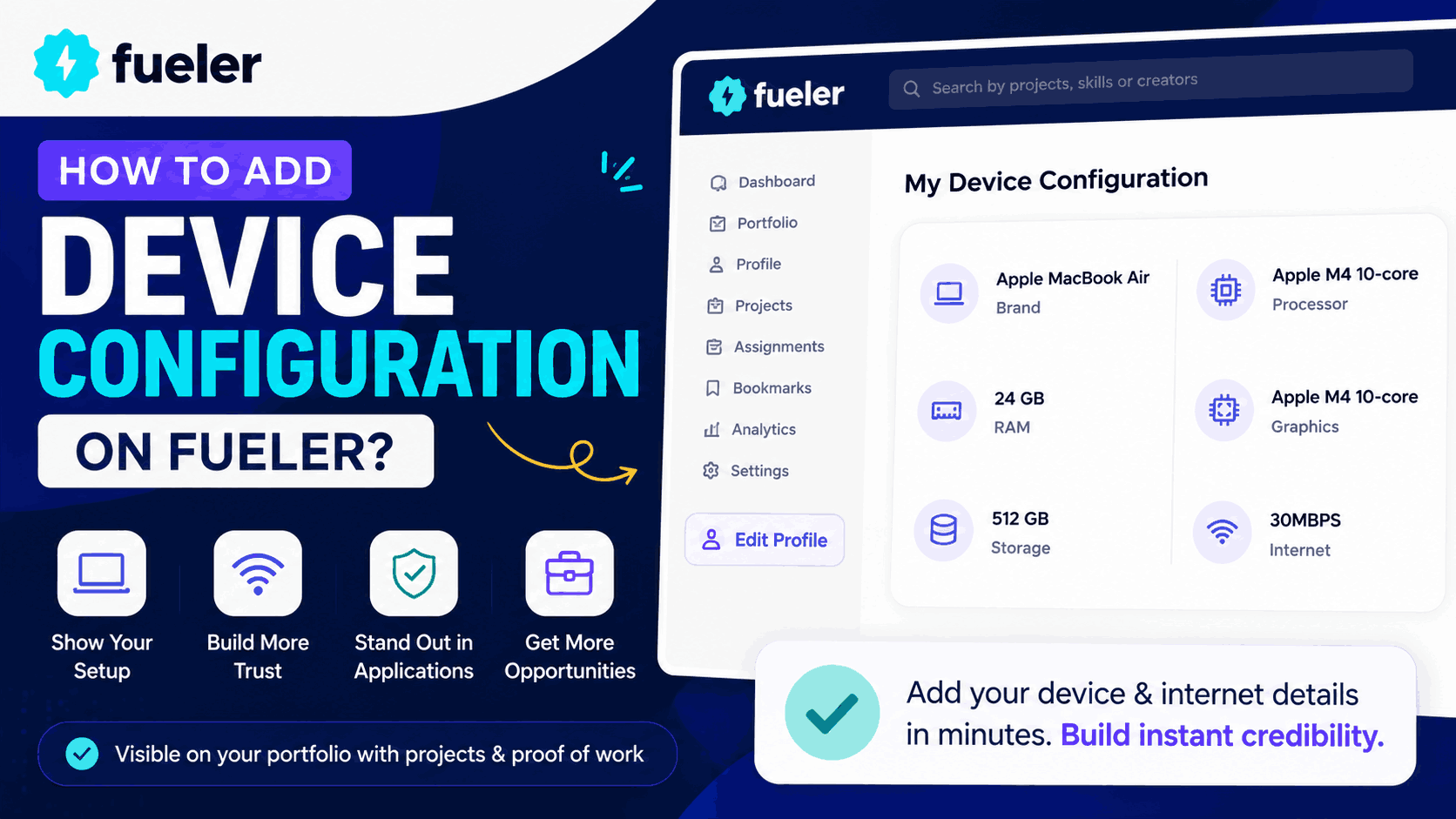
The way people apply for jobs is changing fast.
Today, recruiters and clients want more than just resumes. They want proof of work, project visibility, and confidence that candidates are ready to work professionally in modern environments.
At Fueler, we are building a portfolio platform where professionals get opportunities through assignments, projects, and proof of work instead of only traditional resumes.
To make career portfolios even more useful, Fueler recently launched Device Configuration for portfolios.
This feature allows professionals to showcase their work setup directly on their portfolio, including device specifications and internet speed. The goal is simple. Help recruiters, clients, and companies understand work readiness instantly.
What is Device Configuration on Fueler?
Device Configuration is a new feature on Fueler that lets users add:
- Laptop or desktop details
- RAM and storage
- Processor and graphics information
- Internet speed
- Work setup details
These details appear alongside projects and proof of work on the portfolio. (Fueler)
This helps candidates build more trust while applying for:
- Remote jobs
- Hybrid roles
- Freelance projects
- Onsite opportunities
- Contract work
Today, companies often evaluate technical readiness before hiring. Many candidates face setup-related questions during interviews and client discussions.
Fueler built this feature to make that process transparent and professional.
Why Device Configuration Matters
Most of the Modern work is digital.
Whether someone is a designer, developer, video editor, marketer, writer, or consultant, their setup directly impacts how they work and collaborate.
Recruiters often want to know:
- Can this candidate run professional software smoothly?
- Does their internet support collaboration tools and meetings?
- Are they technically prepared for modern workflows?
- Can they work efficiently from different environments?
Instead of answering these questions repeatedly, professionals can now showcase this information directly on their Fueler portfolio.
This creates clarity and builds confidence faster.
How to Add Device Configuration on Fueler
Adding Device Configuration on Fueler is simple and takes less than a minute.
Step 1: Open Your Fueler Dashboard
Login to your Fueler account and go to your dashboard.
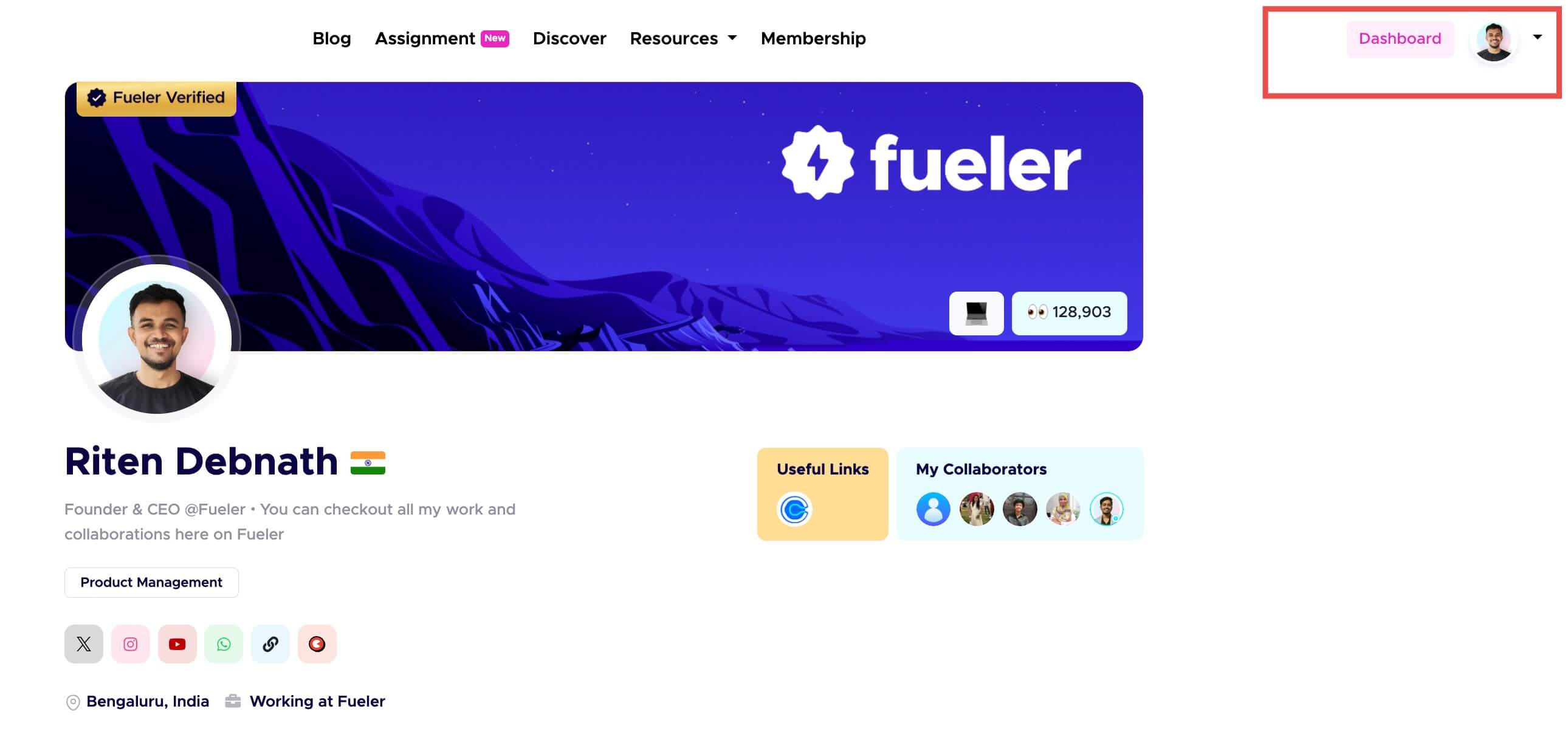
Visual Representation of Fueler Dashboard
Step 2: Click on “Edit Profile”
Inside your dashboard, open the Edit Profile section from the left side navbar
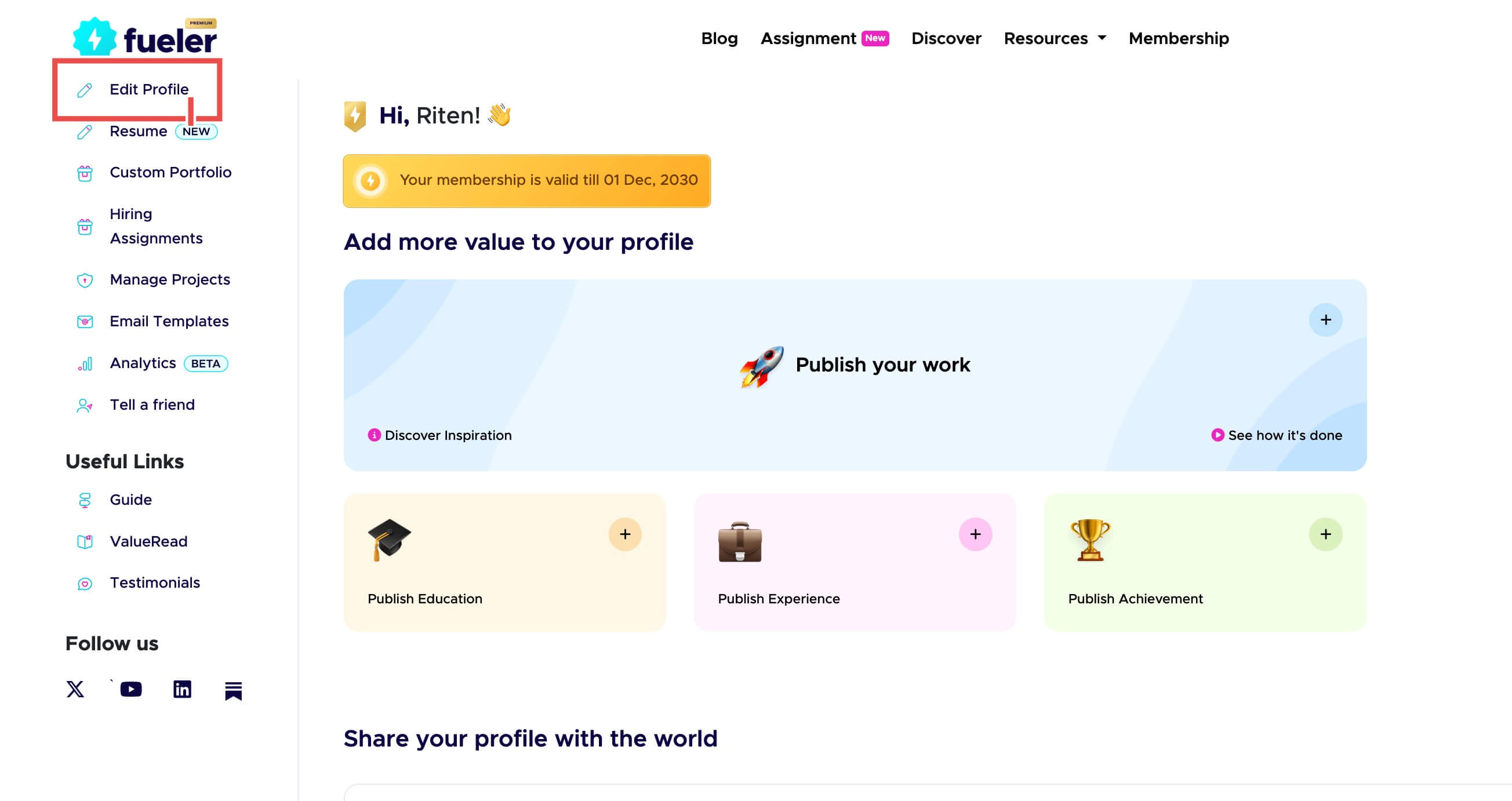
Edit Profile section on Fueler profile
Step 3: Navigate to “My Device Configuration”
Scroll to the Device Configuration section.
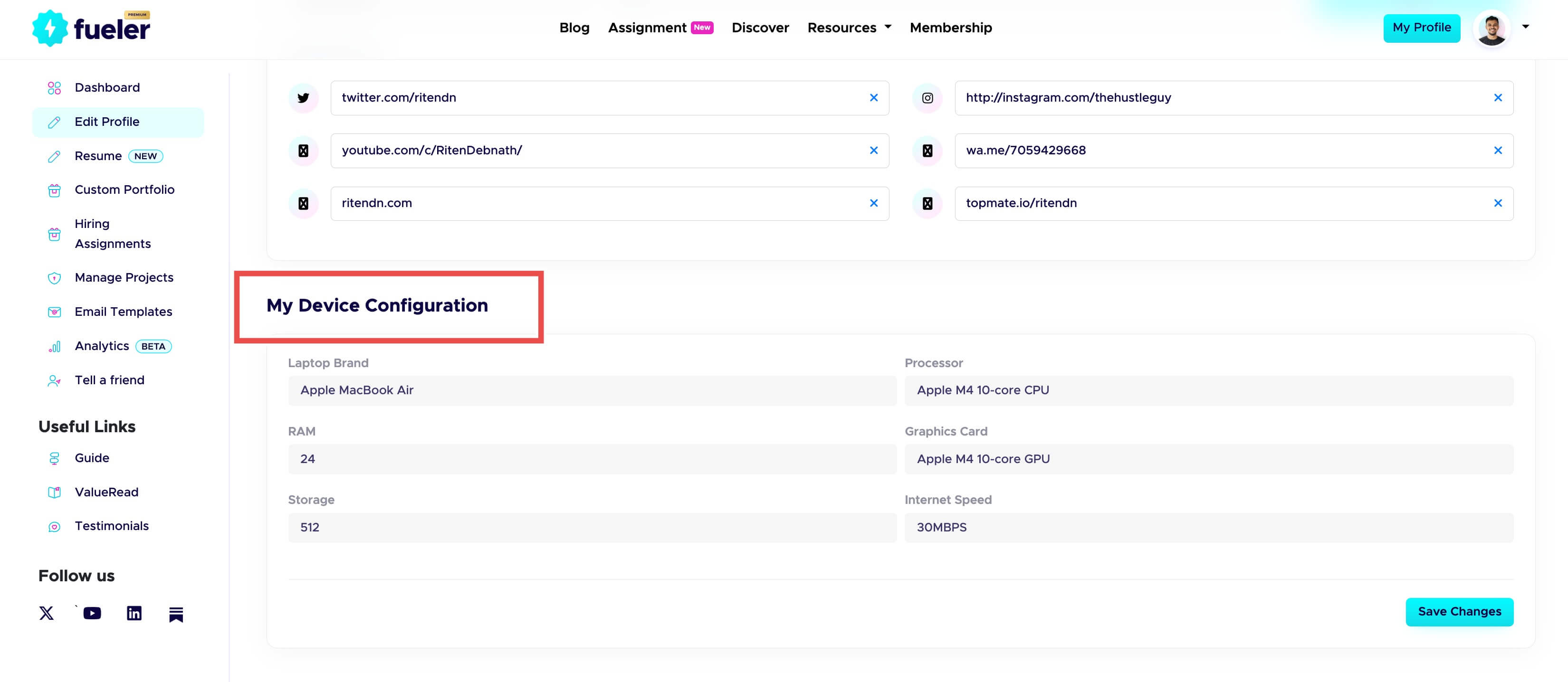
My Device Configuration Section on Fueler Dashboard
Step 4: Add Your Details
Fill in your setup information, such as:
- Device brand and model
- Processor
- RAM
- Storage
- Graphics details
- Internet speed
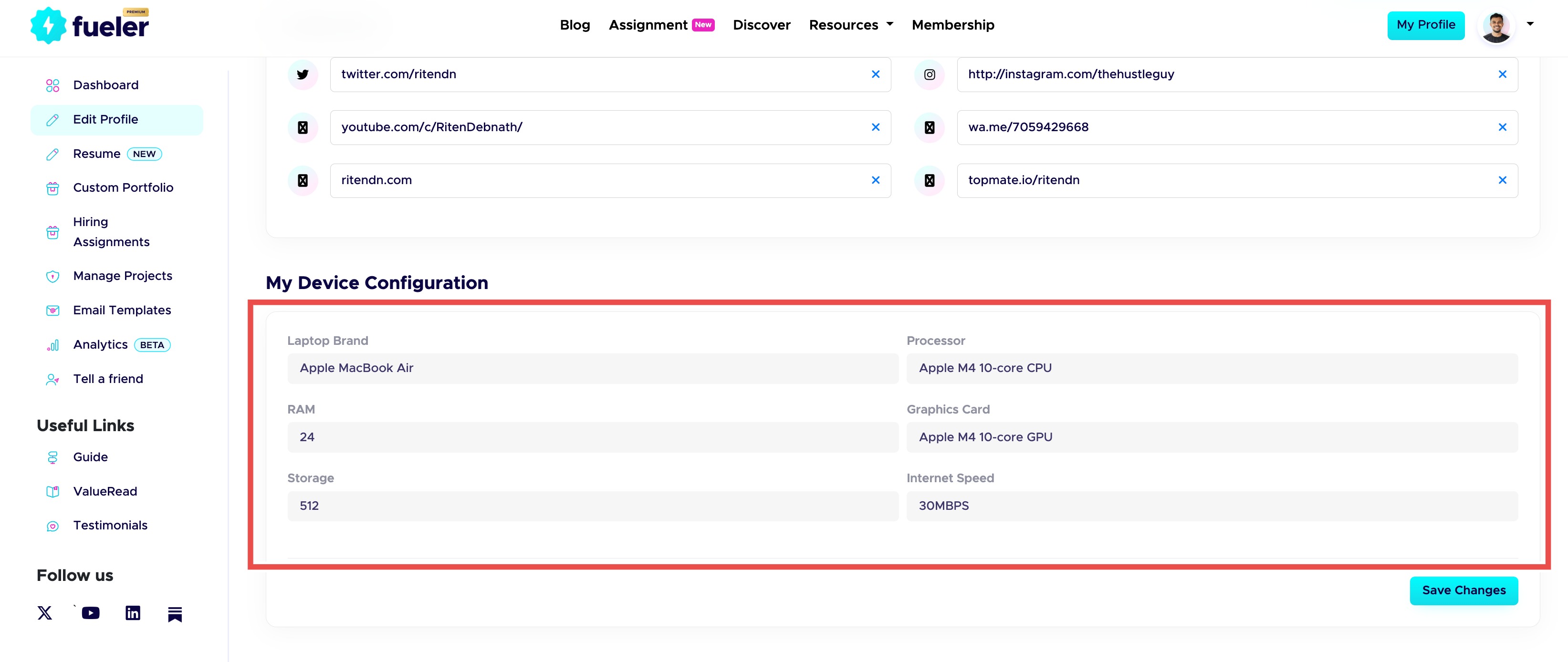
Section to add your Device Configuration inside Fueler
Step 5: Save Your Configuration
Once added, click on Save Changes. Once saved, the details will automatically appear on your Fueler portfolio alongside your projects and proof of work.
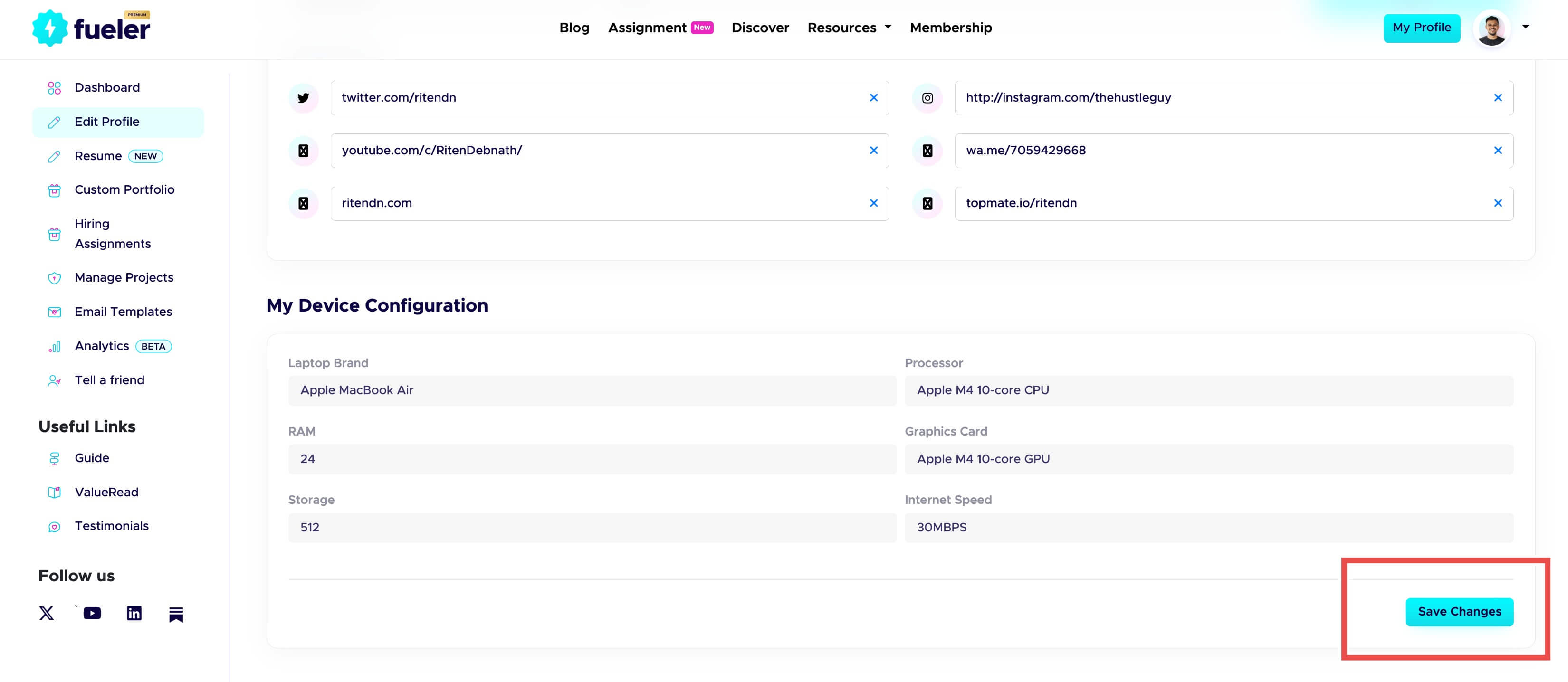
Save Changes page on Fueler Dashboard
How to Check Your Internet Speed
Before adding internet details, users can check their speed using public tools like:
- Fast.com
- Speedtest by Ookla
These tools help users measure their internet performance quickly.
Building the Future of Career Portfolios
At Fueler, we believe portfolios should evolve with the future of work.
Traditional resumes only show claims.
Proof of work shows capability.
And Device Configuration shows readiness.
This feature is part of Fueler’s larger mission to build career infrastructure for the next generation of professionals in India and beyond.
Millions of skilled people today work online, collaborate digitally, and get hired through the internet. But most career tools still feel outdated.
Fueler is focused on solving this by building portfolios that are:
- Practical
- Transparent
- Proof-driven
- Modern
- Built for internet-first professionals
We are obsessed with helping professionals present themselves better and helping companies hire with more confidence.
Final Thoughts
The future of hiring will not depend only on resumes.
It will depend on proof, trust, and readiness.
Device Configuration is a small but important step toward making career portfolios more complete and useful for modern hiring.
Now professionals can show:
- What they built
- What they can do
- And the setup they use to deliver professional work
At Fueler, we believe your work should speak before you enter the room.
Now your setup speaks too.
What is Fueler Portfolio?
Fueler is a career portfolio platform that helps companies find the best talent for their organization based on their proof of work. You can create your portfolio on Fueler. Thousands of freelancers around the world use Fueler to create their professional-looking portfolios and become financially independent. Discover inspiration for your portfolio
Sign up for free on Fueler or get in touch to learn more.

What should you do next?
You've read the article. Now turn your skills into proof of work and unlock more opportunities.
Build your proof of work portfolio
Create a clean portfolio with projects, assignments, resumes, and AI stack details that companies actually want to see.
Create your Fueler portfolio →Apply through assignments, not resumes
Stand out by solving real tasks from companies hiring on Fueler.
Explore assignments →Get discovered by companies
Make your work public and let recruiters discover your skills through actual projects instead of keywords.
Get discovered →
