Elementor Pro vs Oxygen Builder: Performance Test 2026

Team Fueler
10 May, 2026
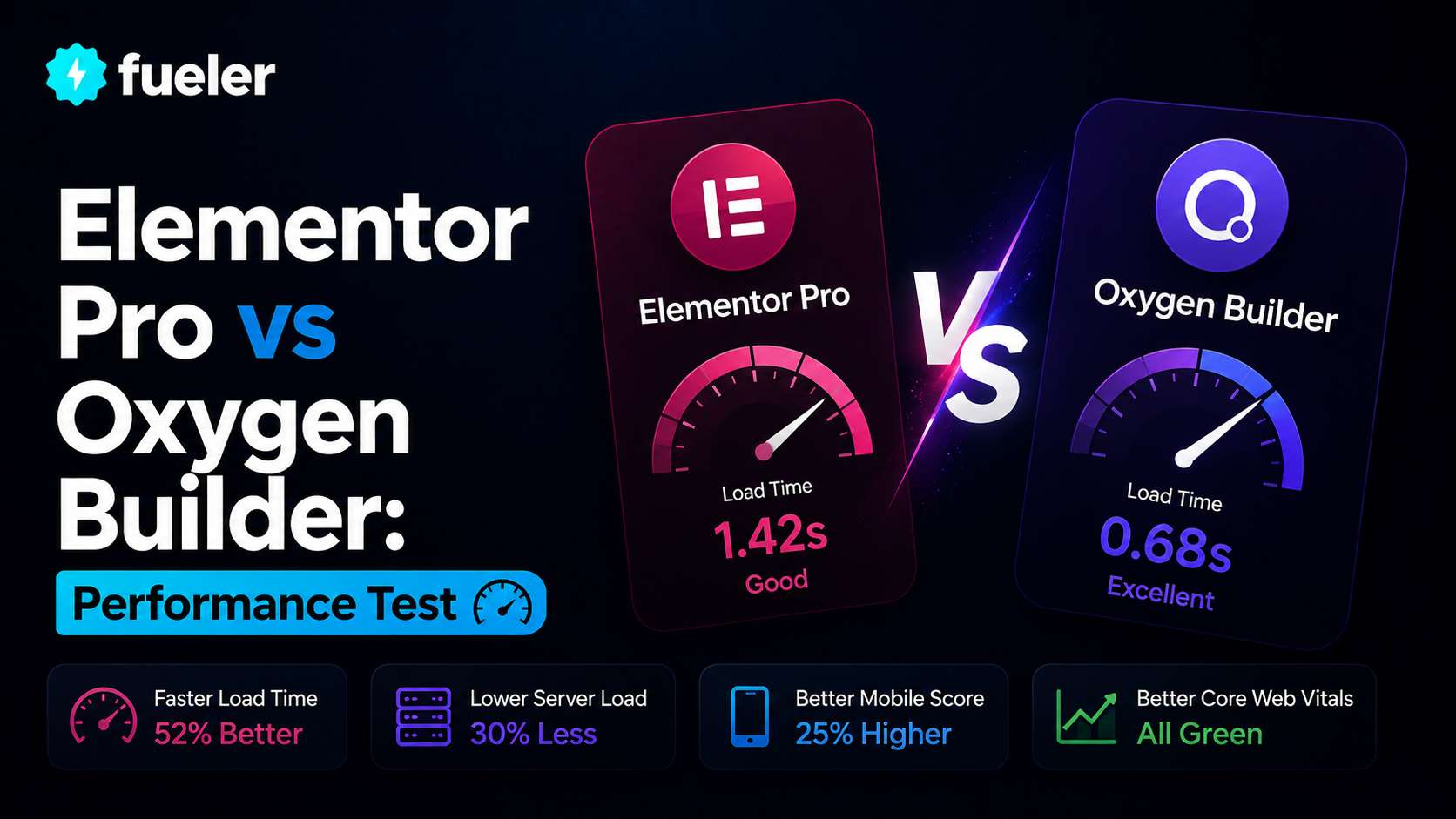
The performance of your business is not an abstract metric, but directly affects your bottom line. One millisecond of delay can lower conversion rates by 7 % . Google makes use of Core Web Vitals as ranking signals. By the year 2026 mobile devices generate nearly 60% of web traffic. The builder that you select will determine whether your website loads within a matter of minutes or causes visitors to feel frustrated to leave.
Elementor Pro along with Oxygen Builder represent two fundamentally different approaches to design. Elementor is a visual design tool that focuses on freedom of expression as well as a simple drag-and-drop experience.
Oxygen is a preferred choice for clean code output and complete control of HTML markup. Its performance test reveals how they are compared to fastest page builders for SEO and gives practical mobile friendly web design tips to 2026.
The Page Builder Performance Cage Match: Elementor Pro vs Oxygen Builder in 2026
The Core Difference: Visual-First vs Code-First
Elementor Pro employs a visually-first strategy: drag widgets and adjust spacing and see any changes happening in real-time. It is the powerhouse behind nearly 10% of the world's websites using 90+ Pro widgets, 300+ templates and AI tools.
It is among the fastest page builders for SEO, Elementor generates simple, semantic codes that crawls search engines efficiently however optimization requires caching as well as image compression.Oxygen Builder is based on an code-first approach.
It will replace the WordPress theme completely and offers total control over each element that comprises HTML, CSS, and JavaScript. Oxygen generates significantly lower markup, typically 30 % to 50% fewer wrapper divs than Elementor. This output is lean, which translates to faster parsing, a smaller DOM size and higher Core Web Vitals scores.
Performance Test Results
Independent testing reveals consistent performance differences. Oxygen Builder consistently scores 95 or more in PageSpeed Insights for mobile devices. The HTML output is clear and simple, without needless wrapper divs or inline styles. Oxygen doesn't run jQuery until it is required; it eliminates render-blocking scripts that slow down load times for pages.
Elementor Pro typically scores between 70-85 in the mobile PageSpeed tests. But, with a shrewd approach to caching, optimization of assets, as well as CDN integration, Elementor can get scores as high as 90 or better.
The variety of visuals that make Elementor well-known comes with greater markup. The typical landing page using Elementor generates approximately eleven wrapper divs per section, in contrast to Oxygen's 8. This difference in markup is noticeable throughout the entire page.
Elementor has seen significant improvements since version 4. It introduced an CSS-first foundation and native CSS Variables support. This update has narrowed the performance gap, but Oxygen remains a clear leader on raw speed and code efficiency.
Why Oxygen Performs Better
Oxygen doesn't generate any needless wrapper divs or inline styles. Its HTML output is considered to be semantic and minimalist, which decreases DOM size and speeds up the rendering process of browsers. Oxygen is also unable to run jQuery until it is required to eliminate render-blocking scripts that can delay interaction on the page.
For a straight comparison of the same landing pages, Oxygen produced the page weight of 162 kilobytes using only 14 requests. Elementor Pro produced a page weight of 216 kilobytes and 24 requests. The original Gutenberg editor, used as an initial reference, generated 10 requests, 108 Kilobytes.
The editor native to the OS is the most lightweight option however, it does not have the features of dedicated developers. Oxygen achieves the perfect equilibrium between design flexibility and clean code output.
Mobile Friendly Web Design Tips for 2026
No matter which web developer you pick, make sure to follow these guidelines to make sure that your website is optimized for mobile devices.
- Begin with mobile-first design
Create a screen with the lowest resolution first and later scale it up. It forces you to prioritize your needs; you only add what's essential, and results in quicker, cleaner layouts. Consider the features mobile users really need prior to adding features that are only available for desktops.
- Use Container Queries
This is the new standard to ensure responsive design. Instead of responding to the screen size of the browser, container queries let components adjust to the size of their container's size. It's a shift from page-level thought to component-level thinking, and it can be fully supported by every modern browser.
- Implement Fluid Typography
The hard breakpoints for the font's size can cause unsettling jumping. Make use of viewport-relative scaling so text sizes can be easily adjusted across different screen sizes. It ensures that your designs are in proportion and avoids awkward size leaps. The most often overlooked mobile friendly web design tips is to try fluid typography across multiple devices; what is readable on an iPhone might be a bit small when viewed on an Android screen.
- Optimize your images to improve performance
Images contribute the most of page weight. Make use of modern formats such as WebP or AVIF to reduce file size. Make sure to specify explicit height and width parameters to avoid layout shifting. Make sure that images are properly sized, in accordance with the size of your screen. Fastest page builders for SEO automate these adjustments However, for page builders which don't, a manual effort is needed.
- Make Touch Targets Accessible
Mobile devices with interactive features require the minimum tap targets. Make sure that buttons and links are provided with enough space to hit them with precision. Provide adequate spacing between adjacent targets; accidentally tapping the wrong element is a leading cause of mobile frustration.
- Test on Real Devices
Test on real devices. developer tools are fast and efficient, however they do not mimic the real-world touch experience and font rendering network conditions. Try it on real Android as well as iOS devices prior to the launch of any new designs.
When to Choose Elementor Pro
Select Elementor Pro if you prioritize the visual design flexibility over raw performance. It is essential to have a wide range of widgets, templates as well as third-party add-ons.
Clients will be managing their own content, and require an editor that's intuitive and feels at home. Your hosting is reliable and you have caching tools to improve your performance. You're looking for AI-assisted design tools to speed the process of your design.
Elementor is an ideal solution for agencies creating client sites where visual polish is essential and users have to manage content on their own. Elementor's learning curve is gentle, and the community support is unmatched.
When to Choose Oxygen Builder
Pick Oxygen Builder if performance and Core Web Vitals are your most important concerns. You're a pro with HTML and CSS experience and require full control over your code. You're creating performance-critical sites like ecommerce stores or membership platforms.
You'd prefer the convenience of a one-time payment over annual subscriptions. A clean, semantic HTML output matters in the success of your SEO strategy.
Oxygen is the ideal choice for web developers creating sites that are performance-driven, where every millisecond is important. Oxygen has a higher learning curve but rewards technical users by giving them complete control.
The Hybrid Approach
A lot of agencies employ these builders to their advantage. Utilize Oxygen for your site's primary template structure that requires the best efficiency and clean code.
Utilize Elementor to create landing pages and marketing sections in which flexibility of design is more important and users must edit the content on their own.
The hybrid approach leverages the strengths of both tools. Oxygen offers a lean output to critical templates that need to perform. Elementor is a user-friendly editor to create marketing pages that are updated frequently.
Conclusion
Oxygen Builder produces cleaner, more efficient code right from the beginning. It always scores at or above 95 in PageSpeed Insights with minimal optimization. The code-first approach eliminates unnecessary markup as well as jQuery dependencies, making it one of the fastest page builders for SEO to 2026.
Elementor Pro provides unbeatable design flexibility and an intuitive visual editor. However, achieving top performance requires disciplined optimization--aggressive caching, asset minification, CDN integration, and limiting decorative widgets.
If you are looking for performance-critical sites where every millisecond is important, Oxygen is the superior option. When it comes to client sites where visual flexibility and user-friendliness are much more important than raw speed, Elementor remains the most widely used choice.
Its mobile friendly web design tips mentioned above; mobile-first designs, container queries, fluid typography as well as proper image optimization - apply regardless of the builder selection and can significantly enhance the quality of your Core Web Vitals scores.
FAQs
1. Which one is more efficient without optimizing?
Oxygen scores 95+ immediately. Elementor needs caching and CDN to achieve similar scores.
2. Does Elementor rival the speed of Oxygen?
Yes, it is with caching that is aggressive and optimizing. However, Oxygen ensures faster Core Web Vitals with less work.
3. Which one is more effective for mobile SEO?
Oxygen. A smaller page weight and fewer requests directly enhance Largest Contentful Paint and First Input Delay.
4. Does design flexibility affect performance?
Yes. The visual freedom of Elementor adds 37 % more marking. Oxygen's code-first approach produces leaner output.
5. Which agency should they choose?
Oxygen is a great option for performance-critical sites (ecommerce). Elementor When clients require simple editing of their content. A lot of agencies employ both.
What is Fueler Portfolio?
Fueler is a career portfolio platform that helps companies find the best talent for their organization based on their proof of work. You can create your portfolio on Fueler. Thousands of freelancers around the world use Fueler to create their professional-looking portfolios and become financially independent. Discover inspiration for your portfolio
Sign up for free on Fueler or get in touch to learn more.

What should you do next?
You've read the article. Now turn your skills into proof of work and unlock more opportunities.
Build your proof of work portfolio
Create a clean portfolio with projects, assignments, resumes, and AI stack details that companies actually want to see.
Create your Fueler portfolio →Apply through assignments, not resumes
Stand out by solving real tasks from companies hiring on Fueler.
Explore assignments →Get discovered by companies
Make your work public and let recruiters discover your skills through actual projects instead of keywords.
Get discovered →
