Best Tech Platforms Used by US Professionals in 2026

Riten Debnath
18 Jan, 2026
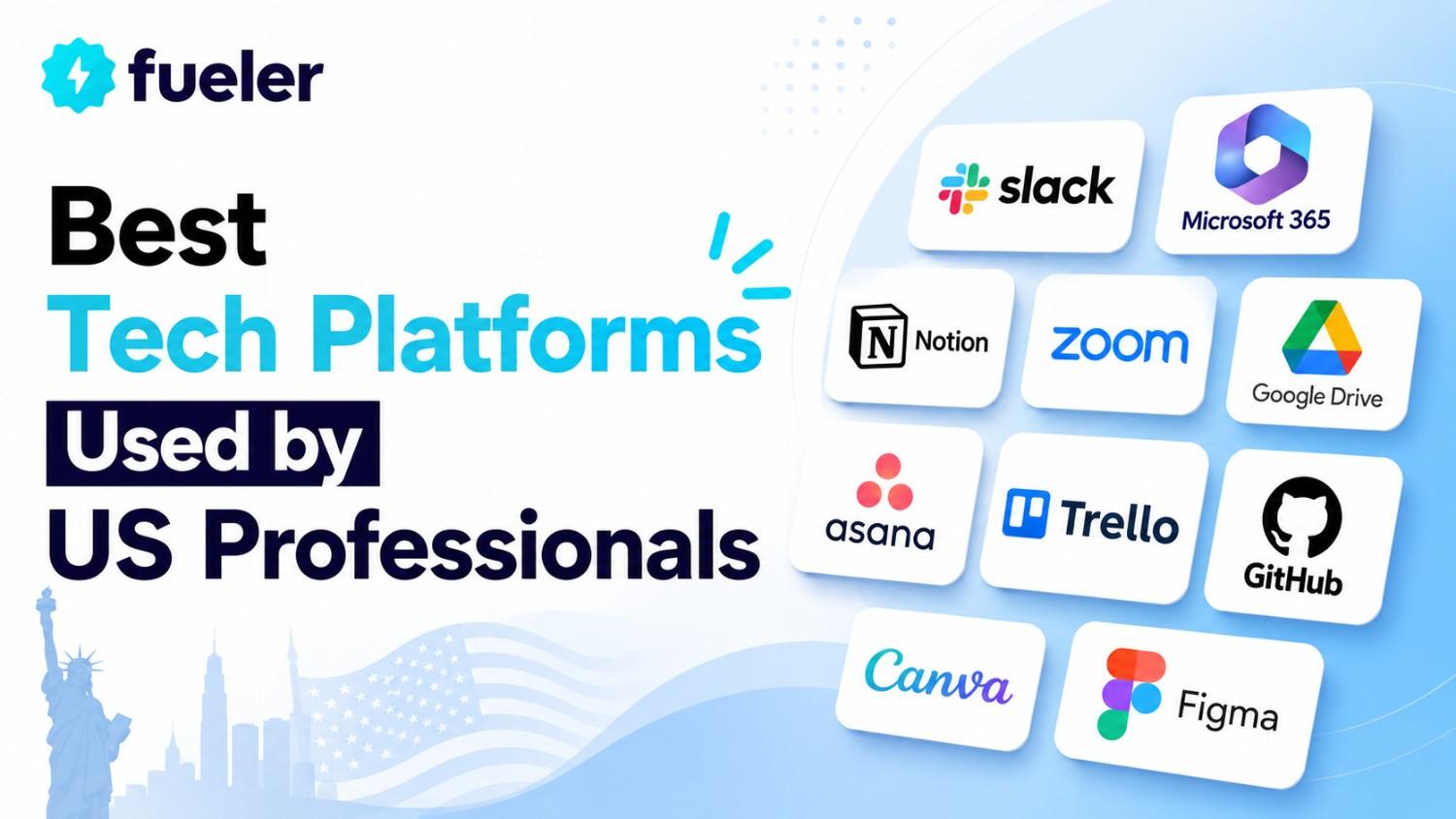
Imagine waking up, grabbing your coffee, and finishing a week's worth of work before lunch. In today’s fast-paced digital economy, the difference between being a top performer and feeling overwhelmed often comes down to the tools you use. US professionals are no longer just working harder; they are working smarter by using a specific stack of technology that automates the boring stuff and amplifies their natural talents.
I’m Riten, founder of Fueler, a skills-first portfolio platform that connects talented individuals with companies through assignments, portfolios, and projects, not just resumes/CVs. Think Dribbble/Behance for work samples + AngelList for hiring infrastructure.
1. Notion: The Ultimate Workspace for Knowledge Management
Notion has transformed from a simple note-taking app into the "all-in-one" workspace that modern US teams rely on for everything from project tracking to company wikis. Its flexible block-based system allows you to build customized dashboards that fit your specific workflow, whether you are a solo freelancer or part of a massive corporate team. In 2026, its deep AI integration has made it even more powerful, allowing users to summarize hundreds of pages of meeting notes or generate complex project timelines with simple natural language prompts.
- Customizable Databases: You can create interconnected databases that track tasks, clients, and deadlines with various views like Kanban boards, calendars, and timelines to suit your visual preference.
- AI-Powered Assistance: The built-in AI helps you draft content, brainstorm ideas, and even translate documents into multiple languages directly within the workspace, saving hours of manual drafting.
- Seamless Collaboration: Multiple team members can edit documents simultaneously, leave comments, and mention each other to ensure that everyone stays on the same page without messy email chains.
- Template Gallery: Thousands of pre-built templates allow you to jumpstart your productivity by instantly deploying systems for CRM, content calendars, or personal habit trackers designed by experts.
- Cross-Platform Sync: Everything you do on your desktop is instantly updated on your mobile devices, ensuring that you have access to your most important data whether you are at your desk or commuting.
Pricing:
- Free Plan: $0 (For individuals with limited blocks)
- Plus Plan: $10 per seat/month (Billed annually)
- Business Plan: $15 per seat/month (Billed annually)
Why it matters:
This platform matters because it centralizes information that is usually scattered across five different apps, reducing "context switching," which is a major productivity killer. By having your notes, tasks, and documentation in one place, you spend less time searching for files and more time actually doing the work that moves the needle for your career.
2. Slack: The Digital Headquarters for High-Growth Teams
Slack remains the gold standard for workplace communication because it moves conversation out of the "black hole" of email and into transparent, organized channels. It is designed to mimic the feel of an office hallway, allowing for quick huddles and rapid-fire updates that keep projects moving at the speed of thought. In 2026, Slack has evolved to include advanced AI summaries for busy professionals who need to catch up on hours of missed conversations in seconds without scrolling through hundreds of messages.
- Organized Channels: Conversations are grouped by project, team, or topic, which ensures that you only see the information relevant to your specific role while keeping the rest of the company’s noise at bay.
- Instant Huddles: With a single click, you can jump into a voice or video call with screen-sharing capabilities, making it easy to solve complex problems that would take twenty minutes to type out.
- Deep Integrations: Slack connects with over 2,600 other apps like Google Drive and Jira, allowing you to receive notifications and take actions in other software without ever leaving the chat interface.
- Powerful Search: The platform archives every message and file, making it incredibly easy to find a specific document or conversation from six months ago using advanced filters and keywords.
- Workflow Builder: Users can create custom automated processes, such as daily check-ins or approval requests, which help standardize how the team operates without requiring manual oversight.
Pricing:
- Free Plan: $0 (90-day message history)
- Pro Plan: $7.25 per user/month (Billed annually)
- Business+ Plan: $15 per user/month (Billed annually)
Why it matters:
Communication is the lifeblood of any professional environment, and Slack ensures that this blood flows efficiently without clogs or delays. Using this tool allows you to stay connected with your global team in real-time, ensuring that decisions are made faster and project bottlenecks are identified the moment they appear.
3. Asana: Mastering Complex Project Orchestration
Asana is the platform of choice for US professionals who need to manage multi-layered projects with many moving parts and strict deadlines. Unlike simple to-do lists, Asana focuses on "work graph" data, showing how tasks relate to larger company goals and who is responsible for every single sub-step. It provides a level of accountability that is hard to find elsewhere, making it indispensable for project managers and operations leaders who need to see the big picture at a glance.
- Timeline and Gantt Views: These visual tools allow you to map out project schedules over time, making it easy to see dependencies where one task must be finished before another can begin.
- Automated Rules: You can set up "if-then" logic to automate routine tasks, such as automatically assigning a designer to a task the moment a creative brief is moved to the "In Progress" column.
- Strategic Goals: Asana allows you to link daily tasks directly to high-level company objectives, giving every team member a clear understanding of how their hard work contributes to the overall mission.
- Workload Management: Managers can see a visual representation of their team's capacity, allowing them to reassign tasks if one person is overwhelmed while another has extra time to help.
- Custom Fields: You can add specific data points to tasks, such as budget status, priority levels, or estimated hours, which makes your project data highly searchable and easy to report on.
Pricing:
- Personal: $0 (For individuals or small teams)
- Starter: $10.99 per user/month (Billed annually)
- Advanced: $24.99 per user/month (Billed annually)
Why it matters:
In a professional setting, missing a deadline can have a domino effect on an entire department, and Asana acts as the ultimate safety net. It ensures that no task falls through the cracks and provides the structure needed to scale complex operations without losing track of the small details that ensure quality.
4. Loom: Revolutionizing Async Video Communication
Loom has become a staple for US workers who are tired of "Zoom fatigue" and want a more efficient way to share ideas than writing long, confusing emails. By allowing you to record your screen and camera simultaneously, Loom lets you give a "virtual walkthrough" of a project or a bug report that the recipient can watch whenever they have time. It captures the nuance of your voice and facial expressions, which often gets lost in text, leading to better understanding and fewer follow-up meetings.
- Screen and Cam Recording: You can record your entire desktop, a specific tab, or just yourself, making it perfect for software demos, design critiques, or even personalized sales pitches.
- Instant Sharing: As soon as you stop recording, a link is automatically copied to your clipboard, allowing you to send the video via Slack or email without waiting for a long upload process.
- Interactive Comments: Viewers can leave time-stamped comments and emojis on the video timeline, allowing for specific feedback on an exact moment in the presentation without a back-and-forth chat.
- Loom AI Features: The platform automatically generates titles, summaries, and chapters for your videos, making it easy for viewers to skip to the most relevant parts of your message quickly.
- Engagement Insights: You can see exactly who has watched your video and how much of it they viewed, which is incredibly helpful for sales professionals or managers checking on training completion.
Pricing:
- Starter: $0 (Up to 25 videos, 5-minute limit)
- Business: $12.50 per user/month (Billed annually)
- Business + AI: $24 per user/month (Billed annually)
Why it matters:
Time is the most valuable resource for any professional, and Loom saves hours every week by replacing synchronous meetings with asynchronous video. It allows you to communicate complex ideas clearly and personally without requiring everyone to be online at the same time, which is essential for the modern remote-first world.
5. Canva: Professional Design for Non-Designers
Canva has democratized design, allowing US professionals in marketing, sales, and HR to create high-quality visuals without needing years of training in complex software. With its intuitive drag-and-drop interface and millions of professional templates, anyone can produce stunning presentations, social media posts, or reports in minutes. In 2026, its "Magic Studio" uses generative AI to turn a simple text prompt into a full-scale design, making the creative process faster and more accessible than ever before.
- Magic Media AI: This feature allows you to generate unique images and videos from text descriptions, ensuring that your designs always have original visuals that perfectly match your brand's voice.
- Brand Kits: You can save your company’s specific colors, fonts, and logos in one place, making it easy for anyone on the team to create content that stays "on-brand" without a designer's help.
- Real-Time Collaboration: Much like a Google Doc, multiple people can work on a single design at once, making it easy to brainstorm visual ideas and get instant feedback from stakeholders.
- Content Planner: Canva includes a built-in scheduling tool that allows you to design social media posts and set them to publish automatically to platforms like LinkedIn or Instagram.
- Background Remover: With a single click, you can remove the background from any photo, a task that used to take professional designers significant time to perfect in more expensive software.
Pricing:
- Free: $0 (Basic features and templates)
- Pro: $10 per month (For individuals, billed annually)
- Teams: $100 per year per person (Minimum 3 people)
Why it matters:
In the digital age, your "visual brand" is often the first thing people see, and Canva ensures that you always look professional. Whether you are pitching a new idea to your boss or posting on social media, having high-quality visuals helps you stand out from the crowd and communicate your message with much higher impact.
6. Grammarly: The AI Writing Partner for Error-Free Work
Grammarly has moved far beyond a simple spell-checker to become a comprehensive communication assistant that helps US professionals write with confidence and clarity. It works across almost every platform, from your browser to your email client, providing real-time suggestions on tone, word choice, and sentence structure. For professionals who deal with high-stakes communication, Grammarly acts as a final editor that ensures their messages are not only correct but also persuasive and professional.
- Tone Detector: This feature analyzes your writing to tell you how you are coming across whether it is confident, urgent, or friendly, allowing you to adjust your message for the right audience.
- Clarity Suggestions: Grammarly identifies wordy sentences and suggests more concise ways to phrase your thoughts, which is vital for busy executives who value brief and clear communication.
- Plagiarism Checker: The platform scans billions of web pages to ensure that your content is original, protecting your professional reputation and ensuring that you always give proper credit where it is due.
- GrammarlyGO AI: This generative AI tool can help you rewrite entire paragraphs, brainstorm blog post outlines, or even draft an email reply based on a few simple bullet points you provide.
- Enterprise Style Guides: For companies, Grammarly allows you to set specific writing rules for the whole team, ensuring that everyone uses the same terminology and follows the same brand voice.
Pricing:
- Free: $0 (Basic grammar and spelling)
- Premium: $12 per month (Billed annually)
- Business: $15 per member/month (Billed annually)
Why it matters:
A single typo or a poorly worded email can ruin a professional relationship or cause a deal to fall through. Grammarly provides a layer of security for your professional image, ensuring that every word you write reflects your true intelligence and attention to detail, no matter how fast you are working.
7. Zoom Workplace: The Global Standard for Video Meetings
Zoom has become a household name, but in 2026, it has transformed into "Zoom Workplace," an integrated platform that handles much more than just video calls. It now includes team chat, whiteboarding, and even AI-powered meeting summaries that automatically email you the action items once the call ends. For US professionals working in hybrid or remote environments, Zoom is the essential bridge that keeps them connected to their colleagues and clients across the globe with reliable high-definition video.
- AI Companion: This built-in assistant can catch you up if you join a meeting late by summarizing what has happened so far, and it can draft follow-up emails based on the discussion.
- Interactive Whiteboards: During a meeting, you can open a digital canvas where everyone can draw, add sticky notes, and brainstorm ideas in real-time as if you were all in the same physical room.
- Breakout Rooms: For large workshops or team meetings, you can split participants into smaller groups for focused discussions before bringing everyone back together to share their findings.
- Meeting Recordings and Transcripts: Zoom automatically records your calls and provides a searchable text transcript, making it easy to review exactly what was said without needing to take manual notes.
- Virtual Backgrounds and Studio Effects: These tools allow you to maintain a professional appearance even if you are working from a messy home office or a noisy coffee shop during a busy travel day.
Pricing:
- Basic: $0 (40-minute limit on group meetings)
- Pro: $13.33 per user/month (Billed annually)
- Business: $18.33 per user/month (Billed annually)
Why it matters:
Face-to-face interaction is irreplaceable for building trust and solving complex problems, and Zoom provides the most reliable way to achieve this virtually. It reduces the need for expensive business travel while ensuring that you can still maintain high-touch relationships with your most important clients and team members.
Showcase Your Mastery with Fueler
Using these tools effectively is a massive skill in itself, but how do you prove to a potential employer that you actually know how to use them? This is where Fueler comes in. Instead of just listing "Proficient in Notion" on a resume, Fueler allows you to showcase the actual dashboards you've built, the Loom videos you've recorded, and the Canva designs you've created. By building a skills-first portfolio on Fueler, you show companies exactly what you are capable of, helping you land high-paying roles based on your proven "Proof of Work" rather than just a list of past job titles.
Final Thoughts
The landscape of work in the US is changing fast, and the tools we use are the primary drivers of that change. By mastering platforms like Notion for organization, Slack for communication, and Canva for design, you position yourself as a modern professional who is ready for the future. Remember that technology is meant to support your skills, not replace them, so choose the stack that helps you do your best work every single day.
Frequently Asked Questions
What are the best free productivity tools for US professionals in 2026?
Many of the top platforms offer excellent free tiers, including Notion for personal organization, Slack for basic team communication (up to 90 days of history), and Canva for simple graphic design needs. These allow you to start building your professional workflow without any upfront cost.
How can AI tools improve my daily work routine?
AI tools like GrammarlyGO and Zoom's AI Companion can save you hours by drafting emails, summarizing long meetings, and suggesting clearer ways to write. They act as a personal assistant who handles the repetitive parts of your job so you can focus on creative problem-solving.
Is it worth paying for a Pro plan on tools like Notion or Canva?
If you are using these tools for professional work, the Pro plans are usually worth it because they unlock "unlimited" features, better security, and advanced AI capabilities. For most workers, the time saved by these premium features far outweighs the monthly subscription cost.
What is the best way to manage multiple projects at once?
Using a dedicated project management tool like Asana or Monday.com is the best way to keep track of multiple deadlines. These platforms allow you to see everything in a "high-level" view while also letting you dive deep into the specific tasks for each individual project.
How do I show employers that I have mastered these tech platforms?
The best way to show your tech skills is by creating a portfolio on a platform like Fueler. Instead of telling them you know how to use a tool, you can show them screenshots or links to the actual work you have produced using those platforms, which provides undeniable proof of your expertise.
What is Fueler Portfolio?
Fueler is a career portfolio platform that helps companies find the best talent for their organization based on their proof of work. You can create your portfolio on Fueler. Thousands of freelancers around the world use Fueler to create their professional-looking portfolios and become financially independent. Discover inspiration for your portfolio
Sign up for free on Fueler or get in touch to learn more.

What should you do next?
You've read the article. Now turn your skills into proof of work and unlock more opportunities.
Build your proof of work portfolio
Create a clean portfolio with projects, assignments, resumes, and AI stack details that companies actually want to see.
Create your Fueler portfolio →Apply through assignments, not resumes
Stand out by solving real tasks from companies hiring on Fueler.
Explore assignments →Get discovered by companies
Make your work public and let recruiters discover your skills through actual projects instead of keywords.
Get discovered →
