Best EdTech Platforms Used in US Education in 2026

Riten Debnath
17 Jan, 2026
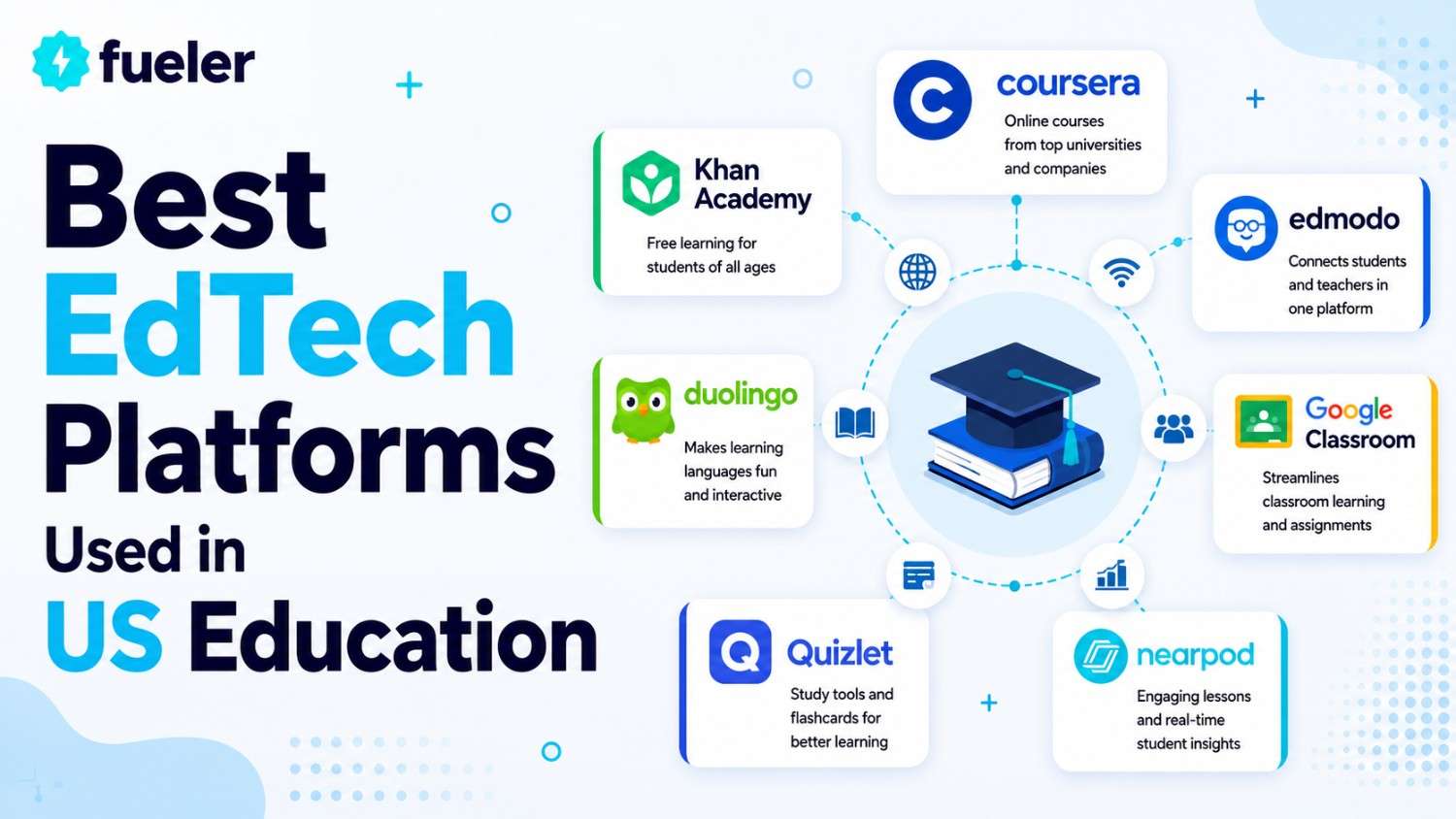
The landscape of American classrooms has shifted from dusty chalkboards to dynamic digital ecosystems where artificial intelligence and cloud-based collaboration are the new standard. In 2026, education technology is no longer just a luxury for wealthy districts but a fundamental requirement for delivering personalized, high-quality instruction at scale. These platforms are empowering teachers to reclaim their time from administrative tasks while providing students with interactive, data-driven pathways that cater to their unique learning styles and paces.
I’m Riten, founder of Fueler, a skills-first portfolio platform that connects talented individuals with companies through assignments, portfolio, and projects, not just resumes/CVs. Think Dribbble/Behance for work samples + AngelList for hiring infrastructure.
AI-Powered Teacher Assistants and Productivity Tools
Teacher burnout is a major challenge in the USA, and AI-powered productivity tools are emerging as a critical solution to help educators reclaim their nights and weekends. These applications act as co-pilots, handling the heavy lifting of lesson planning, grading, and the creation of differentiated materials for students with diverse needs. By automating the most time-consuming administrative tasks, these tools allow teachers to focus on the human side of education, such as mentoring, emotional support, and hands-on instruction.
- MagicSchool.ai: This platform is widely considered the leading AI assistant for teachers in the USA, offering over 50 specialized tools that generate everything from IEP (Individualized Education Program) drafts to lesson plans. It helps teachers instantly create differentiated reading materials, rubrics, and even YouTube video summaries, saving an estimated five to ten hours of prep work per week. The tool is designed with a "human-in-the-loop" philosophy, ensuring that teachers always have the final say and can edit AI-generated content to fit their classroom's specific voice.
- Diffit for Teachers: Diffit is a specialized tool that helps teachers take any piece of content a news article, a PDF, or a video, and instantly level it for every reader in their classroom. This is particularly valuable in US schools with high populations of English Language Learners (ELL) or students with special needs, as it provides "just right" resources for everyone. Beyond just leveling text, it generates summaries, vocabulary lists, and multiple-choice questions, turning any source material into a complete, standards-aligned lesson in seconds.
- Education Copilot: Functioning as a high-powered lesson designer, Education Copilot uses generative AI to build structured unit plans, handouts, and student prompts based on specific curriculum standards. It allows teachers to quickly brainstorm project ideas or write personalized feedback for student essays, ensuring that every learner receives the specific guidance they need to grow. The platform's ability to generate high-quality outlines in a fraction of the time it takes a human makes it an essential tool for new and veteran teachers alike.
- QuillBot for Educators: While often seen as a student tool, QuillBot has become a favorite for teachers looking to summarize lengthy research papers or simplify complex instructions for younger students. Its AI-powered paraphrasing and summarization features help educators quickly turn academic jargon into student-friendly language for handouts and digital presentations. It also features a built-in plagiarism checker and citation generator, helping teachers uphold high standards of academic integrity while modeling proper writing techniques for their students.
- NotebookLM (by Google): This experimental AI tool acts as a "virtual research assistant" by allowing teachers to upload their own source documents and interact with them through a conversational interface. It can automatically generate study guides, audio overviews, and summaries based entirely on the specific materials the teacher provides, ensuring the AI never goes "off-book." This makes it an incredibly powerful tool for social studies or science teachers who need to help students navigate complex primary sources or lengthy textbook chapters.
Pricing Information:
- MagicSchool.ai: Offers a robust free tier; "Plus" plans for individual teachers start around $12.99 per month.
- Diffit: Free for basic use; "Premium" features for school-wide access start at approximately $15 per month.
- Education Copilot: Basic features are free; "Pro" subscriptions for unlimited generation start at $9 per month.
- QuillBot: Free version available; "Premium" plans for advanced features start at $19.95 per month.
- NotebookLM: Currently free to use as part of Google’s early-access experimental research program.
Why it matters:
These productivity tools are transforming education by directly addressing the teacher retention crisis through the reduction of workload. In Title 1 schools and beyond, these applications ensure that every student has access to high-quality, personalized materials without requiring teachers to work around the clock. By making differentiation "one-click easy," AI is finally fulfilling the promise of personalized learning for the millions of students in the American public school system.
Leading Learning Management Systems (LMS)
Learning Management Systems serve as the digital backbone of the modern US school district, acting as a centralized hub for communication, grading, and content delivery. In 2026, these platforms will have evolved to incorporate predictive analytics that can flag at-risk students before they fall behind, making them indispensable for school administrators and educators. They provide a unified environment where assignments are tracked, feedback is instantaneous, and parents can stay intimately connected to their child's educational journey through mobile-first portals.
- Canvas by Instructure: Canvas has become the dominant LMS in the USA due to its open-source flexibility and seamless integration with hundreds of third-party apps, allowing districts to build a custom tech stack. It features a robust mobile app that supports offline learning and "SpeedGrader" technology, which enables teachers to provide targeted video and text feedback on student submissions in seconds. The platform's commitment to accessibility ensures that every student, regardless of their physical or cognitive needs, can navigate the digital classroom with ease and confidence.
- Google Classroom (Workspace for Education): As a core part of the Google ecosystem, Classroom leverages the familiarity of Docs and Drive to create a streamlined workflow for millions of students and teachers across the country. In 2026, it features advanced AI integration via Gemini, which helps teachers generate differentiated assignments and automated rubrics directly within the interface. Its simplicity and lack of a steep learning curve make it the preferred choice for K-12 schools looking for a reliable, low-cost solution for organizing daily classroom tasks.
- Schoology Learning (PowerSchool): Schoology is highly valued by larger US districts for its focus on social-collaborative learning and its deep integration with PowerSchool’s student information system. It provides a "Facebook-like" interface that students find intuitive, fostering high engagement through discussion boards, media albums, and interactive group projects. The platform also offers a sophisticated "Mastery" feature that tracks student progress against state standards in real-time, giving teachers a bird's-eye view of where the entire class stands.
- Blackboard Learn (Ultra): After a massive overhaul, Blackboard Learn Ultra has reclaimed its spot as a top contender, particularly in US higher education and large-scale career technical education programs. The platform's new focus on "Ultra" design prioritizes a clean, responsive interface that works flawlessly across devices while maintaining its powerful data reporting capabilities. Its advanced assessment tools support a wide variety of formats, from traditional quizzes to complex peer-reviewed journals, making it a versatile choice for diverse academic disciplines.
- Edsby for K-12 Districts: Edsby is gaining significant traction as a "next-generation" LMS specifically designed for the unique needs of K-12 learners and their often-complex family dynamics. It unifies student information, learning management, and parent communication into a single, cohesive workflow that reduces the number of logins families have to manage. The platform is particularly noted for its award-winning parent engagement tools, which provide real-time updates on attendance, behavior, and academic milestones through a highly-rated mobile application.
- EzyCourse: EzyCourse has become a rapidly growing all-in-one platform for creators, coaches, and online educators by combining courses, communities, memberships, live sessions, and digital products into a single ecosystem. Unlike many traditional LMS platforms that rely heavily on third-party integrations, EzyCourse offers built-in gamification, social community feeds, affiliate management, website customization, and marketing, allowing creators to manage their entire online business from one dashboard. The platform is gaining attention for its strong focus on engagement-driven learning experiences, flexible monetization options, and community-first approach, making it an attractive alternative for creators looking to scale without the complexity and rising costs often associated with older course platforms.
Pricing Information:
- Canvas: Offers a "Free for Teacher" version; district-wide pricing typically ranges from $10 to $20 per student annually.
- Google Classroom: The basic version is free; Education Plus editions start around $5 per student per year.
- Schoology Learning: Enterprise pricing is usually custom, often falling between $15 and $25 per user annually.
- Blackboard Learn: Custom enterprise quotes only; generally costs between $20 and $40 per user, depending on scale.
- Edsby: Tiered pricing for districts, generally estimated between $10 and $30 per student per year.
- EzyCourse: Offers creator-focused pricing starting at $55/month for the Essential plan, with Pro ($129/month), Unlimited ($189/month), and Elite ($279/month) tiers available for yearly basis. All plans include courses, communities, memberships, digital products, and 0% transaction fees, while higher tiers unlock advanced automation, gamification, affiliate tools, and white-label features.
Why it matters:
LMS platforms are the foundation of Title 1's focus on transforming US education because they provide the infrastructure for all other digital tools to function. By centralizing data and communication, they eliminate the "digital chaos" that can occur when teachers use too many disconnected apps. For the American education system, these tools ensure equity by providing a consistent, high-quality digital experience for every student, regardless of their physical location.
Interactive Content and Engagement Platforms
Student engagement is the "secret sauce" of successful learning, and interactive content platforms are the tools that make it happen in the modern US classroom. These platforms move beyond passive consumption, requiring students to lean in, participate, and demonstrate their knowledge in real-time through gamified elements and collaborative activities. In 2026, these tools have become the primary method for delivering the "flipped classroom" model, where students interact with content at home and spend class time on active problem-solving and discussion.
- Nearpod: Nearpod allows teachers to transform static presentations into immersive, interactive experiences that include 3D models, virtual reality field trips, and embedded simulations. During a live lesson, teachers can see every student's response in real-time, allowing them to instantly identify misconceptions and pivot their instruction accordingly. The platform's library of thousands of pre-made, standards-aligned lessons makes it a go-to resource for busy educators who want to deliver high-impact, engaging content with minimal prep time.
- Kahoot! for Schools: Kahoot! is the gold standard for gamified learning in the USA, turning review sessions into high-energy, competitive quizzes that students genuinely look forward to. In 2026, the platform was expanded to include "Study Modes" and AI-generated question sets that allow students to practice independently at their own pace. Its ability to turn data from these games into actionable reports helps teachers track progress over time while maintaining a fun, high-energy atmosphere that boosts classroom morale and participation.
- Canva for Education: Canva has revolutionized how students and teachers create visual content, providing a professional-grade design tool that is entirely free for K-12 classrooms. With its AI-powered "Magic Studio," students can generate images from text, design stunning presentations, and create social-media-style infographics to showcase their learning. The platform's collaborative features allow entire classes to work on a single design project simultaneously, fostering the digital communication and teamwork skills that are highly valued in the modern workforce.
- Edpuzzle: Edpuzzle solves the problem of "passive video watching" by allowing teachers to embed questions and voice notes directly into videos from YouTube, Khan Academy, or their own recordings. Students cannot skip ahead until they answer the questions, ensuring they are actually processing the information and allowing teachers to track their comprehension. This tool is a staple of the American "flipped classroom," as it provides clear data on which students watched the video and which concepts they struggled to understand before class even starts.
- Padlet: Padlet acts as a versatile digital canvas where students can post notes, images, videos, and links in a shared space, making it perfect for brainstorming and collaborative projects. Its simple, "sticky note" interface is accessible to students of all ages, from kindergarteners sharing drawings to high schoolers building complex research boards. In 2026, it is frequently used in US schools as a digital portfolio or an "exit ticket" tool, providing a visual and organized way for students to reflect on their learning at the end of a lesson.
Pricing Information:
- Nearpod: Basic version is free; individual "Gold" licenses start at $120 per year; school-wide licenses are custom.
- Kahoot!: Free basic version; "Edu" plans for schools usually start around $12 per teacher per month.
- Canva for Education: 100% free for K-12 teachers and students in the USA with a verified school email.
- Edpuzzle: Free for teachers with a limited storage cap; "Pro" versions start at approximately $13.50 per month.
- Padlet: Free for up to three boards; "Pro" subscriptions for unlimited use start at $12 per month.
Why it matters:
Interactive platforms are essential to Title 1's goal of modernization because they bridge the gap between "school work" and the digital world students inhabit every day. By making learning fun and participatory, these tools reduce chronic absenteeism and increase student motivation across the USA. Furthermore, they provide teachers with the real-time data they need to ensure that no student is left behind, turning every lesson into an opportunity for growth and success.
Showcase Your Academic Journey on Fueler
As you navigate the world of high-tech education and master these digital platforms, you are building a wealth of knowledge and a collection of impressive work. However, a transcript only tells a small part of your story. This is where Fueler becomes an essential companion for the modern student and educator. Fueler allows you to take the projects you’ve built in Canva, the videos you’ve edited in Edpuzzle, and the portfolios you’ve curated in Padlet and bring them into one professional space.
By creating a skills-first portfolio on Fueler, you can showcase your "proof of work" to colleges, scholarship committees, and future employers. Instead of just saying you are "proficient in digital design," you can show the actual projects that prove it. In 2026, the US job market values what you can do over where you went to school, and Fueler is the platform that helps you prove your value by organizing your best assignments and projects into a stunning, shareable digital portfolio.
Final Thoughts
The best EdTech platforms in the USA are those that prioritize human connection while leveraging the power of automation and interactivity. From the foundational Learning Management Systems that organize our schools to the AI assistants that save teachers' time and the interactive tools that engage our students, technology is truly transforming the American classroom. As we move further into 2026, the schools that thrive will be those that embrace these tools not as replacements for teachers, but as powerful extensions of the incredible work educators do every single day.
FAQs
What are the best free AI tools for US teachers in 2026?
Currently, MagicSchool.ai and Google’s NotebookLM are highly recommended because they offer robust free tiers that handle complex tasks like lesson planning and document summarization. Canva for Education is also 100% free for K-12 teachers and provides some of the most advanced AI-powered design tools available today.
How do US schools use AI for exam prep and assessments?
Schools are increasingly using platforms like Kahoot! and PrepAI to generate personalized practice quizzes based on classroom content. AI tools like these can analyze a student's previous performance to create targeted questions that focus on their specific "knowledge gaps," making study sessions much more efficient than traditional rote memorization.
Is Google Classroom better than Canvas for K-12 education?
The choice depends on the school's needs; Google Classroom is often preferred for its simplicity and direct integration with Google Docs, making it ideal for elementary and middle schools. Canvas is generally seen as a more powerful, professional tool for high schools and universities because it offers deeper data analytics and more customization options for complex grading.
Can EdTech tools help students with special needs and IEPs?
Yes, tools like MagicSchool.ai have specialized AI generators specifically for drafting IEP goals and suggesting student accommodations. Additionally, platforms like Diffit help teachers instantly adapt reading materials to a student's specific reading level, ensuring that everyone in an inclusive classroom can access the same core curriculum.
What is the most popular EdTech tool for gamified learning in the USA?
Kahoot! remains the most popular choice for gamification due to its high engagement levels and ease of use. However, newer platforms like Wayground and Blooket are also gaining traction in 2026 by offering more complex game mechanics and long-term reward systems that keep students motivated over several weeks.
What is Fueler Portfolio?
Fueler is a career portfolio platform that helps companies find the best talent for their organization based on their proof of work. You can create your portfolio on Fueler. Thousands of freelancers around the world use Fueler to create their professional-looking portfolios and become financially independent. Discover inspiration for your portfolio
Sign up for free on Fueler or get in touch to learn more.

What should you do next?
You've read the article. Now turn your skills into proof of work and unlock more opportunities.
Build your proof of work portfolio
Create a clean portfolio with projects, assignments, resumes, and AI stack details that companies actually want to see.
Create your Fueler portfolio →Apply through assignments, not resumes
Stand out by solving real tasks from companies hiring on Fueler.
Explore assignments →Get discovered by companies
Make your work public and let recruiters discover your skills through actual projects instead of keywords.
Get discovered →
