7 Best AI Flyer Generator Tools for Small Businesses in the United States

Riten Debnath
20 Mar, 2026
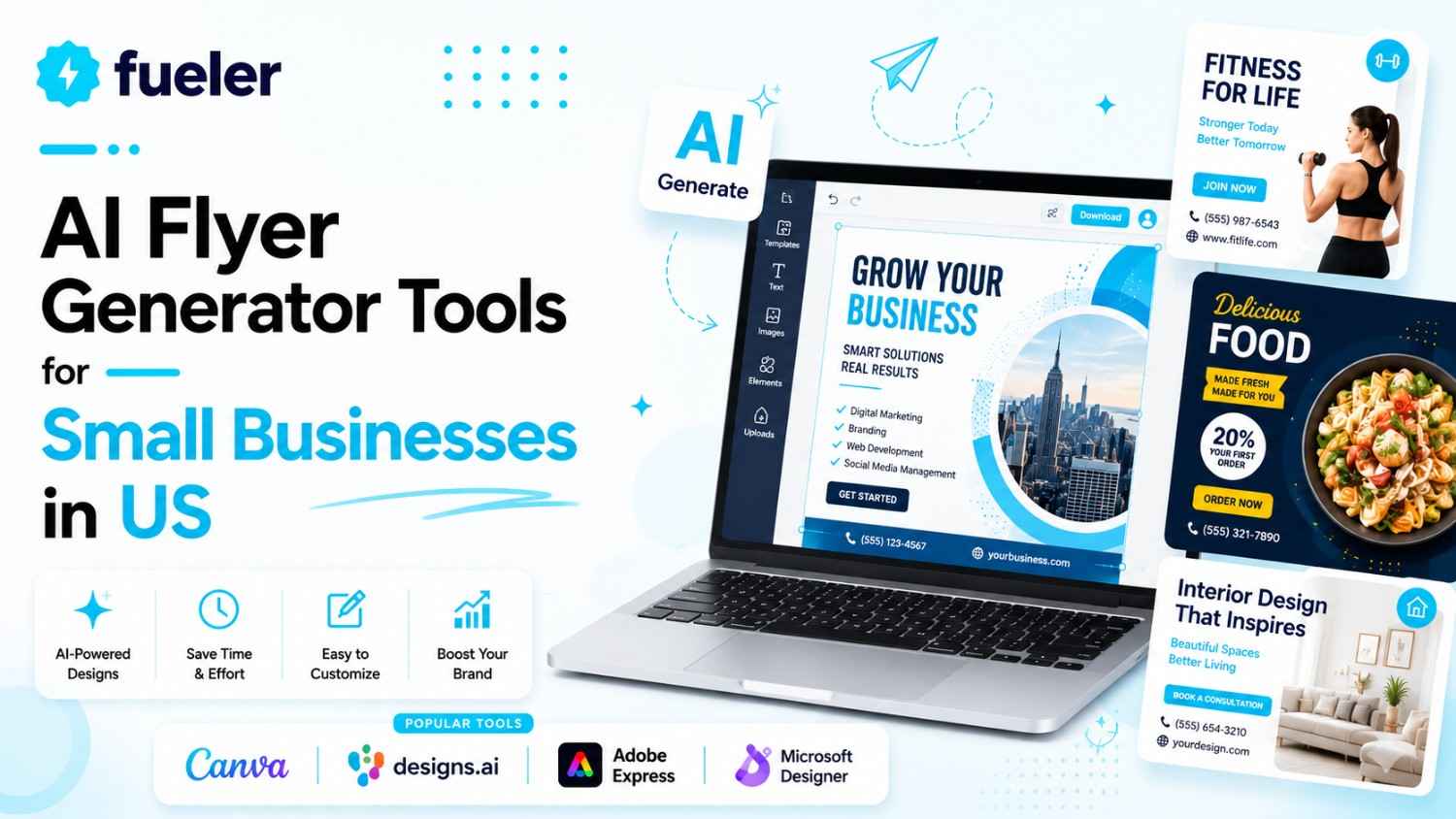
Stop wasting your precious Friday nights fighting with complicated design software that feels like it was built for NASA engineers. As a small business owner in the United States, your time is better spent growing your brand, not staring at a blank canvas, wondering which font doesn't look like a middle school project. The "overpriced graphic designer" era is over. Today, you can literally type a sentence and watch a high-converting flyer appear on your screen in seconds.
I’m Riten, founder of Fueler, a skills-first portfolio platform that connects talented individuals with companies through assignments, portfolios, and projects, not just resumes/CVs. Think Dribbble/Behance for work samples + AngelList for hiring infrastructure.
The Design Revolution for American Small Businesses
In the fast-moving US market, being first to announce a sale or an event is half the battle. Whether you are running a boutique in Brooklyn or a landscaping service in Dallas, you need visuals that look expensive without actually costing a fortune. AI flyer generators have become the secret weapon for local businesses. These tools don't just "draw" for you, they understand layout, color psychology, and how to make a "Grand Opening" sign actually stop someone from scrolling past your post.
The following tools are the absolute best in the market right now for creating professional flyers with zero design experience.
1. Design.com
Design.com is a complete branding platform that features its own AI flyer maker, suitable for US small business owners who want professional results without requiring advanced design skills. You create a high-quality, print-ready design in seconds by providing your business name and a description that includes relevant keywords. The platform will provide you with a range of design templates that you can customize using a beginner-friendly drag-and-drop editor to suit your brand and purpose.
- AI-driven flyer generation: With just your business name and a short description of your business, event, and campaign, the platform’s AI can instantly generate multiple flyer design options complete with layouts, graphics, and colors tailored to your industry. This saves you from having to design anything from scratch. You’ll already have a clear starting point, enabling you to put it out there right away.
- Easy-to-use customization controls: Once you have selected your preferred flyer design, you can fine-tune every detail. This includes the texts, fonts, colors, layouts, and icons. The intuitive drag-and-drop editor doesn’t require you to have any design experience. Also, if you have an existing logo, you can upload it to the platform, and it will automatically integrate it and its elements into your flyer for brand consistency.
- Instant iteration with prompts: You can refine the results if the first batch of designs doesn’t feel right. Just add more specific keywords to your prompt or change some of the words in your original prompt. This quick back-and-forth makes the creative process like a conversation, as if you’re really working with a real designer. There’s no limit to refining the results. You can repeat the process until you land on the perfect flyer.
- Multiple file formats: Export your finished flyer as a high-resolution PNG or JPG file for digital use. Another option is to download it in SVG, EPS, or PDF for large-format printing. You can access all these file formats even if you’re using the free version. Having vector formats of your flyers and other brand assets is a huge advantage for US businesses, especially if you want to print your flyer in multiple sizes.
- Flyer printing with worldwide shipping: Design.com lets you order prints from the platform. You can choose between 4 and 4,000 flyers in Standard Matte, Premium Matte, Standard Glossy, or Premium Glossy paper finish. You can have them shipped to you for free between 9 and 11 business days, making it a reliable end-to-end solution for time-sensitive promotions.
Pricing:
- Free: $0 (Create flyers at no cost using free templates).
- Premium Plan: $7.00 per month (billed annually) (Includes perpetual file storage, full access to 50+ other design tools, and premium template library).
- Premium Design Pack + Website: $12.00 per month (billed annually) (Everything in Premium plus a website builder).
Why it matters: Design.com makes flyer creation more accessible for small businesses in the US. Even without professional design experience, you can experiment with as many designs as you want before committing. The in-house printing service from Design.com also helps you avoid juggling multiple vendors and ensures that your file is formatted correctly. It’s an all-in-one solution that handles all your branding needs.
2. Adobe Express
Adobe Express is the more approachable, AI-driven sibling of Photoshop, powered by the incredible Firefly AI engine. It is perfect for businesses that want a premium artistic look without the steep learning curve of professional software. The AI here is trained to be commercially safe, meaning the images it generates for your flyers are legally cleared for you to use in any US-based marketing campaign.
- Firefly Generative Fill: This allows you to add or swap objects in your images using simple text commands, such as "add a plate of chocolate chip cookies" to your coffee shop flyer photo. The AI matches the lighting, shadows, and perspective of your original photo perfectly, making it look like you actually staged the shot in a professional studio setting.
- Professional Typography Engine: You get access to over 25,000 Adobe Fonts that the AI suggests based on the specific mood or industry of your flyer, ensuring your text is always readable and stylish. The AI analyzes the visual weight of your design to recommend font pairings that look sophisticated and balanced, helping your message pop off the page for potential customers.
- One-Click Background Removal: Quickly cut out your products or team members from messy backgrounds to create clean, professional-looking flyers that highlight your actual offerings rather than the clutter. This tool is highly accurate, even with tricky details like hair or translucent glass, allowing you to create high-end "cut-out" designs that are very popular in modern American advertising.
- Social Media Scheduling: Not only can you design your flyer, but the AI-powered scheduler will also suggest the best times to post it on your social media accounts for maximum reach. This helps you get your flyers in front of the most people possible without having to manually set alarms or remember to post during your busiest business hours.
- Video to Flyer Conversion: You can easily pull high-resolution frames from your brand’s existing videos and use the AI to turn them into static, high-impact flyer backgrounds instantly. This is a massive time-saver for businesses that invest in video content, as it allows you to maintain visual consistency across your digital ads and your physical print flyers.
Pricing:
- Free: $0 (Includes 25 generative AI credits per month and basic editing tools).
- Premium: $9.99 per month (Provides 250 generative credits, full asset library, and Brand Kits).
- Teams: $4.99 per user/month (Currently an introductory offer for businesses with 2 or more seats).
Why it matters: Small businesses in the United States often face intense competition from larger corporations with bigger budgets. Adobe Express levels the playing field by giving you access to the same high-end AI technology that big agencies use. It allows you to produce "magazine-quality" flyers that command attention and respect, helping you build a brand that looks established and reliable from day one.
3. Microsoft Designer
If you are already using a Windows PC or have a Microsoft 365 subscription, this tool is an absolute no-brainer for your business. Microsoft Designer is built for speed and simplicity, focusing on rapid-fire creation where the AI does 90% of the heavy lifting. It is one of the cleanest tools on this list, making it ideal for the entrepreneur who hates cluttered menus and wants to get things done.
- Instant Design Suggestions: As soon as you type in your flyer topic, the AI provides a "Design Ideas" sidebar that constantly updates with new layouts as you add more text. This means you can see your flyer evolve in real-time, allowing you to pick the best visual direction before you even finish writing your promotional copy or choosing your final colors.
- DALL-E 3 Integration: Create hyper-realistic or artistic images for your flyers by simply describing them, which is perfect for businesses that don't have their own high-quality photos. You can ask for anything from "A cozy modern living room with sunlight" to "A 3D render of a futuristic sneaker," and the AI will generate a unique image just for you.
- AI Image Restyle: Take a boring photo of your storefront and use the AI to restyle it into a watercolor painting, a neon sketch, or a professional architectural photograph. This allows you to repurpose old images into fresh, exciting flyer backgrounds that will catch the eye of local residents who have seen your shop a thousand times before.
- Generative Erase and Fill: Similar to high-end tools, you can highlight parts of your flyer and tell the AI to "replace this with a bouquet of flowers" or "remove the person in the background." The AI seamlessly blends the new elements into the existing design, ensuring that your flyer looks cohesive and professionally edited without any weird digital artifacts or blurry spots.
- Microsoft 365 Integration: Because it is part of the Microsoft ecosystem, you can easily pull your flyer designs into Word documents, PowerPoint presentations, or Outlook emails with zero friction. This is perfect for American small businesses that rely on the Office suite for their daily operations and want a design tool that speaks the same language as their other software.
Pricing:
- Free: $0 (Available to anyone with a personal Microsoft account).
- M365 Personal: $6.99 per month (Includes 60 AI credits per month and 1TB of storage).
- M365 Business Standard: $12.50 per user/month (Best for business owners, including full Office apps and advanced AI).
Why it matters: In the US, many small businesses are built on the backbone of Microsoft Office. Having a designer who lives within that same ecosystem saves you from having to manage multiple subscriptions and logins. It’s the ultimate "efficiency" tool, allowing you to go from a brainstormed idea to a finished, shared flyer in less time than it takes to check your morning emails.
4. Piktochart AI
While many tools focus on pretty pictures, Piktochart AI is the king of "Information-Heavy" flyers. If your business needs to explain a complex service, list a full menu, or share data-driven results, this is your tool. It uses AI to turn boring lists of facts into beautiful, organized layouts that are easy for your customers to read and understand at a glance.
- Prompt-to-Poster Logic: You can paste a whole paragraph of text about your business service, and the AI will automatically summarize it into bullet points and find a layout that fits. This is incredibly helpful for educational businesses or consultants who have a lot of information to convey but don't want to overwhelm their audience with a "wall of text."
- Smart Charts and Maps: If you want to show how your local business has grown or highlight the areas you serve in the US, the AI can generate custom maps and charts. You just input your data, and the AI suggests the best visual format, ensuring your flyer looks professional and data-accurate rather than messy and confusing to the reader.
- Industry-Specific AI Templates: Piktochart offers specialized AI prompts for sectors like HR, Real Estate, and Non-Profits, ensuring the generated flyer matches the "vibe" of your industry. For example, a real estate flyer will focus on large, clear imagery and property stats, while a non-profit flyer will emphasize emotional storytelling and clear call-to-action buttons for donations.
- Brand Asset Management: Upload your brand guidelines, and the AI will ensure that every chart, icon, and text box stays within your specific color palette and font family. This level of control is vital for American businesses that want to maintain a high level of professionalism across all their printed and digital materials, regardless of how complex the information is.
- High-Resolution Vector Exports: Unlike some basic tools, Piktochart allows you to export your flyers as vector files, meaning they can be scaled up to the size of a billboard without getting blurry. This is perfect for US businesses that might want to use their flyer design for a local fair banner or a large storefront window display later down the line.
Pricing:
- Free: $0 (Up to 2 downloads and 60 AI credits to get you started).
- Pro: $14.00 per month (Unlimited downloads and 500 AI credits for regular users).
- Business: $24.00 per month (1,000 AI credits, brand kits, and advanced team collaboration).
Why it matters: Sometimes, a pretty picture isn't enough to make a sale; you need to inform your customer. In the US, where consumers value transparency and details, Piktochart helps you present your business as an expert authority. It makes "boring" information look exciting and organized, which can be the deciding factor for a customer choosing between you and a less-organized competitor.
5. Kittl
Kittl is the secret weapon for businesses that want a vintage, hand-drawn, or "cool" boutique look that is currently very trendy across the United States. It features a high-end typography engine that uses AI to warp and style text in ways that usually require years of training in Adobe Illustrator. If your brand is about personality and style, Kittl is the tool that will make you stand out.
- AI Typography Styles: You can apply complex effects like "Vintage 70s," "Modern Neon," or "Distressed Wood" to your flyer’s text with a single click of a button. The AI handles all the shadows, textures, and warping, giving your flyer a custom, hand-crafted feel that looks like it was made by a professional lettering artist in a trendy Brooklyn studio.
- Text-to-Vector Clipart: Instead of searching for generic icons, you can tell the AI to "Generate a vintage-style eagle holding a wrench" for your local repair shop’s flyer. The AI creates a unique, high-quality vector illustration that you won't find on any other flyer, ensuring your business has a completely original look that neighbors will remember.
- Instant Background Textures: Kittl’s AI can generate realistic textures like old paper, rusted metal, or soft linen to give your flyer a tactile, premium feel even when viewed on a screen. These textures add depth and character to your designs, making your flyers feel more like pieces of art than simple advertisements, which is great for high-end lifestyle brands.
- Advanced Color Palettes: If you are stuck on what colors to use, the AI can analyze your main image and suggest a "Trending US Market" color palette that matches perfectly. It takes the guesswork out of color theory, ensuring your flyer looks modern and professional rather than clashing or looking like an amateur experiment with too many bright colors.
- Mockup Generator: Once your flyer is designed, the AI can instantly place it on a photo of a real-world coffee shop window or a street flyer board to see how it looks. This is an excellent way to preview your marketing materials before spending money on printing, helping you catch any readability issues or layout problems while they are still easy to fix.
Pricing:
- Free: $0 (Up to 20 projects and limited daily AI credits).
- Pro: $10.00 per month (billed annually) or $15.00 monthly (Unlimited downloads and 30 daily AI credits).
- Expert: $24.00 per month (billed annually) (Unlimited projects and 100 daily AI credits).
Why it matters: In the United States, "aesthetic" is a major selling point for younger demographics and boutique industries. Kittl allows small businesses to tap into high-end design trends without needing a massive budget. It gives your flyers a "soul" and a specific personality that generic templates simply can't match, helping you win over customers who value style and attention to detail.
6. VistaCreate
VistaCreate is the design arm of the famous VistaPrint ecosystem, which millions of American small businesses already use for their business cards and signage. This tool is built specifically for people who intend to print their flyers. The AI is tuned to ensure that everything you design will actually look good when it hits physical paper, which is a common struggle with digital-only tools.
- Print-Safe AI Assistant: The AI checks your flyer for "safe zones" and "bleed margins" in real-time to ensure that no important text or logos get cut off during the physical printing process. This saves you from the expensive mistake of printing 500 flyers only to realize your phone number was too close to the edge and got trimmed off by the machine.
- AI-Powered Object Eraser: You can quickly clean up your product photos by removing distractions or imperfections, such as a stray power cord or a smudge on a table, with a simple swipe. The AI fills in the gap with matching textures, leaving you with a perfect, professional image that is ready to be the centerpiece of your new marketing campaign.
- Huge Library of Licensed Music and Video: If you want to turn your flyer into a digital ad, the AI can suggest background tracks and motion graphics that match your flyer's theme. This allows you to create a multi-channel campaign where your printed flyer and your Instagram video ad feel like parts of the same cohesive story, doubling your impact on customers.
- Automatic Brand Styling: Similar to a brand kit, you can tell the AI to "Vista-fy" your design, which applies professional layout rules used by top American printing companies. It ensures that your flyer has the right contrast and font sizes to be readable from a distance, which is crucial for flyers posted on community boards or in shop windows.
- Seamless Integration with VistaPrint: With one click, you can send your finished AI-generated flyer directly to the VistaPrint checkout to have them professionally printed and shipped. This integration is the fastest "Design to Doorstep" pipeline available for US business owners, removing all the technical middle steps that usually cause delays in a marketing launch.
Pricing:
- Starter: $0 (Basic tools and 10GB of storage for your designs).
- Pro: $10.00 per month (billed annually) (Includes unlimited brand kits, background removal, and a massive 1M+ asset library).
Why it matters: For many US business owners, the goal of a flyer is to be a physical object in a customer's hand. VistaCreate removes the fear of "will this print correctly?" by baking the print requirements into the AI design process. It is the most practical choice for businesses that rely on direct mail, door-to-door flyering, or local event promotion, where physical quality is your first impression.
7. Designs.ai
Designs.ai is a comprehensive suite that uses a specialized "AIEngine" to handle everything from logo creation to full flyer layouts and even video scripts. It is designed for the business owner who wants a "full agency in a box." If you are starting a brand from scratch in the US, this tool will help you build your entire visual identity in one afternoon using nothing but artificial intelligence.
- Logomaker to Flyermaker Pipeline: The AI can take a logo it just designed for you and automatically generate a matching flyer, business card, and social media suite in seconds. This ensures that your new business has a perfectly unified look across every single touchpoint, preventing the "mismatched" look that often plagues new startups with limited design resources.
- AI Color Matcher: Use the AI to discover high-converting color palettes that are currently performing well in your specific US industry, such as "Trust Blue" for finance or "Fresh Green" for health. The AI doesn't just pick colors that look nice; it picks colors that are psychologically proven to drive the specific action you want your customers to take, like "Buy Now" or "Sign Up."
- Smart Content Scaler: If you have a successful flyer design, the AI can "scale" it into dozens of different formats for various US-based advertising platforms like Yelp, Google Ads, and Nextdoor. It automatically adjusts the amount of text and the size of the images to match the requirements of each platform, ensuring your ads always look native and professional wherever they appear.
- AI Video Maker Integration: You can take the text and imagery from your flyer and have the AI generate a 15-second "Explainer Video" or a "Promo Clip" with a voiceover. This allows you to dominate both the physical world with flyers and the digital world with video ads, all without having to write a new script or hire a separate video editor.
- Collaborative Design Link: Share a live link with your business partners or staff so they can see the AI's progress and leave comments directly on the flyer's layout. This is great for US-based teams that work remotely or business owners who want to get quick feedback from their spouse or manager before hitting the "print" button on a big order.
Pricing:
- Basic: $19.00 per month (Best for individuals starting their first marketing projects).
- Pro: $49.00 per month (Includes full AI features, 5 seats for a team, and advanced brand tools).
- Enterprise: Custom Pricing (Designed for large-scale operations with massive design needs).
Why it matters: Starting a business in the United States is hard enough without having to worry about becoming a marketing expert overnight. Designs.ai acts as your outsourced creative department, handling the complex tasks of branding and cross-platform design. It gives you a "big company" presence from day one, allowing you to compete with established brands by looking just as professional and polished as they do.
How Fueler Helps You Showcase Your Best Work
Once you have used these incredible AI tools to create stunning flyers and marketing campaigns for your business, you need a place to show them off. This is where Fueler comes in. Instead of just listing "Marketing" as a skill on a dry, boring resume, you can use Fueler to build a dynamic portfolio that features your actual work samples.
Whether you are a freelance designer using AI to speed up your workflow or a small business owner looking to document your growth, Fueler allows you to upload your projects and assignments for the world to see. It’s a skills-first platform that helps you get discovered by high-quality companies and clients who value what you can actually do, not just where you went to school. By showcasing your AI-generated flyers as proof of your marketing ability, you create a visual track record of success that a simple CV could never match.
Final Thoughts
The American small business landscape is more visual than ever, and your flyers are often the first thing a customer sees. Using AI flyer generators isn't just about saving time; it’s about ensuring that your first impression is a professional one. Whether you choose the all-in-one power of Canva, the premium feel of Adobe Express, or the print-perfect accuracy of VistaCreate, these tools give you a competitive edge that was impossible just a few years ago. Take an hour this week to experiment with one of these platforms, and you will be amazed at how quickly your brand's image transforms.
FAQs
What are the best free AI flyer generator tools for small businesses in 2026?
Currently, Canva, Adobe Express, and Microsoft Designer offer the most robust free plans for US-based small businesses. While they have daily limits on AI credits, they allow you to create high-quality, professional flyers without any upfront cost. These tools are perfect for testing different marketing ideas before committing to a paid subscription.
How do I use AI to create a flyer for a local US event?
To create a flyer for a local event, simply open a tool like Canva Magic Design and type a prompt such as "Modern flyer for a community farmers market in Seattle on July 12th." The AI will generate several layouts with appropriate imagery and text boxes. You can then customize the font and colors to match your brand and download it as a print-ready PDF.
Is it legal to use AI-generated images on my business flyers in the United States?
Yes, but you should use tools like Adobe Express or Canva, which use AI engines trained on commercially safe data. Adobe’s Firefly AI, for example, is specifically designed to be safe for business use, meaning you won't run into copyright issues with the images the AI creates for your marketing materials.
Which AI flyer tool is best for printing high-quality physical copies?
VistaCreate is the top choice for physical printing because it is directly integrated with the VistaPrint ecosystem. It includes built-in AI checks for bleed margins and safe zones, ensuring your flyer looks perfect when it is professionally printed and shipped to your US business location.
Can I use AI to turn my flyer into a social media video ad?
Absolutely! Tools like Designs.ai and Canva allow you to take the elements of your flyer and animate them into a short video clip with one click. This is a great way for American small businesses to maximize their marketing efforts by creating a printed flyer and a digital video ad at the same time.
What is Fueler Portfolio?
Fueler is a career portfolio platform that helps companies find the best talent for their organization based on their proof of work. You can create your portfolio on Fueler. Thousands of freelancers around the world use Fueler to create their professional-looking portfolios and become financially independent. Discover inspiration for your portfolio
Sign up for free on Fueler or get in touch to learn more.

What should you do next?
You've read the article. Now turn your skills into proof of work and unlock more opportunities.
Build your proof of work portfolio
Create a clean portfolio with projects, assignments, resumes, and AI stack details that companies actually want to see.
Create your Fueler portfolio →Apply through assignments, not resumes
Stand out by solving real tasks from companies hiring on Fueler.
Explore assignments →Get discovered by companies
Make your work public and let recruiters discover your skills through actual projects instead of keywords.
Get discovered →
