8 Best AI Flyer Generator Tools for Small Businesses

Riten Debnath
23 Mar, 2026
Last updated: March 2026
Small businesses operate on razor-thin margins and even thinner timelines, where a single poorly designed flyer can undermine your brand’s credibility in an instant. In 2026, the barrier between professional-grade marketing and amateur attempts has been completely removed by artificial intelligence. You no longer need to hire an expensive agency or spend weeks learning complex software to produce high-conversion promotional materials.
I’m Riten, founder of Fueler, a skills-first portfolio platform that connects talented individuals with companies through assignments, portfolios, and projects, not just resumes/CVs. Think Dribbble/Behance for work samples + AngelList for hiring infrastructure.
The following seven platforms are the most effective, cost-efficient AI tools available today to help your small business dominate the local and digital market.
At a glance: Comparing the Best AI Flyer Generator Tools for Small Businesses
1. Design.com: The AI Flyer Generator Built for Complete Brand Consistency
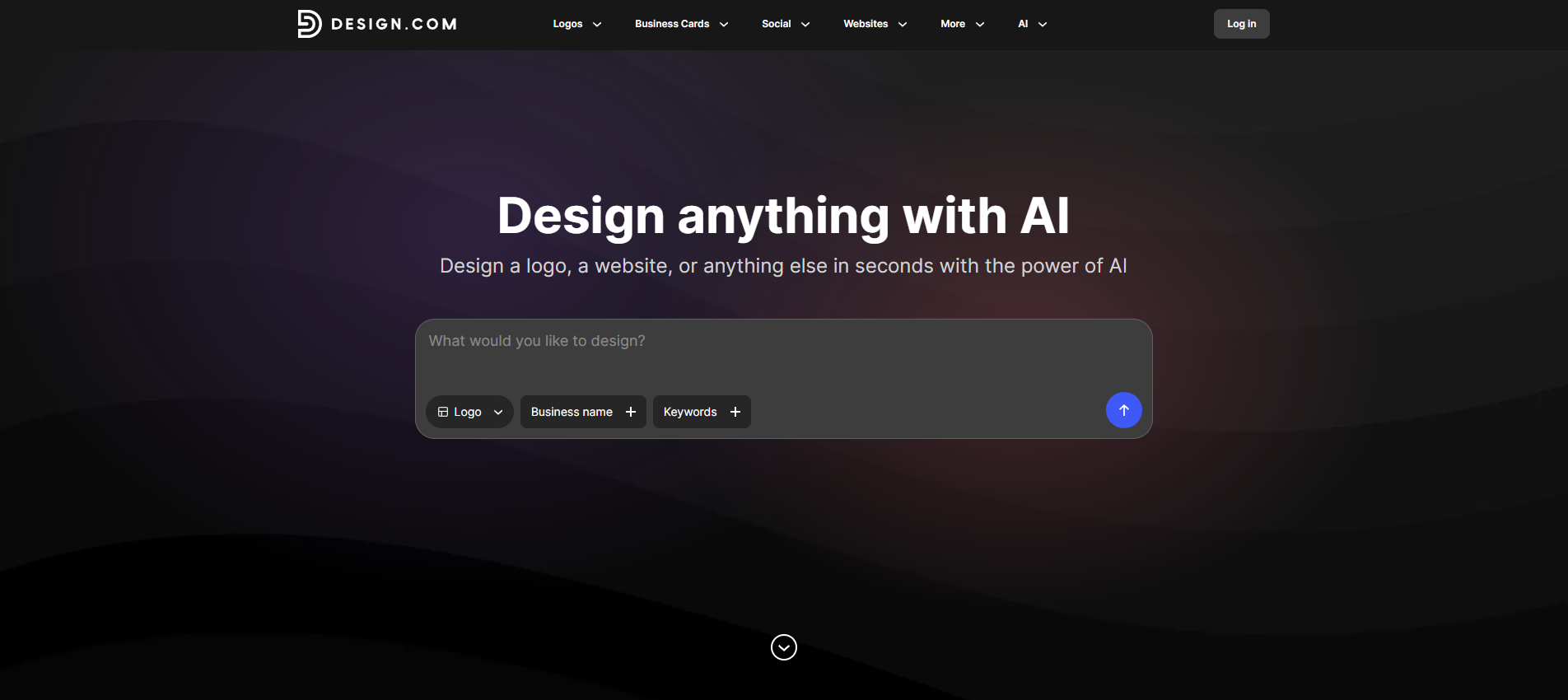
Most AI flyer tools stop at the design. Design.com goes several steps further. Its AI flyer generator is powered by an AI engine that doesn't just generate a pretty layout; it builds your flyer with your full brand identity baked in, from the first prompt to the final print-ready file. For small businesses that need their promotional materials to look professionally cohesive without hiring a creative team, this is one of the most complete AI-driven solutions available.
- Prompt-to-Flyer AI Generation: Enter your business name, industry, and a description of what you are promoting, and the AI instantly generates multiple complete flyer designs with relevant layouts, suggested copy, and brand-appropriate imagery. Unlike tools that give you a generic starting template and wish you luck, Design.com's AI interprets the context of your business and produces designs that already feel intentional and on-brand, rather than placeholders waiting to be filled in.
- Automatic Brand DNA Application: This is where Design.com's AI genuinely separates itself from the competition. The system reads your existing brand colors, fonts, and logo and applies them automatically to every flyer it generates, so you never receive an AI output that clashes with your visual identity. Every design iteration the AI produces is already filtered through your brand guidelines, which eliminates the back-and-forth of manually realigning every element after generation.
- AI-Assisted Copy and Content Suggestions: The platform does not just handle the visual layer. It generates headline and body copy suggestions tailored to your specific promotion, industry, and audience, giving you a persuasive, structured draft to work from rather than a blank text field. For small business owners who know what they want to say but struggle to make it sound compelling in a marketing context, this feature alone saves considerable time and significantly raises the quality of the final output.
- Instant Multi-Variation Generation with Prompt Refinement: If the first batch of AI-generated flyers does not quite hit the brief, you can refine your results using follow-up keywords or prompts without starting from scratch. The AI adjusts layout priorities, color emphasis, and content hierarchy based on your feedback, functioning more like an interactive creative collaborator than a one-shot generator. This iterative capability is critical for businesses that have specific visual requirements and cannot afford to settle for a "close enough" result.
- Print-Ready Output with Professional File Formats: The AI generation process is built with physical output in mind from the start, not as an afterthought. Once your flyer is finalized, you can export it in high-resolution PNG and JPG formats for digital channels, or in professional vector formats such as SVG, EPS, and PDF for large-format or commercial printing. For businesses that need flyers that look as sharp in a shop window as on a phone screen, this dual-output capability is essential.
- End-to-End Print Fulfillment: Design.com closes the loop that most AI flyer tools leave open. You can order professional printed flyers directly through the platform in quantities ranging from 4 to 4,000, with paper options spanning Standard Matte, Premium Matte, Standard Glossy, and Premium Glossy finishes. Free worldwide shipping is included with delivery in 9 to 11 business days, or express delivery in 3 to 4 business days for time-sensitive campaigns. Going from an AI concept to printed flyers in your hands has never involved fewer steps.
Pricing:
- Free Plan: $0.00 per month. Includes access to the AI Flyer Generator and the full template library. You only pay if you choose to print.
- Premium Plan: Approximately $7.00 per month billed annually. Includes permanent ownership of all designs, perpetual file storage, the AI flyer generator, and access to 50+ additional AI design tools covering social posts, business cards, email signatures, letterheads, and more.
- Premium Design Pack + Website: Approximately $12.00 per month billed annually. Includes everything in the Premium Plan plus a full website builder and enhanced branding and site templates.
Why it matters: Most AI flyer generators solve one problem: making design faster. Design.com solves a harder problem: making every flyer you produce look like it came from the same professional marketing team, regardless of when you made it or how rushed you were. The AI does not just generate a design in isolation. It generates a design that fits your brand, matches your voice, and can be physically printed and shipped to you without ever leaving the platform. For small businesses that need their marketing to look bigger than their budget, that kind of end-to-end AI-powered consistency is not a luxury. It is the entire competitive advantage.
2. Adobe Express (Powered by Firefly)
Adobe Express is the perfect middle ground for businesses that want professional power without the steep learning curve of Photoshop. It is built on the Adobe Firefly AI engine, which is trained only on licensed content, making it the safest choice for business owners worried about copyright. The flyer generator is incredibly intuitive, offering generative fill and advanced text effects that make your promotional materials stand out in a saturated market.
- Generative Fill and Text to Image: You can type a prompt like "Add a modern laptop on a wooden desk" to insert new elements into your flyer photos or create entirely new hero images from scratch. This allows small businesses to create highly specific and custom imagery that stock photo websites simply do not carry, giving your brand a unique visual edge that competitors cannot easily replicate.
- Firefly Image 3 Model Integration: The latest AI model produces photorealistic results with significantly better lighting and detail, ensuring that the people and products in your flyers look natural rather than "AI-weird." This high level of realism is crucial for businesses in industries like real estate or high-end retail, where the quality of the image directly reflects the quality of the service being offered.
- Advanced Text Effects: The AI can apply complex textures to your headlines, such as making your business name look like it is made of brushed gold, neon tubes, or 3D balloons. These "one-click" effects would take a professional designer hours to master in traditional software, but Adobe Express makes them accessible to any business owner looking to create a high-impact, visual headline.
- Adobe Stock and Fonts Library: You get direct access to millions of royalty-free images and thousands of professional fonts that are usually locked behind expensive subscriptions, saving your business hundreds of dollars in licensing fees. Having access to professional-grade assets ensures that your flyers never look cheap or amateurish, which is the most common pitfall for small business DIY marketing materials.
- Quick Action Automation: The AI can perform complex tasks like background removal, video resizing, and PDF conversion in a single click, allowing you to repurpose your flyer designs across multiple platforms. This versatility means a single flyer design can become an Instagram Story, a printed poster, and an email header in under five minutes, maximizing the reach of every piece of content you create.
Pricing:
- Free Plan: $0.00 per month (Includes 25 monthly generative credits and basic editing features).
- Premium Plan: $9.99 per month (Includes 250 generative credits, full Adobe Stock access, and 100GB of storage).
- Teams Plan: $9.99 per user per month (Billed annually, 2-user minimum, includes shared libraries and advanced brand management tools).
Why it matters: Brand authority is built through consistency and quality. Adobe Express allows a small business to look like a much larger corporation by providing access to the same high-end creative engine used by global agencies. Because the AI is trained on commercially safe data, you can sleep easily knowing that your flyers are legally compliant and of the highest possible technical quality for both digital screens and physical printing.
3. Microsoft Designer
Microsoft Designer is a cloud-based design tool that leverages DALL-E 3 technology to turn text prompts into professional flyers. It is specifically designed for high-speed creation, making it a natural fit for small businesses that are already integrated into the Microsoft 365 ecosystem. The tool emphasizes simplicity, guiding users through a prompt-based workflow that generates several design variations based on the specific goal of the campaign.
- Prompt to Design Workflow: You can describe your flyer in plain language, and the AI will suggest complete layouts, color schemes, and image placements that match the tone of your business. This removes the creative block by acting as a virtual art director that interprets your ideas and provides visual options, allowing you to choose the one that resonates most with your target audience.
- DALL-E 3 Image Generation: This feature allows you to generate hyper-specific illustrations or photos for your flyers that would be impossible to find on a stock website, such as "a vintage-style robot drinking a cup of coffee." This level of customization allows small businesses to lean into creative storytelling and unique branding that helps them stand out from the sea of generic stock imagery used by others.
- Generative Erase and Background Removal: The AI can cleanly remove unwanted objects or backgrounds from your photos, allowing you to place your products into any environment without needing a professional green screen. This is a game-changer for small businesses operating out of homes or warehouses, as it allows them to create professional, clean marketing shots without needing a dedicated studio space.
- Brand Kit Integration: You can save your business’s logo, primary colors, and font styles once, and the AI will suggest ways to incorporate them into every new design you start. This ensures that even your "quick" flyers for a flash sale or a holiday greeting remain strictly aligned with your established brand identity, maintaining professional standards at all times.
- Seamless Microsoft 365 Sync: Because the tool is integrated with Word and PowerPoint, you can easily pull your flyer designs into your presentations or documents without having to download and re-upload files. This streamlined workflow is essential for small business owners who need their different digital tools to talk to each other to save time and prevent version control errors.
Pricing:
- Free Plan: $0.00 per month (Requires a Microsoft account, includes basic AI generation and 15 daily boosts).
- Microsoft 365 Personal: $6.99 per month (Includes 60 monthly generative credits, 1TB of storage, and full Office app access).
- Microsoft 365 Business: $6.00 per user per month (Includes commercial data protection and advanced AI capabilities within the entire Microsoft suite).
Why it matters: Speed is often more important than perfection for a local business. Microsoft Designer is built for the "I need this now" moments, allowing you to generate a flyer for a social media post or an in-store sign in seconds. Its deep integration with the tools you likely already use makes it one of the most convenient options for keeping your business's visual presence active and professional without adding new software costs.
4. Visme
Visme is designed for businesses that need to communicate more than just a simple "Sale" message. It excels at creating data-driven flyers, professional reports, and interactive marketing materials. For small businesses in the professional services or B2B space, Visme offers a level of sophistication and structured design that basic "drag and drop" tools often lack, making it perfect for complex communication needs.
- AI Designer and Copywriter: You can provide the AI with a document or a text prompt, and it will generate an entire flyer structure, including headlines and bullet points that are optimized for clarity. This helps small business owners who may struggle with writing persuasive marketing copy by providing a professionally structured draft that can be tweaked to fit their specific brand voice and goals.
- Interactivity and Lead Gen: You can add clickable links, hover effects, and even lead capture forms directly onto your digital flyers, turning a static image into a powerful sales tool. This is a massive advantage for small businesses looking to track the ROI of their digital flyers, as it allows them to see exactly how many people are engaging with their content in real-time.
- Brand Governance and Locking: If you have a small team, you can lock certain elements of your flyer, such as the logo position or color palette, so that others cannot change them by mistake. This level of control is essential for growing businesses that need to delegate design tasks to employees or virtual assistants without worrying that the final product will look unprofessional or off-brand.
- Data Visualization Widgets: The AI can help you turn boring spreadsheets into beautiful charts, graphs, and tables that integrate perfectly into your flyer's design without looking cluttered. For businesses that rely on proving results or sharing statistics, this feature allows them to present complex information in a way that is visually appealing and easy for customers to digest.
- Advanced Asset Search: The AI-powered search tool can find the perfect icons, photos, and shapes by understanding the context of your project rather than just matching simple keywords. This saves hours of scrolling through libraries by surfacing the most relevant visual elements that match the specific industry and tone of the flyer you are currently building.
Pricing:
- Basic Plan: $0.00 per month (Includes 10 AI credits and 500MB of storage).
- Starter Plan: $12.25 per month billed annually (Includes 200 AI credits and full access to premium templates and assets).
- Pro Plan: $24.75 per month billed annually (Includes 500 AI credits, brand kits, analytics, and 5GB of cloud storage).
Why it matters: Visme is the tool you choose when your flyer needs to work harder for your business. It is not just about making things look "pretty"it is about making them effective. For small businesses that need to present data, capture leads, or maintain high-end brand standards across a small team, Visme provides a robust, professional platform that scales with your business's growth and complexity.
5. Piktochart AI
Piktochart has transitioned from a pure infographic tool to a powerful, AI-driven flyer generator that focuses on clarity and communication. Their AI engine is specifically designed to handle "information-heavy" flyers, making it a favorite for small businesses in education, healthcare, and nonprofit sectors. It prioritizes a clean, organized aesthetic that ensures your message is never lost in a messy or over-designed layout.
- 10-Second Flyer Generation: By entering a simple 120-character prompt, the AI generates several professional flyers that are pre-structured to include a hero image, a headline, and clear contact information. This extreme speed allows small business owners to respond to market changes or community events instantly, ensuring they never miss a marketing opportunity due to design delays or software learning curves.
- High-Resolution Print Readiness: The platform is optimized for both digital and print, allowing you to export your flyers in high-quality PDF or PNG formats that look sharp on any professional printer. This is critical for small businesses that rely on physical flyers for local distribution, as it prevents the "fuzzy" or pixelated look that often plagues designs exported from basic social media apps.
- Intelligent Icon and Illustration Library: The AI suggests specific visual assets that match the topic of your flyer, pulling from a curated library of professional icons and graphics that give your design a custom feel. These assets are designed to work together, ensuring that your flyer maintains a cohesive visual style that feels professional and intentional rather than like a random collection of clip art.
- Brand-Aligned Customization: You can easily swap entire color palettes and font families with a single click, allowing the AI to re-style your entire flyer to match your business's identity. This flexibility is perfect for businesses that have multiple product lines or sub-brands, as it allows them to maintain a consistent structural layout while easily changing the visual "flavor" of each flyer.
- Data-Rich Flyer Layouts: Unlike tools that focus only on photos, Piktochart's AI understands how to organize lists, charts, and schedules into a flyer format that is easy to read. This makes it the ideal tool for businesses that need to share menus, event schedules, or pricing tiers in a way that is visually organized and professionally presented to their customers.
Pricing:
- Free Plan: $0.00 per month (Includes 60 monthly AI credits and limited storage).
- Pro Plan: $14.00 per month billed annually (Includes 500 AI credits, unlimited projects, and high-res PDF exports).
- Business Plan: $24.00 per month billed annually (Includes 1,000 AI credits and team collaboration features).
Why it matters: Small businesses often have a lot to say but limited space to say it. Piktochart AI is the master of "organized design," helping you fit your important information into a flyer that doesn't feel overwhelming to the reader. It is a tool built for communication, ensuring that your flyers are not just seen, but actually read and understood by your local community or digital audience.
6. PosterMyWall
PosterMyWall is an all-in-one AI marketing and design platform built for small businesses that need flyers turned around fast without sacrificing a professional look. Instead of starting from a blank canvas, you can generate a complete flyer from a simple text prompt, then refine the copy, imagery, and layout entirely with AI.
It's especially useful for businesses running frequent promotions, events, or seasonal sales, where speed matters as much as polish. With the PosterMyWall flyer maker, you can go from a rough idea to a print or social-ready flyer in minutes, without needing any design experience.
- Create Anything with AI: A single text prompt can generate a full flyer design, complete with layout, imagery, and messaging tailored to your event or promotion. It's built for business owners who need to produce new flyers constantly but don't have time to design each one from scratch.
- AI Image Generator: Instead of hunting for stock photos that never quite match your event, you can generate custom visuals directly from a text description. The result is a flyer that feels custom-made rather than templated.
- AI Writer: PosterMyWall's AI Writer generates headlines, promotional copy, and calls-to-action in your brand voice. It also helps maintain a consistent tone across every flyer you produce.
- AI Background Remover: Product shots and staff photos rarely come with a clean background, and PosterMyWall's AI can strip it out automatically so you can drop the subject straight into your flyer. No photo studio or separate editing software needed.
- Free Templates & Brand Kits: Millions of free, customizable flyer templates across sizes and formats, plus Brand Kits that lock in your logo, colors, and fonts. Every flyer pulls from your saved branding automatically, so your marketing stays consistent across print, social, and email.
Why It Matters: Most small businesses don't have a design team, but they do need a constant stream of flyers for sales, events, and promotions. PosterMyWall is built to close that gap by combining AI generation, writing, and redesign tools in one place, so a single person can produce professional, on-brand flyers in minutes instead of hours. It's the best option for businesses that need volume and consistency without hiring a designer or learning complex software.
7. Kittl
Kittl is a specialized design platform that focuses on high-end typography and boutique-style graphics that give your flyers a unique, artistic edge. It is perfect for small businesses in the lifestyle, fashion, and food industries where "vibe" and aesthetic are the primary drivers of customer interest. Kittl’s AI tools help you create complex text effects and vector illustrations that usually require years of training to master.
- AI Vector Generator: You can describe a specific illustration, such as a "minimalist botanical logo" or "retro sun icon," and the AI will generate a fully editable vector graphic for your flyer. This is a massive advantage because vector graphics can be scaled to any size without losing quality, making them perfect for everything from small business cards to large storefront banners and posters.
- Advanced Text Manipulation: The platform allows the AI to apply professional warping, shading, and texturizing to your headlines, making them look hand-lettered or vintage with a single click. This level of typographic control allows small businesses to create flyers that have a high-end, custom "merch" look that is very popular in modern social media marketing and boutique branding.
- Commercial Template Library: Kittl offers thousands of premium templates that are already optimized for high-end industries, and the AI helps you swap in your own details while keeping the design balanced. These templates are created by professional designers, ensuring that even if you have no eye for design, your final flyer will follow the rules of composition and style used by top-tier agencies.
- Texture and Distress Overlays: You can use the AI to apply "distressed" or "vintage" textures to your flyers, giving them a tactile, printed look that feels much more expensive than a flat digital image. This is particularly effective for brands that want to evoke a sense of heritage, craftsmanship, or "cool," helping them connect emotionally with customers who value those specific brand traits.
- Seamless Illustration Library: The AI-powered asset search allows you to find and swap illustrations that automatically match the color palette of your existing flyer design. This prevents the "mismatched" look that often happens when you try to combine graphics from different sources, ensuring that your flyer always looks like it was designed by a single artist from start to finish.
Pricing:
- Free Plan: $0.00 per month (Includes 15 single-use AI credits and low-res image exports).
- Pro Plan: $10.00 per month billed annually (Includes 100 AI credits and unlimited vector exports).
- Expert Plan: $24.00 per month billed annually (Includes 300 AI credits and unlimited projects for high-volume businesses).
Why it matters: In many industries, looking "corporate" is a disadvantage. Small businesses often succeed by having a unique, artistic personality. Kittl is the only AI tool that prioritizes art and typography over standard corporate layouts, allowing you to create flyers that look like they were commissioned from a local artist. It is the best tool for brands that want to be remembered for their style and creativity.
8. Brandmark.io
Brandmark is a unique AI tool that focuses on the "Foundational Branding" of a small business. While it is known for logo design, its "Designer" package uses artificial intelligence to instantly generate a full ecosystem of marketing materials, including flyer templates, based on your brand's unique DNA. It is a "one-and-done" solution for businesses that want professional consistency without recurring monthly subscription fees.
- Automated Design Suite: Once the AI helps you establish a brand identity, it generates a full set of flyer templates that are already pre-filled with your brand’s specific colors, fonts, and imagery styles. This means you don't have to start from scratch every time you need a new flyer; the AI has already built the "skeleton" of your marketing materials, ensuring instant professional quality every time.
- AI-Powered Color Psychology: The system analyzes your industry and business goals to suggest color palettes that evoke specific emotions in your customers, such as "trust" for a consultant or "excitement" for a gym. This scientific approach to design helps small businesses make smarter marketing choices that go beyond just "looking good," ensuring their flyers actually drive the desired customer behavior and response.
- One-Time Purchase Model: Unlike most AI tools that require a monthly fee, Brandmark offers a flat-rate "Designer" package that gives you lifetime access to your branded flyer assets and future editing tools. This is a massive benefit for small businesses on a tight budget who want to avoid the "subscription fatigue" of paying for multiple software tools every month just to maintain their marketing materials.
- Vector and Source File Access: For businesses that may eventually want to hire a professional for a large-scale project, the platform provides full vector files (SVG/EPS) for all your branded flyer elements. This ensures that you actually own your designs and can use them in any professional design software or for high-quality professional printing without ever running into resolution or compatibility issues.
- Business Material Sync: The AI ensures that your flyer design perfectly matches your business cards, social media profiles, and letterheads, creating a completely seamless customer experience. This level of total brand synchronization is usually only available to companies with large marketing budgets, but Brandmark makes it accessible to any small business owner with a few clicks.
Pricing:
- Basic Package: $25.00 one-time fee (PNG logo files and basic branding assets).
- Designer Package: $65.00 one-time fee (Includes full flyer templates, brand guidelines, business card designs, and vector source files).
- Enterprise Package: $175.00 one-time fee (Includes 10 completely original concept designs created by the Brandmark team).
Why it matters: Brandmark is built for the business owner who wants to "set it and forget it." It provides a solid, professional visual foundation that ensures your flyers always look like they were part of a larger, intentional marketing plan. By investing once in a professional AI-generated brand suite, you save yourself the stress and cost of trying to piece together a professional look from scratch every time you need to promote your business.
Use Fueler to Showcase Your Marketing Impact
Great design is only half the battle; the other half is proving that your work actually gets results. Whether you are using Canva or Adobe Express to build these flyers, you need a way to show future employers or clients what you are capable of. Fueler helps you move beyond a boring resume by letting you build a proof-of-work portfolio. You can upload your AI-generated flyers, explain the strategy behind the campaign, and show off the real-world impact of your marketing efforts in a professional, skills-first format that truly highlights your value.
Final Thoughts
AI is not a replacement for your creativity; it is the engine that helps you execute it faster. For small businesses, these tools level the playing field, allowing you to compete with much larger companies without needing a massive marketing budget. By automating the technical parts of design like alignment, color theory, and image generation, you can spend more time focusing on your customers and growing your business. Choose the tool that aligns with your brand’s personality and start building the professional presence your business deserves.
FAQs
1. Which AI flyer generator is the most cost-effective for a very small business?
If you are looking for a long-term investment without monthly fees, Brandmark.io is the best choice because of its one-time purchase model. However, if you need a constant stream of new designs and want the most flexibility, Canva’s free plan is remarkably robust. For most businesses, the $15 monthly investment in a tool like Canva or Adobe Express pays for itself by saving hours of work that would otherwise be spent on manual design or expensive outsourcing.
2. Can I use AI-generated flyers for high-quality professional printing?
Yes, but you must ensure the tool you are using supports high-resolution exports like PDF Print or SVG. Tools like Piktochart, Kittl, and Canva Pro are specifically built for this, providing the correct resolution and color profiles needed for a commercial printer. Always avoid using "low-res" PNG or JPG exports for physical printing, as these will appear blurry and unprofessional once they are scaled up onto a physical flyer or poster.
3. Are AI-generated flyer images 100% unique to my business?
When you use text-to-image prompts in tools like Adobe Express or Microsoft Designer, the AI creates an original image based on your specific request. While the "style" might be similar to other AI works, the actual composition is unique to your prompt. To ensure total uniqueness, you can also upload your own product photos and use the AI to enhance them or change the background, creating a one-of-a-kind visual that is exclusive to your brand.
4. Do I need design experience to use these AI flyer tools?
Absolutely not. These tools are specifically built for "non-designers." Most of them use a "prompt-based" interface where you simply tell the AI what you want in plain English. The AI handles the complex rules of graphic design like hierarchy, balance, and color contrast automatically. Your role is simply to provide the "vision" and the final approval, making the entire process feel more like managing a designer than learning a difficult new software.
5. How can AI help me write the text for my promotional flyers?
Many of these platforms, including Visme and Canva, now include built-in AI copywriters. You can provide a few bullet points about your sale or event, and the AI will generate catchy headlines and persuasive body text for you. This is a huge help for business owners who know what they want to say but struggle to make it sound "professional" or "exciting" for a marketing flyer, ensuring your message is just as strong as your design.
What is Fueler Portfolio?
Fueler is a career portfolio platform that helps companies find the best talent for their organization based on their proof of work. You can create your portfolio on Fueler. Thousands of freelancers around the world use Fueler to create their professional-looking portfolios and become financially independent. Discover inspiration for your portfolio
Sign up for free on Fueler or get in touch to learn more.

What should you do next?
You've read the article. Now turn your skills into proof of work and unlock more opportunities.
Build your proof of work portfolio
Create a clean portfolio with projects, assignments, resumes, and AI stack details that companies actually want to see.
Create your Fueler portfolio →Apply through assignments, not resumes
Stand out by solving real tasks from companies hiring on Fueler.
Explore assignments →Get discovered by companies
Make your work public and let recruiters discover your skills through actual projects instead of keywords.
Get discovered →
