6 AI Business Card Generator Tools for Professionals in the United States

Riten Debnath
15 Mar, 2026
We have all lived through that absolute nightmare of a networking event. You are standing there, feeling like a million bucks, ready to conquer the industry, when suddenly someone asks for your business card. You start doing that frantic, awkward dance, patting your pockets like you’re trying to find a lost set of keys, only to end up pulling out a crumpled, sad-looking piece of paper where you scribbled your email with a pen that clearly died in 2012. It is the professional equivalent of showing up to a high-stakes board meeting wearing one sock and a cape. It is tragic, it is humiliating, and frankly, it is time to stop the madness. You do not need a fancy degree or a design team to fix this disaster, and you definitely do not need to spend your entire paycheck. Here are the tools to turn your "oops, I forgot" moment into a "wow, you are organized" success story.
I’m Riten, founder of Fueler, a skills-first portfolio platform that connects talented individuals with companies through assignments, portfolios, and projects, not just resumes/CVs. Think Dribbble/Behance for work samples + AngelList for hiring infrastructure.
1. Design.com - AI Branding Tool for Founders Who Mean Business
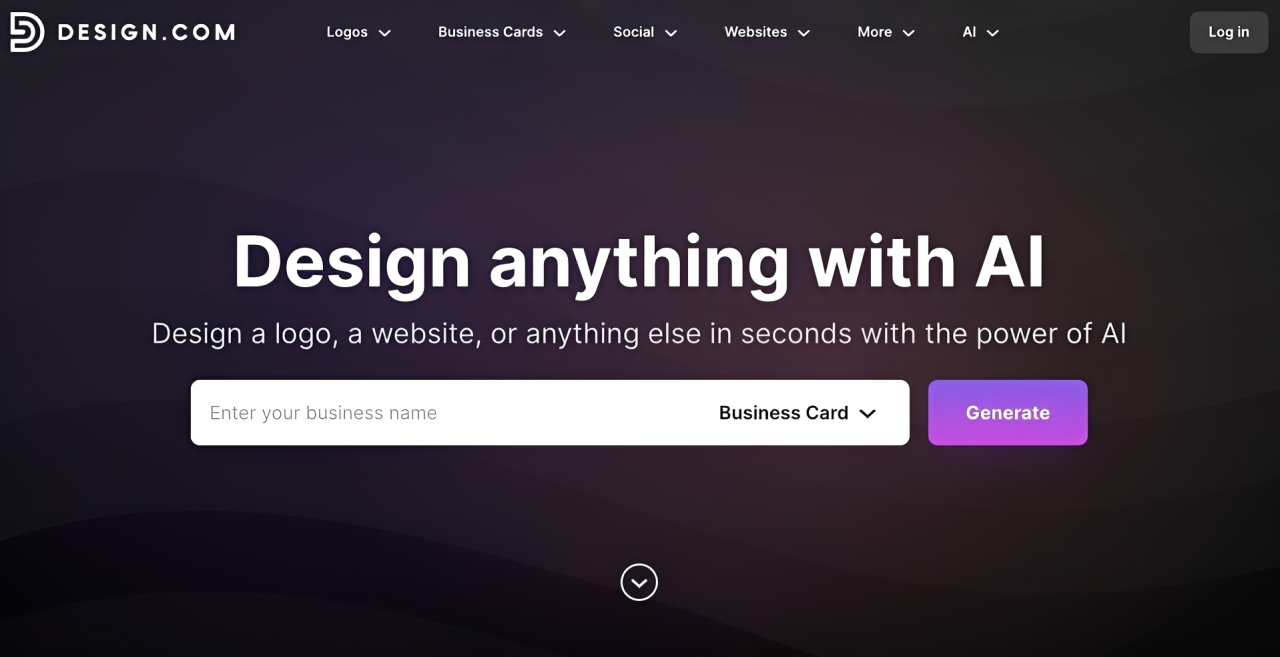
Design.com is a leading AI branding platform that integrates a professional business card maker into its comprehensive suite of design tools. Trusted by thousands with a 4.7 Trustpilot rating across 3K+ reviews, it's ideal for founders who want a unified, polished contact card built entirely from their own AI-generated brand assets. Design.com ensures every business card you create feels less like a card and more like a brand statement.
- AI-Generated Design: Design.com's built-in AI generator instantly creates a fully branded business card using your logo, fonts, and colors, so your card looks intentional from the first draft.
- Free Business Card Designs: Access, customize, and experiment with a selection of free business card templates to explore the right look and feel for your brand.
- World's Largest Design Library: With over 400K+ logo templates and 1 million+ total design templates, you'll never run out of inspiration or options to match your exact brand vision.
- Effortlessly Easy to Use: No design experience needed. Design.com's intuitive interface guides you from blank canvas to a polished, professional card in just a few clicks.
- All-in-One Branding Suite: Design.com's bundles the business card design with a high-quality logo package and an AI-built website, giving your entire online presence one unified, professional look.
- 50+ Design Tools in One Place: Business cards are just the beginning. Design.com gives you access to over 50 creative tools including a website builder, poster maker, and social media templates, so your entire brand lives and grows in one place.
- Brand Inheritance Across Every Design: Every asset you create automatically pulls in your logo, colors, and fonts. Your business card, posters, website, and social designs all stay consistent.
- Free Worldwide Delivery on Print Orders: Once your business card is print-ready, Design.com ships it anywhere in the world at no extra cost. Yes, there's no hidden fees. Receive your printed design delivered straight to your address.
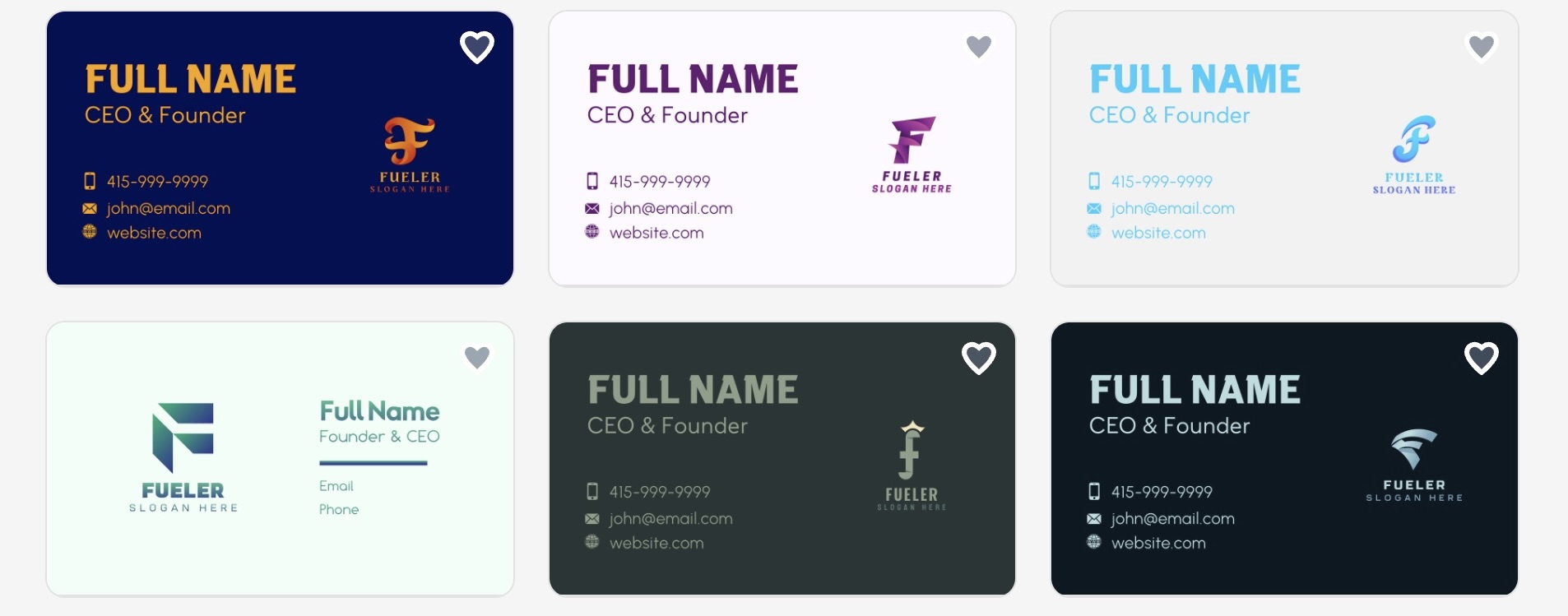
Below are examples of business card designs:
Why it matters:
First impressions are made in seconds and Design.com makes sure yours is unforgettable. From the moment someone receives your card, the AI precision and visual consistency behind every detail signals exactly the kind of founder you are.
2. BrandCrowd - Fast Professional Design for Every Kind of Founder
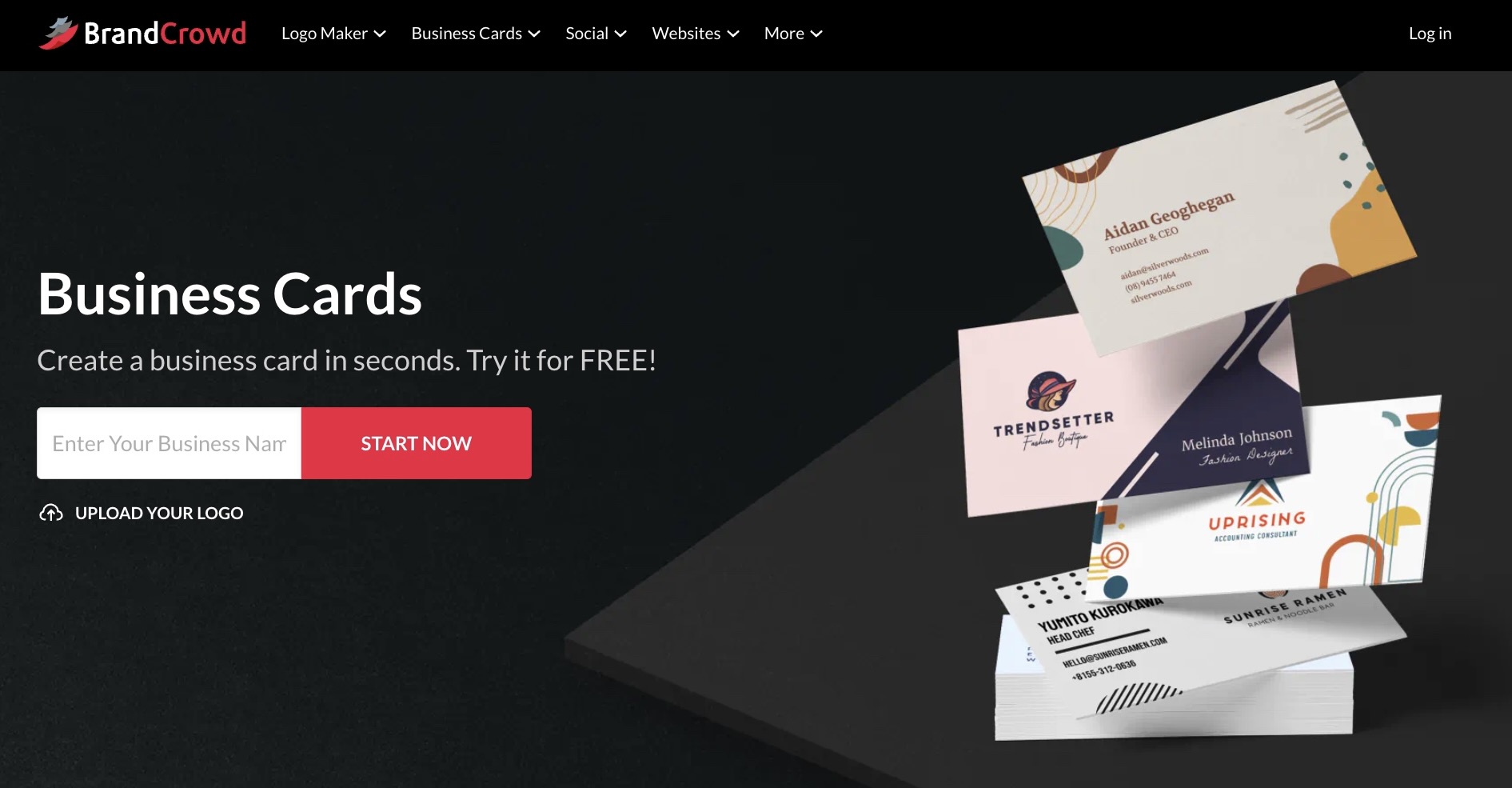
BrandCrowd is the world's best logo maker, and its business card generator brings that same reputation for quality to every introduction you make. With a 4.8 Trustpilot rating across 9K+ reviews, it's built for founders who need their brand to land hard and fast.
- Instant Professional Designs: Generate polished business cards in seconds using your business name and logo, with ready-made layouts crafted by professional designers so your first impression is always on brand.
- Free Business Card Templates: Browse a selection of free business card templates, play with the colors, fonts, and layout, and find the look that feels right for you. BrandCrowd gives you the freedom to explore without any pressure to lock anything in.
- Massive Template Library: Choose from 3,000+ business card templates and industry-specific layouts, all part of BrandCrowd's expansive ecosystem of 579,000+ total design templates built for every type of business and professional.
- Full Creative Control: Customize every detail, including fonts, colors, layouts, icon placement, backgrounds, and typography with unlimited edits available under your subscription, so your card always looks exactly how you want it.
- Extensive 50+ Design Tools and 750+ Fonts: BrandCrowd puts over 50 creative tools in your hands, covering everything from business cards and posters to flyers and social media posts. Pair that with access to over 750+ fonts and 525+ exclusive fonts, and you have everything you need to build a brand that looks entirely your own.
- Built-In Brand Consistency: The moment you create a new asset, your logo, colors, and fonts follow automatically. Business cards, posters, social posts, your whole brand stays locked in and consistent across every touchpoint, without lifting a finger.
- Free Print Delivery, Worldwide: Once your business card is ready to go, BrandCrowd takes care of the rest. Your finished design gets shipped directly to your door, anywhere in the world, completely free of charge.
- Professional File Formats: Download high-resolution, print-ready files in vector formats including SVG, EPS, and PDF, with all your designs stored securely in your account for edits and access anytime.
Take a look at these business card design examples for inspiration.
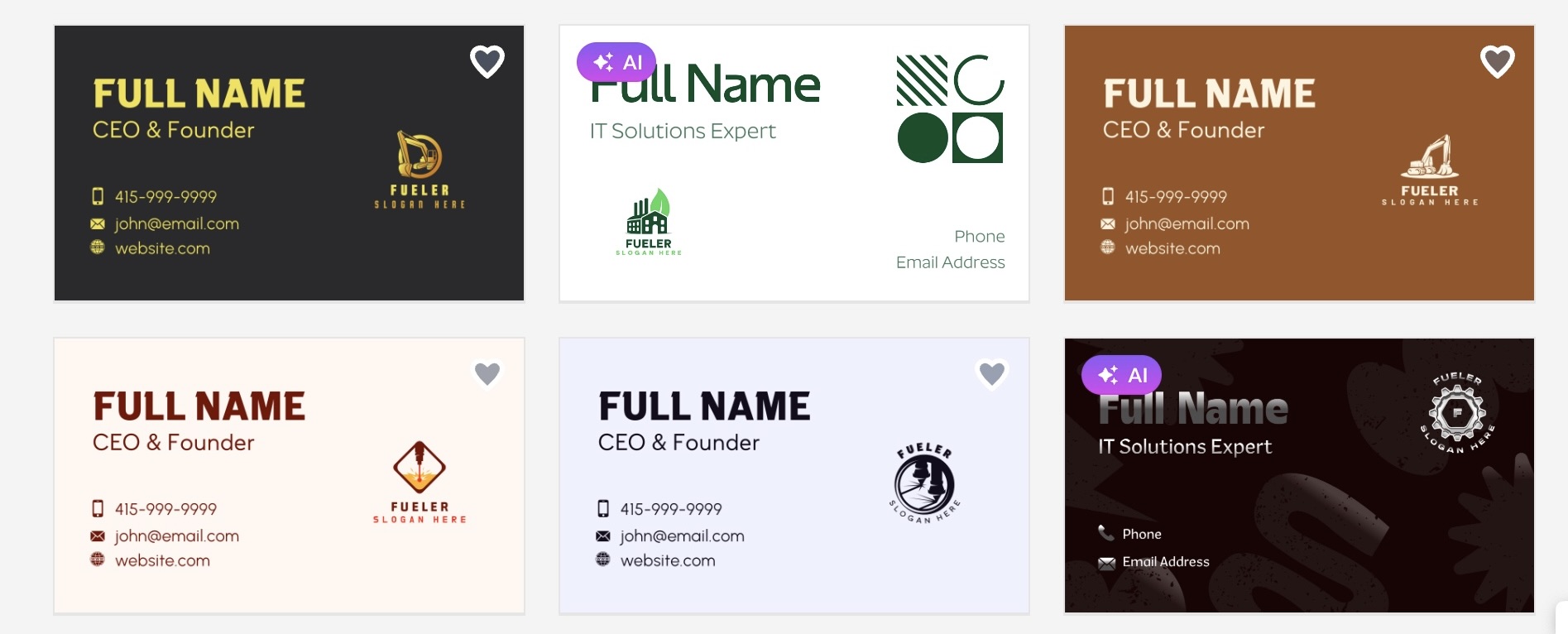
Why it matters:
Your brand deserves to be remembered, not scrolled past. BrandCrowd gives you the speed, exclusivity, and design confidence to make every first meeting count, long after the conversation ends.
3. Canva
Canva is basically the patron saint of people who need to look professional but possess the artistic instincts of a potato. You do not need to understand layers, vectors, or color theory to make something that looks like it costs five hundred dollars. You just jump in, click a few things, and you are done. It is the ultimate tool for when you are procrastinating on your actual work but still want to feel productive.
- Massive Template Library: They have thousands of pre-made templates that are actually modern and stylish, meaning you will never have to start from a blank white screen again, which is honestly the biggest hurdle to getting anything done in life. You can browse through categories that actually match your industry, so you are not stuck using a bakery template when you are trying to land a high-end software engineering contract in downtown San Francisco.
- Simple Drag-and-Drop: Their editor is so incredibly intuitive that even if your hands are shaking from too much caffeine, you can move elements around without accidentally deleting your entire project and having a mid-life crisis. Everything snaps into place perfectly, which is a blessing for those of us who have zero patience for fine-tuning pixel-perfect alignments or wrestling with software that feels like it was coded by a grumpy engineer.
- Brand Kit Sync: You can save your specific fonts, logos, and color palettes so that every single card you design looks like it belongs to the same person, rather than a collection of random ideas. This is vital for maintaining a professional image because nothing says amateur like having five different business cards that look like they were designed by five different people on five different planets.
- Integrated QR Codes: You can generate a custom QR code directly within the platform, making it incredibly easy for people to scan your card and land straight on your digital portfolio or your website. It is the perfect bridge between your physical presence and your digital footprint, ensuring that the person you just met has an immediate way to see exactly what you can do for them without digging for a link.
- One-Click Print/Digital: Once you are done, you can either order high-quality physical prints delivered right to your doorstep or download a crisp digital version to keep in your phone for those spontaneous "let me send you my info" moments. It removes the entire friction of dealing with a third-party printer, meaning you can go from a design idea to a physical card in your hand in just a few clicks.
Pricing
- Free version available for standard designs.
- Canva Pro starts at $12.99 per month.
Why it matters
In the United States, professional networking is a contact sport, and having a card that looks like a high-school project is essentially a death sentence for your reputation. Canva gives you the power to pivot your branding in a heartbeat, ensuring your card is always current, sharp, and impressive enough to make people actually save your number instead of throwing your card away.
4. Adobe Express
If you want to feel like a high-end designer without the soul-crushing experience of watching three-hour-long tutorials, Adobe Express is your best friend. It takes the heavy lifting of professional design logic and simplifies it into a tool that actually makes sense. It is perfect for those who want that extra layer of "I know what I’m doing" without the technical headaches.
- Premium Template Collection: These templates were clearly designed by people who get paid to have good taste, so everything looks sophisticated, clean, and expensive from the moment you open the page to start your design. You are getting the benefit of top-tier creative agencies that spent years perfecting these layouts, allowing your personal brand to look professional, polished, and ready for the big leagues even if you are just starting out.
- Smart Background Removal: Their one-click background remover is literal magic, allowing you to take that selfie you love and turn it into a professional headshot for your business card in about three seconds flat. It saves you from having to hire a photographer for a hundred dollars just to get a clean photo, making it the most cost-effective way to put a human face on your professional identity today.
- Extensive Adobe Font Library: You get access to a massive vault of professional fonts that don't look like they were pulled from a basic word processor, helping your name stand out with true typographic class. Using the right font can change the entire vibe of your card, and having access to these high-end typefaces ensures that your name and contact details look intentional, readable, and highly authoritative to anyone who picks it up.
- Social and Print Harmony: The platform makes it incredibly easy to resize your design for LinkedIn, Instagram, or a physical business card, ensuring your personal brand looks uniform across every single corner of the internet. It is a massive time-saver to create your business card once and have the platform automatically adjust it for your social media banner, giving you a cohesive and seamless professional presence everywhere.
- High-Quality Asset Sync: It integrates perfectly with your other files, meaning you can pull in logos and graphics from other projects without having to constantly upload and re-upload files like a caveman. Having all your assets in one place means you never lose track of your branding elements, which keeps your design workflow smooth and stress-free when you are trying to churn out new business cards for different clients.
Pricing
- Free version available.
- Premium plan starts at $9.99 per month.
Why it matters
Your business card is often the very first tactile experience a potential client has with your brand. Adobe Express gives you that premium, polished look that commands respect, helping you stand out in a crowded room of generic cards by offering design tools that feel expensive even when you are paying nothing, which is the ultimate hack for any professional on a budget.
5. Vistaprint
If you want a physical card that actually feels like it belongs in the hand of a real professional, Vistaprint is the gold standard. They have spent years perfecting the art of turning a digital file into a high-quality physical product, and their online builder is straightforward enough that anyone can use it to get a great result without needing a design degree.
- Premium Paper Stocks: They offer a variety of paper weights and finishes, like matte, glossy, and soft-touch, which add a tactile dimension to your networking that a digital card simply cannot match. Handing someone a card that feels thick and textured instantly signals that you value quality, which makes a much stronger impression than a flimsy, cheap card that bends in someone's pocket within five minutes.
- Industry-Specific Templates: They have thousands of designs that are categorized by industry, so you can find a look that fits perfectly whether you are a real estate agent, a graphic designer, or a consultant. These templates are designed with professional networking in mind, meaning they have the right amount of whitespace and font contrast, ensuring that your contact information is always super easy to read and digest.
- Advanced Finish Options: You can choose premium extras like metallic foil accents, raised spot UV, or rounded corners, which elevate your card from a simple contact slip to a conversation piece. These small design choices make your card much more memorable, increasing the chances that someone will actually hang onto it rather than tossing it in their desk drawer and forgetting you existed immediately.
- Simplified Upload Process: Even if you already have a design from another tool, their platform makes it incredibly easy to upload your files and get them ready for high-quality printing without any hassle. They provide helpful guidelines and checks, so you are never left guessing whether your design will print correctly, which gives you peace of mind that your final product will look exactly like you intended.
- Reliable Shipping Speeds: Vistaprint is famous for their incredibly fast turnaround times, which is a lifesaver if you realize you are out of cards right before a major conference or networking event. They get your order printed and shipped with professional speed, so you never have to walk into an event empty-handed, which is the most important thing you can do to stay prepared for any opportunity.
Pricing
- Free to design.
- Prices start at approximately $17 for 100 cards.
Why it matters
Sometimes, a digital image on a screen just does not cut it. In professional US networking, a high-quality, tactile business card acts as a lasting physical reminder of your meeting. Vistaprint bridges the gap between your design and a physical object that people will actually keep in their wallet rather than tossing in the trash, securing your place in their professional network.
6. Moo
If you are the type of professional who wants your business card to feel like a piece of art, Moo is the place to be. They are legendary for their high-quality materials and unique card sizes, making them the favorite choice for creative professionals, designers, and anyone who wants to make a bold, unforgettable statement as soon as they reach into their pocket.
- Unique Card Sizes: They offer different sizes and shapes that immediately make your card stand out from the boring, standard-sized cards that everyone else is handing out. Having a slightly different feel or shape makes your card tactilely interesting, which forces people to engage with it longer, helping them remember your name and your face long after the initial introduction has ended.
- Luxurious Paper Finishes: Their paper quality is absolutely unmatched in the industry, offering heavy, textured stocks that feel premium the moment they are touched by someone. This level of quality says that you value the details, which is a major signal of professional competence and worth to anyone who is deciding whether or not to hire you for a serious project or partnership.
- Printfinity Technology: This is their coolest feature, as it allows you to print a different image on the back of every single card in a pack, turning your business cards into a mini portfolio of your work. It is an amazing way to spark a conversation about your projects, allowing you to showcase your best samples directly on the card while also giving your contact information.
- High-End Design Tool: Their online interface is built for people who appreciate good design, with clean typography and plenty of white space that lets your branding breathe and shine. It is incredibly easy to use but offers enough sophistication that you never feel like you are compromising on your creative vision, even though you are using a template-based system for your project.
- Fast and Secure Shipping: Moo understands that professionals are busy and often need their materials on a tight deadline, so they have a very efficient shipping process that keeps you updated every step of the way. You get your high-quality cards delivered safely and quickly, so you can spend your time worrying about landing new clients instead of checking the status of your supply order.
Pricing
- Pricing depends on complexity and card type.
- Standard business cards start at roughly $20 for 50 cards.
Why it matters
In a competitive US market, you need every advantage to stay top-of-mind, and a boring card is a missed opportunity. Moo provides that unique, high-quality touch that makes your brand feel special and memorable, ensuring that you don't just get saved in someone's contact list, but that you are actually remembered for the value you provide and the professional standard you uphold.
Showcase Your Best Work with Fueler
While having a great business card is a fantastic first step, it is just the introduction. In today's hiring market, you need to prove your skills with concrete evidence. That is where Fueler comes in. Instead of just handing someone a piece of paper, you can use your Fueler portfolio to showcase live links, case studies, and assignments that prove your expertise. It is the perfect way to turn that initial conversation into a long-term professional relationship by showing off exactly what you can do.
Final Thoughts
Building a professional identity does not have to be a miserable, expensive, or overly technical chore. With the right tools, you can create a business card that reflects your personality and your professional value in just a few minutes. Whether you choose the speed of Canva or the tactile luxury of Moo, the goal is always the same: to make it easy for people to remember you and to see the quality you bring to the table. Start small, stay consistent, and keep building that network because your next big opportunity might just be one well-designed card away.
Frequently Asked Questions
1. What are the best free tools for business card design in 2026?
Currently, Canva and Adobe Express remain the best free options for professionals who want professional-looking cards without spending a dime. They offer a massive range of templates and customization tools that are more than enough to create a high-quality, professional business card that works for any industry.
2. How do I make my business card stand out in a crowded market?
Focus on high-quality paper stocks, unique finishes like metallic accents, and clean, readable design. Tools like Moo and Vistaprint allow you to add these premium touches, while platforms like Fueler allow you to link to a digital portfolio, which gives people a much deeper reason to remember you than just a name and number.
3. Is it still worth having a physical business card in 2026?
Absolutely. While everything is digital, a physical card provides a tactile memory that stays in someone’s pocket or on their desk. It serves as a physical reminder of a real-world connection, which is often much more impactful than a random connection request on a networking site.
4. Can I use AI tools to generate business cards if I have no design skills?
Yes, all the tools mentioned above use smart, intuitive features to help you generate professional designs regardless of your skill level. They handle the hard stuff like spacing, alignment, and color balance so you can focus on simply providing your details and choosing a style that fits your brand.
5. How often should I update my business card design?
You should update your design whenever your professional contact information changes or if you feel your current branding no longer represents the level of work you are doing. With the tools mentioned in this article, updating your design is fast and easy, so there is no excuse to hand out outdated information.
What is Fueler Portfolio?
Fueler is a career portfolio platform that helps companies find the best talent for their organization based on their proof of work. You can create your portfolio on Fueler. Thousands of freelancers around the world use Fueler to create their professional-looking portfolios and become financially independent. Discover inspiration for your portfolio
Sign up for free on Fueler or get in touch to learn more.

What should you do next?
You've read the article. Now turn your skills into proof of work and unlock more opportunities.
Build your proof of work portfolio
Create a clean portfolio with projects, assignments, resumes, and AI stack details that companies actually want to see.
Create your Fueler portfolio →Apply through assignments, not resumes
Stand out by solving real tasks from companies hiring on Fueler.
Explore assignments →Get discovered by companies
Make your work public and let recruiters discover your skills through actual projects instead of keywords.
Get discovered →
